phone Hyundai Genesis 2010 User Guide
[x] Cancel search | Manufacturer: HYUNDAI, Model Year: 2010, Model line: Genesis, Model: Hyundai Genesis 2010Pages: 399, PDF Size: 10 MB
Page 224 of 399
4147
Features of your vehicle
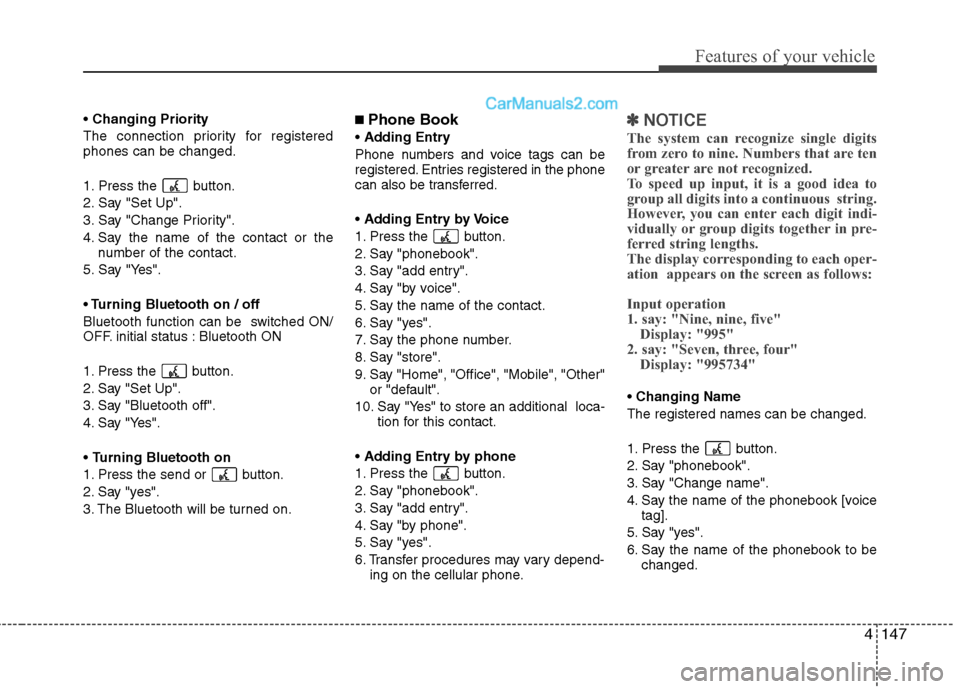
Changing Priority
The connection priority for registered
phones can be changed.
1. Press the button.
2. Say "Set Up".
3. Say "Change Priority".
4. Say the name of the contact or the
number of the contact.
5. Say "Yes".
TurningBluetooth on / off
Bluetooth function can be switched ON/
OFF. initial status : Bluetooth ON
1. Press the button.
2. Say "Set Up".
3. Say "Bluetooth off".
4. Say "Yes".
Turning Bluetooth on
1. Press the send or button.
2. Say "yes".
3. The Bluetooth will be turned on.■ Phone Book
Adding Entry
Phone numbers and voice tags can be
registered. Entries registered in the phone
can also be transferred.
Adding Entry by Voice
1. Press the button.
2. Say "phonebook".
3. Say "add entry".
4. Say "by voice".
5. Say the name of the contact.
6. Say "yes".
7. Say the phone number.
8. Say "store".
9. Say "Home", "Office", "Mobile", "Other"
or "default".
10. Say "Yes" to store an additional loca-
tion for this contact.
Adding Entry by phone
1. Press the button.
2. Say "phonebook".
3. Say "add entry".
4. Say "by phone".
5. Say "yes".
6. Transfer procedures may vary depend-
ing on the cellular phone.
✽ ✽
NOTICE
The system can recognize single digits
from zero to nine. Numbers that are ten
or greater are not recognized.
To speed up input, it is a good idea to
group all digits into a continuous string.
However, you can enter each digit indi-
vidually or group digits together in pre-
ferred string lengths.
The display corresponding to each oper-
ation appears on the screen as follows:
Input operation
1. say: "Nine, nine, five"
Display: "995"
2. say: "Seven, three, four"
Display: "995734"
Changing Name
The registered names can be changed.
1. Press the button.
2. Say "phonebook".
3. Say "Change name".
4. Say the name of the phonebook [voice
tag].
5. Say "yes".
6. Say the name of the phonebook to be
changed.
Page 225 of 399
Features of your vehicle
148 4
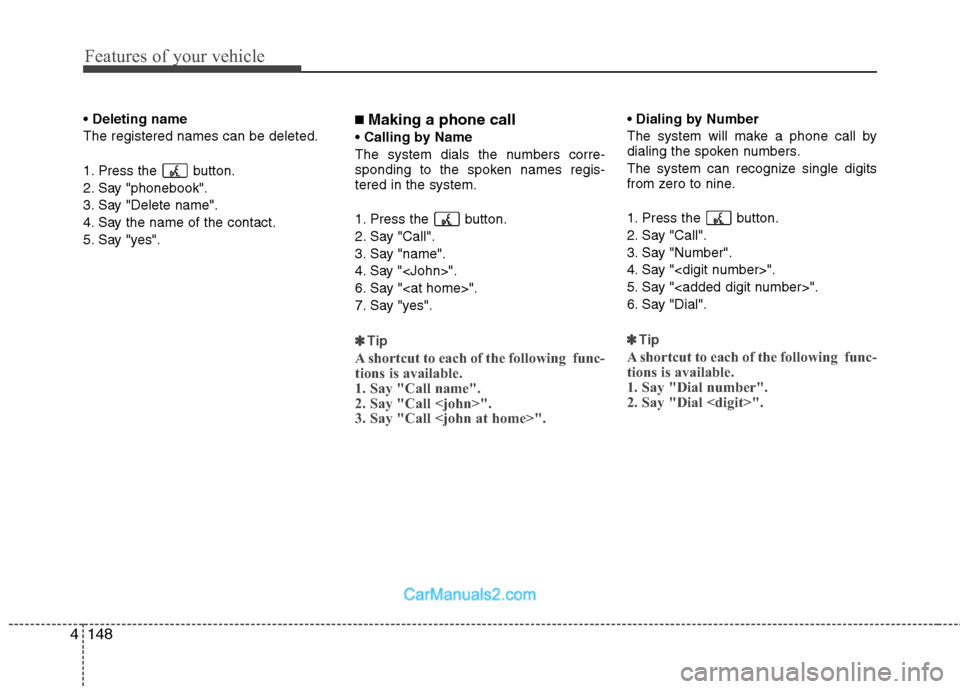
Deleting name
The registered names can be deleted.
1. Press the button.
2. Say "phonebook".
3. Say "Delete name".
4. Say the name of the contact.
5. Say "yes".■ Making a phone call
Calling by Name
The system dials the numbers corre-
sponding to the spoken names regis-
tered in the system.
1. Press the button.
2. Say "Call".
3. Say "name".
4. Say "
6. Say "
7. Say "yes".
✽ ✽
Tip
A shortcut to each of the following func-
tions is available.
1. Say "Call name".
2. Say "Call
3. Say "Call
Dialing by Number
The system will make a phone call by
dialing the spoken numbers.
The system can recognize single digits
from zero to nine.
1. Press the button.
2. Say "Call".
3. Say "Number".
4. Say "
5. Say "
6. Say "Dial".
✽ ✽
Tip
A shortcut to each of the following func-
tions is available.
1. Say "Dial number".
2. Say "Dial
Page 226 of 399
4149
Features of your vehicle
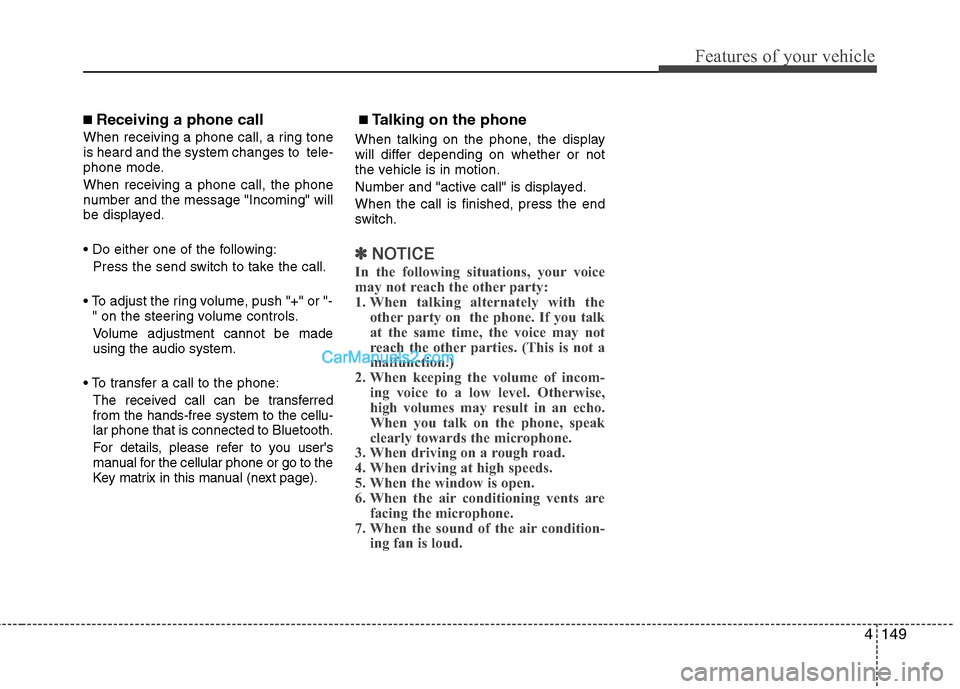
■ Receiving a phone call
When receiving a phone call, a ring tone
is heard and the system changes to tele-
phone mode.
When receiving a phone call, the phone
number and the message "Incoming" will
be displayed.
Press the send switch to take the call.
or "-
" on the steering volume controls.
Volume adjustment cannot be made
using the audio system.
The received call can be transferred
from the hands-free system to the cellu-
lar phone that is connected to Bluetooth.
For details, please refer to you user's
manual for the cellular phone or go to the
Key matrix in this manual (next page).
■ Talking on the phone
When talking on the phone, the display
will differ depending on whether or not
the vehicle is in motion.
Number and "active call" is displayed.
When the call is finished, press the end
switch.
✽ ✽
NOTICE
In the following situations, your voice
may not reach the other party:
1. When talking alternately with the
other party on the phone. If you talk
at the same time, the voice may not
reach the other parties. (This is not a
malfunction.)
2. When keeping the volume of incom-
ing voice to a low level. Otherwise,
high volumes may result in an echo.
When you talk on the phone, speak
clearly towards the microphone.
3. When driving on a rough road.
4. When driving at high speeds.
5. When the window is open.
6. When the air conditioning vents are
facing the microphone.
7. When the sound of the air condition-
ing fan is loud.
Page 227 of 399
![Hyundai Genesis 2010 User Guide Features of your vehicle
150 4
■ Key matrix
No.
Disconnected(BT Icon off) Connected (BT Icon On)
Paired H/P
EmptyPaired H/P
Exist
1SHORT
LONG
STEERING
MODE KEY
SHORT
LONG
[10sec]
AUDIO
POWER KEYNorm](/img/35/14680/w960_14680-226.png "Hyundai Genesis 2010 User Guide Features of your vehicle
150 4
■ Key matrix
No.
Disconnected(BT Icon off) Connected (BT Icon On)
Paired H/P
EmptyPaired H/P
Exist
1SHORT
LONG
STEERING
MODE KEY
SHORT
LONG
[10sec]
AUDIO
POWER KEYNorm")
Features of your vehicle
150 4
■ Key matrix
No.
Disconnected(BT Icon off) Connected (BT Icon On)
Paired H/P
EmptyPaired H/P
Exist
1SHORT
LONG
STEERING
MODE KEY
SHORT
LONG
[10sec]
AUDIO
POWER KEYNormal mode
BT SETUP menuIncoming CallOutgoing Call
Active CallTRANSFER
CALL
Not Connect---Accept Call
Connected
-Transfer Call
(Handsfree <->Phone)
KEY
-
-VR
MODE Cancel-Reject CallEnd Call End CallEnd Call
-System not
ready Please
wait a momentActive Active Active-- -
System not
ready Please
wait a moment
-
-
Change
language
-
Change
language
--
---
Change
language
---Reject Call
-
End call
-
2nd call
1st Call:waiting
2nd Call:active
-
-
End call-
2
3
4
Page 394 of 399
Index
2I
Air bag - advanced supplemental restraint system ······ 3-33
Air bag warning label ················································ 3-58
Curtain air bag ··························································· 3-50
Driver's and passenger's front air bag ······················· 3-44
Occupant classification system ································· 3-39
Side impact air bag ···················································· 3-48
SRS components and functions ································· 3-36
Air cleaner ··································································· 7-22
Appearance care ·························································· 7-59
Audio system ····························································· 4-109
Antenna ··································································· 4-109
Bluetooth phone operation ········································4-145
HD Radio
TM································································4-141
PA710BH ································································· 4-114
PA760BH ································································· 4-127
Steering wheel audio control ··································· 4-109
Automatic climate control system ······························· 4-85
Air conditioning ························································ 4-92
Automatic heating and air conditioning ···················· 4-86
Manual heating and air conditioning ························ 4-87
Rear vent ··································································· 4-96
Automatic transmission ··············································· 5-11
Ignition key interlock system ···································· 5-15
Shift lock system ······················································· 5-14
Sports mode ······························································· 5-14
Automatic transmission fluid ·······································7-21Battery ········································································· 7-28
Before driving ································································ 5-3
Binding arbitration ························································· 8-9
Brake fluid ··································································· 7-19
Brake system ······························································· 5-18
Anti-lock brake system (ABS) ·································· 5-26
Auto hold ·····································································5-24
Electronic parking brake ·············································5-21
Electronic stability control (ESC) ····························· 5-28
Parking brake ····························································· 5-19
Power brakes ····························································· 5-18
Bulb wattage ·································································· 8-2
California perchlorate notice ······································· 7-68
Child restraint system ·················································· 3-25
Placing a passenger seat belt into the auto lock
mode ········································································ 3-27
Securing a child restraint seat with tether anchor
system ······································································ 3-29
Securing a child restraint seat with child seat lower
anchor system ·························································· 3-31
Climate control air filter ·············································· 7-23
Consumer information ··················································· 8-8
Cruise control system ·················································· 5-33
AB
C