section 7 Hyundai Genesis 2010 User Guide
[x] Cancel search | Manufacturer: HYUNDAI, Model Year: 2010, Model line: Genesis, Model: Hyundai Genesis 2010Pages: 399, PDF Size: 10 MB
Page 84 of 399
47
Features of your vehicle
Even though you press the outside door
handle buttons, the doors will not lock
and the chime will sound for 3 seconds if
any of following occur:
The smart key is in the vehicle.
The ignition switch is in ACC or ON
position.
Any door except the trunk is open.D040102BBH-EU
Unlocking
Press the button in the driver’s outside
door handle with all doors (and trunk)
closed and locked, to unlock the driver’s
door. The hazard warning lights blink and
the chime sounds twice to indicate that
the driver’s door is unlocked. All doors
(and trunk) are unlocked if the button is
pressed once more within 4 seconds.
The hazard warning lights will blink and
the chime will sound twice to indicate that
all doors (and trunk) are unlocked.
Press the button in the front passenger’s
outside door handle with all doors (and
trunk) closed and locked, to unlock all
doors (and trunk). The hazard warning
lights blink and the chime sounds once to
indicate that all doors (and trunk) are
unlocked. The button will only operate
when the smart key is within 28~40 in.
(0.7~1 m) from the outside door handle.
When the smart key is recognized in the
area of 28~40 in. (0.7~1 m) from the front
outside door handle, other people can
also open the doors without possession
of the smart key.
✽ ✽
NOTICE
An authorized HYUNDAI dealer can
change the system to unlock all doors by
one pushing the button in the driver’s
outside door handle. If you want this
feature, consult an authorized
HYUNDAI dealer.
D040103ABH-EU
Trunk unlocking
When all doors are locked if you are with-
in 0.7~1 m (28~40 in.) from the outside
trunk handle, with your smart key in your
possession, the trunk will unlock when
you press the trunk handle switch.
The hazard warning lights will blink twice
to indicate that the trunk is unlocked.
Also, once the trunk is opened and then
closed, the trunk will be locked automati-
cally.
D040104ABH
Start-up
You can start the engine without inserting
the key. For detailed information refer to
the “Engine start/stop button” in section
5.
Page 107 of 399
Features of your vehicle
30 4
D100500ABH
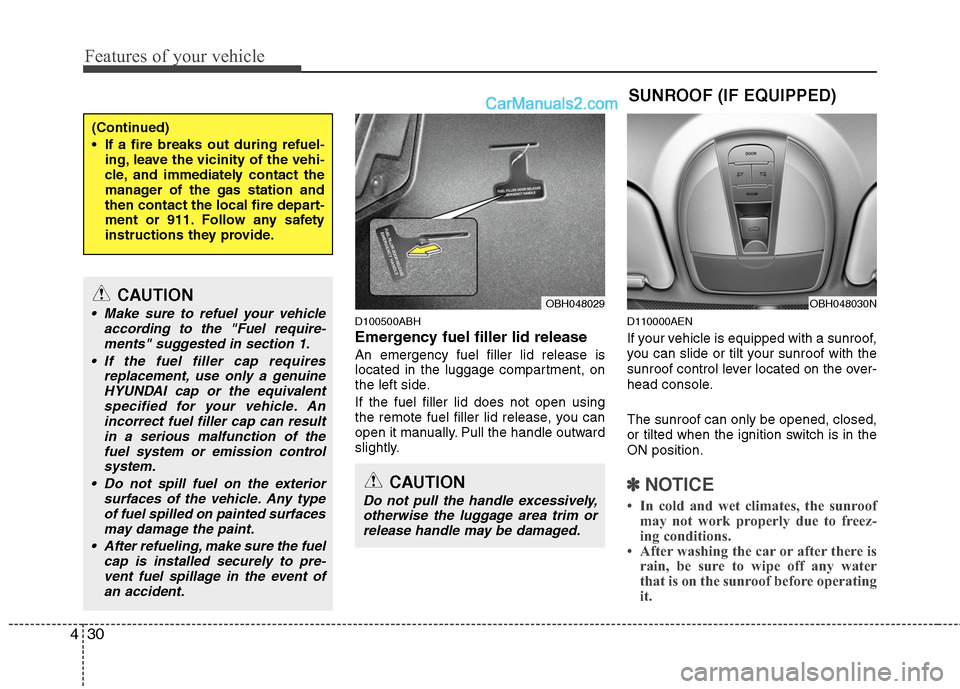
Emergency fuel filler lid release
An emergency fuel filler lid release is
located in the luggage compartment, on
the left side.
If the fuel filler lid does not open using
the remote fuel filler lid release, you can
open it manually. Pull the handle outward
slightly.
D110000AEN
If your vehicle is equipped with a sunroof,
you can slide or tilt your sunroof with the
sunroof control lever located on the over-
head console.
The sunroof can only be opened, closed,
or tilted when the ignition switch is in the
ON position.
✽ ✽
NOTICE
• In cold and wet climates, the sunroof
may not work properly due to freez-
ing conditions.
• After washing the car or after there is
rain, be sure to wipe off any water
that is on the sunroof before operating
it.
(Continued)
If a fire breaks out during refuel-
ing, leave the vicinity of the vehi-
cle, and immediately contact the
manager of the gas station and
then contact the local fire depart-
ment or 911. Follow any safety
instructions they provide.
CAUTION
Make sure to refuel your vehicle
according to the "Fuel require-
ments" suggested in section 1.
If the fuel filler cap requires
replacement, use only a genuine
HYUNDAI cap or the equivalent
specified for your vehicle. An
incorrect fuel filler cap can result
in a serious malfunction of the
fuel system or emission control
system.
Do not spill fuel on the exterior
surfaces of the vehicle. Any type
of fuel spilled on painted surfaces
may damage the paint.
After refueling, make sure the fuel
cap is installed securely to pre-
vent fuel spillage in the event of
an accident.
CAUTION
Do not pull the handle excessively,
otherwise the luggage area trim or
release handle may be damaged.
OBH048029
SUNROOF (IF EQUIPPED)
OBH048030N
Page 121 of 399
Features of your vehicle
44 4
Gate operator & Canadian program-
ming
During programming, your handheld
transmitter may automatically stop trans-
mitting. Continue to press the Integrated
HomeLink
®Wireless Control System but-
ton (note steps 2 through 4 in the
Standard Programming portion of this
document) while you press and re-press
("cycle") your handheld transmitter every
two seconds until the frequency signal
has been learned. The indicator light will
flash slowly and then rapidly after sever-
al seconds upon successful training.
Operating HomeLink
®
To operate, simply press and release the
programmed HomeLink®button.
Activation will now occur for the trained
device (i.e. garage door opener, gate
operator, security system, entry door
lock, home/office lighting, etc.). For con-
venience, the hand-held transmitter of
the device may also be used at any time.Reprogramming a single HomeLink
®
button
To program a new device to a previously
trained HomeLink
®button, follow these
steps:
1. Press and hold the desired HomeLink
®
button. Do NOT release until step 4
has been completed.
2. When the indicator light begins to flash
slowly (after 20 seconds), position the
handheld transmitter 1 to 3 inches
away from the HomeLink
®surface.
3. Press and hold the handheld transmit-
ter button. The HomeLink
®indicator
light will flash, first slowly and then rap-
idly.
4. When the indicator light begins to flash
rapidly, release both buttons.
5. Press and hold the just-trained
HomeLink
®button and observe the red
Status Indicator LED. If the indicator
light stays on constantly, programming
is complete and your new device
should activate.Erasing HomeLink
®buttons
Individual buttons cannot be erased.
However, to erase all three programmed
buttons:
1. Press and hold the two outer
HomeLink
®buttons until the indicator
light begins to flash-after 20 seconds.
2. Release both buttons. Do not hold for
longer than 30 seconds.
The Integrated HomeLink
®Wireless
Control System is now in the training
(learn) mode and can be programmed at
any time following the appropriate steps
in the Programming sections above.
Page 127 of 399

Features of your vehicle
50 4
When the door is open, or if the engine is
not started within 1 minute, the tachome-
ter pointer may move slightly in ON posi-
tion with the engine OFF. This movement
is normal and will not affect the accuracy
of the tachometer once the engine is run-
ning.
D150203AUN
Engine temperature gauge
This gauge shows the temperature of the
engine coolant when the ignition switch
is ON.
Do not continue driving with an overheat-
ed engine. If your vehicle overheats, refer
to “If the engine overheats” in section 6.
OBH048051
CAUTION
If the gauge pointer moves beyond
the normal range area toward the
“H” position, it indicates overheat-
ing that may damage the engine.
CAUTION
Do not operate the engine within
the tachometer's RED ZONE.
This may cause severe engine dam-
age.
WARNING
Never remove the radiator cap
when the engine is hot. The engine
coolant is under pressure and
could cause severe burns. Wait
until the engine is cool before
adding coolant to the reservoir.
Conventional Type
Supervision Type
Page 136 of 399
459
Features of your vehicle
D150332AEN
TPMS (Tire Pressure
Monitoring System)
malfunction indicator
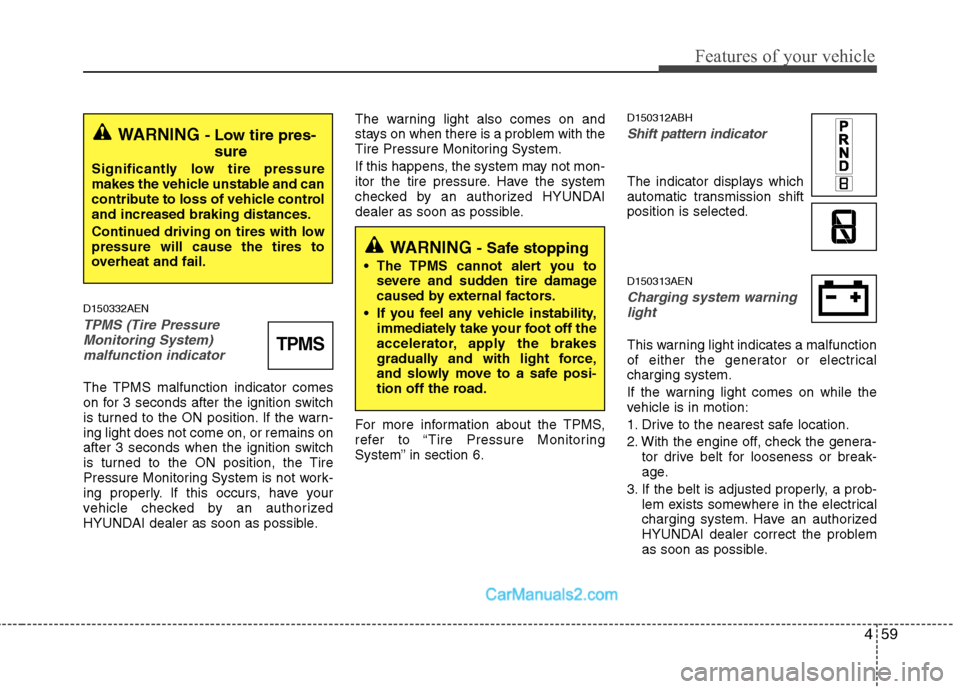
The TPMS malfunction indicator comes
on for 3 seconds after the ignition switch
is turned to the ON position. If the warn-
ing light does not come on, or remains on
after 3 seconds when the ignition switch
is turned to the ON position, the Tire
Pressure Monitoring System is not work-
ing properly. If this occurs, have your
vehicle checked by an authorized
HYUNDAI dealer as soon as possible.The warning light also comes on and
stays on when there is a problem with the
Tire Pressure Monitoring System.
If this happens, the system may not mon-
itor the tire pressure. Have the system
checked by an authorized HYUNDAI
dealer as soon as possible.
For more information about the TPMS,
refer to “Tire Pressure Monitoring
System” in section 6.
D150312ABH
Shift pattern indicator
The indicator displays which
automatic transmission shift
position is selected.
D150313AEN
Charging system warning
light
This warning light indicates a malfunction
of either the generator or electrical
charging system.
If the warning light comes on while the
vehicle is in motion:
1. Drive to the nearest safe location.
2. With the engine off, check the genera-
tor drive belt for looseness or break-
age.
3. If the belt is adjusted properly, a prob-
lem exists somewhere in the electrical
charging system. Have an authorized
HYUNDAI dealer correct the problem
as soon as possible.
WARNING - Low tire pres-
sure
Significantly low tire pressure
makes the vehicle unstable and can
contribute to loss of vehicle control
and increased braking distances.
Continued driving on tires with low
pressure will cause the tires to
overheat and fail.
TPMS
WARNING - Safe stopping
The TPMS cannot alert you to
severe and sudden tire damage
caused by external factors.
If you feel any vehicle instability,
immediately take your foot off the
accelerator, apply the brakes
gradually and with light force,
and slowly move to a safe posi-
tion off the road.
Page 139 of 399
Features of your vehicle
62 4
D150323AUN-EU
ESC indicator (Electronic
Stability Control)
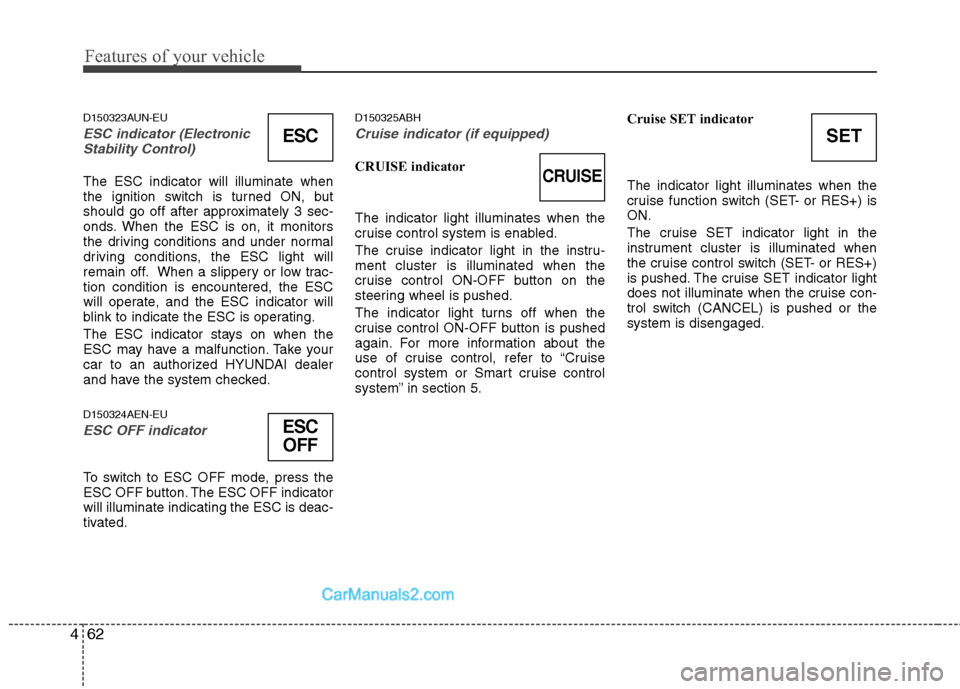
The ESC indicator will illuminate when
the ignition switch is turned ON, but
should go off after approximately 3 sec-
onds. When the ESC is on, it monitors
the driving conditions and under normal
driving conditions, the ESC light will
remain off. When a slippery or low trac-
tion condition is encountered, the ESC
will operate, and the ESC indicator will
blink to indicate the ESC is operating.
The ESC indicator stays on when the
ESC may have a malfunction. Take your
car to an authorized HYUNDAI dealer
and have the system checked.
D150324AEN-EU
ESC OFF indicator
To switch to ESC OFF mode, press the
ESC OFF button. The ESC OFF indicator
will illuminate indicating the ESC is deac-
tivated.
D150325ABH
Cruise indicator (if equipped)
CRUISE indicator
The indicator light illuminates when the
cruise control system is enabled.
The cruise indicator light in the instru-
ment cluster is illuminated when the
cruise control ON-OFF button on the
steering wheel is pushed.
The indicator light turns off when the
cruise control ON-OFF button is pushed
again. For more information about the
use of cruise control, refer to “Cruise
control system or Smart cruise control
system” in section 5.Cruise SET indicator
The indicator light illuminates when the
cruise function switch (SET- or RES+) is
ON.
The cruise SET indicator light in the
instrument cluster is illuminated when
the cruise control switch (SET- or RES+)
is pushed. The cruise SET indicator light
does not illuminate when the cruise con-
trol switch (CANCEL) is pushed or the
system is disengaged.
ESC
ESC
OFF
SET
CRUISE
Page 140 of 399
463
Features of your vehicle
D150320ABH
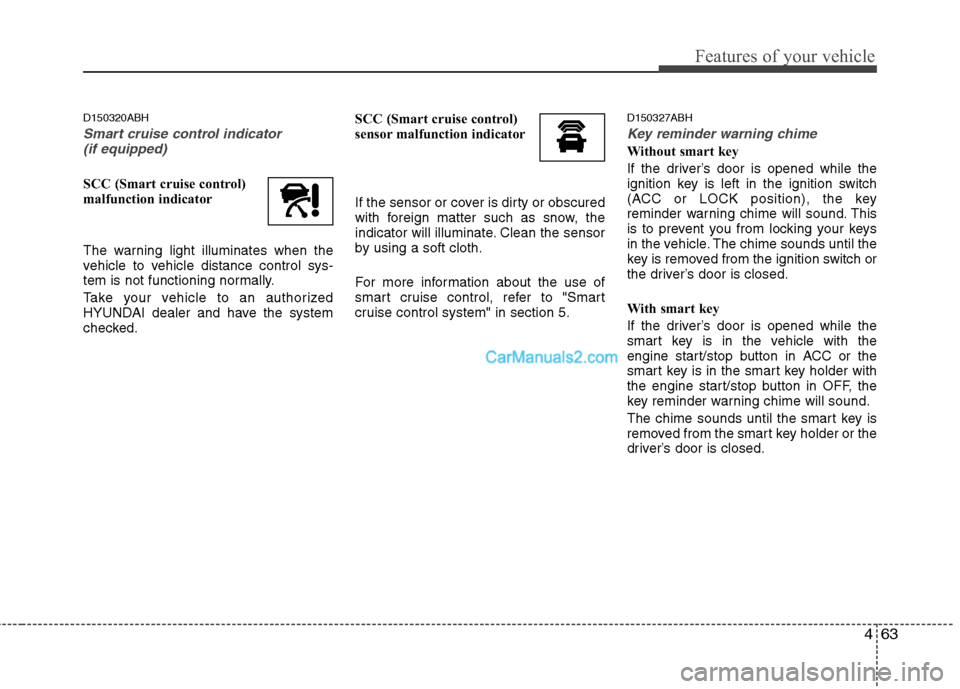
Smart cruise control indicator
(if equipped)
SCC (Smart cruise control)
malfunction indicator
The warning light illuminates when the
vehicle to vehicle distance control sys-
tem is not functioning normally.
Take your vehicle to an authorized
HYUNDAI dealer and have the system
checked.SCC (Smart cruise control)
sensor malfunction indicator
If the sensor or cover is dirty or obscured
with foreign matter such as snow, the
indicator will illuminate. Clean the sensor
by using a soft cloth.
For more information about the use of
smart cruise control, refer to "Smart
cruise control system" in section 5.
D150327ABH
Key reminder warning chime
Without smart key
If the driver’s door is opened while the
ignition key is left in the ignition switch
(ACC or LOCK position), the key
reminder warning chime will sound. This
is to prevent you from locking your keys
in the vehicle. The chime sounds until the
key is removed from the ignition switch or
the driver’s door is closed.
With smart key
If the driver’s door is opened while the
smart key is in the vehicle with the
engine start/stop button in ACC or the
smart key is in the smart key holder with
the engine start/stop button in OFF, the
key reminder warning chime will sound.
The chime sounds until the smart key is
removed from the smart key holder or the
driver’s door is closed.
Page 141 of 399
Features of your vehicle
64 4
D150332ABH
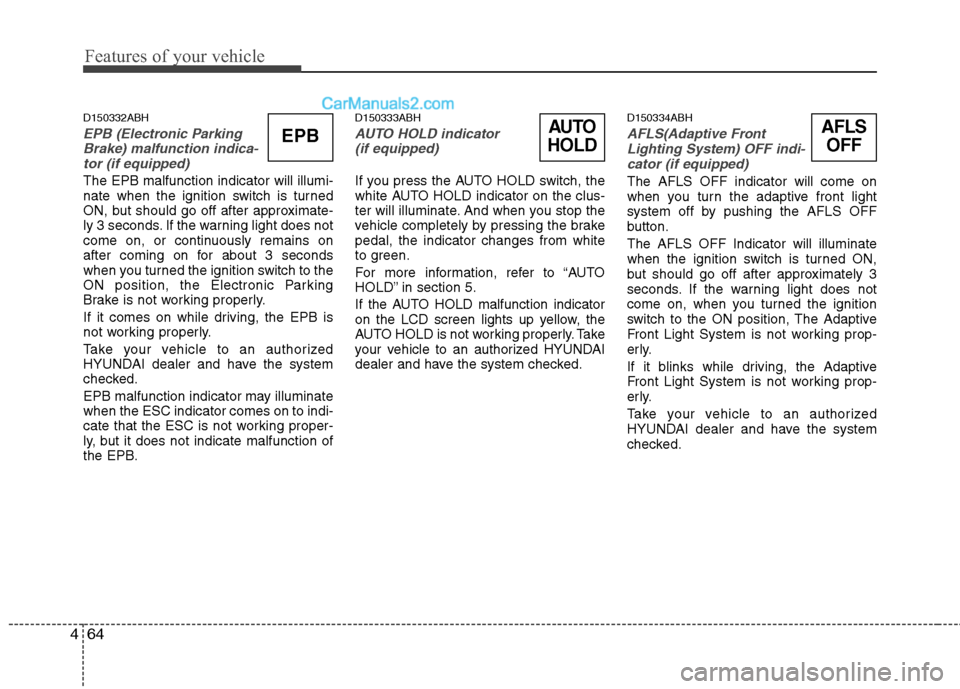
EPB (Electronic Parking
Brake) malfunction indica-
tor (if equipped)
The EPB malfunction indicator will illumi-
nate when the ignition switch is turned
ON, but should go off after approximate-
ly 3 seconds. If the warning light does not
come on, or continuously remains on
after coming on for about 3 seconds
when you turned the ignition switch to the
ON position, the Electronic Parking
Brake is not working properly.
If it comes on while driving, the EPB is
not working properly.
Take your vehicle to an authorized
HYUNDAI dealer and have the system
checked.
EPB malfunction indicator may illuminate
when the ESC indicator comes on to indi-
cate that the ESC is not working proper-
ly, but it does not indicate malfunction of
the EPB.
D150333ABH
AUTO HOLD indicator
(if equipped)
If you press the AUTO HOLD switch, the
white AUTO HOLD indicator on the clus-
ter will illuminate. And when you stop the
vehicle completely by pressing the brake
pedal, the indicator changes from white
to green.
For more information, refer to “AUTO
HOLD” in section 5.
If the AUTO HOLD malfunction indicator
on the LCD screen lights up yellow, the
AUTO HOLD is not working properly. Take
your vehicle to an authorized HYUNDAI
dealer and have the system checked.
D150334ABH
AFLS(Adaptive Front
Lighting System) OFF indi-
cator (if equipped)
The AFLS OFF indicator will come on
when you turn the adaptive front light
system off by pushing the AFLS OFF
button.
The AFLS OFF Indicator will illuminate
when the ignition switch is turned ON,
but should go off after approximately 3
seconds. If the warning light does not
come on, when you turned the ignition
switch to the ON position, The Adaptive
Front Light System is not working prop-
erly.
If it blinks while driving, the Adaptive
Front Light System is not working prop-
erly.
Take your vehicle to an authorized
HYUNDAI dealer and have the system
checked.
AUTO
HOLDAFLS
OFFEPB
Page 187 of 399
Features of your vehicle
110 4
D300204ABH
VOLUME ( / ) (1)
Press the up button ( ) to increase
volume.
Press the down button ( ) to
decrease volume.
D300203AEN
SEEK/PRESET ( / ) (2)
If the SEEK/PRESET button is pressed
for 0.8 second or more, it will work as fol-
lows in each mode.
RADIO mode
It will function as the AUTO SEEK select
button. It will SEEK until you release the
button.
CDP mode
It will function as the FF/REW button.
CDC mode
It will function as the DISC UP/DOWN
button.
If the SEEK/PRESET button is pressed
for less than 0.8 second, it will work as
follows in each mode.RADIO mode
It will function as the PRESET STATION
select buttons.
CDP mode
It will function as the TRACK UP/DOWN
button.
CDC mode
It will function as the TRACK UP/DOWN
button.
Detailed information for audio control
buttons is included in the following pages
in this section.
D300205ABH
MODE (3)
Press the MODE button to select Radio,
CD (Compact Disc) or CDC (Compact
Disc Changer, if equipped)
D300205AEN
MUTE (4) (if equipped)
Press the MUTE button to cancel the
sound.
Press the MUTE button again to acti-
vate the sound.
D300800AEN-EU
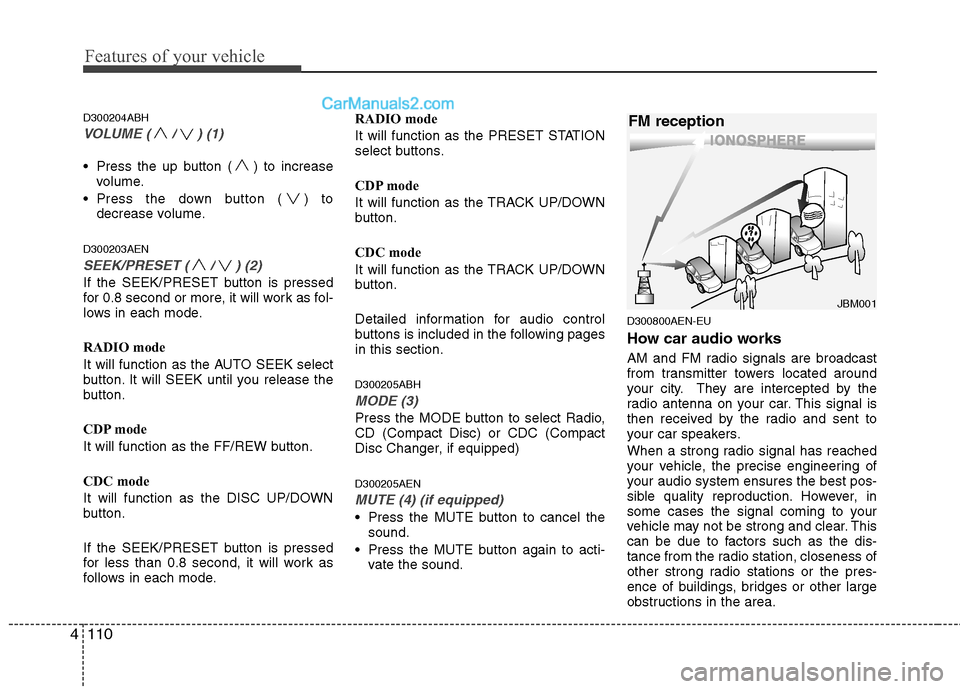
How car audio works
AM and FM radio signals are broadcast
from transmitter towers located around
your city. They are intercepted by the
radio antenna on your car. This signal is
then received by the radio and sent to
your car speakers.
When a strong radio signal has reached
your vehicle, the precise engineering of
your audio system ensures the best pos-
sible quality reproduction. However, in
some cases the signal coming to your
vehicle may not be strong and clear. This
can be due to factors such as the dis-
tance from the radio station, closeness of
other strong radio stations or the pres-
ence of buildings, bridges or other large
obstructions in the area.
¢¢¢
JBM001
FM reception
Page 230 of 399

53
Driving your vehicle
E020100AUN
Before entering vehicle
• Be sure that all windows, outside mir-
ror(s), and outside lights are clean.
Check the condition of the tires.
Check under the vehicle for any sign of
leaks.
Be sure there are no obstacles behind
you if you intend to back up.
E020200AUN
Necessary inspections
Fluid levels, such as engine oil, engine
coolant, brake fluid, and washer fluid
should be checked on a regular basis,
with the exact interval depending on the
fluid. Further details are provided in sec-
tion 7, “Maintenance”.
E020300AUN
Before starting
Close and lock all doors.
Position the seat so that all controls are
easily reached.
Adjust the inside and outside rearview
mirrors.
Be sure that all lights work.
Check all gauges.
Check the operation of warning lights
when the ignition switch is turned to
the ON position.
Release the parking brake and make
sure the brake warning light goes out.
For safe operation, be sure you are famil-
iar with your vehicle and its equipment.
BEFORE DRIVING
WARNING
All passengers must be properly
belted whenever the vehicle is mov-
ing. Refer to “Seat belts” in section
3 for more information on their
proper use.
CALIFORNIA PROPOSI-
TION 65 WARNING
Engine exhaust and a wide variety
of automobile components and
parts, including components found
in the interior furnishings in a vehi-
cle, contain or emit chemicals
known to the State of California to
cause cancer and birth defects and
reproductive harm. In addition, cer-
tain fluids contained in vehicles
and certain products of component
wear contain or emit chemicals
known to the State of California to
cause cancer and birth defects or
other reproductive harm.