wheel Hyundai Genesis 2010 Owner's Guide
[x] Cancel search | Manufacturer: HYUNDAI, Model Year: 2010, Model line: Genesis, Model: Hyundai Genesis 2010Pages: 399, PDF Size: 10 MB
Page 186 of 399
4109
Features of your vehicle
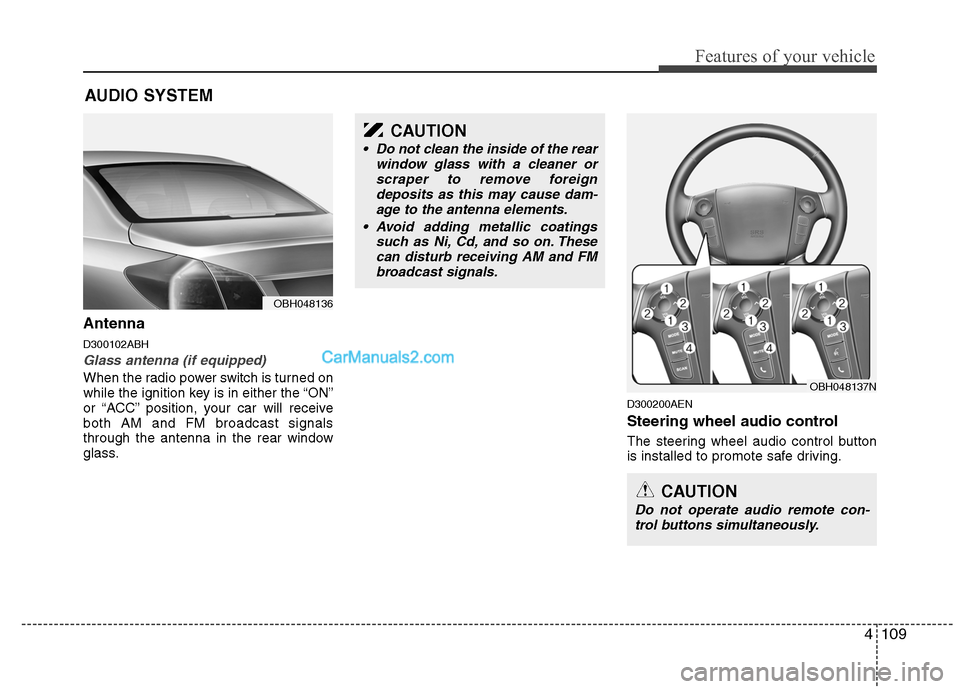
Antenna
D300102ABH
Glass antenna (if equipped)
When the radio power switch is turned on
while the ignition key is in either the “ON”
or “ACC” position, your car will receive
both AM and FM broadcast signals
through the antenna in the rear window
glass.
D300200AEN
Steering wheel audio control
The steering wheel audio control button
is installed to promote safe driving.
AUDIO SYSTEM
OBH048136
CAUTION
• Do not clean the inside of the rear
window glass with a cleaner or
scraper to remove foreign
deposits as this may cause dam-
age to the antenna elements.
Avoid adding metallic coatings
such as Ni, Cd, and so on. These
can disturb receiving AM and FM
broadcast signals.
OBH048137N
CAUTION
Do not operate audio remote con-
trol buttons simultaneously.
Page 222 of 399
4145
Features of your vehicle
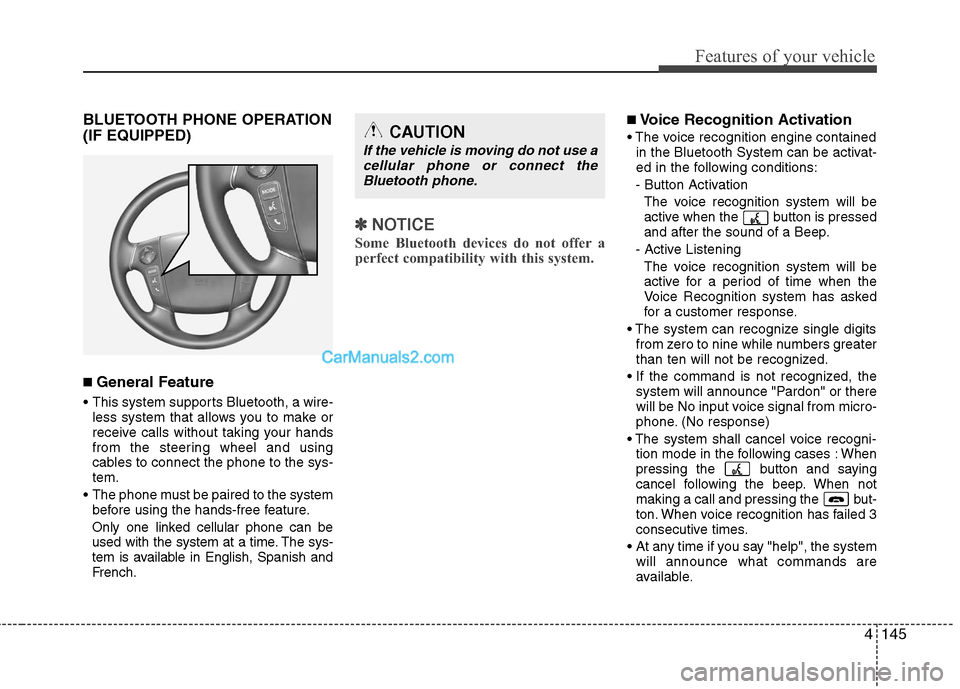
BLUETOOTH PHONE OPERATION
(IF EQUIPPED)
■ General Feature
This system supports Bluetooth, a wire-
less system that allows you to make or
receive calls without taking your hands
from the steering wheel and using
cables to connect the phone to the sys-
tem.
The phone must be paired to the system
before using the hands-free feature.
Only one linked cellular phone can be
used with the system at a time. The sys-
tem is available in English, Spanish and
French.
✽ ✽
NOTICE
Some Bluetooth devices do not offer a
perfect compatibility with this system.
■Voice Recognition Activation
in the Bluetooth System can be activat-
ed in the following conditions:
- Button Activation
The voice recognition system will be
active when the button is pressed
and after the sound of a Beep.
- Active Listening
The voice recognition system will be
active for a period of time when the
Voice Recognition system has asked
for a customer response.
from zero to nine while numbers greater
than ten will not be recognized.
system will announce "Pardon" or there
will be No input voice signal from micro-
phone. (No response)
tion mode in the following cases : When
pressing the button and saying
cancel following the beep. When not
making a call and pressing the but-
ton. When voice recognition has failed 3
consecutive times.
At any time if you say "help", the system
will announce what commands are
available.CAUTION
If the vehicle is moving do not use a
cellular phone or connect the
Bluetooth phone.
Page 232 of 399
55
Driving your vehicle
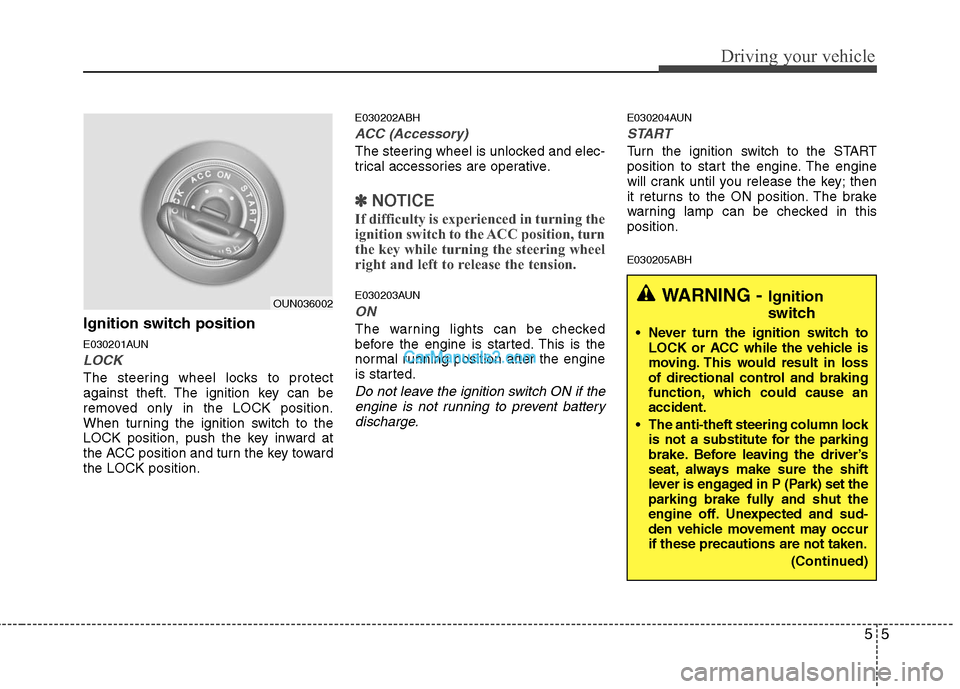
Ignition switch position
E030201AUN
LOCK
The steering wheel locks to protect
against theft. The ignition key can be
removed only in the LOCK position.
When turning the ignition switch to the
LOCK position, push the key inward at
the ACC position and turn the key toward
the LOCK position.
E030202ABH
ACC (Accessory)
The steering wheel is unlocked and elec-
trical accessories are operative.
✽ ✽
NOTICE
If difficulty is experienced in turning the
ignition switch to the ACC position, turn
the key while turning the steering wheel
right and left to release the tension.
E030203AUN
ON
The warning lights can be checked
before the engine is started. This is the
normal running position after the engine
is started.
Do not leave the ignition switch ON if the
engine is not running to prevent battery
discharge.
E030204AUN
START
Turn the ignition switch to the START
position to start the engine. The engine
will crank until you release the key; then
it returns to the ON position. The brake
warning lamp can be checked in this
position.
E030205ABH
WARNING - Ignition
switch
Never turn the ignition switch to
LOCK or ACC while the vehicle is
moving. This would result in loss
of directional control and braking
function, which could cause an
accident.
The anti-theft steering column lock
is not a substitute for the parking
brake. Before leaving the driver’s
seat, always make sure the shift
lever is engaged in P (Park) set the
parking brake fully and shut the
engine off. Unexpected and sud-
den vehicle movement may occur
if these precautions are not taken.
(Continued)
OUN036002
Page 233 of 399
Driving your vehicle
6 5
Starting the engine
E040000AUN-EU
E040100ABH-EU
1. Make sure the parking brake is
applied.
2. Place the shift lever in P (Park).
Depress the brake pedal fully.
You can also start the engine when
the shift lever is in the N (Neutral)
position.
3. Turn the ignition switch to START and
hold it there until the engine starts (a
maximum of 10 seconds), then
release the key.
4. In extremely cold weather (below
-18°C / 0°F) or after the vehicle has
not been operated for several days, let
the engine warm up without depress-
ing the accelerator.
Whether the engine is cold or warm, it
should be started without depressing
the accelerator.
WARNING
Always wear appropriate shoes
when operating your vehicle.
Unsuitable shoes (high heels, ski
boots,etc.) may interfere with your
ability to use the brake and acceler-
ator pedal.
CAUTION
If the engine stalls while you are in
motion, do not attempt to move the
shift lever to the P (Park) position. If
traffic and road conditions permit,
you may put the shift lever in the N
(Neutral) position while the vehicle
is still moving and turn the ignition
switch to the START position in an
attempt to restart the engine.
CAUTION
Do not engage the starter for more
than 10 seconds. If the engine stalls
or fails to start, wait 5 to 10 seconds
before re-engaging the starter.
Improper use of the starter may
damage it.
(Continued)
Never reach for the ignition switch,
or any other controls through the
steering wheel while the vehicle is
in motion. The presence of your
hand or arm in this area could
cause a loss of vehicle control, an
accident and serious bodily injury
or death.
Do not place any movable objects
around the driver’s seat as they
may move while driving, interfere
with the driver and lead to an acci-
dent.
Page 235 of 399

Driving your vehicle
8 5
E030202ABH-EU
ACC(Accessory)
Press the engine start/stop button when
the button is in the OFF position without
depressing the brake pedal.
The electrical accessories are operative.
If you leave the engine start/stop button
in the ACC position for more than 1 hour,
the battery power will turn off automati-
cally to prevent the battery from dis-
charging.
E030203AHM
ON
Press the engine start/stop button when
the button is in the ACC position without
depressing the brake pedal.
The warning lights can be checked
before the engine is started. Do not leave
the ON position if the engine is not run-
ning to prevent battery discharge.
E030704ABH
START
To start the engine, press the brake
pedal and press the engine start/stop
button with the shift lever in the P(Park)
or the N(Neutral) position.
For your safety, start the engine with the
shift lever in the P(Park) position.
✽ ✽
NOTICE
• If you press the engine start/stop but-
ton without depressing the brake
pedal, the engine does not start and
the engine start/stop button changes
as follows :
OFF→ →
ACC → →
ON → →
OFF
• If you leave the engine start/stop but-
ton in the ACC or the ON position for
a long time, the battery will be dis-
charged.
E030205ABH-EU
WARNING
Never press the engine start/stop
button while the vehicle is in
motion. This would result in the
engine turning off and loss of
power assist for the steering and
brakes, which may lead to loss of
directional control and braking
function, which could cause an
accident.
(Continued)
(Continued)
Before leaving the driver’s seat,
always make sure the shift lever
is engaged in P (Park), set the
parking brake fully and shut the
engine off. Unexpected and sud-
den vehicle movement may occur
if these precautions are not
taken.
Never reach for the engine
start/stop button, or any other
controls through the steering
wheel while the vehicle is in
motion. The presence of your
hand or arm in this area could
cause a loss of vehicle control,
an accident and serious bodily
injury or death.
Do not place any movable objects
around the driver’s seat as they
may move while driving, interfere
with the driver and lead to an
accident.
Page 239 of 399

Driving your vehicle
12 5
For smooth operation, depress the brake
pedal when shifting from N (Neutral) to a
forward or reverse gear.E060101ABH
Transmission ranges
The indicator in the instrument cluster
displays the shift lever position when the
ignition switch is in the ON position.
P (Park)
Always come to a complete stop before
shifting into P (Park). This position locks
the transmission and prevents the drive
wheels from rotating.
WARNING- Automatic
transmission
Always check the surrounding
areas near your vehicle for peo-
ple, especially children, before
shifting a car into D (Drive) or R
(Reverse).
Before leaving the driver’s seat,
always make sure the shift lever
is in the P (Park) position; then
set the parking brake fully and
shut the engine off. Unexpected
and sudden vehicle movement
can occur if these precautions
are not followed in the order iden-
tified.
CAUTION
To avoid damage to your trans-
mission, do not accelerate the
engine in R (Reverse) or any for-
ward gear position with the
brakes on.
When stopped on an incline, do
not hold the vehicle stationary
with engine power. Use the serv-
ice brake or the parking brake.
Do not shift from N (Neutral) or P
(Park) into D (Drive), or R
(Reverse) when the engine is
above idle speed.
WARNING
Shifting into P (Park) while the
vehicle is in motion will cause the
drive wheels to lock which will
cause you to lose control of the
vehicle.
Do not use the P (Park) position
in place of the parking brake.
Always make sure the shift lever
is latched in the P (Park) position
and set the parking brake fully.
Never leave a child unattended in
a vehicle.
Page 240 of 399

513
Driving your vehicle
R (Reverse)
Use this position to drive the vehicle
backward.N (Neutral)
The wheels and transmission are not
engaged. The vehicle will roll freely even
on the slightest incline unless the parking
brake or service brakes are applied.
D (Drive)
This is the normal forward driving posi-
tion. The transmission will automatically
shift through a 6-gear sequence, provid-
ing the best fuel economy and power.
For extra power when passing another
vehicle or climbing grades, depress the
accelerator fully, at which time the trans-
mission will automatically downshift to
the next lower gear.
✽ ✽
NOTICE
Always come to a complete stop before
shifting into D (Drive).
CAUTION
The transmission may be damaged
if you shift into P (Park) while the
vehicle is in motion.
CAUTION
Always come to a complete stop
before shifting into or out of R
(Reverse); you may damage the
transmission if you shift into R
(Reverse) while the vehicle is in
motion, except as explained in
“Rocking the vehicle” in this sec-
tion.
Page 243 of 399
Driving your vehicle
16 5
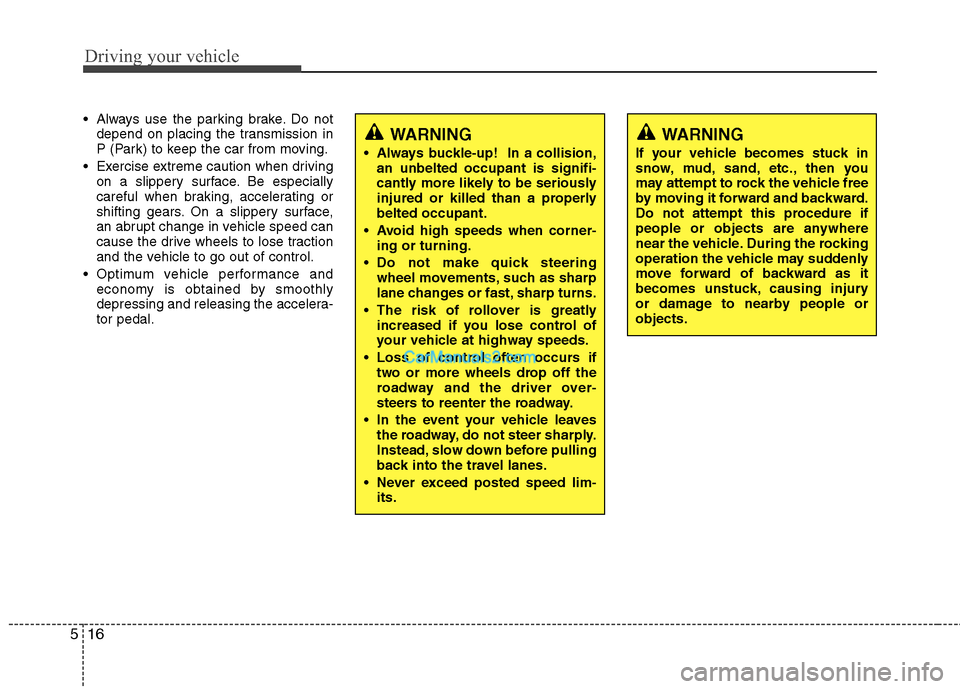
WARNING
If your vehicle becomes stuck in
snow, mud, sand, etc., then you
may attempt to rock the vehicle free
by moving it forward and backward.
Do not attempt this procedure if
people or objects are anywhere
near the vehicle. During the rocking
operation the vehicle may suddenly
move forward of backward as it
becomes unstuck, causing injury
or damage to nearby people or
objects.
Always use the parking brake. Do not
depend on placing the transmission in
P (Park) to keep the car from moving.
Exercise extreme caution when driving
on a slippery surface. Be especially
careful when braking, accelerating or
shifting gears. On a slippery surface,
an abrupt change in vehicle speed can
cause the drive wheels to lose traction
and the vehicle to go out of control.
Optimum vehicle performance and
economy is obtained by smoothly
depressing and releasing the accelera-
tor pedal.
WARNING
Always buckle-up! In a collision,
an unbelted occupant is signifi-
cantly more likely to be seriously
injured or killed than a properly
belted occupant.
Avoid high speeds when corner-
ing or turning.
Do not make quick steering
wheel movements, such as sharp
lane changes or fast, sharp turns.
The risk of rollover is greatly
increased if you lose control of
your vehicle at highway speeds.
Loss of control often occurs if
two or more wheels drop off the
roadway and the driver over-
steers to reenter the roadway.
In the event your vehicle leaves
the roadway, do not steer sharply.
Instead, slow down before pulling
back into the travel lanes.
Never exceed posted speed lim-
its.
Page 250 of 399
523
Driving your vehicle
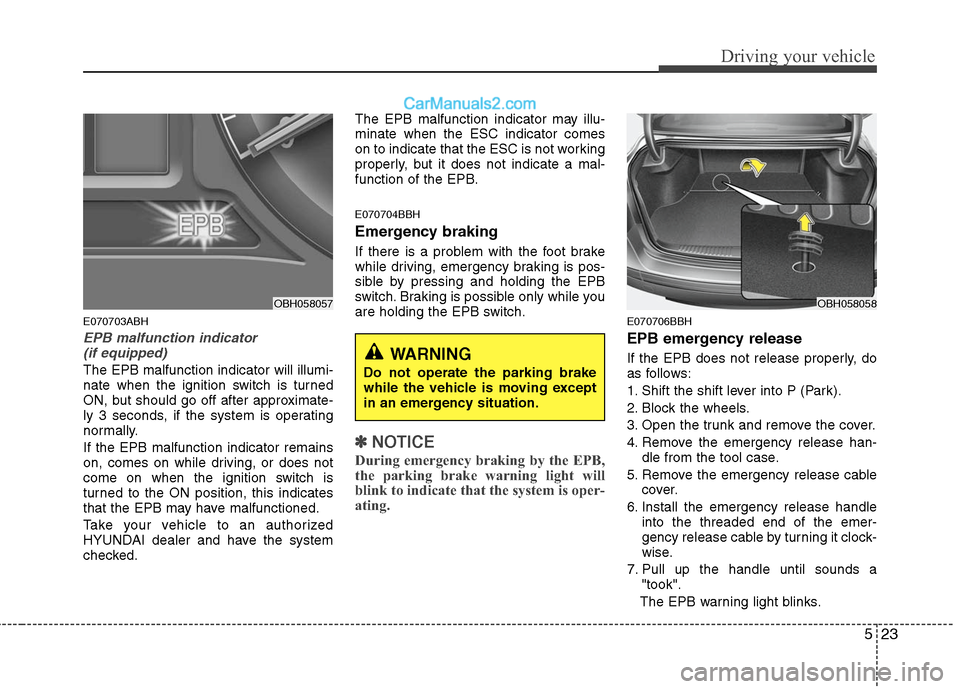
E070703ABH
EPB malfunction indicator
(if equipped)
The EPB malfunction indicator will illumi-
nate when the ignition switch is turned
ON, but should go off after approximate-
ly 3 seconds, if the system is operating
normally.
If the EPB malfunction indicator remains
on, comes on while driving, or does not
come on when the ignition switch is
turned to the ON position, this indicates
that the EPB may have malfunctioned.
Take your vehicle to an authorized
HYUNDAI dealer and have the system
checked.The EPB malfunction indicator may illu-
minate when the ESC indicator comes
on to indicate that the ESC is not working
properly, but it does not indicate a mal-
function of the EPB.
E070704BBH
Emergency braking
If there is a problem with the foot brake
while driving, emergency braking is pos-
sible by pressing and holding the EPB
switch. Braking is possible only while you
are holding the EPB switch.
✽ ✽
NOTICE
During emergency braking by the EPB,
the parking brake warning light will
blink to indicate that the system is oper-
ating.
E070706BBH
EPB emergency release
If the EPB does not release properly, do
as follows:
1. Shift the shift lever into P (Park).
2. Block the wheels.
3. Open the trunk and remove the cover.
4. Remove the emergency release han-
dle from the tool case.
5. Remove the emergency release cable
cover.
6. Install the emergency release handle
into the threaded end of the emer-
gency release cable by turning it clock-
wise.
7. Pull up the handle until sounds a
"took".
The EPB warning light blinks.
OBH058057OBH058058
WARNING
Do not operate the parking brake
while the vehicle is moving except
in an emergency situation.
Page 254 of 399
527
Driving your vehicle
The ABS continuously senses the speed
of the wheels. If the wheels are going to
lock, the ABS system repeatedly modu-
lates the hydraulic brake pressure to the
wheels.
When you apply your brakes under con-
ditions which may lock the wheels, you
may hear a “tik-tik’’ sound from the
brakes, or feel a corresponding sensation
in the brake pedal. This is normal and it
means your ABS is active.
In order to obtain the maximum benefit
from your ABS in an emergency situa-
tion, do not attempt to modulate your
brake pressure and do not try to pump
your brakes. Press your brake pedal as
hard as possible or as hard as the situa-
tion warrants and allow the ABS to con-
trol the force being delivered to the
brakes.
✽ ✽
NOTICE
A click sound may be heard in the
engine compartment when the vehicle
begins to move after the engine is start-
ed. These conditions are normal and
indicate that the anti-lock brake system
is functioning properly.
Even with the anti-lock brake system,
your vehicle still requires sufficient
stopping distance. Always maintain a
safe distance from the vehicle in front
of you.
Always slow down when cornering.
The anti-lock brake system cannot pre-
vent accidents resulting from exces-
sive speeds.
On loose or uneven road surfaces,
operation of the anti-lock brake system
may result in a longer stopping dis-
tance than for vehicles equipped with a
conventional brake system.
W-78
CAUTION
If the ABS warning light is on and
stays on, you may have a problem
with the ABS. In this case, howev-
er, your regular brakes will work
normally.
The ABS warning light will stay on
for approximately 3 seconds after
the ignition switch is ON. During
that time, the ABS will go through
self-diagnosis and the light will go
off if everything is normal. If the
light stays on, you may have a
problem with your ABS. Contact
an authorized HYUNDAI dealer as
soon as possible.
(Continued)
On roads where the road surface
is pitted or has different surface
height.
The safety features of an ABS (or
ESC) equipped vehicle should not
be tested by high speed driving or
cornering. This could endanger the
safety of yourself or others.