Ignition switch Hyundai Genesis 2010 Workshop Manual
[x] Cancel search | Manufacturer: HYUNDAI, Model Year: 2010, Model line: Genesis, Model: Hyundai Genesis 2010Pages: 399, PDF Size: 10 MB
Page 155 of 399
Features of your vehicle
78 4
WIPERS AND WASHERS
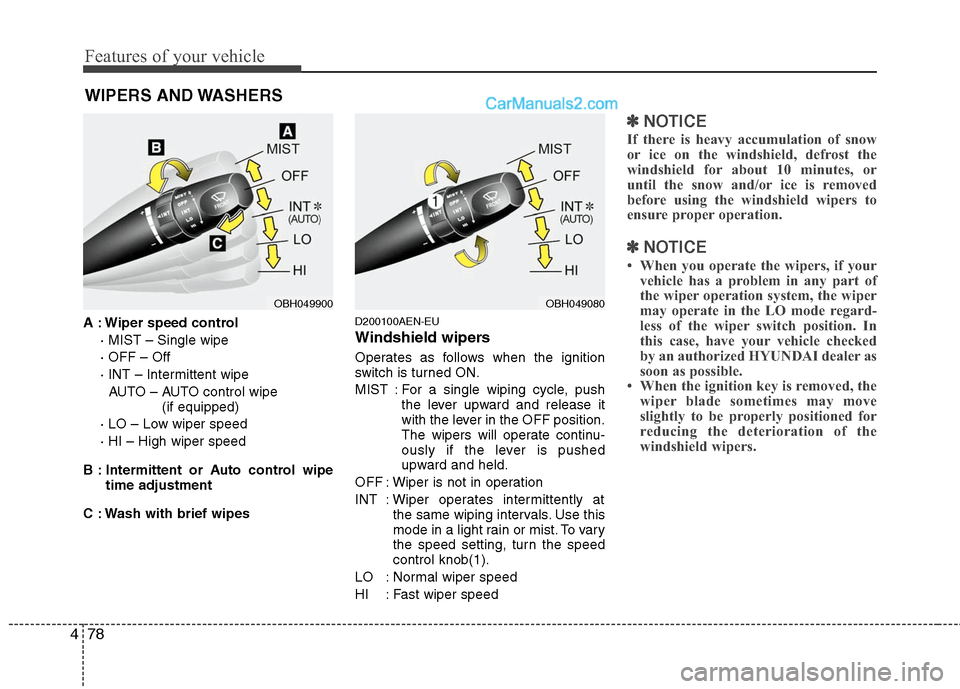
A : Wiper speed control
· MIST – Single wipe
· OFF – Off
· INT – Intermittent wipe
AUTO – AUTO control wipe
(if equipped)
· LO – Low wiper speed
· HI – High wiper speed
B : Intermittent or Auto control wipe
time adjustment
C : Wash with brief wipesD200100AEN-EU
Windshield wipers
Operates as follows when the ignition
switch is turned ON.
MIST : For a single wiping cycle, push
the lever upward and release it
with the lever in the OFF position.
The wipers will operate continu-
ously if the lever is pushed
upward and held.
OFF : Wiper is not in operation
INT : Wiper operates intermittently at
the same wiping intervals. Use this
mode in a light rain or mist. To vary
the speed setting, turn the speed
control knob(1).
LO : Normal wiper speed
HI : Fast wiper speed
✽ ✽
NOTICE
If there is heavy accumulation of snow
or ice on the windshield, defrost the
windshield for about 10 minutes, or
until the snow and/or ice is removed
before using the windshield wipers to
ensure proper operation.
✽ ✽
NOTICE
• When you operate the wipers, if your
vehicle has a problem in any part of
the wiper operation system, the wiper
may operate in the LO mode regard-
less of the wiper switch position. In
this case, have your vehicle checked
by an authorized HYUNDAI dealer as
soon as possible.
• When the ignition key is removed, the
wiper blade sometimes may move
slightly to be properly positioned for
reducing the deterioration of the
windshield wipers.
OBH049900OBH049080
Page 156 of 399
479
Features of your vehicle
D200101AEN
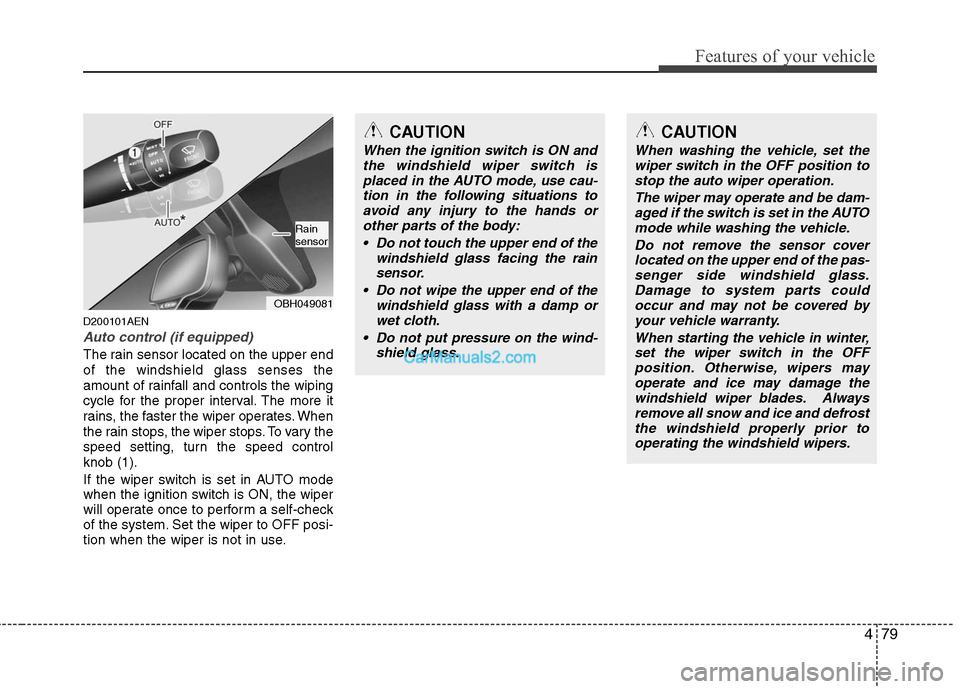
Auto control (if equipped)
The rain sensor located on the upper end
of the windshield glass senses the
amount of rainfall and controls the wiping
cycle for the proper interval. The more it
rains, the faster the wiper operates. When
the rain stops, the wiper stops. To vary the
speed setting, turn the speed control
knob (1).
If the wiper switch is set in AUTO mode
when the ignition switch is ON, the wiper
will operate once to perform a self-check
of the system. Set the wiper to OFF posi-
tion when the wiper is not in use.
CAUTION
When the ignition switch is ON and
the windshield wiper switch is
placed in the AUTO mode, use cau-
tion in the following situations to
avoid any injury to the hands or
other parts of the body:
Do not touch the upper end of the
windshield glass facing the rain
sensor.
Do not wipe the upper end of the
windshield glass with a damp or
wet cloth.
Do not put pressure on the wind-
shield glass.
CAUTION
When washing the vehicle, set the
wiper switch in the OFF position to
stop the auto wiper operation.
The wiper may operate and be dam-
aged if the switch is set in the AUTO
mode while washing the vehicle.
Do not remove the sensor cover
located on the upper end of the pas-
senger side windshield glass.
Damage to system parts could
occur and may not be covered by
your vehicle warranty.
When starting the vehicle in winter,
set the wiper switch in the OFF
position. Otherwise, wipers may
operate and ice may damage the
windshield wiper blades. Always
remove all snow and ice and defrost
the windshield properly prior to
operating the windshield wipers.
OBH049081
Rain
sensor
Page 158 of 399
481
Features of your vehicle
D210000AEN
D210100ABH-EU
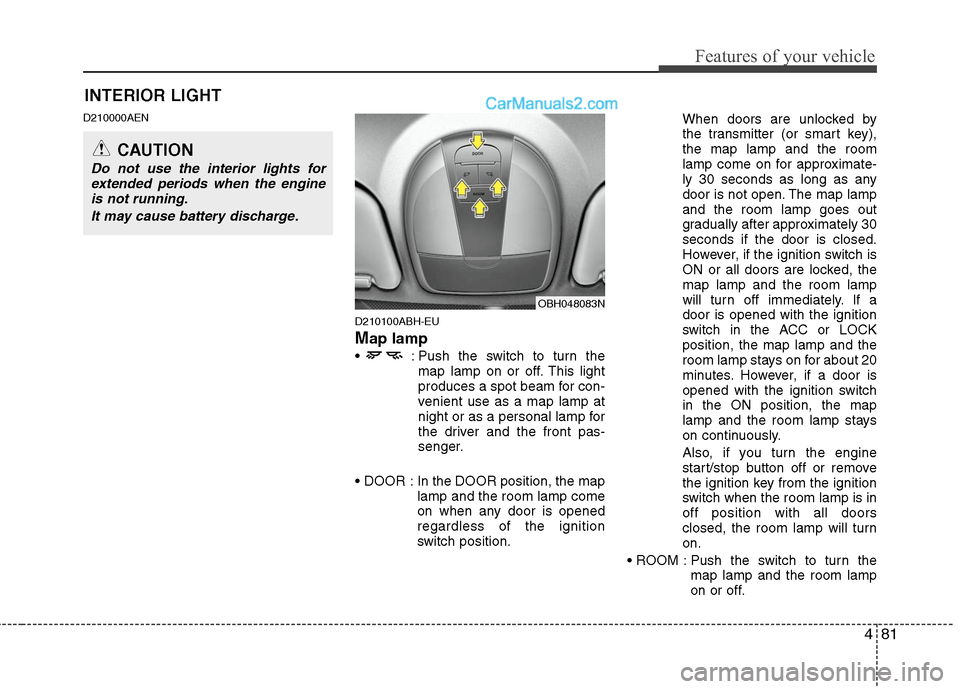
Map lamp
: Push the switch to turn the
map lamp on or off. This light
produces a spot beam for con-
venient use as a map lamp at
night or as a personal lamp for
the driver and the front pas-
senger.
In the DOOR position, the map
lamp and the room lamp come
on when any door is opened
regardless of the ignition
switch position.When doors are unlocked by
the transmitter (or smart key),
the map lamp and the room
lamp come on for approximate-
ly 30 seconds as long as any
door is not open. The map lamp
and the room lamp goes out
gradually after approximately 30
seconds if the door is closed.
However, if the ignition switch is
ON or all doors are locked, the
map lamp and the room lamp
will turn off immediately. If a
door is opened with the ignition
switch in the ACC or LOCK
position, the map lamp and the
room lamp stays on for about 20
minutes. However, if a door is
opened with the ignition switch
in the ON position, the map
lamp and the room lamp stays
on continuously.
Also, if you turn the engine
start/stop button off or remove
the ignition key from the ignition
switch when the room lamp is in
off position with all doors
closed, the room lamp will turn
on.
Push the switch to turn the
map lamp and the room lamp
on or off.
OBH048083N
INTERIOR LIGHT
CAUTION
Do not use the interior lights for
extended periods when the engine
is not running.
It may cause battery discharge.
Page 161 of 399
Features of your vehicle
84 4
D220000AUN
✽
✽
NOTICE
If you want to defrost and defog the
front windshield, refer to “Windshield
defrosting and defogging” in this sec-
tion.
D220100AEN
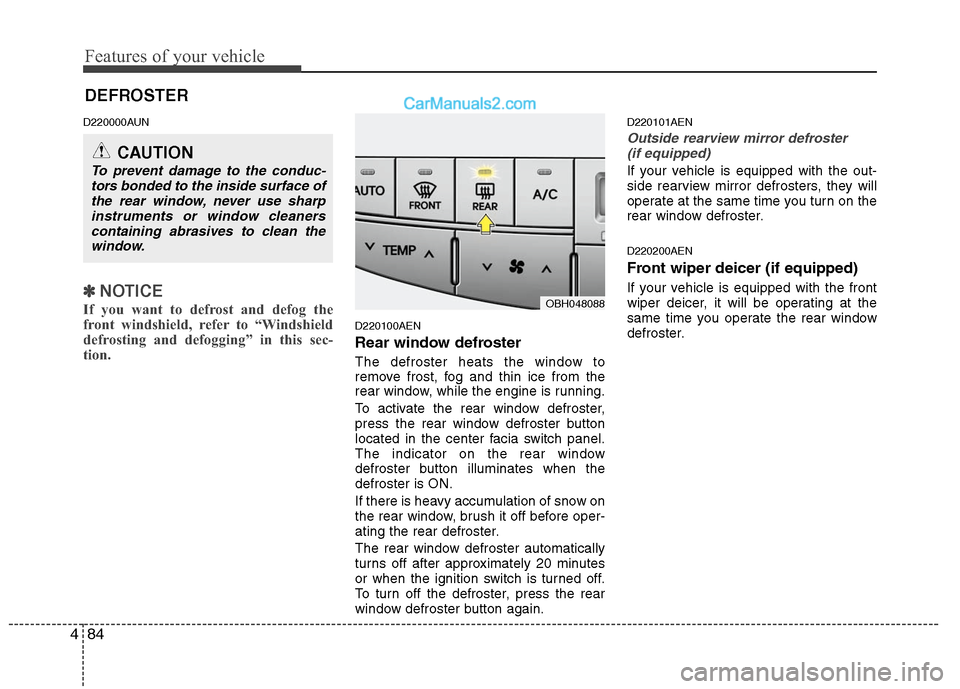
Rear window defroster
The defroster heats the window to
remove frost, fog and thin ice from the
rear window, while the engine is running.
To activate the rear window defroster,
press the rear window defroster button
located in the center facia switch panel.
The indicator on the rear window
defroster button illuminates when the
defroster is ON.
If there is heavy accumulation of snow on
the rear window, brush it off before oper-
ating the rear defroster.
The rear window defroster automatically
turns off after approximately 20 minutes
or when the ignition switch is turned off.
To turn off the defroster, press the rear
window defroster button again.
D220101AEN
Outside rearview mirror defroster
(if equipped)
If your vehicle is equipped with the out-
side rearview mirror defrosters, they will
operate at the same time you turn on the
rear window defroster.
D220200AEN
Front wiper deicer (if equipped)
If your vehicle is equipped with the front
wiper deicer, it will be operating at the
same time you operate the rear window
defroster.
CAUTION
To prevent damage to the conduc-
tors bonded to the inside surface of
the rear window, never use sharp
instruments or window cleaners
containing abrasives to clean the
window.
DEFROSTER
OBH048088
Page 170 of 399
493
Features of your vehicle
D240208AUN
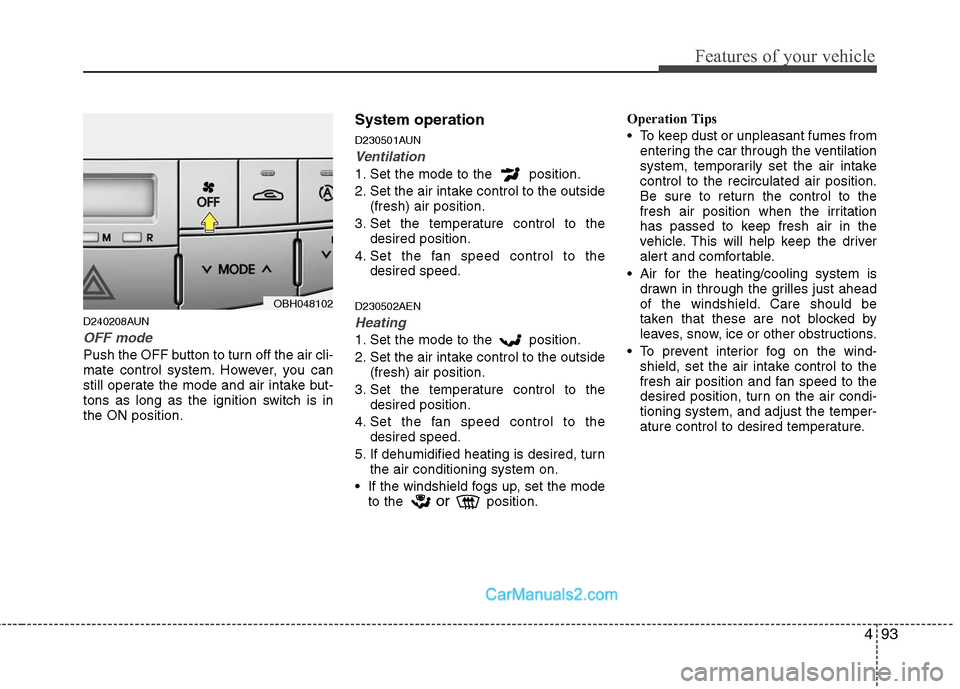
OFF mode
Push the OFF button to turn off the air cli-
mate control system. However, you can
still operate the mode and air intake but-
tons as long as the ignition switch is in
the ON position.
System operation
D230501AUN
Ventilation
1. Set the mode to the position.
2. Set the air intake control to the outside
(fresh) air position.
3. Set the temperature control to the
desired position.
4. Set the fan speed control to the
desired speed.
D230502AEN
Heating
1. Set the mode to the position.
2. Set the air intake control to the outside
(fresh) air position.
3. Set the temperature control to the
desired position.
4. Set the fan speed control to the
desired speed.
5. If dehumidified heating is desired, turn
the air conditioning system on.
If the windshield fogs up, set the mode
to the
orposition.Operation Tips
To keep dust or unpleasant fumes from
entering the car through the ventilation
system, temporarily set the air intake
control to the recirculated air position.
Be sure to return the control to the
fresh air position when the irritation
has passed to keep fresh air in the
vehicle. This will help keep the driver
alert and comfortable.
Air for the heating/cooling system is
drawn in through the grilles just ahead
of the windshield. Care should be
taken that these are not blocked by
leaves, snow, ice or other obstructions.
To prevent interior fog on the wind-
shield, set the air intake control to the
fresh air position and fan speed to the
desired position, turn on the air condi-
tioning system, and adjust the temper-
ature control to desired temperature.
OBH048102
Page 175 of 399
Features of your vehicle
98 4
D250202AEN-EU
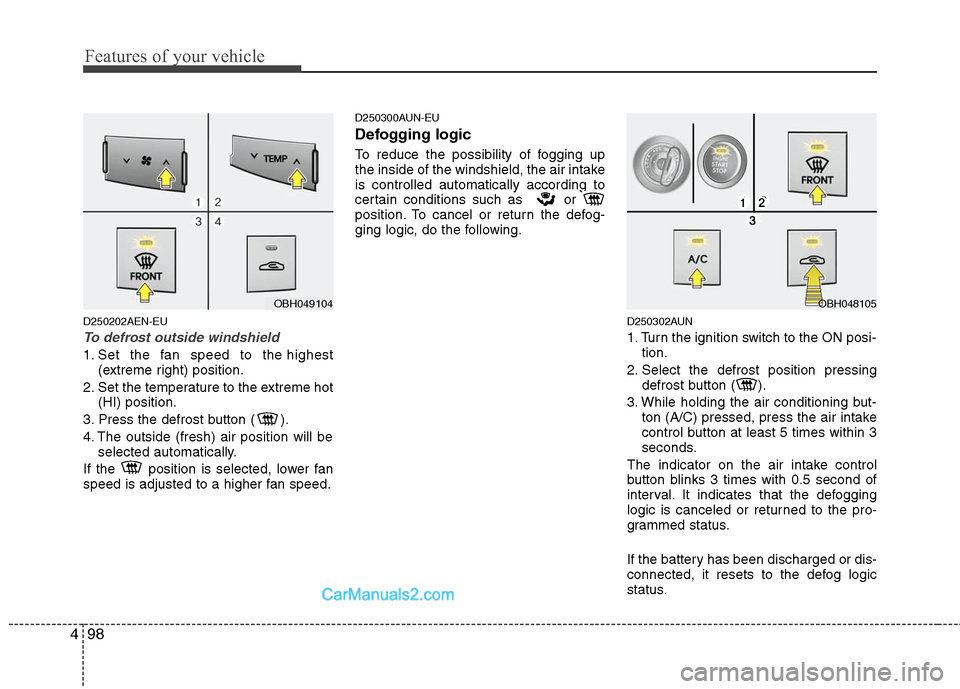
To defrost outside windshield
1. Set the fan speed to the highest
(extreme right) position.
2. Set the temperature to the extreme hot
(HI) position.
3. Press the defrost button ( ).
4. The outside (fresh) air position will be
selected automatically.
If the position is selected, lower fan
speed is adjusted to a higher fan speed.
D250300AUN-EU
Defogging logic
To reduce the possibility of fogging up
the inside of the windshield, the air intake
is controlled automatically according to
certain conditions such as or
position. To cancel or return the defog-
ging logic, do the following.
D250302AUN
1. Turn the ignition switch to the ON posi-
tion.
2. Select the defrost position pressing
defrost button ( ).
3. While holding the air conditioning but-
ton (A/C) pressed, press the air intake
control button at least 5 times within 3
seconds.
The indicator on the air intake control
button blinks 3 times with 0.5 second of
interval. It indicates that the defogging
logic is canceled or returned to the pro-
grammed status.
If the battery has been discharged or dis-
connected, it resets to the defog logic
status.
OBH049104OBH048105
Page 182 of 399
4105
Features of your vehicle
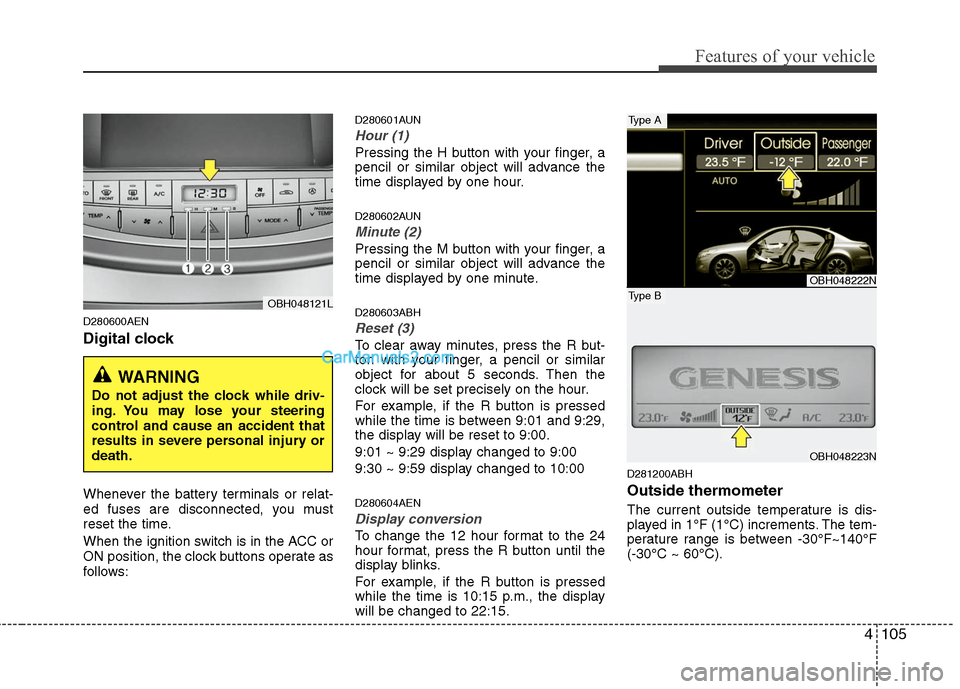
D280600AEN
Digital clock
Whenever the battery terminals or relat-
ed fuses are disconnected, you must
reset the time.
When the ignition switch is in the ACC or
ON position, the clock buttons operate as
follows:
D280601AUN
Hour (1)
Pressing the H button with your finger, a
pencil or similar object will advance the
time displayed by one hour.
D280602AUN
Minute (2)
Pressing the M button with your finger, a
pencil or similar object will advance the
time displayed by one minute.
D280603ABH
Reset (3)
To clear away minutes, press the R but-
ton with your finger, a pencil or similar
object for about 5 seconds. Then the
clock will be set precisely on the hour.
For example, if the R button is pressed
while the time is between 9:01 and 9:29,
the display will be reset to 9:00.
9:01 ~ 9:29 display changed to 9:00
9:30 ~ 9:59 display changed to 10:00
D280604AEN
Display conversion
To change the 12 hour format to the 24
hour format, press the R button until the
display blinks.
For example, if the R button is pressed
while the time is 10:15 p.m., the display
will be changed to 22:15.
D281200ABH
Outside thermometer
The current outside temperature is dis-
played in 1°F (1°C) increments. The tem-
perature range is between -30°F~140°F
(-30°C ~ 60°C).
OBH048121L
WARNING
Do not adjust the clock while driv-
ing. You may lose your steering
control and cause an accident that
results in severe personal injury or
death.
OBH048222N
OBH048223N
Type A
Type B
Page 186 of 399
4109
Features of your vehicle
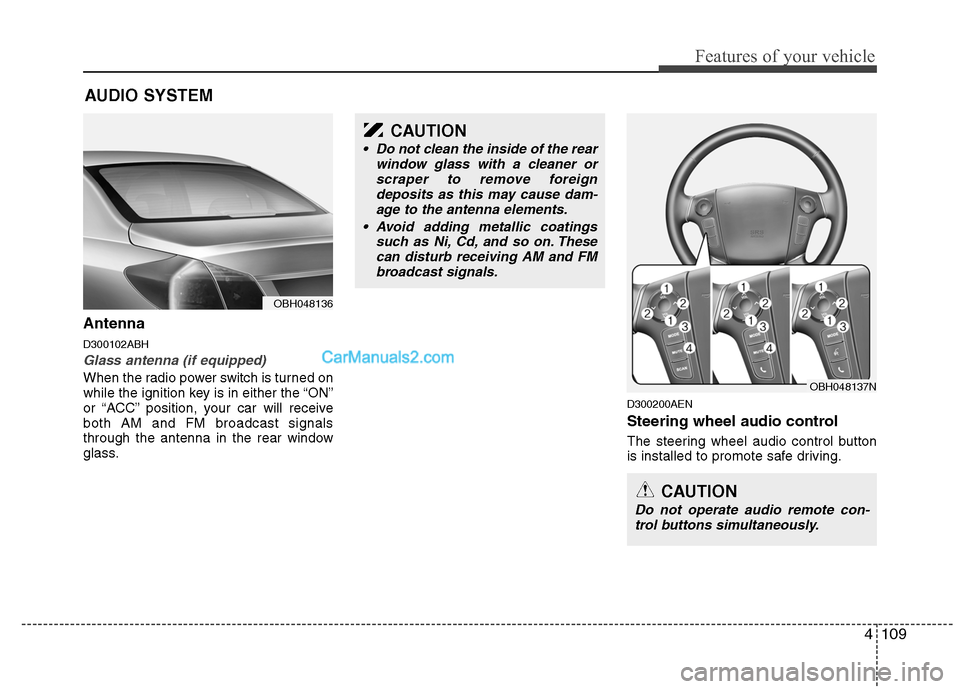
Antenna
D300102ABH
Glass antenna (if equipped)
When the radio power switch is turned on
while the ignition key is in either the “ON”
or “ACC” position, your car will receive
both AM and FM broadcast signals
through the antenna in the rear window
glass.
D300200AEN
Steering wheel audio control
The steering wheel audio control button
is installed to promote safe driving.
AUDIO SYSTEM
OBH048136
CAUTION
• Do not clean the inside of the rear
window glass with a cleaner or
scraper to remove foreign
deposits as this may cause dam-
age to the antenna elements.
Avoid adding metallic coatings
such as Ni, Cd, and so on. These
can disturb receiving AM and FM
broadcast signals.
OBH048137N
CAUTION
Do not operate audio remote con-
trol buttons simultaneously.
Page 192 of 399
4115
Features of your vehicle
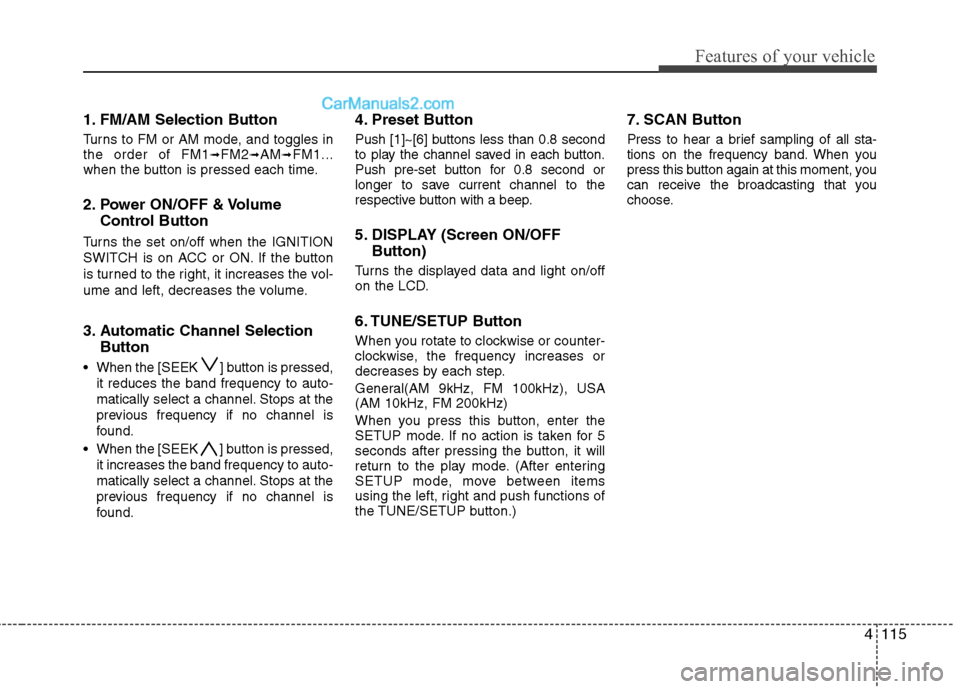
1. FM/AM Selection Button
Turns to FM or AM mode, and toggles in
the order of FM1➟FM2➟AM➟FM1...
when the button is pressed each time.
2. Power ON/OFF & Volume
Control Button
Turns the set on/off when the IGNITION
SWITCH is on ACC or ON. If the button
is turned to the right, it increases the vol-
ume and left, decreases the volume.
3. Automatic Channel Selection
Button
When the [SEEK ] button is pressed,
it reduces the band frequency to auto-
matically select a channel. Stops at the
previous frequency if no channel is
found.
When the [SEEK ] button is pressed,
it increases the band frequency to auto-
matically select a channel. Stops at the
previous frequency if no channel is
found.
4. Preset Button
Push [1]~[6] buttons less than 0.8 second
to play the channel saved in each button.
Push pre-set button for 0.8 second or
longer to save current channel to the
respective button with a beep.
5. DISPLAY (Screen ON/OFF
Button)
Turns the displayed data and light on/off
on the LCD.
6. TUNE/SETUP Button
When you rotate to clockwise or counter-
clockwise, the frequency increases or
decreases by each step.
General(AM 9kHz, FM 100kHz), USA
(AM 10kHz, FM 200kHz)
When you press this button, enter the
SETUP mode. If no action is taken for 5
seconds after pressing the button, it will
return to the play mode. (After entering
SETUP mode, move between items
using the left, right and push functions of
the TUNE/SETUP button.)
7. SCAN Button
Press to hear a brief sampling of all sta-
tions on the frequency band. When you
press this button again at this moment, you
can receive the broadcasting that you
choose.
Page 194 of 399
4117
Features of your vehicle
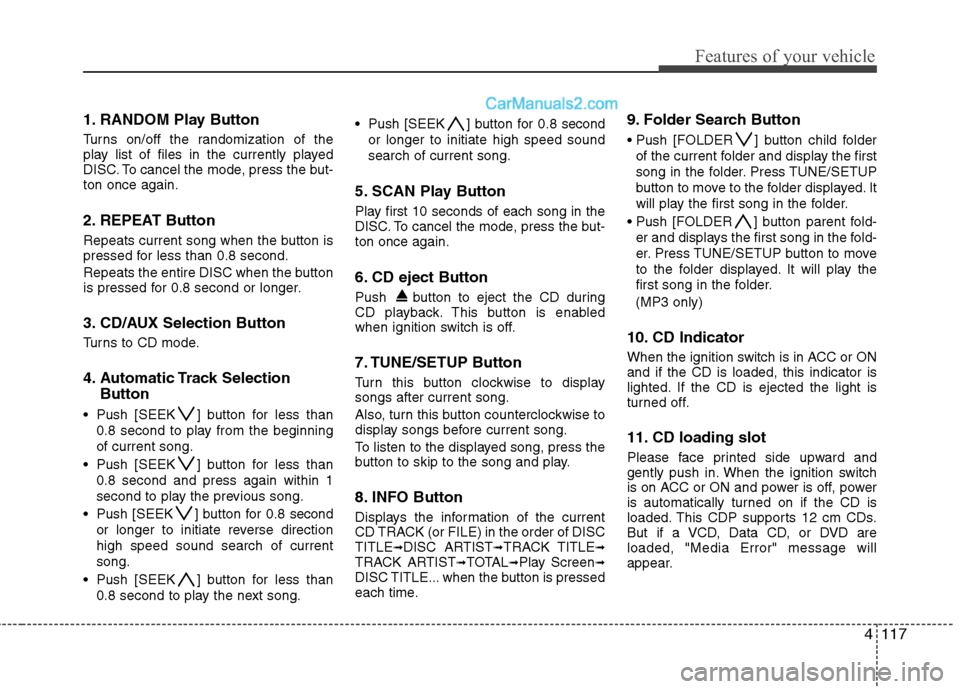
1. RANDOM Play Button
Turns on/off the randomization of the
play list of files in the currently played
DISC. To cancel the mode, press the but-
ton once again.
2. REPEAT Button
Repeats current song when the button is
pressed for less than 0.8 second.
Repeats the entire DISC when the button
is pressed for 0.8 second or longer.
3. CD/AUX Selection Button
Turns to CD mode.
4. Automatic Track Selection
Button
Push [SEEK ] button for less than
0.8 second to play from the beginning
of current song.
Push [SEEK ] button for less than
0.8 second and press again within 1
second to play the previous song.
Push [SEEK ] button for 0.8 second
or longer to initiate reverse direction
high speed sound search of current
song.
Push [SEEK ] button for less than
0.8 second to play the next song. Push [SEEK ] button for 0.8 second
or longer to initiate high speed sound
search of current song.
5. SCAN Play Button
Play first 10 seconds of each song in the
DISC. To cancel the mode, press the but-
ton once again.
6. CD eject Button
Push button to eject the CD during
CD playback. This button is enabled
when ignition switch is off.
7. TUNE/SETUP Button
Turn this button clockwise to display
songs after current song.
Also, turn this button counterclockwise to
display songs before current song.
To listen to the displayed song, press the
button to skip to the song and play.
8. INFO Button
Displays the information of the current
CD TRACK (or FILE) in the order of DISC
TITLE
➟DISC ARTIST➟TRACK TITLE➟TRACK ARTIST➟TOTAL➟Play Screen➟DISC TITLE... when the button is pressed
each time.
9. Folder Search Button
Push [FOLDER ] button child folder
of the current folder and display the first
song in the folder. Press TUNE/SETUP
button to move to the folder displayed. It
will play the first song in the folder.
Push [FOLDER ] button parent fold-
er and displays the first song in the fold-
er. Press TUNE/SETUP button to move
to the folder displayed. It will play the
first song in the folder.
(MP3 only)
10. CD Indicator
When the ignition switch is in ACC or ON
and if the CD is loaded, this indicator is
lighted. If the CD is ejected the light is
turned off.
11. CD loading slot
Please face printed side upward and
gently push in. When the ignition switch
is on ACC or ON and power is off, power
is automatically turned on if the CD is
loaded. This CDP supports 12 cm CDs.
But if a VCD, Data CD, or DVD are
loaded, "Media Error" message will
appear.