light Hyundai Genesis 2011 Owners Manual
[x] Cancel search | Manufacturer: HYUNDAI, Model Year: 2011, Model line: Genesis, Model: Hyundai Genesis 2011Pages: 409, PDF Size: 38.54 MB
Page 267 of 409
535
Driving your vehicle
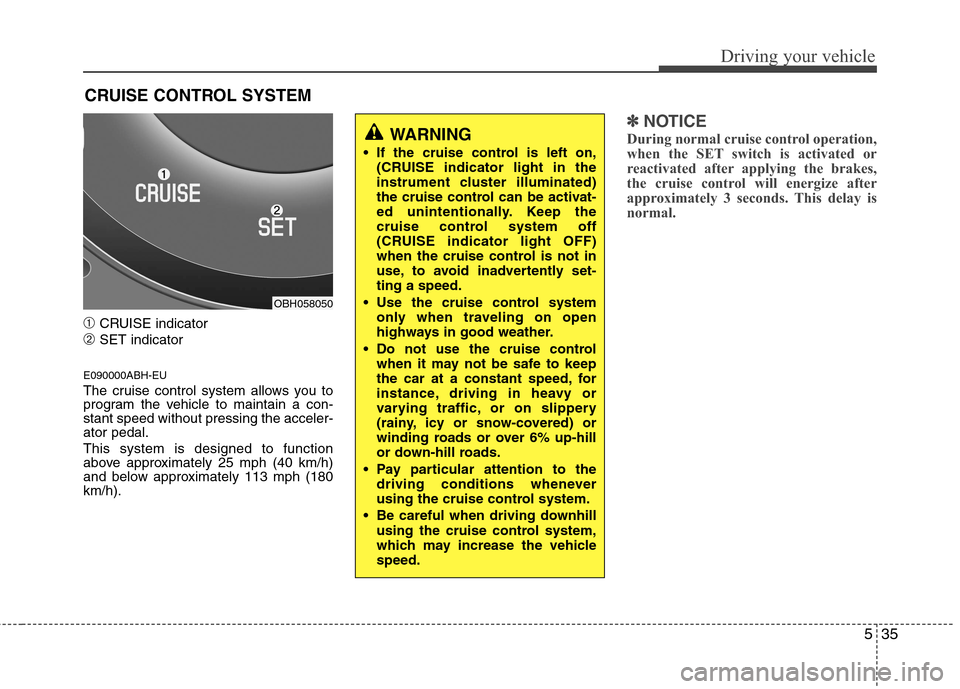
➀CRUISE indicator
➁SET indicator
E090000ABH-EU
The cruise control system allows you to
program the vehicle to maintain a con-
stant speed without pressing the acceler-
ator pedal.
This system is designed to function
above approximately 25 mph (40 km/h)
and below approximately 113 mph (180
km/h).
✽ ✽
NOTICE
During normal cruise control operation,
when the SET switch is activated or
reactivated after applying the brakes,
the cruise control will energize after
approximately 3 seconds. This delay is
normal.
CRUISE CONTROL SYSTEM
WARNING
If the cruise control is left on,
(CRUISE indicator light in the
instrument cluster illuminated)
the cruise control can be activat-
ed unintentionally. Keep the
cruise control system off
(CRUISE indicator light OFF)
when the cruise control is not in
use, to avoid inadvertently set-
ting a speed.
Use the cruise control system
only when traveling on open
highways in good weather.
Do not use the cruise control
when it may not be safe to keep
the car at a constant speed, for
instance, driving in heavy or
varying traffic, or on slippery
(rainy, icy or snow-covered) or
winding roads or over 6% up-hill
or down-hill roads.
Pay particular attention to the
driving conditions whenever
using the cruise control system.
Be careful when driving downhill
using the cruise control system,
which may increase the vehicle
speed.
OBH058050
Page 268 of 409
Driving your vehicle
36 5
E090100ABH-EU
To set cruise control speed:
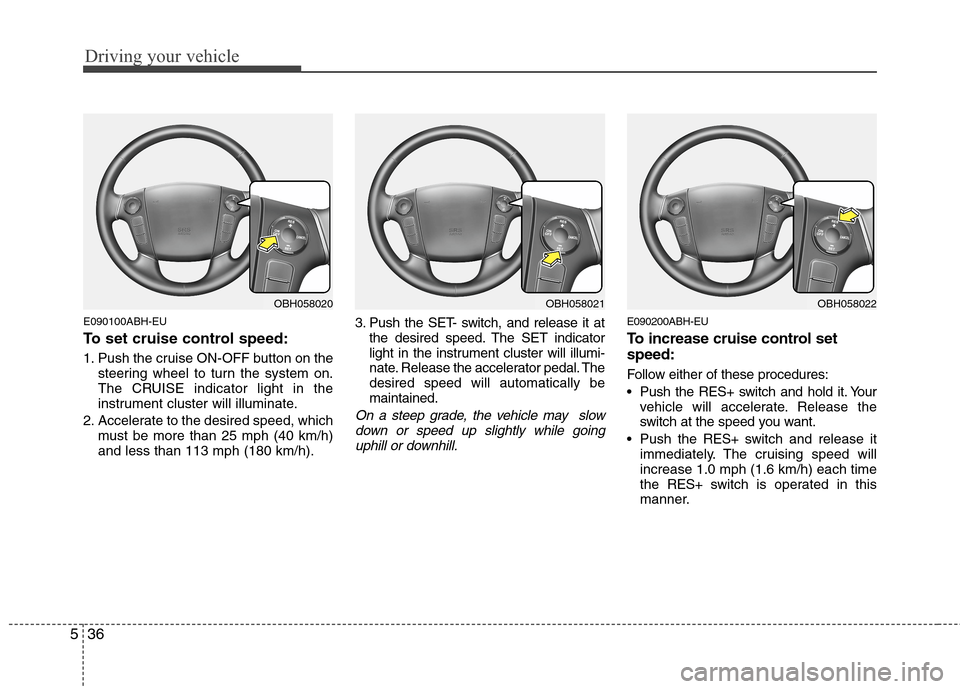
1. Push the cruise ON-OFF button on the
steering wheel to turn the system on.
The CRUISE indicator light in the
instrument cluster will illuminate.
2. Accelerate to the desired speed, which
must be more than 25 mph (40 km/h)
and less than 113 mph (180 km/h).3. Push the SET- switch, and release it at
the desired speed. The SET indicator
light in the instrument cluster will illumi-
nate. Release the accelerator pedal. The
desired speed will automatically be
maintained.
On a steep grade, the vehicle may slow
down or speed up slightly while going
uphill or downhill.
E090200ABH-EU
To increase cruise control set
speed:
Follow either of these procedures:
Push the RES+ switch and hold it. Your
vehicle will accelerate. Release the
switch at the speed you want.
Push the RES+ switch and release it
immediately. The cruising speed will
increase 1.0 mph (1.6 km/h) each time
the RES+ switch is operated in this
manner.
OBH058021OBH058022OBH058020
Page 270 of 409
Driving your vehicle
38 5
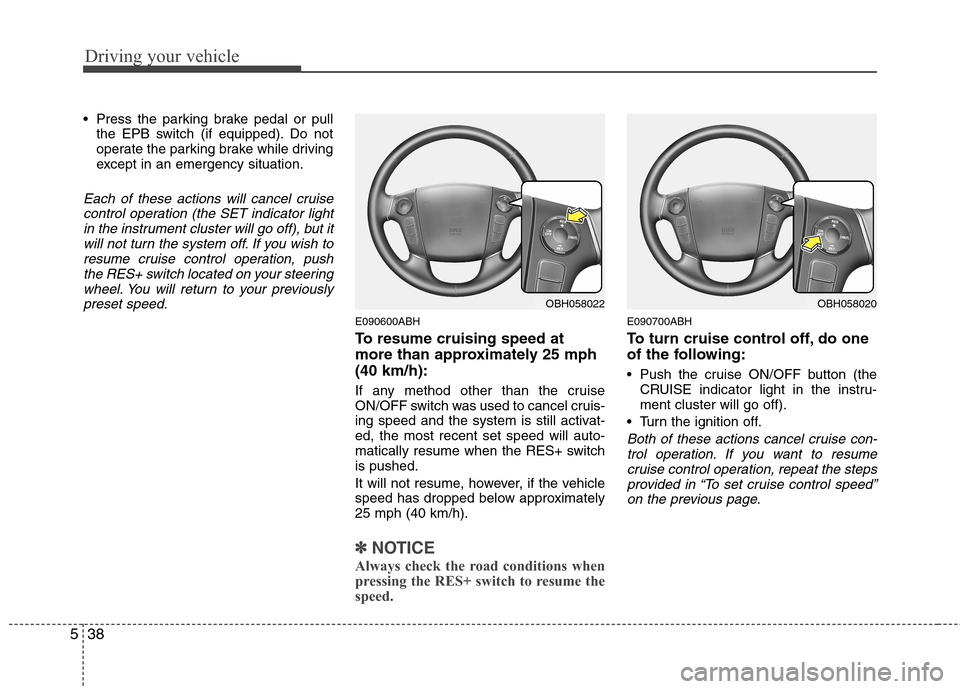
Press the parking brake pedal or pull
the EPB switch (if equipped). Do not
operate the parking brake while driving
except in an emergency situation.
Each of these actions will cancel cruise
control operation (the SET indicator light
in the instrument cluster will go off), but it
will not turn the system off. If you wish to
resume cruise control operation, push
the RES+ switch located on your steering
wheel. You will return to your previously
preset speed.
E090600ABH
To resume cruising speed at
more than approximately 25 mph
(40 km/h):
If any method other than the cruise
ON/OFF switch was used to cancel cruis-
ing speed and the system is still activat-
ed, the most recent set speed will auto-
matically resume when the RES+ switch
is pushed.
It will not resume, however, if the vehicle
speed has dropped below approximately
25 mph (40 km/h).
✽ ✽
NOTICE
Always check the road conditions when
pressing the RES+ switch to resume the
speed.
E090700ABH
To turn cruise control off, do one
of the following:
Push the cruise ON/OFF button (the
CRUISE indicator light in the instru-
ment cluster will go off).
Turn the ignition off.
Both of these actions cancel cruise con-
trol operation. If you want to resume
cruise control operation, repeat the steps
provided in “To set cruise control speed”
on the previous page.
OBH058022OBH058020
Page 271 of 409
539
Driving your vehicle
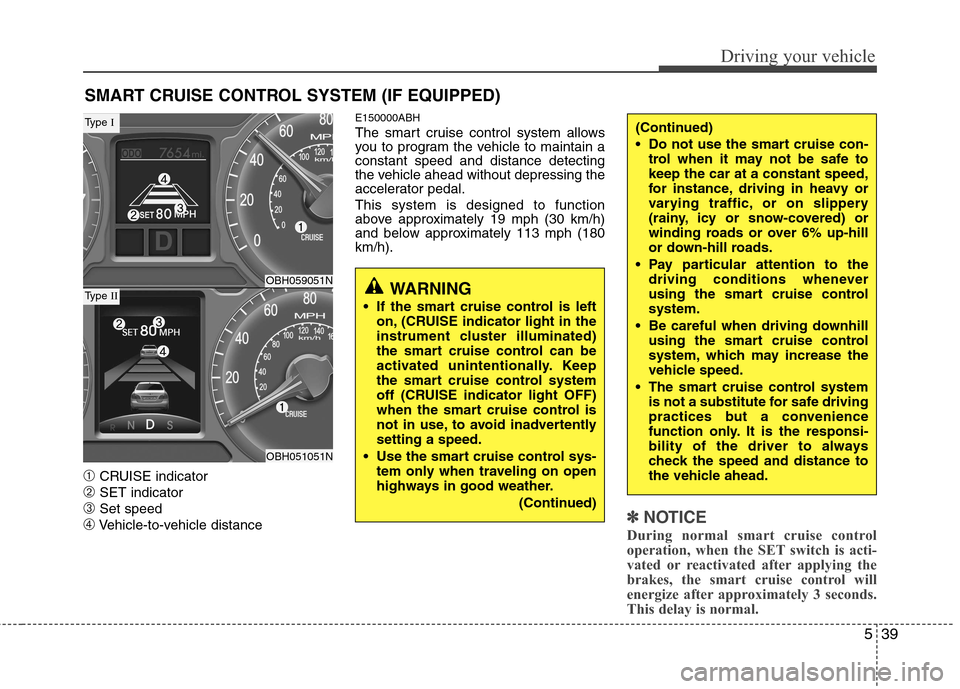
➀CRUISE indicator
➁SET indicator
➂Set speed
➃Vehicle-to-vehicle distance
E150000ABH
The smart cruise control system allows
you to program the vehicle to maintain a
constant speed and distance detecting
the vehicle ahead without depressing the
accelerator pedal.
This system is designed to function
above approximately 19 mph (30 km/h)
and below approximately 113 mph (180
km/h).
✽ ✽
NOTICE
During normal smart cruise control
operation, when the SET switch is acti-
vated or reactivated after applying the
brakes, the smart cruise control will
energize after approximately 3 seconds.
This delay is normal.
SMART CRUISE CONTROL SYSTEM (IF EQUIPPED)
WARNING
If the smart cruise control is left
on, (CRUISE indicator light in the
instrument cluster illuminated)
the smart cruise control can be
activated unintentionally. Keep
the smart cruise control system
off (CRUISE indicator light OFF)
when the smart cruise control is
not in use, to avoid inadvertently
setting a speed.
Use the smart cruise control sys-
tem only when traveling on open
highways in good weather.
(Continued)
(Continued)
Do not use the smart cruise con-
trol when it may not be safe to
keep the car at a constant speed,
for instance, driving in heavy or
varying traffic, or on slippery
(rainy, icy or snow-covered) or
winding roads or over 6% up-hill
or down-hill roads.
Pay particular attention to the
driving conditions whenever
using the smart cruise control
system.
Be careful when driving downhill
using the smart cruise control
system, which may increase the
vehicle speed.
The smart cruise control system
is not a substitute for safe driving
practices but a convenience
function only. It is the responsi-
bility of the driver to always
check the speed and distance to
the vehicle ahead.
OBH059051N
OBH051051N
Type I
Type II
Page 272 of 409
Driving your vehicle
40 5
E150100ABH
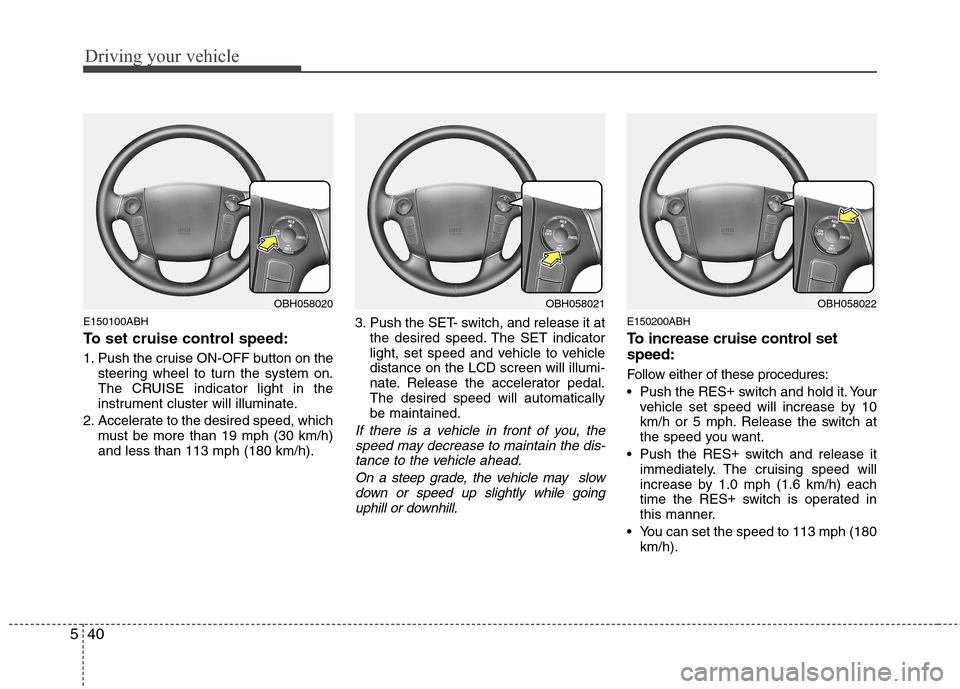
To set cruise control speed:
1. Push the cruise ON-OFF button on the
steering wheel to turn the system on.
The CRUISE indicator light in the
instrument cluster will illuminate.
2. Accelerate to the desired speed, which
must be more than 19 mph (30 km/h)
and less than 113 mph (180 km/h).3. Push the SET- switch, and release it at
the desired speed. The SET indicator
light, set speed and vehicle to vehicle
distance on the LCD screen will illumi-
nate. Release the accelerator pedal.
The desired speed will automatically
be maintained.
If there is a vehicle in front of you, the
speed may decrease to maintain the dis-
tance to the vehicle ahead.
On a steep grade, the vehicle may slow
down or speed up slightly while going
uphill or downhill.
E150200ABH
To increase cruise control set
speed:
Follow either of these procedures:
Push the RES+
switch and hold it. Your
vehicle set speed will increase by 10
km/h or 5 mph. Release the switch at
the speed you want.
Push the RES+
switch and release it
immediately. The cruising speed will
increase by 1.0 mph (1.6 km/h) each
time the RES+
switch is operated in
this manner.
You can set the speed to 113 mph (180
km/h).
OBH058021OBH058022OBH058020
Page 274 of 409
Driving your vehicle
42 5
Decreasing the vehicle speed to less
than approximately 6 mph (10 km/h) as
the vehicle in front of you.
Accelerating the vehicle speed to more
than approximately 113 mph (180
km/h).
The ESC is turned off.
The sensor or the cover is dirty or
obscured with foreign matter.
Each of these actions will cancel smart
cruise control operation (the SET indica-
tor light, set speed and vehicle to vehicle
distance on the LCD screen will go off),
but it will not turn the system off. If you
wish to resume smart cruise control
operation, push the RES+ switch located
on your steering wheel. You will return to
your previously preset speed.
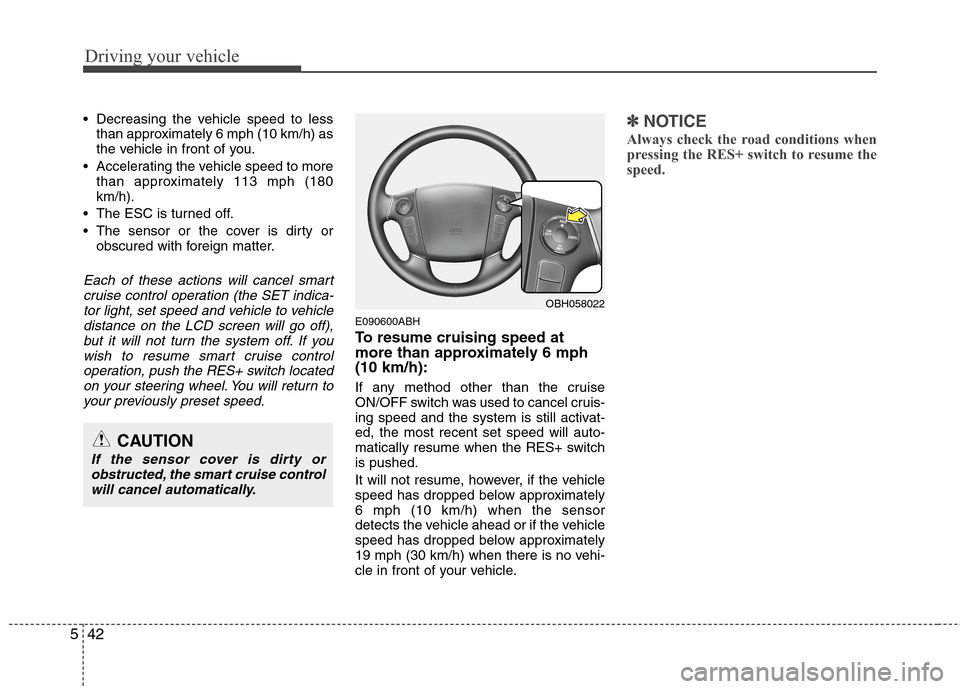
E090600ABH
To resume cruising speed at
more than approximately 6 mph
(10 km/h):
If any method other than the cruise
ON/OFF switch was used to cancel cruis-
ing speed and the system is still activat-
ed, the most recent set speed will auto-
matically resume when the RES+ switch
is pushed.
It will not resume, however, if the vehicle
speed has dropped below approximately
6 mph (10 km/h) when the sensor
detects the vehicle ahead or if the vehicle
speed has dropped below approximately
19 mph (30 km/h) when there is no vehi-
cle in front of your vehicle.
✽ ✽
NOTICE
Always check the road conditions when
pressing the RES+ switch to resume the
speed.
OBH058022
CAUTION
If the sensor cover is dirty or
obstructed, the smart cruise control
will cancel automatically.
Page 275 of 409
543
Driving your vehicle
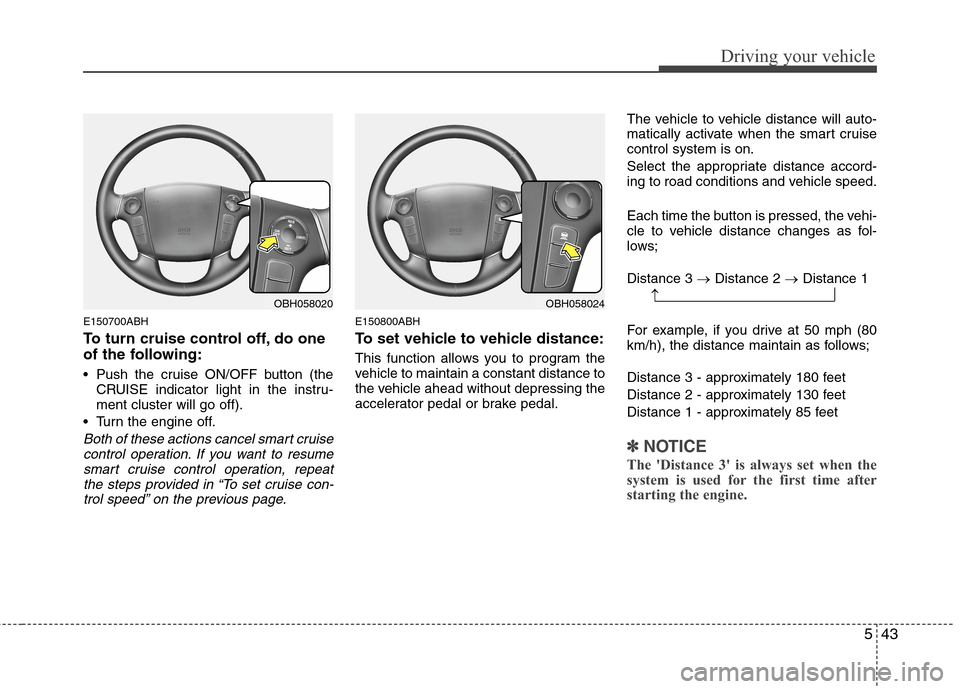
E150700ABH
To turn cruise control off, do one
of the following:
Push the cruise ON/OFF button (the
CRUISE indicator light in the instru-
ment cluster will go off).
Turn the engine off.
Both of these actions cancel smart cruise
control operation. If you want to resume
smart cruise control operation, repeat
the steps provided in “To set cruise con-
trol speed” on the previous page.
E150800ABH
To set vehicle to vehicle distance:
This function allows you to program the
vehicle to maintain a constant distance to
the vehicle ahead without depressing the
accelerator pedal or brake pedal.The vehicle to vehicle distance will auto-
matically activate when the smart cruise
control system is on.
Select the appropriate distance accord-
ing to road conditions and vehicle speed.
Each time the button is pressed, the vehi-
cle to vehicle distance changes as fol-
lows;
Distance 3 →Distance 2 →Distance 1
For example, if you drive at 50 mph (80
km/h), the distance maintain as follows;
Distance 3 - approximately 180 feet
Distance 2 - approximately 130 feet
Distance 1 - approximately 85 feet
✽ ✽
NOTICE
The 'Distance 3' is always set when the
system is used for the first time after
starting the engine.
OBH058024OBH058020→
Page 278 of 409
Driving your vehicle
46 5
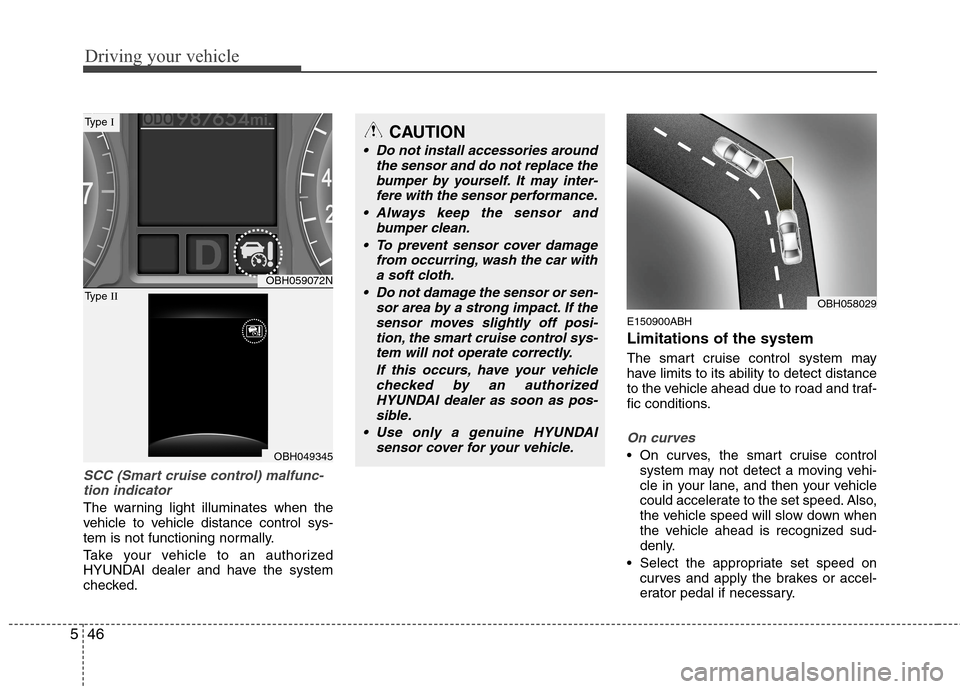
SCC (Smart cruise control) malfunc-
tion indicator
The warning light illuminates when the
vehicle to vehicle distance control sys-
tem is not functioning normally.
Take your vehicle to an authorized
HYUNDAI dealer and have the system
checked.
E150900ABH
Limitations of the system
The smart cruise control system may
have limits to its ability to detect distance
to the vehicle ahead due to road and traf-
fic conditions.
On curves
On curves, the smart cruise control
system may not detect a moving vehi-
cle in your lane, and then your vehicle
could accelerate to the set speed. Also,
the vehicle speed will slow down when
the vehicle ahead is recognized sud-
denly.
Select the appropriate set speed on
curves and apply the brakes or accel-
erator pedal if necessary.
OBH059072N
OBH049345
Type I
Type II
CAUTION
Do not install accessories around
the sensor and do not replace the
bumper by yourself. It may inter-
fere with the sensor performance.
Always keep the sensor and
bumper clean.
To prevent sensor cover damage
from occurring, wash the car with
a soft cloth.
Do not damage the sensor or sen-
sor area by a strong impact. If the
sensor moves slightly off posi-
tion, the smart cruise control sys-
tem will not operate correctly.
If this occurs, have your vehicle
checked by an authorized
HYUNDAI dealer as soon as pos-
sible.
Use only a genuine HYUNDAI
sensor cover for your vehicle.
OBH058029
Page 282 of 409
Driving your vehicle
50 5
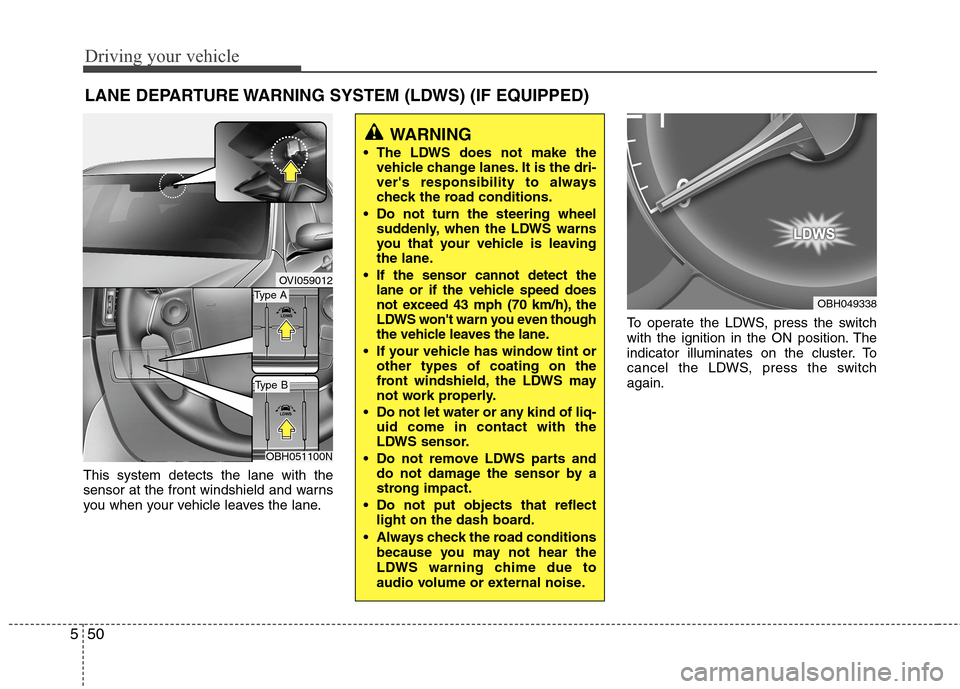
This system detects the lane with the
sensor at the front windshield and warns
you when your vehicle leaves the lane.To operate the LDWS, press the switch
with the ignition in the ON position. The
indicator illuminates on the cluster. To
cancel the LDWS, press the switch
again.
LANE DEPARTURE WARNING SYSTEM (LDWS) (IF EQUIPPED)
OVI059012
WARNING
The LDWS does not make the
vehicle change lanes. It is the dri-
ver's responsibility to always
check the road conditions.
Do not turn the steering wheel
suddenly, when the LDWS warns
you that your vehicle is leaving
the lane.
If the sensor cannot detect the
lane or if the vehicle speed does
not exceed 43 mph (70 km/h), the
LDWS won't warn you even though
the vehicle leaves the lane.
If your vehicle has window tint or
other types of coating on the
front windshield, the LDWS may
not work properly.
Do not let water or any kind of liq-
uid come in contact with the
LDWS sensor.
Do not remove LDWS parts and
do not damage the sensor by a
strong impact.
Do not put objects that reflect
light on the dash board.
Always check the road conditions
because you may not hear the
LDWS warning chime due to
audio volume or external noise.
OBH049338Type A
Type B
OBH051100N
Page 284 of 409
Driving your vehicle
52 5
The LDWS does not operate
when:
The driver turns on the turn signal to
change lane.
However, when the hazard warning
flasher is operating, the LDWS oper-
ates normally.
Operating the wiper switch with HI
mode due to heavy rain.
Driving on the lane line.
✽ ✽
NOTICE
To change lane, operate the turn signal
switch then change the lane.
The LDWS may not warn you even
if the vehicle leaves the lane, or
may warn you even if the vehicle
does not leave the lane when:
The lane can't be visible due to snow,
rain, stain, a puddle or many other
things.
The brightness outside changes sud-
denly.
Not turning on the headlights at night
or in a tunnel.
Difficult to distinguish the color of the
lane marking from the road.
Driving on a steep grade or a curve.
Light reflects from the water on the
road.
The lens or windshield is stained with
foreign matter.
The sensor cannot detect the lane
because of fog, heavy rain or heavy
snow.
The surrounding of the inside rear view
mirror temperature is high due to a
direct sun light.
The lane is very wide or narrow.
The lane line is damaged or indistinct.
A shadow is on the lane line by a medi-
an strip.
There is a mark that looks like lane line.
There is a boundary structure. The distance from vehicle ahead is
very short or the vehicle ahead drives
hiding the lane line.
The vehicle shakes heavily.
The lane number increases or
decreases or the lane lines are cross-
ing.
Putting something on the dashboard.
Driving with the sun in front of you.
Driving in areas under construction.
The lane line is more than two.