parking brake Hyundai Genesis 2011 Owner's Guide
[x] Cancel search | Manufacturer: HYUNDAI, Model Year: 2011, Model line: Genesis, Model: Hyundai Genesis 2011Pages: 409, PDF Size: 38.54 MB
Page 252 of 409
Driving your vehicle
20 5
E070202ABH
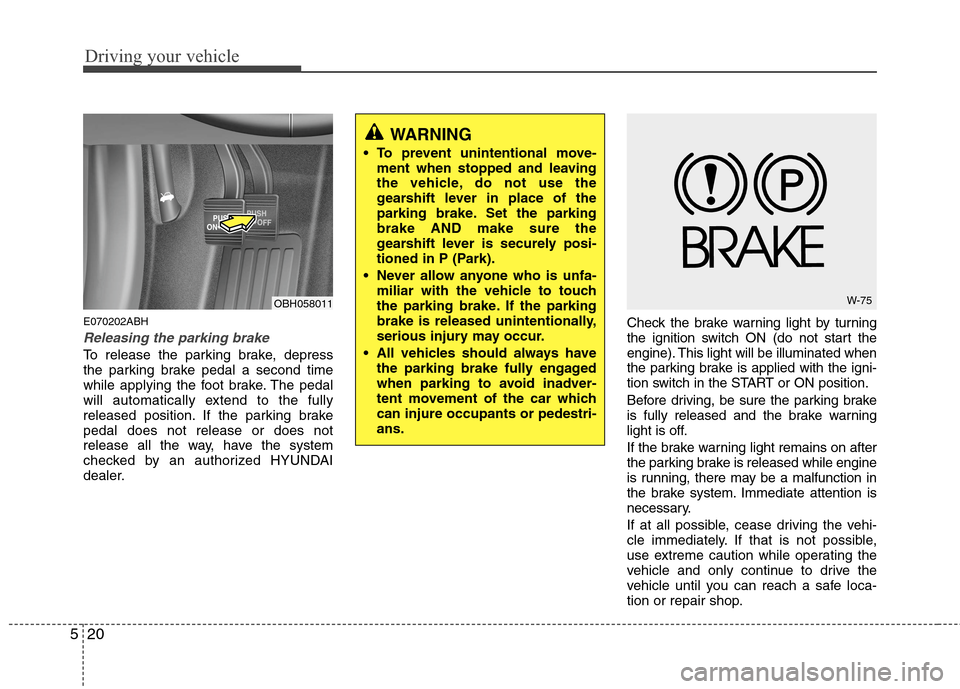
Releasing the parking brake
To release the parking brake, depress
the parking brake pedal a second time
while applying the foot brake. The pedal
will automatically extend to the fully
released position. If the parking brake
pedal does not release or does not
release all the way, have the system
checked by an authorized HYUNDAI
dealer.Check the brake warning light by turning
the ignition switch ON (do not start the
engine). This light will be illuminated when
the parking brake is applied with the igni-
tion switch in the START or ON position.
Before driving, be sure the parking brake
is fully released and the brake warning
light is off.
If the brake warning light remains on after
the parking brake is released while engine
is running, there may be a malfunction in
the brake system. Immediate attention is
necessary.
If at all possible, cease driving the vehi-
cle immediately. If that is not possible,
use extreme caution while operating the
vehicle and only continue to drive the
vehicle until you can reach a safe loca-
tion or repair shop.
WARNING
To prevent unintentional move-
ment when stopped and leaving
the vehicle, do not use the
gearshift lever in place of the
parking brake. Set the parking
brake AND make sure the
gearshift lever is securely posi-
tioned in P (Park).
Never allow anyone who is unfa-
miliar with the vehicle to touch
the parking brake. If the parking
brake is released unintentionally,
serious injury may occur.
All vehicles should always have
the parking brake fully engaged
when parking to avoid inadver-
tent movement of the car which
can injure occupants or pedestri-
ans.
OBH058011W-75
Page 253 of 409
521
Driving your vehicle
Electronic parking brake (EPB)
(if equipped)
E070203BBH
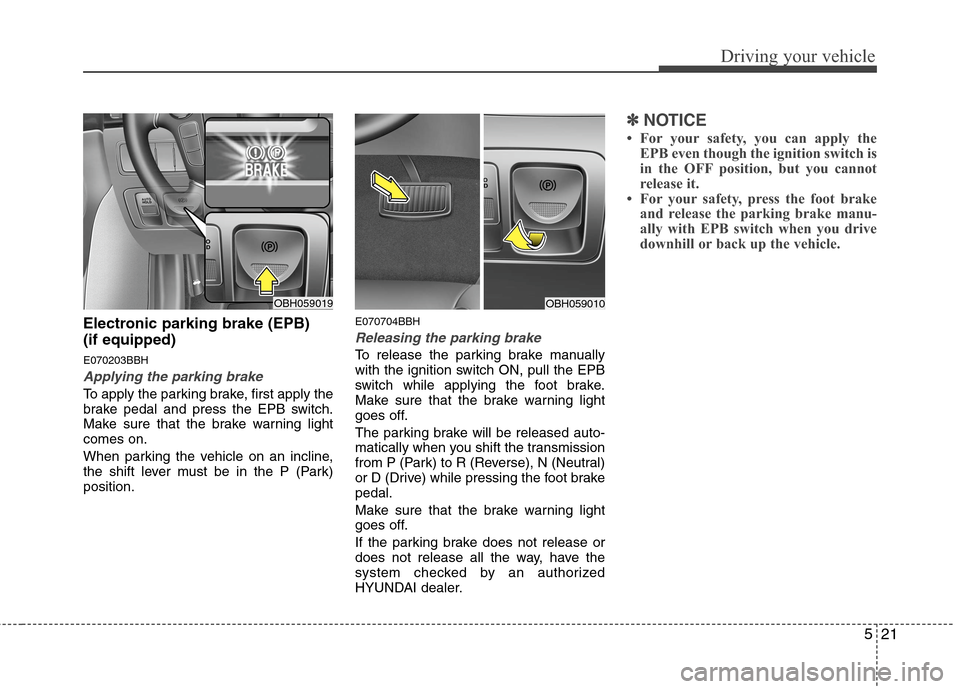
Applying the parking brake
To apply the parking brake, first apply the
brake pedal and press the EPB switch.
Make sure that the brake warning light
comes on.
When parking the vehicle on an incline,
the shift lever must be in the P (Park)
position.
E070704BBH
Releasing the parking brake
To release the parking brake manually
with the ignition switch ON, pull the EPB
switch while applying the foot brake.
Make sure that the brake warning light
goes off.
The parking brake will be released auto-
matically when you shift the transmission
from P (Park) to R (Reverse), N (Neutral)
or D (Drive) while pressing the foot brake
pedal.
Make sure that the brake warning light
goes off.
If the parking brake does not release or
does not release all the way, have the
system checked by an authorized
HYUNDAI dealer.
✽ ✽
NOTICE
• For your safety, you can apply the
EPB even though the ignition switch is
in the OFF position, but you cannot
release it.
• For your safety, press the foot brake
and release the parking brake manu-
ally with EPB switch when you drive
downhill or back up the vehicle.
OBH059010OBH059019
Page 254 of 409
Driving your vehicle
22 5
Check the brake warning light by turning
the ignition switch ON (do not start the
engine). This light will be illuminated
when the parking brake is applied with
the ignition switch in the START or ON
position.
Before driving, be sure the parking brake
is fully released and the brake warning
light is off.
If the brake warning light remains on
after the parking brake is released while
engine is running, there may be a mal-
function in the brake system. Immediate
attention is necessary.
If at all possible, cease driving the vehi-
cle immediately. If that is not possible,
use extreme caution while operating the
vehicle and only continue to drive the
vehicle until you can reach a safe loca-
tion.
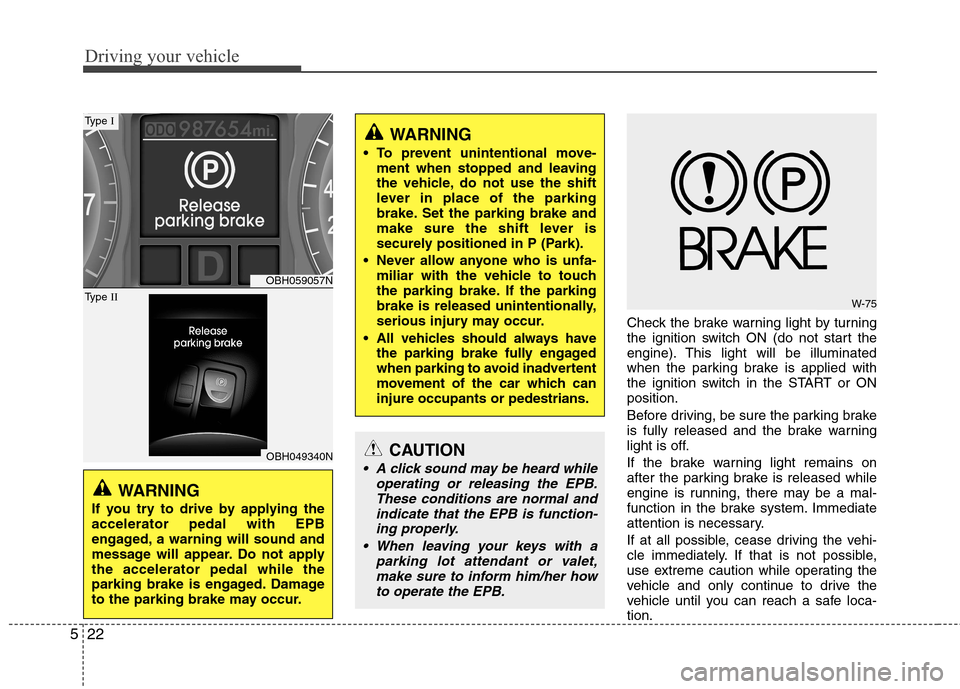
WARNING
If you try to drive by applying the
accelerator pedal with EPB
engaged, a warning will sound and
message will appear. Do not apply
the accelerator pedal while the
parking brake is engaged. Damage
to the parking brake may occur.
WARNING
To prevent unintentional move-
ment when stopped and leaving
the vehicle, do not use the shift
lever in place of the parking
brake. Set the parking brake and
make sure the shift lever is
securely positioned in P (Park).
Never allow anyone who is unfa-
miliar with the vehicle to touch
the parking brake. If the parking
brake is released unintentionally,
serious injury may occur.
All vehicles should always have
the parking brake fully engaged
when parking to avoid inadvertent
movement of the car which can
injure occupants or pedestrians.
W-75
CAUTION
A click sound may be heard while
operating or releasing the EPB.
These conditions are normal and
indicate that the EPB is function-
ing properly.
When leaving your keys with a
parking lot attendant or valet,
make sure to inform him/her how
to operate the EPB.
OBH059057N
OBH049340N
Type I
Type II
Page 255 of 409
523
Driving your vehicle
E070703ABH
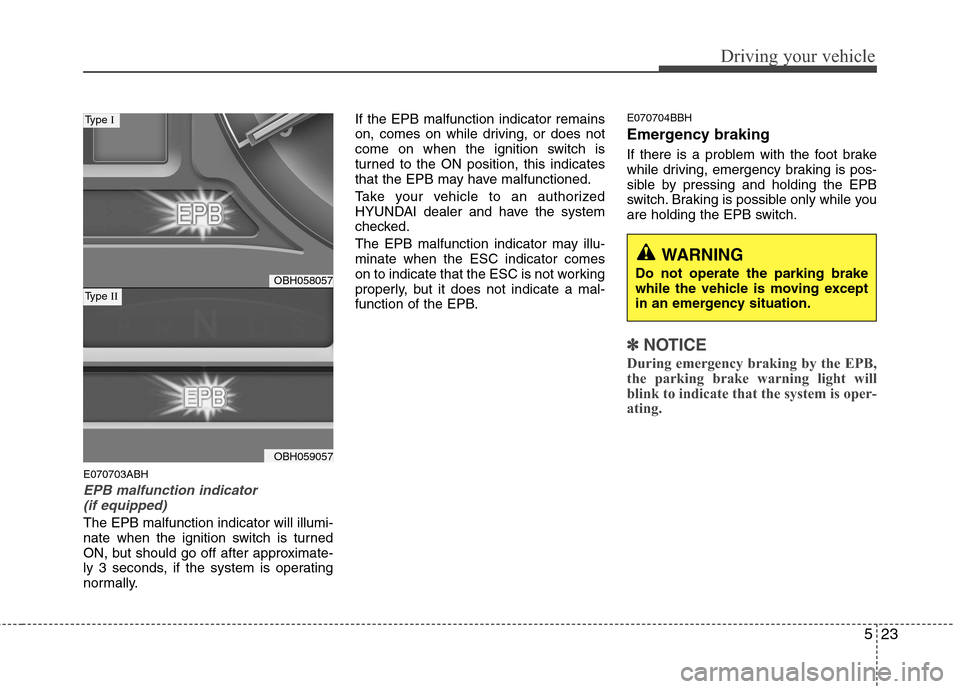
EPB malfunction indicator
(if equipped)
The EPB malfunction indicator will illumi-
nate when the ignition switch is turned
ON, but should go off after approximate-
ly 3 seconds, if the system is operating
normally.If the EPB malfunction indicator remains
on, comes on while driving, or does not
come on when the ignition switch is
turned to the ON position, this indicates
that the EPB may have malfunctioned.
Take your vehicle to an authorized
HYUNDAI dealer and have the system
checked.
The EPB malfunction indicator may illu-
minate when the ESC indicator comes
on to indicate that the ESC is not working
properly, but it does not indicate a mal-
function of the EPB.
E070704BBH
Emergency braking
If there is a problem with the foot brake
while driving, emergency braking is pos-
sible by pressing and holding the EPB
switch. Braking is possible only while you
are holding the EPB switch.
✽ ✽
NOTICE
During emergency braking by the EPB,
the parking brake warning light will
blink to indicate that the system is oper-
ating.
WARNING
Do not operate the parking brake
while the vehicle is moving except
in an emergency situation.OBH058057
OBH059057
Type I
Type II
Page 259 of 409
527
Driving your vehicle
✽ ✽
NOTICE
• The AUTO HOLD does not operate
when;
- the driver’s door is open.
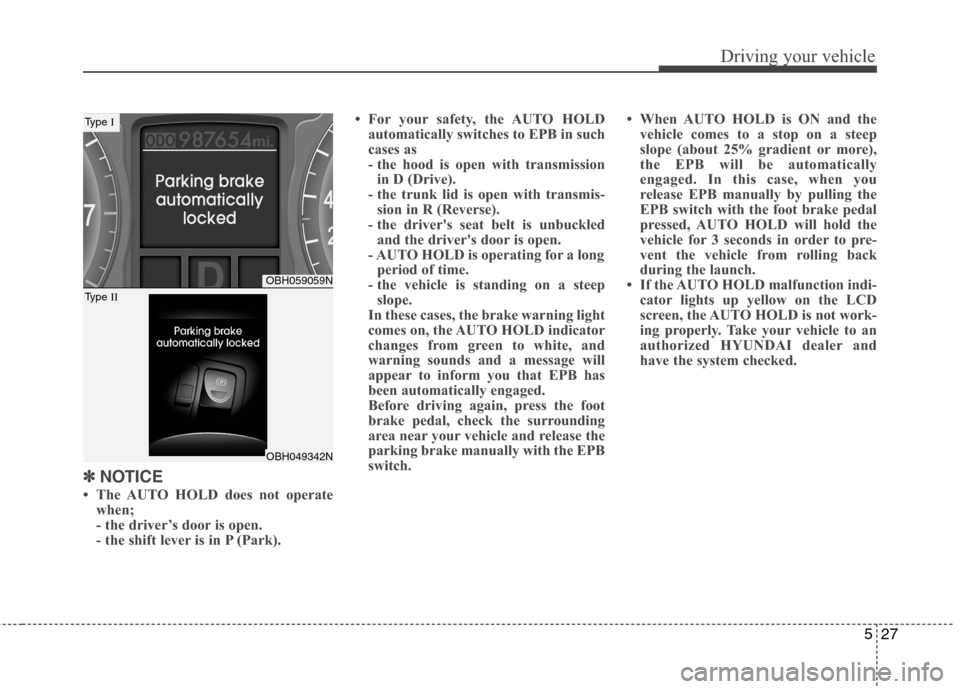
- the shift lever is in P (Park).• For your safety, the AUTO HOLD
automatically switches to EPB in such
cases as
- the hood is open with transmission
in D (Drive).
- the trunk lid is open with transmis-
sion in R (Reverse).
- the driver's seat belt is unbuckled
and the driver's door is open.
- AUTO HOLD is operating for a long
period of time.
- the vehicle is standing on a steep
slope.
In these cases, the brake warning light
comes on, the AUTO HOLD indicator
changes from green to white, and
warning sounds and a message will
appear to inform you that EPB has
been automatically engaged.
Before driving again, press the foot
brake pedal, check the surrounding
area near your vehicle and release the
parking brake manually with the EPB
switch.• When AUTO HOLD is ON and the
vehicle comes to a stop on a steep
slope (about 25% gradient or more),
the EPB will be automatically
engaged. In this case, when you
release EPB manually by pulling the
EPB switch with the foot brake pedal
pressed, AUTO HOLD will hold the
vehicle for 3 seconds in order to pre-
vent the vehicle from rolling back
during the launch.
• If the AUTO HOLD malfunction indi-
cator lights up yellow on the LCD
screen, the AUTO HOLD is not work-
ing properly. Take your vehicle to an
authorized HYUNDAI dealer and
have the system checked.
OBH059059N
OBH049342N
Type I
Type II
Page 265 of 409
533
Driving your vehicle
E070504ABH-EU
ESC OFF usage
When driving
ESC should be turned on for daily driv-
ing whenever possible.
To turn ESC off while driving, press the
ESC OFF button while driving on a flat
road surface.
Never press the ESC OFF button while
ESC is operating (ESC indicator light
blinks).
If ESC is turned off while ESC is operat-
ing, the vehicle may slip out of control.
✽ ✽
NOTICE
• When operating the vehicle on a
dynamometer, ensure that the ESC is
turned off (ESC OFF light illuminat-
ed).
• Turning the ESC off does not affect
ABS or brake system operation.
E070600BFD
Good braking practicesWARNING
Never press the ESC OFF button
while ESC is operating.
If the ESC is turned off while ESC is
operating, the vehicle may go out of
control.
To turn ESC off while driving, press
the ESC OFF button while driving
on a flat road surface.
WARNING
Whenever leaving vehicle or
parking, always set the parking
brake as far as possible and fully
engage the vehicle's transmis-
sion into the park position.
Vehicles not fully engaged in park
with the parking brake set are at
risk for moving inadvertently and
injuring yourself or others.
All vehicles should always have
the parking brake fully engaged
when parking to avoid inadver-
tent movement of the car which
can injure occupants or pedestri-
ans.
Page 266 of 409
Driving your vehicle
34 5
After parking the vehicle, check to be
sure the parking brake is not engaged
and that the parking brake indicator
light is out before driving away.
Driving through water may get the
brakes wet. They can also get wet
when the car is washed. Wet brakes
can be dangerous! Your car will not
stop as quickly if the brakes are wet.
Wet brakes may cause the car to pull
to one side.
To dry the brakes, apply the brakes
lightly until the braking action returns to
normal, taking care to keep the car
under control at all times. If the braking
action does not return to normal, stop
as soon as it is safe to do so and call
an authorized HYUNDAI dealer for
assistance.
Don't coast down hills with the car out
of gear. This is extremely hazardous.
Keep the car in gear at all times, use
the brakes to slow down, then shift to a
lower gear so that engine braking will
help you maintain a safe speed. Don't "ride" the brake pedal. Resting
your foot on the brake pedal while driv-
ing can be dangerous because it can
result in the brakes overheating and
losing their effectiveness. It also
increases the wear of the brake com-
ponents.
If a tire goes flat while you are driving,
apply the brakes gently and keep the
car pointed straight ahead while you
slow down. When you are moving
slowly enough for it to be safe to do so,
pull off the road and stop in a safe
place.
If your car is equipped with an auto-
matic transmission, don't let your car
creep forward. To avoid creeping for-
ward, keep your foot firmly on the
brake pedal when the car is stopped. Use caution when parking on a hill.
Firmly engage the parking brake and
place the gear selector lever in P. If
your car is facing downhill, turn the
front wheels into the curb to help keep
the car from rolling. If your car is facing
uphill, turn the front wheels away from
the curb to help keep the car from
rolling. If there is no curb or if it is
required by other conditions to keep
the car from rolling, block the wheels.
Under some conditions your parking
brake can freeze in the engaged posi-
tion. This is most likely to happen when
there is an accumulation of snow or ice
around or near the rear brakes or if the
brakes are wet. If there is a risk that the
parking brake may freeze, apply it only
temporarily while you put the gear
selector lever in P (automatic transmis-
sion) and block the rear wheels so the
car cannot roll. Then release the park-
ing brake.
Do not hold the vehicle on an incline
with the accelerator pedal. This can
cause the transmission to overheat.
Always use the brake pedal or parking
brake.
Page 270 of 409
Driving your vehicle
38 5
Press the parking brake pedal or pull
the EPB switch (if equipped). Do not
operate the parking brake while driving
except in an emergency situation.
Each of these actions will cancel cruise
control operation (the SET indicator light
in the instrument cluster will go off), but it
will not turn the system off. If you wish to
resume cruise control operation, push
the RES+ switch located on your steering
wheel. You will return to your previously
preset speed.
E090600ABH
To resume cruising speed at
more than approximately 25 mph
(40 km/h):
If any method other than the cruise
ON/OFF switch was used to cancel cruis-
ing speed and the system is still activat-
ed, the most recent set speed will auto-
matically resume when the RES+ switch
is pushed.
It will not resume, however, if the vehicle
speed has dropped below approximately
25 mph (40 km/h).
✽ ✽
NOTICE
Always check the road conditions when
pressing the RES+ switch to resume the
speed.
E090700ABH
To turn cruise control off, do one
of the following:
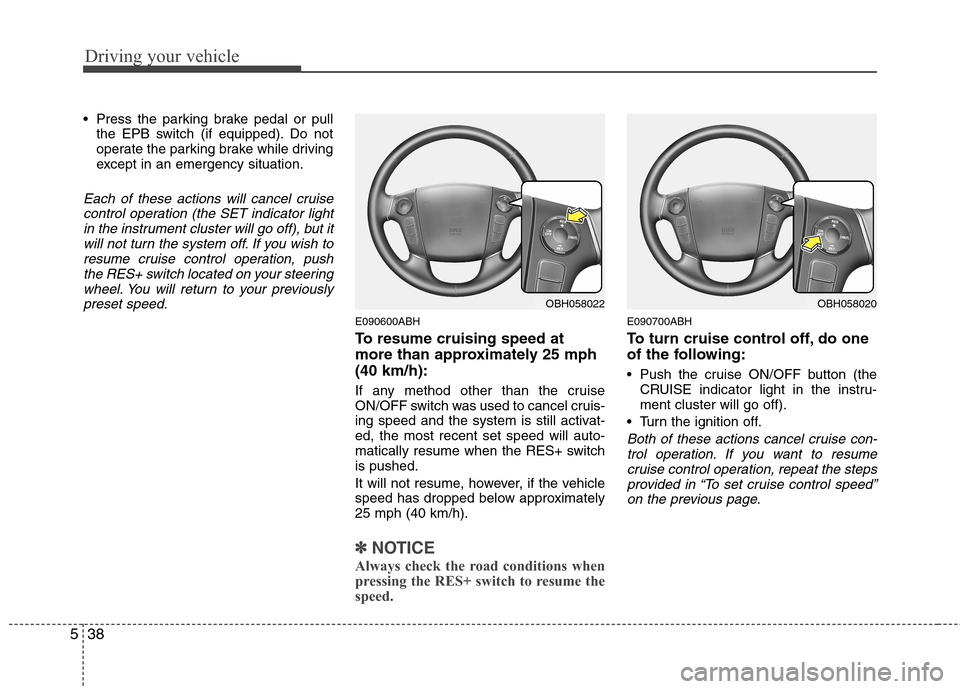
Push the cruise ON/OFF button (the
CRUISE indicator light in the instru-
ment cluster will go off).
Turn the ignition off.
Both of these actions cancel cruise con-
trol operation. If you want to resume
cruise control operation, repeat the steps
provided in “To set cruise control speed”
on the previous page.
OBH058022OBH058020
Page 273 of 409
541
Driving your vehicle
E150300ABH
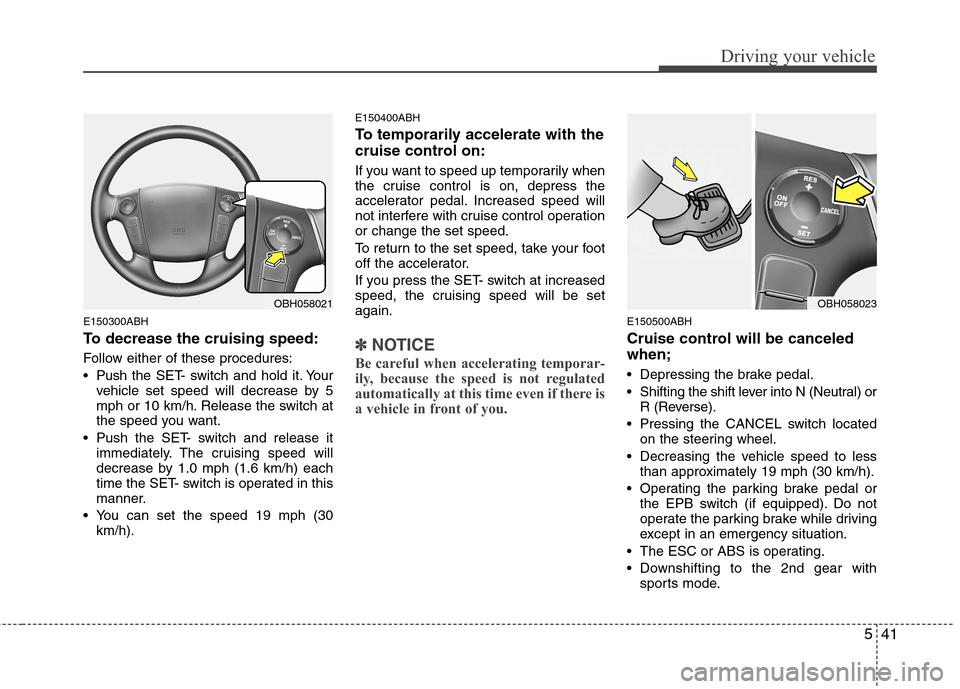
To decrease the cruising speed:
Follow either of these procedures:
Pushthe SET- switch and hold it. Your
vehicle set speed will decrease by 5
mph or 10 km/h. Release the switch at
the speed you want.
Push the SET- switch and release it
immediately. The cruising speed will
decrease by 1.0 mph (1.6 km/h) each
time the SET- switch is operated in this
manner.
You can set the speed 19 mph (30
km/h).
E150400ABH
To temporarily accelerate with the
cruise control on:
If you want to speed up temporarily when
the cruise control is on, depress the
accelerator pedal. Increased speed will
not interfere with cruise control operation
or change the set speed.
To return to the set speed, take your foot
off the accelerator.
If you press the SET- switch at increased
speed, the cruising speed will be set
again.
✽ ✽
NOTICE
Be careful when accelerating temporar-
ily, because the speed is not regulated
automatically at this time even if there is
a vehicle in front of you.
E150500ABH
Cruise control will be canceled
when;
Depressing the brake pedal.
Shifting the shift lever into N (Neutral) or
R (Reverse).
Pressing the CANCEL switch located
on the steering wheel.
Decreasing the vehicle speed to less
than approximately 19 mph (30 km/h).
Operating the parking brake pedal or
the EPB switch (if equipped). Do not
operate the parking brake while driving
except in an emergency situation.
The ESC or ABS is operating.
Downshifting to the 2nd gear with
sports mode.
OBH058021OBH058023
Page 292 of 409
Driving your vehicle
60 5
E120102ABH
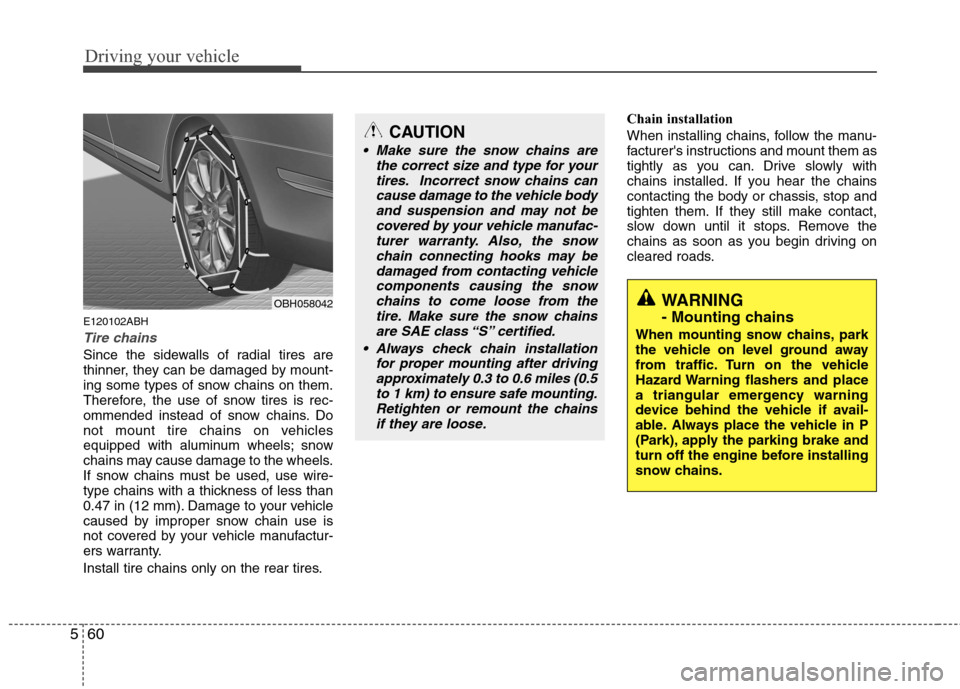
Tire chains
Since the sidewalls of radial tires are
thinner, they can be damaged by mount-
ing some types of snow chains on them.
Therefore, the use of snow tires is rec-
ommended instead of snow chains. Do
not mount tire chains on vehicles
equipped with aluminum wheels; snow
chains may cause damage to the wheels.
If snow chains must be used, use wire-
type chains with a thickness of less than
0.47 in (12 mm). Damage to your vehicle
caused by improper snow chain use is
not covered by your vehicle manufactur-
ers warranty.
Install tire chains only on the rear tires.Chain installation
When installing chains, follow the manu-
facturer's instructions and mount them as
tightly as you can. Drive slowly with
chains installed. If you hear the chains
contacting the body or chassis, stop and
tighten them. If they still make contact,
slow down until it stops. Remove the
chains as soon as you begin driving on
cleared roads.
CAUTION
Make sure the snow chains are
the correct size and type for your
tires. Incorrect snow chains can
cause damage to the vehicle body
and suspension and may not be
covered by your vehicle manufac-
turer warranty. Also, the snow
chain connecting hooks may be
damaged from contacting vehicle
components causing the snow
chains to come loose from the
tire. Make sure the snow chains
are SAE class “S” certified.
Always check chain installation
for proper mounting after driving
approximately 0.3 to 0.6 miles (0.5
to 1 km) to ensure safe mounting.
Retighten or remount the chains
if they are loose.
WARNING
- Mounting chains
When mounting snow chains, park
the vehicle on level ground away
from traffic. Turn on the vehicle
Hazard Warning flashers and place
a triangular emergency warning
device behind the vehicle if avail-
able. Always place the vehicle in P
(Park), apply the parking brake and
turn off the engine before installing
snow chains.
OBH058042