radio Hyundai Genesis 2011 Owner's Guide
[x] Cancel search | Manufacturer: HYUNDAI, Model Year: 2011, Model line: Genesis, Model: Hyundai Genesis 2011Pages: 409, PDF Size: 38.54 MB
Page 221 of 409
Features of your vehicle
144 4
HD RADIOTMINFORMATION
Licensing information
HD RadioTMTechnology is Manufactured
Under License From iBiquity Digital
Corporation. U.S. and Foreign Patents.
HD Radio
TMand the HD and HD Radio
logos are proprietary trademarks of
iBiquity Digital Corporation.
Availability information
HD RadioTM reception is available in the
United States, including Alaska and
Hawaii.
What is HD RadioTMtechnology?
The vehicle audio system (if equipped) is
able to receive standard analog FM/AM
radio broadcasting as well as digital HD
Radio
TMFM/AM broadcasting.
HD RadioTMtechnology provides digital
and analog reception using existing FM
and AM broadcasting frequencies.Currently, radio stations broadcasting an
HD Radio
TMsignal are operating in a
hybrid mode of both, analog and digital,
in order to reach both receivers. In both
modes, analog and digital, the broad-
casted program contents are the
same(except during multicasting, see
below).
Eventually, as analog receivers are
replaced by digital ones, radio stations
may be able to turn off their analog
broadcasting and use only the digital
broadcasting.
Multicasting
HD RadioTMFM stations are able to
broadcast multiple digital program
streams(channels) over a single FM fre-
quency. For example, a HD Radio
TMFM
station can run a main channel of music
and a sub channel of news(or even two
different music channels) at one frequen-
cy.
Only the program content of the main
channel is in broadcasted analog.
HD RadioTMsignal delay
To overcome the delay that digital sys-
tems inherently produce, HD RadioTM
technology first uses the audio signal of
the analog broadcasting when you tune
to an AM station or to the main channel
of a FM station. After that, the system will
blend from analog to digital signal.
Normally, this blending is very smooth. If
you experience a skip in program content
of several seconds, the radio station has
not implemented HD Radio
TMbroadcast-
ing correctly. This is not a problem with
your audio system.
Due to the fact that sub channels are only
broadcasting digital, blending from analog
to digital signal is not possible if you tune
to a sub channel. In this case playback of
the sub channel starts after several sec-
onds. This is a normal function.
Page 222 of 409
4145
Features of your vehicle
Automatic switching between dig-
ital and analog broadcasting
If the digital signal reception is lost, the
system switches automatically to the
analog signal. As soon as the digital sig-
nal is available again it will switch back.
Due to the fact that sub channels are
only broadcasted digital, the system
mutes playback if you have tuned to a
sub channel and the digital signal is lost.
The main line will show the message No
HD signal in place of station name.
After approximately one minute with the
digital signal lost, the system will auto-
matically tune to the analog signal of the
corresponding frequency.
Text based information
HD RadioTMstations are able to broad-
cast text based information, e.g. station
name, song title and artist name. The
Driver Information System is able to dis-
play this information.
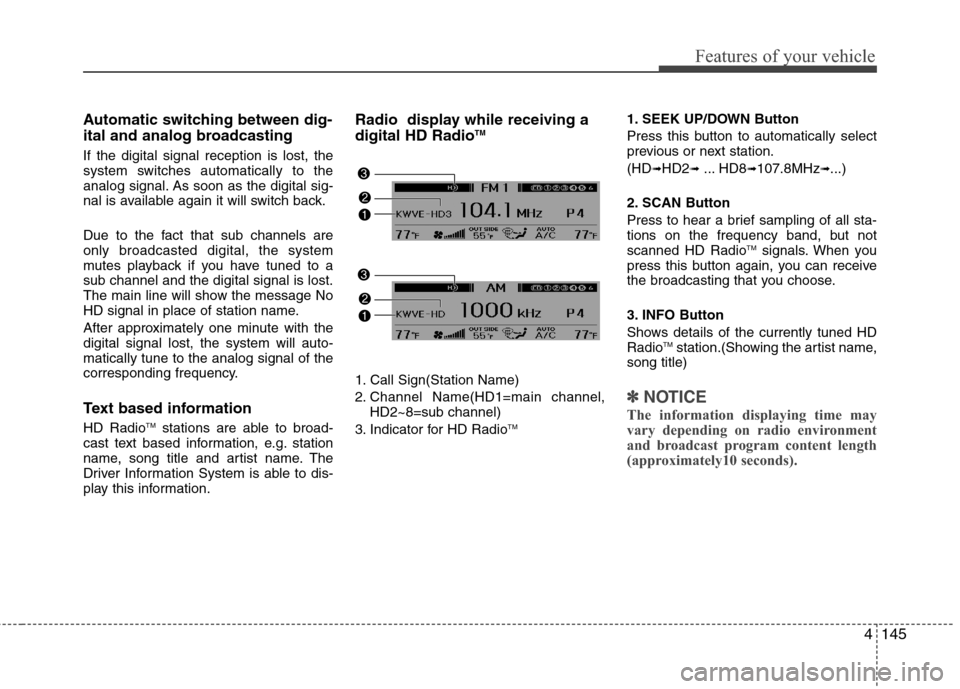
Radio display while receiving a
digital HD RadioTM
1. Call Sign(Station Name)
2. Channel Name(HD1=main channel,
HD2~8=sub channel)
3. Indicator for HD Radio
TM
1. SEEK UP/DOWN Button
Press this button to automatically select
previous or next station.
(HD
➟HD2➟... HD8➟107.8MHz➟...)
2. SCAN Button
Press to hear a brief sampling of all sta-
tions on the frequency band, but not
scanned HD Radio
TMsignals. When you
press this button again, you can receive
the broadcasting that you choose.
3. INFO Button
Shows details of the currently tuned HD
Radio
TMstation.(Showing the artist name,
song title)
✽ ✽
NOTICE
The information displaying time may
vary depending on radio environment
and broadcast program content length
(approximately10 seconds).
Page 223 of 409
Features of your vehicle
146 4
4. PRESET Buttons
ond to play the channel saved in each
button.
longer to save current channel to the
respective button with a beep.
5. TUNE Knob & SETUP Button
When you rotate clockwise or counter-
clockwise, the frequency increases or
decrease but skips HD Radio
TM signals.
ex) HD1(107.7MHz)
➟107.8MHz ➟...
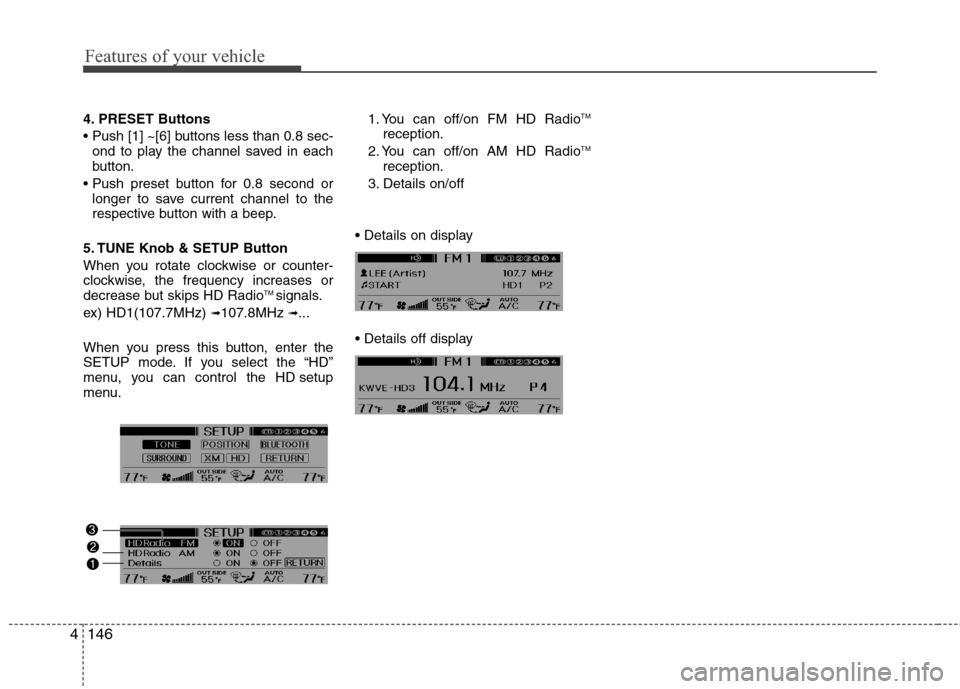
When you press this button, enter the
SETUP mode. If you select the “HD”
menu, you can control the HD setup
menu.1. You can off/on FM HD Radio
TM
reception.
2. You can off/on AM HD RadioTM
reception.
3. Details on/off
Page 311 of 409
What to do in an emergency
10 6
F060300BBH-EU
Changing a tire with TPMS
If you have a flat tire, the Low Tire
Pressure and Position telltales will
come on. Have the flat tire repaired
by an authorized HYUNDAI dealer
as soon as possible or replace the
flat tire with the compact spare tire.Each wheel is equipped with a tire
pressure sensor mounted inside the
tire behind the valve stem. You must
use TPMS specific wheels. It is rec-
ommended that you always have
your tires serviced by an authorized
HYUNDAI dealer as soon as possi-
ble.
The spare tire is not equipped with a
tire pressure monitoring sensor.
When the low pressure tire is
replaced with the spare tire, the low
tire pressure and the low tire pres-
sure position telltales may extinguish
and the TPMS malfunction indicator
may illuminate after restarting and
within 20 minutes continuous driving.
The TPMS malfunction indicator may
remain on until the original tire
equipped with a tire pressure moni-
toring sensor is reinflated to the rec-
ommended pressure and reinstalled
on the vehicle until the vehicle has
been driven for a few minutes.
CAUTION
NEVER use a puncture-repair-
ing agent to repair and/or inflate
a low pressure tire. The tire
sealant can damage the tire
pressure sensor. If used, you
will have to replace the tire pres-
sure sensor.
(Continued)
If there is a failed tire sensor, it
is possible for TPMS to tem-
porarily learn a replacement
sensor when you drive closely
to another vehicle equipped
with TPMS too. In rare cases,
this may temporarily delay the
TPMS malfunction turning on.CAUTION
The TPMS malfunction indica-
tor may be illuminated if the
vehicle is moving around elec-
tric power supply cables or
radio transmitter such as at
police stations, government
and public offices, broadcast-
ing stations, military installa-
tions, airports, or transmitting
towers, etc. This can interfere
with normal operation of the
Tire Pressure Monitoring
System (TPMS).
The TPMS malfunction indica-
tor may be illuminated if snow
chains are used or some sep-
arate electronic devices such
as notebook computer, mobile
charger, remote starter or nav-
igation etc., are used in the
vehicle. This can interfere with
normal operation of the Tire
Pressure Monitoring System
(TPMS).
(Continued)
Page 404 of 409
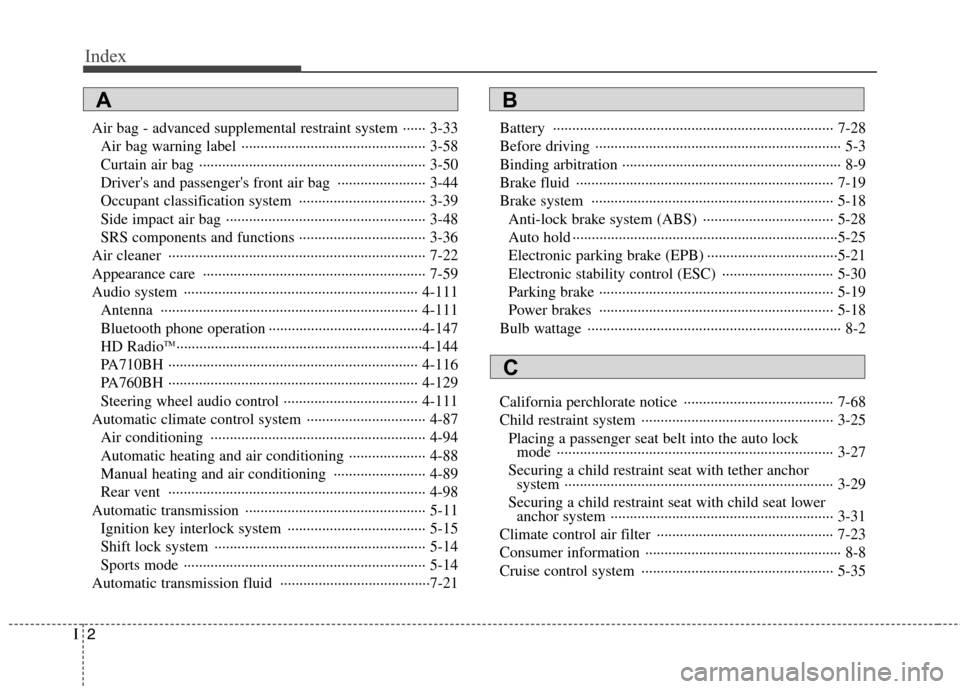
Index
2I
Air bag - advanced supplemental restraint system ······ 3-33
Air bag warning label ················································ 3-58
Curtain air bag ··························································· 3-50
Driver's and passenger's front air bag ······················· 3-44
Occupant classification system ································· 3-39
Side impact air bag ···················································· 3-48
SRS components and functions ································· 3-36
Air cleaner ··································································· 7-22
Appearance care ·························································· 7-59
Audio system ····························································· 4-111
Antenna ··································································· 4-111
Bluetooth phone operation ········································4-147
HD Radio
TM································································4-144
PA710BH ································································· 4-116
PA760BH ································································· 4-129
Steering wheel audio control ··································· 4-111
Automatic climate control system ······························· 4-87
Air conditioning ························································ 4-94
Automatic heating and air conditioning ···················· 4-88
Manual heating and air conditioning ························ 4-89
Rear vent ··································································· 4-98
Automatic transmission ··············································· 5-11
Ignition key interlock system ···································· 5-15
Shift lock system ······················································· 5-14
Sports mode ······························································· 5-14
Automatic transmission fluid ·······································7-21Battery ········································································· 7-28
Before driving ································································ 5-3
Binding arbitration ························································· 8-9
Brake fluid ··································································· 7-19
Brake system ······························································· 5-18
Anti-lock brake system (ABS) ·································· 5-28
Auto hold ·····································································5-25
Electronic parking brake (EPB) ··································5-21
Electronic stability control (ESC) ····························· 5-30
Parking brake ····························································· 5-19
Power brakes ····························································· 5-18
Bulb wattage ·································································· 8-2
California perchlorate notice ······································· 7-68
Child restraint system ·················································· 3-25
Placing a passenger seat belt into the auto lock
mode ········································································ 3-27
Securing a child restraint seat with tether anchor
system ······································································ 3-29
Securing a child restraint seat with child seat lower
anchor system ·························································· 3-31
Climate control air filter ·············································· 7-23
Consumer information ··················································· 8-8
Cruise control system ·················································· 5-35
AB
C