warning light Hyundai Genesis 2011 Repair Manual
[x] Cancel search | Manufacturer: HYUNDAI, Model Year: 2011, Model line: Genesis, Model: Hyundai Genesis 2011Pages: 409, PDF Size: 38.54 MB
Page 262 of 409
Driving your vehicle
30 5
✽
✽
NOTICE
When you jump start your vehicle
because of a drained battery, the engine
may not run as smoothly and the ABS
warning light may turn on at the same
time. This happens because of the low
battery voltage. It does not mean your
ABS is malfunctioning.
• Do not pump your brakes!
• Have the battery recharged before
driving the vehicle.
E070500AUN-EU
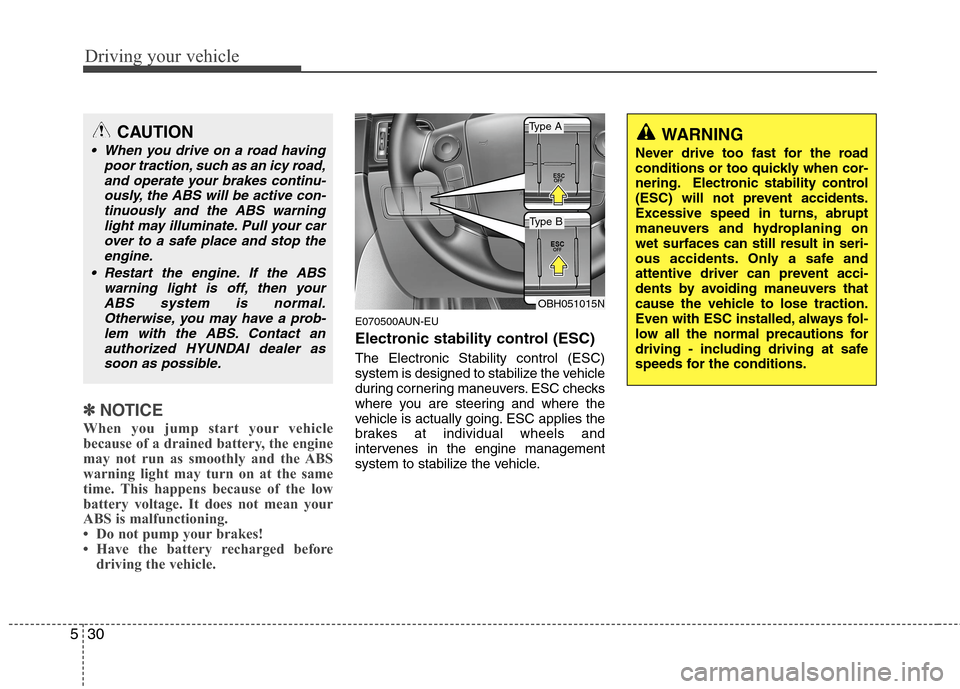
Electronic stability control (ESC)
The Electronic Stability control (ESC)
system is designed to stabilize the vehicle
during cornering maneuvers. ESC checks
where you are steering and where the
vehicle is actually going. ESC applies the
brakes at individual wheels and
intervenes in the engine management
system to stabilize the vehicle.
OBH051015N
WARNING
Never drive too fast for the road
conditions or too quickly when cor-
nering. Electronic stability control
(ESC) will not prevent accidents.
Excessive speed in turns, abrupt
maneuvers and hydroplaning on
wet surfaces can still result in seri-
ous accidents. Only a safe and
attentive driver can prevent acci-
dents by avoiding maneuvers that
cause the vehicle to lose traction.
Even with ESC installed, always fol-
low all the normal precautions for
driving - including driving at safe
speeds for the conditions.
CAUTION
When you drive on a road having
poor traction, such as an icy road,
and operate your brakes continu-
ously, the ABS will be active con-
tinuously and the ABS warning
light may illuminate. Pull your car
over to a safe place and stop the
engine.
Restart the engine. If the ABS
warning light is off, then your
ABS system is normal.
Otherwise, you may have a prob-
lem with the ABS. Contact an
authorized HYUNDAI dealer as
soon as possible.
Type A
Type B
Page 264 of 409
Driving your vehicle
32 5
E070503BBH-EU
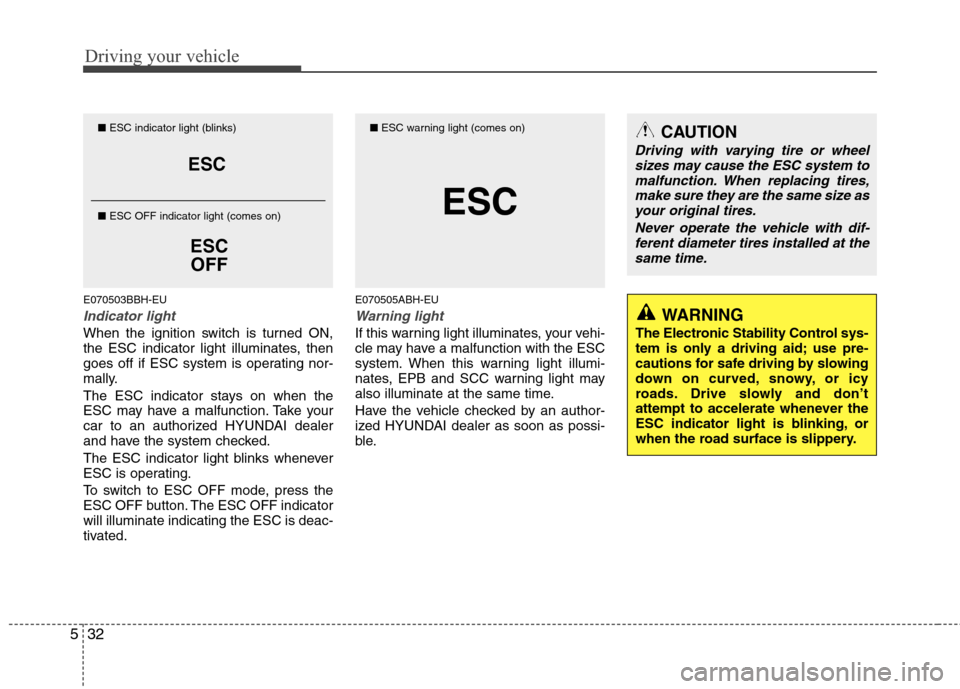
Indicator light
When the ignition switch is turned ON,
the ESC indicator light illuminates, then
goes off if ESC system is operating nor-
mally.
The ESC indicator stays on when the
ESC may have a malfunction. Take your
car to an authorized HYUNDAI dealer
and have the system checked.
The ESC indicator light blinks whenever
ESC is operating.
To switch to ESC OFF mode, press the
ESC OFF button. The ESC OFF indicator
will illuminate indicating the ESC is deac-
tivated.
E070505ABH-EU
Warning light
If this warning light illuminates, your vehi-
cle may have a malfunction with the ESC
system. When this warning light illumi-
nates, EPB and SCC warning light may
also illuminate at the same time.
Have the vehicle checked by an author-
ized HYUNDAI dealer as soon as possi-
ble.
ESC
ESC
OFF
■ESC indicator light (blinks)
■ ESC OFF indicator light (comes on)CAUTION
Driving with varying tire or wheel
sizes may cause the ESC system to
malfunction. When replacing tires,
make sure they are the same size as
your original tires.
Never operate the vehicle with dif-
ferent diameter tires installed at the
same time.
WARNING
The Electronic Stability Control sys-
tem is only a driving aid; use pre-
cautions for safe driving by slowing
down on curved, snowy, or icy
roads. Drive slowly and don’t
attempt to accelerate whenever the
ESC indicator light is blinking, or
when the road surface is slippery.
ESC
■ESC warning light (comes on)
Page 265 of 409
533
Driving your vehicle
E070504ABH-EU
ESC OFF usage
When driving
ESC should be turned on for daily driv-
ing whenever possible.
To turn ESC off while driving, press the
ESC OFF button while driving on a flat
road surface.
Never press the ESC OFF button while
ESC is operating (ESC indicator light
blinks).
If ESC is turned off while ESC is operat-
ing, the vehicle may slip out of control.
✽ ✽
NOTICE
• When operating the vehicle on a
dynamometer, ensure that the ESC is
turned off (ESC OFF light illuminat-
ed).
• Turning the ESC off does not affect
ABS or brake system operation.
E070600BFD
Good braking practicesWARNING
Never press the ESC OFF button
while ESC is operating.
If the ESC is turned off while ESC is
operating, the vehicle may go out of
control.
To turn ESC off while driving, press
the ESC OFF button while driving
on a flat road surface.
WARNING
Whenever leaving vehicle or
parking, always set the parking
brake as far as possible and fully
engage the vehicle's transmis-
sion into the park position.
Vehicles not fully engaged in park
with the parking brake set are at
risk for moving inadvertently and
injuring yourself or others.
All vehicles should always have
the parking brake fully engaged
when parking to avoid inadver-
tent movement of the car which
can injure occupants or pedestri-
ans.
Page 267 of 409
535
Driving your vehicle
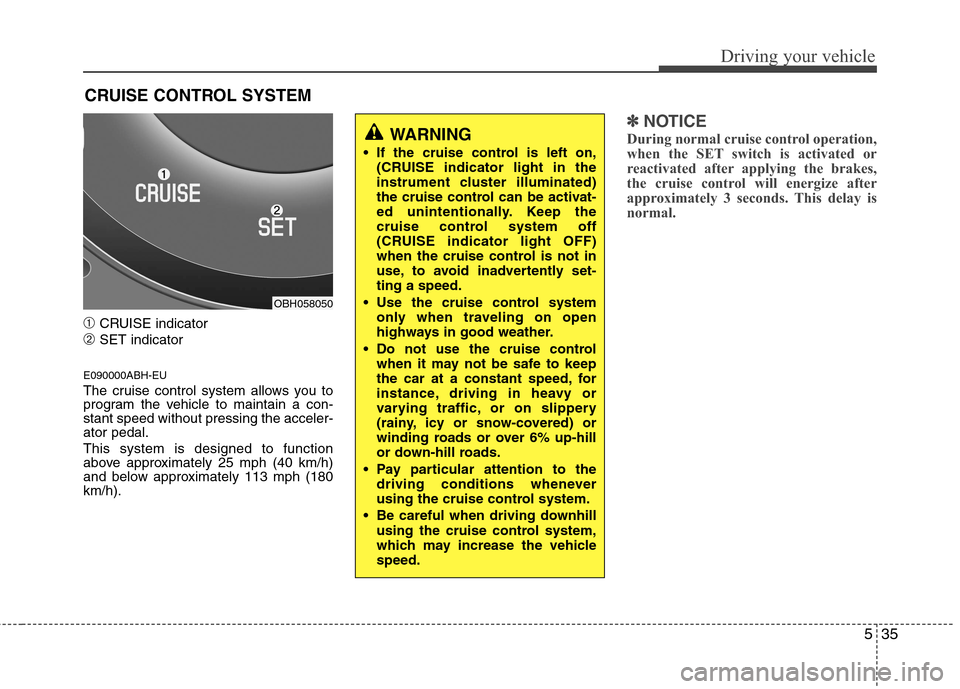
➀CRUISE indicator
➁SET indicator
E090000ABH-EU
The cruise control system allows you to
program the vehicle to maintain a con-
stant speed without pressing the acceler-
ator pedal.
This system is designed to function
above approximately 25 mph (40 km/h)
and below approximately 113 mph (180
km/h).
✽ ✽
NOTICE
During normal cruise control operation,
when the SET switch is activated or
reactivated after applying the brakes,
the cruise control will energize after
approximately 3 seconds. This delay is
normal.
CRUISE CONTROL SYSTEM
WARNING
If the cruise control is left on,
(CRUISE indicator light in the
instrument cluster illuminated)
the cruise control can be activat-
ed unintentionally. Keep the
cruise control system off
(CRUISE indicator light OFF)
when the cruise control is not in
use, to avoid inadvertently set-
ting a speed.
Use the cruise control system
only when traveling on open
highways in good weather.
Do not use the cruise control
when it may not be safe to keep
the car at a constant speed, for
instance, driving in heavy or
varying traffic, or on slippery
(rainy, icy or snow-covered) or
winding roads or over 6% up-hill
or down-hill roads.
Pay particular attention to the
driving conditions whenever
using the cruise control system.
Be careful when driving downhill
using the cruise control system,
which may increase the vehicle
speed.
OBH058050
Page 271 of 409
539
Driving your vehicle
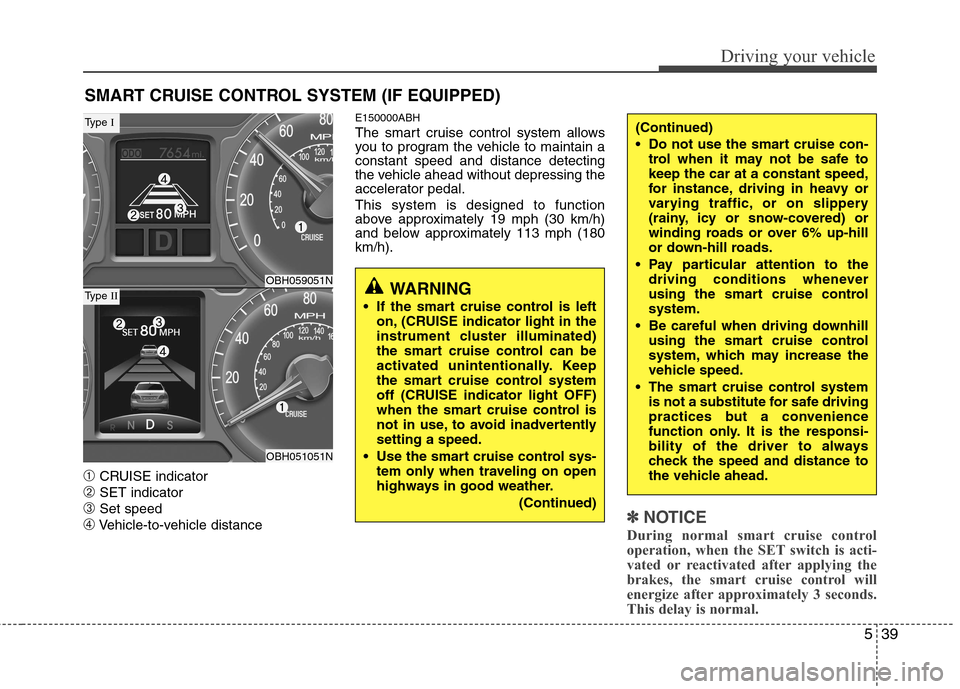
➀CRUISE indicator
➁SET indicator
➂Set speed
➃Vehicle-to-vehicle distance
E150000ABH
The smart cruise control system allows
you to program the vehicle to maintain a
constant speed and distance detecting
the vehicle ahead without depressing the
accelerator pedal.
This system is designed to function
above approximately 19 mph (30 km/h)
and below approximately 113 mph (180
km/h).
✽ ✽
NOTICE
During normal smart cruise control
operation, when the SET switch is acti-
vated or reactivated after applying the
brakes, the smart cruise control will
energize after approximately 3 seconds.
This delay is normal.
SMART CRUISE CONTROL SYSTEM (IF EQUIPPED)
WARNING
If the smart cruise control is left
on, (CRUISE indicator light in the
instrument cluster illuminated)
the smart cruise control can be
activated unintentionally. Keep
the smart cruise control system
off (CRUISE indicator light OFF)
when the smart cruise control is
not in use, to avoid inadvertently
setting a speed.
Use the smart cruise control sys-
tem only when traveling on open
highways in good weather.
(Continued)
(Continued)
Do not use the smart cruise con-
trol when it may not be safe to
keep the car at a constant speed,
for instance, driving in heavy or
varying traffic, or on slippery
(rainy, icy or snow-covered) or
winding roads or over 6% up-hill
or down-hill roads.
Pay particular attention to the
driving conditions whenever
using the smart cruise control
system.
Be careful when driving downhill
using the smart cruise control
system, which may increase the
vehicle speed.
The smart cruise control system
is not a substitute for safe driving
practices but a convenience
function only. It is the responsi-
bility of the driver to always
check the speed and distance to
the vehicle ahead.
OBH059051N
OBH051051N
Type I
Type II
Page 278 of 409
Driving your vehicle
46 5
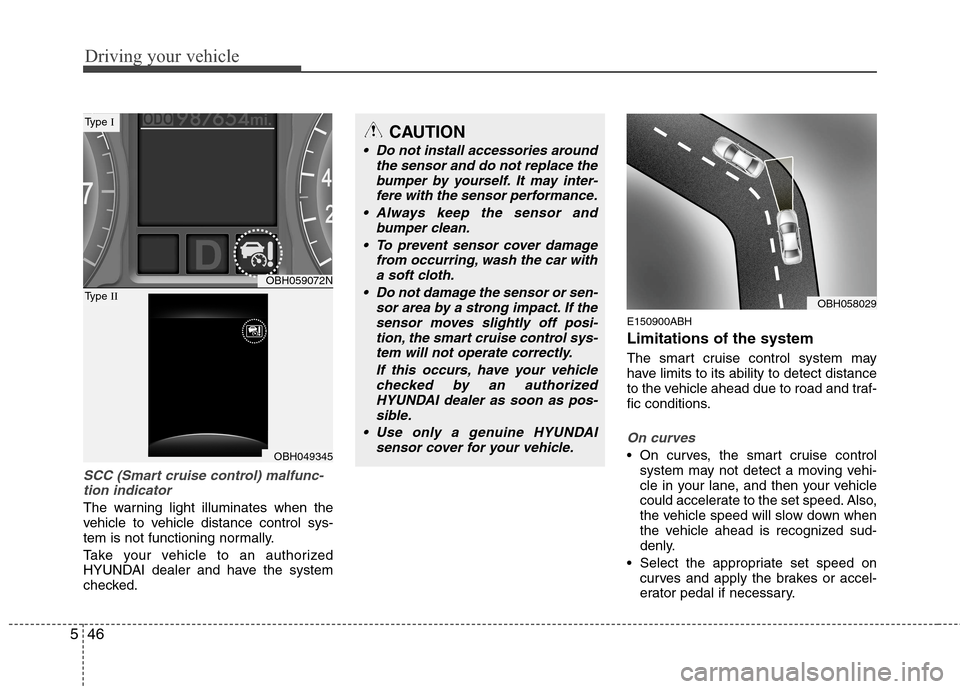
SCC (Smart cruise control) malfunc-
tion indicator
The warning light illuminates when the
vehicle to vehicle distance control sys-
tem is not functioning normally.
Take your vehicle to an authorized
HYUNDAI dealer and have the system
checked.
E150900ABH
Limitations of the system
The smart cruise control system may
have limits to its ability to detect distance
to the vehicle ahead due to road and traf-
fic conditions.
On curves
On curves, the smart cruise control
system may not detect a moving vehi-
cle in your lane, and then your vehicle
could accelerate to the set speed. Also,
the vehicle speed will slow down when
the vehicle ahead is recognized sud-
denly.
Select the appropriate set speed on
curves and apply the brakes or accel-
erator pedal if necessary.
OBH059072N
OBH049345
Type I
Type II
CAUTION
Do not install accessories around
the sensor and do not replace the
bumper by yourself. It may inter-
fere with the sensor performance.
Always keep the sensor and
bumper clean.
To prevent sensor cover damage
from occurring, wash the car with
a soft cloth.
Do not damage the sensor or sen-
sor area by a strong impact. If the
sensor moves slightly off posi-
tion, the smart cruise control sys-
tem will not operate correctly.
If this occurs, have your vehicle
checked by an authorized
HYUNDAI dealer as soon as pos-
sible.
Use only a genuine HYUNDAI
sensor cover for your vehicle.
OBH058029
Page 282 of 409
Driving your vehicle
50 5
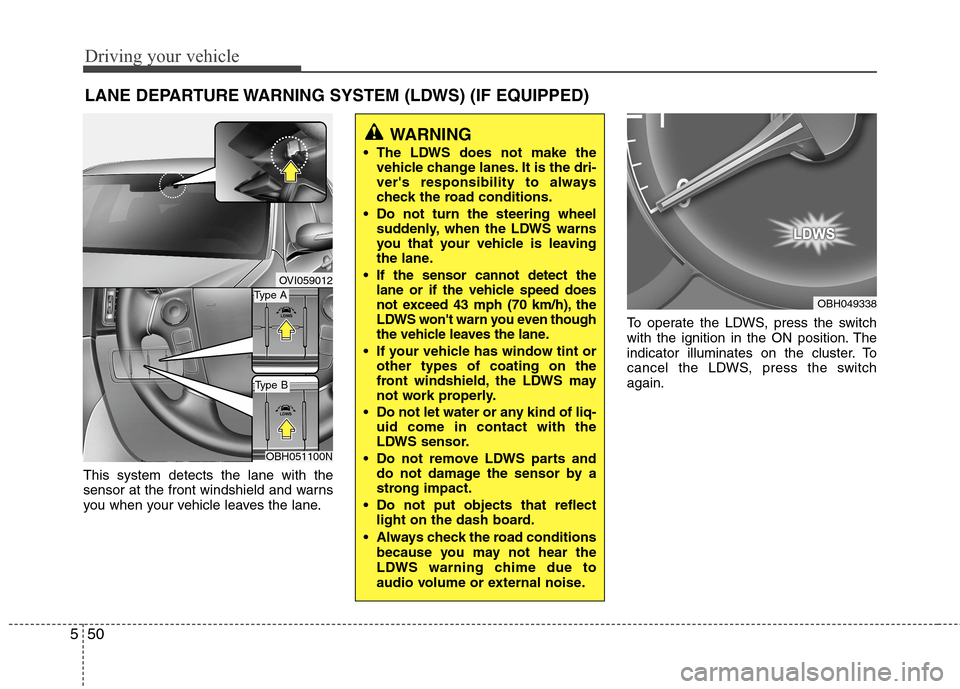
This system detects the lane with the
sensor at the front windshield and warns
you when your vehicle leaves the lane.To operate the LDWS, press the switch
with the ignition in the ON position. The
indicator illuminates on the cluster. To
cancel the LDWS, press the switch
again.
LANE DEPARTURE WARNING SYSTEM (LDWS) (IF EQUIPPED)
OVI059012
WARNING
The LDWS does not make the
vehicle change lanes. It is the dri-
ver's responsibility to always
check the road conditions.
Do not turn the steering wheel
suddenly, when the LDWS warns
you that your vehicle is leaving
the lane.
If the sensor cannot detect the
lane or if the vehicle speed does
not exceed 43 mph (70 km/h), the
LDWS won't warn you even though
the vehicle leaves the lane.
If your vehicle has window tint or
other types of coating on the
front windshield, the LDWS may
not work properly.
Do not let water or any kind of liq-
uid come in contact with the
LDWS sensor.
Do not remove LDWS parts and
do not damage the sensor by a
strong impact.
Do not put objects that reflect
light on the dash board.
Always check the road conditions
because you may not hear the
LDWS warning chime due to
audio volume or external noise.
OBH049338Type A
Type B
OBH051100N
Page 284 of 409
Driving your vehicle
52 5
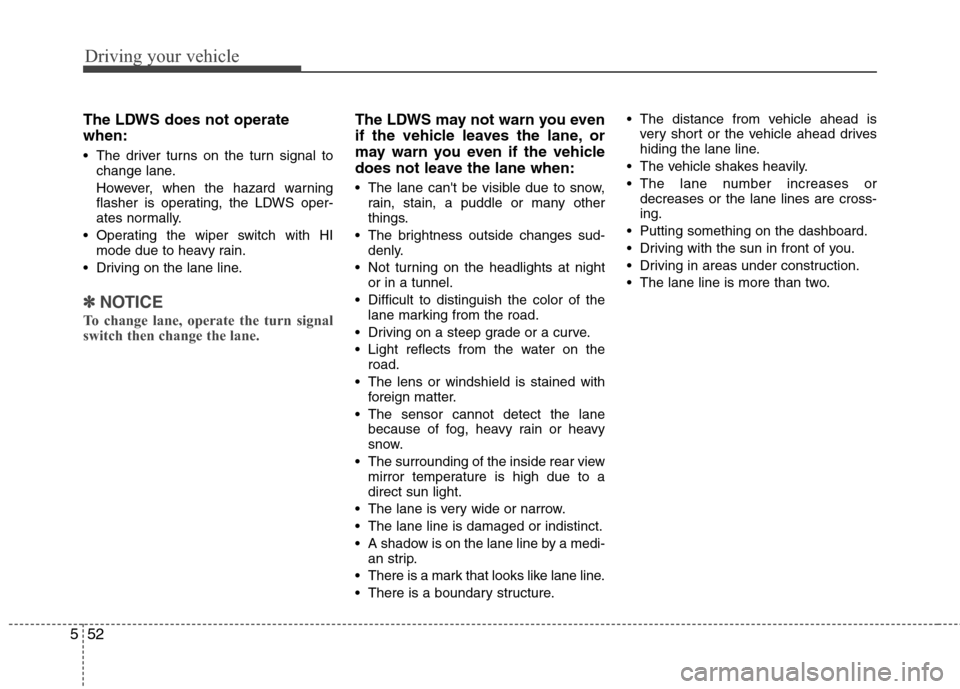
The LDWS does not operate
when:
The driver turns on the turn signal to
change lane.
However, when the hazard warning
flasher is operating, the LDWS oper-
ates normally.
Operating the wiper switch with HI
mode due to heavy rain.
Driving on the lane line.
✽ ✽
NOTICE
To change lane, operate the turn signal
switch then change the lane.
The LDWS may not warn you even
if the vehicle leaves the lane, or
may warn you even if the vehicle
does not leave the lane when:
The lane can't be visible due to snow,
rain, stain, a puddle or many other
things.
The brightness outside changes sud-
denly.
Not turning on the headlights at night
or in a tunnel.
Difficult to distinguish the color of the
lane marking from the road.
Driving on a steep grade or a curve.
Light reflects from the water on the
road.
The lens or windshield is stained with
foreign matter.
The sensor cannot detect the lane
because of fog, heavy rain or heavy
snow.
The surrounding of the inside rear view
mirror temperature is high due to a
direct sun light.
The lane is very wide or narrow.
The lane line is damaged or indistinct.
A shadow is on the lane line by a medi-
an strip.
There is a mark that looks like lane line.
There is a boundary structure. The distance from vehicle ahead is
very short or the vehicle ahead drives
hiding the lane line.
The vehicle shakes heavily.
The lane number increases or
decreases or the lane lines are cross-
ing.
Putting something on the dashboard.
Driving with the sun in front of you.
Driving in areas under construction.
The lane line is more than two.
Page 286 of 409
Driving your vehicle
54 5
Remember, your vehicle does not
require extended warm-up. After the
engine has started, allow the engine to
run for 10 to 20 seconds prior to plac-
ing the vehicle in gear. In very cold
weather, however, give your engine a
slightly longer warm-up period.
Don't "lug" or "over-rev" the engine.
Lugging is driving too slowly in too high
a gear resulting in the engine bucking.
If this happens, shift to a lower gear.
Over-revving is racing the engine
beyond its safe limit. This can be avoid-
ed by shifting at the recommended
speeds. Use your air conditioning sparingly.
The air conditioning system is operat-
ed by engine power so your fuel econ-
omy is reduced when you use it.
Open windows at high speeds can
reduce fuel economy.
Fuel economy is less in crosswinds
and headwinds. To help offset some of
this loss, slow down when driving in
these conditions.
Keeping a vehicle in good operating con-
dition is important both for economy and
safety. Therefore, have an authorized
HYUNDAI dealer perform scheduled
inspections and maintenance.
WARNING - Engine off dur-
ing motion
Never turn the engine off to coast
down hills or anytime the vehicle is
in motion. The power steering and
power brakes will not function
properly without the engine run-
ning. Instead, keep the engine on
and downshift to an appropriate
gear for engine braking effect. In
addition, turning off the ignition
while driving could engage the
steering wheel lock resulting in
loss of vehicle steering which
could cause serious injury or
death.
Page 288 of 409
Driving your vehicle
56 5
✽
✽
NOTICE
The ESC system should be turned OFF
prior to rocking the vehicle.
E110300AUN
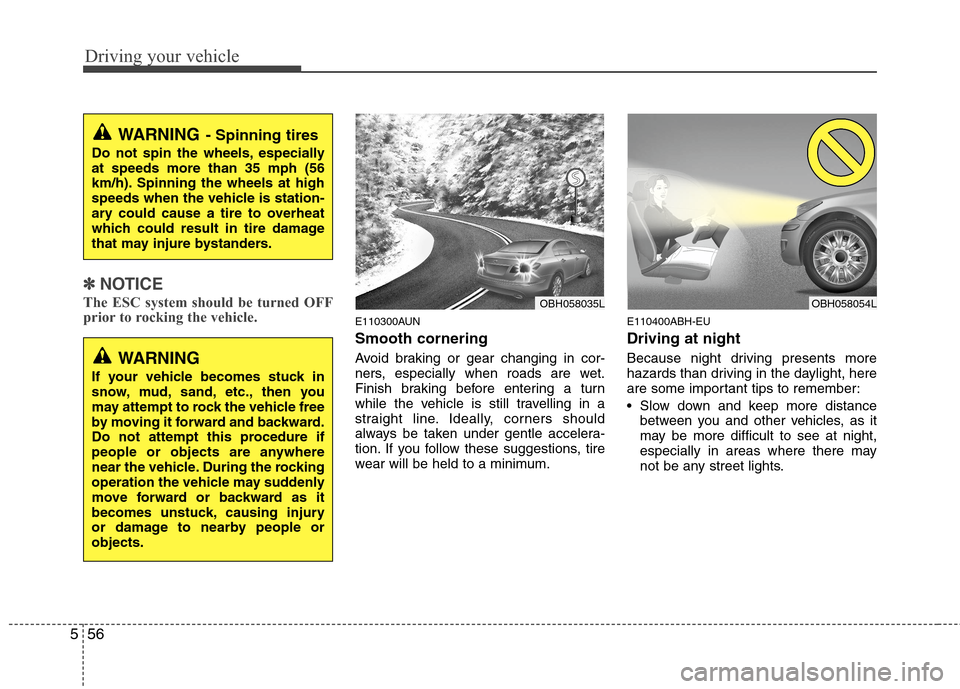
Smooth cornering
Avoid braking or gear changing in cor-
ners, especially when roads are wet.
Finish braking before entering a turn
while the vehicle is still travelling in a
straight line. Ideally, corners should
always be taken under gentle accelera-
tion. If you follow these suggestions, tire
wear will be held to a minimum.
E110400ABH-EU
Driving at night
Because night driving presents more
hazards than driving in the daylight, here
are some important tips to remember:
Slow down and keep more distance
between you and other vehicles, as it
may be more difficult to see at night,
especially in areas where there may
not be any street lights.
WARNING- Spinning tires
Do not spin the wheels, especially
at speeds more than 35 mph (56
km/h). Spinning the wheels at high
speeds when the vehicle is station-
ary could cause a tire to overheat
which could result in tire damage
that may injure bystanders.
OBH058035LOBH058054L
WARNING
If your vehicle becomes stuck in
snow, mud, sand, etc., then you
may attempt to rock the vehicle free
by moving it forward and backward.
Do not attempt this procedure if
people or objects are anywhere
near the vehicle. During the rocking
operation the vehicle may suddenly
move forward or backward as it
becomes unstuck, causing injury
or damage to nearby people or
objects.