instrument cluster Hyundai Genesis 2011 Owner's Manual
[x] Cancel search | Manufacturer: HYUNDAI, Model Year: 2011, Model line: Genesis, Model: Hyundai Genesis 2011Pages: 409, PDF Size: 38.54 MB
Page 8 of 409
1
How to use this manual / 1-2
Fuel requirements / 1-3
Vehicle break-in process / 1-5
Vehicle data collection and event data
recorders / 1-6
Indicator symbols on the instrument cluster / 1-7
Introduction
Page 14 of 409
17
Introduction
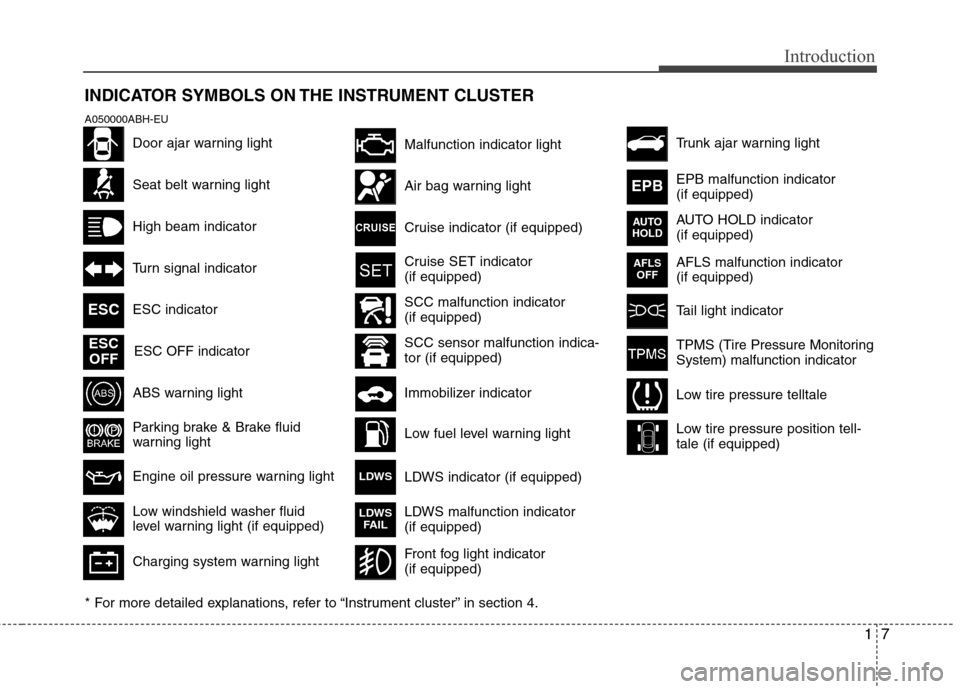
INDICATOR SYMBOLS ON THE INSTRUMENT CLUSTER
Seat belt warning light
High beam indicator
Turn signal indicator
ABS warning light
Parking brake & Brake fluid
warning light
Engine oil pressure warning light ESC indicator
ESC OFF indicator
Malfunction indicator light
Air bag warning light
Cruise indicator (if equipped)
Cruise SET indicator
(if equipped)
Immobilizer indicator
Low fuel level warning light
* For more detailed explanations, refer to “Instrument cluster” in section 4.
Charging system warning light
Low windshield washer fluid
level warning light (if equipped)
A050000ABH-EU
Door ajar warning light
AFLS malfunction indicator
(if equipped)
Tail light indicator
Trunk ajar warning light
Front fog light indicator
(if equipped)
ESC
ESC
OFF
AFLS
OFF
TPMS (Tire Pressure Monitoring
System) malfunction indicator
Low tire pressure telltale
Low tire pressure position tell-
tale (if equipped)
SCC malfunction indicator
(if equipped)
SCC sensor malfunction indica-
tor (if equipped)EPB malfunction indicator
(if equipped)
AUTO HOLD indicator
(if equipped)
EPB
AUTO
HOLD
LDWS indicator (if equipped)LDWS
LDWS malfunction indicator
(if equipped)LDWS
FAIL
Page 17 of 409
23
Your vehicle at a glance
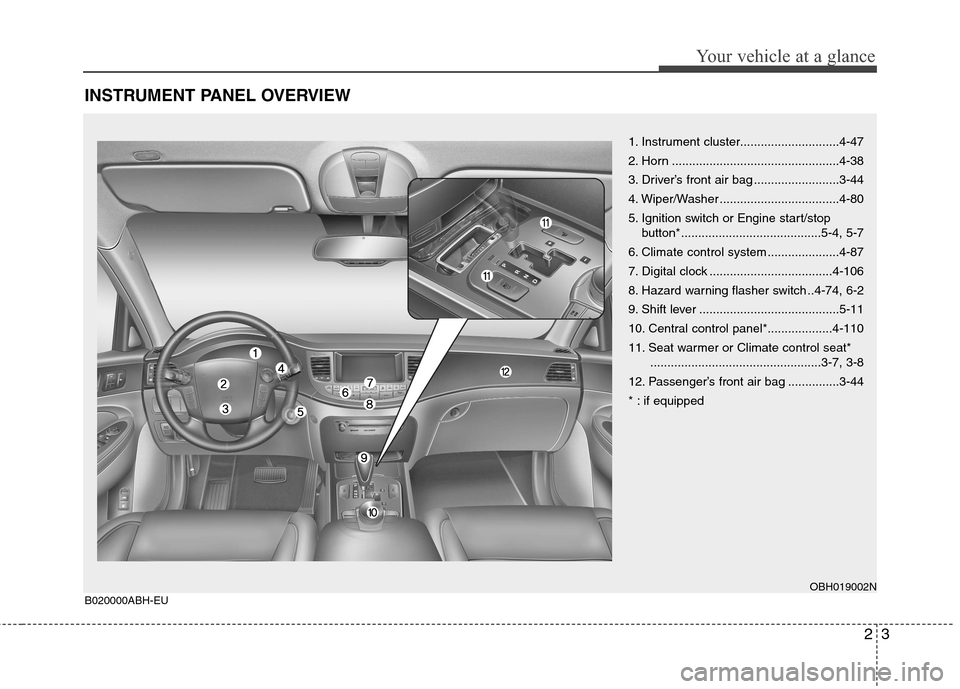
INSTRUMENT PANEL OVERVIEW
OBH019002NB020000ABH-EU
1. Instrument cluster.............................4-47
2. Horn .................................................4-38
3. Driver’s front air bag .........................3-44
4. Wiper/Washer ...................................4-80
5. Ignition switch or Engine start/stop
button*.........................................5-4, 5-7
6. Climate control system .....................4-87
7. Digital clock ....................................4-106
8. Hazard warning flasher switch ..4-74, 6-2
9. Shift lever .........................................5-11
10. Central control panel*...................4-110
11. Seat warmer or Climate control seat*
..................................................3-7, 3-8
12. Passenger’s front air bag ...............3-44
* : if equipped
Page 57 of 409
Safety features of your vehicle
38 3
WARNING
Do not install or place any acces-
sories (drink holder, cassette
holder, sticker, etc.) on the front
passenger's panel above the
glove box in a vehicle with a pas-
senger's air bag. Such objects
may become dangerous projec-
tiles and cause injury if the pas-
senger's air bag inflates.
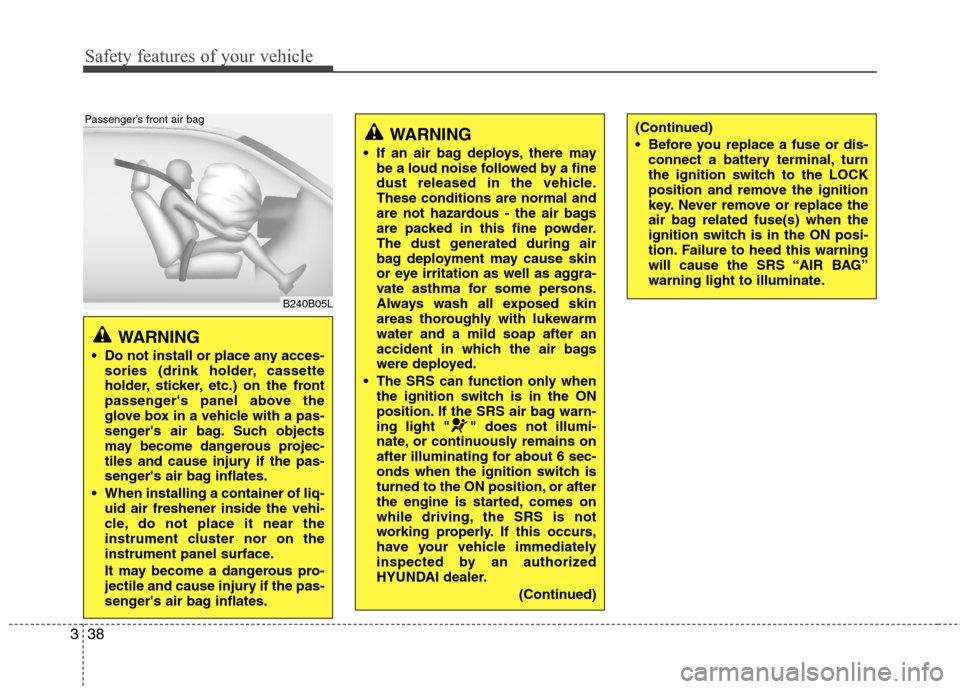
When installing a container of liq-
uid air freshener inside the vehi-
cle, do not place it near the
instrument cluster nor on the
instrument panel surface.
It may become a dangerous pro-
jectile and cause injury if the pas-
senger's air bag inflates.
B240B05L
Passenger’s front air bag
WARNING
If an air bag deploys, there may
be a loud noise followed by a fine
dust released in the vehicle.
These conditions are normal and
are not hazardous - the air bags
are packed in this fine powder.
The dust generated during air
bag deployment may cause skin
or eye irritation as well as aggra-
vate asthma for some persons.
Always wash all exposed skin
areas thoroughly with lukewarm
water and a mild soap after an
accident in which the air bags
were deployed.
The SRS can function only when
the ignition switch is in the ON
position. If the SRS air bag warn-
ing light " " does not illumi-
nate, or continuously remains on
after illuminating for about 6 sec-
onds when the ignition switch is
turned to the ON position, or after
the engine is started, comes on
while driving, the SRS is not
working properly. If this occurs,
have your vehicle immediately
inspected by an authorized
HYUNDAI dealer.
(Continued)
(Continued)
Before you replace a fuse or dis-
connect a battery terminal, turn
the ignition switch to the LOCK
position and remove the ignition
key. Never remove or replace the
air bag related fuse(s) when the
ignition switch is in the ON posi-
tion. Failure to heed this warning
will cause the SRS “AIR BAG”
warning light to illuminate.
Page 78 of 409
4
Keys / 4-3
Smart key / 4-6
Remote keyless entry / 4-11
Theft-alarm system / 4-14
Door locks / 4-16
Trunk / 4-20
Windows / 4-23
Hood / 4-27
Fuel filler lid / 4-28
Sunroof / 4-30
Driver position memory system / 4-34
Steering wheel / 4-37
Mirrors / 4-39
Instrument cluster / 4-47
Parking assist system / 4-71
Rear view camera / 4-74
Hazard warning flasher / 4-74
Lighting / 4-75
Wipers and washers / 4-80
Interior light / 4-83
Defroster / 4-86
Automatic climate control system / 4-87
Features of your vehicle
Page 124 of 409
447
Features of your vehicle
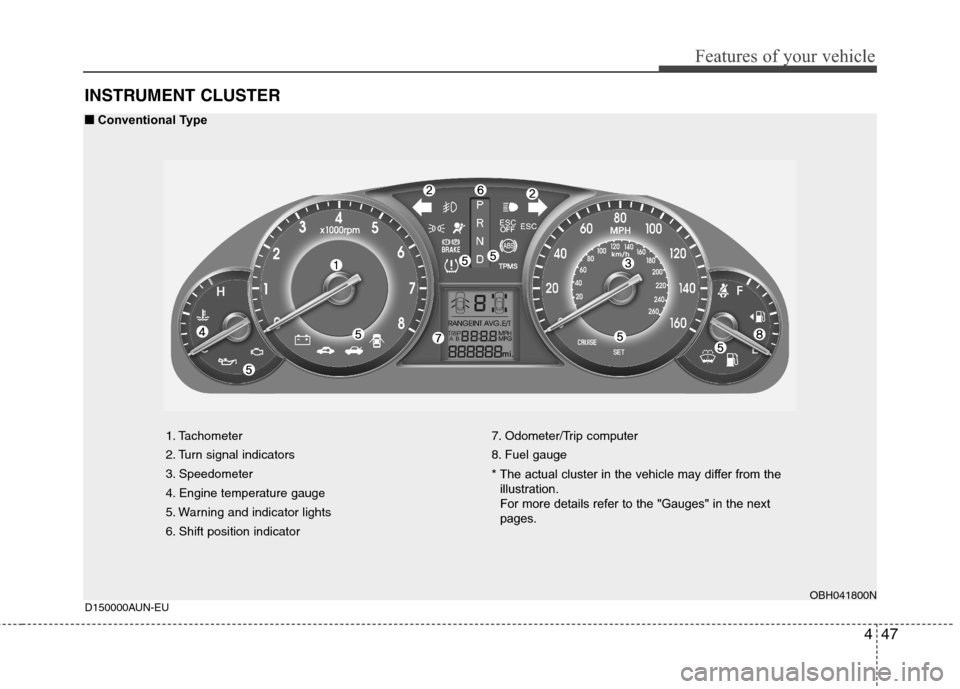
INSTRUMENT CLUSTER
1. Tachometer
2. Turn signal indicators
3. Speedometer
4. Engine temperature gauge
5. Warning and indicator lights
6. Shift position indicator7. Odometer/Trip computer
8. Fuel gauge
* The actual cluster in the vehicle may differ from the
illustration.
For more details refer to the "Gauges" in the next
pages.
OBH041800N
D150000AUN-EU
■ ■
Conventional Type
Page 141 of 409
Features of your vehicle
64 4
D150323AUN-EU
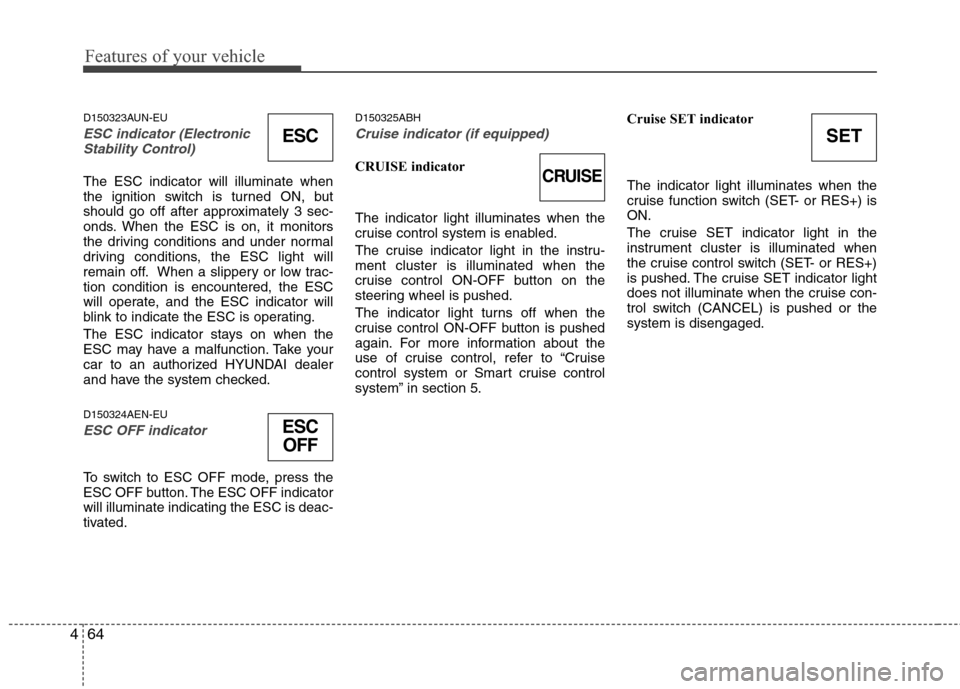
ESC indicator (Electronic
Stability Control)
The ESC indicator will illuminate when
the ignition switch is turned ON, but
should go off after approximately 3 sec-
onds. When the ESC is on, it monitors
the driving conditions and under normal
driving conditions, the ESC light will
remain off. When a slippery or low trac-
tion condition is encountered, the ESC
will operate, and the ESC indicator will
blink to indicate the ESC is operating.
The ESC indicator stays on when the
ESC may have a malfunction. Take your
car to an authorized HYUNDAI dealer
and have the system checked.
D150324AEN-EU
ESC OFF indicator
To switch to ESC OFF mode, press the
ESC OFF button. The ESC OFF indicator
will illuminate indicating the ESC is deac-
tivated.
D150325ABH
Cruise indicator (if equipped)
CRUISE indicator
The indicator light illuminates when the
cruise control system is enabled.
The cruise indicator light in the instru-
ment cluster is illuminated when the
cruise control ON-OFF button on the
steering wheel is pushed.
The indicator light turns off when the
cruise control ON-OFF button is pushed
again. For more information about the
use of cruise control, refer to “Cruise
control system or Smart cruise control
system” in section 5.Cruise SET indicator
The indicator light illuminates when the
cruise function switch (SET- or RES+) is
ON.
The cruise SET indicator light in the
instrument cluster is illuminated when
the cruise control switch (SET- or RES+)
is pushed. The cruise SET indicator light
does not illuminate when the cruise con-
trol switch (CANCEL) is pushed or the
system is disengaged.
ESC
ESC
OFF
SET
CRUISE
Page 244 of 409
Driving your vehicle
12 5
Always depress the brake pedal when
shifting from N (Neutral) to a forward or
reverse gear.E060101ABH
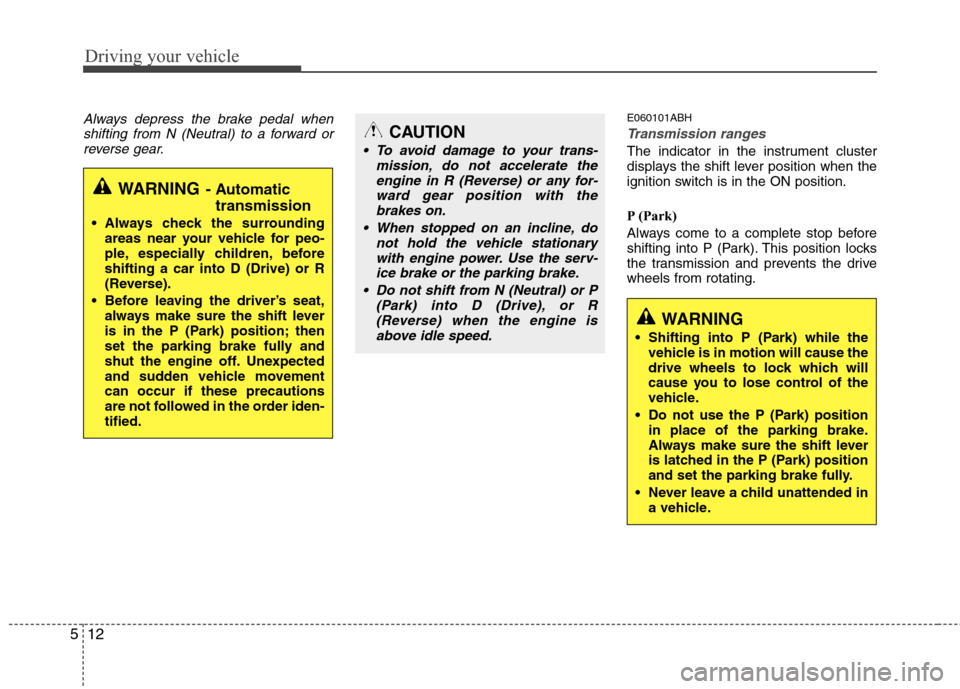
Transmission ranges
The indicator in the instrument cluster
displays the shift lever position when the
ignition switch is in the ON position.
P (Park)
Always come to a complete stop before
shifting into P (Park). This position locks
the transmission and prevents the drive
wheels from rotating.
WARNING- Automatic
transmission
Always check the surrounding
areas near your vehicle for peo-
ple, especially children, before
shifting a car into D (Drive) or R
(Reverse).
Before leaving the driver’s seat,
always make sure the shift lever
is in the P (Park) position; then
set the parking brake fully and
shut the engine off. Unexpected
and sudden vehicle movement
can occur if these precautions
are not followed in the order iden-
tified.
CAUTION
To avoid damage to your trans-
mission, do not accelerate the
engine in R (Reverse) or any for-
ward gear position with the
brakes on.
When stopped on an incline, do
not hold the vehicle stationary
with engine power. Use the serv-
ice brake or the parking brake.
Do not shift from N (Neutral) or P
(Park) into D (Drive), or R
(Reverse) when the engine is
above idle speed.
WARNING
Shifting into P (Park) while the
vehicle is in motion will cause the
drive wheels to lock which will
cause you to lose control of the
vehicle.
Do not use the P (Park) position
in place of the parking brake.
Always make sure the shift lever
is latched in the P (Park) position
and set the parking brake fully.
Never leave a child unattended in
a vehicle.
Page 267 of 409
535
Driving your vehicle
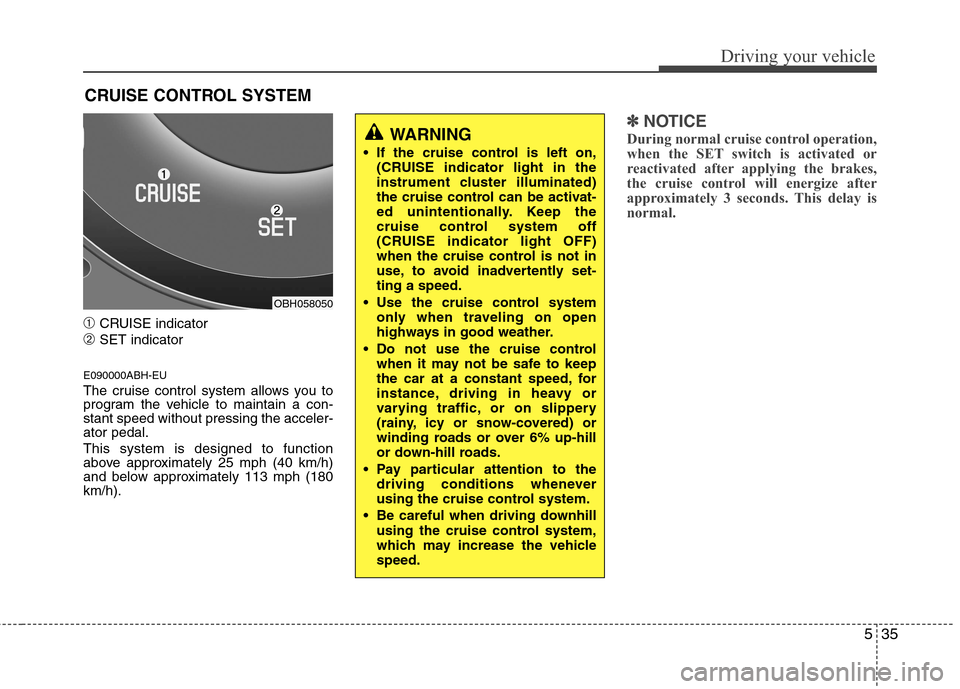
➀CRUISE indicator
➁SET indicator
E090000ABH-EU
The cruise control system allows you to
program the vehicle to maintain a con-
stant speed without pressing the acceler-
ator pedal.
This system is designed to function
above approximately 25 mph (40 km/h)
and below approximately 113 mph (180
km/h).
✽ ✽
NOTICE
During normal cruise control operation,
when the SET switch is activated or
reactivated after applying the brakes,
the cruise control will energize after
approximately 3 seconds. This delay is
normal.
CRUISE CONTROL SYSTEM
WARNING
If the cruise control is left on,
(CRUISE indicator light in the
instrument cluster illuminated)
the cruise control can be activat-
ed unintentionally. Keep the
cruise control system off
(CRUISE indicator light OFF)
when the cruise control is not in
use, to avoid inadvertently set-
ting a speed.
Use the cruise control system
only when traveling on open
highways in good weather.
Do not use the cruise control
when it may not be safe to keep
the car at a constant speed, for
instance, driving in heavy or
varying traffic, or on slippery
(rainy, icy or snow-covered) or
winding roads or over 6% up-hill
or down-hill roads.
Pay particular attention to the
driving conditions whenever
using the cruise control system.
Be careful when driving downhill
using the cruise control system,
which may increase the vehicle
speed.
OBH058050
Page 268 of 409
Driving your vehicle
36 5
E090100ABH-EU
To set cruise control speed:
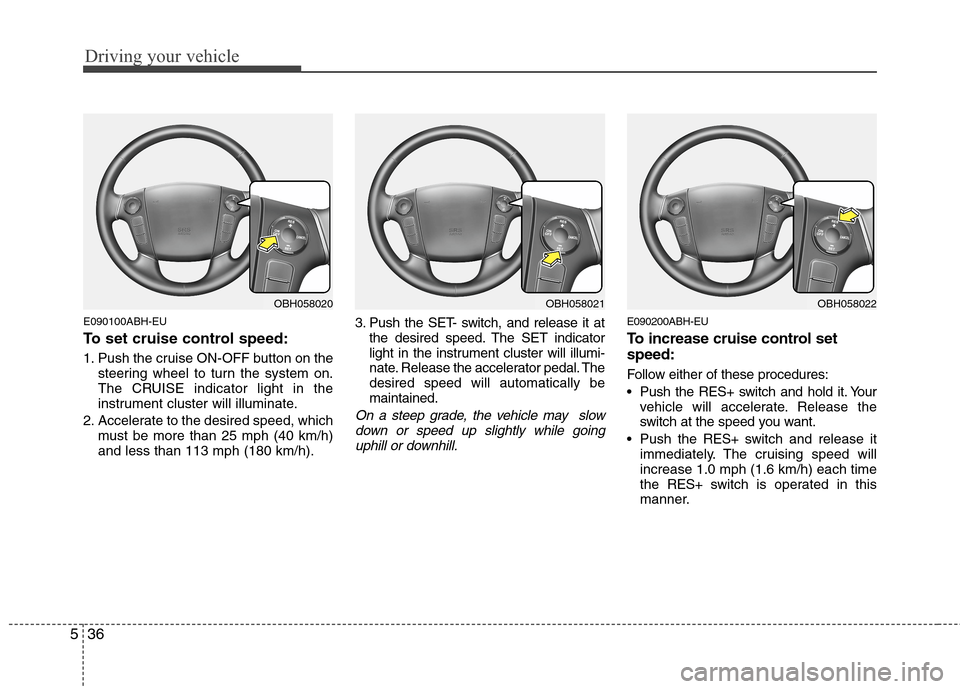
1. Push the cruise ON-OFF button on the
steering wheel to turn the system on.
The CRUISE indicator light in the
instrument cluster will illuminate.
2. Accelerate to the desired speed, which
must be more than 25 mph (40 km/h)
and less than 113 mph (180 km/h).3. Push the SET- switch, and release it at
the desired speed. The SET indicator
light in the instrument cluster will illumi-
nate. Release the accelerator pedal. The
desired speed will automatically be
maintained.
On a steep grade, the vehicle may slow
down or speed up slightly while going
uphill or downhill.
E090200ABH-EU
To increase cruise control set
speed:
Follow either of these procedures:
Push the RES+ switch and hold it. Your
vehicle will accelerate. Release the
switch at the speed you want.
Push the RES+ switch and release it
immediately. The cruising speed will
increase 1.0 mph (1.6 km/h) each time
the RES+ switch is operated in this
manner.
OBH058021OBH058022OBH058020