display Hyundai Genesis 2012 User Guide
[x] Cancel search | Manufacturer: HYUNDAI, Model Year: 2012, Model line: Genesis, Model: Hyundai Genesis 2012Pages: 393, PDF Size: 8.81 MB
Page 187 of 393
Features of your vehicle
114 4
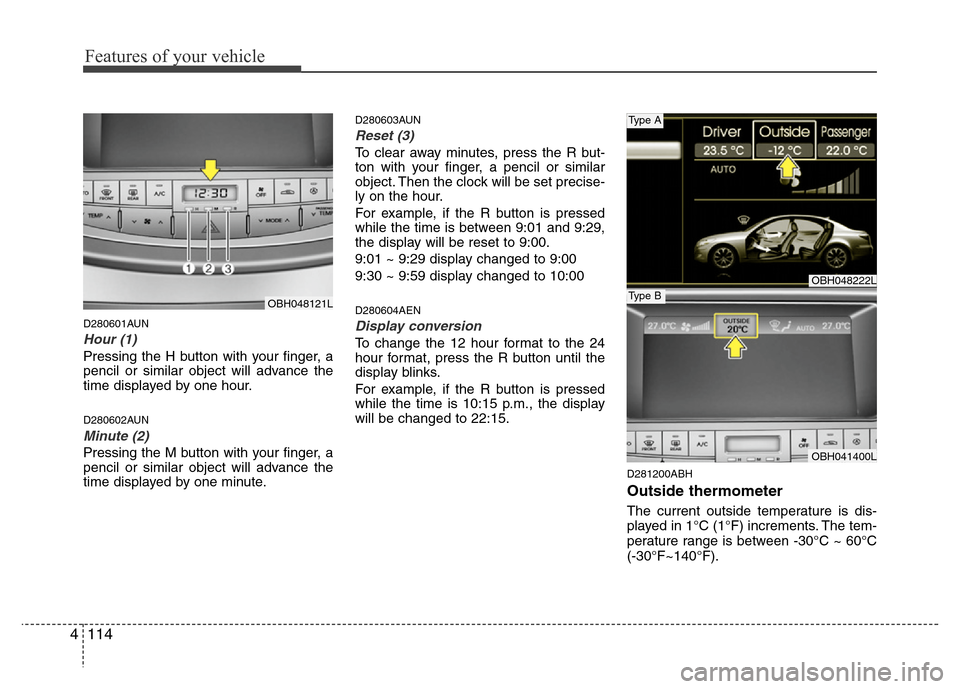
D280601AUN
Hour (1)
Pressing the H button with your finger, a
pencil or similar object will advance the
time displayed by one hour.
D280602AUN
Minute (2)
Pressing the M button with your finger, a
pencil or similar object will advance the
time displayed by one minute.
D280603AUN
Reset (3)
To clear away minutes, press the R but-
ton with your finger, a pencil or similar
object. Then the clock will be set precise-
ly on the hour.
For example, if the R button is pressed
while the time is between 9:01 and 9:29,
the display will be reset to 9:00.
9:01 ~ 9:29 display changed to 9:00
9:30 ~ 9:59 display changed to 10:00
D280604AEN
Display conversion
To change the 12 hour format to the 24
hour format, press the R button until the
display blinks.
For example, if the R button is pressed
while the time is 10:15 p.m., the display
will be changed to 22:15.
D281200ABH
Outside thermometer
The current outside temperature is dis-
played in 1°C (1°F) increments. The tem-
perature range is between -30°C ~ 60°C
(-30°F~140°F).
OBH048222L
OBH041400L
Type A
Type BOBH048121L
Page 188 of 393
4115
Features of your vehicle
Temperature conversion
If the battery has been discharged or dis-
connected, the temperature mode dis-
play will reset to Centigrade.
This is a normal condition. You can switch
the temperature mode between
Centigrade to Fahrenheit as follows;
While pressing the MODE button,
depress the DUAL button for 3 seconds
or more. The display will change from
Centigrade to Fahrenheit, or from
Fahrenheit to Centigrade.
The outside temperature onthe display
may not change immediately like a gen-
eral thermometer to prevent the driver
from being inattentive.
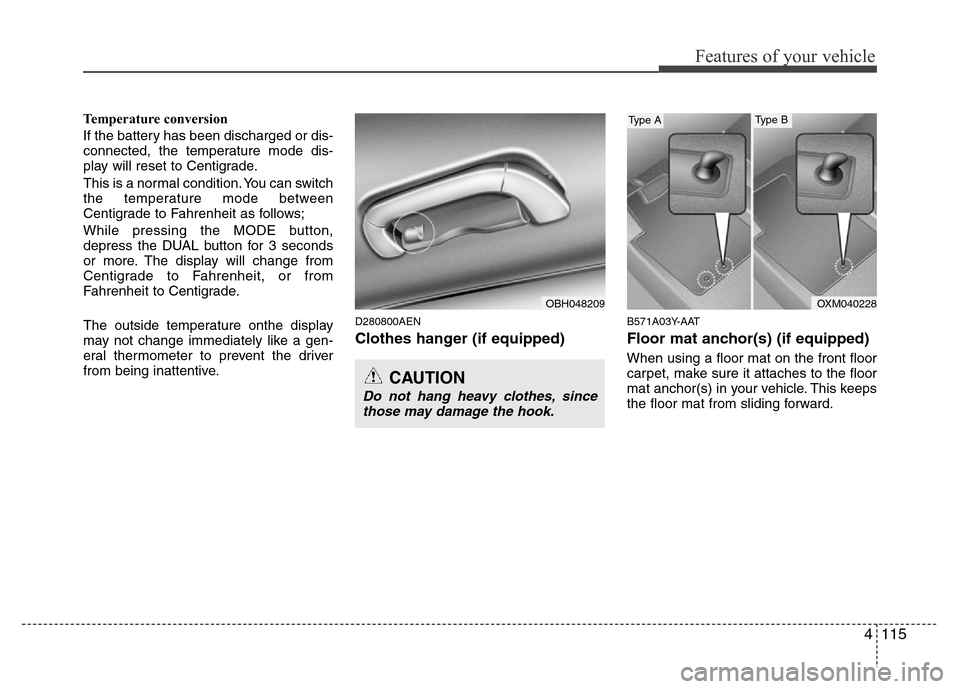
D280800AEN
Clothes hanger (if equipped)
B571A03Y-AAT
Floor mat anchor(s) (if equipped)
When using a floor mat on the front floor
carpet, make sure it attaches to the floor
mat anchor(s) in your vehicle. This keeps
the floor mat from sliding forward.
CAUTION
Do not hang heavy clothes, since
those may damage the hook.
OBH048209OXM040228
Type AType B
Page 200 of 393
4127
Features of your vehicle
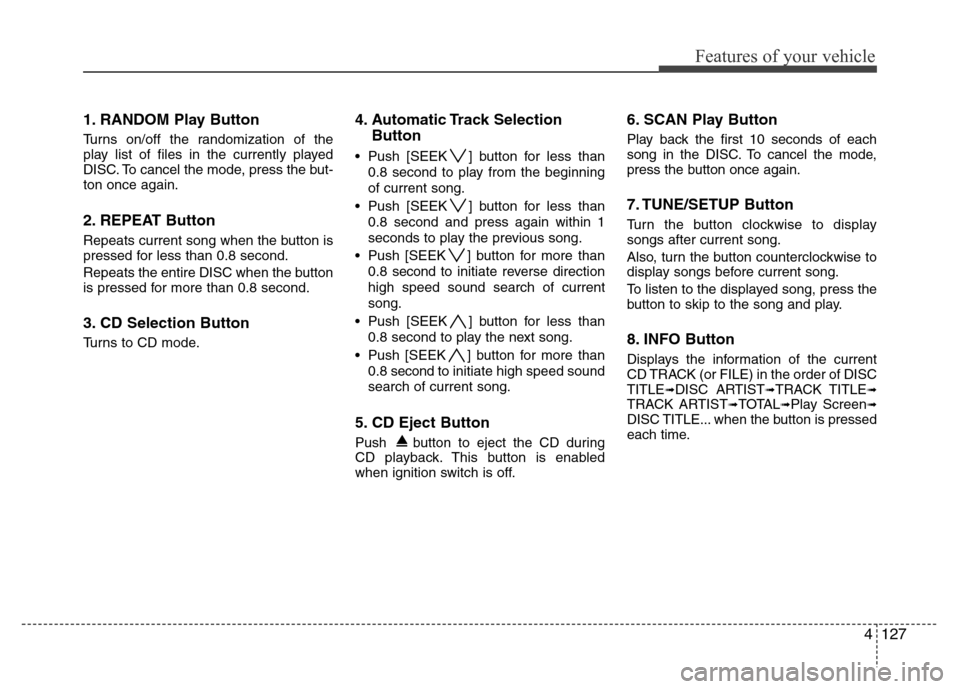
1. RANDOM Play Button
Turns on/off the randomization of the
play list of files in the currently played
DISC. To cancel the mode, press the but-
ton once again.
2. REPEAT Button
Repeats current song when the button is
pressed for less than 0.8 second.
Repeats the entire DISC when the button
is pressed for more than 0.8 second.
3. CD Selection Button
Turns to CD mode.
4. Automatic Track Selection
Button
• Push [SEEK ] button for less than
0.8 second to play from the beginning
of current song.
• Push [SEEK ] button for less than
0.8 second and press again within 1
seconds to play the previous song.
• Push [SEEK ] button for more than
0.8 second to initiate reverse direction
high speed sound search of current
song.
• Push [SEEK ] button for less than
0.8 second to play the next song.
• Push [SEEK ] button for more than
0.8 second to initiate high speed sound
search of current song.
5. CD Eject Button
Push button to eject the CD during
CD playback. This button is enabled
when ignition switch is off.
6. SCAN Play Button
Play back the first 10 seconds of each
song in the DISC. To cancel the mode,
press the button once again.
7. TUNE/SETUP Button
Turn the button clockwise to display
songs after current song.
Also, turn the button counterclockwise to
display songs before current song.
To listen to the displayed song, press the
button to skip to the song and play.
8. INFO Button
Displays the information of the current
CD TRACK (or FILE) in the order of DISC
TITLE
➟DISC ARTIST➟TRACK TITLE➟TRACK ARTIST➟TOTAL➟Play Screen➟DISC TITLE... when the button is pressed
each time.
Page 201 of 393
![Hyundai Genesis 2012 User Guide Features of your vehicle
128 4
9. Folder Search Button
• Push [FOLDER ] button child folder
of the current folder and display the first
song in the folder. Press TUNE/SETUP
button to move to the fol](/img/35/14676/w960_14676-200.png "Hyundai Genesis 2012 User Guide Features of your vehicle
128 4
9. Folder Search Button
• Push [FOLDER ] button child folder
of the current folder and display the first
song in the folder. Press TUNE/SETUP
button to move to the fol")
Features of your vehicle
128 4
9. Folder Search Button
• Push [FOLDER ] button child folder
of the current folder and display the first
song in the folder. Press TUNE/SETUP
button to move to the folder displayed. It
will play the first song in the folder.
• Push [FOLDER ] button parent fold-
er and displays the first song in the fold-
er. Press TUNE/SETUP button to move
to the folder displayed. It will play the
first song in the folder.
(MP3 only)
10. CD Indicator
When the ignition switch is in ACC or ON
and if the CD is loaded, this indicator is
illuminated. If the CD is ejected the light
turnes off.
11. CD loading slot
Face the printed side upward and gently
push in. When the ignition switch is on
ACC or ON and power is off, power is
automatically turned on if the CD is
loaded. CDP supports 12 cm CDs. But if
VCD, Data CD, DVD are loaded, "Media
Error" message will appear.
Page 205 of 393
Features of your vehicle
132 4
In case USB is connected to the multiple
terminal inside the console on the right
hand side of the driver's seat.
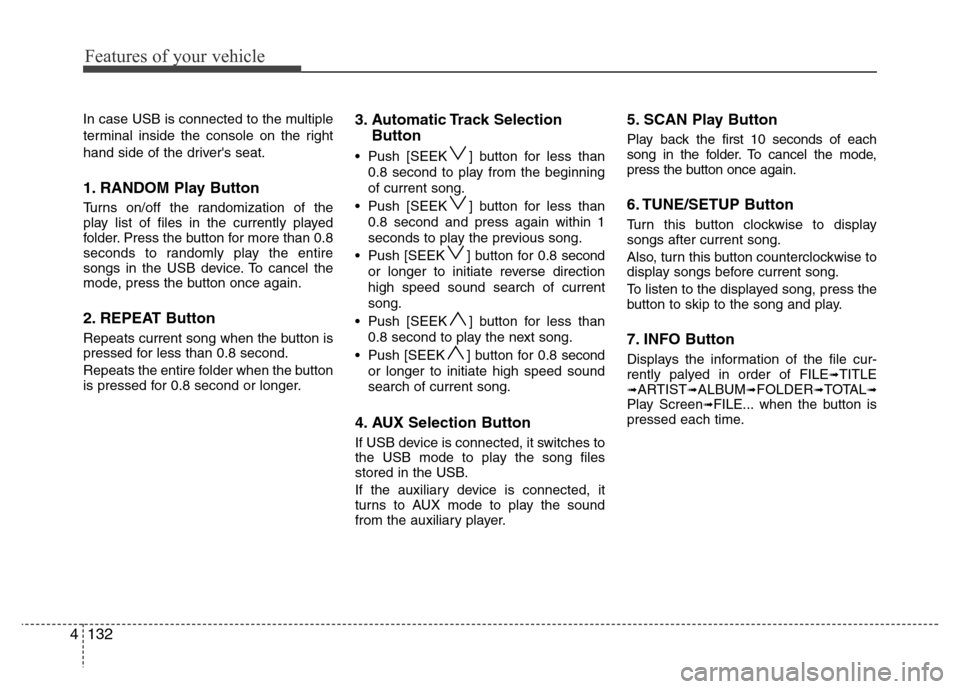
1. RANDOM Play Button
Turns on/off the randomization of the
play list of files in the currently played
folder. Press the button for more than 0.8
seconds to randomly play the entire
songs in the USB device. To cancel the
mode, press the button once again.
2. REPEAT Button
Repeats current song when the button is
pressed for less than 0.8 second.
Repeats the entire folder when the button
is pressed for 0.8 second or longer.
3. Automatic Track Selection
Button
• Push [SEEK ] button for less than
0.8 second to play from the beginning
of current song.
• Push [SEEK ] button for less than
0.8 second and press again within 1
seconds to play the previous song.
• Push [SEEK ] button for 0.8 second
or longer to initiate reverse direction
high speed sound search of current
song.
• Push [SEEK ] button for less than
0.8 second to play the next song.
• Push [SEEK ] button for 0.8 second
or longer to initiate high speed sound
search of current song.
4. AUX Selection Button
If USB device is connected, it switches to
the USB mode to play the song files
stored in the USB.
If the auxiliary device is connected, it
turns to AUX mode to play the sound
from the auxiliary player.
5. SCAN Play Button
Play back the first 10 seconds of each
song in the folder. To cancel the mode,
press the button once again.
6. TUNE/SETUP Button
Turn this button clockwise to display
songs after current song.
Also, turn this button counterclockwise to
display songs before current song.
To listen to the displayed song, press the
button to skip to the song and play.
7. INFO Button
Displays the information of the file cur-
rently palyed in order of FILE➟TITLE➟ARTIST➟ALBUM➟FOLDER➟TOTAL➟Play Screen➟FILE... when the button is
pressed each time.
Page 206 of 393
![Hyundai Genesis 2012 User Guide 4133
Features of your vehicle
8. Folder Search Button
• Push [FOLDER ] button child folder
of the current folder and display the first
song in the folder. Press TUNE/SETUP
button to move to the fold](/img/35/14676/w960_14676-205.png "Hyundai Genesis 2012 User Guide 4133
Features of your vehicle
8. Folder Search Button
• Push [FOLDER ] button child folder
of the current folder and display the first
song in the folder. Press TUNE/SETUP
button to move to the fold")
4133
Features of your vehicle
8. Folder Search Button
• Push [FOLDER ] button child folder
of the current folder and display the first
song in the folder. Press TUNE/SETUP
button to move to the folder displayed. It
will play the first song in the folder.
• Push [FOLDER ] button parent folder
and displays the first song in the folder.
Press TUNE/SETUP button to move to
the folder displayed. It will play the first
song in the folder.
(MP3 only)
Page 208 of 393
4135
Features of your vehicle
Using un iPod®when the exclusive cable
is connected to the multiple terminal
inside the console on the right hand side
of the driver's seat.
1. RANDOM Playback Button
Press the button for less than 0.8 second
to activate or deactivate the random play-
back of the songs within the current cat-
egory. Press the button for longer than
0.8 second to randomly play all songs in
the entire album of the iPod
®. Press the
button once again to cancel the mode.
2. REPEAT Button
Repeats the song currently played.
3. Automatic Track Selection
Button
• Push [SEEK ] button for less than
0.8 second to play from the beginning
of the current song.
• Push [SEEK ] button for less than
0.8 second and press again within 1
seconds to play the previous song.
• Push [SEEK ] button for 0.8 second
or longer to initiate reverse direction
high speed sound search of current
song.
• Push [SEEK ] button for less than
0.8 second to play the next song.
• Push [SEEK ] button for 0.8 second
or longer to initiate high speed sound
search of current song.
4. AUX Selection Button
If an iPod®is connected, it switches to the
iPod®mode to play the song files stored
in the iPod®.
5. Category Selection Button
Press [CAT FOLDER
/ ] button to
move the category and display the first
song in the category. Press TUNE/
SETUP button to move to the category
displayed. It will play the first song in the
folder.
(PLAYLISTS
➟ARTISTS➟ ALBUMS ➟
GENRES ➟ SONGS ➟ COMPOSERS ➟
PLAYLISTS ➟ ...)
6. TUNE/SETUP Button
Turn this button clockwise or counter-
clockwise, it will display the category
menu. To select the displayed menu,
press the button.
7. INFO Button
Displays the information of the file cur-
rently played in order of TITLE ➟ ARTIST➟ ALBUM ➟ Play Screen ➟ TITLE...
Page 209 of 393
Features of your vehicle
136 4
✽NOTICE FOR USING iPod®
DEVICE
• Some iPod®models might not support
the communication protocol and the
files will not be played. (iPod
®models
supported: Mini, 4G, Photo, Nano,
5G)
• The order of search or playback of
songs in the iPod
®can be different
from the order searched in the audio
system.
• If the iPod
®crashes due to its own
trouble, reset iPod®. (Reset: Refer to
iPod®manual)
• iPod®may not operate normally on
low battery.
CAUTION IN USING iPod®
DEVICE
• You need the power cable exclu-
sive for iPod®in order to operate
iPod®with the buttons on the
audio system. The PC cable pro-
vided by Apple may cause mal-
function and do not use it for
vehicle use.
• When connecting the device with
iPod
®cable, push in the jack fully
not to interfere with communica-
tion.
• When adjusting the sound effects
of iPod
®and the audio system, the
sound effects of both devices will
overlap each and might cause
reduce or distort the quality of the
sound.
• Deactivate (turn off) the equalizer
function of iPod
®when adjusting
the audio system’s volume, and
turn off the equalizer of the audio
system when using the equalizer
of iPod
®.
(Continued)
(Continued)
• When the iPod®cable is connect-
ed, the system can be switched to
the AUX mode even without the
iPod
®device and can cause
noise. Disconnect iPod®cable
when you are not using the iPod®
device.
• When the iPod®is not used at
audio system, iPod®cable has to
be separate from iPod®device.
Origin display of iPod®may not be
displayed.
Page 213 of 393
Features of your vehicle
140 4
1. RANDOM Play Button
Turns on/off the randomization of the
play list of files in the currently played
DISC. To cancel the mode, press the but-
ton once again.
2. REPEAT Button
Repeats current song when the button is
pressed for less than 0.8 second.
Repeats the entire DISC when the button
is pressed for 0.8 second or longer.
3. CD Selection Button
Turns to CD mode.
4. Automatic Track Selection
Button
• Push [SEEK ] button for less than 0.8
second to play from the beginning of
current song.
• Push [SEEK ] button for less than 0.8
second and press again within 1 sec-
onds to play the previous song.
• Push [SEEK ] button for more than
0.8 second to initiate reverse direction
high speed sound search of current
song.
• Push [SEEK ] button for less than 0.8
second to play the next song.
• Push [SEEK ] button for more than
0.8 second to initiate high speed sound
search of current song.
5. CD eject Button
Push button for less than 0.8 second
to eject the CD during CD playback. All
eject disc in the slot when the button is
pressed for 0.8 second or longer. This
button is enabled when ignition switch is
off.
6. DISC Selection Button
• [DISC ] Change Button
Change disc to the previous disc.
• [DISC ] Change Button
Change disc to the next disc.
7. SCAN Play Button
Play back the first 10 seconds of each
song in the DISC. To cancel the mode,
press the button once again.
8. TUNE/SETUP Button
Turn this button clockwise to display
songs after current song.
Also, turn this button counterclockwise to
display songs before current song.
To listen to the displayed song, press the
button to skip to the song and play.
Page 214 of 393
4141
Features of your vehicle
9. INFO Button
Displays the information of the current
CD TRACK (or FILE) in the order of DISC
TITLE
➟DISC ARTIST➟TRACK TITLE➟TRACK ARTIST➟TOTAL➟Play Screen➟DISC TITLE... when the button is pressed
each time.
10. Folder Search Button
• Push [FOLDER ] button child folder
of the current folder and display the first
song in the folder. Press TUNE/SETUP
button to move to the folder displayed. It
will play the first song in the folder.
• Push [FOLDER ] button parent folder
and displays the first song in the folder.
Press TUNE/SETUP button to move to
the folder displayed. It will play the first
song in the folder.
(MP3 only)
11.CD LOAD Button
Push [LOAD] button to load CDs to avail-
able 6-Disc deck (from 1~6). Push
[LOAD] button for more than 0.8 second
to load into all available decks.
The last CD will play.
12. CD loading slot
Please face printed side upward and
gently push in. When the ignition switch
is on ACC or ON and power is off, power
is automatically turned on if the CD is
loaded. This CDP supports 12cm CDs.
But if VCD, Data CD, DVD are loaded,
"Media Error" message will appear.