sensor Hyundai Genesis 2012 Owner's Guide
[x] Cancel search | Manufacturer: HYUNDAI, Model Year: 2012, Model line: Genesis, Model: Hyundai Genesis 2012Pages: 393, PDF Size: 8.81 MB
Page 153 of 393
Features of your vehicle
80 4
D190403AUN
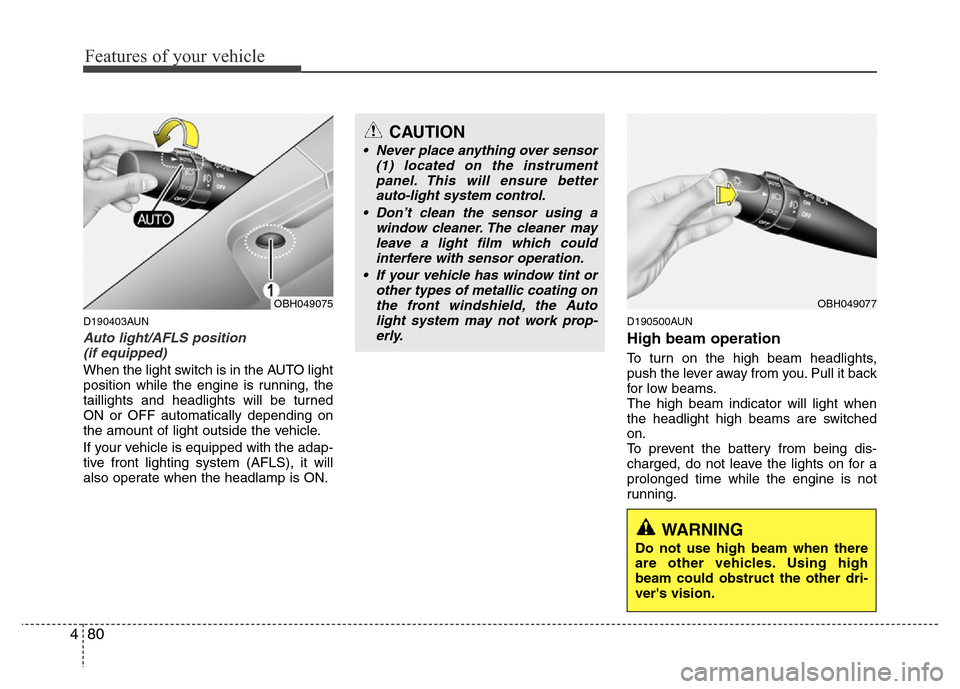
Auto light/AFLS position
(if equipped)
When the light switch is in the AUTO light
position while the engine is running, the
taillights and headlights will be turned
ON or OFF automatically depending on
the amount of light outside the vehicle.
If your vehicle is equipped with the adap-
tive front lighting system (AFLS), it will
also operate when the headlamp is ON.
D190500AUN
High beam operation
To turn on the high beam headlights,
push the lever away from you. Pull it back
for low beams.
The high beam indicator will light when
the headlight high beams are switched
on.
To prevent the battery from being dis-
charged, do not leave the lights on for a
prolonged time while the engine is not
running.
OBH049075
CAUTION
• Never place anything over sensor
(1) located on the instrument
panel. This will ensure better
auto-light system control.
• Don’t clean the sensor using a
window cleaner. The cleaner may
leave a light film which could
interfere with sensor operation.
• If your vehicle has window tint or
other types of metallic coating on
the front windshield, the Auto
light system may not work prop-
erly.
OBH049077
WARNING
Do not use high beam when there
are other vehicles. Using high
beam could obstruct the other dri-
ver's vision.
Page 159 of 393
Features of your vehicle
86 4
MIST( ) : For a single wiping cycle,
push the lever upward and
release it with the lever in
the OFF position. The
wipers will operate continu-
ously if the lever is pushed
upward and held.
OFF (O) : Wiper is not in operation
INT (---) : Wiper operates intermittently
at the same wiping intervals.
Use this mode in a light rain or
mist. To vary the speed setting,
turn the speed control knob(1).
LO (1) : Normal wiper speed
HI (2) : Fast wiper speed
✽NOTICE
If there is heavy accumulation of snow
or ice on the windshield, defrost the
windshield for about 10 minutes, or
until the snow and/or ice is removed
before using the windshield wipers to
ensure proper operation.
✽NOTICE
• When you operate the wipers, if your
vehicle has a problem in any part of
the wiper operation system, the wiper
may operate in the LO (1) mode
regardless of the wiper switch posi-
tion. In this case, have your vehicle
checked by an authorized HYUNDAI
dealer as soon as possible.
• When the ignition key is removed, the
wiper blade sometimes may move
slightly to be properly positioned for
reducing the deterioration of the
windshield wipers.
D200101ABH
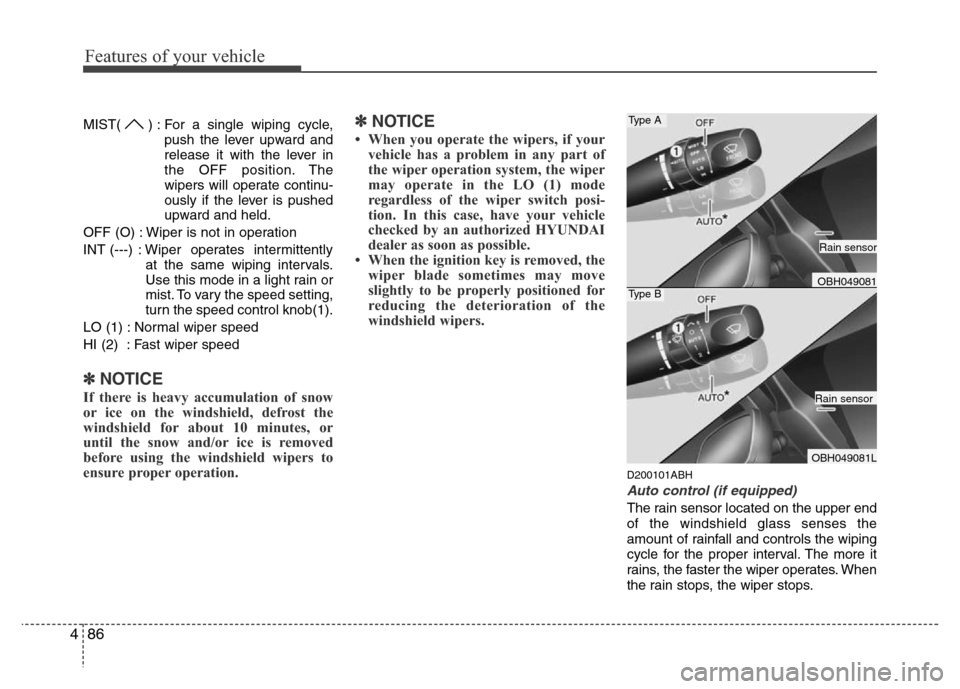
Auto control (if equipped)
The rain sensor located on the upper end
of the windshield glass senses the
amount of rainfall and controls the wiping
cycle for the proper interval. The more it
rains, the faster the wiper operates. When
the rain stops, the wiper stops.
Type A
Type BOBH049081
OBH049081L
Rain sensor
Rain sensor
Page 160 of 393
487
Features of your vehicle
To vary the speed setting, turn the speed
control knob (1).
If the wiper switch is set in AUTO mode
when the ignition switch is ON, the wiper
will operate once to perform a self-check
of the system. Set the wiper to OFF (O)
position when the wiper is not in use.
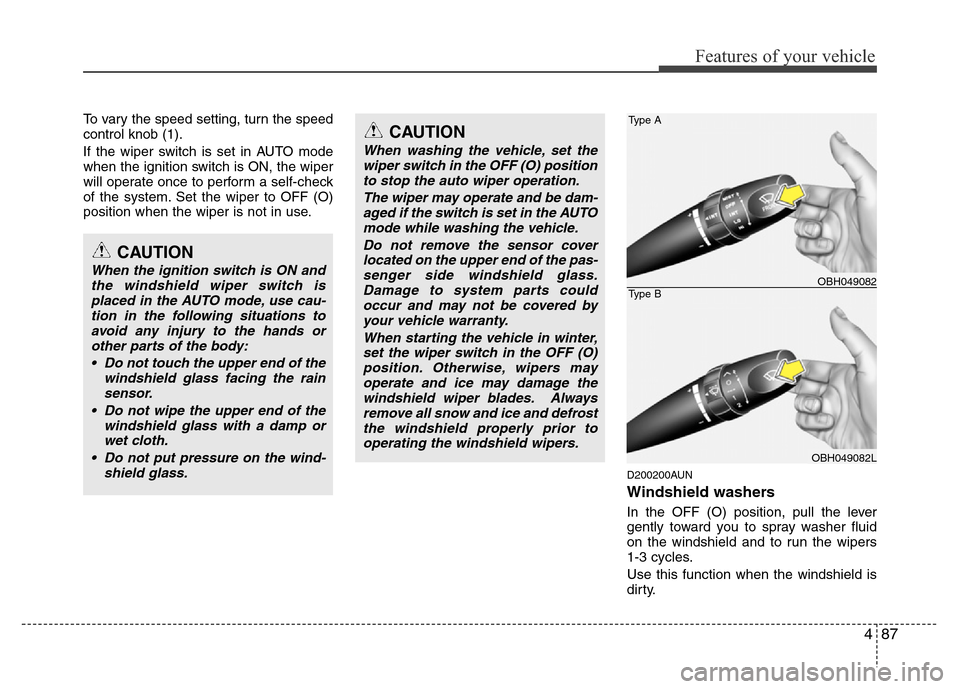
D200200AUN
Windshield washers
In the OFF (O) position, pull the lever
gently toward you to spray washer fluid
on the windshield and to run the wipers
1-3 cycles.
Use this function when the windshield is
dirty.
CAUTION
When the ignition switch is ON and
the windshield wiper switch is
placed in the AUTO mode, use cau-
tion in the following situations to
avoid any injury to the hands or
other parts of the body:
• Do not touch the upper end of the
windshield glass facing the rain
sensor.
• Do not wipe the upper end of the
windshield glass with a damp or
wet cloth.
• Do not put pressure on the wind-
shield glass.
CAUTION
When washing the vehicle, set the
wiper switch in the OFF (O) position
to stop the auto wiper operation.
The wiper may operate and be dam-
aged if the switch is set in the AUTO
mode while washing the vehicle.
Do not remove the sensor cover
located on the upper end of the pas-
senger side windshield glass.
Damage to system parts could
occur and may not be covered by
your vehicle warranty.
When starting the vehicle in winter,
set the wiper switch in the OFF (O)
position. Otherwise, wipers may
operate and ice may damage the
windshield wiper blades. Always
remove all snow and ice and defrost
the windshield properly prior to
operating the windshield wipers.
Type A
Type BOBH049082
OBH049082L
Page 167 of 393
Features of your vehicle
94
4
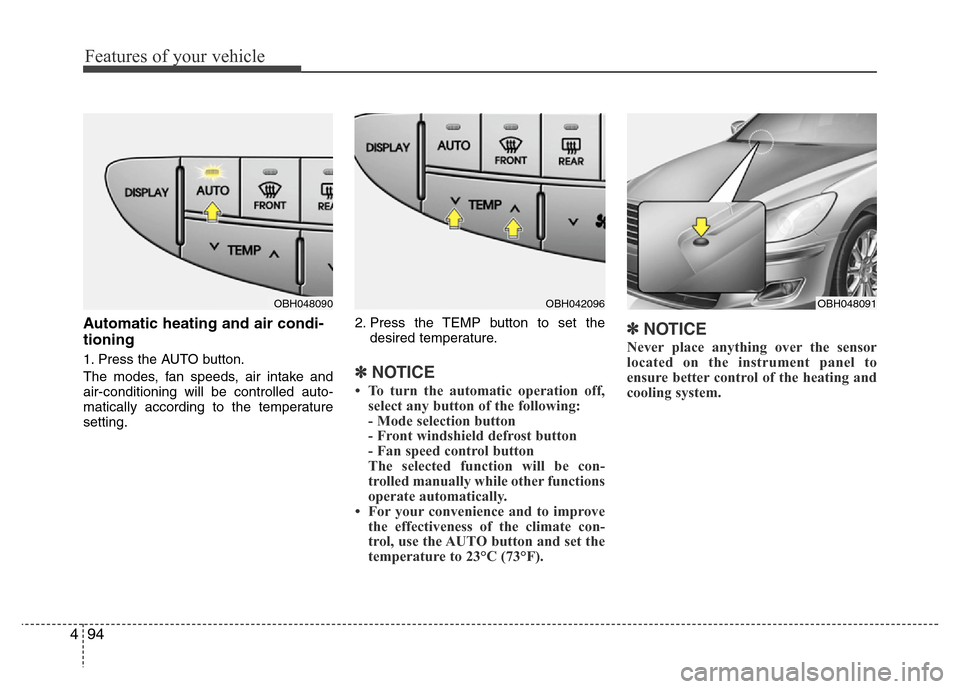
Automatic heating and air condi-
tioning
1. Press the AUTO button.
The modes, fan speeds, air intake and
air-conditioning will be controlled auto-
matically according to the temperature
setting. 2. Press the TEMP button to set the
desired temperature.✽NOTICE
• To turn the automatic operation off,select any button of the following:
- Mode selection button
- Front windshield defrost button
- Fan speed control button
The selected function will be con-
trolled manually while other functions
operate automatically.
• For your convenience and to improve the effectiveness of the climate con-
trol, use the AUTO button and set the
temperature to 23°C (73°F).
✽NOTICE
Never place anything over the sensor
located on the instrument panel to
ensure better control of the heating and
cooling system.
OBH048091OBH048090OBH042096
Page 180 of 393
4107
Features of your vehicle
D250305ABH
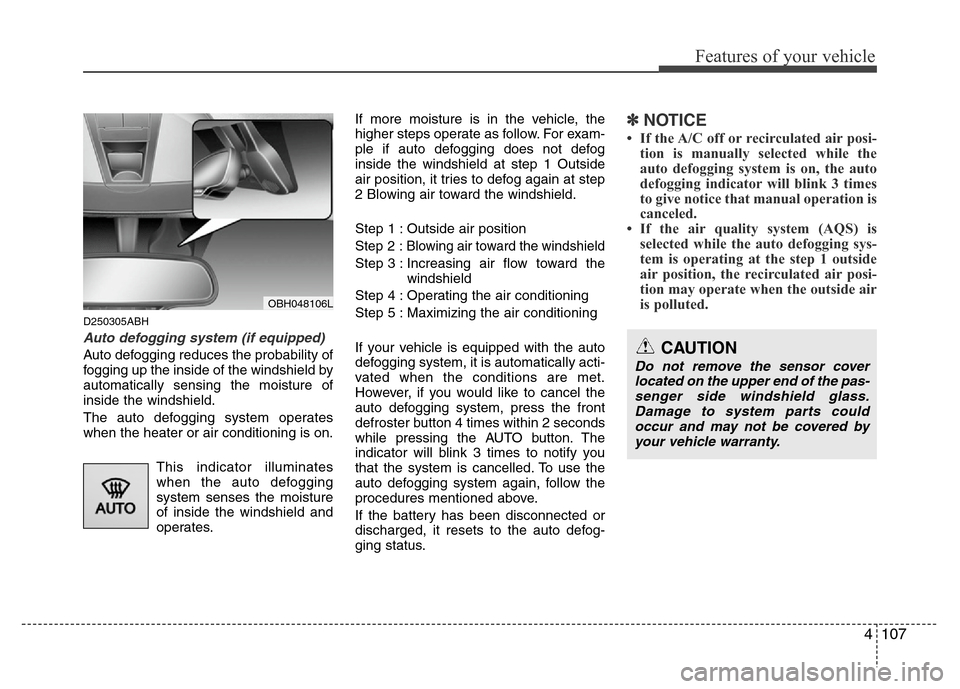
Auto defogging system (if equipped)
Auto defogging reduces the probability of
fogging up the inside of the windshield by
automatically sensing the moisture of
inside the windshield.
The auto defogging system operates
when the heater or air conditioning is on.
This indicator illuminates
when the auto defogging
system senses the moisture
of inside the windshield and
operates.If more moisture is in the vehicle, the
higher steps operate as follow. For exam-
ple if auto defogging does not defog
inside the windshield at step 1 Outside
air position, it tries to defog again at step
2 Blowing air toward the windshield.
Step 1 : Outside air position
Step 2 :Blowing air toward the windshield
Step 3 : Increasing air flow toward the
windshield
Step 4 : Operating the air conditioning
Step 5 : Maximizing the air conditioning
If your vehicle is equipped with the auto
defogging system, it is automatically acti-
vated when the conditions are met.
However, if you would like to cancel the
auto defogging system, press the front
defroster button 4 times within 2 seconds
while pressing the AUTO button. The
indicator will blink 3 times to notify you
that the system is cancelled. To use the
auto defogging system again, follow the
procedures mentioned above.
If the battery has been disconnected or
discharged, it resets to the auto defog-
ging status.
✽NOTICE
• If the A/C off or recirculated air posi-
tion is manually selected while the
auto defogging system is on, the auto
defogging indicator will blink 3 times
to give notice that manual operation is
canceled.
• If the air quality system (AQS) is
selected while the auto defogging sys-
tem is operating at the step 1 outside
air position, the recirculated air posi-
tion may operate when the outside air
is polluted.
OBH048106L
CAUTION
Do not remove the sensor cover
located on the upper end of the pas-
senger side windshield glass.
Damage to system parts could
occur and may not be covered by
your vehicle warranty.
Page 268 of 393
Driving your vehicle
46 5
E150500ABH
Cruise control will be canceled
when;
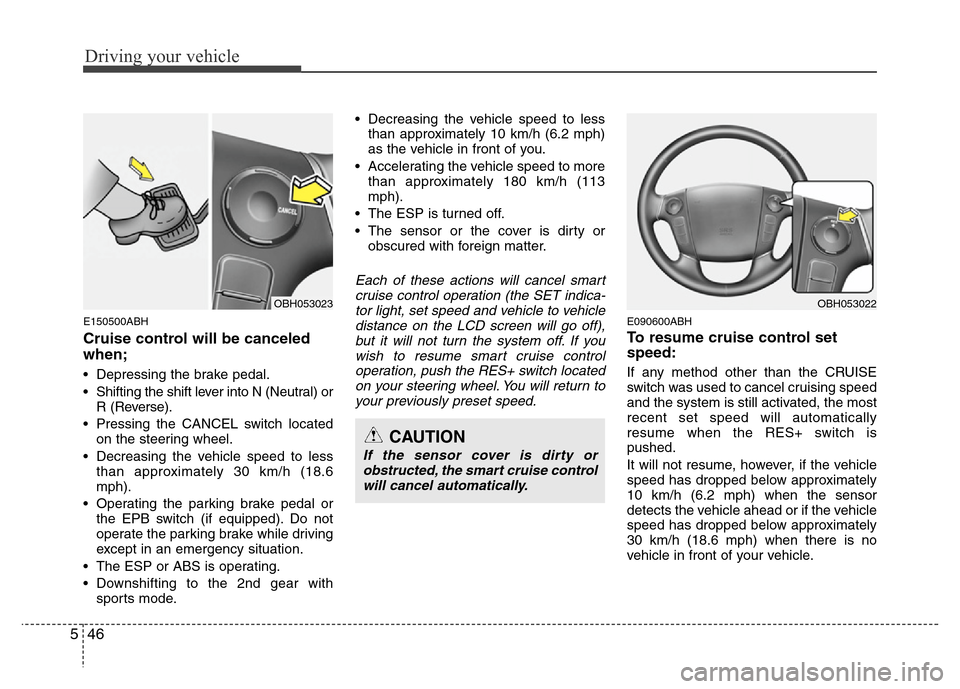
• Depressing the brake pedal.
• Shifting the shift lever into N (Neutral) or
R (Reverse).
• Pressing the CANCEL switch located
on the steering wheel.
• Decreasing the vehicle speed to less
than approximately 30 km/h (18.6
mph).
• Operating the parking brake pedal or
the EPB switch (if equipped). Do not
operate the parking brake while driving
except in an emergency situation.
• The ESP or ABS is operating.
• Downshifting to the 2nd gear with
sports mode.• Decreasing the vehicle speed to less
than approximately 10 km/h (6.2 mph)
as the vehicle in front of you.
• Accelerating the vehicle speed to more
than approximately 180 km/h (113
mph).
• The ESP is turned off.
• The sensor or the cover is dirty or
obscured with foreign matter.
Each of these actions will cancel smart
cruise control operation (the SET indica-
tor light, set speed and vehicle to vehicle
distance on the LCD screen will go off),
but it will not turn the system off. If you
wish to resume smart cruise control
operation, push the RES+ switch located
on your steering wheel. You will return to
your previously preset speed.
E090600ABH
To resume cruise control set
speed:
If any method other than the CRUISE
switch was used to cancel cruising speed
and the system is still activated, the most
recent set speed will automatically
resume when the RES+ switch is
pushed.
It will not resume, however, if the vehicle
speed has dropped below approximately
10 km/h (6.2 mph) when the sensor
detects the vehicle ahead or if the vehicle
speed has dropped below approximately
30 km/h (18.6 mph) when there is no
vehicle in front of your vehicle.
CAUTION
If the sensor cover is dirty or
obstructed, the smart cruise control
will cancel automatically.
OBH053022OBH053023
Page 272 of 393
Driving your vehicle
50 5
E150803ABH
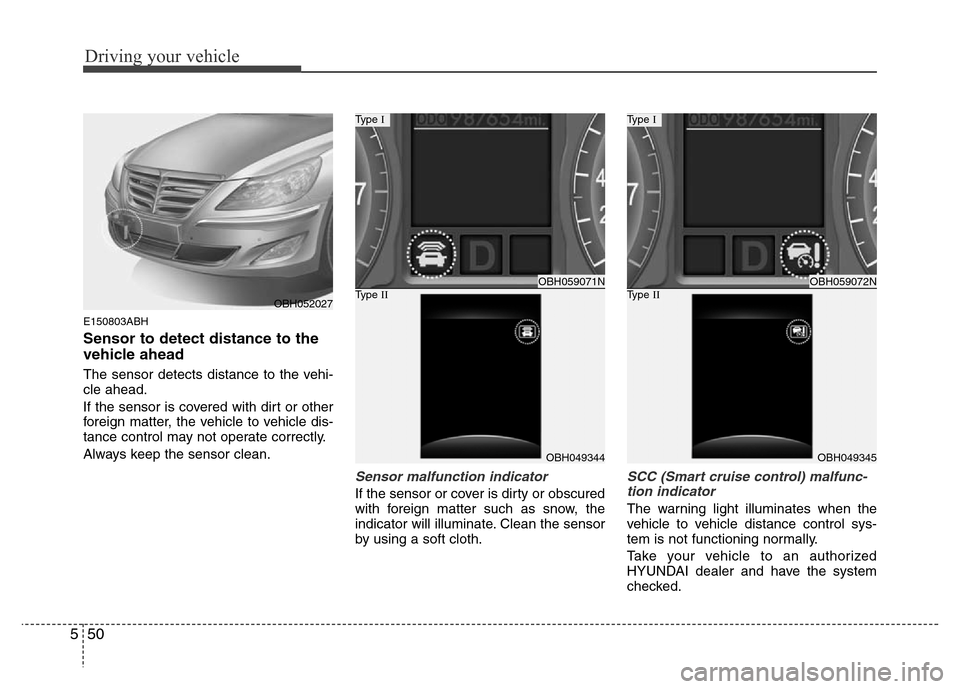
Sensor to detect distance to the
vehicle ahead
The sensor detects distance to the vehi-
cle ahead.
If the sensor is covered with dirt or other
foreign matter, the vehicle to vehicle dis-
tance control may not operate correctly.
Always keep the sensor clean.
Sensor malfunction indicator
If the sensor or cover is dirty or obscured
with foreign matter such as snow, the
indicator will illuminate. Clean the sensor
by using a soft cloth.
SCC (Smart cruise control) malfunc-
tion indicator
The warning light illuminates when the
vehicle to vehicle distance control sys-
tem is not functioning normally.
Take your vehicle to an authorized
HYUNDAI dealer and have the system
checked.
OBH059071N
Type I
OBH049344
Type IIOBH059072N
Type I
OBH049345
Type IIOBH052027
Page 273 of 393
551
Driving your vehicle
E150900ABH
Limitations of the system
The smart cruise control system may
have limits to its ability to detect distance
to the vehicle ahead due to road and traf-
fic conditions.
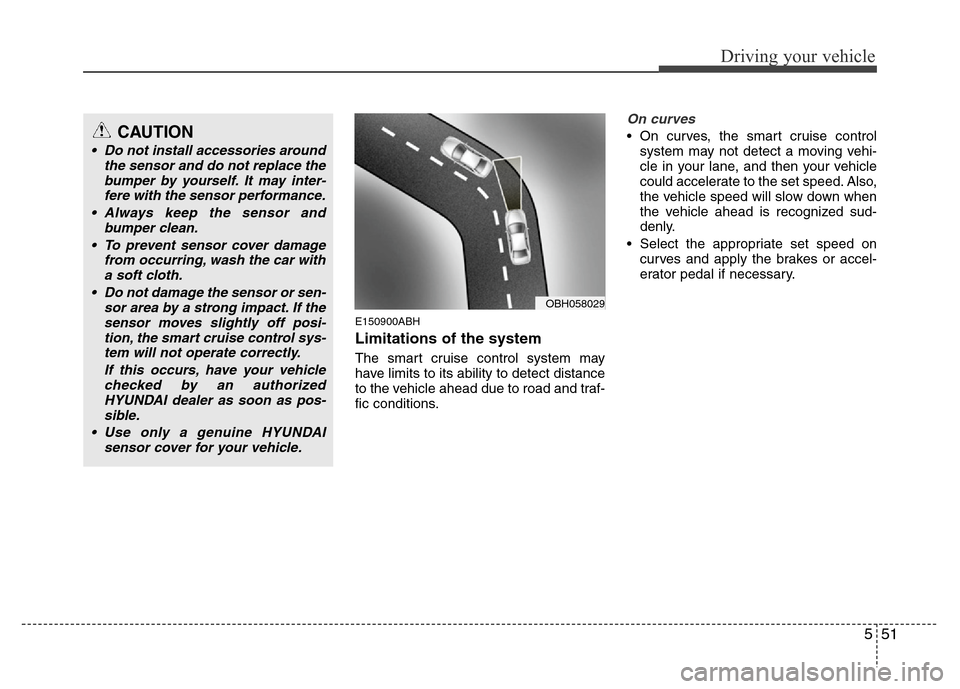
On curves
• On curves, the smart cruise control
system may not detect a moving vehi-
cle in your lane, and then your vehicle
could accelerate to the set speed. Also,
the vehicle speed will slow down when
the vehicle ahead is recognized sud-
denly.
• Select the appropriate set speed on
curves and apply the brakes or accel-
erator pedal if necessary.
OBH058029
CAUTION
• Do not install accessories around
the sensor and do not replace the
bumper by yourself. It may inter-
fere with the sensor performance.
• Always keep the sensor and
bumper clean.
• To prevent sensor cover damage
from occurring, wash the car with
a soft cloth.
• Do not damage the sensor or sen-
sor area by a strong impact. If the
sensor moves slightly off posi-
tion, the smart cruise control sys-
tem will not operate correctly.
If this occurs, have your vehicle
checked by an authorized
HYUNDAI dealer as soon as pos-
sible.
• Use only a genuine HYUNDAI
sensor cover for your vehicle.
Page 274 of 393
Driving your vehicle
52 5
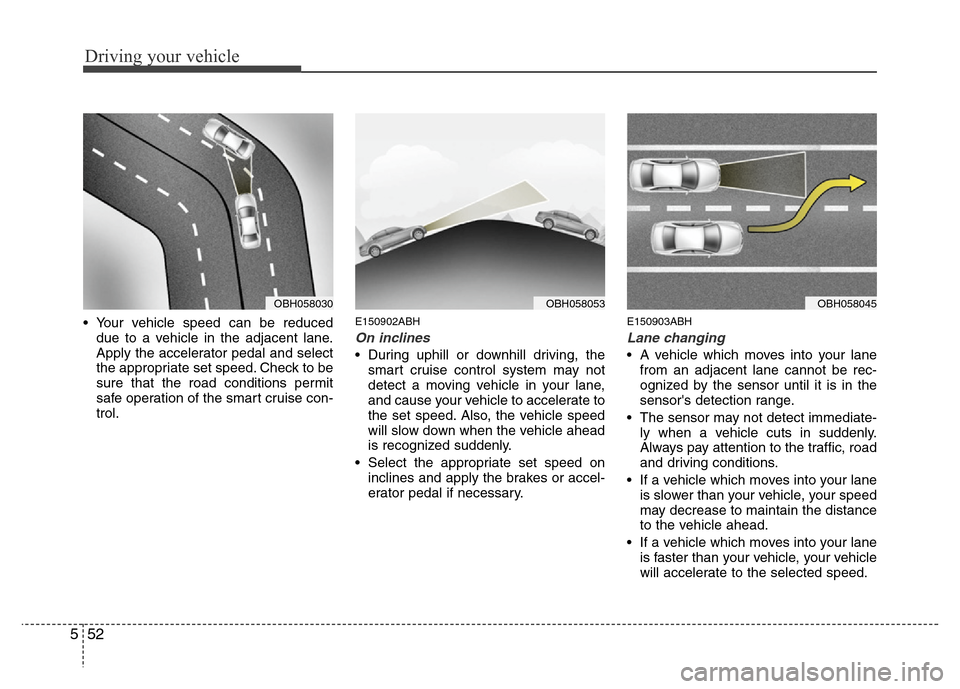
• Your vehicle speed can be reduced
due to a vehicle in the adjacent lane.
Apply the accelerator pedal and select
the appropriate set speed. Check to be
sure that the road conditions permit
safe operation of the smart cruise con-
trol.E150902ABH
On inclines
• During uphill or downhill driving, the
smart cruise control system may not
detect a moving vehicle in your lane,
and cause your vehicle to accelerate to
the set speed. Also, the vehicle speed
will slow down when the vehicle ahead
is recognized suddenly.
• Select the appropriate set speed on
inclines and apply the brakes or accel-
erator pedal if necessary.
E150903ABH
Lane changing
• A vehicle which moves into your lane
from an adjacent lane cannot be rec-
ognized by the sensor until it is in the
sensor's detection range.
• The sensor may not detect immediate-
ly when a vehicle cuts in suddenly.
Always pay attention to the traffic, road
and driving conditions.
• If a vehicle which moves into your lane
is slower than your vehicle, your speed
may decrease to maintain the distance
to the vehicle ahead.
• If a vehicle which moves into your lane
is faster than your vehicle, your vehicle
will accelerate to the selected speed.
OBH058053OBH058045OBH058030
Page 275 of 393
553
Driving your vehicle
E150904ABH
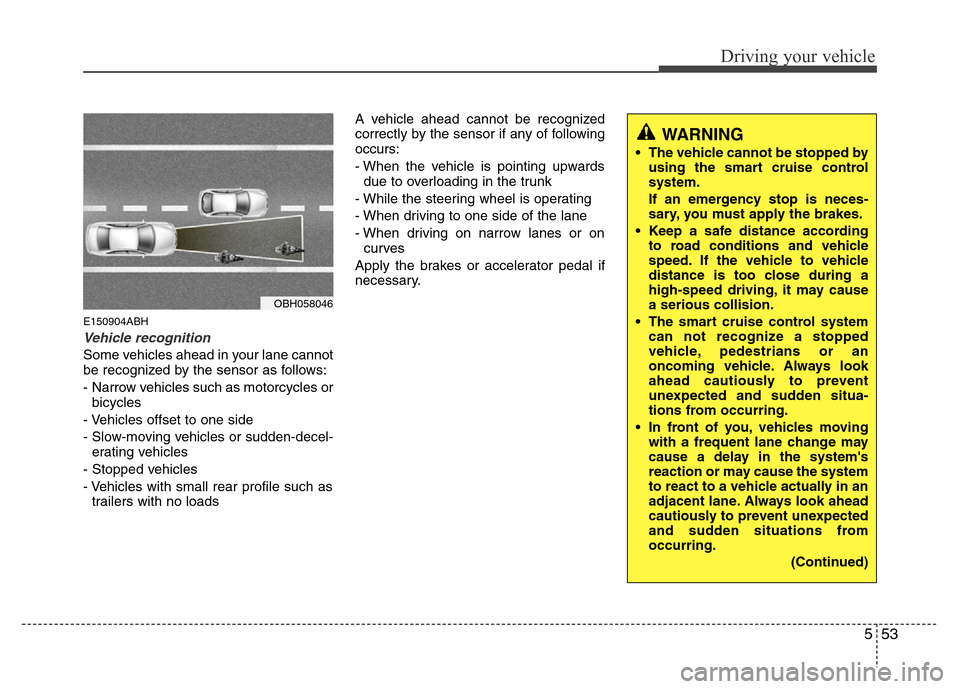
Vehicle recognition
Some vehicles ahead in your lane cannot
be recognized by the sensor as follows:
- Narrow vehicles such as motorcycles or
bicycles
- Vehicles offset to one side
- Slow-moving vehicles or sudden-decel-
erating vehicles
- Stopped vehicles
- Vehicles with small rear profile such as
trailers with no loadsA vehicle ahead cannot be recognized
correctly by the sensor if any of following
occurs:
- When the vehicle is pointing upwards
due to overloading in the trunk
- While the steering wheel is operating
- When driving to one side of the lane
- When driving on narrow lanes or on
curves
Apply the brakes or accelerator pedal if
necessary.
WARNING
• The vehicle cannot be stopped by
using the smart cruise control
system.
If an emergency stop is neces-
sary, you must apply the brakes.
• Keep a safe distance according
to road conditions and vehicle
speed. If the vehicle to vehicle
distance is too close during a
high-speed driving, it may cause
a serious collision.
• The smart cruise control system
can not recognize a stopped
vehicle, pedestrians or an
oncoming vehicle. Always look
ahead cautiously to prevent
unexpected and sudden situa-
tions from occurring.
• In front of you, vehicles moving
with a frequent lane change may
cause a delay in the system's
reaction or may cause the system
to react to a vehicle actually in an
adjacent lane. Always look ahead
cautiously to prevent unexpected
and sudden situations from
occurring.
(Continued)
OBH058046