warning light Hyundai Genesis 2012 Manual PDF
[x] Cancel search | Manufacturer: HYUNDAI, Model Year: 2012, Model line: Genesis, Model: Hyundai Genesis 2012Pages: 393, PDF Size: 8.81 MB
Page 272 of 393
Driving your vehicle
50 5
E150803ABH
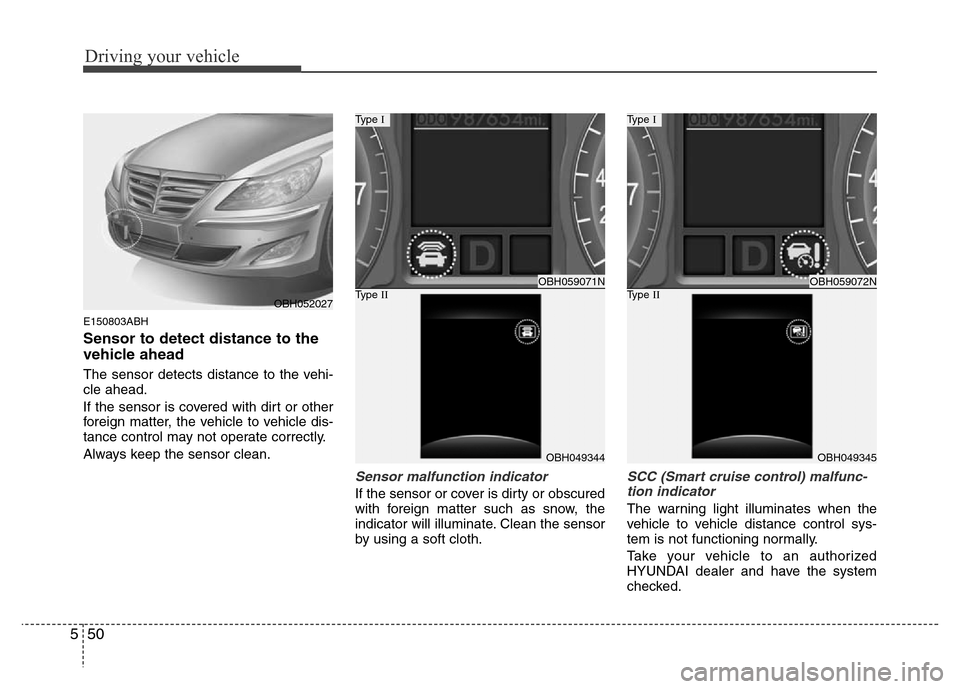
Sensor to detect distance to the
vehicle ahead
The sensor detects distance to the vehi-
cle ahead.
If the sensor is covered with dirt or other
foreign matter, the vehicle to vehicle dis-
tance control may not operate correctly.
Always keep the sensor clean.
Sensor malfunction indicator
If the sensor or cover is dirty or obscured
with foreign matter such as snow, the
indicator will illuminate. Clean the sensor
by using a soft cloth.
SCC (Smart cruise control) malfunc-
tion indicator
The warning light illuminates when the
vehicle to vehicle distance control sys-
tem is not functioning normally.
Take your vehicle to an authorized
HYUNDAI dealer and have the system
checked.
OBH059071N
Type I
OBH049344
Type IIOBH059072N
Type I
OBH049345
Type IIOBH052027
Page 277 of 393
555
Driving your vehicle
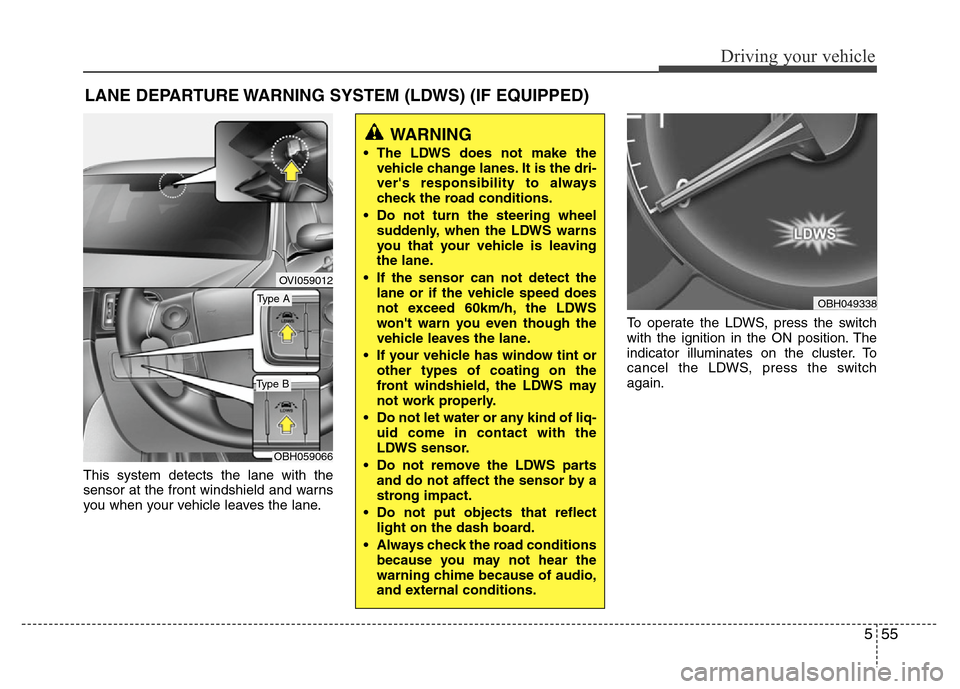
This system detects the lane with the
sensor at the front windshield and warns
you when your vehicle leaves the lane.To operate the LDWS, press the switch
with the ignition in the ON position. The
indicator illuminates on the cluster. To
cancel the LDWS, press the switch
again.
LANE DEPARTURE WARNING SYSTEM (LDWS) (IF EQUIPPED)
OVI059012
WARNING
• The LDWS does not make the
vehicle change lanes. It is the dri-
ver's responsibility to always
check the road conditions.
• Do not turn the steering wheel
suddenly, when the LDWS warns
you that your vehicle is leaving
the lane.
• If the sensor can not detect the
lane or if the vehicle speed does
not exceed 60km/h, the LDWS
won't warn you even though the
vehicle leaves the lane.
• If your vehicle has window tint or
other types of coating on the
front windshield, the LDWS may
not work properly.
• Do not let water or any kind of liq-
uid come in contact with the
LDWS sensor.
• Do not remove the LDWS parts
and do not affect the sensor by a
strong impact.
• Do not put objects that reflect
light on the dash board.
• Always check the road conditions
because you may not hear the
warning chime because of audio,
and external conditions.
OBH049338Type A
Type B
OBH059066
Page 279 of 393
557
Driving your vehicle
The LDWS does not operate
when:
• The driver turns on the turn signal to
change lane.
But, when the hazard warning flasher
is operating, the LDWS operates nor-
mally.
• Operating the wiper switch with HI
mode due to heavy rain.
• Driving on the lane line.
✽NOTICE
To change lane, operate the turn signal
switch then change the lane.
The LDWS may not warn you even
if the vehicle leaves the lane, or
may warn you even if the vehicle
does not leave the lane when:
• The lane can't be visible due to snow,
rain, stain, a puddle or many other
things.
• The brightness of the outside changes
suddenly.
• Not turning on the headlight even at
night or in the tunnel.
• Difficult to distinguish the color of the
lane from the road.
• Driving on a steep grade or a curve.
• Light reflects from the water on the
road.
• The lens or windshield is stained with
foreign matter.
• The sensor cannot detect the lane
because of fog, heavy rain or heavy
snow.
• The surrounding of the inside rear view
mirror temperature is high due to a
direct ray of light.
• The lane is very wide or narrow.
• The lane line is damaged or indistinct.
• The shadow is on the lane line by a
median strip.
• There is a mark similar to a lane line.
• There is a boundary structure.• The distance from vehicle ahead is
very short or the vehicle ahead drives
hiding the lane line.
• The vehicle shakes heavily.
• The lane number increases or
decreases or the lane lines are cross-
ing complicatedly.
• Putting something on the dashboard.
• Driving with the sun in front of you.
• Driving in areas under construction.
• The lane line is more than two.
Page 280 of 393
Driving your vehicle
58 5
For your safety, the intelligent accelerator
pedal operates as follows:
• The accelerator pedal vibrates when
the lane departure warning system (if
equipped) detects the vehicle has
moved out of its lane.
• The reactive force of the accelerator
pedal increases when the fuel efficien-
cy is low.
The intelligent accelerator pedal function
is available for use in vehicles equipped
with lane departure warning system
(LDWS) or ECO driving mode.
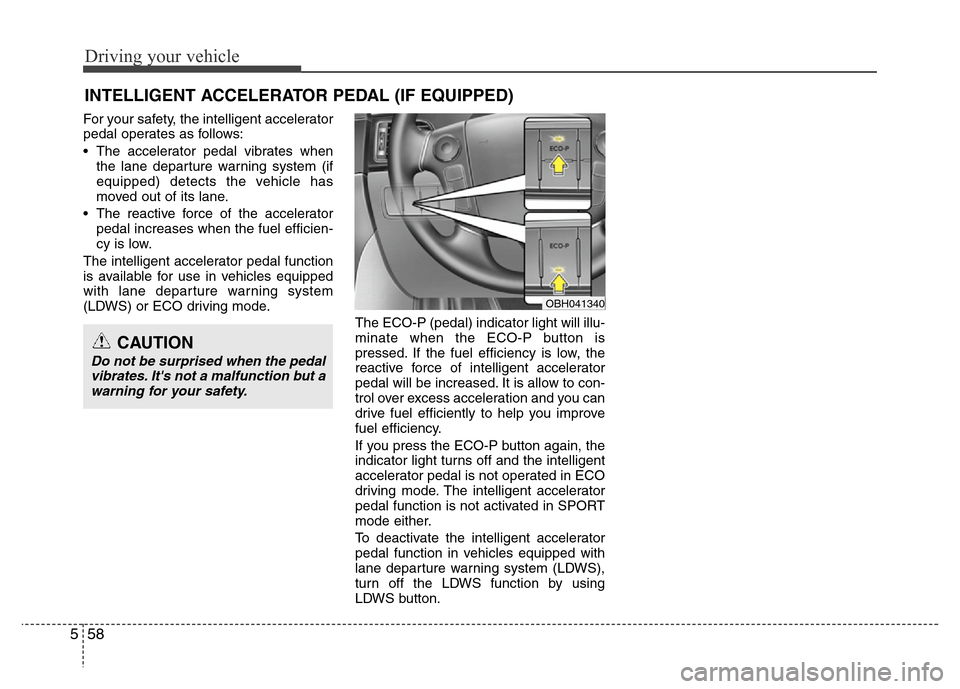
The ECO-P (pedal) indicator light will illu-
minate when the ECO-P button is
pressed. If the fuel efficiency is low, the
reactive force of intelligent accelerator
pedal will be increased. It is allow to con-
trol over excess acceleration and you can
drive fuel efficiently to help you improve
fuel efficiency.
If you press the ECO-P button again, the
indicator light turns off and the intelligent
accelerator pedal is not operated in ECO
driving mode. The intelligent accelerator
pedal function is not activated in SPORT
mode either.
To deactivate the intelligent accelerator
pedal function in vehicles equipped with
lane departure warning system (LDWS),
turn off the LDWS function by using
LDWS button.
INTELLIGENT ACCELERATOR PEDAL (IF EQUIPPED)
OBH041340
CAUTION
Do not be surprised when the pedal
vibrates. It's not a malfunction but a
warning for your safety.
Page 282 of 393
Driving your vehicle
60 5
• Remember, your vehicle does not
require extended warm-up. After the
engine has started, allow the engine to
run for 10 to 20 seconds prior to plac-
ing the vehicle in gear. In very cold
weather, however, give your engine a
slightly longer warm-up period.
• Don't "lug" or "over-rev" the engine.
Lugging is driving too slowly in too high
a gear resulting in the engine bucking.
If this happens, shift to a lower gear.
Over-revving is racing the engine
beyond its safe limit. This can be avoid-
ed by shifting at the recommended
speeds.• Use your air conditioning sparingly.
The air conditioning system is operat-
ed by engine power so your fuel econ-
omy is reduced when you use it.
• Open windows at high speeds can
reduce fuel economy.
• Fuel economy is less in crosswinds
and headwinds. To help offset some of
this loss, slow down when driving in
these conditions.
Keeping a vehicle in good operating con-
dition is important both for economy and
safety. Therefore, have an authorized
HYUNDAI dealer perform scheduled
inspections and maintenance.
WARNING - Engine off dur-
ing motion
Never turn the engine off to coast
down hills or anytime the vehicle is
in motion. The power steering and
power brakes will not function
properly without the engine run-
ning. Instead, keep the engine on
and downshift to an appropriate
gear for engine braking effect. In
addition, turning off the ignition
while driving could engage the
steering wheel lock resulting in
loss of vehicle steering which
could cause serious injury or
death.
Page 284 of 393
Driving your vehicle
62 5
✽NOTICE
The ESP system should be turned OFF
prior to rocking the vehicle.
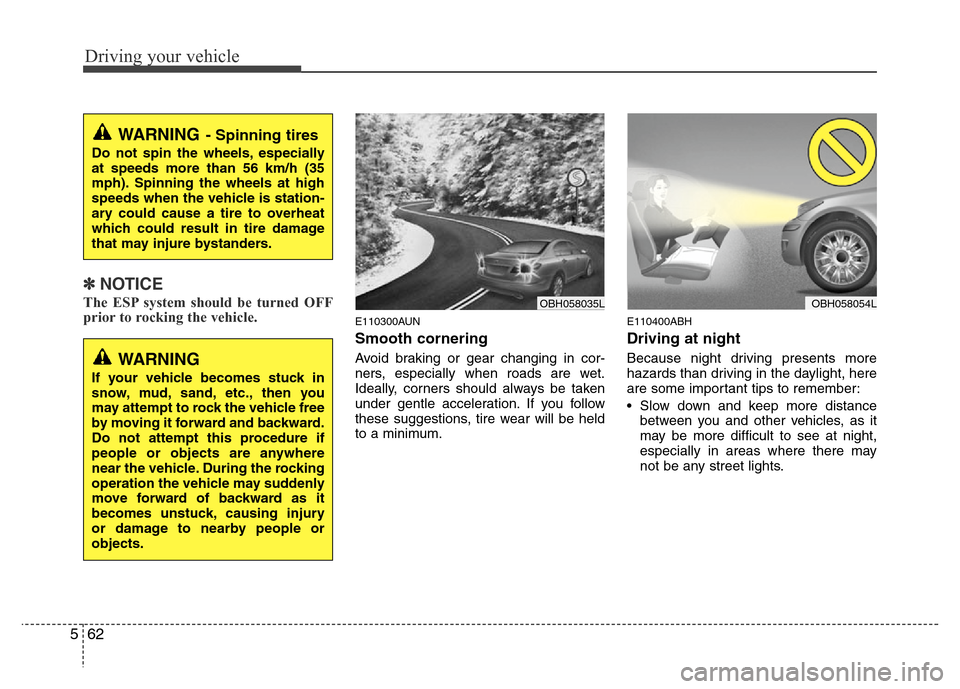
E110300AUN
Smooth cornering
Avoid braking or gear changing in cor-
ners, especially when roads are wet.
Ideally, corners should always be taken
under gentle acceleration. If you follow
these suggestions, tire wear will be held
to a minimum.
E110400ABH
Driving at night
Because night driving presents more
hazards than driving in the daylight, here
are some important tips to remember:
• Slow down and keep more distance
between you and other vehicles, as it
may be more difficult to see at night,
especially in areas where there may
not be any street lights.
WARNING- Spinning tires
Do not spin the wheels, especially
at speeds more than 56 km/h (35
mph). Spinning the wheels at high
speeds when the vehicle is station-
ary could cause a tire to overheat
which could result in tire damage
that may injure bystanders.
OBH058054L
WARNING
If your vehicle becomes stuck in
snow, mud, sand, etc., then you
may attempt to rock the vehicle free
by moving it forward and backward.
Do not attempt this procedure if
people or objects are anywhere
near the vehicle. During the rocking
operation the vehicle may suddenly
move forward of backward as it
becomes unstuck, causing injury
or damage to nearby people or
objects.
OBH058035L
Page 294 of 393
What to do in an emergency
2 6
ROAD WARNING
F010100AUN
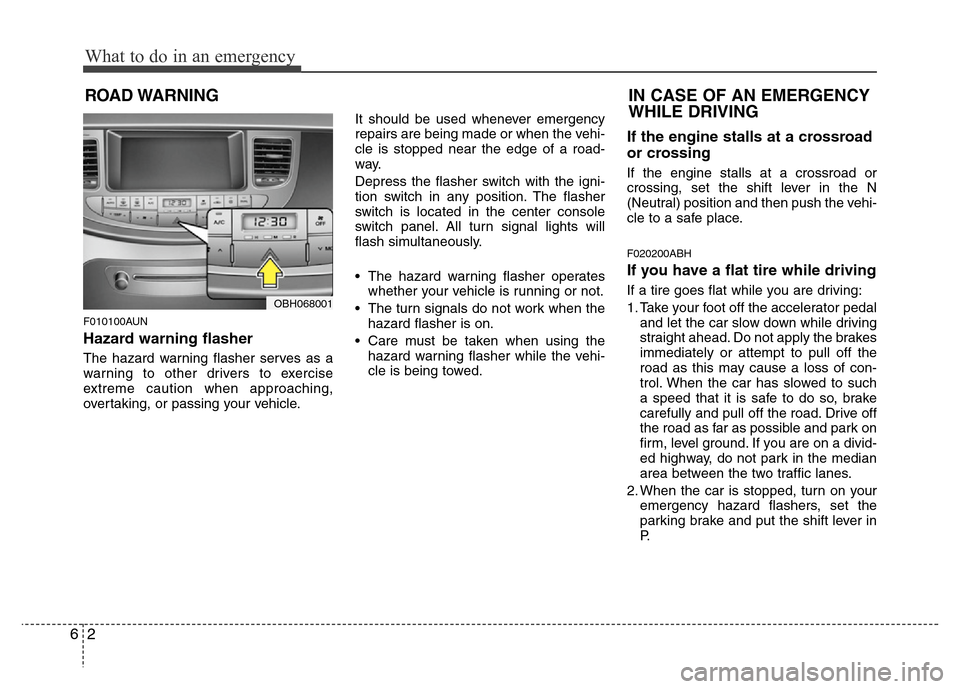
Hazard warning flasher
The hazard warning flasher serves as a
warning to other drivers to exercise
extreme caution when approaching,
overtaking, or passing your vehicle.It should be used whenever emergency
repairs are being made or when the vehi-
cle is stopped near the edge of a road-
way.
Depress the flasher switch with the igni-
tion switch in any position. The flasher
switch is located in the center console
switch panel. All turn signal lights will
flash simultaneously.
• The hazard warning flasher operates
whether your vehicle is running or not.
• The turn signals do not work when the
hazard flasher is on.
• Care must be taken when using the
hazard warning flasher while the vehi-
cle is being towed.
If the engine stalls at a crossroad
or crossing
If the engine stalls at a crossroad or
crossing, set the shift lever in the N
(Neutral) position and then push the vehi-
cle to a safe place.
F020200ABH
If you have a flat tire while driving
If a tire goes flat while you are driving:
1. Take your foot off the accelerator pedal
and let the car slow down while driving
straight ahead. Do not apply the brakes
immediately or attempt to pull off the
road as this may cause a loss of con-
trol. When the car has slowed to such
a speed that it is safe to do so, brake
carefully and pull off the road. Drive off
the road as far as possible and park on
firm, level ground. If you are on a divid-
ed highway, do not park in the median
area between the two traffic lanes.
2. When the car is stopped, turn on your
emergency hazard flashers, set the
parking brake and put the shift lever in
P.OBH068001
IN CASE OF AN EMERGENCY
WHILE DRIVING
Page 295 of 393
63
What to do in an emergency
3. Have all passengers get out of the car.
Be sure they all get out on the side of
the car that is away from traffic.
4. When changing a flat tire, follow the
instruction provided later in this sec-
tion.
F020300AEN
If engine stalls while driving
1. Reduce your speed gradually, keeping
a straight line. Move cautiously off the
road to a safe place.
2. Turn on your emergency flashers.
3. Try to start the engine again. If your
vehicle will not start, contact an
authorized HYUNDAI dealer or seek
other qualified assistance.
F030100BBH
If engine doesn't turn over or
turns over slowly
1. Be sure the shift lever is in N (Neutral)
or P (Park) and the emergency brake
is set.
2. Check the battery connections to be
sure they are clean and tight.
3. Turn on the interior light. If the light
dims or goes out when you operate the
starter, the battery is discharged.
4. Check the starter connections to be
sure they are securely tightened.
5. Do not push or pull the vehicle to start
it. See instructions for "Jump starting".
F030200ABH
If engine turns over normally but
does not start
1. Check fuel level.
2. With the ignition switch in the LOCK
position, check all connectors at the
ignition coils and spark plugs.
Reconnect any that may be discon-
nected or loose.
3. If the engine still does not start, call an
authorized HYUNDAI dealer or seek
other qualified assistance.
IF THE ENGINE WILL NOT START
WARNING
If the engine will not start, do not
push or pull the car to start it. This
could result in a collision or cause
other damage.
Page 304 of 393
What to do in an emergency
12 6
WARNING - Protecting
TPMS
Tampering with, modifying, or
disabling the Tire Pressure
Monitoring System (TPMS)
components may interfere with
the system's ability to warn the
driver of low tire pressure con-
ditions and/or TPMS malfunc-
tions. Tampering with, modify-
ing, or disabling the Tire
Pressure Monitoring System
(TPMS) components may void
the warranty for that portion of
the vehicle.WARNING- TPMS
• The TPMS cannot alert you to
severe and sudden tire dam-
age caused by external fac-
tors such as nails or road
debris.
• If you feel any vehicle instabil-
ity, immediately take your foot
off the accelerator, apply the
brakes gradually and with
light force, and slowly move to
a safe position off the road.
Page 309 of 393
617
What to do in an emergency
10. Loosen the wheel nuts and
remove them with your fingers.
Slide the wheel off the studs and
lay it flat so it cannot roll away. To
put the wheel on the hub, pick up
the spare tire, line up the holes
with the studs and slide the
wheel onto them. If this is diffi-
cult, tip the wheel slightly and get
the top hole in the wheel lined up
with the top stud. Then jiggle the
wheel back and forth until the
wheel can be slid over the other
studs.11. To reinstall the wheel, hold it on
the studs, put the wheel nuts on
the studs and tighten them finger
tight. The nuts should be installed
with their tapered small diameter
ends directed inward. Jiggle the
tire to be sure it is completely
seated, then tighten the nuts as
much as possible with your fin-
gers again.
12. Lower the car to the ground by
turning the wheel nut wrench
counterclockwise.
WARNING
Wheels may have sharp edges.
Handle them carefully to avoid
possible severe injury. Before
putting the wheel into place, be
sure that there is nothing on the
hub or wheel (such as mud, tar,
gravel, etc.) that interferes with
the wheel from fitting solidly
against the hub.
If there is, remove it. If there is
not good contact on the mount-
ing surface between the wheel
and hub, the wheel nuts could
come loose and cause the loss
of a wheel. Loss of a wheel may
result in loss of control of the
vehicle. This may cause serious
injury or death.