start stop button Hyundai Genesis 2012 Owner's Manual
[x] Cancel search | Manufacturer: HYUNDAI, Model Year: 2012, Model line: Genesis, Model: Hyundai Genesis 2012Pages: 393, PDF Size: 8.81 MB
Page 14 of 393
23
Your vehicle at a glance
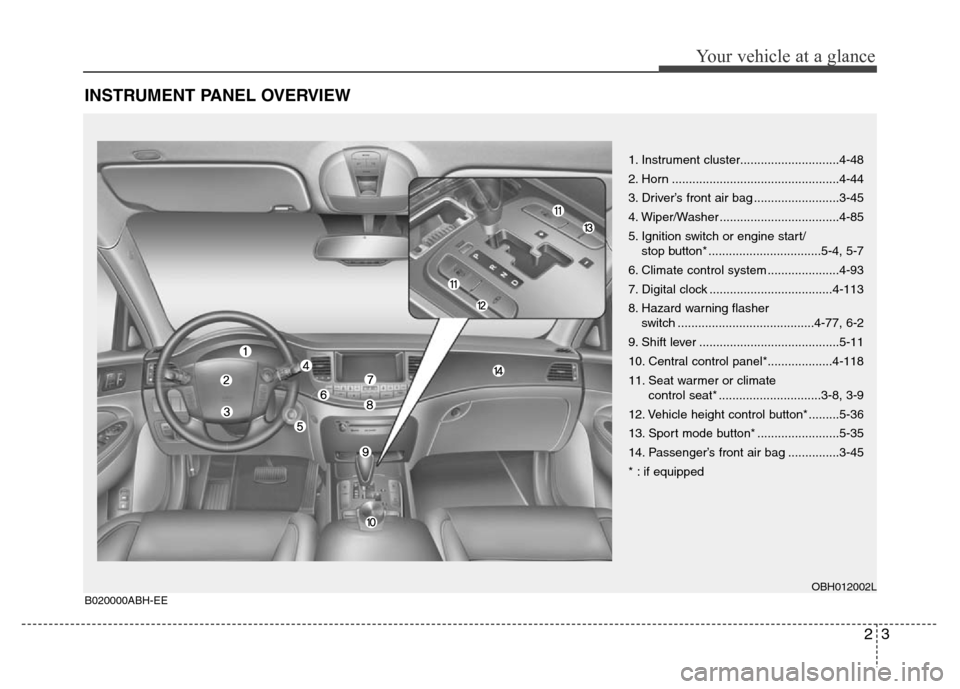
INSTRUMENT PANEL OVERVIEW
1. Instrument cluster.............................4-48
2. Horn .................................................4-44
3. Driver’s front air bag .........................3-45
4. Wiper/Washer ...................................4-85
5. Ignition switch or engine start/
stop button* .................................5-4, 5-7
6. Climate control system .....................4-93
7. Digital clock ....................................4-113
8. Hazard warning flasher
switch ........................................4-77, 6-2
9. Shift lever .........................................5-11
10. Central control panel*...................4-118
11. Seat warmer or climate
control seat* ..............................3-8, 3-9
12. Vehicle height control button* .........5-36
13. Sport mode button* ........................5-35
14. Passenger’s front air bag ...............3-45
* : if equipped
OBH012002LB020000ABH-EE
Page 80 of 393
47
Features of your vehicle
D040103ABH
Trunk unlocking (if equipped)
When all doors are locked, if you are
within 0.7~1 m (28~40 in.) from the out-
side trunk handle with your smart key in
your possession, the trunk will unlock
and open when you press the trunk han-
dle switch.
The hazard warning lights will blink twice
to indicate that the trunk is unlocked.
Also, once the trunk is opened and then
closed, the trunk will be locked automati-
cally.
D040104ABH
Start-up
You can start the engine without inserting
the key. For detailed information refer to
“Engine start/stop button” in section 5.
D040300AEN
Smart key precautions
✽NOTICE
• If, for some reason, you happen to lose
your smart key, you will not be able to
start the engine. Tow the vehicle, if
necessary, and contact an authorized
HYUNDAI dealer.
• A maximum of 2 smart keys can be
registered to a single vehicle. If you
lose a smart key, you should immedi-
ately take the vehicle and key to your
authorized HYUNDAI dealer to pro-
tect it from potential theft.
• The smart key will not work if any of
following occur:
- The smart key is close to a radio
transmitter such as a radio station or
an airport which can interfere with
normal operation of the smart key.
- You keep the smart key near a
mobile two-way radio system or a
cellular phone.
- Another vehicle’s smart key is being
operated close to your vehicle.
When the smart key does not work
correctly, open and close the door with
the mechanical key. If you have a
problem with the smart key, contact
an authorized HYUNDAI dealer.
(Continued)(Continued)
• If the smart key is in close proximity
to your cell phone or smart phone, the
signal from the smart key could be
blocked by normal operation of your
cell phone or smart phone. This is
especially important when the phone
is active such as making call, receiving
calls, text messaging, and/or send-
ing/receiving emails. Avoid placing
the smart key and your cell phone or
smart phone in the same pants or
jacket pocket and maintain adequate
distance between the two devices.
CAUTION
Keep the smart key away from
water or any liquid. If the keyless
entry system is inoperative due to
exposure to water or liquids, it will
not be covered by your manufactur-
er’s vehicle warranty.
Page 113 of 393
Features of your vehicle
40 4
D120300ABH
Easy access function
(if equipped)
With the shift lever in the P position, the
system will move the steering wheel for-
ward and driver’s seat rearward automat-
ically so you can comfortably enter and
exit the vehicle.
• Without smart key system
- It will move the steering wheel away
from the driver and the driver’s seat
rearward when the ignition key is
removed.
-
It will move the steering wheel toward
the driver and the driver’s seat for-
ward when the ignition key is inserted.
• With smart key system
- It will move the steering wheel away
from the driver and the driver’s seat
rearward when the ENGINE
START/STOP button is turned to the
OFF position.
- It will move the steering wheel toward
the driver and the driver’s seat for-
ward when the ENGINE
START/STOP button is turned to the
ACC position.
✽NOTICE
You can activate or deactivate the easy
access function in the INFO menu of
DIS (Driver Information System, if
equipped) as follows (if equipped);
• Seat easy access
• Steering easy access
If you want detailed informations, refer
to the DIS manual (if equipped) sup-
plied separately.
D120400BBH
Reverse parking aid function
(if equipped)
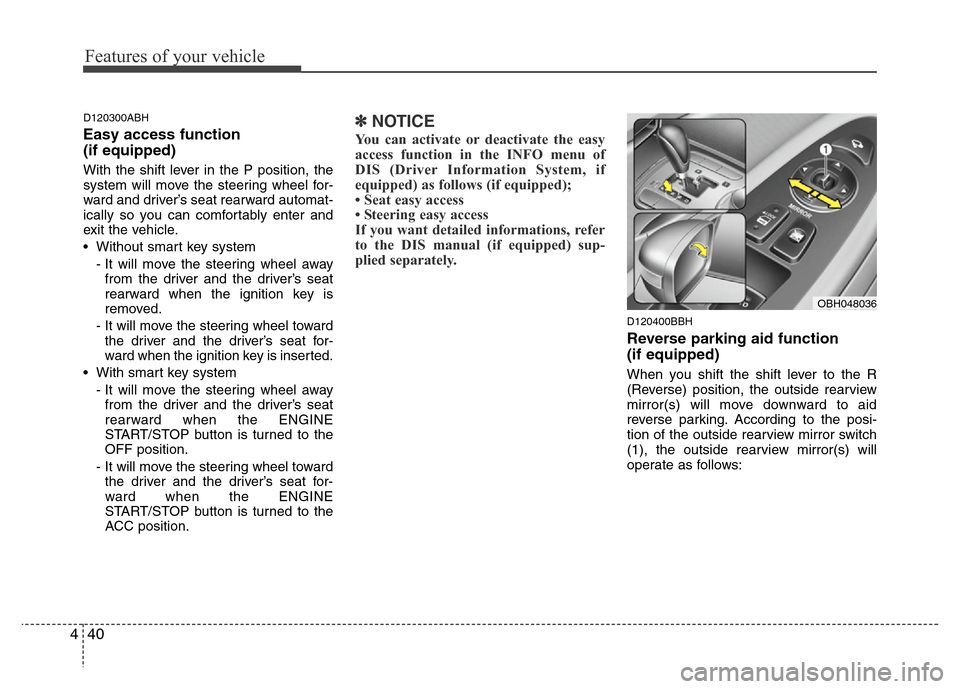
When you shift the shift lever to the R
(Reverse) position, the outside rearview
mirror(s) will move downward to aid
reverse parking. According to the posi-
tion of the outside rearview mirror switch
(1), the outside rearview mirror(s) will
operate as follows:
OBH048036
Page 137 of 393
Features of your vehicle
64 4
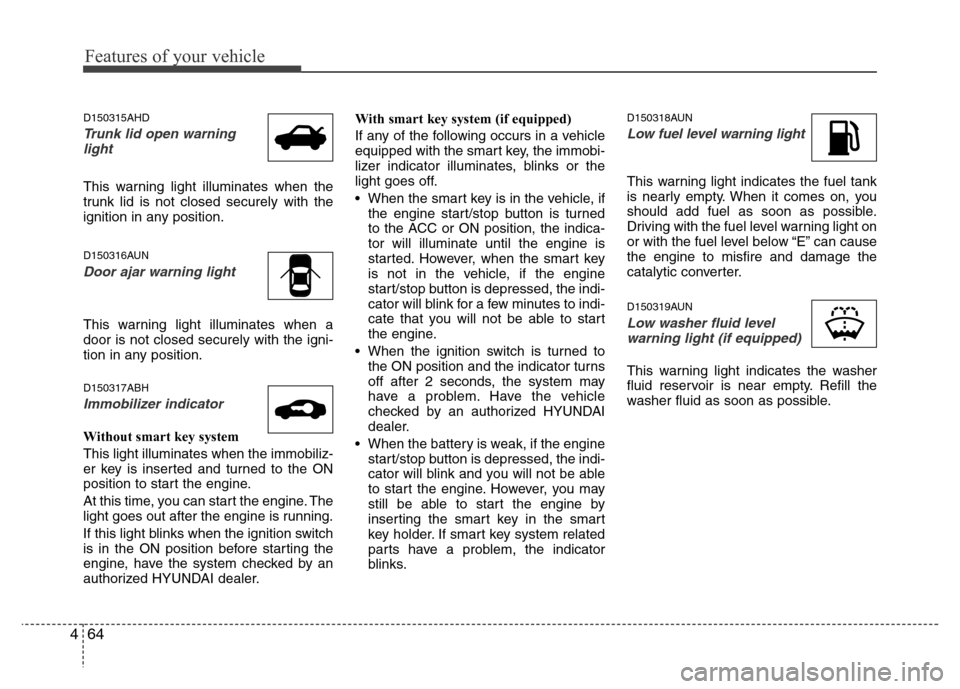
D150315AHD
Trunk lid open warning
light
This warning light illuminates when the
trunk lid is not closed securely with the
ignition in any position.
D150316AUN
Door ajar warning light
This warning light illuminates when a
door is not closed securely with the igni-
tion in any position.
D150317ABH
Immobilizer indicator
Without smart key system
This light illuminates when the immobiliz-
er key is inserted and turned to the ON
position to start the engine.
At this time, you can start the engine. The
light goes out after the engine is running.
If this light blinks when the ignition switch
is in the ON position before starting the
engine, have the system checked by an
authorized HYUNDAI dealer.With smart key system (if equipped)
If any of the following occurs in a vehicle
equipped with the smart key, the immobi-
lizer indicator illuminates, blinks or the
light goes off.
• When the smart key is in the vehicle, if
the engine start/stop button is turned
to the ACC or ON position, the indica-
tor will illuminate until the engine is
started. However, when the smart key
is not in the vehicle, if the engine
start/stop button is depressed, the indi-
cator will blink for a few minutes to indi-
cate that you will not be able to start
the engine.
• When the ignition switch is turned to
the ON position and the indicator turns
off after 2 seconds, the system may
have a problem. Have the vehicle
checked by an authorized HYUNDAI
dealer.
• When the battery is weak, if the engine
start/stop button is depressed, the indi-
cator will blink and you will not be able
to start the engine. However, you may
still be able to start the engine by
inserting the smart key in the smart
key holder. If smart key system related
parts have a problem, the indicator
blinks.
D150318AUN
Low fuel level warning light
This warning light indicates the fuel tank
is nearly empty. When it comes on, you
should add fuel as soon as possible.
Driving with the fuel level warning light on
or with the fuel level below “E” can cause
the engine to misfire and damage the
catalytic converter.
D150319AUN
Low washer fluid level
warning light (if equipped)
This warning light indicates the washer
fluid reservoir is near empty. Refill the
washer fluid as soon as possible.
Page 140 of 393
467
Features of your vehicle
D150327ABH
Key reminder warning chime
(if equipped)
If the driver’s door is opened while the
ignition key is left in the ignition switch
(ACC or LOCK position), the key
reminder warning chime will sound. This
is to prevent you from locking your keys
in the vehicle. The chime sounds until the
key is removed from the ignition switch or
the driver’s door is closed.
With smart key
If the driver’s door is opened while the
smart key is in the vehicle with the
engine start/stop button in ACC or the
smart key is in the smart key holder with
the engine start/stop button in OFF, the
key reminder warning chime will sound.
The chime sounds until the smart key is
removed from the smart key holder or the
driver’s door is closed.
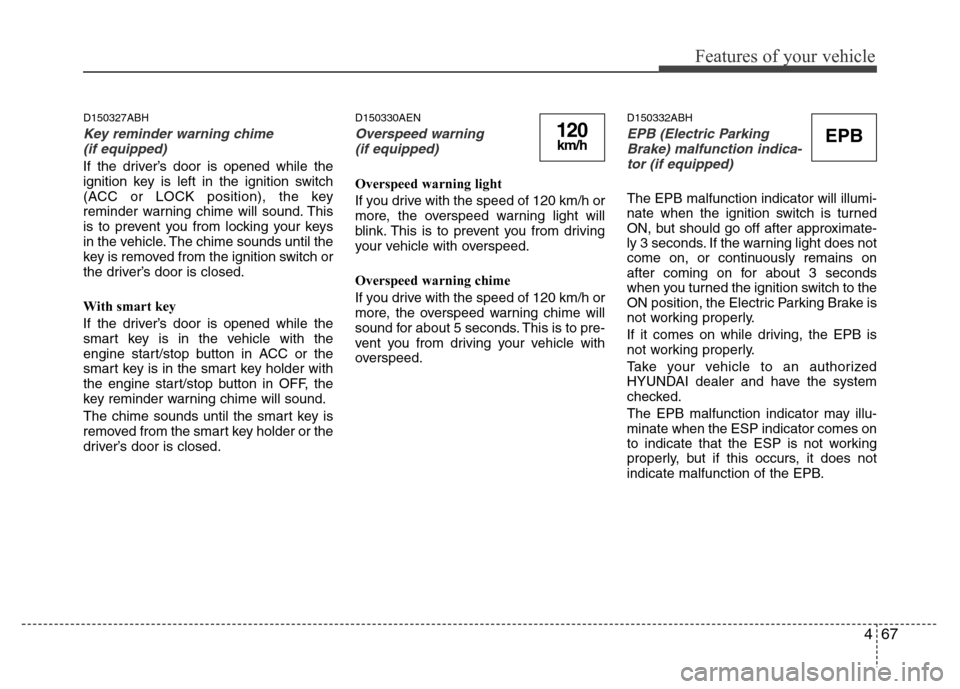
D150330AEN
Overspeed warning
(if equipped)
Overspeed warning light
If you drive with the speed of 120 km/h or
more, the overspeed warning light will
blink. This is to prevent you from driving
your vehicle with overspeed.
Overspeed warning chime
If you drive with the speed of 120 km/h or
more, the overspeed warning chime will
sound for about 5 seconds. This is to pre-
vent you from driving your vehicle with
overspeed.
D150332ABH
EPB (Electric Parking
Brake) malfunction indica-
tor (if equipped)
The EPB malfunction indicator will illumi-
nate when the ignition switch is turned
ON, but should go off after approximate-
ly 3 seconds. If the warning light does not
come on, or continuously remains on
after coming on for about 3 seconds
when you turned the ignition switch to the
ON position, the Electric Parking Brake is
not working properly.
If it comes on while driving, the EPB is
not working properly.
Take your vehicle to an authorized
HYUNDAI dealer and have the system
checked.
The EPB malfunction indicator may illu-
minate when the ESP indicator comes on
to indicate that the ESP is not working
properly, but if this occurs, it does not
indicate malfunction of the EPB.
EPB120km/h
Page 141 of 393
Features of your vehicle
68 4
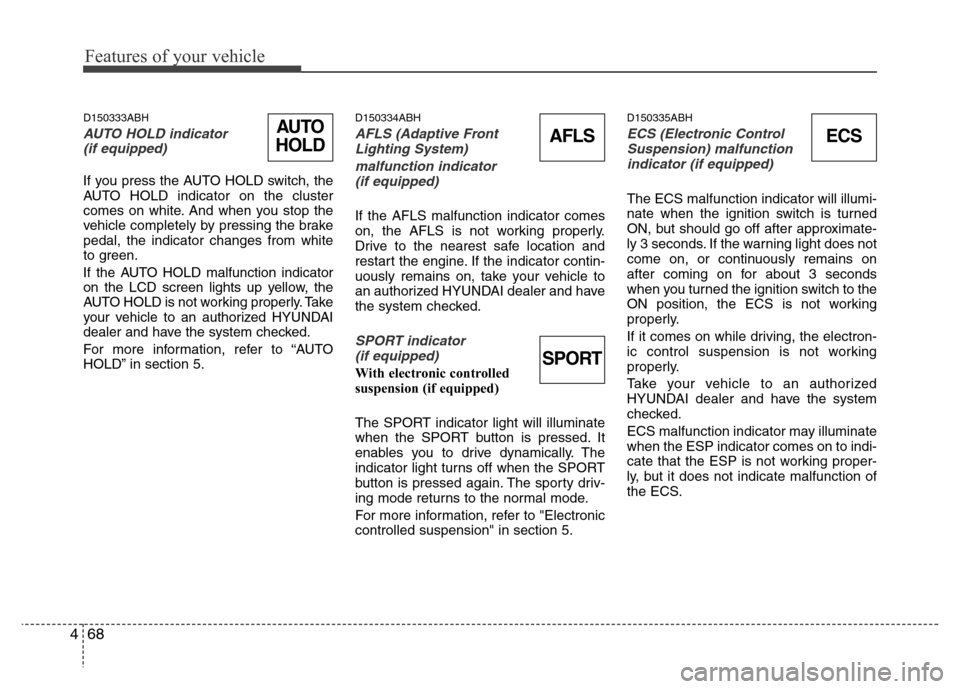
D150333ABH
AUTO HOLD indicator
(if equipped)
If you press the AUTO HOLD switch, the
AUTO HOLD indicator on the cluster
comes on white. And when you stop the
vehicle completely by pressing the brake
pedal, the indicator changes from white
to green.
If the AUTO HOLD malfunction indicator
on the LCD screen lights up yellow, the
AUTO HOLD is not working properly. Take
your vehicle to an authorized HYUNDAI
dealer and have the system checked.
For more information, refer to “AUTO
HOLD” in section 5.
D150334ABH
AFLS (Adaptive Front
Lighting System)
malfunction indicator
(if equipped)
If the AFLS malfunction indicator comes
on, the AFLS is not working properly.
Drive to the nearest safe location and
restart the engine. If the indicator contin-
uously remains on, take your vehicle to
an authorized HYUNDAI dealer and have
the system checked.
SPORT indicator
(if equipped)
With electronic controlled
suspension (if equipped)
The SPORT indicator light will illuminate
when the SPORT button is pressed. It
enables you to drive dynamically. The
indicator light turns off when the SPORT
button is pressed again. The sporty driv-
ing mode returns to the normal mode.
For more information, refer to "Electronic
controlled suspension" in section 5.
D150335ABH
ECS (Electronic Control
Suspension) malfunction
indicator (if equipped)
The ECS malfunction indicator will illumi-
nate when the ignition switch is turned
ON, but should go off after approximate-
ly 3 seconds. If the warning light does not
come on, or continuously remains on
after coming on for about 3 seconds
when you turned the ignition switch to the
ON position, the ECS is not working
properly.
If it comes on while driving, the electron-
ic control suspension is not working
properly.
Take your vehicle to an authorized
HYUNDAI dealer and have the system
checked.
ECS malfunction indicator may illuminate
when the ESP indicator comes on to indi-
cate that the ESP is not working proper-
ly, but it does not indicate malfunction of
the ECS.
ECSAFLSAUTO
HOLD
SPORT
Page 142 of 393
469
Features of your vehicle
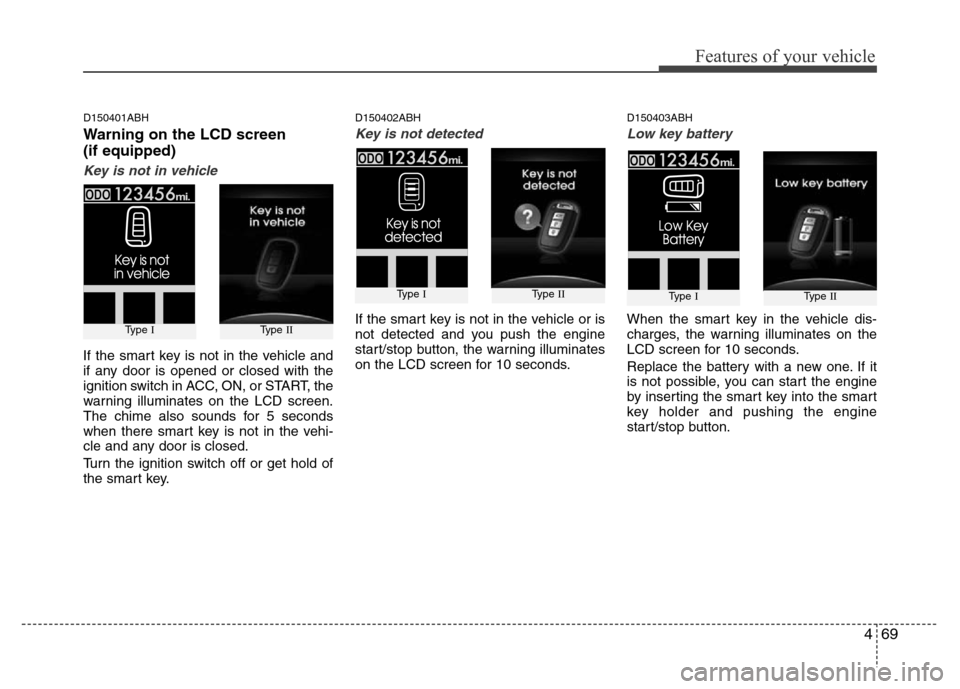
D150401ABH
Warning on the LCD screen
(if equipped)
Key is not in vehicle
If the smart key is not in the vehicle and
if any door is opened or closed with the
ignition switch in ACC, ON, or START, the
warning illuminates on the LCD screen.
The chime also sounds for 5 seconds
when there smart key is not in the vehi-
cle and any door is closed.
Turn the ignition switch off or get hold of
the smart key.
D150402ABH
Key is not detected
If the smart key is not in the vehicle or is
not detected and you push the engine
start/stop button, the warning illuminates
on the LCD screen for 10 seconds.
D150403ABH
Low key battery
When the smart key in the vehicle dis-
charges, the warning illuminates on the
LCD screen for 10 seconds.
Replace the battery with a new one. If it
is not possible, you can start the engine
by inserting the smart key into the smart
key holder and pushing the engine
start/stop button.
Type IType II
Type IType II
Type IType II
Page 143 of 393

Features of your vehicle
70 4
D150404ABH
Press brake pedal to start engine
If the ignition switch turn to the ACC posi-
tion twice by pushing the engine start/
stop button repeatedly without pressing
the brake pedal, the warning illuminates
on the LCD screen for 10 seconds to
indicate that you should press the brake
pedal to start the engine.
D150405ABH
Shift to "P" position
If you push the engine start/ stop P but-
ton with the ignition switch ON and the
shift lever not in P(Park), the warning illu-
minates on the LCD screen for 10 sec-
onds to indicate that you should press
the start/stop button with the shift lever in
P(Park) to turn off the engine.
D150406ABH
Remove key
When you turn off the engine with the
smart key in the smart key holder, the
warning illuminates on the LCD screen
for 10 seconds.
Push the smart key inward and pull it out
from the smart key holder.
Type IType IIType IType IIType IType II
Page 144 of 393
471
Features of your vehicle
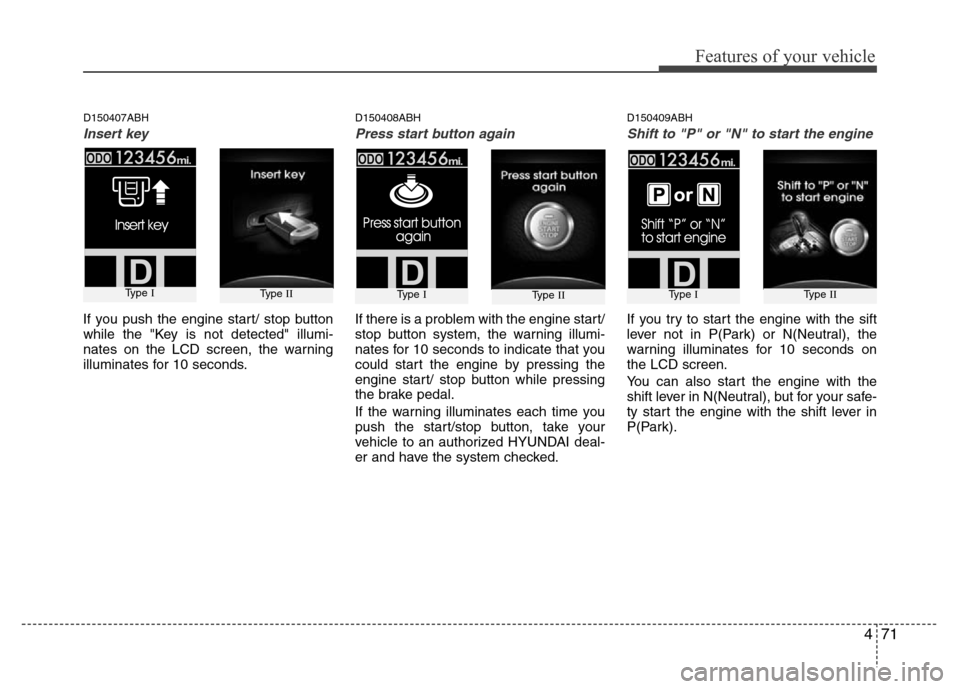
D150407ABH
Insert key
If you push the engine start/ stop button
while the "Key is not detected" illumi-
nates on the LCD screen, the warning
illuminates for 10 seconds.
D150408ABH
Press start button again
If there is a problem with the engine start/
stop button system, the warning illumi-
nates for 10 seconds to indicate that you
could start the engine by pressing the
engine start/ stop button while pressing
the brake pedal.
If the warning illuminates each time you
push the start/stop button, take your
vehicle to an authorized HYUNDAI deal-
er and have the system checked.
D150409ABH
Shift to "P" or "N" to start the engine
If you try to start the engine with the sift
lever not in P(Park) or N(Neutral), the
warning illuminates for 10 seconds on
the LCD screen.
You can also start the engine with the
shift lever in N(Neutral), but for your safe-
ty start the engine with the shift lever in
P(Park).
Type IType IIType IType IIType IType II
Page 145 of 393
Features of your vehicle
72 4
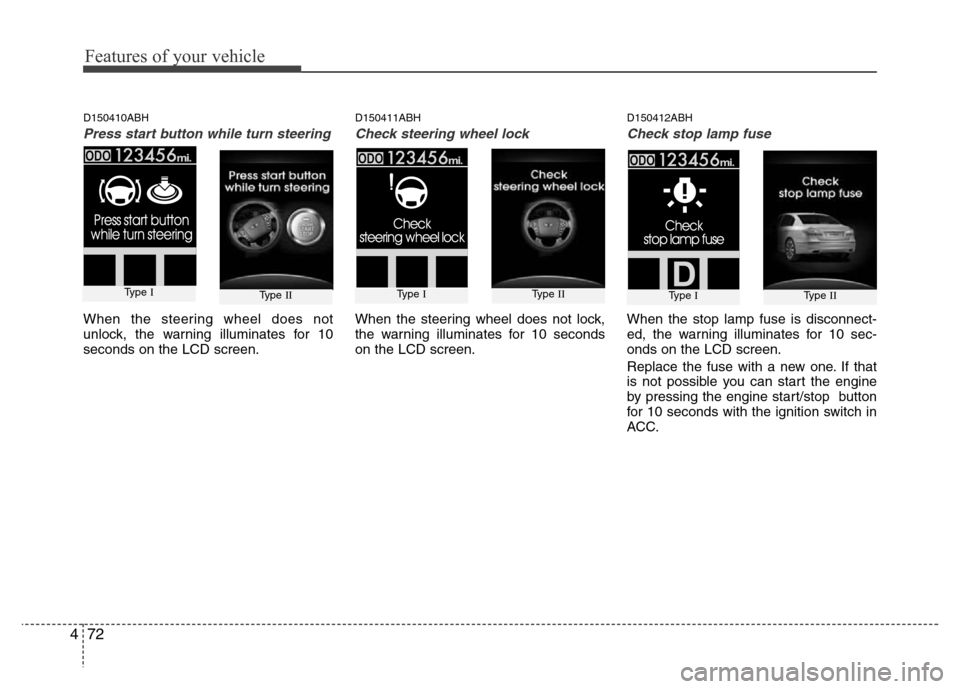
D150410ABH
Press start button while turn steering
When the steering wheel does not
unlock, the warning illuminates for 10
seconds on the LCD screen.
D150411ABH
Check steering wheel lock
When the steering wheel does not lock,
the warning illuminates for 10 seconds
on the LCD screen.
D150412ABH
Check stop lamp fuse
When the stop lamp fuse is disconnect-
ed, the warning illuminates for 10 sec-
onds on the LCD screen.
Replace the fuse with a new one. If that
is not possible you can start the engine
by pressing the engine start/stop button
for 10 seconds with the ignition switch in
ACC.
Type IType IIType IType IIType IType II