steering Hyundai Genesis 2013 Owner's Guide
[x] Cancel search | Manufacturer: HYUNDAI, Model Year: 2013, Model line: Genesis, Model: Hyundai Genesis 2013Pages: 429, PDF Size: 8.94 MB
Page 156 of 429
477
Features of your vehicle
D190100ABH
Battery saver function
The purpose of this feature is to pre-vent the battery from being dis-
charged. The system automatically
turns off the parking lights when the
driver removes the ignition key (smart
key : turns off the engine) and opens
the driver-side door (in that order).
With this feature, the parking lights will be turned off automatically if the driver
parks on the side of the road at night.
If necessary, to keep the lights on
when the ignition key is removed
(smart key : turns off the engine), per-
form the following:
1) Open the driver-side door.
2) Turn the parking lights OFF and ON again using the light switch on the
steering column.
Headlight welcome function
(if equipped)
When the headlight switch is set to ON or
AUTO position and all doors (and trunk)
are closed and locked, if you press the
door unlock button on the transmitter (or
the smart key), the headlights will come
on for about 15 seconds. At this time, if
you press the door lock button, the head-
lights will turn off immediately.
D190200ABH
Headlight escort function
(if equipped)
If you turn the ignition switch to the ACC
or OFF position with the headlights ON,
the headlights (and/or tail lights) remain
on for about 20 minutes. However, if the
driver’s door is opened and closed, the
headlights are turned off after 30 sec-
onds.
The headlights can be turned off by
pressing the lock button on the transmit-
ter (or smart key) twice or turning the
light switch to the OFF or Auto position.
If the headlight switch is in the AUTO
position, the function can only operate at
night.
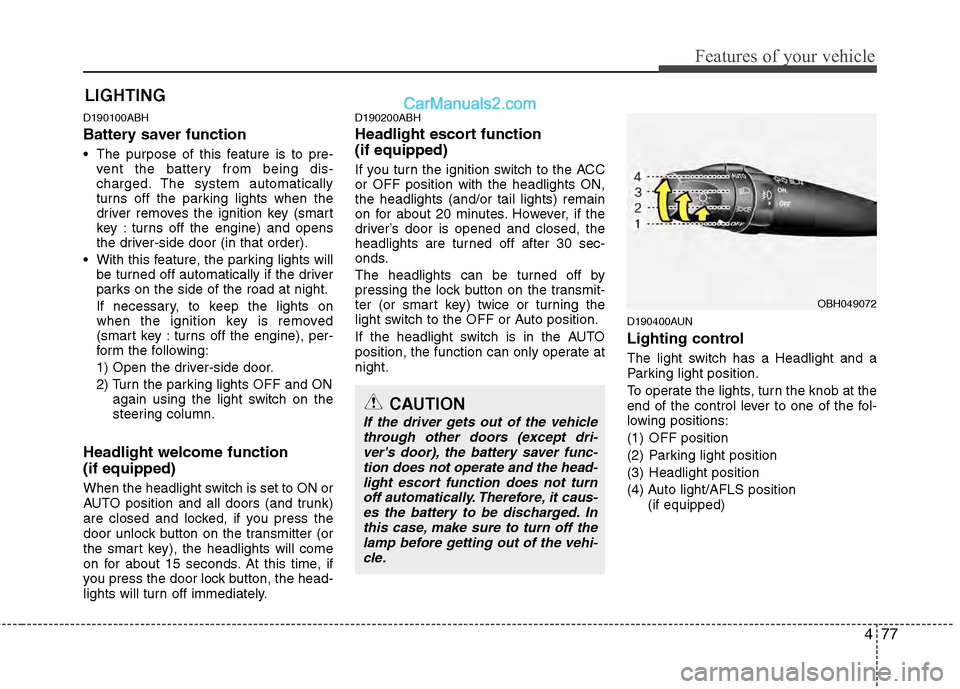
D190400AUN
Lighting control
The light switch has a Headlight and a
Parking light position.
To operate the lights, turn the knob at the
end of the control lever to one of the fol-
lowing positions:
(1) OFF position
(2) Parking light position
(3) Headlight position
(4) Auto light/AFLS position
(if equipped)
LIGHTING
OBH049072
CAUTION
If the driver gets out of the vehiclethrough other doors (except dri-ver's door), the battery saver func-tion does not operate and the head- light escort function does not turnoff automatically. Therefore, it caus- es the battery to be discharged. Inthis case, make sure to turn off thelamp before getting out of the vehi-cle.
Page 160 of 429
481
Features of your vehicle
Daytime running light (if equipped)
Daytime Running Lights (DRL) can make
it easier for others to see the front of your
vehicle during the day. DRL can be help-
ful in many different driving conditions,
and it is especially helpful after dawn and
before sunset.
The DRL system will turn OFF when:
1. The headlight switch is ON.
2. The parking brake is applied.
3. Engine stops.
D191002ABH
Headlight leveling device
(if equipped)
Automatic type
It automatically adjusts the headlight
beam level according to the number of
passengers and the loading weight in the
luggage area.
It offers the proper headlight beam under
various conditions.
D191300ABH
AFLS (Adaptive Front Lighting
System) (if equipped)
Adaptive front lighting system uses the
steering angle and vehicle speed, to
keep your field of vision wide by swiveling
and leveling the headlamp.
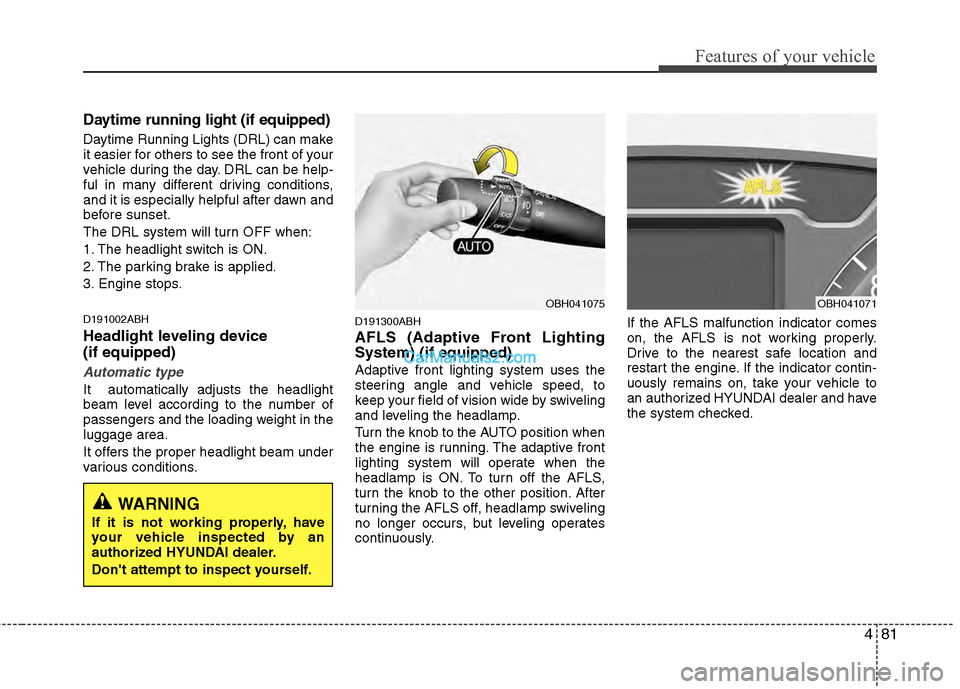
Turn the knob to the AUTO position when
the engine is running. The adaptive front
lighting system will operate when the
headlamp is ON. To turn off the AFLS,
turn the knob to the other position. After
turning the AFLS off, headlamp swiveling
no longer occurs, but leveling operates
continuously.If the AFLS malfunction indicator comes
on, the AFLS is not working properly.
Drive to the nearest safe location and
restart the engine. If the indicator contin-
uously remains on, take your vehicle to
an authorized HYUNDAI dealer and have
the system checked.
OBH041075OBH041071
WARNING
If it is not working properly, have
your vehicle inspected by an
authorized HYUNDAI dealer.
Don't attempt to inspect yourself.
Page 188 of 429
4109
Features of your vehicle
D280600AEN
Digital clock
Whenever the battery terminals or relat-
ed fuses are disconnected, you must
reset the time.
When the ignition switch is in the ACC or
ON position, the clock buttons operate as
follows:
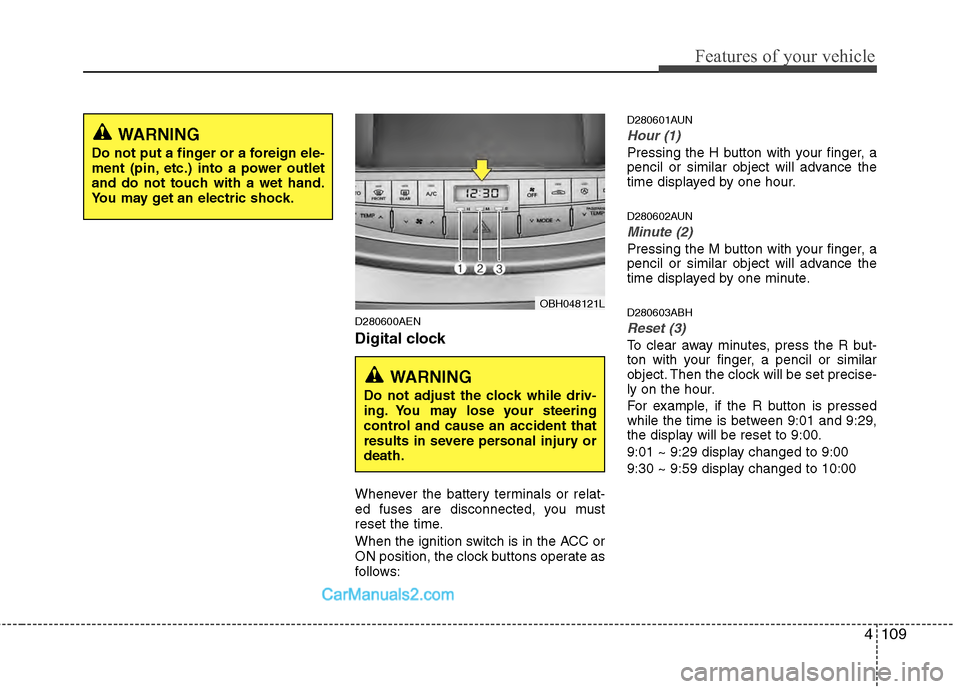
D280601AUN
Hour (1)
Pressing the H button with your finger, a
pencil or similar object will advance the
time displayed by one hour.
D280602AUN
Minute (2)
Pressing the M button with your finger, a
pencil or similar object will advance the
time displayed by one minute.
D280603ABH
Reset (3)
To clear away minutes, press the R but-
ton with your finger, a pencil or similar
object. Then the clock will be set precise-
ly on the hour.
For example, if the R button is pressed
while the time is between 9:01 and 9:29,
the display will be reset to 9:00.
9:01 ~ 9:29 display changed to 9:00
9:30 ~ 9:59 display changed to 10:00
WARNING
Do not put a finger or a foreign ele-
ment (pin, etc.) into a power outlet
and do not touch with a wet hand.
You may get an electric shock.
OBH048121L
WARNING
Do not adjust the clock while driv-
ing. You may lose your steering
control and cause an accident that
results in severe personal injury or
death.
Page 194 of 429
4115
Features of your vehicle
✽
✽NOTICE
If you install an aftermarket HID head-
lamp, your vehicle's audio and electron-
ic device may malfunction.
AntennaD300102ABH
Glass antenna (if equipped)
When the radio power switch is turned on
while the ignition key is in either the “ON”
or “ACC” position, your car will receive both
AM and FM broadcast signals through the
antenna in the rear window glass.
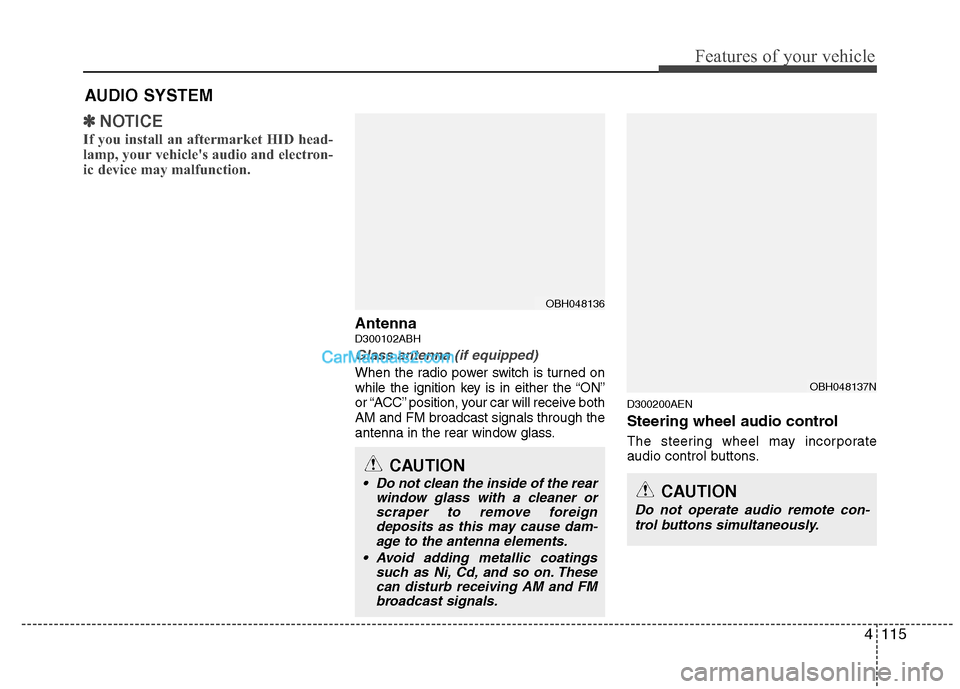
D300200AEN
Steering wheel audio control
The steering wheel may incorporate
audio control buttons.
AUDIO SYSTEM
OBH048136
CAUTION
• Do not clean the inside of the rear
window glass with a cleaner orscraper to remove foreigndeposits as this may cause dam-age to the antenna elements.
Avoid adding metallic coatings such as Ni, Cd, and so on. Thesecan disturb receiving AM and FMbroadcast signals.
OBH048137N
CAUTION
Do not operate audio remote con-
trol buttons simultaneously.
Page 230 of 429
4151
Features of your vehicle
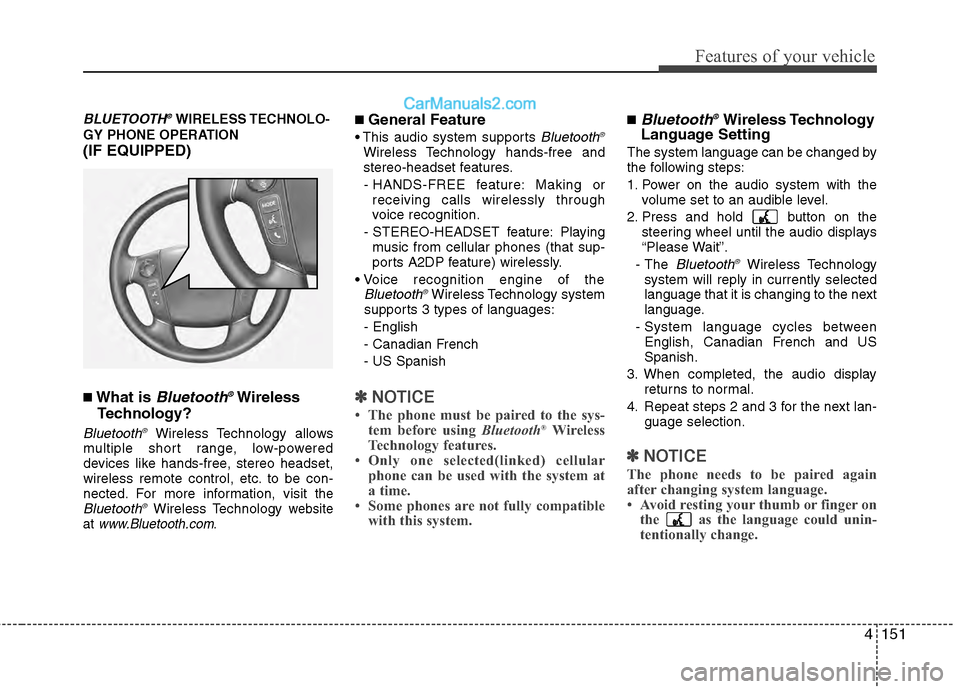
BLUETOOTH®WIRELESS TECHNOLO-
GY PHONE OPERATION
(IF EQUIPPED)
■What is Bluetooth®Wireless
Technology?
Bluetooth®Wireless Technology allows
multiple short range, low-powered
devices like hands-free, stereo headset,
wireless remote control, etc. to be con-
nected. For more information, visit
theBluetooth®Wireless Technology website
at www.Bluetooth.com.
■ General Feature
Bluetooth®
Wireless Technology hands-free and
stereo-headset features.
- HANDS-FREE feature: Making or receiving calls wirelessly through
voice recognition.
- STEREO-HEADSET feature: Playing music from cellular phones (that sup-
ports A2DP feature) wirelessly.
Bluetooth®Wireless Technology system
supports 3 types of languages:
- English
- Canadian French
- US Spanish
✽ ✽ NOTICE
• The phone must be paired to the sys-
tem before using Bluetooth®Wireless
Technology features.
• Only one selected(linked) cellular phone can be used with the system at
a time.
• Some phones are not fully compatible with this system.
■Bluetooth®Wireless Technology
Language Setting
The system language can be changed by
the following steps:
1. Power on the audio system with the
volume set to an audible level.
2. Press and hold button on the steering wheel until the audio displays
“Please Wait”.
- The
Bluetooth®Wireless Technology
system will reply in currently selected
language that it is changing to the next
language.
- System language cycles between English, Canadian French and US
Spanish.
3. When completed, the audio display returns to normal.
4. Repeat steps 2 and 3 for the next lan- guage selection.
✽ ✽NOTICE
The phone needs to be paired again
after changing system language.
• Avoid resting your thumb or finger on
the as the language could unin-
tentionally change.
Page 232 of 429
4153
Features of your vehicle
■Phone Setup
All Bluetooth®Wireless Technology relat-
ed operations can be performed by voice
command or by manual operation.
Press button on the steeringwheel to activate voice recognition.
Push the TUNE/SETUP knob to enterSETUP mode. Select “BLUETOOTH”
item by rotating the TUNE/SETUP
knob, then push the knob.
Before using
Bluetooth®Wireless
Technology features, the phone must be
paired (registered) to the audio system.
Up to 5 phones can be paired in the sys-
tem.
✽ ✽ NOTICE
• The pairing procedure of the phone
varies according to each phone model.
Before attempting to pair phone,
please see your phone’s User’s Guide
for instructions.
• Once pairing with the phone is com- pleted, there is no need to pair with
that phone again unless the phone is
deleted manually from the audio sys-
tem (refer “Deleting Phone” section)
or the vehicle’s information is
removed from the phone.
• Need to confirm if pairing can be done by voice. Need to confirm which sys-
tem can paired by voice, CDC, CDP.1. Press button.
2. Say “Set Up”.
- The system replies with availablecommands.
- To skip the information message, press again and then a beep is
heard.
3. Say “Pair Phone”
4. Say “Yes” to proceed.
5. Say the name of your phone when prompted.
- Use any name to uniquely describe your phone.
- Use Full name to voice tag.
- Do not use a short name or similar name to voice command.
6.
Bluetooth®Wireless Technology sys-
tem will repeat the name you stated.
7. Say "Yes" to confirm.
8. The audio displays “searching ----
passkey: 0000” and asks you to initiate
pairing procedure from the phone.
9. Search the
Bluetooth®Wireless
Technology system on your phone.
Your phone should display your [vehi-
cle model name] on the
Bluetooth®
Wireless Technology device list. Then
attempt pairing on your phone.
10. After Pairing is completed, your phone will start to transfer phone/contact list
to the audio system.
Page 236 of 429
4157
Features of your vehicle
■Making a Phone Call
A phone call can be made by speaking
names registered in the audio system.
1. Press button.
2. Say "Call".
3. Say “Name” when prompted.
4. Say desired name (voice tag).
5. Say desired location (phone numbertype). Only stored locations can be
selected.
6. Say “Yes” to confirm and make a call.
✽ ✽ Tip
A shortcut to each of the following func-
tions is available:
1. Say “Call Name”
2. Say “Call
3. Say “Call
A phone call can be made by dialing the
spoken numbers. The system can recog-
nize single digits from zero to nine.
1. Press button.
2. Say “Call”.
3. Say “Number” when prompted.
4. Say desired phone numbers.
5. Say “Dial” to complete the number and
make a call.
✽ ✽ Tip
A shortcut to each of the following func-
tions is available:
1. Say “Dial Number”
2. Say “Dial
■Receiving a Phone Call
When receiving a phone call, a ringtone
is audible from speakers and the audio
system changes into telephone mode.
When receiving a phone call, “Incoming”
message and incoming phone number
(if available) are displayed on the audio.
- Press button on the steering wheel.
- Press button for 0.8 second orlonger on the steering wheel.
- Use VOLUME buttons on the steeringwheel.
- Press button on the steeringwheel.
Page 237 of 429
Features of your vehicle
158
4
■Talking on the Phone
When talking on the phone, “Active Calls”
message and the other party’s phone
number (if available) are displayed on the
audio.
-
Press button for 0.8 second or longer
on the steering wheel.
✽ ✽ NOTICE
In the following situations, you or the
other party may have difficulty hearing
each other:
1. Speaking at the same time, your voice
may not reach the other parties. (This
is not a malfunction.) Speak alter-
nately with the other party on the
phone.
2. Keep the Bluetooth
®Wireless
Technology volume to a low level.
High-level volume may result in dis-
tortion and echo.
3. When driving on a rough road.
4. When driving at high speeds.
5. When the window is open.
6. When the air conditioning vents are facing the microphone.
7. When the sound of the air condition- ing fan is loud.
■Using the head unit asBluetooth®Wireless Technology
music
The head unit supports A2DP (Audio
Advanced Distribution Profile) and
AVRCP(Audio Video Remote Control
Profile).
Both profiles are available for listening to
MP3 music via
Bluetooth®Wireless
Technology cellular phone supporting
above
Bluetooth®Wireless Technology
profiles.
To play MP3 music from the
Bluetooth®
Wireless Technology cellular phone,
press the [CD/AUX] button until “MP3
Play” is displayed on the LCD.
Then try playing music by phone.
When playing music from the
Bluetooth®
Wireless Technology cellular phone, the
head unit displays MP3 MODE.
✽ ✽ NOTICE
• Not only MP3 files, but all the sounds
that the phone supports can be heard
by the audio system.
• Bluetooth
®Wireless Technology cellu-
lar phones must feature A2DP and
AVRCP functions.
• Some A2DP and AVRCP Bluetooth
®
Wireless Technology cellular phones
may not play music through the head
unit on the first try. Please try the
below;
i.e : Menu ➟ ➟
Filemanager ➟
➟
Music ➟
➟
Option ➟
➟
Play via Bluetooth
• Please refer to User's Guide of your phone for more detailed information.
• To stop music, try stop music by the phone or change audio mode to
AM/FM/XM, CD, iPod
®, etc.
Page 238 of 429
![Hyundai Genesis 2013 Owners Guide 4159
Features of your vehicle
■ Key matrix
No.
Disconnected(BT Icon off)Connected (BT Icon On)
Paired H/P Empty Paired H/P
Exist
1 SHORT
LONG
STEERING
MODE KEY
SHORT
LONG
[10sec]
AUDIO
POWER KEY Nor](/img/35/14675/w960_14675-237.png "Hyundai Genesis 2013 Owners Guide 4159
Features of your vehicle
■ Key matrix
No.
Disconnected(BT Icon off)Connected (BT Icon On)
Paired H/P Empty Paired H/P
Exist
1 SHORT
LONG
STEERING
MODE KEY
SHORT
LONG
[10sec]
AUDIO
POWER KEY Nor")
4159
Features of your vehicle
■ Key matrix
No.
Disconnected(BT Icon off)Connected (BT Icon On)
Paired H/P Empty Paired H/P
Exist
1 SHORT
LONG
STEERING
MODE KEY
SHORT
LONG
[10sec]
AUDIO
POWER KEY Normal mode
BT SETUP menuIncoming Call
Outgoing Call
Active CallTRANSFER
CALL
Not Connect---Accept Call
Connected
-
Transfer Call
(Handsfree <->Phone)
KEY
--
VR
MODE Cancel-Reject Call End Call End Call
End Call
-Active ActiveActiveActive-- -
Change
language
-
-
Change
language
-
Change
language
- -
- --
Change
language
- --Reject Call
-
End call
-
2nd call
1st Call:waiting 2nd Call:active
-
-
End call-
2
3
4
Page 243 of 429
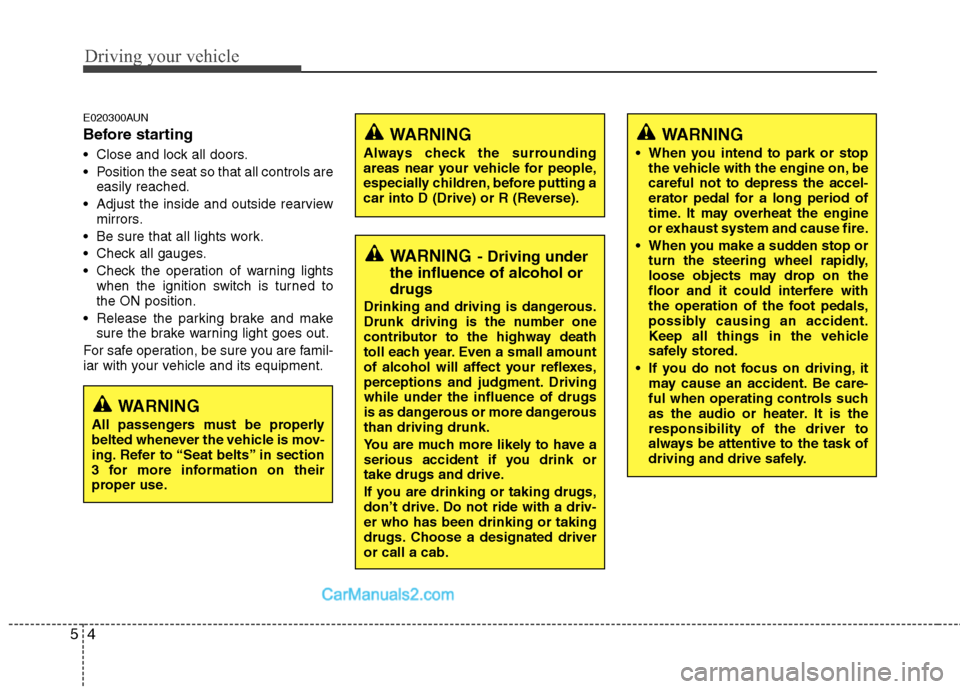
Driving your vehicle
45
E020300AUN
Before starting
Close and lock all doors.
Position the seat so that all controls areeasily reached.
Adjust the inside and outside rearview mirrors.
Be sure that all lights work.
Check all gauges.
Check the operation of warning lights when the ignition switch is turned to
the ON position.
Release the parking brake and make sure the brake warning light goes out.
For safe operation, be sure you are famil-
iar with your vehicle and its equipment.
WARNING
Always check the surrounding
areas near your vehicle for people,
especially children, before putting a
car into D (Drive) or R (Reverse).
WARNING
When you intend to park or stop the vehicle with the engine on, be
careful not to depress the accel-
erator pedal for a long period of
time. It may overheat the engine
or exhaust system and cause fire.
When you make a sudden stop or turn the steering wheel rapidly,
loose objects may drop on the
floor and it could interfere with
the operation of the foot pedals,
possibly causing an accident.
Keep all things in the vehicle
safely stored.
If you do not focus on driving, it may cause an accident. Be care-
ful when operating controls such
as the audio or heater. It is the
responsibility of the driver to
always be attentive to the task of
driving and drive safely.
WARNING- Driving under
the influence of alcohol or
drugs
Drinking and driving is dangerous.
Drunk driving is the number one
contributor to the highway death
toll each year. Even a small amount
of alcohol will affect your reflexes,
perceptions and judgment. Driving
while under the influence of drugs
is as dangerous or more dangerous
than driving drunk.
You are much more likely to have a
serious accident if you drink or
take drugs and drive.
If you are drinking or taking drugs,
don’t drive. Do not ride with a driv-
er who has been drinking or taking
drugs. Choose a designated driver
or call a cab.
WARNING
All passengers must be properly
belted whenever the vehicle is mov-
ing. Refer to “Seat belts” in section
3 for more information on their
proper use.