light Hyundai Genesis 2013 Workshop Manual
[x] Cancel search | Manufacturer: HYUNDAI, Model Year: 2013, Model line: Genesis, Model: Hyundai Genesis 2013Pages: 429, PDF Size: 8.94 MB
Page 143 of 429
Features of your vehicle
64
4
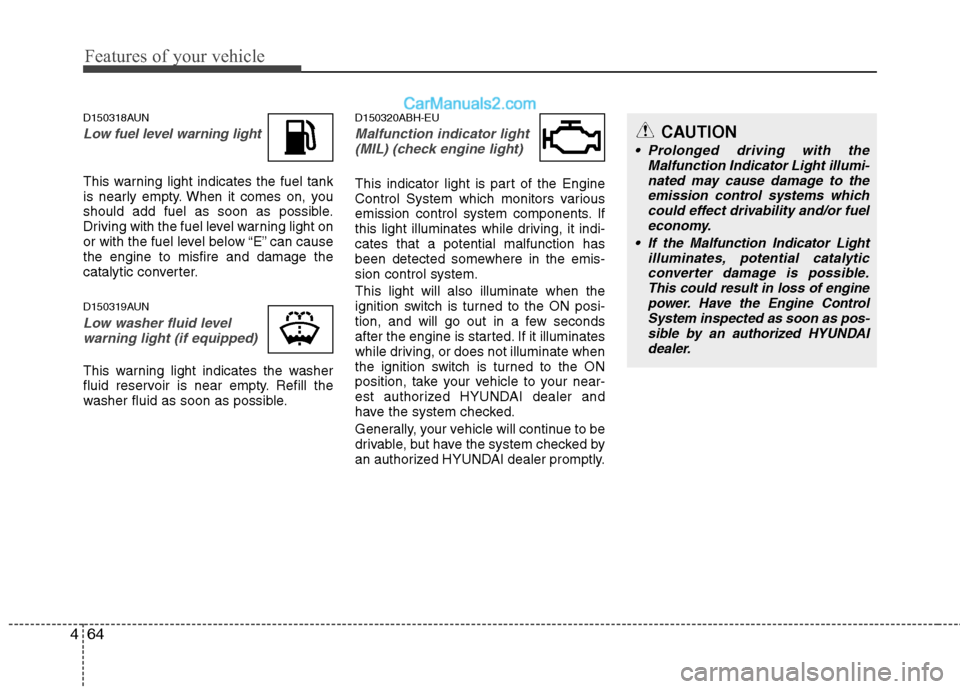
D150318AUN
Low fuel level warning light
This warning light indicates the fuel tank
is nearly empty. When it comes on, you
should add fuel as soon as possible.
Driving with the fuel level warning light on
or with the fuel level below “E” can cause
the engine to misfire and damage the
catalytic converter.
D150319AUN
Low washer fluid level
warning light (if equipped)
This warning light indicates the washer
fluid reservoir is near empty. Refill the
washer fluid as soon as possible.
D150320ABH-EU
Malfunction indicator light (MIL) (check engine light)
This indicator light is part of the Engine
Control System which monitors various
emission control system components. If
this light illuminates while driving, it indi-
cates that a potential malfunction has
been detected somewhere in the emis-
sion control system.
This light will also illuminate when the
ignition switch is turned to the ON posi-
tion, and will go out in a few seconds
after the engine is started. If it illuminates
while driving, or does not illuminate when
the ignition switch is turned to the ON
position, take your vehicle to your near-
est authorized HYUNDAI dealer and
have the system checked.
Generally, your vehicle will continue to be
drivable, but have the system checked by
an authorized HYUNDAI dealer promptly.
CAUTION
Prolonged driving with the Malfunction Indicator Light illumi-nated may cause damage to the emission control systems whichcould effect drivability and/or fueleconomy.
If the Malfunction Indicator Light illuminates, potential catalyticconverter damage is possible. This could result in loss of enginepower. Have the Engine ControlSystem inspected as soon as pos-sible by an authorized HYUNDAI dealer.
Page 144 of 429
465
Features of your vehicle
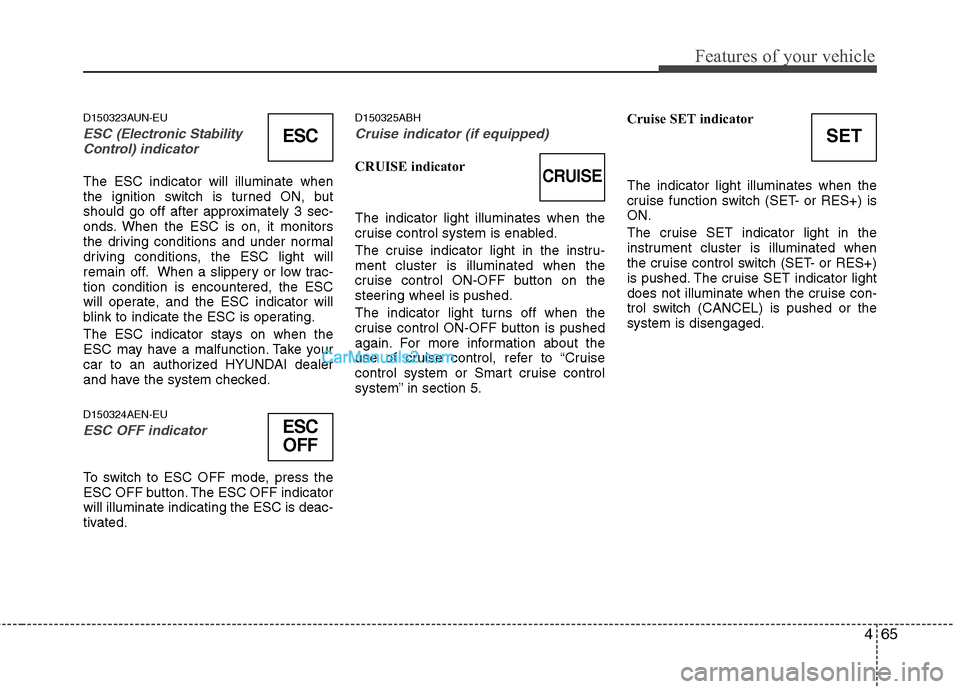
D150323AUN-EU
ESC (Electronic Stability
Control) indicator
The ESC indicator will illuminate when
the ignition switch is turned ON, but
should go off after approximately 3 sec-
onds. When the ESC is on, it monitors
the driving conditions and under normal
driving conditions, the ESC light will
remain off. When a slippery or low trac-
tion condition is encountered, the ESC
will operate, and the ESC indicator will
blink to indicate the ESC is operating.
The ESC indicator stays on when the
ESC may have a malfunction. Take your
car to an authorized HYUNDAI dealer
and have the system checked.
D150324AEN-EU
ESC OFF indicator
To switch to ESC OFF mode, press the
ESC OFF button. The ESC OFF indicator
will illuminate indicating the ESC is deac-
tivated.
D150325ABH
Cruise indicator (if equipped)
CRUISE indicator
The indicator light illuminates when the
cruise control system is enabled.
The cruise indicator light in the instru-
ment cluster is illuminated when the
cruise control ON-OFF button on the
steering wheel is pushed.
The indicator light turns off when the
cruise control ON-OFF button is pushed
again. For more information about the
use of cruise control, refer to “Cruise
control system or Smart cruise control
system” in section 5. Cruise SET indicator
The indicator light illuminates when the
cruise function switch (SET- or RES+) is
ON.
The cruise SET indicator light in the
instrument cluster is illuminated when
the cruise control switch (SET- or RES+)
is pushed. The cruise SET indicator light
does not illuminate when the cruise con-
trol switch (CANCEL) is pushed or the
system is disengaged.
ESC
ESC
OFF
SET
CRUISE
Page 145 of 429
Features of your vehicle
66
4
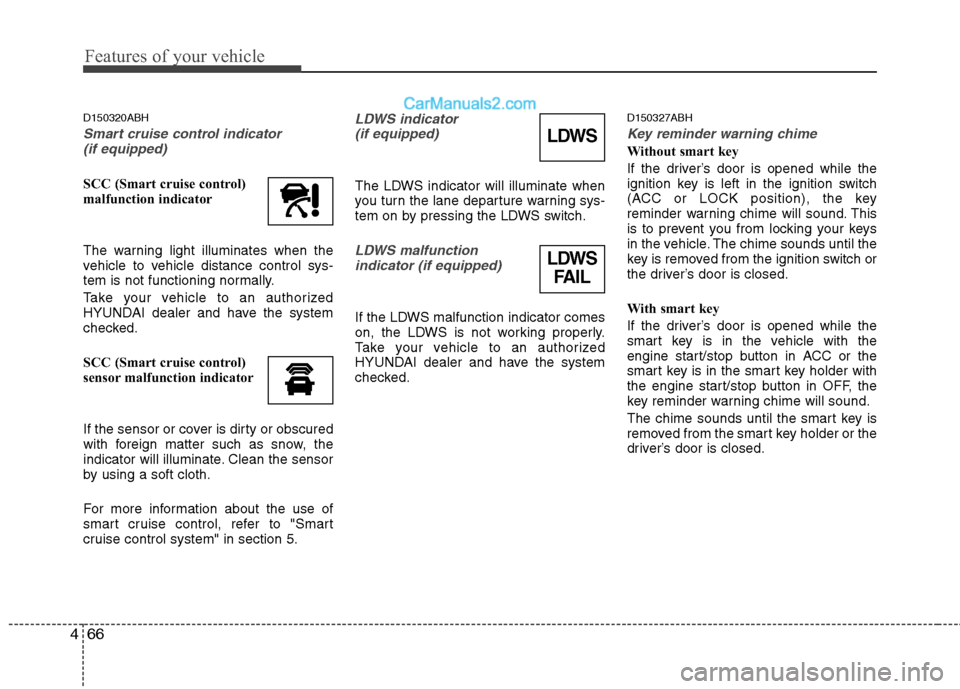
D150320ABH
Smart cruise control indicator
(if equipped)
SCC (Smart cruise control)
malfunction indicator
The warning light illuminates when the
vehicle to vehicle distance control sys-
tem is not functioning normally.
Take your vehicle to an authorized
HYUNDAI dealer and have the system
checked.
SCC (Smart cruise control)
sensor malfunction indicator
If the sensor or cover is dirty or obscured
with foreign matter such as snow, the
indicator will illuminate. Clean the sensor
by using a soft cloth.
For more information about the use of
smart cruise control, refer to "Smart
cruise control system" in section 5.
LDWS indicator (if equipped)
The LDWS indicator will illuminate when
you turn the lane departure warning sys-
tem on by pressing the LDWS switch.
LDWS malfunction indicator (if equipped)
If the LDWS malfunction indicator comes
on, the LDWS is not working properly.
Take your vehicle to an authorized
HYUNDAI dealer and have the system
checked.
D150327ABH
Key reminder warning chime
Without smart key
If the driver’s door is opened while the
ignition key is left in the ignition switch
(ACC or LOCK position), the key
reminder warning chime will sound. This
is to prevent you from locking your keys
in the vehicle. The chime sounds until the
key is removed from the ignition switch or
the driver’s door is closed.
With smart key
If the driver’s door is opened while the
smart key is in the vehicle with the
engine start/stop button in ACC or the
smart key is in the smart key holder with
the engine start/stop button in OFF, the
key reminder warning chime will sound.
The chime sounds until the smart key is
removed from the smart key holder or the
driver’s door is closed.LDWS
LDWS FAIL
Page 146 of 429
467
Features of your vehicle
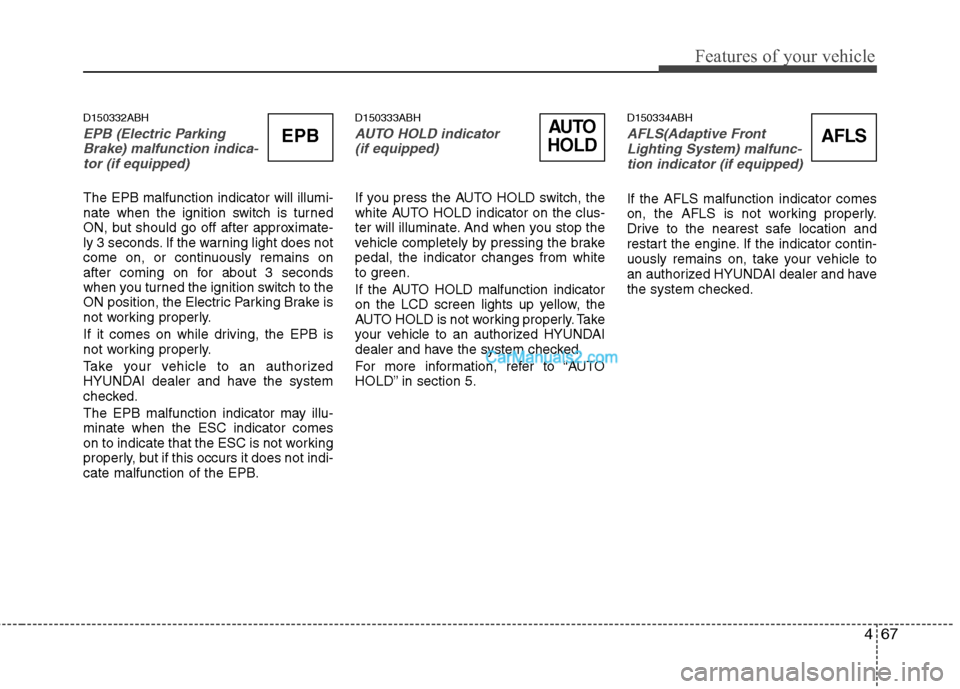
D150332ABH
EPB (Electric ParkingBrake) malfunction indica-tor (if equipped)
The EPB malfunction indicator will illumi-
nate when the ignition switch is turned
ON, but should go off after approximate-
ly 3 seconds. If the warning light does not
come on, or continuously remains on
after coming on for about 3 seconds
when you turned the ignition switch to the
ON position, the Electric Parking Brake is
not working properly.
If it comes on while driving, the EPB is
not working properly.
Take your vehicle to an authorized
HYUNDAI dealer and have the system
checked.
The EPB malfunction indicator may illu-
minate when the ESC indicator comes
on to indicate that the ESC is not working
properly, but if this occurs it does not indi-
cate malfunction of the EPB.
D150333ABH
AUTO HOLD indicator (if equipped)
If you press the AUTO HOLD switch, the
white AUTO HOLD indicator on the clus-
ter will illuminate. And when you stop the
vehicle completely by pressing the brake
pedal, the indicator changes from white
to green.
If the AUTO HOLD malfunction indicator
on the LCD screen lights up yellow, the
AUTO HOLD is not working properly. Take
your vehicle to an authorized HYUNDAI
dealer and have the system checked.
For more information, refer to “AUTO
HOLD” in section 5.
D150334ABH
AFLS(Adaptive Front
Lighting System) malfunc- tion indicator (if equipped)
If the AFLS malfunction indicator comes
on, the AFLS is not working properly.
Drive to the nearest safe location and
restart the engine. If the indicator contin-
uously remains on, take your vehicle to
an authorized HYUNDAI dealer and have
the system checked.
AUTO
HOLDAFLSEPB
Page 155 of 429
Features of your vehicle
76
4
REAR VIEW CAMERA (IF EQUIPPED)
D330000ABH
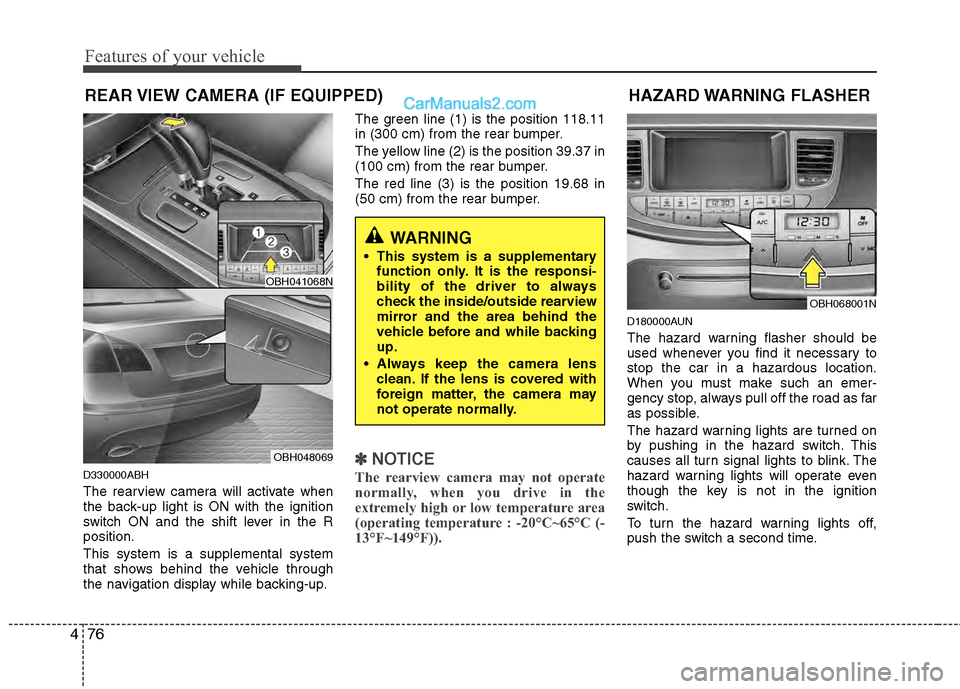
The rearview camera will activate when
the back-up light is ON with the ignition
switch ON and the shift lever in the R
position.
This system is a supplemental system
that shows behind the vehicle through
the navigation display while backing-up. The green line (1) is the position 118.11
in (300 cm) from the rear bumper.
The yellow line (2) is the position 39.37 in
(100 cm) from the rear bumper.
The red line (3) is the position 19.68 in
(50 cm) from the rear bumper.
✽ ✽
NOTICE
The rearview camera may not operate
normally, when you drive in the
extremely high or low temperature area
(operating temperature : -20°C~65°C (-
13°F~149°F)).
D180000AUN
The hazard warning flasher should be
used whenever you find it necessary to
stop the car in a hazardous location.
When you must make such an emer-
gency stop, always pull off the road as far
as possible.
The hazard warning lights are turned on
by pushing in the hazard switch. This
causes all turn signal lights to blink. The
hazard warning lights will operate even
though the key is not in the ignition
switch.
To turn the hazard warning lights off,
push the switch a second time.
HAZARD WARNING FLASHER
OBH068001N
WARNING
This system is a supplementary
function only. It is the responsi-
bility of the driver to always
check the inside/outside rearview
mirror and the area behind the
vehicle before and while backing
up.
Always keep the camera lens clean. If the lens is covered with
foreign matter, the camera may
not operate normally.
OBH041068N
OBH048069
Page 156 of 429
477
Features of your vehicle
D190100ABH
Battery saver function
The purpose of this feature is to pre-vent the battery from being dis-
charged. The system automatically
turns off the parking lights when the
driver removes the ignition key (smart
key : turns off the engine) and opens
the driver-side door (in that order).
With this feature, the parking lights will be turned off automatically if the driver
parks on the side of the road at night.
If necessary, to keep the lights on
when the ignition key is removed
(smart key : turns off the engine), per-
form the following:
1) Open the driver-side door.
2) Turn the parking lights OFF and ON again using the light switch on the
steering column.
Headlight welcome function
(if equipped)
When the headlight switch is set to ON or
AUTO position and all doors (and trunk)
are closed and locked, if you press the
door unlock button on the transmitter (or
the smart key), the headlights will come
on for about 15 seconds. At this time, if
you press the door lock button, the head-
lights will turn off immediately.
D190200ABH
Headlight escort function
(if equipped)
If you turn the ignition switch to the ACC
or OFF position with the headlights ON,
the headlights (and/or tail lights) remain
on for about 20 minutes. However, if the
driver’s door is opened and closed, the
headlights are turned off after 30 sec-
onds.
The headlights can be turned off by
pressing the lock button on the transmit-
ter (or smart key) twice or turning the
light switch to the OFF or Auto position.
If the headlight switch is in the AUTO
position, the function can only operate at
night.
D190400AUN
Lighting control
The light switch has a Headlight and a
Parking light position.
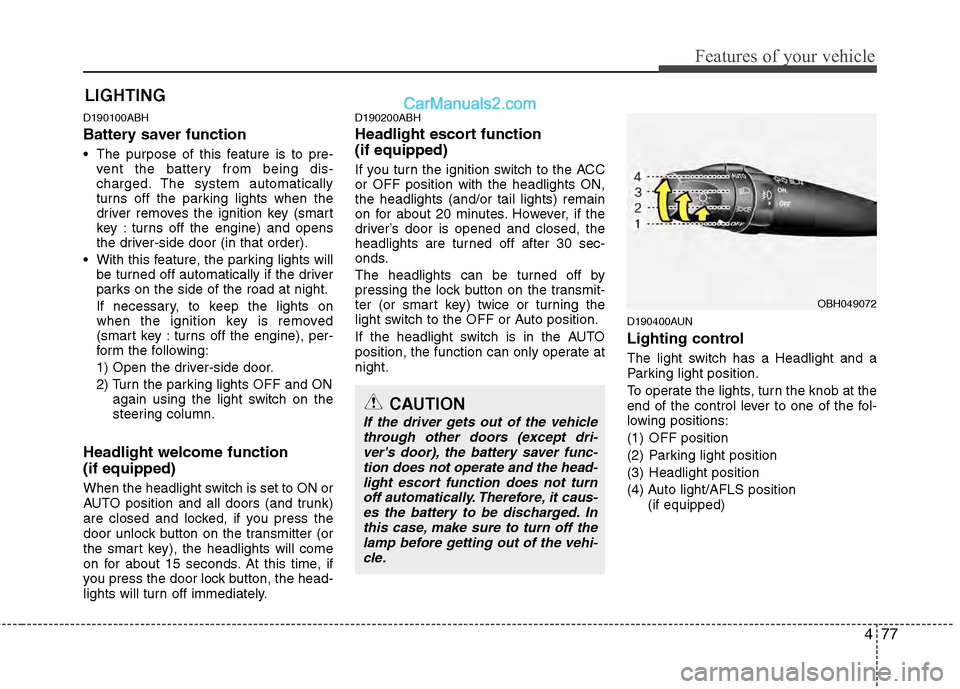
To operate the lights, turn the knob at the
end of the control lever to one of the fol-
lowing positions:
(1) OFF position
(2) Parking light position
(3) Headlight position
(4) Auto light/AFLS position
(if equipped)
LIGHTING
OBH049072
CAUTION
If the driver gets out of the vehiclethrough other doors (except dri-ver's door), the battery saver func-tion does not operate and the head- light escort function does not turnoff automatically. Therefore, it caus- es the battery to be discharged. Inthis case, make sure to turn off thelamp before getting out of the vehi-cle.
Page 157 of 429
Features of your vehicle
78
4
D190401ABH
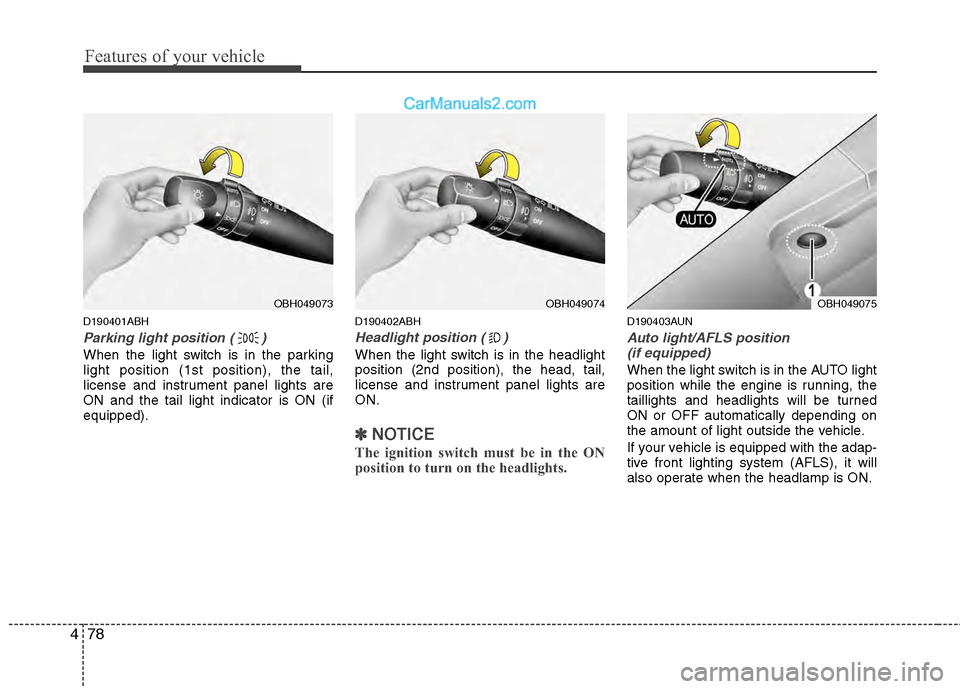
Parking light position ( )
When the light switch is in the parking
light position (1st position), the tail,
license and instrument panel lights are
ON and the tail light indicator is ON (if
equipped).
D190402ABH
Headlight position ( )
When the light switch is in the headlight
position (2nd position), the head, tail,
license and instrument panel lights are
ON.
✽ ✽
NOTICE
The ignition switch must be in the ON
position to turn on the headlights.
D190403AUN
Auto light/AFLS position
(if equipped)
When the light switch is in the AUTO light
position while the engine is running, the
taillights and headlights will be turned
ON or OFF automatically depending on
the amount of light outside the vehicle.
If your vehicle is equipped with the adap-
tive front lighting system (AFLS), it will
also operate when the headlamp is ON.
OBH049074OBH049075OBH049073
Page 158 of 429
479
Features of your vehicle
D190500AUN
High beam operation
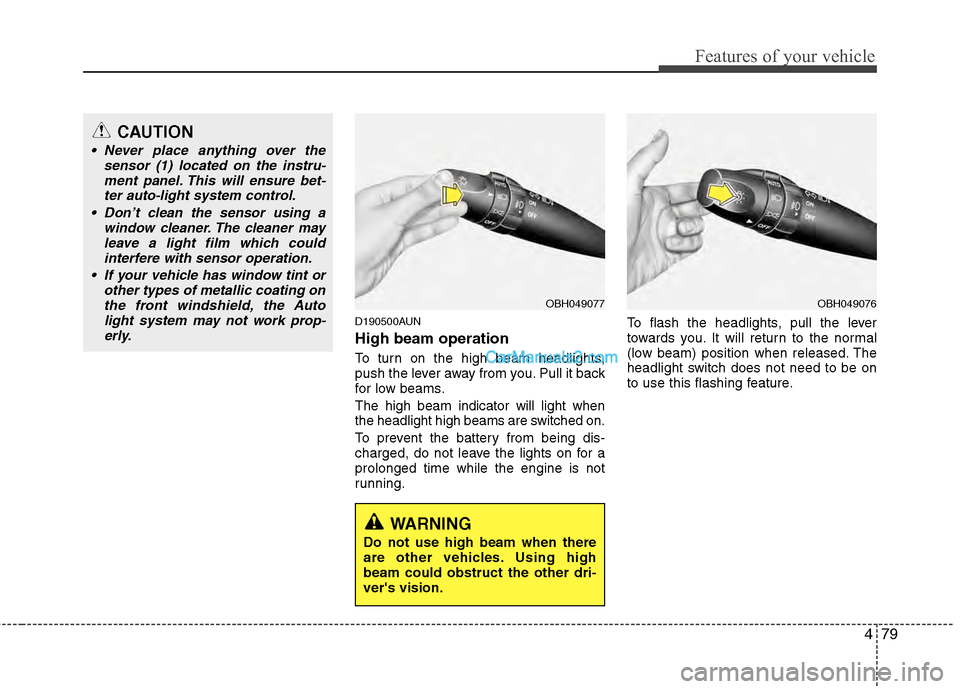
To turn on the high beam headlights,
push the lever away from you. Pull it back
for low beams.
The high beam indicator will light when
the headlight high beams are switched on.
To prevent the battery from being dis-
charged, do not leave the lights on for a
prolonged time while the engine is not
running.To flash the headlights, pull the lever
towards you. It will return to the normal
(low beam) position when released. The
headlight switch does not need to be on
to use this flashing feature.
OBH049077OBH049076
CAUTION
Never place anything over the
sensor (1) located on the instru-ment panel. This will ensure bet-ter auto-light system control.
Don’t clean the sensor using a window cleaner. The cleaner mayleave a light film which could interfere with sensor operation.
If your vehicle has window tint or other types of metallic coating onthe front windshield, the Autolight system may not work prop-erly.
WARNING
Do not use high beam when there
are other vehicles. Using high
beam could obstruct the other dri-
ver's vision.
Page 159 of 429
Features of your vehicle
80
4
D190600AUN
Turn signals and lane change sig-
nals
The ignition switch must be on for the
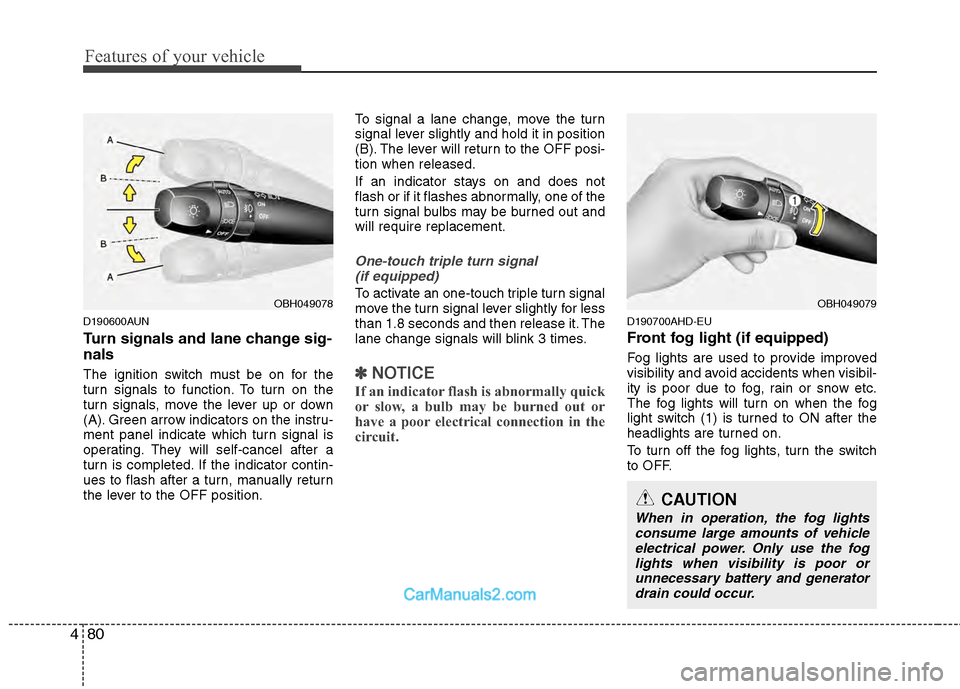
turn signals to function. To turn on the
turn signals, move the lever up or down
(A). Green arrow indicators on the instru-
ment panel indicate which turn signal is
operating. They will self-cancel after a
turn is completed. If the indicator contin-
ues to flash after a turn, manually return
the lever to the OFF position. To signal a lane change, move the turn
signal lever slightly and hold it in position
(B). The lever will return to the OFF posi-
tion when released.
If an indicator stays on and does not
flash or if it flashes abnormally, one of the
turn signal bulbs may be burned out and
will require replacement.
One-touch triple turn signal
(if equipped)
To activate an one-touch triple turn signal
move the turn signal lever slightly for less
than 1.8 seconds and then release it. The
lane change signals will blink 3 times.
✽ ✽ NOTICE
If an indicator flash is abnormally quick
or slow, a bulb may be burned out or
have a poor electrical connection in the
circuit.
D190700AHD-EU
Front fog light (if equipped)
Fog lights are used to provide improved
visibility and avoid accidents when visibil-
ity is poor due to fog, rain or snow etc.
The fog lights will turn on when the fog
light switch (1) is turned to ON after the
headlights are turned on.
To turn off the fog lights, turn the switch
to OFF.
OBH049079
CAUTION
When in operation, the fog lights
consume large amounts of vehicle electrical power. Only use the foglights when visibility is poor orunnecessary battery and generatordrain could occur.
OBH049078
Page 160 of 429
481
Features of your vehicle
Daytime running light (if equipped)
Daytime Running Lights (DRL) can make
it easier for others to see the front of your
vehicle during the day. DRL can be help-
ful in many different driving conditions,
and it is especially helpful after dawn and
before sunset.
The DRL system will turn OFF when:
1. The headlight switch is ON.
2. The parking brake is applied.
3. Engine stops.
D191002ABH
Headlight leveling device
(if equipped)
Automatic type
It automatically adjusts the headlight
beam level according to the number of
passengers and the loading weight in the
luggage area.
It offers the proper headlight beam under
various conditions.
D191300ABH
AFLS (Adaptive Front Lighting
System) (if equipped)
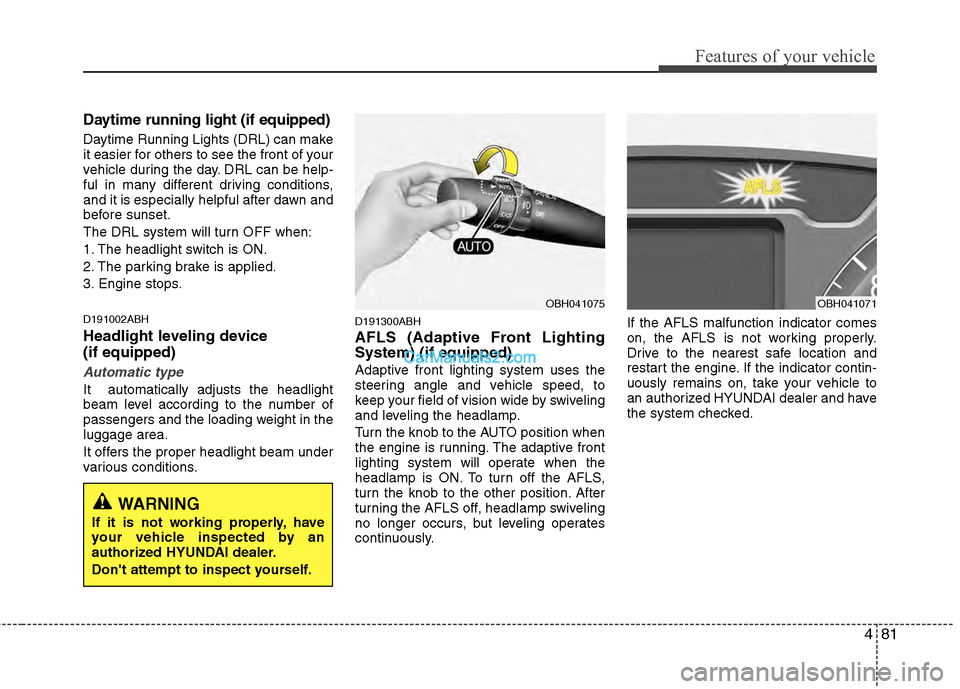
Adaptive front lighting system uses the
steering angle and vehicle speed, to
keep your field of vision wide by swiveling
and leveling the headlamp.
Turn the knob to the AUTO position when
the engine is running. The adaptive front
lighting system will operate when the
headlamp is ON. To turn off the AFLS,
turn the knob to the other position. After
turning the AFLS off, headlamp swiveling
no longer occurs, but leveling operates
continuously.If the AFLS malfunction indicator comes
on, the AFLS is not working properly.
Drive to the nearest safe location and
restart the engine. If the indicator contin-
uously remains on, take your vehicle to
an authorized HYUNDAI dealer and have
the system checked.
OBH041075OBH041071
WARNING
If it is not working properly, have
your vehicle inspected by an
authorized HYUNDAI dealer.
Don't attempt to inspect yourself.