Head rest Hyundai Genesis 2013 Owner's Manual
[x] Cancel search | Manufacturer: HYUNDAI, Model Year: 2013, Model line: Genesis, Model: Hyundai Genesis 2013Pages: 429, PDF Size: 8.94 MB
Page 21 of 429
Safety features of your vehicle
23
C010000ABH-EU
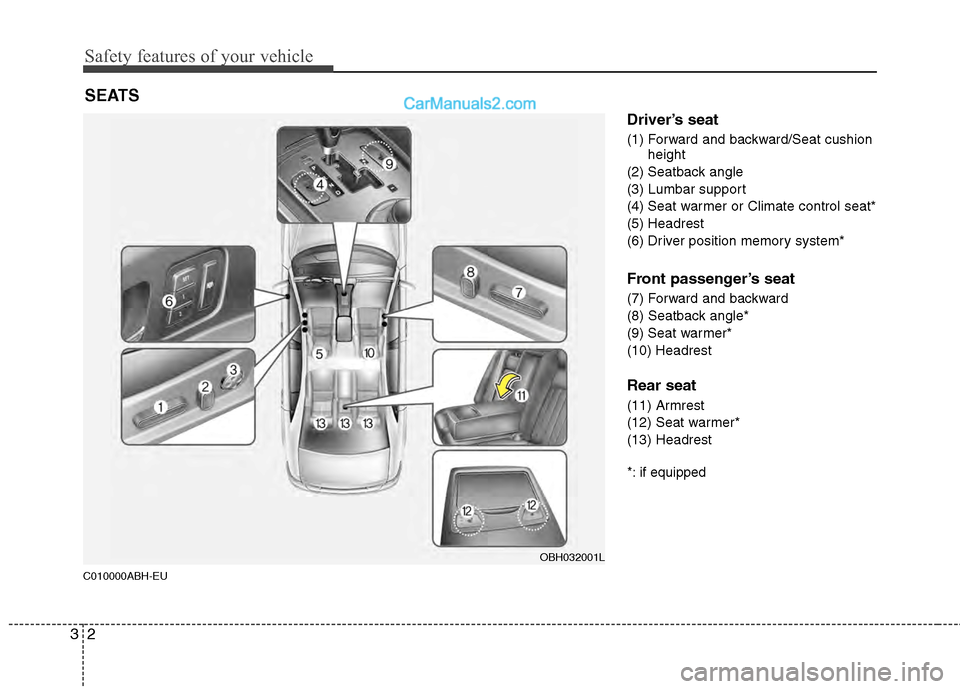
Driver’s seat
(1) Forward and backward/Seat cushionheight
(2) Seatback angle
(3) Lumbar support
(4) Seat warmer or Climate control seat*
(5) Headrest
(6) Driver position memory system*
Front passenger’s seat
(7) Forward and backward
(8) Seatback angle*
(9) Seat warmer*
(10) Headrest
Rear seat
(11) Armrest
(12) Seat warmer*
(13) Headrest
*: if equipped
SEATS
OBH032001L
Page 25 of 429
Safety features of your vehicle
63
C010104ABH-EU
Headrest
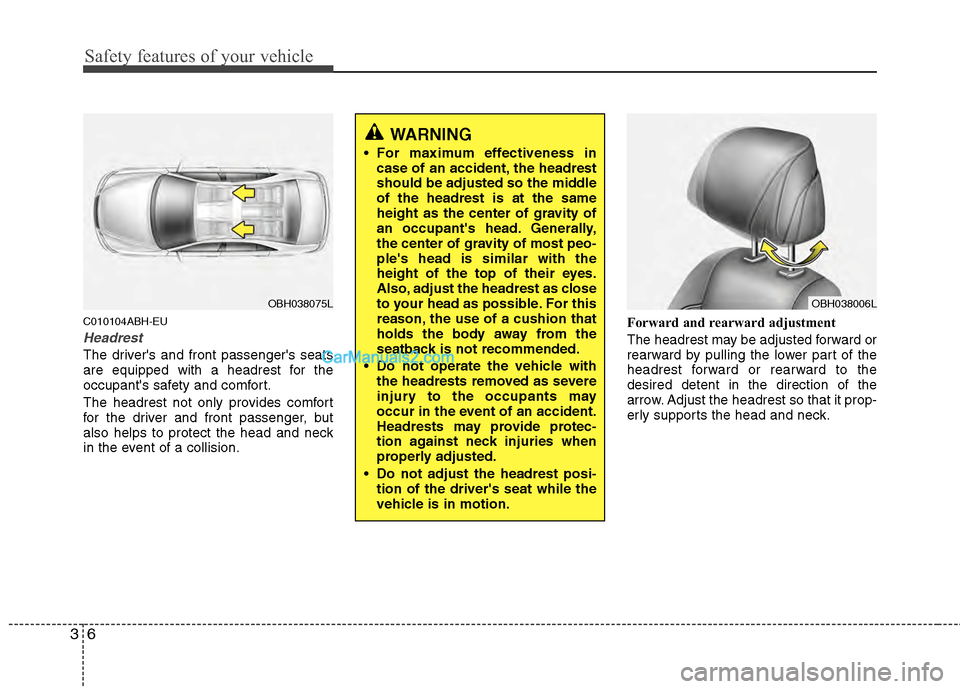
The driver's and front passenger's seats
are equipped with a headrest for the
occupant's safety and comfort.
The headrest not only provides comfort
for the driver and front passenger, but
also helps to protect the head and neck
in the event of a collision.Forward and rearward adjustment
The headrest may be adjusted forward or
rearward by pulling the lower part of the
headrest forward or rearward to the
desired detent in the direction of the
arrow. Adjust the headrest so that it prop-
erly supports the head and neck.
OBH038006L
WARNING
For maximum effectiveness in
case of an accident, the headrest
should be adjusted so the middle
of the headrest is at the same
height as the center of gravity of
an occupant's head. Generally,
the center of gravity of most peo-
ple's head is similar with the
height of the top of their eyes.
Also, adjust the headrest as close
to your head as possible. For this
reason, the use of a cushion that
holds the body away from the
seatback is not recommended.
Do not operate the vehicle with the headrests removed as severe
injury to the occupants may
occur in the event of an accident.
Headrests may provide protec-
tion against neck injuries when
properly adjusted.
Do not adjust the headrest posi- tion of the driver's seat while the
vehicle is in motion.
OBH038075L
Page 26 of 429
37
Safety features of your vehicle
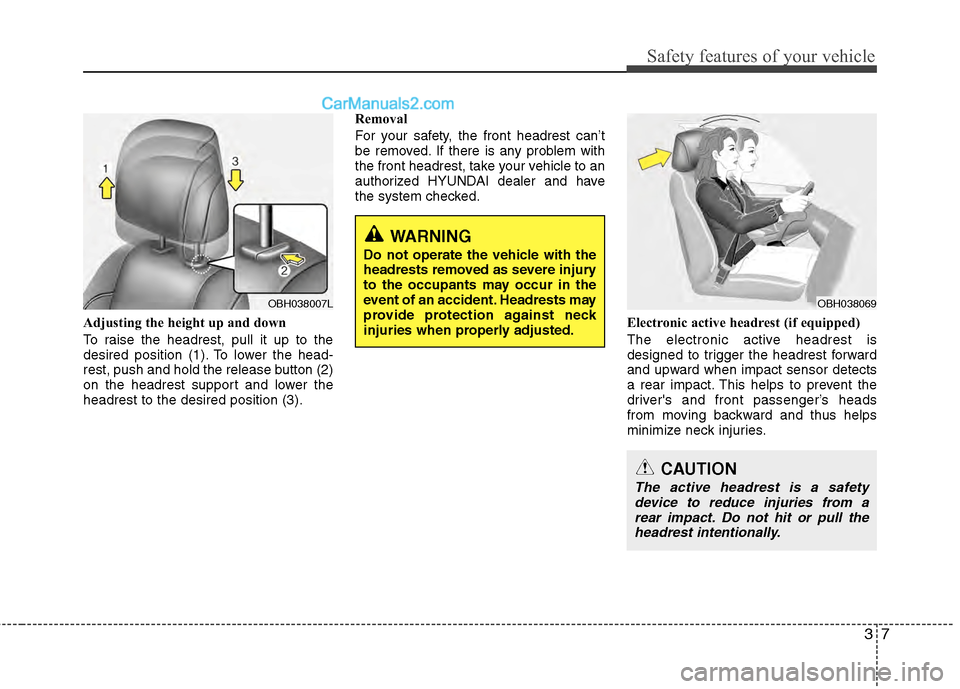
Adjusting the height up and down
To raise the headrest, pull it up to the
desired position (1). To lower the head-
rest, push and hold the release button (2)
on the headrest support and lower the
headrest to the desired position (3).Removal
For your safety, the front headrest can’t
be removed. If there is any problem with
the front headrest, take your vehicle to an
authorized HYUNDAI dealer and have
the system checked.
Electronic active headrest (if equipped)
The electronic active headrest is
designed to trigger the headrest forward
and upward when impact sensor detects
a rear impact. This helps to prevent the
driver's and front passenger’s heads
from moving backward and thus helps
minimize neck injuries.
WARNING
Do not operate the vehicle with the
headrests removed as severe injury
to the occupants may occur in the
event of an accident. Headrests may
provide protection against neck
injuries when properly adjusted.
OBH038007LOBH038069
CAUTION
The active headrest is a safetydevice to reduce injuries from a rear impact. Do not hit or pull theheadrest intentionally.
Page 30 of 429
311
Safety features of your vehicle
Rear seat
C010303ABH
Headrest
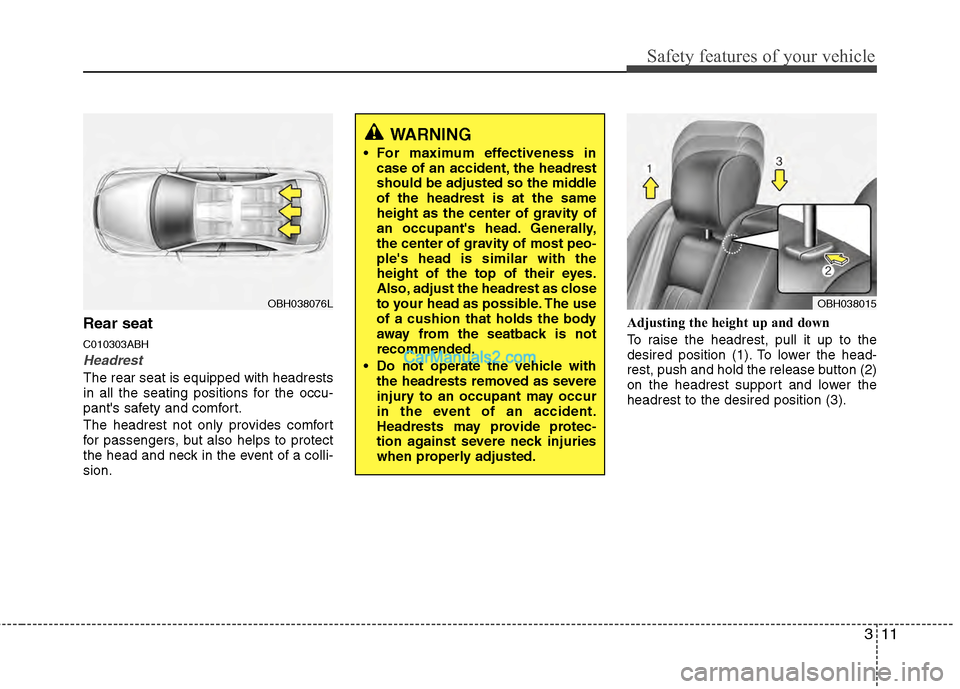
The rear seat is equipped with headrests
in all the seating positions for the occu-
pant's safety and comfort.
The headrest not only provides comfort
for passengers, but also helps to protect
the head and neck in the event of a colli-
sion.Adjusting the height up and down
To raise the headrest, pull it up to the
desired position (1). To lower the head-
rest, push and hold the release button (2)
on the headrest support and lower the
headrest to the desired position (3).
OBH038076L
WARNING
For maximum effectiveness in
case of an accident, the headrest
should be adjusted so the middle
of the headrest is at the same
height as the center of gravity of
an occupant's head. Generally,
the center of gravity of most peo-
ple's head is similar with the
height of the top of their eyes.
Also, adjust the headrest as close
to your head as possible. The use
of a cushion that holds the body
away from the seatback is not
recommended.
Do not operate the vehicle with the headrests removed as severe
injury to an occupant may occur
in the event of an accident.
Headrests may provide protec-
tion against severe neck injuries
when properly adjusted.
OBH038015
Page 31 of 429
Safety features of your vehicle
12
3
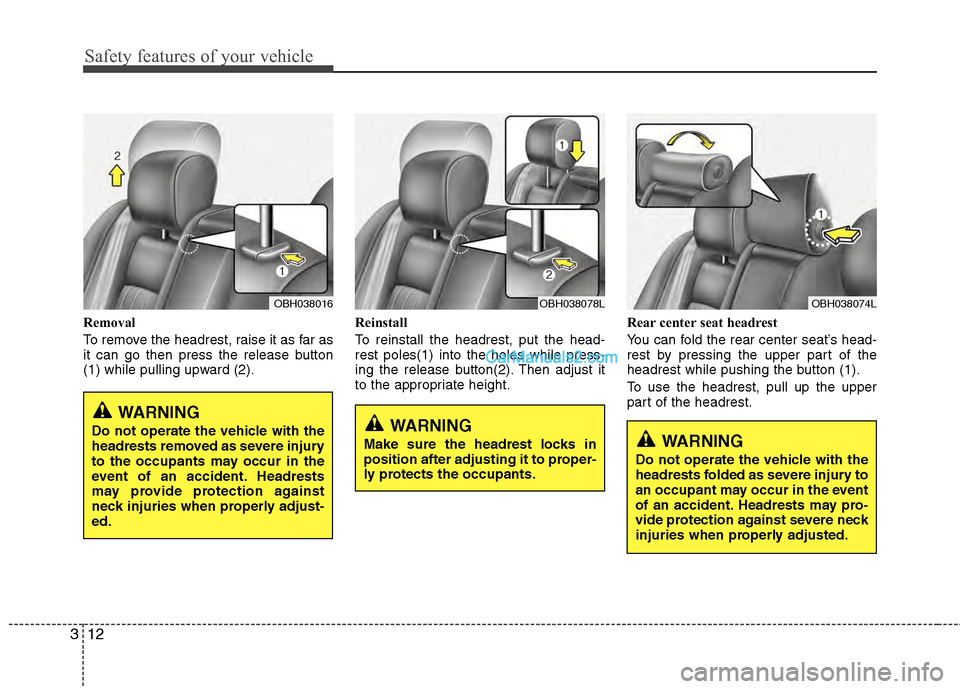
Removal
To remove the headrest, raise it as far as
it can go then press the release button
(1) while pulling upward (2). Reinstall
To reinstall the headrest, put the head-
rest poles(1) into the holes while press-
ing the release button(2). Then adjust it
to the appropriate height.Rear center seat headrest
You can fold the rear center seat’s head-
rest by pressing the upper part of the
headrest while pushing the button (1).
To use the headrest, pull up the upper
part of the headrest.
WARNING
Make sure the headrest locks in
position after adjusting it to proper-
ly protects the occupants.WARNING
Do not operate the vehicle with the
headrests folded as severe injury to
an occupant may occur in the event
of an accident. Headrests may pro-
vide protection against severe neck
injuries when properly adjusted.
OBH038074LOBH038078LOBH038016
WARNING
Do not operate the vehicle with the
headrests removed as severe injury
to the occupants may occur in the
event of an accident. Headrests
may provide protection against
neck injuries when properly adjust-
ed.
Page 51 of 429
Safety features of your vehicle
32
3
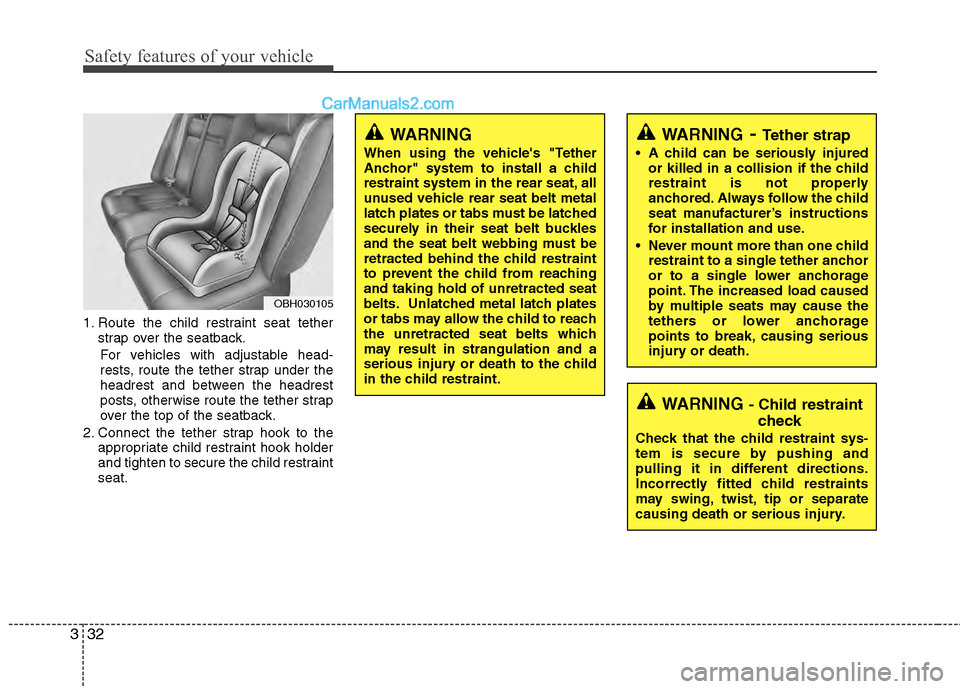
1. Route the child restraint seat tether
strap over the seatback.
For vehicles with adjustable head-
rests, route the tether strap under the
headrest and between the headrest
posts, otherwise route the tether strap
over the top of the seatback.
2. Connect the tether strap hook to the appropriate child restraint hook holder
and tighten to secure the child restraint
seat.
OBH030105
WARNING
When using the vehicle's "Tether
Anchor" system to install a child
restraint system in the rear seat, all
unused vehicle rear seat belt metal
latch plates or tabs must be latched
securely in their seat belt buckles
and the seat belt webbing must be
retracted behind the child restraint
to prevent the child from reaching
and taking hold of unretracted seat
belts. Unlatched metal latch plates
or tabs may allow the child to reach
the unretracted seat belts which
may result in strangulation and a
serious injury or death to the child
in the child restraint.
WARNING - Child restraintcheck
Check that the child restraint sys-
tem is secure by pushing and
pulling it in different directions.
Incorrectly fitted child restraints
may swing, twist, tip or separate
causing death or serious injury.
WARNING- Tether strap
A child can be seriously injured
or killed in a collision if the child
restraint is not properly
anchored. Always follow the child
seat manufacturer’s instructions
for installation and use.
Never mount more than one child restraint to a single tether anchor
or to a single lower anchorage
point. The increased load caused
by multiple seats may cause the
tethers or lower anchorage
points to break, causing serious
injury or death.
Page 71 of 429
Safety features of your vehicle
52
3
C040700AEN
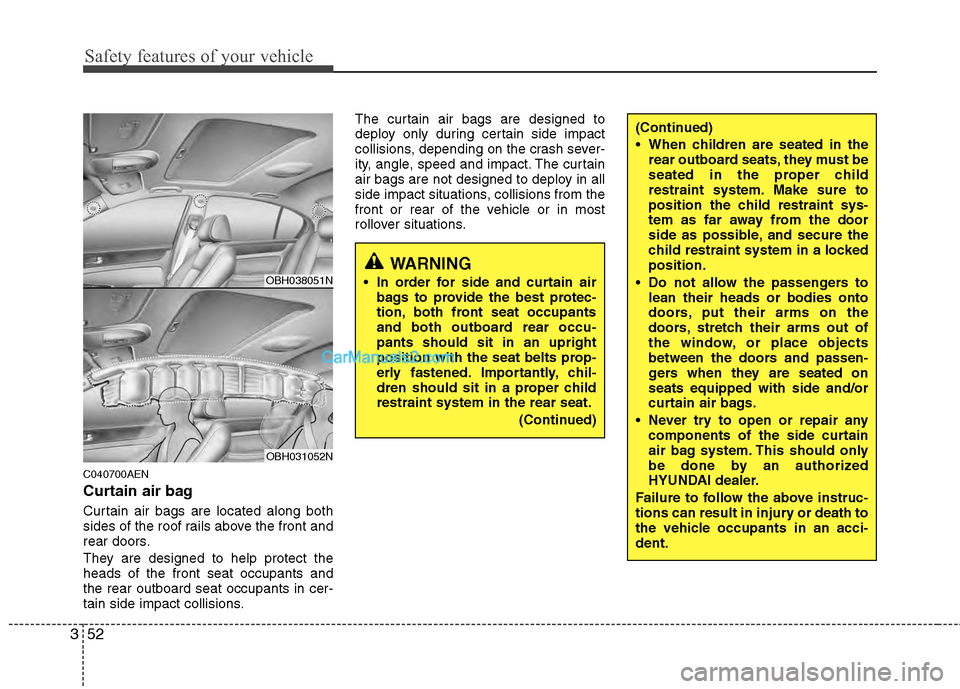
Curtain air bag
Curtain air bags are located along both
sides of the roof rails above the front and
rear doors.
They are designed to help protect the
heads of the front seat occupants and
the rear outboard seat occupants in cer-
tain side impact collisions. The curtain air bags are designed to
deploy only during certain side impact
collisions, depending on the crash sever-
ity, angle, speed and impact. The curtain
air bags are not designed to deploy in all
side impact situations, collisions from the
front or rear of the vehicle or in most
rollover situations.
WARNING
In order for side and curtain air
bags to provide the best protec-
tion, both front seat occupants
and both outboard rear occu-
pants should sit in an upright
position with the seat belts prop-
erly fastened. Importantly, chil-
dren should sit in a proper child
restraint system in the rear seat.
(Continued)
(Continued)
When children are seated in therear outboard seats, they must be
seated in the proper child
restraint system. Make sure to
position the child restraint sys-
tem as far away from the door
side as possible, and secure the
child restraint system in a locked
position.
Do not allow the passengers to lean their heads or bodies onto
doors, put their arms on the
doors, stretch their arms out of
the window, or place objects
between the doors and passen-
gers when they are seated on
seats equipped with side and/or
curtain air bags.
Never try to open or repair any components of the side curtain
air bag system. This should only
be done by an authorized
HYUNDAI dealer.
Failure to follow the above instruc-
tions can result in injury or death to
the vehicle occupants in an acci-
dent.
OBH038051N
OBH031052N
Page 124 of 429
445
Features of your vehicle
FCC ID: NZLZTVHL3
IC: 4112A-ZTVHL3
This device complies with Part 15 of
the FCC Rules.
Operation is subject to the following two
conditions:
1. this device may not cause harmfulinterference, and
2. This device must accept any interfer- ence received, including interference
that may cause undesired operation.
NVS
®is a registered trademark and Z-
Nav™ is a trademark of the Gentex
Corporation, Zeeland, Michigan.
HomeLink
®is a registered trademark
owned by Johnson Controls,
Incorporated, Milwaukee, Wisconsin.
D140200AUN-EU
Outside rearview mirror
Be sure to adjust mirror angles before
driving.
Your vehicle is equipped with both left-
hand and right-hand outside rearview
mirrors. The mirrors can be adjusted
remotely with the remote switch. The mir-
ror heads can be folded back to prevent
damage during an automatic car wash or
when passing in a narrow street.
WARNING
The transceiver has been tested
and complies with FCC and
Industry Canada rules. Changes or
modifications not expressly
approved by the party responsible
for compliance could void the
user's authority to operate the
device.
WARNING - Rearview mir-
rors
The right outside rearview mirror is convex. Objects seen in the
mirror are closer than they
appear.
Use your interior rearview mirror or direct observation to deter-
mine the actual distance of fol-
lowing vehicles when changing
lanes.
CAUTION
Do not scrape ice off the mirrorface; this may damage the surfaceof the glass. If ice should restrict movement of the mirror, do notforce the mirror for adjustment. Toremove ice, use a deicer spray, or a sponge or soft cloth with warmwater.
CAUTION
If the mirror is jammed with ice, do not adjust the mirror by force. Usean approved spray de-icer (not radi- ator antifreeze) to release thefrozen mechanism or move the vehicle to a warm place and allowthe ice to melt.
WARNING
Do not adjust or fold the outside
rearview mirrors while the vehicle
is moving. This could result in loss
of control, and an accident which
could cause death, serious injury
or property damage.
Page 160 of 429
481
Features of your vehicle
Daytime running light (if equipped)
Daytime Running Lights (DRL) can make
it easier for others to see the front of your
vehicle during the day. DRL can be help-
ful in many different driving conditions,
and it is especially helpful after dawn and
before sunset.
The DRL system will turn OFF when:
1. The headlight switch is ON.
2. The parking brake is applied.
3. Engine stops.
D191002ABH
Headlight leveling device
(if equipped)
Automatic type
It automatically adjusts the headlight
beam level according to the number of
passengers and the loading weight in the
luggage area.
It offers the proper headlight beam under
various conditions.
D191300ABH
AFLS (Adaptive Front Lighting
System) (if equipped)
Adaptive front lighting system uses the
steering angle and vehicle speed, to
keep your field of vision wide by swiveling
and leveling the headlamp.
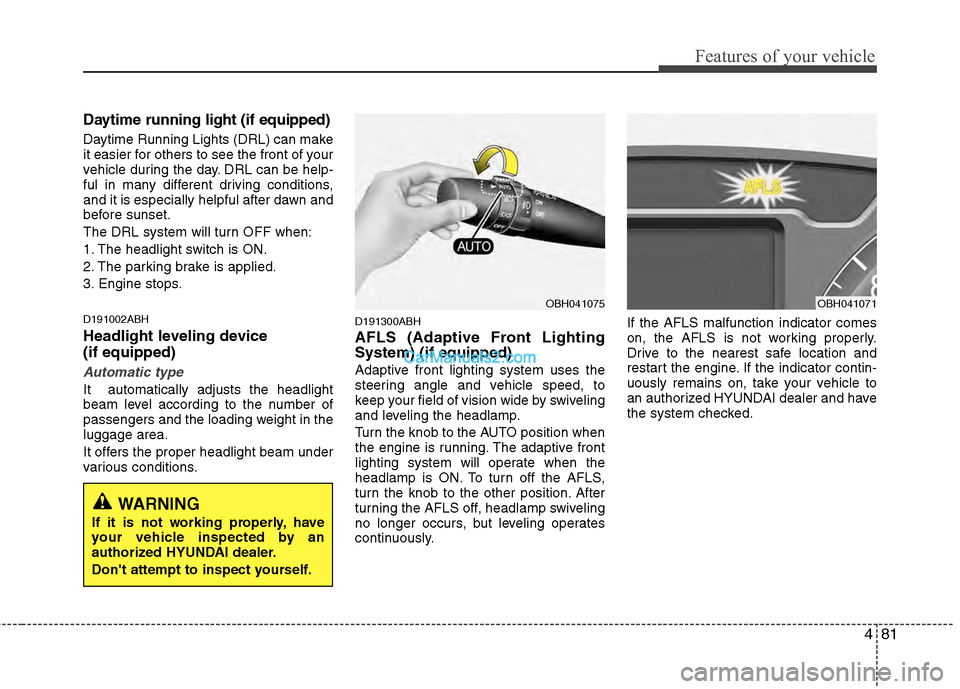
Turn the knob to the AUTO position when
the engine is running. The adaptive front
lighting system will operate when the
headlamp is ON. To turn off the AFLS,
turn the knob to the other position. After
turning the AFLS off, headlamp swiveling
no longer occurs, but leveling operates
continuously.If the AFLS malfunction indicator comes
on, the AFLS is not working properly.
Drive to the nearest safe location and
restart the engine. If the indicator contin-
uously remains on, take your vehicle to
an authorized HYUNDAI dealer and have
the system checked.
OBH041075OBH041071
WARNING
If it is not working properly, have
your vehicle inspected by an
authorized HYUNDAI dealer.
Don't attempt to inspect yourself.
Page 230 of 429
4151
Features of your vehicle
BLUETOOTH®WIRELESS TECHNOLO-
GY PHONE OPERATION
(IF EQUIPPED)
■What is Bluetooth®Wireless
Technology?
Bluetooth®Wireless Technology allows
multiple short range, low-powered
devices like hands-free, stereo headset,
wireless remote control, etc. to be con-
nected. For more information, visit
theBluetooth®Wireless Technology website
at www.Bluetooth.com.
■ General Feature
Bluetooth®
Wireless Technology hands-free and
stereo-headset features.
- HANDS-FREE feature: Making or receiving calls wirelessly through
voice recognition.
- STEREO-HEADSET feature: Playing music from cellular phones (that sup-
ports A2DP feature) wirelessly.
Bluetooth®Wireless Technology system
supports 3 types of languages:
- English
- Canadian French
- US Spanish
✽ ✽ NOTICE
• The phone must be paired to the sys-
tem before using Bluetooth®Wireless
Technology features.
• Only one selected(linked) cellular phone can be used with the system at
a time.
• Some phones are not fully compatible with this system.
■Bluetooth®Wireless Technology
Language Setting
The system language can be changed by
the following steps:
1. Power on the audio system with the
volume set to an audible level.
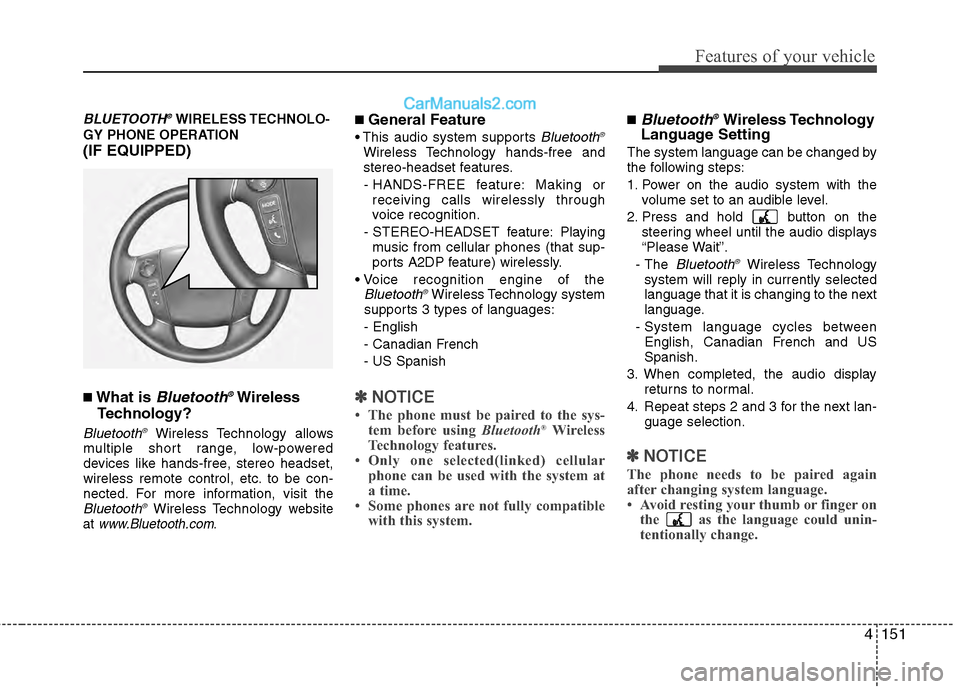
2. Press and hold button on the steering wheel until the audio displays
“Please Wait”.
- The
Bluetooth®Wireless Technology
system will reply in currently selected
language that it is changing to the next
language.
- System language cycles between English, Canadian French and US
Spanish.
3. When completed, the audio display returns to normal.
4. Repeat steps 2 and 3 for the next lan- guage selection.
✽ ✽NOTICE
The phone needs to be paired again
after changing system language.
• Avoid resting your thumb or finger on
the as the language could unin-
tentionally change.