light Hyundai Genesis 2014 Workshop Manual
[x] Cancel search | Manufacturer: HYUNDAI, Model Year: 2014, Model line: Genesis, Model: Hyundai Genesis 2014Pages: 546, PDF Size: 13.59 MB
Page 187 of 546
![Hyundai Genesis 2014 Workshop Manual 3-96
Convenient features of your vehicle
AUTO HOLD Indicator
Light (if equipped)
This indicator light illuminates:
• [White] When you activate the auto
hold system by pressing the AUTO
HOLD button.](/img/35/14672/w960_14672-186.png "Hyundai Genesis 2014 Workshop Manual 3-96
Convenient features of your vehicle
AUTO HOLD Indicator
Light (if equipped)
This indicator light illuminates:
• [White] When you activate the auto
hold system by pressing the AUTO
HOLD button.")
3-96
Convenient features of your vehicle
AUTO HOLD Indicator
Light (if equipped)
This indicator light illuminates:
• [White] When you activate the auto
hold system by pressing the AUTO
HOLD button.
• [Green] When you stop the vehicle
completely by depressing the
brake pedal with the auto hold sys-
tem activated.
• [Yellow] When there is a malfunc-
tion with the auto hold system.
In this case, we recommend that
you have the vehicle inspected by
an authorized HYUNDAI dealer.
For more details, refer to “Auto Hold”
in chapter 5.
Lane Departure
Warning System
(LDWS) Indicator Light
(if equipped)
This indicator light illuminates:
• [Green] When you activate the lane
departure warning system by
pressing the LDWS button.
• [White] When system operating
conditions are not satisfied or
when the sensor does not detect
the lane line.
• [Yellow] When there is a malfunc-
tion with the lane departure warn-
ing system.
In this case, we recommend that
you have the vehicle inspected by
an authorized HYUNDAI dealer.
For more details, refer to “Lane
Departure Warning System (LDWS)”
in chapter 5.
LKAS (Lane Keeping
Assistant System)
Indicator (if equipped)
The LKAS indicator will illuminate
when you turn the lane keeping
assistant system on by pressing the
LKAS button.
If there is a problem with the system,
the yellow LKAS indicator will illumi-
nate.
For more details, refer to "LKAS" in
chapter 5.
AUTO
HOLD
Page 188 of 546
3-97
Convenient features of your vehicle
3
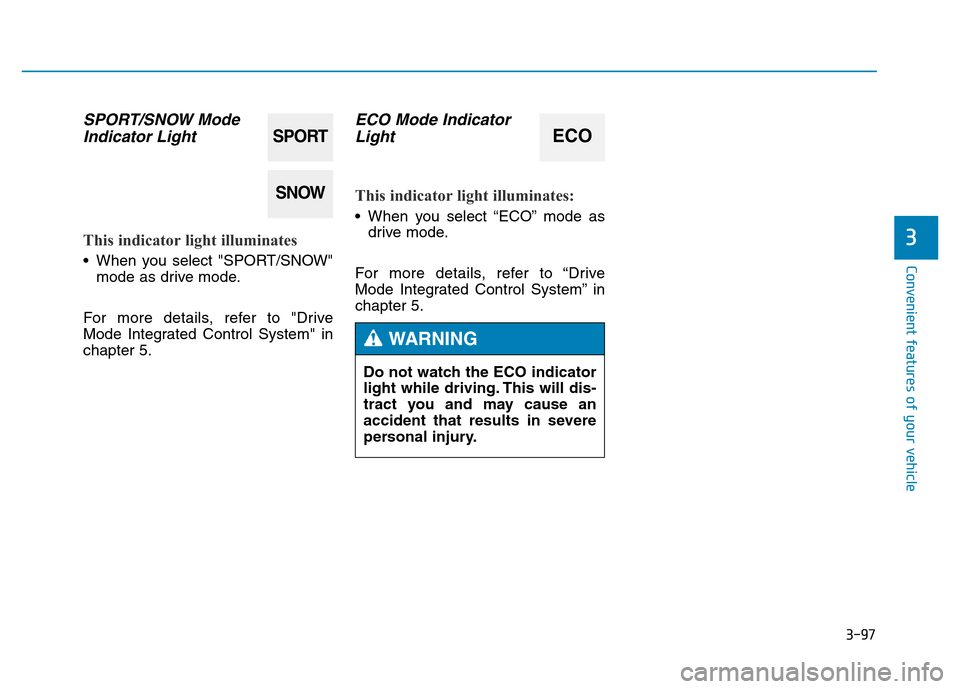
SPORT/SNOW Mode
Indicator Light
This indicator light illuminates
• When you select "SPORT/SNOW"
mode as drive mode.
For more details, refer to "Drive
Mode Integrated Control System" in
chapter 5.
ECO Mode Indicator
Light
This indicator light illuminates:
• When you select “ECO” mode as
drive mode.
For more details, refer to “Drive
Mode Integrated Control System” in
chapter 5.
SPORT
SNOW
ECO
Do not watch the ECO indicator
light while driving. This will dis-
tract you and may cause an
accident that results in severe
personal injury.
WARNING
Page 189 of 546
3-98
Convenient features of your vehicle
Description
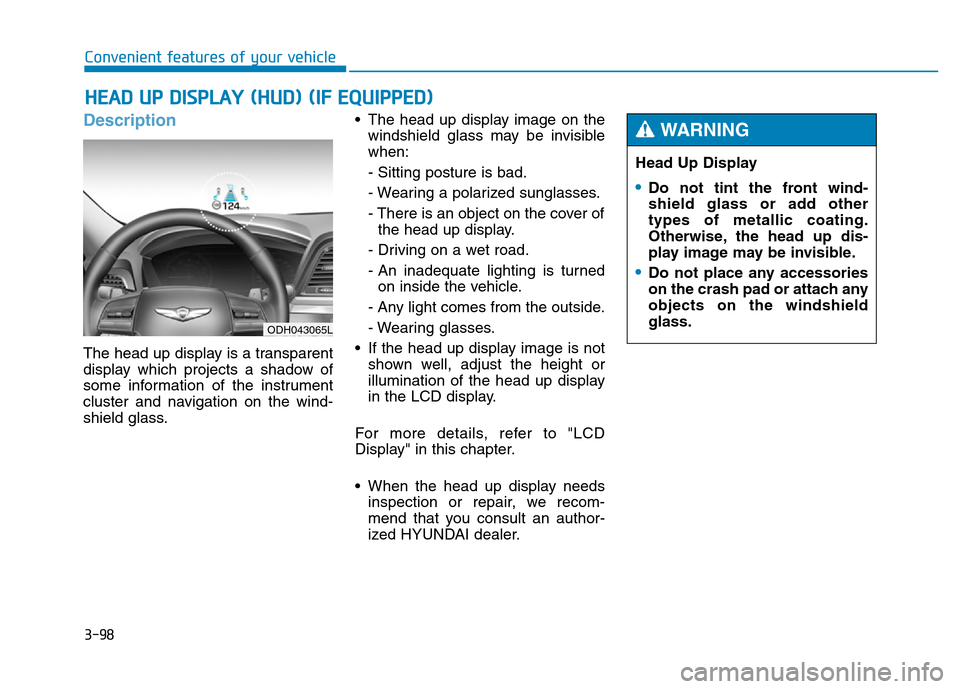
The head up display is a transparent
display which projects a shadow of
some information of the instrument
cluster and navigation on the wind-
shield glass.• The head up display image on the
windshield glass may be invisible
when:
- Sitting posture is bad.
- Wearing a polarized sunglasses.
- There is an object on the cover of
the head up display.
- Driving on a wet road.
- An inadequate lighting is turned
on inside the vehicle.
- Any light comes from the outside.
- Wearing glasses.
• If the head up display image is not
shown well, adjust the height or
illumination of the head up display
in the LCD display.
For more details, refer to "LCD
Display" in this chapter.
• When the head up display needs
inspection or repair, we recom-
mend that you consult an author-
ized HYUNDAI dealer.
HEAD UP DISPLAY (HUD) (IF EQUIPPED)
Head Up Display
•Do not tint the front wind-
shield glass or add other
types of metallic coating.
Otherwise, the head up dis-
play image may be invisible.
•Do not place any accessories
on the crash pad or attach any
objects on the windshield
glass.
WARNING
ODH043065L
Page 191 of 546
3-100
Convenient features of your vehicle
7. Blind Spot Detection (BSD) sys-
tem information (if equipped)
8. Warning lights (Low fuel, BSD)
9. Audio/Video information
On the "User Settings Mode" of the
LCD display, you can activate or
deactivate the Turn By Turn (TBT)
navigation, Smart Cruise Control
(SCC), Lane Departure Warning
System (LDWS), Lane Keeping
Assist System(LKAS), and Blind
Spot Detection (BSD) system infor-
mation.
✽NOTICE
If you select the Turn By Turn (TBT)
navigation information as HUD con-
tents, the Turn By Turn (TBT) navi-
gation information will not be dis-
played on the LCD Display.
Head Up Display Setting
On the LCD display, you can change
the head up display settings as fol-
lows.
1. Head up display ON/OFF
2. Display height
3. Illumination
4. Contents setting
5. Speedometer number size
6. Speedometer number color
For more details, refer to "LCD
Display" in this chapter.
Page 192 of 546
3-101
Convenient features of your vehicle
3
Exterior lights
Lighting control
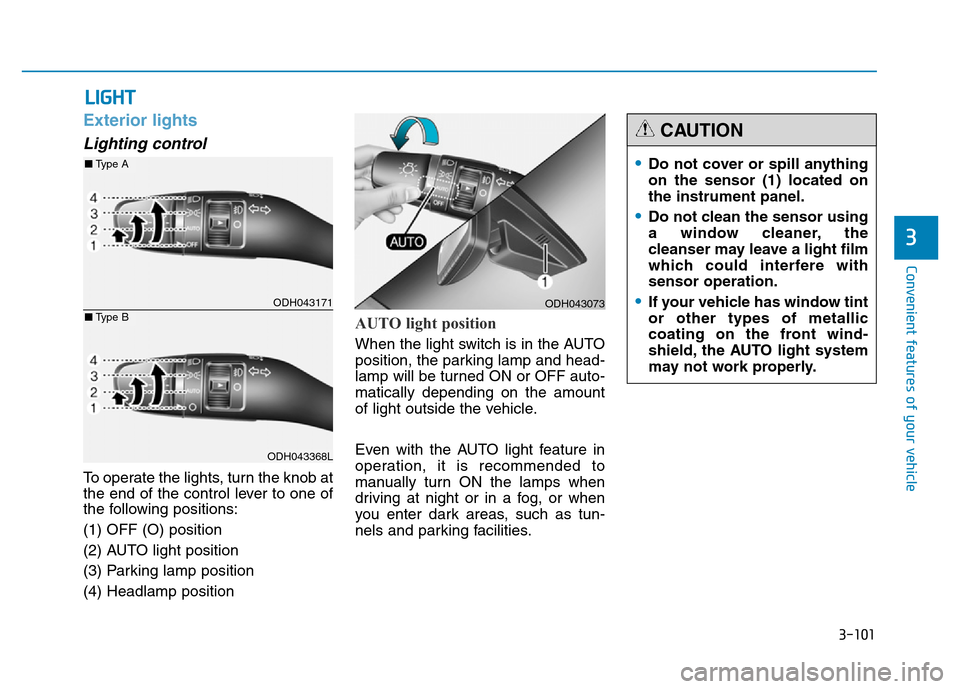
To operate the lights, turn the knob at
the end of the control lever to one of
the following positions:
(1) OFF (O) position
(2) AUTO light position
(3) Parking lamp position
(4) Headlamp position
AUTO light position
When the light switch is in the AUTO
position, the parking lamp and head-
lamp will be turned ON or OFF auto-
matically depending on the amount
of light outside the vehicle.
Even with the AUTO light feature in
operation, it is recommended to
manually turn ON the lamps when
driving at night or in a fog, or when
you enter dark areas, such as tun-
nels and parking facilities.
LIGHT
ODH043073
•Do not cover or spill anything
on the sensor (1) located on
the instrument panel.
•Do not clean the sensor using
a window cleaner, the
cleanser may leave a light film
which could interfere with
sensor operation.
•If your vehicle has window tint
or other types of metallic
coating on the front wind-
shield, the AUTO light system
may not work properly.
CAUTION
ODH043171
ODH043368L
■Type A
■Type B
Page 193 of 546
3-102
Convenient features of your vehicle
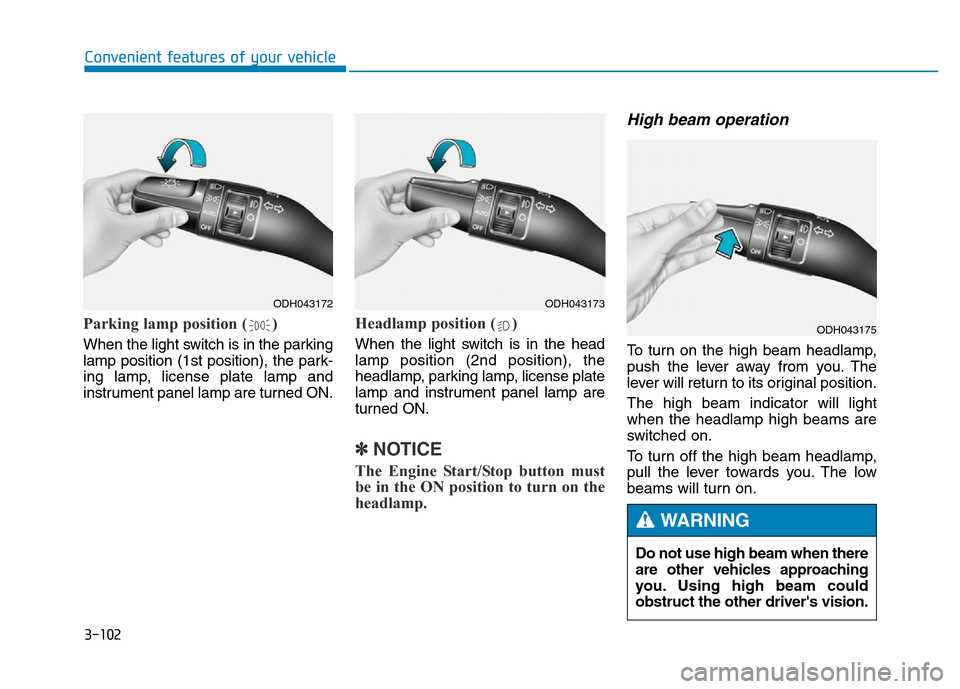
Parking lamp position ( )
When the light switch is in the parking
lamp position (1st position), the park-
ing lamp, license plate lamp and
instrument panel lamp are turned ON.
Headlamp position ( )
When the light switch is in the head
lamp position (2nd position), the
headlamp, parking lamp, license plate
lamp and instrument panel lamp are
turned ON.
✽NOTICE
The Engine Start/Stop button must
be in the ON position to turn on the
headlamp.
High beam operation
To turn on the high beam headlamp,
push the lever away from you. The
lever will return to its original position.
The high beam indicator will light
when the headlamp high beams are
switched on.
To turn off the high beam headlamp,
pull the lever towards you. The low
beams will turn on.
ODH043172ODH043173
ODH043175
Do not use high beam when there
are other vehicles approaching
you. Using high beam could
obstruct the other driver's vision.
WARNING
Page 194 of 546
3-103
Convenient features of your vehicle
3
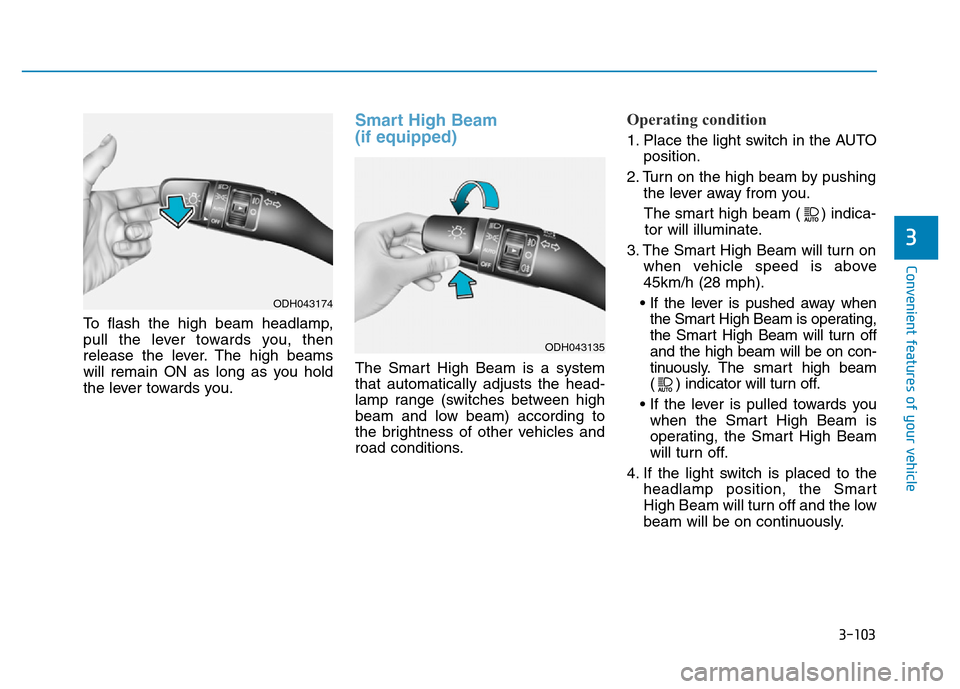
To flash the high beam headlamp,
pull the lever towards you, then
release the lever. The high beams
will remain ON as long as you hold
the lever towards you.
Smart High Beam
(if equipped)
The Smart High Beam is a system
that automatically adjusts the head-
lamp range (switches between high
beam and low beam) according to
the brightness of other vehicles and
road conditions.
Operating condition
1. Place the light switch in the AUTO
position.
2. Turn on the high beam by pushing
the lever away from you.
The smart high beam ( ) indica-
tor will illuminate.
3. The Smart High Beam will turn on
when vehicle speed is above
45km/h (28 mph).
• If the lever is pushed away when
the Smart High Beam is operating,
the Smart High Beam will turn off
and the high beam will be on con-
tinuously. The smarthigh beam
( ) indicator will turn off.
• If the lever is pulled towards you
when the Smart High Beam is
operating, the Smart High Beam
will turn off.
4. If the light switch is placed to the
headlamp position, the Smart
High Beam will turn off and the low
beam will be on continuously.
ODH043174
ODH043135
Page 195 of 546
3-104
Convenient features of your vehicle
The high beam switches to low beam
in the below conditions.
- When the Smart High Beam is off.
- When the light switch is not in the
AUTO position.
- When the headlamp is detected
from the on-coming vehicle.
- When the tail lamp is detected
from the front vehicle.
- When the surrounding is bright
enough high beams are not need-
ed.
- When streetlights or other lights
are detected.
- When vehicle speed is below
35km/h (22 mph).The system may not operate nor-
mally in the below conditions.
•When the light from the on-
coming or front vehicle is not
detected because of lamp dam-
age, hidden from sight, etc.
•When the lamp of the on-com-
ing or front vehicle is covered
with dust, snow or water.
•When the light from the on-
coming or front vehicle is not
detected because of exhaust
fume, smoke, fog, snow, etc.
•When the front window is cov-
ered with foreign matters such
as ice, dust, fog, or is damaged.
•When there is a similar shape
lamp with the front vehicle’s
lamps.
•When it is hard to see because
of fog, heavy rain or snow.
•When the headlamp is not
repaired or replaced at an
authorized dealer.
(continued)
CAUTION(continued)
•When headlamp aiming is not
properly adjusted.
•When driving on a narrow
curved road or rough road.
•When driving downhill or uphill.
•When only part of the vehicle
in front is visible on a cross-
road or curved road.
•When there is a traffic light,
reflecting sign, flashing sign
or mirror.
•When the road conditions are
bad such as being wet or cov-
ered with snow.
•When the front vehicle’s head-
lamps are off but the fog lamps
on.
•When a vehicle suddenly
appears from a curve.
•When the vehicle is tilted from
a flat tire or being towed.
•When the LDWS (Lane
Departure Warning System)
warning light illuminates. (if
equipped)
Page 196 of 546
3-105
Convenient features of your vehicle
3
Turn signals and lane change
signals
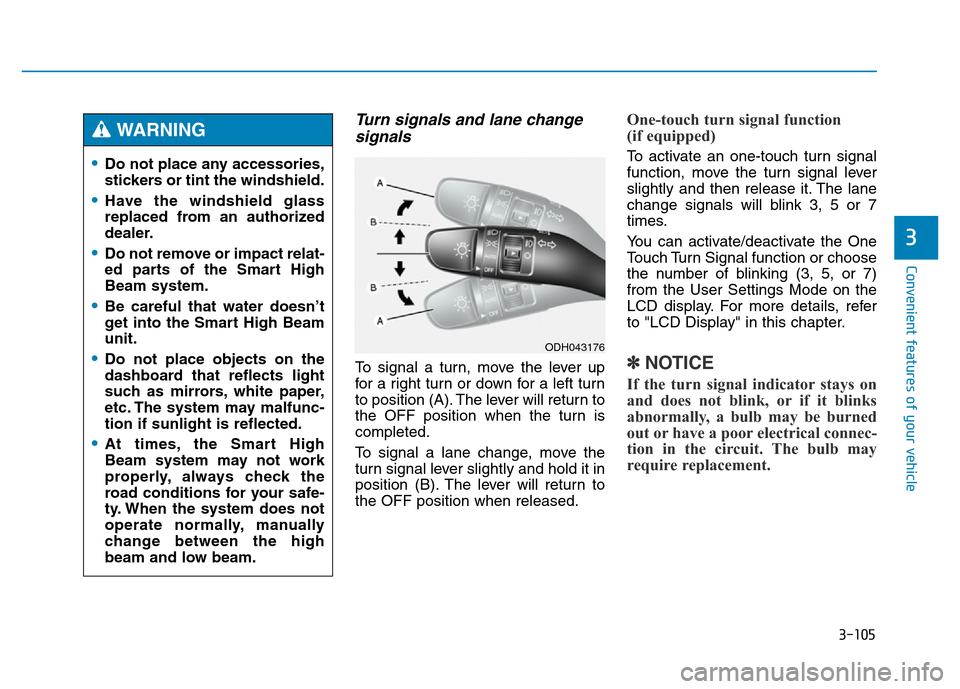
To signal a turn, move the lever up
for a right turn or down for a left turn
to position (A). The lever will return to
the OFF position when the turn is
completed.
To signal a lane change, move the
turn signal lever slightly and hold it in
position (B). The lever will return to
the OFF position when released.
One-touch turn signal function
(if equipped)
To activate an one-touch turn signal
function, move the turn signal lever
slightly and then release it. The lane
change signals will blink 3, 5 or 7
times.
You can activate/deactivate the One
Touch Turn Signal function or choose
the number of blinking (3, 5, or 7)
from the User Settings Mode on the
LCD display. For more details, refer
to "LCD Display" in this chapter.
✽NOTICE
If the turn signal indicator stays on
and does not blink, or if it blinks
abnormally, a bulb may be burned
out or have a poor electrical connec-
tion in the circuit. The bulb may
require replacement.
•Do not place any accessories,
stickers or tint the windshield.
•Have the windshield glass
replaced from an authorized
dealer.
•Do not remove or impact relat-
ed parts of the Smart High
Beam system.
•Be careful that water doesn’t
get into the Smart High Beam
unit.
•Do not place objects on the
dashboard that reflects light
such as mirrors, white paper,
etc. The system may malfunc-
tion if sunlight is reflected.
•At times, the Smart High
Beam system may not work
properly, always check the
road conditions for your safe-
ty. When the system does not
operate normally, manually
change between the high
beam and low beam.
WARNING
ODH043176
Page 197 of 546
3-106
Convenient features of your vehicle
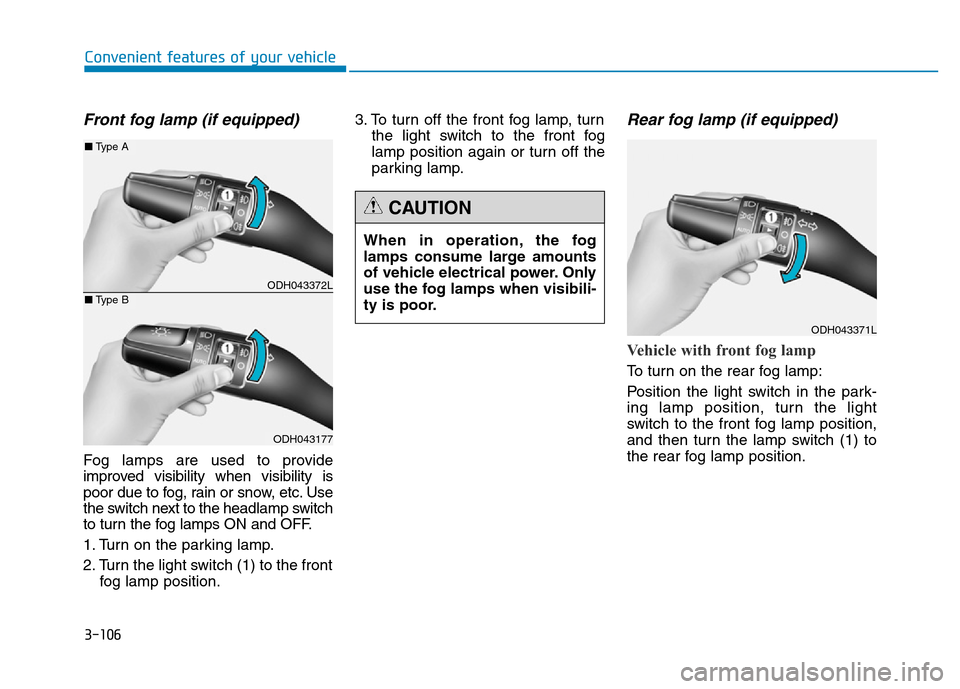
Front fog lamp (if equipped)
Fog lamps are used to provide
improved visibility when visibility is
poor due to fog, rain or snow, etc. Use
the switch next to the headlamp switch
to turn the fog lamps ON and OFF.
1. Turn on the parking lamp.
2. Turn the light switch (1) to the front
fog lamp position.3. To turn off the front fog lamp, turn
the light switch to the front fog
lamp position again or turn off the
parking lamp.
Rear fog lamp (if equipped)
Vehicle with front fog lamp
To turn on the rear fog lamp:
Position the light switch in the park-
ing lamp position, turn the light
switch to the front fog lamp position,
and then turn the lamp switch (1) to
the rear fog lamp position. When in operation, the fog
lamps consume large amounts
of vehicle electrical power. Only
use the fog lamps when visibili-
ty is poor.
CAUTION
ODH043371L
ODH043372L
ODH043177
■Type A
■Type B