outside mirror Hyundai Genesis 2015 User Guide
[x] Cancel search | Manufacturer: HYUNDAI, Model Year: 2015, Model line: Genesis, Model: Hyundai Genesis 2015Pages: 501, PDF Size: 38.76 MB
Page 131 of 501
3-37
Convenient features of your vehicle
3
Folding/Unfolding the outside
rearview mirror
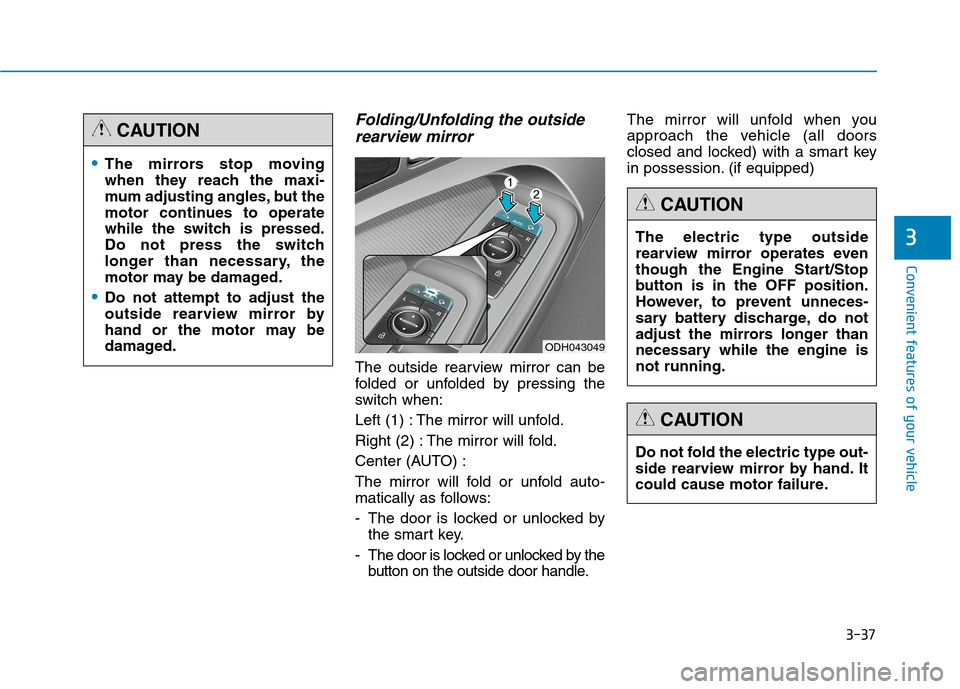
The outside rearview mirror can be
folded or unfolded by pressing the
switch when:
Left (1) : The mirror will unfold.
Right (2) : The mirror will fold.
Center (AUTO) :
The mirror will fold or unfold auto-
matically as follows:
- The door is locked or unlocked by
the smart key.
- The door is locked or unlocked by the
button on the outside door handle.The mirror will unfold when you
approach the vehicle (all doors
closed and locked) with a smart key
in possession. (if equipped)
The mirrors stop moving
when they reach the maxi-
mum adjusting angles, but the
motor continues to operate
while the switch is pressed.
Do not press the switch
longer than necessary, the
motor may be damaged.
Do not attempt to adjust the
outside rearview mirror by
hand or the motor may be
damaged.
CAUTION
ODH043049
The electric type outside
rearview mirror operates even
though the Engine Start/Stop
button is in the OFF position.
However, to prevent unneces-
sary battery discharge, do not
adjust the mirrors longer than
necessary while the engine is
not running.
CAUTION
Do not fold the electric type out-
side rearview mirror by hand. It
could cause motor failure.
CAUTION
Page 132 of 501

3-38
Convenient features of your vehicle
Reverse parking aid function
When you move the shift lever to the
R (Reverse) position, the outside
rearview mirror(s) will rotate down-
wards to aid with driving in reverse.
The position of the outside rearview
mirror switch (1) determines whether
or not the mirrors will move:
Left/Right :When either the L (Left) or
R (Right) switch is select-
ed, both outside rearview
mirrors will move.
Neutral : When neither switch is select-
ed, the outside rearview mir-
rors will not move.The outside rearview mirrors will
automatically revert to their original
positions if any of the following occur:
The Engine Start/Stop button is
pressed to either the OFF position
or the ACC position.
The shift lever is moved to any
position except R (Reverse).
The remote control outside rearview
mirror switch is not selected.
ODH043042
Page 210 of 501
3-116
Convenient features of your vehicle
Headlamp leveling device
(if equipped)
Automatically adjusts the headlamp
beam level according to the number
of passengers and loading weight in
the luggage area.
If the Headlight Leveling Device is
not working properly have your vehi-
cle inspected by an authorized
HYUNDAI dealer.
Headlamp washer (if equipped)
Washer fluid will be sprayed on the
headlamps at the same time you
operate the windshield washer when:
1. The Engine Start/Stop button is in
the ON position.
2. The light switch is in the headlamp
position (low beam).
✽ ✽
NOTICE
• Check the headlamp washers peri-
odically to confirm that the wash-
er fluid is being sprayed properly
onto the headlamp lenses.
• The headlamp washer can be
operated 15 minutes after the last
operation.
Welcome system (if equipped)
Welcome light (if equipped)
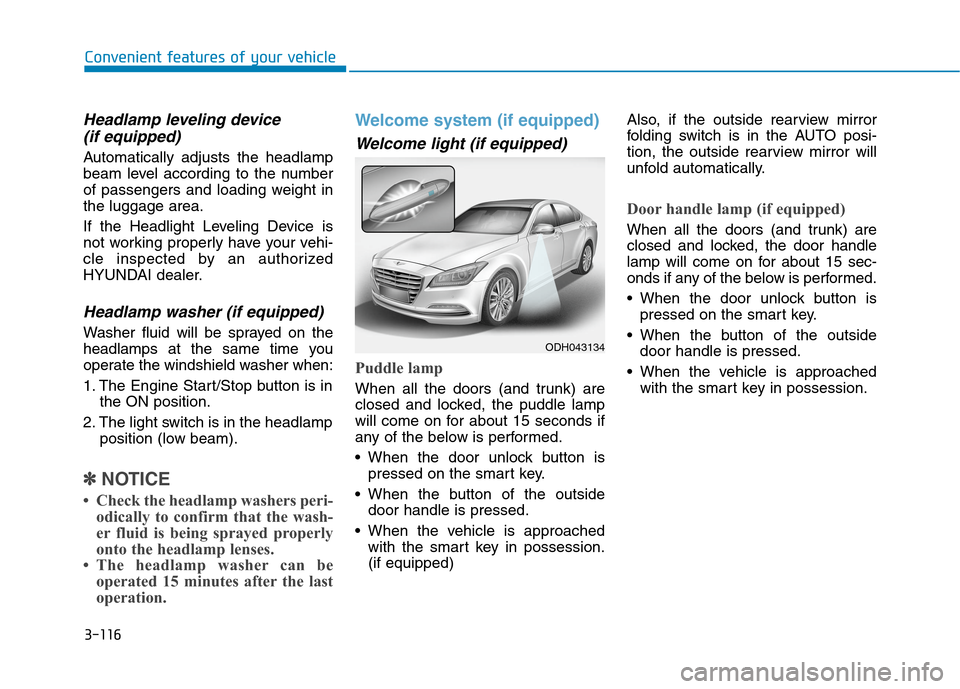
Puddle lamp
When all the doors (and trunk) are
closed and locked, the puddle lamp
will come on for about 15 seconds if
any of the below is performed.
When the door unlock button is
pressed on the smart key.
When the button of the outside
door handle is pressed.
When the vehicle is approached
with the smart key in possession.
(if equipped)Also, if the outside rearview mirror
folding switch is in the AUTO posi-
tion, the outside rearview mirror will
unfold automatically.
Door handle lamp (if equipped)
When all the doors (and trunk) are
closed and locked, the door handle
lamp will come on for about 15 sec-
onds if any of the below is performed.
When the door unlock button is
pressed on the smart key.
When the button of the outside
door handle is pressed.
When the vehicle is approached
with the smart key in possession.
ODH043134
Page 226 of 501
3-132
Convenient features of your vehicle
Outside rearview mirror
defroster
If your vehicle is equipped with the
outside rearview mirror defrosters,
they will operate at the same time
you turn on the rear window
defroster.
Front wiper deicer
If your vehicle is equipped with the
wiper deicer, it will operate at the
same time you turn on the rear win-
dow defroster.
Page 241 of 501
3-147
Convenient features of your vehicle
3
W WI
IN
ND
DS
SH
HI
IE
EL
LD
D
D
DE
EF
FR
RO
OS
ST
TI
IN
NG
G
A
AN
ND
D
D
DE
EF
FO
OG
GG
GI
IN
NG
G
For maximum defrosting, set the
temperature control to the extreme
right/hot position and the fan speed
control to the highest speed.
If warm air to the floor is desired
while defrosting or defogging, set the
mode to the floor-defrost position.
Before driving, clear all snow and
ice from the windshield, rear win-
dow, outside rear view mirrors, and
all side windows.
Clear all snow and ice from the
hood and air inlet in the cowl grill to
improve heater and defroster effi-
ciency and to reduce the probability
of fogging up the inside of the wind-
shield.
✽ ✽
NOTICE
If the engine temperature is still cold
after starting, then a brief engine
warm up period may be required for
the vented air flow to become warm
or hot.
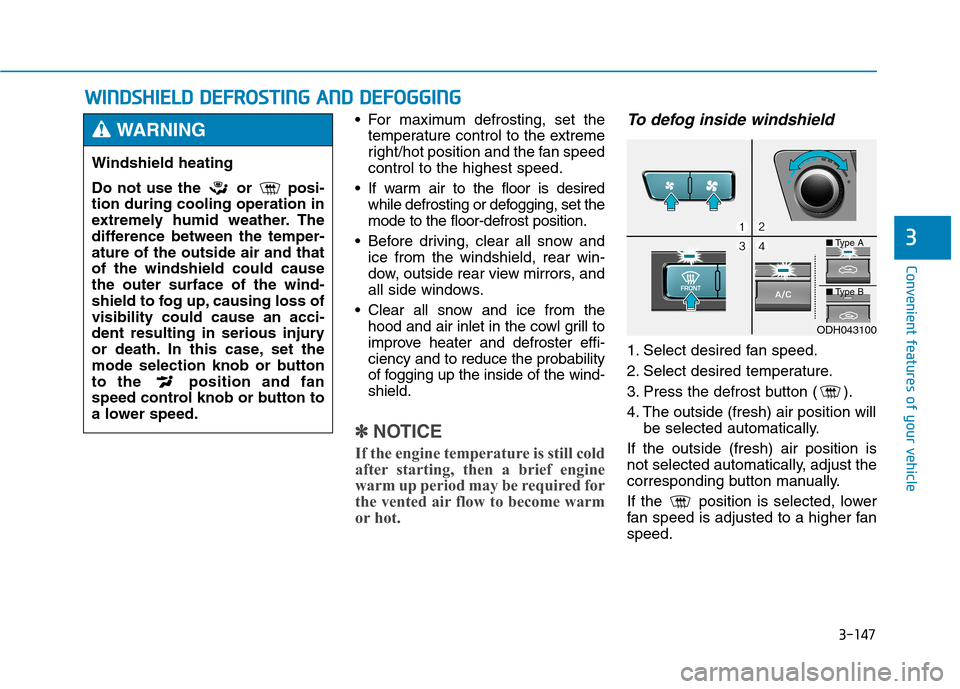
To defog inside windshield
1. Select desired fan speed.
2. Select desired temperature.
3. Press the defrost button ( ).
4. The outside (fresh) air position will
be selected automatically.
If the outside (fresh) air position is
not selected automatically, adjust the
corresponding button manually.
If the position is selected, lower
fan speed is adjusted to a higher fan
speed.
Windshield heating
Do not use the or posi-
tion during cooling operation in
extremely humid weather. The
difference between the temper-
ature of the outside air and that
of the windshield could cause
the outer surface of the wind-
shield to fog up, causing loss of
visibility could cause an acci-
dent resulting in serious injury
or death. In this case, set the
mode selection knob or button
to the position and fan
speed control knob or button to
a lower speed.
WARNING
ODH043100
■Type A
■Type B
Page 250 of 501
3-156
Convenient features of your vehicle
✽ ✽
NOTICE
Close the vanity mirror cover
securely and return the sunvisor to
its original position after use.
Power outlet (if equipped)
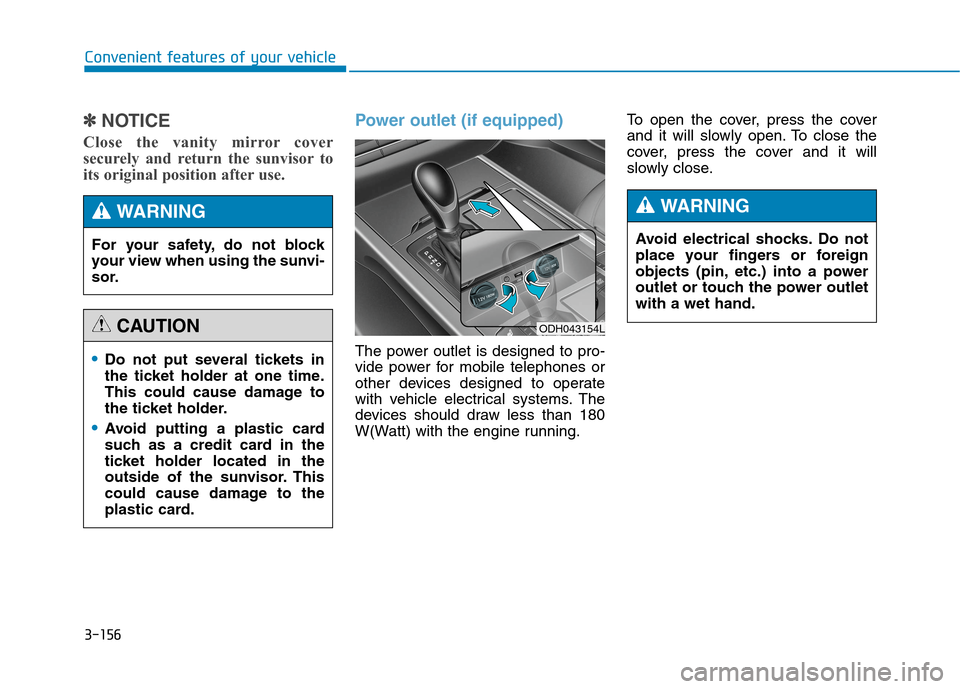
The power outlet is designed to pro-
vide power for mobile telephones or
other devices designed to operate
with vehicle electrical systems. The
devices should draw less than 180
W(Watt) with the engine running.To open the cover, press the cover
and it will slowly open. To close the
cover, press the cover and it will
slowly close.Do not put several tickets in
the ticket holder at one time.
This could cause damage to
the ticket holder.
Avoid putting a plastic card
such as a credit card in the
ticket holder located in the
outside of the sunvisor. This
could cause damage to the
plastic card.
CAUTION
For your safety, do not block
your view when using the sunvi-
sor.
WARNING
ODH043154L
Avoid electrical shocks. Do not
place your fingers or foreign
objects (pin, etc.) into a power
outlet or touch the power outlet
with a wet hand.
WARNING
Page 264 of 501
5-4
Driving your vehicle
Before entering the vehicle
• Be sure all windows, outside mir-
ror(s), and outside lights are clean
and unobstructed.
Remove frost, snow, or ice.
Visually check the tires for uneven
wear and damage.
Check under the vehicle for any
sign of leaks.
Be sure there are no obstacles
behind you if you intend to back up.
Before starting
Make sure the hood, the trunk, and
the doors are securely closed and
locked.
Adjust the position of the seat and
steering wheel.
Adjust the inside and outside
rearview mirrors.
Verify all the lights work.
Fasten your seatbelt. Check that all
passengers have fastened their
seatbelts.
Check the gauges and indicators in
the instrument panel and the mes-
sages on the instrument display
when the Engine Start/Stop button
is in the ON position.
Check that any items you are car-
rying are stored properly or fas-
tened down securely. CALIFORNIA PROPOSITION 65
WARNING
Engine exhaust and a wide vari-
ety of automobile components
including components found in
the interior furnishings in a
vehicle, contain or emit harmful
chemicals known to the State of
California to cause cancer and
birth defects and reproductive
harm. In addition, certain fluids
contained in vehicles and cer-
tain products of components
contain or emit chemicals
known to the State of California
to cause cancer and birth
defects or other reproductive
harm.WARNING
B BE
EF
FO
OR
RE
E
D
DR
RI
IV
VI
IN
NG
G
Page 334 of 501
5-74
Driving your vehicle
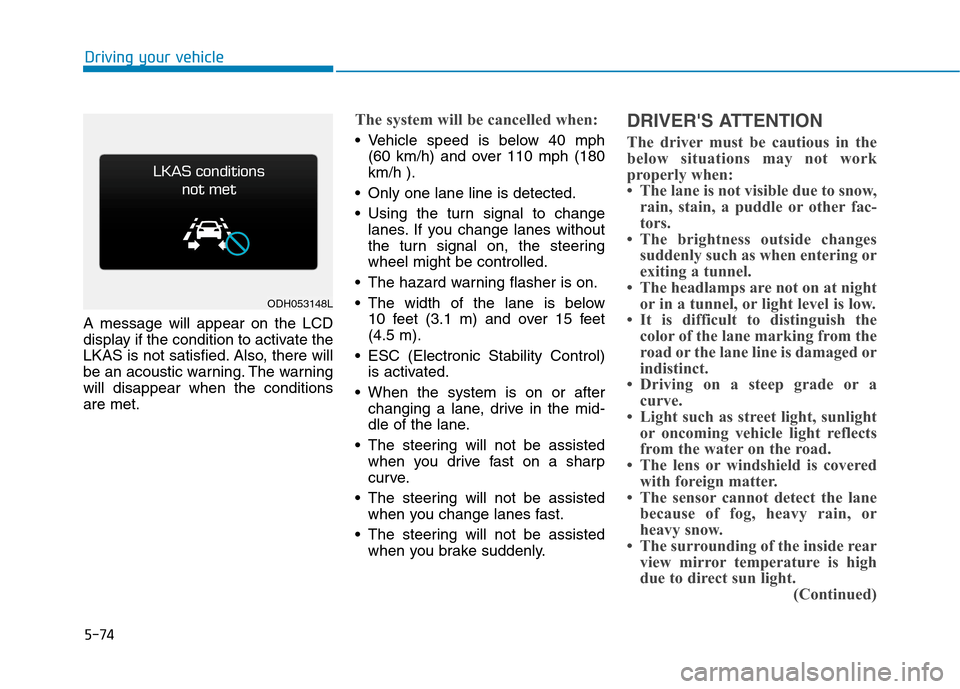
A message will appear on the LCD
display if the condition to activate the
LKAS is not satisfied. Also, there will
be an acoustic warning. The warning
will disappear when the conditions
are met.
The system will be cancelled when:
Vehicle speed is below 40 mph
(60 km/h) and over 110 mph (180
km/h ).
Only one lane line is detected.
Using the turn signal to change
lanes. If you change lanes without
the turn signal on, the steering
wheel might be controlled.
The hazard warning flasher is on.
The width of the lane is below
10 feet (3.1 m) and over 15 feet
(4.5 m).
ESC (Electronic Stability Control)
is activated.
When the system is on or after
changing a lane, drive in the mid-
dle of the lane.
The steering will not be assisted
when you drive fast on a sharp
curve.
The steering will not be assisted
when you change lanes fast.
The steering will not be assisted
when you brake suddenly.
DRIVER'S ATTENTION
The driver must be cautious in the
below situations may not work
properly when:
• The lane is not visible due to snow,
rain, stain, a puddle or other fac-
tors.
• The brightness outside changes
suddenly such as when entering or
exiting a tunnel.
• The headlamps are not on at night
or in a tunnel, or light level is low.
• It is difficult to distinguish the
color of the lane marking from the
road or the lane line is damaged or
indistinct.
• Driving on a steep grade or a
curve.
• Light such as street light, sunlight
or oncoming vehicle light reflects
from the water on the road.
• The lens or windshield is covered
with foreign matter.
• The sensor cannot detect the lane
because of fog, heavy rain, or
heavy snow.
• The surrounding of the inside rear
view mirror temperature is high
due to direct sun light.
(Continued)
ODH053148L
Page 339 of 501
5-79
Driving your vehicle
5
BSD (Blind Spot Detection) /
LCA (Lane Change Assist)
Operating conditions
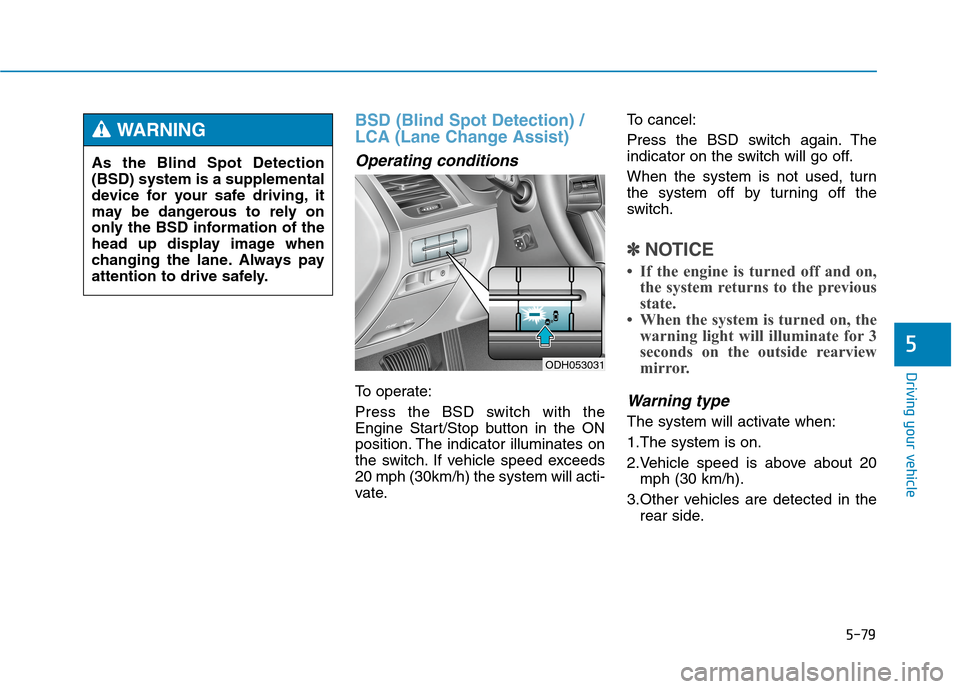
To operate:
Press the BSD switch with the
Engine Start/Stop button in the ON
position. The indicator illuminates on
the switch. If vehicle speed exceeds
20 mph (30km/h) the system will acti-
vate.To cancel:
Press the BSD switch again. The
indicator on the switch will go off.
When the system is not used, turn
the system off by turning off the
switch.
✽ ✽
NOTICE
• If the engine is turned off and on,
the system returns to the previous
state.
• When the system is turned on, the
warning light will illuminate for 3
seconds on the outside rearview
mirror.
Warning type
The system will activate when:
1.The system is on.
2.Vehicle speed is above about 20
mph (30 km/h).
3.Other vehicles are detected in the
rear side.
ODH053031
As the Blind Spot Detection
(BSD) system is a supplemental
device for your safe driving, it
may be dangerous to rely on
only the BSD information of the
head up display image when
changing the lane. Always pay
attention to drive safely.
WARNING
Page 340 of 501
5-80
Driving your vehicle
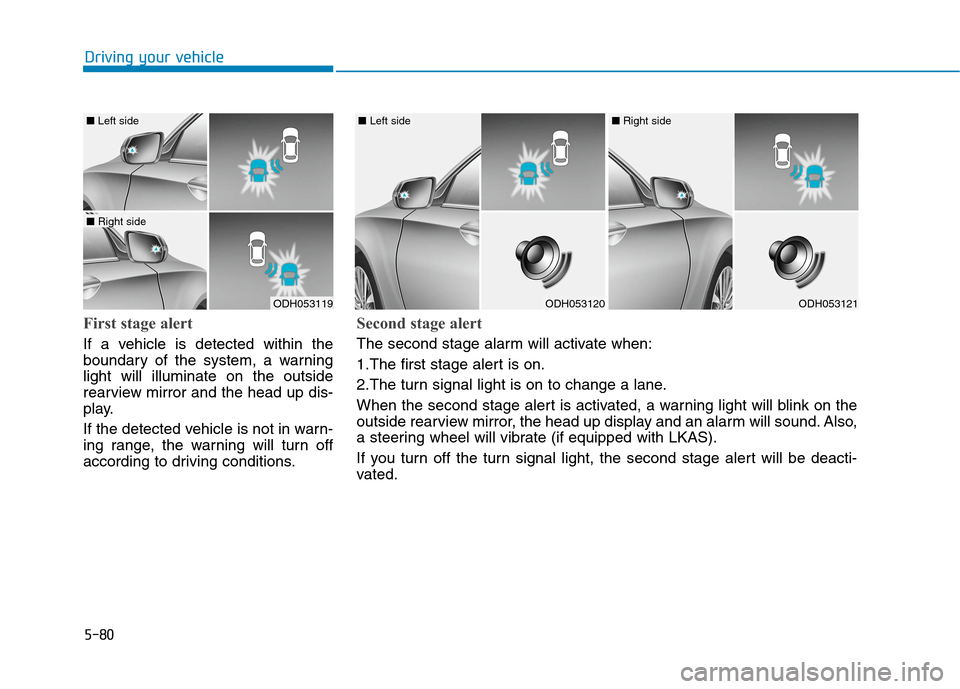
First stage alert
If a vehicle is detected within the
boundary of the system, a warning
light will illuminate on the outside
rearview mirror and the head up dis-
play.
If the detected vehicle is not in warn-
ing range, the warning will turn off
according to driving conditions.
ODH053119
■ Left side
■ Right side
ODH053120
■ Left side
ODH053121
■ Right side
Second stage alert
The second stage alarm will activate when:
1.The first stage alert is on.
2.The turn signal light is on to change a lane.
When the second stage alert is activated, a warning light will blink on the
outside rearview mirror, the head up display and an alarm will sound. Also,
a steering wheel will vibrate (if equipped with LKAS).
If you turn off the turn signal light, the second stage alert will be deacti-
vated.