operation Hyundai Genesis 2015 Owner's Guide
[x] Cancel search | Manufacturer: HYUNDAI, Model Year: 2015, Model line: Genesis, Model: Hyundai Genesis 2015Pages: 501, PDF Size: 38.76 MB
Page 134 of 501
3-40
Convenient features of your vehicle
Power windows
The Engine Start/Stop button must
be in the ON position to be able to
raise or lower the windows. Each
door has a Power Window switch to
control that door's window. The driv-
er has a Power Window Lock switch
which can block the operation of pas-
senger windows. The power windows
will operate for approximately 30
seconds after the Engine Start/Stop
button is placed in the ACC or OFF
position. However, if the front doors
are opened, the Power Windows
cannot be operated even within the
30 second period.
✽ ✽
NOTICE
• In cold and wet climates, power
windows may not work properly
due to freezing conditions.
• While driving with the rear win-
dows down or with the sunroof (if
equipped) opened (or partially
opened), your vehicle may demon-
strate a wind buffeting or pulsation
noise. This noise is normal and can
be reduced or eliminated by taking
the following actions. If the noise
occurs with one or both of the rear
windows down, partially lower
both front windows approximately
one inch. If you experience the
noise with the sunroof open, slight-
ly close the sunroof.
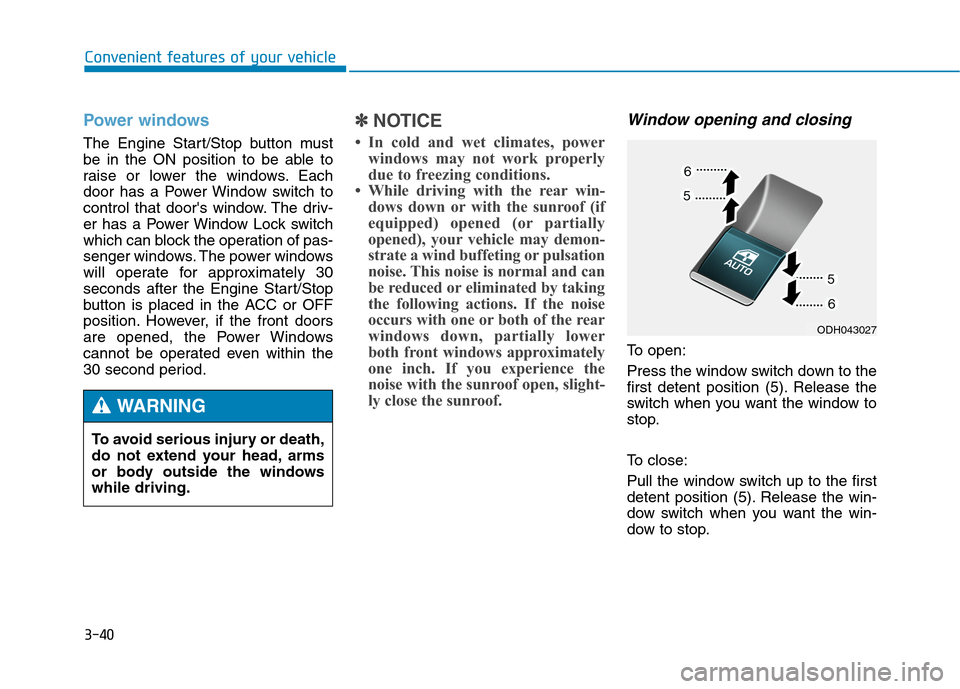
Window opening and closing
To open:
Press the window switch down to the
first detent position (5). Release the
switch when you want the window to
stop.
To close:
Pull the window switch up to the first
detent position (5). Release the win-
dow switch when you want the win-
dow to stop. To avoid serious injury or death,
do not extend your head, arms
or body outside the windows
while driving.
WARNING
ODH043027
Page 135 of 501
3-41
Convenient features of your vehicle
3
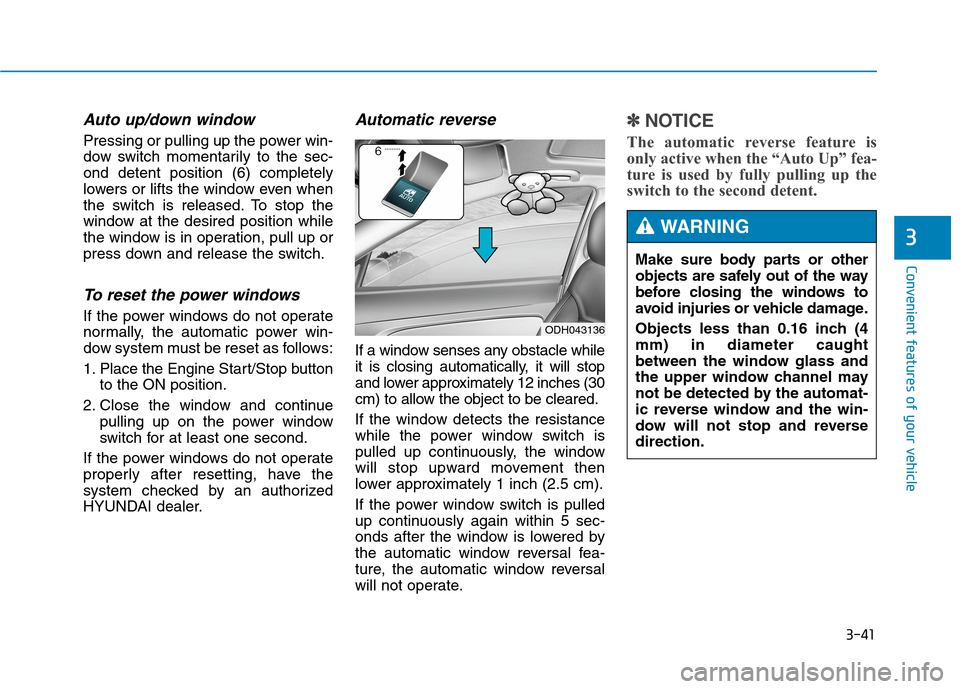
Auto up/down window
Pressing or pulling up the power win-
dow switch momentarily to the sec-
ond detent position (6) completely
lowers or lifts the window even when
the switch is released. To stop the
window at the desired position while
the window is in operation, pull up or
press down and release the switch.
To reset the power windows
If the power windows do not operate
normally, the automatic power win-
dow system must be reset as follows:
1. Place the Engine Start/Stop button
to the ON position.
2. Close the window and continue
pulling up on the power window
switch for at least one second.
If the power windows do not operate
properly after resetting, have the
system checked by an authorized
HYUNDAI dealer.
Automatic reverse
If a window senses any obstacle while
it is closing automatically, it will stop
and lower approximately 12 inches (30
cm) to allow the object to be cleared.
If the window detects the resistance
while the power window switch is
pulled up continuously, the window
will stop upward movement then
lower approximately 1 inch (2.5 cm).
If the power window switch is pulled
up continuously again within 5 sec-
onds after the window is lowered by
the automatic window reversal fea-
ture, the automatic window reversal
will not operate.
✽ ✽
NOTICE
The automatic reverse feature is
only active when the “Auto Up” fea-
ture is used by fully pulling up the
switch to the second detent.
ODH043136
Make sure body parts or other
objects are safely out of the way
before closing the windows to
avoid injuries or vehicle damage.
Objects less than 0.16 inch (4
mm) in diameter caught
between the window glass and
the upper window channel may
not be detected by the automat-
ic reverse window and the win-
dow will not stop and reverse
direction.
WARNING
Page 136 of 501
3-42
Convenient features of your vehicle
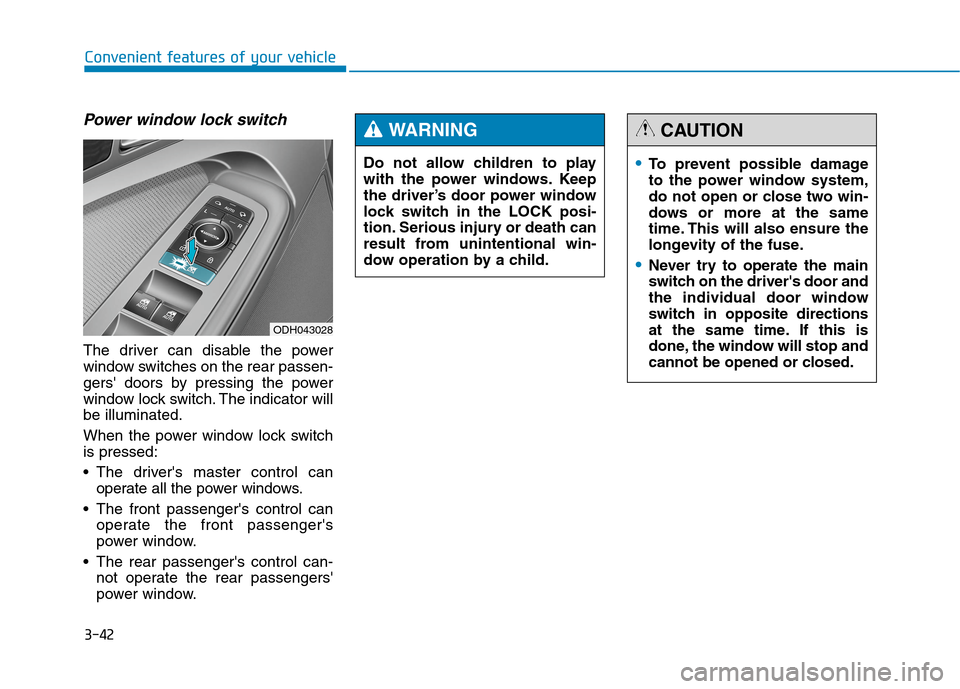
Power window lock switch
The driver can disable the power
window switches on the rear passen-
gers' doors by pressing the power
window lock switch. The indicator will
be illuminated.
When the power window lock switch
is pressed:
The driver's master control can
operate all the power windows.
The front passenger's control can
operate the front passenger's
power window.
The rear passenger's control can-
not operate the rear passengers'
power window.
ODH043028
To prevent possible damage
to the power window system,
do not open or close two win-
dows or more at the same
time. This will also ensure the
longevity of the fuse.
Never try to operate the main
switch on the driver's door and
the individual door window
switch in opposite directions
at the same time. If this is
done, the window will stop and
cannot be opened or closed.
CAUTION
Do not allow children to play
with the power windows. Keep
the driver’s door power window
lock switch in the LOCK posi-
tion. Serious injury or death can
result from unintentional win-
dow operation by a child.
WARNING
Page 145 of 501
3-51
Convenient features of your vehicle
3
✽ ✽
NOTICE
In cold and wet climates, trunk lock
and trunk mechanisms may not
work properly due to freezing condi-
tions.Power Trunk Non-Opening or
Closing Conditions:
The Power Trunk will not open or
close automatically, when the vehi-
cle is moving more than 1.8 mph (3
km/h).
The Power Trunk can be operated
when the engine is not running.
However, the Power Trunk operation
consumes large amounts of vehicle
electric power. To prevent the bat-
tery from draining, do not operate it
excessively (e.g., more than
approximately 10 times repeatedly.)
Do not modify or repair any part of
the Power Trunk by yourself. This
must be done by an authorized
HYUNDAI dealer.
Before jacking up the vehicle to
change a tire or repair the vehicle,
open the Power Trunk. Do not oper-
ate the Power Trunk when the vehi-
cle is raised or this could cause the
Power Trunk to operate improperly.
If there are obstacles such as snow
on the Power Trunk, it may not open
automatically. After removing the
obstacle, try to open it again.
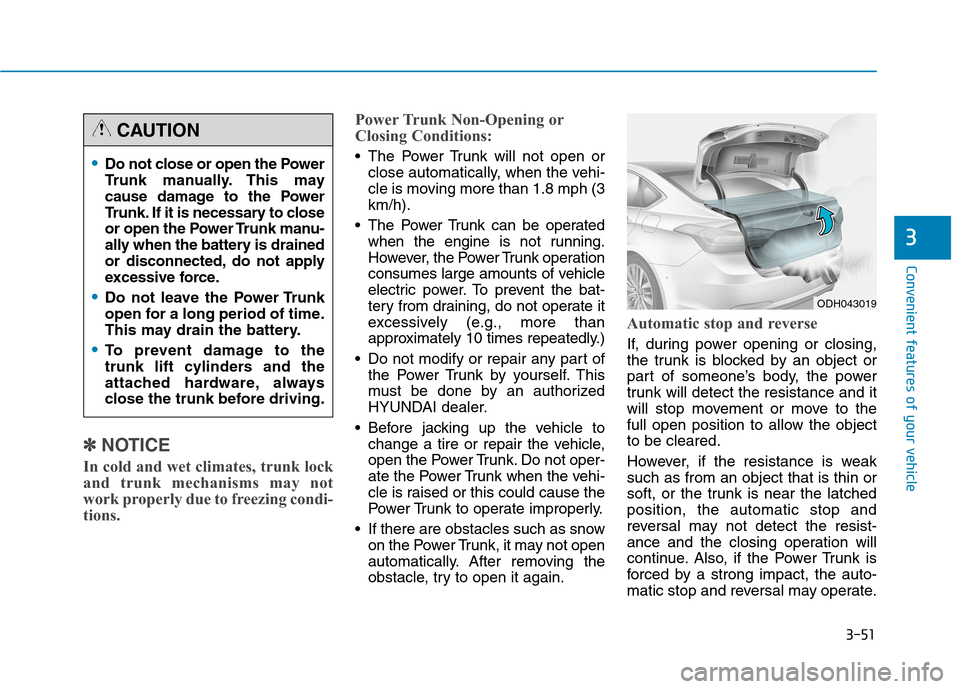
Automatic stop and reverse
If, during power opening or closing,
the trunk is blocked by an object or
part of someone’s body, the power
trunk will detect the resistance and it
will stop movement or move to the
full open position to allow the object
to be cleared.
However, if the resistance is weak
such as from an object that is thin or
soft, or the trunk is near the latched
position, the automatic stop and
reversal may not detect the resist-
ance and the closing operation will
continue. Also, if the Power Trunk is
forced by a strong impact, the auto-
matic stop and reversal may operate.
Do not close or open the Power
Trunk manually. This may
cause damage to the Power
Trunk. If it is necessary to close
or open the Power Trunk manu-
ally when the battery is drained
or disconnected, do not apply
excessive force.
Do not leave the Power Trunk
open for a long period of time.
This may drain the battery.
To prevent damage to the
trunk lift cylinders and the
attached hardware, always
close the trunk before driving.
CAUTION
ODH043019
Page 146 of 501
3-52
Convenient features of your vehicle
If the automatic stop and reverse fea-
ture operates more than twice during
one opening or closing operation, the
Power Trunk may stop at that posi-
tion. If this occurs, close the trunk
manually and operate the trunk auto-
matically again.
To reset the power trunk
If the battery has been discharged or
disconnected, or if the related fuse
has been replaced or disconnected,
reset the Power Trunk as follows:
1. Move the shift lever to the P (Park)
position.
2. Close the trunk manually.
If the Power Trunk doesn't work prop-
erly after performing the above pro-
cedure, have the system checked by
an authorized HYUNDAI dealer.
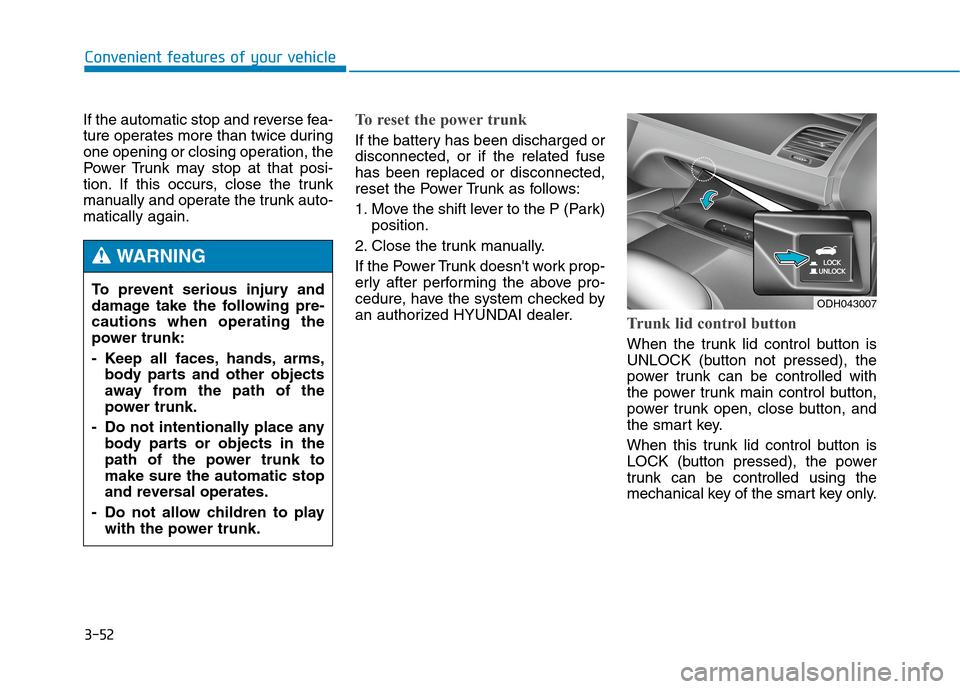
Trunk lid control button
When the trunk lid control button is
UNLOCK (button not pressed), the
power trunk can be controlled with
the power trunk main control button,
power trunk open, close button, and
the smart key.
When this trunk lid control button is
LOCK (button pressed), the power
trunk can be controlled using the
mechanical key of the smart key only. To prevent serious injury and
damage take the following pre-
cautions when operating the
power trunk:
- Keep all faces, hands, arms,
body parts and other objects
away from the path of the
power trunk.
- Do not intentionally place any
body parts or objects in the
path of the power trunk to
make sure the automatic stop
and reversal operates.
- Do not allow children to play
with the power trunk.
WARNING
ODH043007
Page 147 of 501
3-53
Convenient features of your vehicle
3
Even though the trunk lid control but-
ton is LOCK (button pressed), the
trunk will still be propelled upward by
mechanical force if the trunk is man-
ually opened more than 10 degrees
beyond the fully closed position. In
addition, if the trunk is manually
closed to the secondary latch posi-
tion, the trunk will be electrically
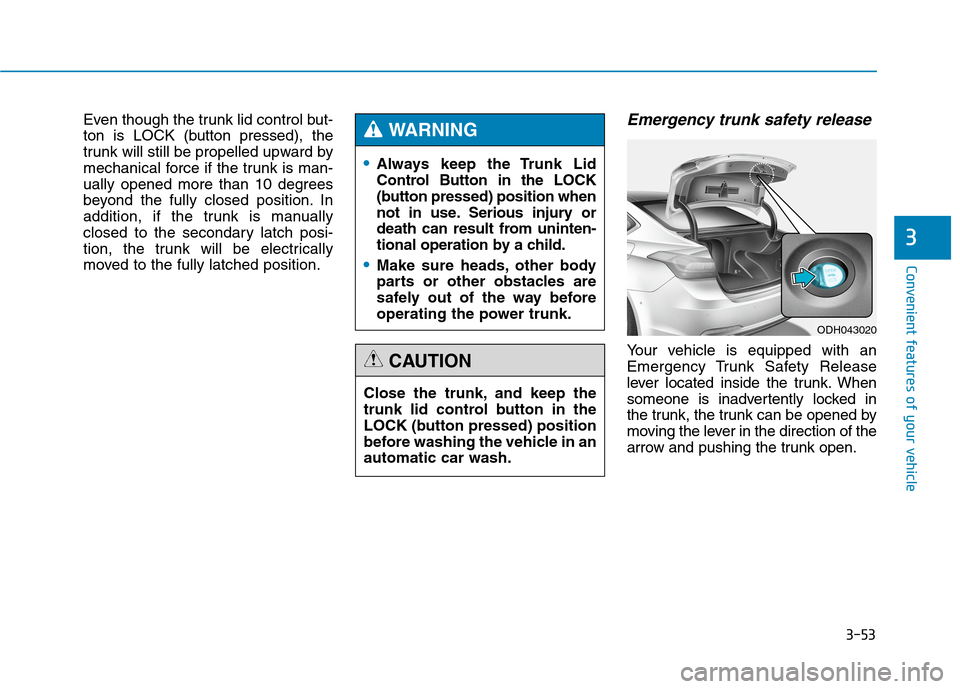
moved to the fully latched position.Emergency trunk safety release
Your vehicle is equipped with an
Emergency Trunk Safety Release
lever located inside the trunk. When
someone is inadvertently locked in
the trunk, the trunk can be opened by
moving the lever in the direction of the
arrow and pushing the trunk open.
Always keep the Trunk Lid
Control Button in the LOCK
(button pressed) position when
not in use. Serious injury or
death can result from uninten-
tional operation by a child.
Make sure heads, other body
parts or other obstacles are
safely out of the way before
operating the power trunk.
WARNING
Close the trunk, and keep the
trunk lid control button in the
LOCK (button pressed) position
before washing the vehicle in an
automatic car wash.
CAUTION
ODH043020
Page 151 of 501
3-57
Convenient features of your vehicle
3
✽ ✽
NOTICE
• If you press the door unlock but-
ton (2), the Smart Trunk function
will be deactivated temporarily.
But, if you do not open any door
for 30 seconds, the smart trunk
function will be activated again.
• If you press the trunk open button
(3) for more than 1 second, the
trunk opens.
• If you press the door lock button
(1) or trunk open button (3) when
the Smart Trunk function is not in
the Detect and Alert stage, the
smart trunk function will not be
deactivated.
• In case you have deactivated the
Smart Trunk function by pressing
the smart key button and opened a
door, the smart trunk function can
be activated again by closing and
locking all doors.
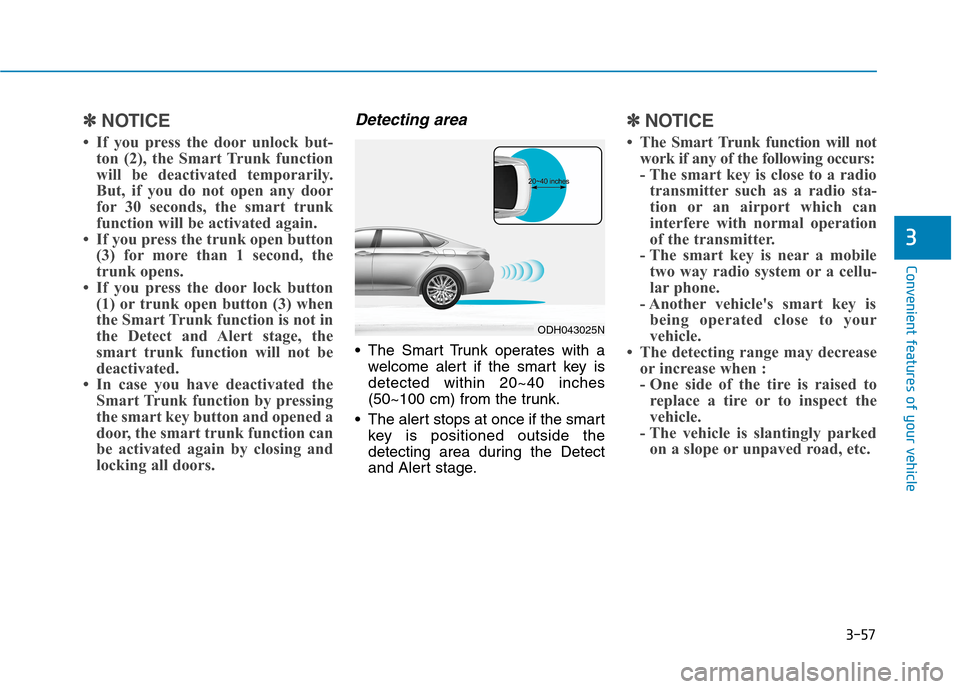
Detecting area
The Smart Trunk operates with a
welcome alert if the smart key is
detected within 20~40 inches
(50~100 cm) from the trunk.
The alert stops at once if the smart
key is positioned outside the
detecting area during the Detect
and Alert stage.
✽ ✽
NOTICE
• The Smart Trunk function will not
work if any of the following occurs:
- The smart key is close to a radio
transmitter such as a radio sta-
tion or an airport which can
interfere with normal operation
of the transmitter.
- The smart key is near a mobile
two way radio system or a cellu-
lar phone.
- Another vehicle's smart key is
being operated close to your
vehicle.
• The detecting range may decrease
or increase when :
- One side of the tire is raised to
replace a tire or to inspect the
vehicle.
- The vehicle is slantingly parked
on a slope or unpaved road, etc.
ODH043025N
Page 168 of 501
3-74
Convenient features of your vehicle
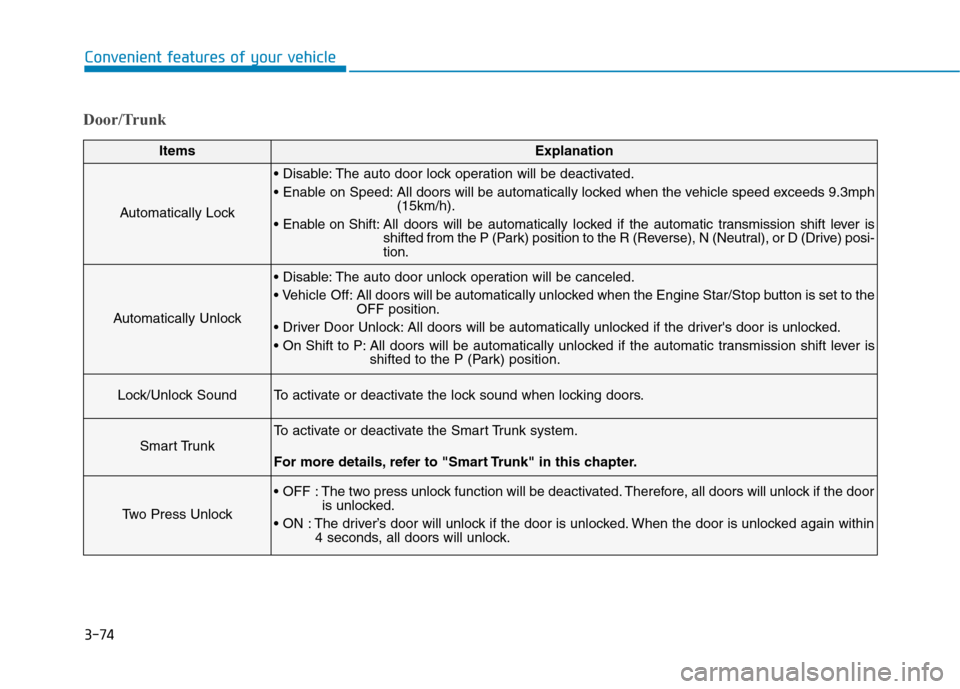
Door/Trunk
ItemsExplanation
Automatically Lock
The auto door lock operation will be deactivated.
All doors will be automatically locked when the vehicle speed exceeds 9.3mph
(15km/h).
All doors will be automatically locked if the automatic transmission shift lever is
shifted from the P (Park) position to the R (Reverse), N (Neutral), or D (Drive) posi-
tion.
Automatically Unlock
The auto door unlock operation will be canceled.
Off: All doors will be automatically unlocked when the Engine Star/Stop button is set to the
OFF position.
All doors will be automatically unlocked if the driver's door is unlocked.
All doors will be automatically unlocked if the automatic transmission shift lever is
shifted to the P (Park) position.
Lock/Unlock SoundTo activate or deactivate the lock sound when locking doors.
Smart Trunk
To activate or deactivate the Smart Trunk system.
For more details, refer to "Smart Trunk" in this chapter.
Two Press Unlock
The two press unlock function will be deactivated. Therefore, all doors will unlock if the door
is unlocked.
The driver’s door will unlock if the door is unlocked. When the door is unlocked again within
4 seconds, all doors will unlock.
Page 190 of 501
3-96
Convenient features of your vehicle
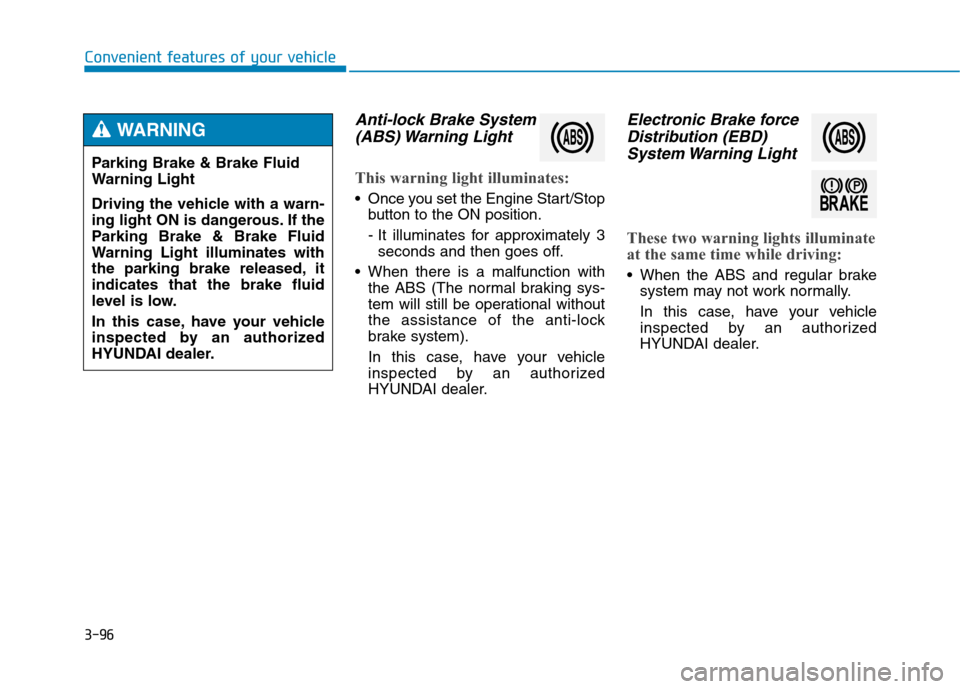
Anti-lock Brake System
(ABS) Warning Light
This warning light illuminates:
Once you set the Engine Start/Stop
button to the ON position.
- It illuminates for approximately 3
seconds and then goes off.
When there is a malfunction with
the ABS (The normal braking sys-
tem will still be operational without
the assistance of the anti-lock
brake system).
In this case, have your vehicle
inspected by an authorized
HYUNDAI dealer.
Electronic Brake force
Distribution (EBD)
System Warning Light
These two warning lights illuminate
at the same time while driving:
When the ABS and regular brake
system may not work normally.
In this case, have your vehicle
inspected by an authorized
HYUNDAI dealer. Parking Brake & Brake Fluid
Warning Light
Driving the vehicle with a warn-
ing light ON is dangerous. If the
Parking Brake & Brake Fluid
Warning Light illuminates with
the parking brake released, it
indicates that the brake fluid
level is low.
In this case, have your vehicle
inspected by an authorized
HYUNDAI dealer.
WARNING
Page 201 of 501
3-107
Convenient features of your vehicle
3
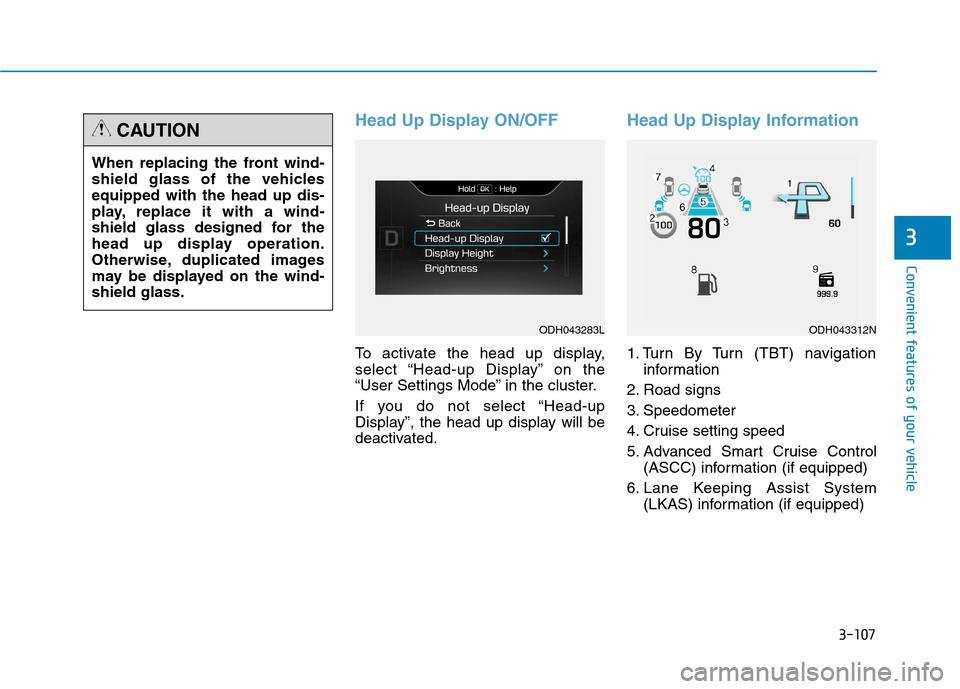
Head Up Display ON/OFF
To activate the head up display,
select “Head-up Display” on the
“User Settings Mode” in the cluster.
If you do not select “Head-up
Display”, the head up display will be
deactivated.
Head Up Display Information
1. Turn By Turn (TBT) navigation
information
2. Road signs
3. Speedometer
4. Cruise setting speed
5. Advanced Smart Cruise Control
(ASCC) information (if equipped)
6. Lane Keeping Assist System
(LKAS) information (if equipped) When replacing the front wind-
shield glass of the vehicles
equipped with the head up dis-
play, replace it with a wind-
shield glass designed for the
head up display operation.
Otherwise, duplicated images
may be displayed on the wind-
shield glass.
CAUTION
ODH043283LODH043312N