steering Hyundai Genesis 2015 Owner's Guide
[x] Cancel search | Manufacturer: HYUNDAI, Model Year: 2015, Model line: Genesis, Model: Hyundai Genesis 2015Pages: 501, PDF Size: 38.76 MB
Page 176 of 501
3-82
Convenient features of your vehicle
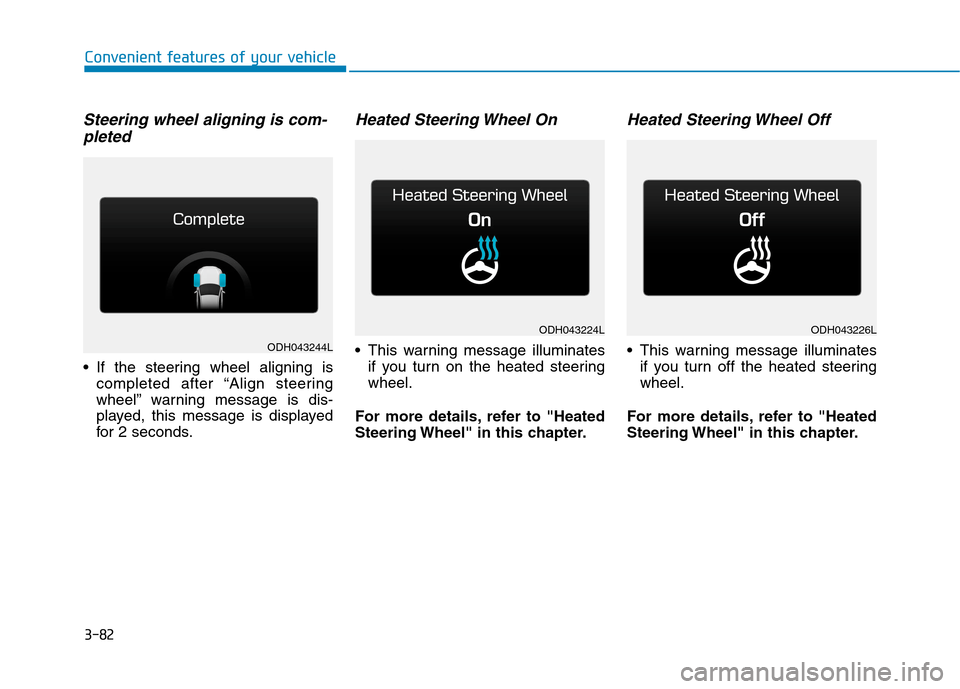
Steering wheel aligning is com-
pleted
If the steering wheel aligning is
completed after “Align steering
wheel” warning message is dis-
played, this message is displayed
for 2 seconds.
Heated Steering Wheel On
This warning message illuminates
if you turn on the heated steering
wheel.
For more details, refer to "Heated
Steering Wheel" in this chapter.
Heated Steering Wheel Off
This warning message illuminates
if you turn off the heated steering
wheel.
For more details, refer to "Heated
Steering Wheel" in this chapter.ODH043244L
ODH043224LODH043226L
Page 183 of 501
3-89
Convenient features of your vehicle
3
Overview
Description
The trip computer is a microcomput-
er-controlled driver information sys-
tem that displays information related
to driving.
✽ ✽
NOTICE
Some driving information stored in
the trip computer (for example
Average Vehicle Speed) resets if the
battery is disconnected.
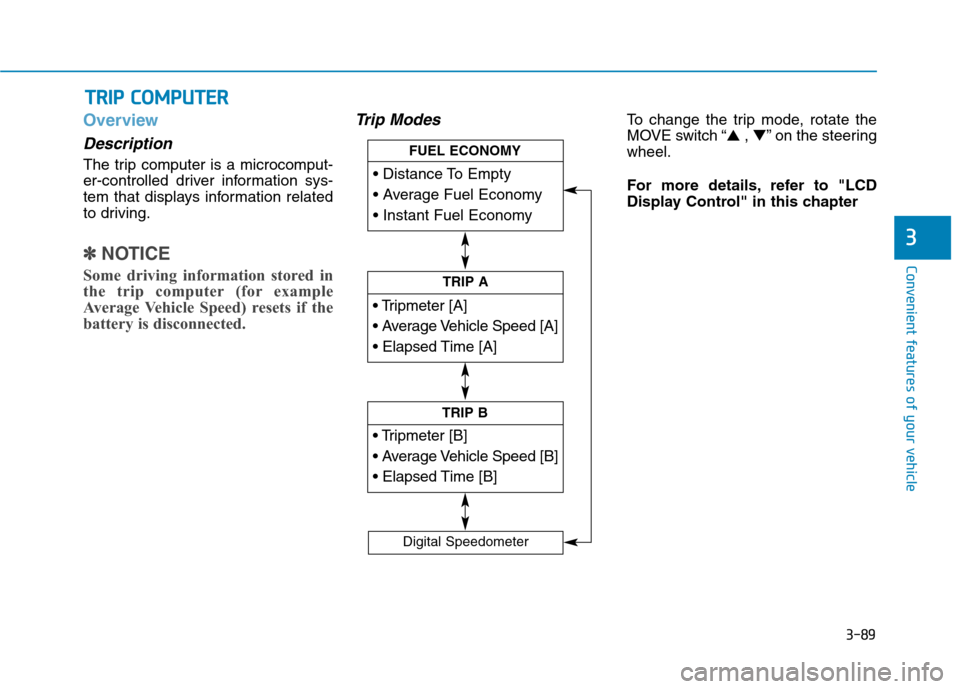
Trip ModesTo change the trip mode, rotate the
MOVE switch “▲ , ▼” on the steering
wheel.
For more details, refer to "LCD
Display Control" in this chapter
T TR
RI
IP
P
C
CO
OM
MP
PU
UT
TE
ER
R
TRIP A
TRIP B
FUEL ECONOMY
Digital Speedometer
Page 184 of 501
3-90
Convenient features of your vehicle
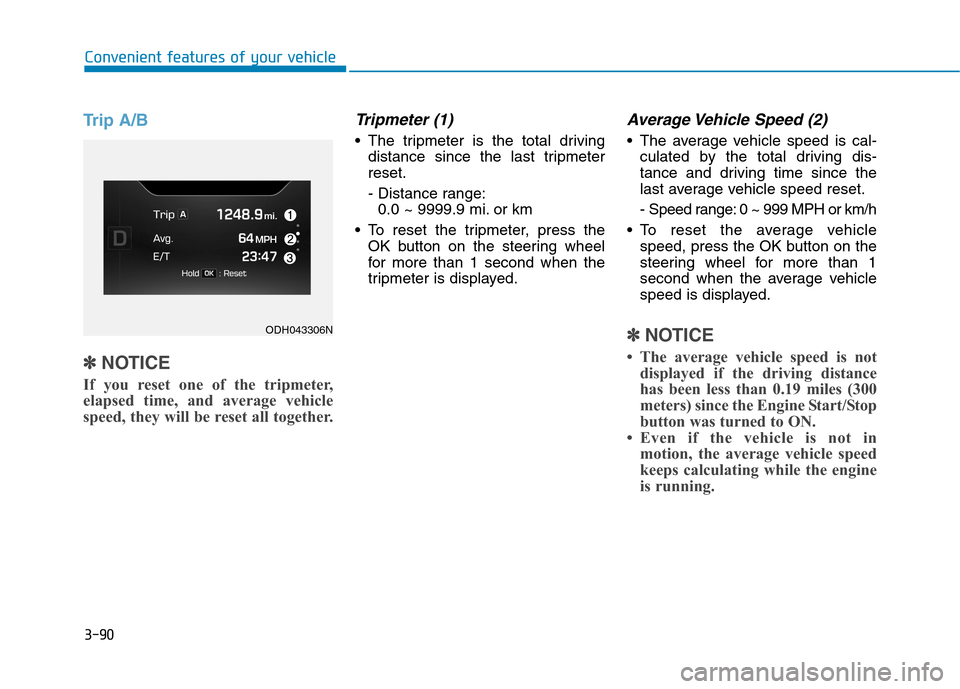
Trip A/B
✽ ✽
NOTICE
If you reset one of the tripmeter,
elapsed time, and average vehicle
speed, they will be reset all together.
Tripmeter (1)
The tripmeter is the total driving
distance since the last tripmeter
reset.
- Distance range:
0.0 ~ 9999.9 mi. or km
To reset the tripmeter, press the
OK button on the steering wheel
for more than 1 second when the
tripmeter is displayed.
Average Vehicle Speed (2)
The average vehicle speed is cal-
culated by the total driving dis-
tance and driving time since the
last average vehicle speed reset.
- Speed range: 0 ~ 999 MPH or km/h
To reset the average vehicle
speed, press the OK button on the
steering wheel for more than 1
second when the average vehicle
speed is displayed.
✽ ✽
NOTICE
• The average vehicle speed is not
displayed if the driving distance
has been less than 0.19 miles (300
meters) since the Engine Start/Stop
button was turned to ON.
• Even if the vehicle is not in
motion, the average vehicle speed
keeps calculating while the engine
is running.
ODH043306N
Page 185 of 501
3-91
Convenient features of your vehicle
3
Elapsed Time (3)
The elapsed time is the total driv-
ing time since the last elapsed time
reset.
- Time range (hh:mm): 00:00 ~ 99:59
To reset the elapsed time, press the
OK button on the steering wheel for
more than 1 second when the
elapsed time is displayed.
✽ ✽
NOTICE
Even if the vehicle is not in motion,
the elapsed time keeps calculating
while the engine is running.
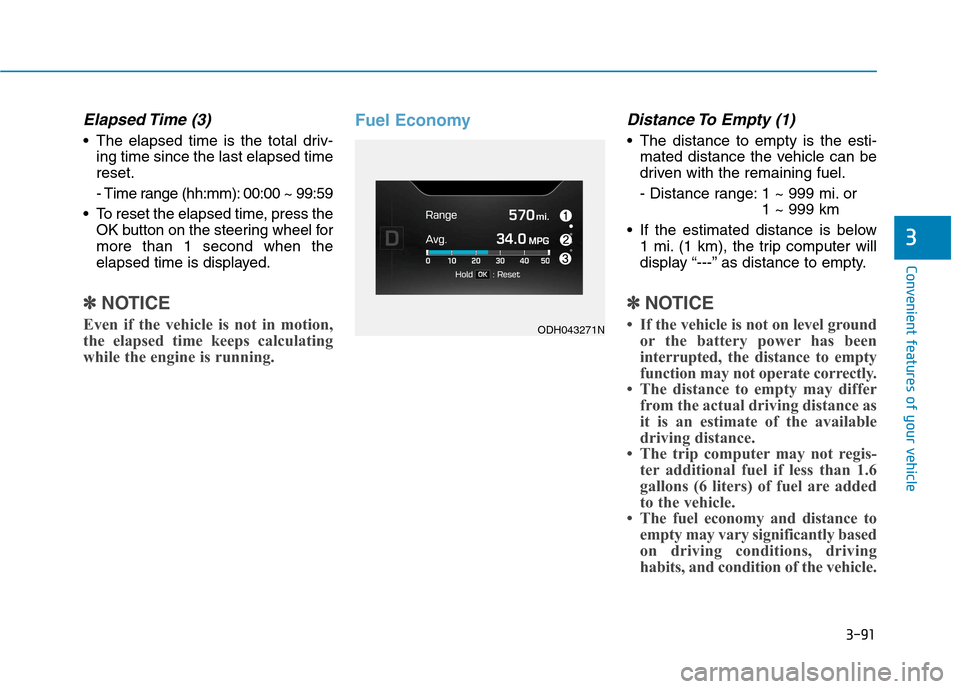
Fuel EconomyDistance To Empty (1)
The distance to empty is the esti-
mated distance the vehicle can be
driven with the remaining fuel.
- Distance range: 1 ~ 999 mi. or
1 ~ 999 km
If the estimated distance is below
1 mi. (1 km), the trip computer will
display “---” as distance to empty.
✽ ✽
NOTICE
• If the vehicle is not on level ground
or the battery power has been
interrupted, the distance to empty
function may not operate correctly.
• The distance to empty may differ
from the actual driving distance as
it is an estimate of the available
driving distance.
• The trip computer may not regis-
ter additional fuel if less than 1.6
gallons (6 liters) of fuel are added
to the vehicle.
• The fuel economy and distance to
empty may vary significantly based
on driving conditions, driving
habits, and condition of the vehicle.ODH043271N
Page 186 of 501
3-92
Convenient features of your vehicle
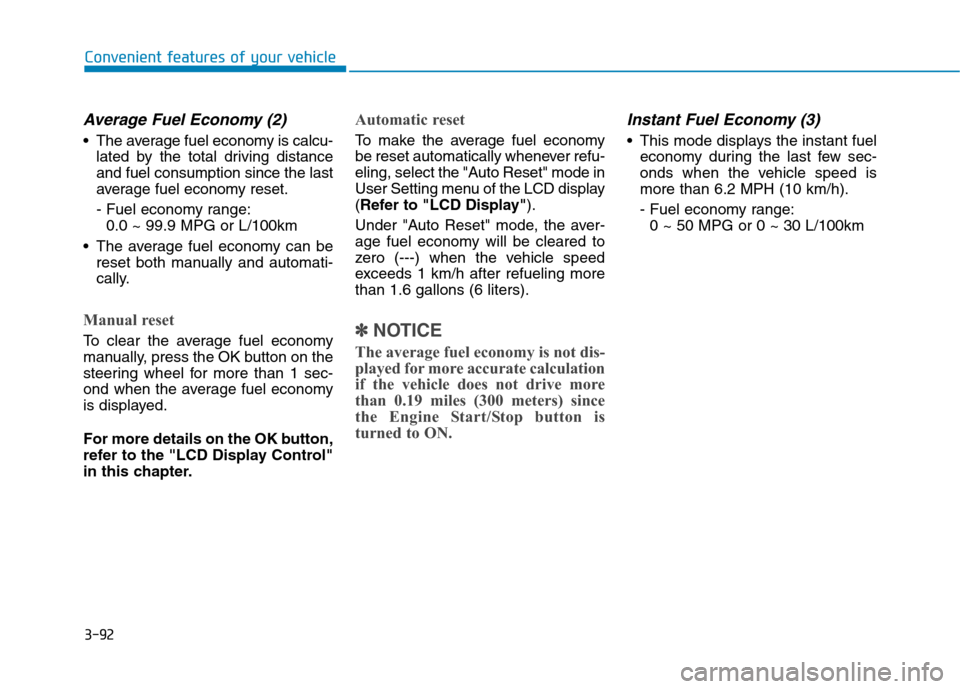
Average Fuel Economy (2)
The average fuel economy is calcu-
lated by the total driving distance
and fuel consumption since the last
average fuel economy reset.
- Fuel economy range:
0.0 ~ 99.9 MPG or L/100km
The average fuel economy can be
reset both manually and automati-
cally.
Manual reset
To clear the average fuel economy
manually, press the OK button on the
steering wheel for more than 1 sec-
ond when the average fuel economy
is displayed.
For more details on the OK button,
refer to the "LCD Display Control"
in this chapter.
Automatic reset
To make the average fuel economy
be reset automatically whenever refu-
eling, select the "Auto Reset" mode in
User Setting menu of the LCD display
(Refer to "LCD Display").
Under "Auto Reset" mode, the aver-
age fuel economy will be cleared to
zero (---) when the vehicle speed
exceeds 1 km/h after refueling more
than 1.6 gallons (6 liters).
✽ ✽
NOTICE
The average fuel economy is not dis-
played for more accurate calculation
if the vehicle does not drive more
than 0.19 miles (300 meters) since
the Engine Start/Stop button is
turned to ON.
Instant Fuel Economy (3)
This mode displays the instant fuel
economy during the last few sec-
onds when the vehicle speed is
more than 6.2 MPH (10 km/h).
- Fuel economy range:
0 ~ 50 MPG or 0 ~ 30 L/100km
Page 191 of 501
3-97
Convenient features of your vehicle
3
✽ ✽
NOTICE - Electronic Brake
force Distribution (EBD)
System Warning Light
When the ABS Warning Light is on
or both ABS and Parking Brake &
Brake Fluid Warning Lights are on,
the speedometer, odometer, or trip-
meter may not work. Also, the EPS
Warning Light may illuminate and
the steering effort may increase or
decrease.
In this case, have your vehicle
inspected by an authorized
HYUNDAI dealer.
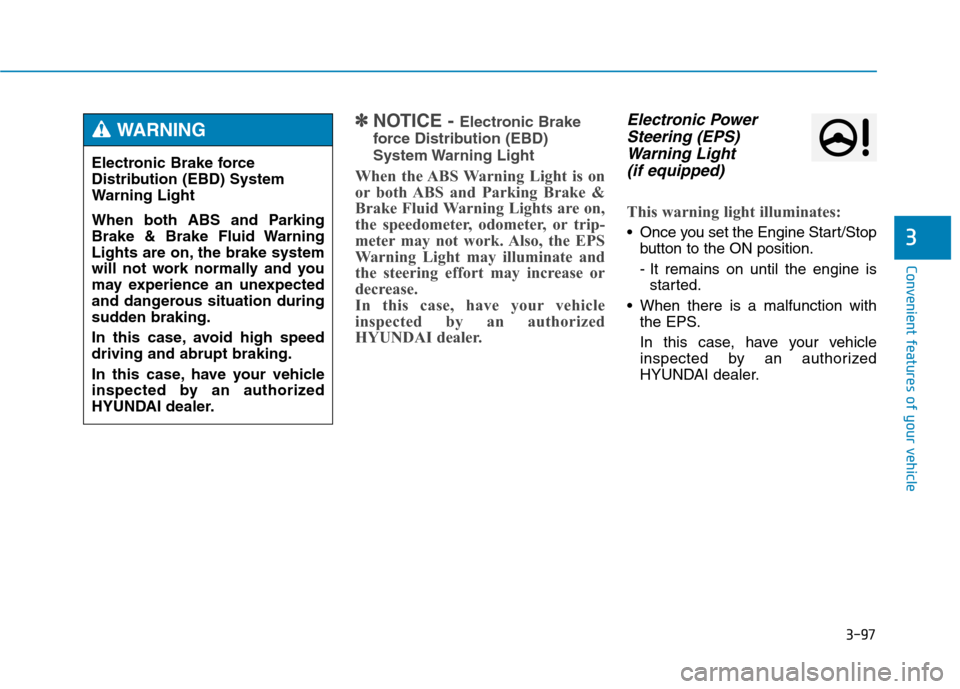
Electronic Power
Steering (EPS)
Warning Light
(if equipped)
This warning light illuminates:
Once you set the Engine Start/Stop
button to the ON position.
- It remains on until the engine is
started.
When there is a malfunction with
the EPS.
In this case, have your vehicle
inspected by an authorized
HYUNDAI dealer. Electronic Brake force
Distribution (EBD) System
Warning Light
When both ABS and Parking
Brake & Brake Fluid Warning
Lights are on, the brake system
will not work normally and you
may experience an unexpected
and dangerous situation during
sudden braking.
In this case, avoid high speed
driving and abrupt braking.
In this case, have your vehicle
inspected by an authorized
HYUNDAI dealer.
WARNING
Page 208 of 501
3-114
Convenient features of your vehicle
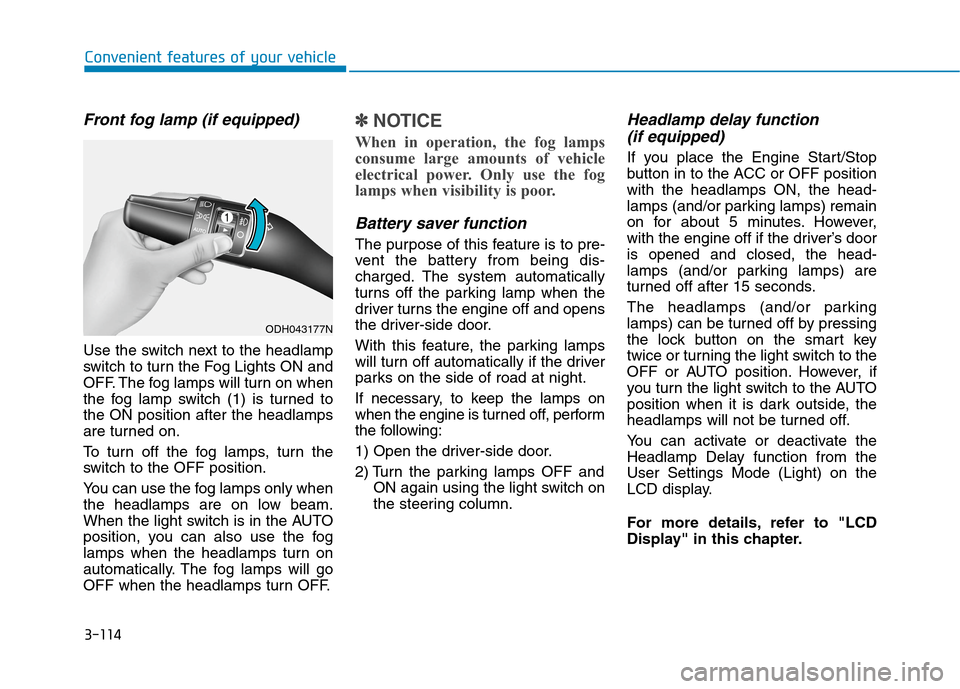
Front fog lamp (if equipped)
Use the switch next to the headlamp
switch to turn the Fog Lights ON and
OFF. The fog lamps will turn on when
the fog lamp switch (1) is turned to
the ON position after the headlamps
are turned on.
To turn off the fog lamps, turn the
switch to the OFF position.
You can use the fog lamps only when
the headlamps are on low beam.
When the light switch is in the AUTO
position, you can also use the fog
lamps when the headlamps turn on
automatically. The fog lamps will go
OFF when the headlamps turn OFF.
✽ ✽
NOTICE
When in operation, the fog lamps
consume large amounts of vehicle
electrical power. Only use the fog
lamps when visibility is poor.
Battery saver function
The purpose of this feature is to pre-
vent the battery from being dis-
charged. The system automatically
turns off the parking lamp when the
driver turns the engine off and opens
the driver-side door.
With this feature, the parking lamps
will turn off automatically if the driver
parks on the side of road at night.
If necessary, to keep the lamps on
when the engine is turned off, perform
the following:
1) Open the driver-side door.
2) Turn the parking lamps OFF and
ON again using the light switch on
the steering column.
Headlamp delay function
(if equipped)
If you place the Engine Start/Stop
button in to the ACC or OFF position
with the headlamps ON, the head-
lamps (and/or parking lamps) remain
on for about 5 minutes. However,
with the engine off if the driver’s door
is opened and closed, the head-
lamps (and/or parking lamps) are
turned off after 15 seconds.
The headlamps (and/or parking
lamps) can be turned off by pressing
the lock button on the smart key
twice or turning the light switch to the
OFF or AUTO position. However, if
you turn the light switch to the AUTO
position when it is dark outside, the
headlamps will not be turned off.
You can activate or deactivate the
Headlamp Delay function from the
User Settings Mode (Light) on the
LCD display.
For more details, refer to "LCD
Display" in this chapter.
ODH043177N
Page 220 of 501
3-126
Convenient features of your vehicle
Parking Guide System
(if equipped)
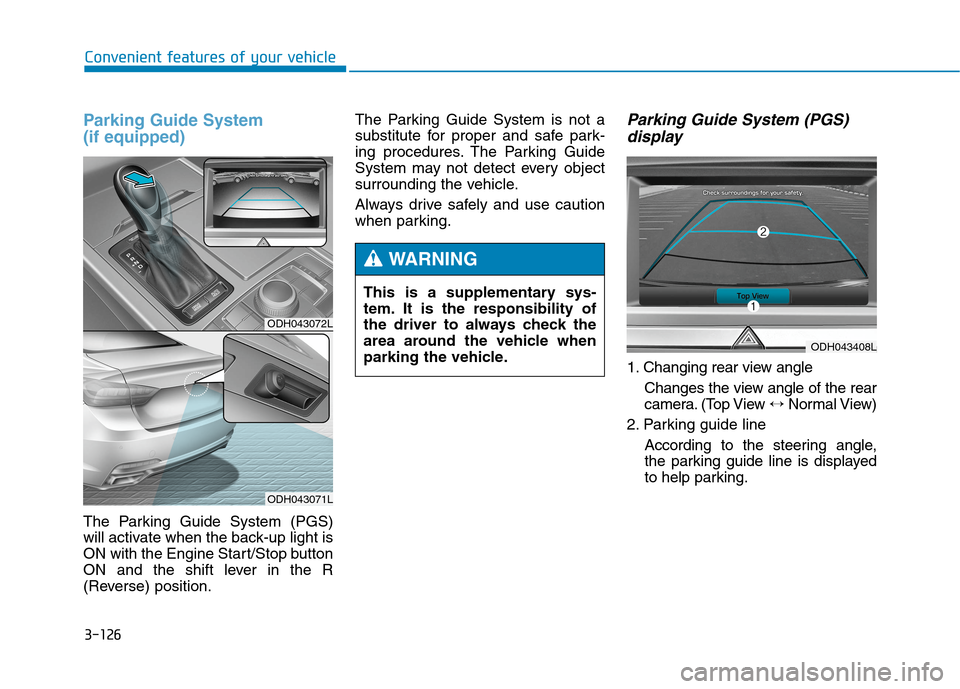
The Parking Guide System (PGS)
will activate when the back-up light is
ON with the Engine Start/Stop button
ON and the shift lever in the R
(Reverse) position.The Parking Guide System is not a
substitute for proper and safe park-
ing procedures. The Parking Guide
System may not detect every object
surrounding the vehicle.
Always drive safely and use caution
when parking.
Parking Guide System (PGS)
display
1. Changing rear view angle
Changes the view angle of the rear
camera. (Top View ↔ Normal View)
2. Parking guide line
According to the steering angle,
the parking guide line is displayed
to help parking.
ODH043072L
ODH043071L
This is a supplementary sys-
tem. It is the responsibility of
the driver to always check the
area around the vehicle when
parking the vehicle.
WARNING
ODH043408L
Page 251 of 501
3-157
Convenient features of your vehicle
3
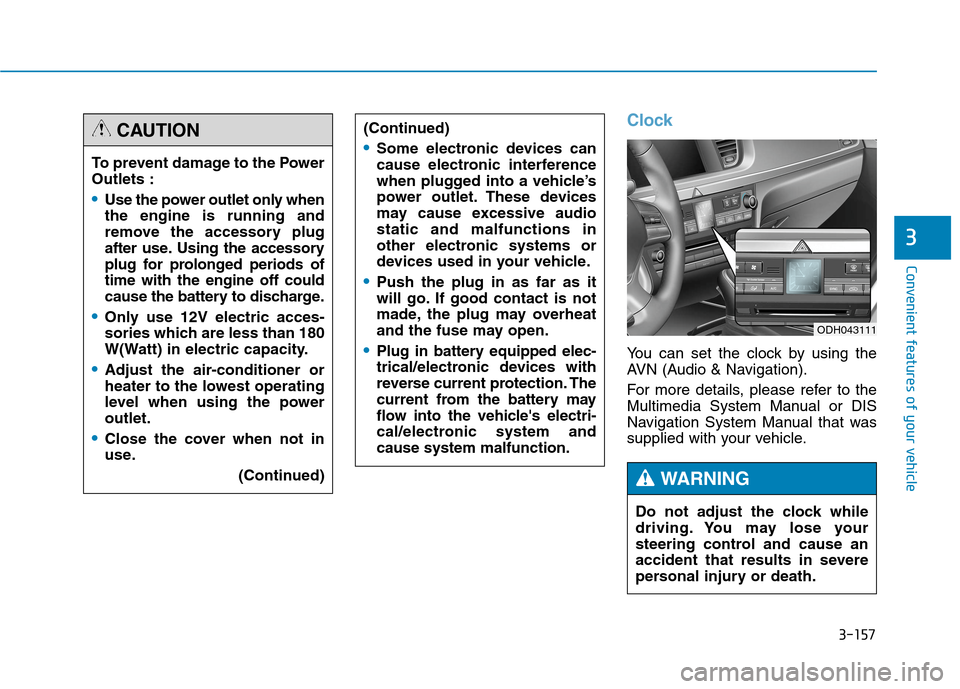
Clock
You can set the clock by using the
AVN (Audio & Navigation).
For more details, please refer to the
Multimedia System Manual or DIS
Navigation System Manual that was
supplied with your vehicle. To prevent damage to the Power
Outlets :
Use the power outlet only when
the engine is running and
remove the accessory plug
after use. Using the accessory
plug for prolonged periods of
time with the engine off could
cause the battery to discharge.
Only use 12V electric acces-
sories which are less than 180
W(Watt) in electric capacity.
Adjust the air-conditioner or
heater to the lowest operating
level when using the power
outlet.
Close the cover when not in
use.
(Continued)
(Continued)
Some electronic devices can
cause electronic interference
when plugged into a vehicle’s
power outlet. These devices
may cause excessive audio
static and malfunctions in
other electronic systems or
devices used in your vehicle.
Push the plug in as far as it
will go. If good contact is not
made, the plug may overheat
and the fuse may open.
Plug in battery equipped elec-
trical/electronic devices with
reverse current protection. The
current from the battery may
flow into the vehicle's electri-
cal/electronic system and
cause system malfunction.
CAUTION
Do not adjust the clock while
driving. You may lose your
steering control and cause an
accident that results in severe
personal injury or death.
WARNING
ODH043111
Page 256 of 501
Multimedia System
Multimedia system .................................................4-2
AUX, USB and iPod®port ...............................................4-2
Antenna ...............................................................................4-3
Steering wheel audio control .........................................4-4
Audio / Video / Navigation system (AVN) ..................4-5
Bluetooth®Wireless Technology hands-free ............4-5
4