heating Hyundai Genesis 2015 Owner's Manual
[x] Cancel search | Manufacturer: HYUNDAI, Model Year: 2015, Model line: Genesis, Model: Hyundai Genesis 2015Pages: 501, PDF Size: 38.76 MB
Page 14 of 501
F14
LCD display ...........................................................3-67
LCD Modes ........................................................................3-67
Trip Computer Mode.......................................................3-68
Turn By Turn (TBT) Mode ............................................3-69
ASCC/LKAS Mode ...........................................................3-69
A/V Mode..........................................................................3-69
Information Mode ...........................................................3-70
User Settings Mode ........................................................3-72
Warning Messages..........................................................3-79
Trip computer .......................................................3-89
Overview............................................................................3-89
Trip A/B .............................................................................3-90
Fuel Economy...................................................................3-91
Digital Speedometer .......................................................3-93
Warning and indicator lights ..............................3-94
Warning lights ..................................................................3-94
Indicator Lights ..............................................................3-102
Head Up Display (HUD).....................................3-106
Description ......................................................................3-106
Head Up Display ON/OFF ...........................................3-107
Head Up Display Information .....................................3-107
Head Up Display Setting .............................................3-108
Light .....................................................................3-109
Exterior lights ................................................................3-109
Smart High Beam ..........................................................3-111
Welcome system ...........................................................3-116
Interior lights..................................................................3-117
Wipers and washers ..........................................3-122
Windshield wipers ........................................................3-122
Windshield washers ....................................................3-124
Driver assist system ..........................................3-125
Rear view camera .........................................................3-125
Parking Guide System ..................................................3-126
Parking Assist System .................................................3-127
Defroster .............................................................3-131
Rear window defroster ...............................................3-131
Automatic climate control system ...................3-133
Automatic heating and air conditioning ..................3-134
Manual heating and air conditioning .......................3-135
System operation ..........................................................3-143
Climate control air filter ............................................3-145
Air conditioner refrigerant and compressor
lubricant ..........................................................................3-146
Air Conditioning refrigerant label .............................3-146
Windshield defrosting and defogging ............3-147
Auto defogging system ON/OFF...............................3-149
F14
Page 45 of 501
2-19
Safety system of your vehicle
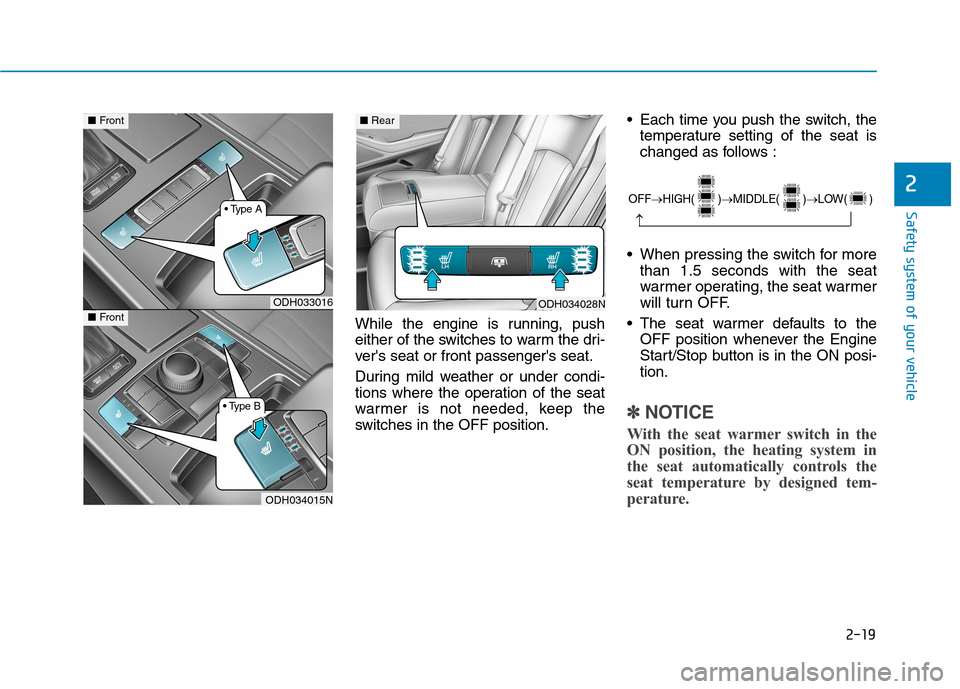
While the engine is running, push
either of the switches to warm the dri-
ver's seat or front passenger's seat.
During mild weather or under condi-
tions where the operation of the seat
warmer is not needed, keep the
switches in the OFF position. Each time you push the switch, the
temperature setting of the seat is
changed as follows :
When pressing the switch for more
than 1.5 seconds with the seat
warmer operating, the seat warmer
will turn OFF.
The seat warmer defaults to the
OFF position whenever the Engine
Start/Stop button is in the ON posi-
tion.
✽ ✽
NOTICE
With the seat warmer switch in the
ON position, the heating system in
the seat automatically controls the
seat temperature by designed tem-
perature.
2OFF→HIGH( )→MIDDLE( )→LOW( )
→
ODH034028NODH033016
ODH034015N
■Front■Rear
■Front
Page 96 of 501
Trip computer .......................................................3-89
Overview............................................................................3-89
Trip A/B .............................................................................3-90
Fuel Economy...................................................................3-91
Digital Speedometer .......................................................3-93
Warning and indicator lights ..............................3-94
Warning lights ..................................................................3-94
Indicator Lights ..............................................................3-102
Head Up Display (HUD).....................................3-106
Description ......................................................................3-106
Head Up Display ON/OFF ...........................................3-107
Head Up Display Information .....................................3-107
Head Up Display Setting .............................................3-108
Light .....................................................................3-109
Exterior lights ................................................................3-109
Smart High Beam ..........................................................3-111
Welcome system ...........................................................3-116
Interior lights..................................................................3-117
Wipers and washers ..........................................3-122
Windshield wipers ........................................................3-122
Windshield washers ....................................................3-124
Driver assist system ..........................................3-125
Rear view camera .........................................................3-125
Parking Guide System ..................................................3-126
Parking Assist System .................................................3-127
Defroster .............................................................3-131
Rear window defroster ...............................................3-131
Automatic climate control system ...................3-133
Automatic heating and air conditioning ..................3-134
Manual heating and air conditioning .......................3-135
System operation ..........................................................3-143
Climate control air filter ............................................3-145
Air conditioner refrigerant and compressor
lubricant ..........................................................................3-146
Air Conditioning refrigerant label .............................3-146
Windshield defrosting and defogging ............3-147
Auto defogging system ON/OFF...............................3-149
Climate control additional features.................3-150
Cluster ionizer ................................................................3-150
Smart ventilation ...........................................................3-150
Rear climate system ON/OFF ....................................3-151
CO2 control auto air conditioner ..............................3-151
Storage compartment ........................................3-152
Center console storage ...............................................3-152
Glove box ........................................................................3-153
Sunglass holder .............................................................3-153
3
Page 158 of 501
3-64
Convenient features of your vehicle
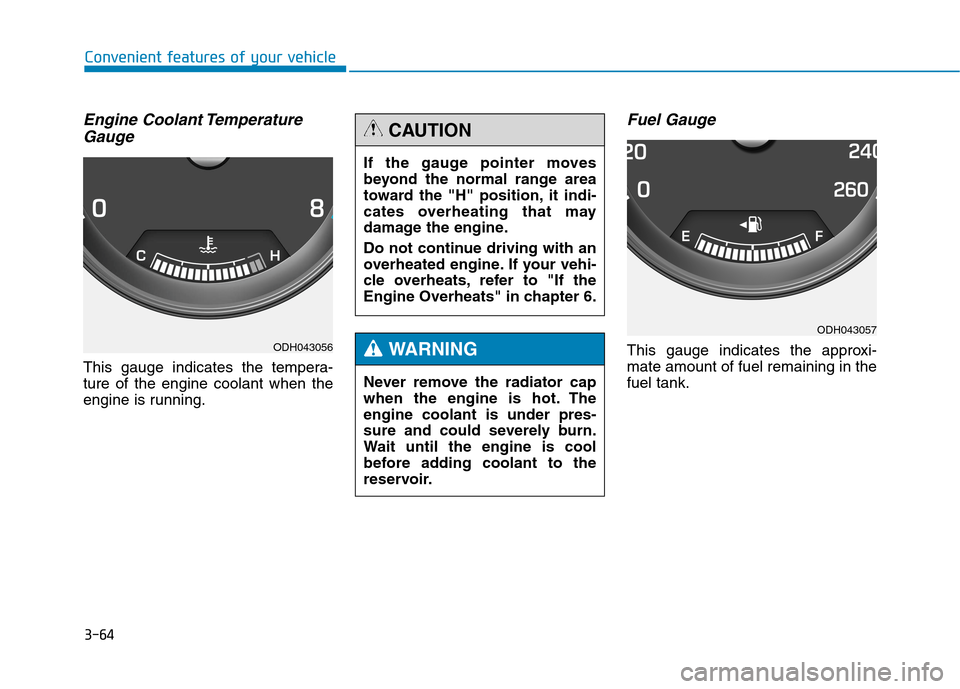
Engine Coolant Temperature
Gauge
This gauge indicates the tempera-
ture of the engine coolant when the
engine is running.
Fuel Gauge
This gauge indicates the approxi-
mate amount of fuel remaining in the
fuel tank.ODH043056
If the gauge pointer moves
beyond the normal range area
toward the "H" position, it indi-
cates overheating that may
damage the engine.
Do not continue driving with an
overheated engine. If your vehi-
cle overheats, refer to "If the
Engine Overheats" in chapter 6.
CAUTION
Never remove the radiator cap
when the engine is hot. The
engine coolant is under pres-
sure and could severely burn.
Wait until the engine is cool
before adding coolant to the
reservoir.
WARNING
ODH043057
Page 182 of 501
3-88
Convenient features of your vehicle
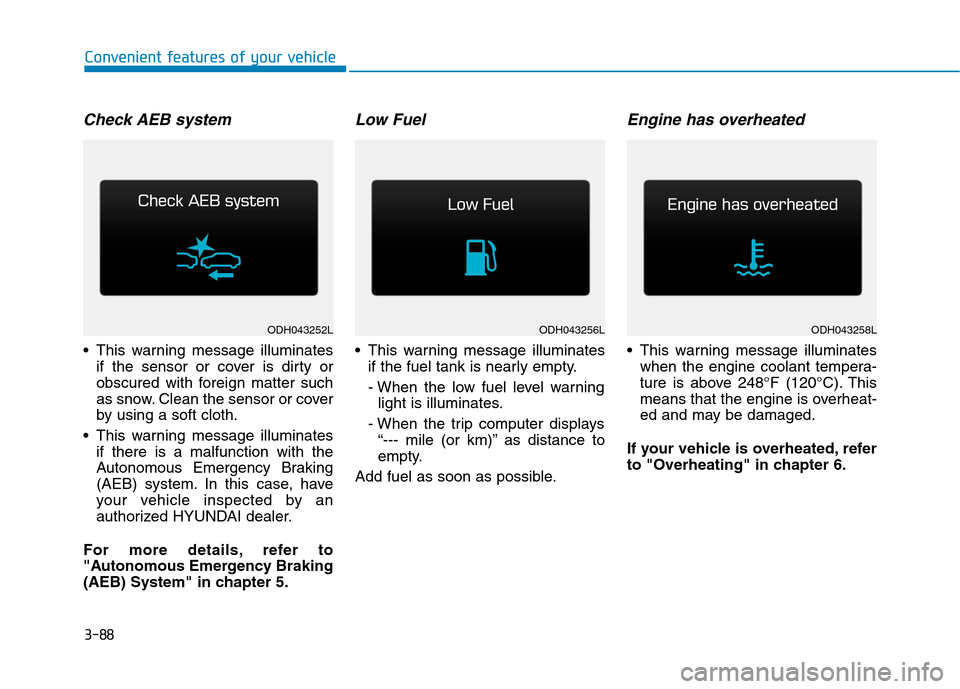
Check AEB system
This warning message illuminates
if the sensor or cover is dirty or
obscured with foreign matter such
as snow. Clean the sensor or cover
by using a soft cloth.
This warning message illuminates
if there is a malfunction with the
Autonomous Emergency Braking
(AEB) system. In this case, have
your vehicle inspected by an
authorized HYUNDAI dealer.
For more details, refer to
"Autonomous Emergency Braking
(AEB) System" in chapter 5.
Low Fuel
This warning message illuminates
if the fuel tank is nearly empty.
- When the low fuel level warning
light is illuminates.
- When the trip computer displays
“--- mile (or km)” as distance to
empty.
Add fuel as soon as possible.
Engine has overheated
This warning message illuminates
when the engine coolant tempera-
ture is above 248°F (120°C). This
means that the engine is overheat-
ed and may be damaged.
If your vehicle is overheated, refer
to "Overheating" in chapter 6.
ODH043256LODH043258LODH043252L
Page 228 of 501
3-134
Convenient features of your vehicle
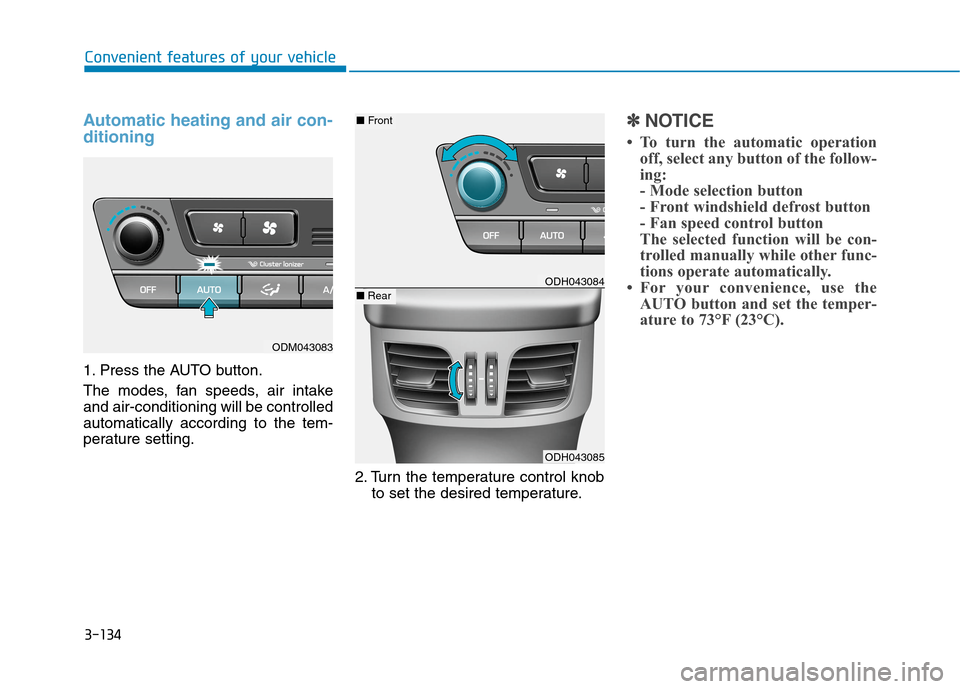
Automatic heating and air con-
ditioning
1. Press the AUTO button.
The modes, fan speeds, air intake
and air-conditioning will be controlled
automatically according to the tem-
perature setting.
2. Turn the temperature control knob
to set the desired temperature.
✽ ✽
NOTICE
• To turn the automatic operation
off, select any button of the follow-
ing:
- Mode selection button
- Front windshield defrost button
- Fan speed control button
The selected function will be con-
trolled manually while other func-
tions operate automatically.
• For your convenience, use the
AUTO button and set the temper-
ature to 73°F (23°C).
ODM043083
ODH043084
ODH043085
■Front
■Rear
Page 229 of 501
3-135
Convenient features of your vehicle
3
✽ ✽
NOTICE
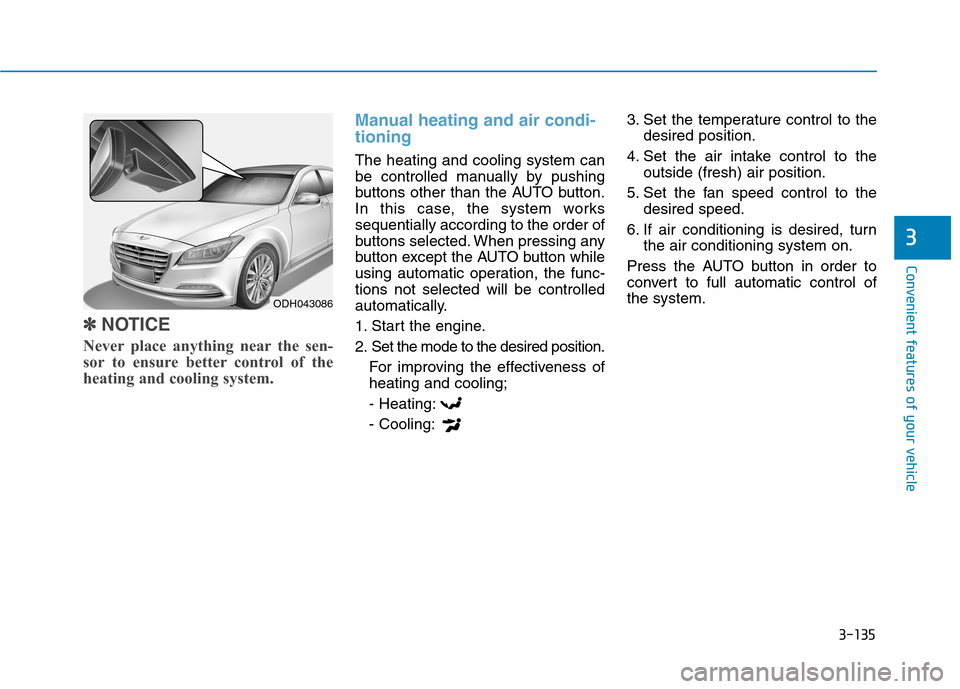
Never place anything near the sen-
sor to ensure better control of the
heating and cooling system.
Manual heating and air condi-
tioning
The heating and cooling system can
be controlled manually by pushing
buttons other than the AUTO button.
In this case, the system works
sequentially according to the order of
buttons selected. When pressing any
button except the AUTO button while
using automatic operation, the func-
tions not selected will be controlled
automatically.
1. Start the engine.
2. Set the mode to the desired position.
For improving the effectiveness of
heating and cooling;
- Heating:
- Cooling:3. Set the temperature control to the
desired position.
4. Set the air intake control to the
outside (fresh) air position.
5. Set the fan speed control to the
desired speed.
6. If air conditioning is desired, turn
the air conditioning system on.
Press the AUTO button in order to
convert to full automatic control of
the system.
ODH043086
Page 235 of 501
3-141
Convenient features of your vehicle
3
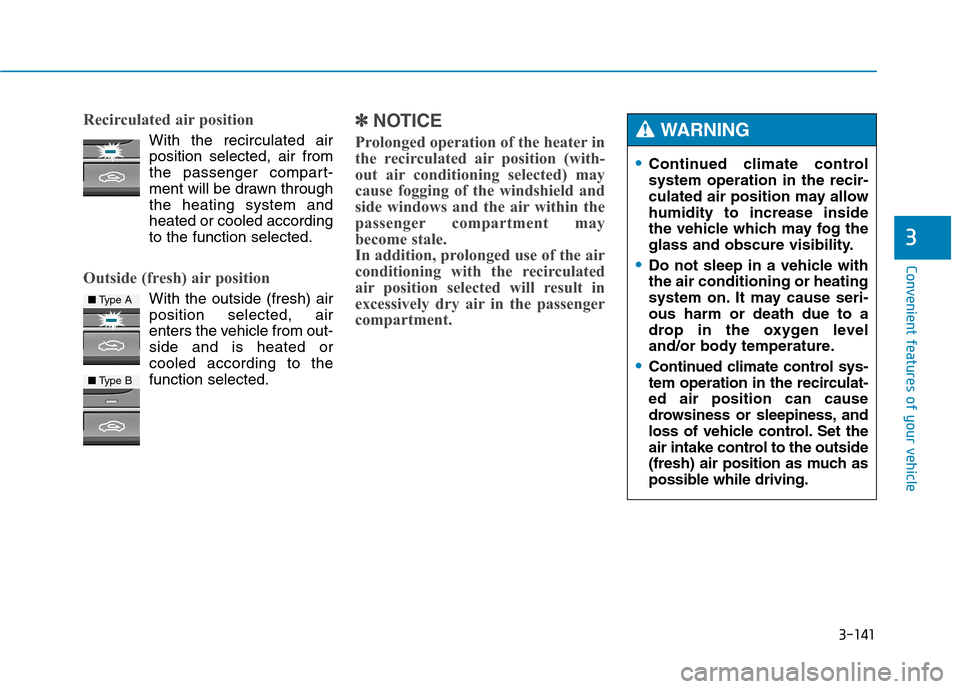
Recirculated air position
With the recirculated air
position selected, air from
the passenger compart-
ment will be drawn through
the heating system and
heated or cooled according
to the function selected.
Outside (fresh) air position
With the outside (fresh) air
position selected, air
enters the vehicle from out-
side and is heated or
cooled according to the
function selected.
✽ ✽
NOTICE
Prolonged operation of the heater in
the recirculated air position (with-
out air conditioning selected) may
cause fogging of the windshield and
side windows and the air within the
passenger compartment may
become stale.
In addition, prolonged use of the air
conditioning with the recirculated
air position selected will result in
excessively dry air in the passenger
compartment.
■Type A
■Type B
Continued climate control
system operation in the recir-
culated air position may allow
humidity to increase inside
the vehicle which may fog the
glass and obscure visibility.
Do not sleep in a vehicle with
the air conditioning or heating
system on. It may cause seri-
ous harm or death due to a
drop in the oxygen level
and/or body temperature.
Continued climate control sys-
tem operation in the recirculat-
ed air position can cause
drowsiness or sleepiness, and
loss of vehicle control. Set the
air intake control to the outside
(fresh) air position as much as
possible while driving.
WARNING
Page 237 of 501
3-143
Convenient features of your vehicle
3
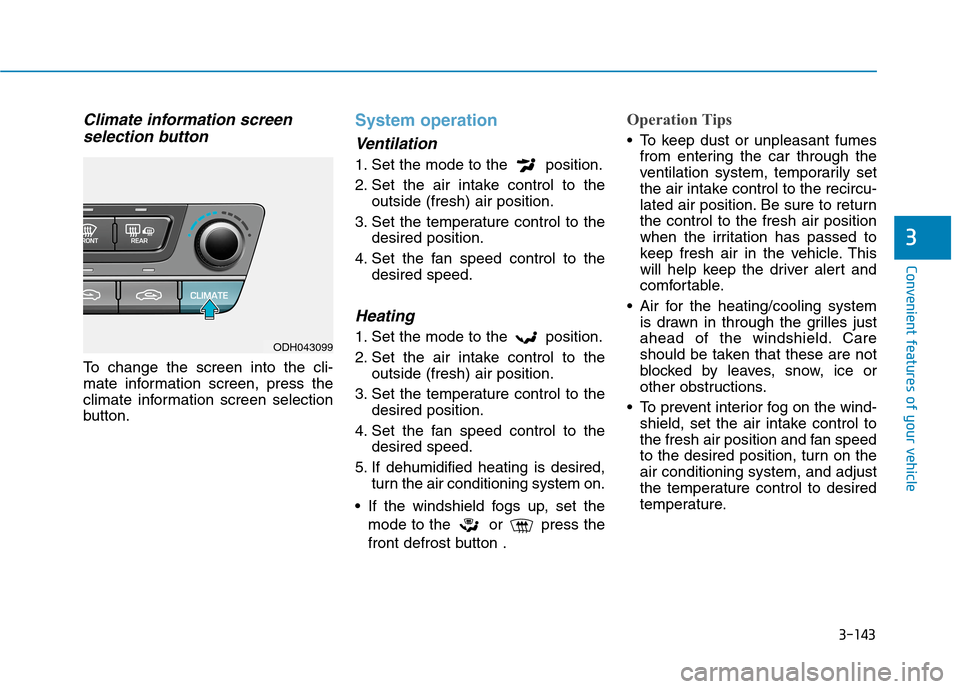
Climate information screen
selection button
To change the screen into the cli-
mate information screen, press the
climate information screen selection
button.
System operation
Ventilation
1. Set the mode to the position.
2. Set the air intake control to the
outside (fresh) air position.
3. Set the temperature control to the
desired position.
4. Set the fan speed control to the
desired speed.
Heating
1. Set the mode to the position.
2. Set the air intake control to the
outside (fresh) air position.
3. Set the temperature control to the
desired position.
4. Set the fan speed control to the
desired speed.
5. If dehumidified heating is desired,
turn the air conditioning system on.
If the windshield fogs up, set the
mode to the or press the
front defrost button .
Operation Tips
To keep dust or unpleasant fumes
from entering the car through the
ventilation system, temporarily set
the air intake control to the recircu-
lated air position. Be sure to return
the control to the fresh air position
when the irritation has passed to
keep fresh air in the vehicle. This
will help keep the driver alert and
comfortable.
Air for the heating/cooling system
is drawn in through the grilles just
ahead of the windshield. Care
should be taken that these are not
blocked by leaves, snow, ice or
other obstructions.
To prevent interior fog on the wind-
shield, set the air intake control to
the fresh air position and fan speed
to the desired position, turn on the
air conditioning system, and adjust
the temperature control to desired
temperature.
ODH043099
Page 238 of 501
3-144
Convenient features of your vehicle
Air conditioning
1. Start the engine. Push the air con-
ditioning button.
2. Set the mode to the position.
3. Set the air intake control to the out-
side air or recirculated air position.
4. Adjust the fan speed control and
temperature control to maintain
maximum comfort.
✽ ✽
NOTICE
• When using the air conditioning
system, monitor the engine tem-
perature gauge closely while driv-
ing up hills or in heavy traffic
when outside temperatures are
high. Air conditioning system
operation may cause engine over-
heating. Continue to use the blow-
er fan but turn the air condition-
ing system off if the engine tem-
perature gauge indicates engine
overheating.
• When opening the windows in
humid weather air conditioning
may create water droplets inside
the vehicle. Since excessive water
droplets may cause damage to
electrical equipment, air condi-
tioning should only be operated
with the windows closed.Air conditioning system operation
tips If the vehicle has been parked in
direct sunlight during hot weather,
open the windows for a short time
to let the hot air inside the vehicle
escape.
To help reduce moisture inside of
the windows on rainy or humid
days, decrease the humidity inside
the vehicle by operating the air
conditioning system.
During air conditioning system
operation, you may occasionally
notice a slight change in engine
speed as the air conditioning com-
pressor cycles. This is a normal
system operation characteristic.
Use the air conditioning system
every month only for a few minutes
to ensure maximum system per-
formance.
After sufficient cooling has been
achieved, switch back from the
recirculated air to the fresh outside
air position.