phone Hyundai Genesis 2015 Quick Tips

Hyundai Genesis 2015 Quick Tips Genesis 2015 Hyundai Hyundai https://www.carmanualsonline.info/img/35/14665/w960_14665-0.png Hyundai Genesis 2015 Quick Tips

Page 13 of 20
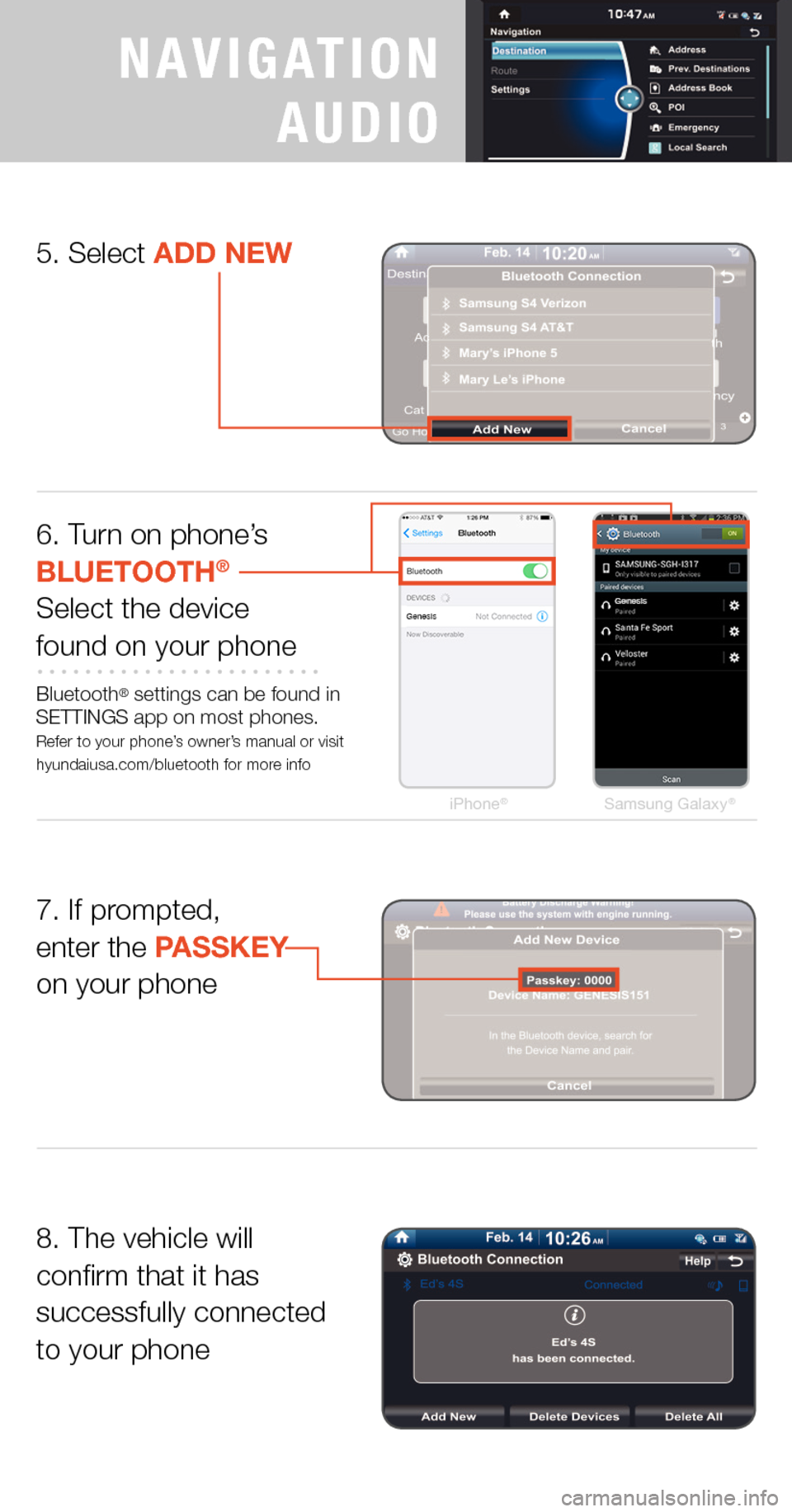
Hyundai Genesis 2015  Quick Tips iPhone®Samsung Galaxy®
6. Turn on phone’s  BLUETOOTH®
Select the devicefound on your phone
Bluetooth® settings can be found in SETTINGS app on most phones. Refer to your phone’s owner’s manu

Page 14 of 20

Hyundai Genesis 2015  Quick Tips PHONE PAIRING
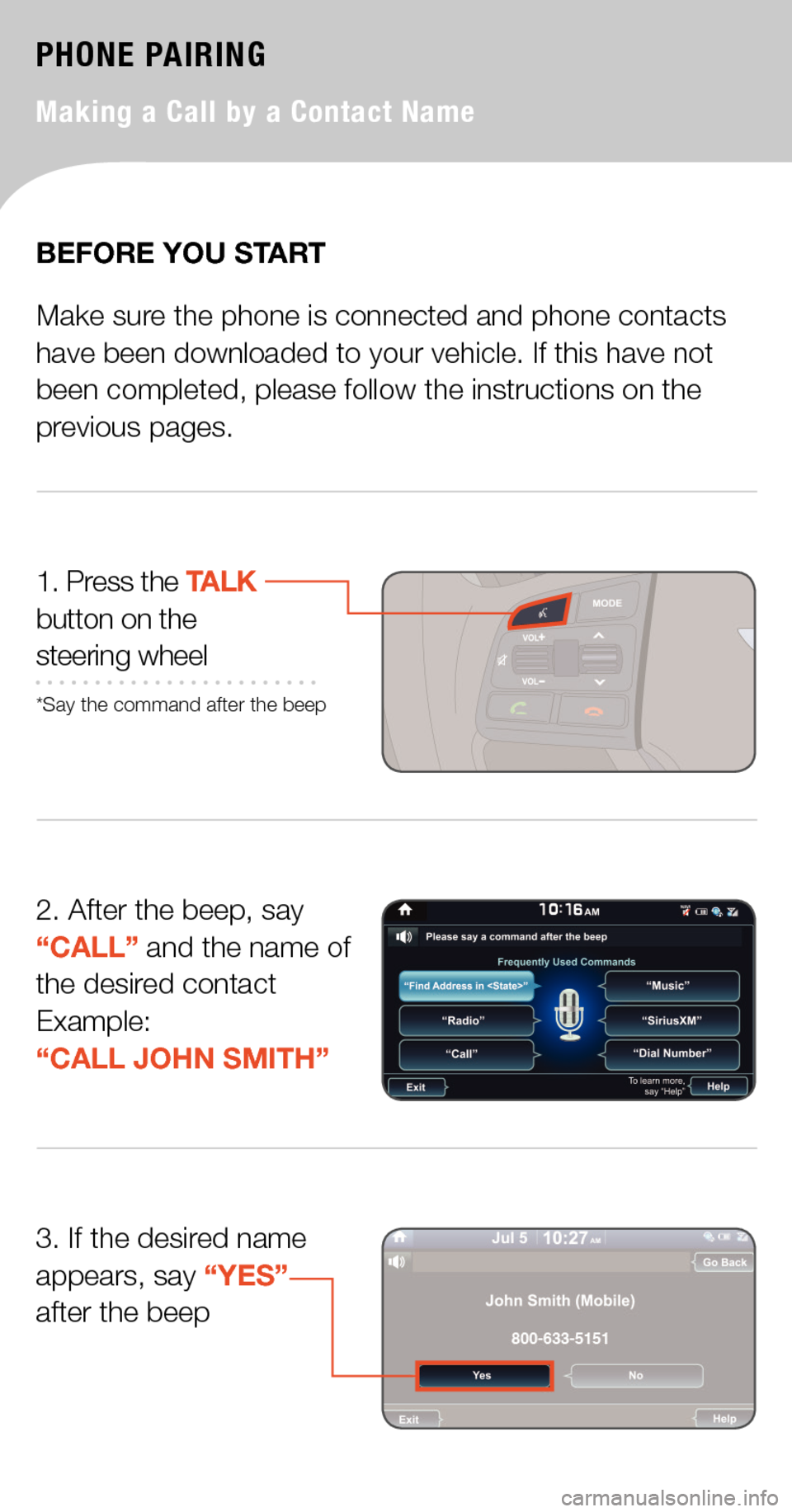
Making a Call by a Contact Name
2. After the beep, say “CALL” and the name of the desired contactExample:  “CALL JOHN SMITH”
1. Press the TALK button on the  steering wheel
*Say

Page 15 of 20

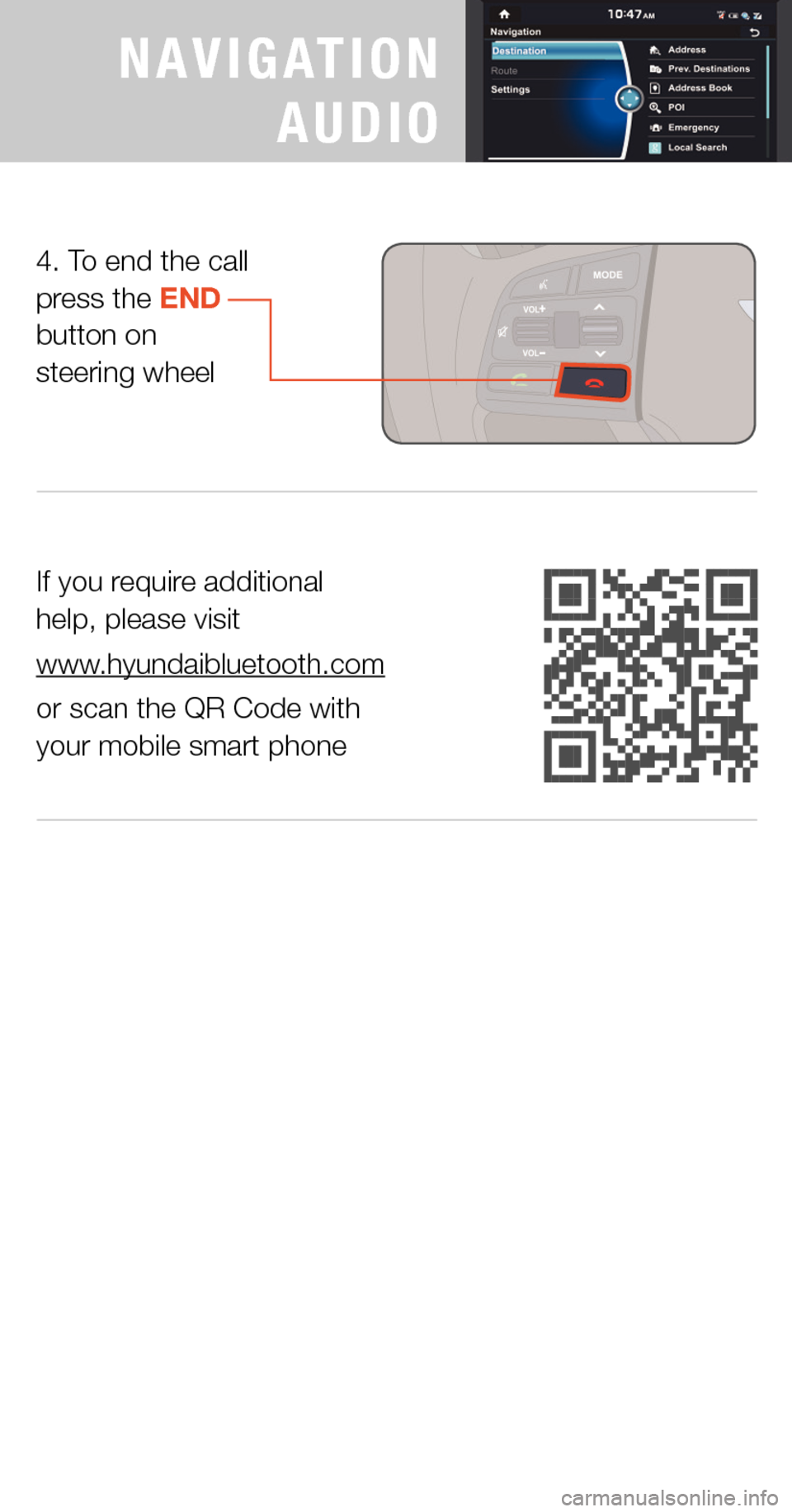
Hyundai Genesis 2015  Quick Tips If you require additional  help, please visit 
www.hyundaibluetooth.com
or scan the QR Code with  your mobile smart phone
4. To end the call press the END  button on  steering wheel
PREMIUM
NAVIGATION

Page 19 of 20

Hyundai Genesis 2015  Quick Tips USING NAVIGATION
Go to Address*CONTACTS HELP
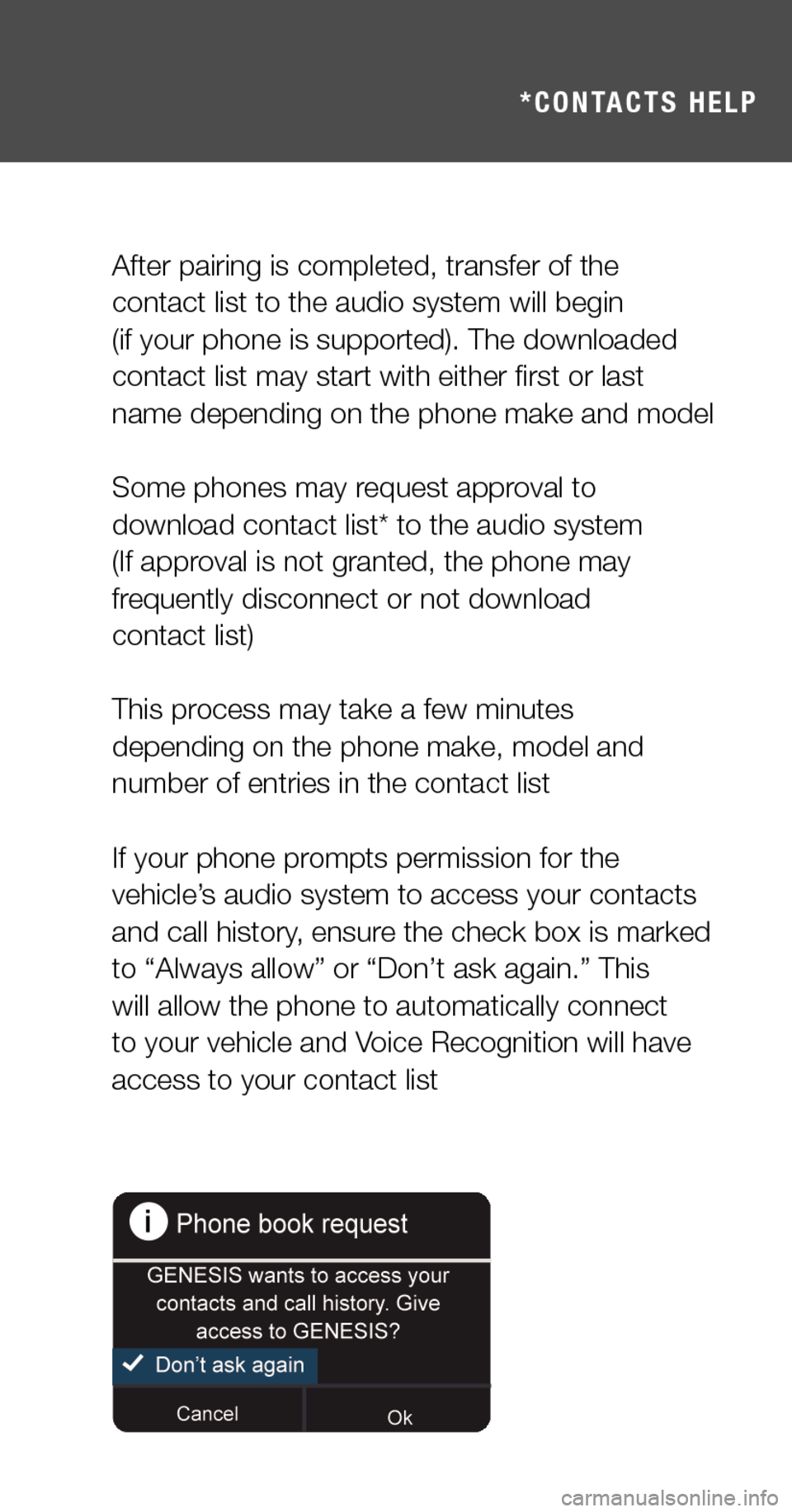
After pairing is completed, transfer of the  contact list to the audio system will begin  (if your phone is supported). The downloaded contact list may sta

Page 20 of 20

Hyundai Genesis 2015  Quick Tips COMMON VOICE COMMANDS
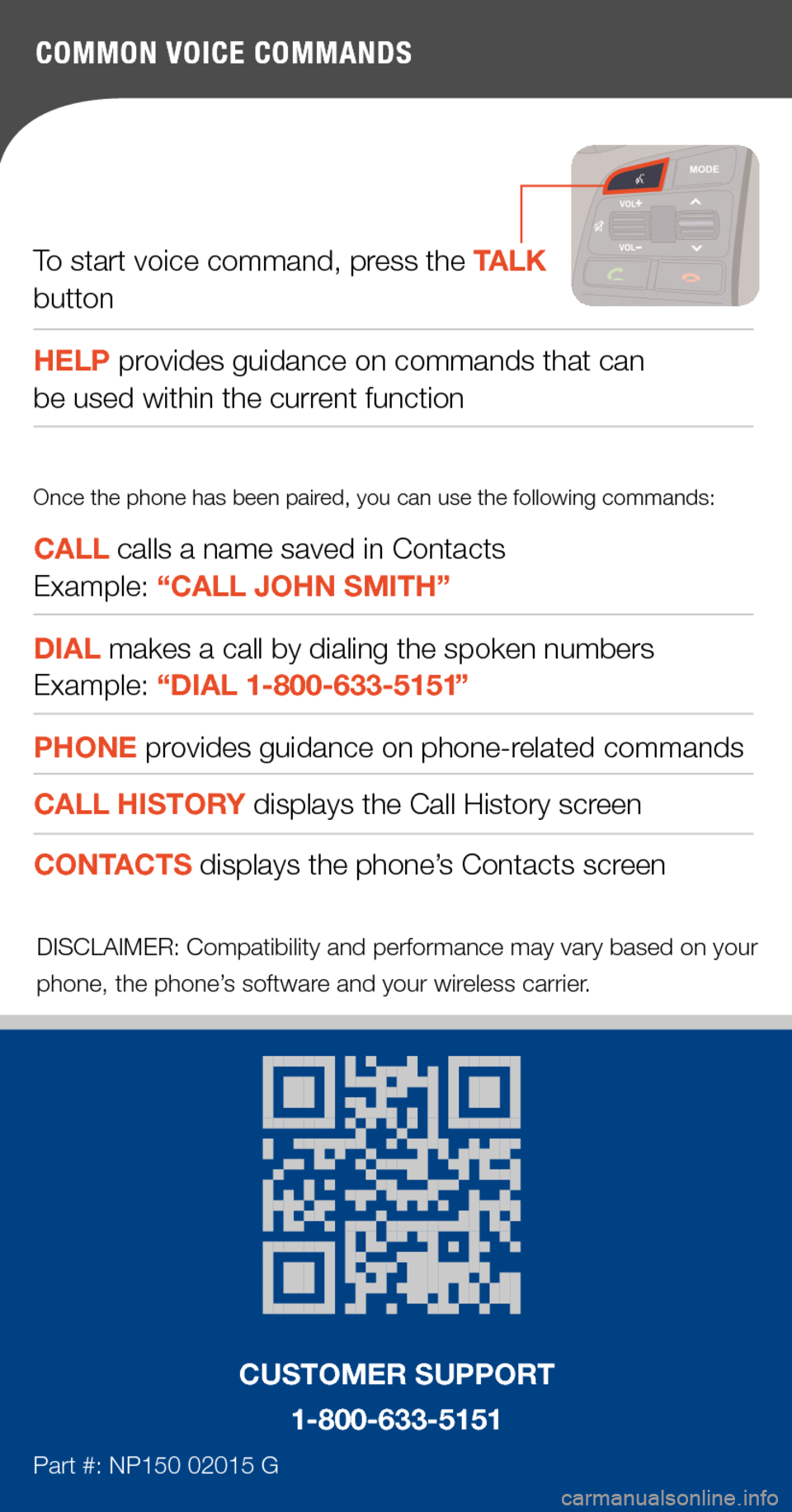
To start voice command, press the TALK button
HELP provides guidance on commands that can  be used within the current function
CALL calls a name saved in Contacts  Example: “CA
Page:   < prev 1-10 11-20