change wheel Hyundai Genesis 2016 User Guide
[x] Cancel search | Manufacturer: HYUNDAI, Model Year: 2016, Model line: Genesis, Model: Hyundai Genesis 2016Pages: 503, PDF Size: 12.94 MB
Page 297 of 503
5-36
Driving your vehicle
ABS is an electronic braking system
that helps prevent a braking skid.
ABS allows the driver to steer and
brake at the same time.
Using ABS
To obtain the maximum benefit from
your ABS in an emergency situation,
do not attempt to modulate your
brake pressure and do not try to
pump your brakes. Depress your
brake pedal as hard as possible.
When you apply your brakes under
conditions which may lock the
wheels, you may hear sounds from
the brakes, or feel a corresponding
sensation in the brake pedal. This is
normal and it means your ABS is
active.
ABS does not reduce the time or dis-
tance it takes to stop the vehicle.
Always maintain a safe distance from
the vehicle in front of you.
ABS will not prevent a skid that
results from sudden changes in
direction, such as trying to take a
corner too fast or making a sudden
lane change. Always drive at a safe
speed for the road and weather con-
ditions. ABS cannot prevent a loss of stabili-
ty. Always steer moderately when
braking hard. Severe or sharp steer-
ing wheel movement can still cause
your vehicle to veer into oncoming
traffic or off the road.
On loose or uneven road surfaces,
operation of the anti-lock brake sys-
tem may result in a longer stopping
distance than for vehicles equipped
with a conventional brake system.
The ABS warning light ( ) will stay
on for several seconds after the
Engine Start/Stop button is in the ON
position. During that time, the ABS
will go through self-diagnosis and the
light will go off if everything is nor-
mal. If the light stays on, you may
have a problem with your ABS.
Contact an authorized HYUNDAI
dealer as soon as possible
Page 304 of 503
5-43
Driving your vehicle
5
When Active ECO is activated:
• The acceleration response may beslightly reduced as the accelerator
pedal is depressed moderately.
The air conditioner performance may be limited.
The shift pattern of the automatic transmission may change.
The engine noise may get louder.
The above situations are normal
conditions when the Active ECO sys-
tem is activated to improve fuel effi-
ciency. Limitation of Active ECO opera-
tion:
If the following conditions occur while
Active ECO is operating, the system
operation is limited even though
there is no change in the ECO indi-
cator.
When the coolant temperature is
low:
The system will be limited until
engine performance becomes nor-
mal.
When driving up a hill: The system will be limited to gain
power when driving uphill because
engine torque is restricted.
When using the automatic trans- mission Sports mode:
The system will be limited accord-
ing to the shift location.SPORT mode
SPORT mode focuses ondynamic driving by auto-
matically adjusting the
steering wheel, engine
and transmission system.
When the DRIVE MODE switch is pressed and the SPORT mode is
selected, the SPORT indicator
(yellow) will illuminate.
When the SPORT mode is activat- ed, and the engine is turned off
and on it will change to NORMAL
mode. To turn on the SPORT
mode, press the DRIVE MODE
switch again.
If the system is activated: - After accelerating and releasingthe accelerator pedal, the gear
and engine speed RPM may not
drop as soon as in NORMAL
mode.
- Up-shifting is delayed.
✽ ✽ NOTICE
In SPORT mode, the fuel efficiency
may decrease.
SPORT
Page 318 of 503
5-57
Driving your vehicle
5
To temporarily accelerate withthe Smart Cruise Control on
If you want to speed up temporarily
when the Smart Cruise Control is on,
depress the accelerator pedal.
Increased speed will not interfere
with Smart Cruise Control operation
or change the set speed.
To return to the set speed, take your
foot off the accelerator.
If you push the lever down (SET-) at
increased speed, the cruising speed
will be set again.
✽ ✽ NOTICE
Be careful when accelerating tem-
porarily, because the speed is not
controlled automatically at this
time even if there is a vehicle in front
of you.
Smart Cruise Control will be
temporarily canceled when:
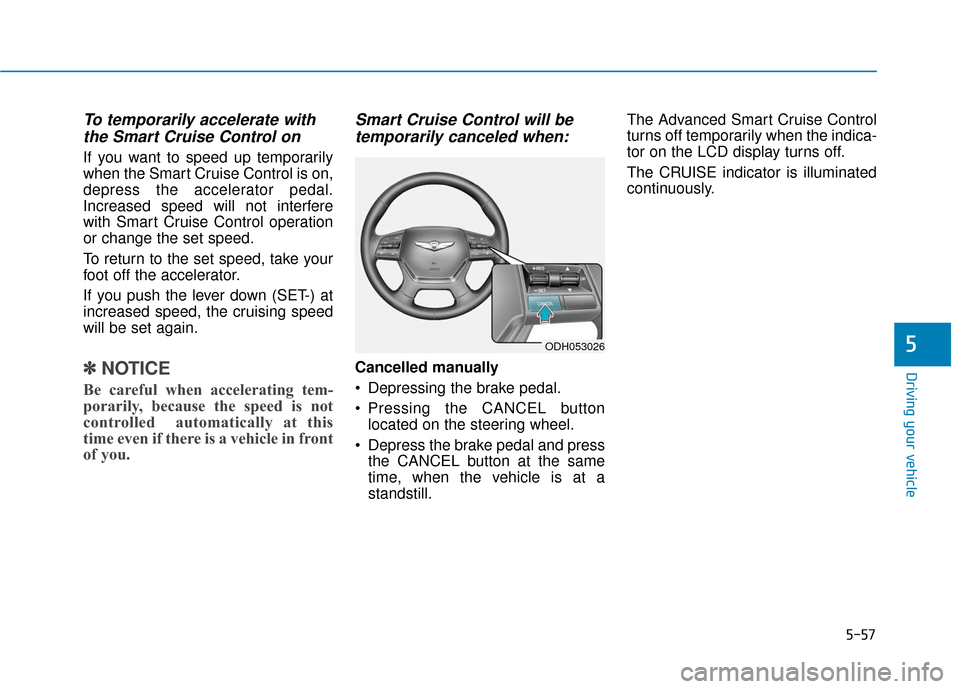
Cancelled manually
Depressing the brake pedal.
Pressing the CANCEL button
located on the steering wheel.
Depress the brake pedal and press the CANCEL button at the same
time, when the vehicle is at a
standstill. The Advanced Smart Cruise Control
turns off temporarily when the indica-
tor on the LCD display turns off.
The CRUISE indicator is illuminated
continuously.
ODH053026
Page 327 of 503
5-66
Driving your vehicle
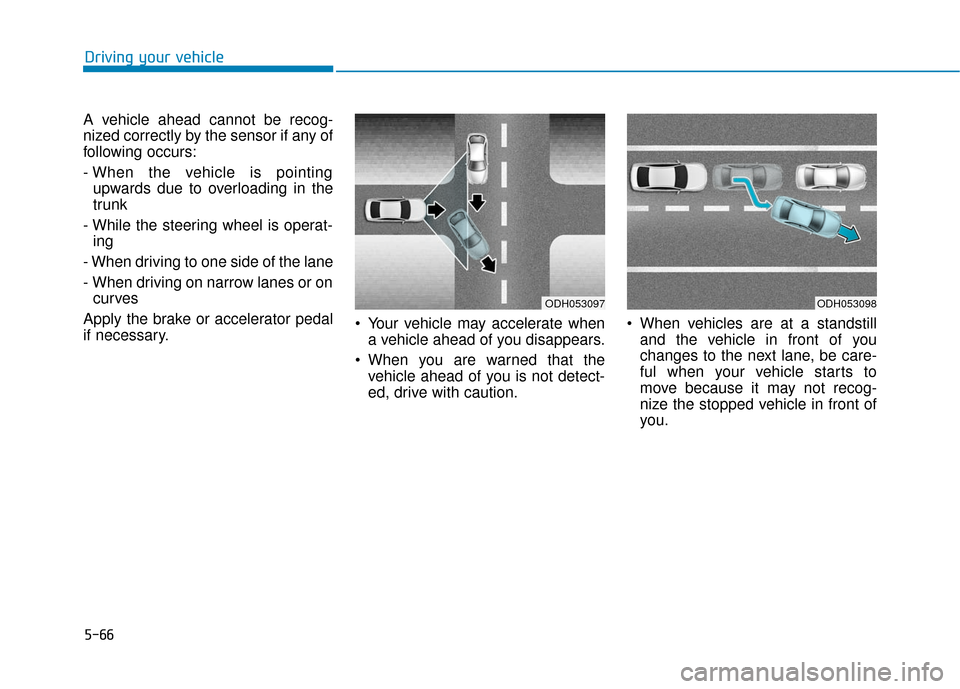
A vehicle ahead cannot be recog-
nized correctly by the sensor if any of
following occurs:
- When the vehicle is pointing upwards due to overloading in the
trunk
- While the steering wheel is operat- ing
- When driving to one side of the lane
- When driving on narrow lanes or on curves
Apply the brake or accelerator pedal
if necessary. Your vehicle may accelerate when
a vehicle ahead of you disappears.
When you are warned that the vehicle ahead of you is not detect-
ed, drive with caution. When vehicles are at a standstill
and the vehicle in front of you
changes to the next lane, be care-
ful when your vehicle starts to
move because it may not recog-
nize the stopped vehicle in front of
you.
ODH053097ODH053098
Page 332 of 503
5-71
Driving your vehicle
5
LKAS activation
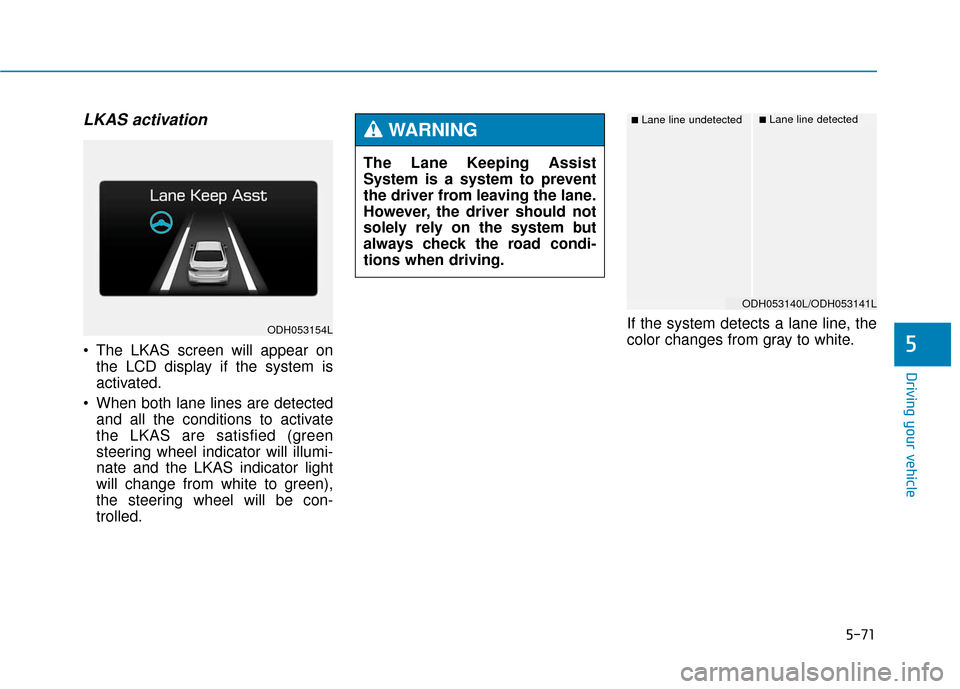
The LKAS screen will appear onthe LCD display if the system is
activated.
When both lane lines are detected and all the conditions to activate
the LKAS are satisfied (green
steering wheel indicator will illumi-
nate and the LKAS indicator light
will change from white to green),
the steering wheel will be con-
trolled. If the system detects a lane line, the
color changes from gray to white.
The Lane Keeping Assist
System is a system to prevent
the driver from leaving the lane.
However, the driver should not
solely rely on the system but
always check the road condi-
tions when driving.
WARNING ■Lane line undetected■Lane line detected
ODH053154L
ODH053140L/ODH053141L
Page 333 of 503
5-72
Driving your vehicle
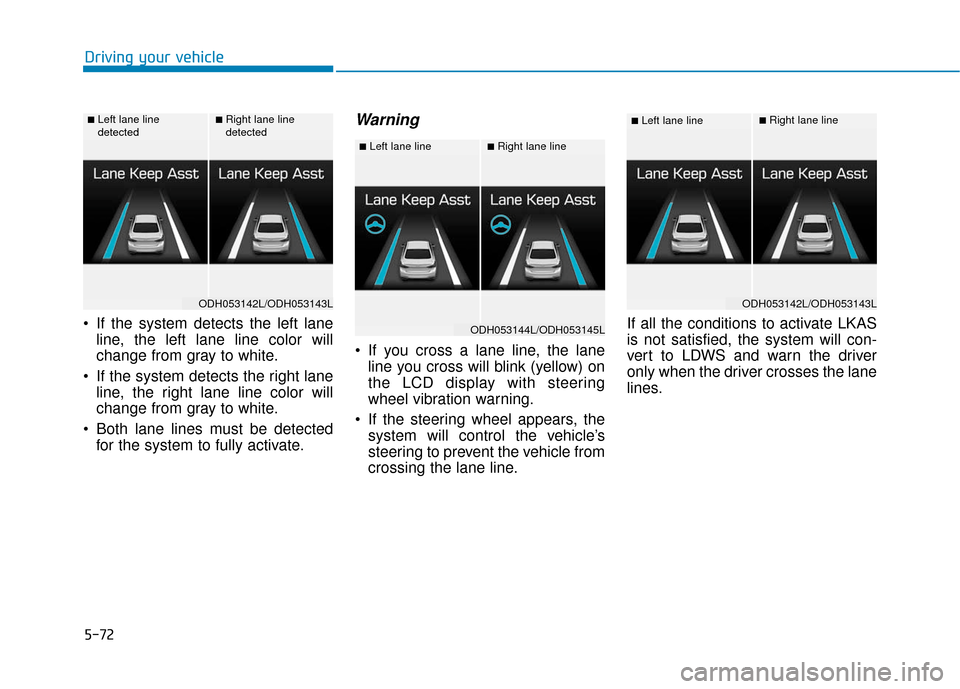
If the system detects the left lane line, the left lane line color will
change from gray to white.
If the system detects the right lane line, the right lane line color will
change from gray to white.
Both lane lines must be detected for the system to fully activate.
Warning
If you cross a lane line, the laneline you cross will blink (yellow) on
the LCD display with steering
wheel vibration warning.
If the steering wheel appears, the system will control the vehicle’s
steering to prevent the vehicle from
crossing the lane line. If all the conditions to activate LKAS
is not satisfied, the system will con-
vert to LDWS and warn the driver
only when the driver crosses the lane
lines.
■Left lane line
detected■Right lane line
detected
ODH053142L/ODH053143L
■Left lane line■Right lane line
ODH053144L/ODH053145L
■Left lane line■Right lane line
ODH053142L/ODH053143L
Page 335 of 503
5-74
Driving your vehicle
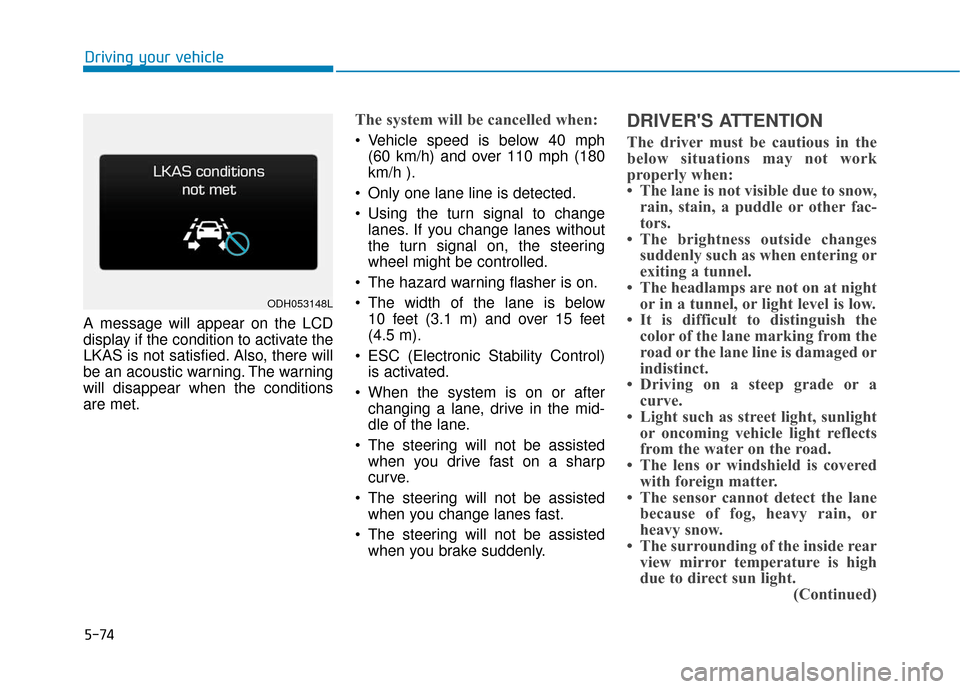
A message will appear on the LCD
display if the condition to activate the
LKAS is not satisfied. Also, there will
be an acoustic warning. The warning
will disappear when the conditions
are met.
The system will be cancelled when:
Vehicle speed is below 40 mph (60 km/h) and over 110 mph (180
km/h ).
Only one lane line is detected.
Using the turn signal to change lanes. If you change lanes without
the turn signal on, the steering
wheel might be controlled.
The hazard warning flasher is on.
The width of the lane is below 10 feet (3.1 m) and over 15 feet
(4.5 m).
ESC (Electronic Stability Control) is activated.
When the system is on or after changing a lane, drive in the mid-
dle of the lane.
The steering will not be assisted when you drive fast on a sharp
curve.
The steering will not be assisted when you change lanes fast.
The steering will not be assisted when you brake suddenly.
DRIVER'S ATTENTION
The driver must be cautious in the
below situations may not work
properly when:
• The lane is not visible due to snow,rain, stain, a puddle or other fac-
tors.
• The brightness outside changes suddenly such as when entering or
exiting a tunnel.
• The headlamps are not on at night or in a tunnel, or light level is low.
• It is difficult to distinguish the color of the lane marking from the
road or the lane line is damaged or
indistinct.
• Driving on a steep grade or a curve.
• Light such as street light, sunlight or oncoming vehicle light reflects
from the water on the road.
• The lens or windshield is covered with foreign matter.
• The sensor cannot detect the lane because of fog, heavy rain, or
heavy snow.
• The surrounding of the inside rear view mirror temperature is high
due to direct sun light. (Continued)
ODH053148L
Page 341 of 503
5-80
Driving your vehicle
First stage alert
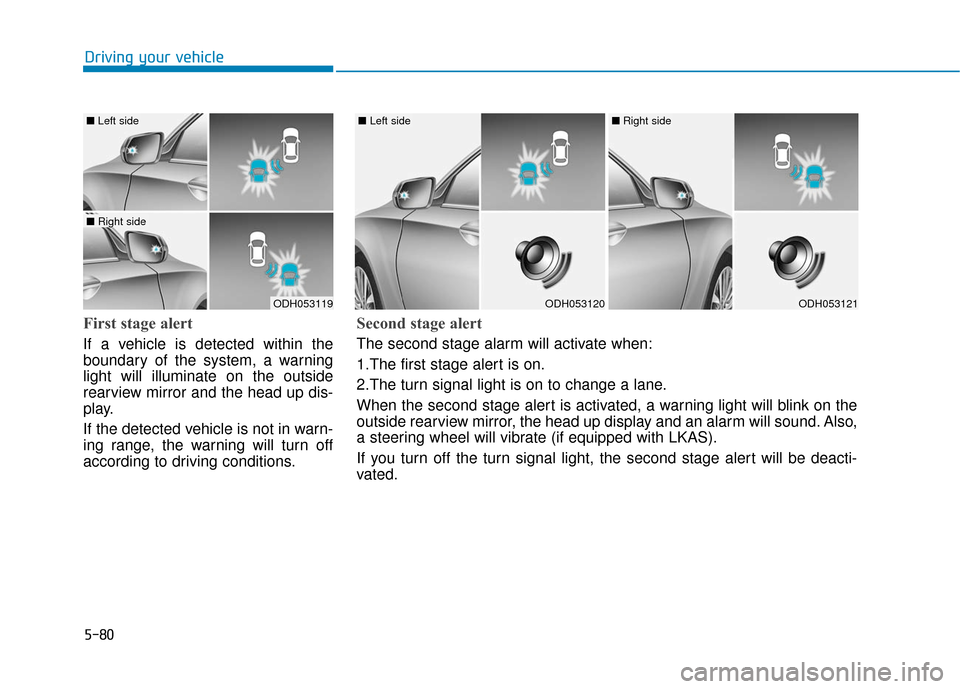
If a vehicle is detected within the
boundary of the system, a warning
light will illuminate on the outside
rearview mirror and the head up dis-
play.
If the detected vehicle is not in warn-
ing range, the warning will turn off
according to driving conditions.
ODH053119
■ Left side
■ Right side
ODH053120
■ Left side
ODH053121
■ Right side
Second stage alert
The second stage alarm will activate when:
1.The first stage alert is on.
2.The turn signal light is on to change a lane.
When the second stage alert is activated, a warning light will blink on the
outside rearview mirror, the head up display and an alarm will sound. Also,
a steering wheel will vibrate (if equipped with LKAS).
If you turn off the turn signal light, the second stage alert will be deacti-
vated.
Page 347 of 503
5-86
Driving your vehicle
Hazardous driving conditions
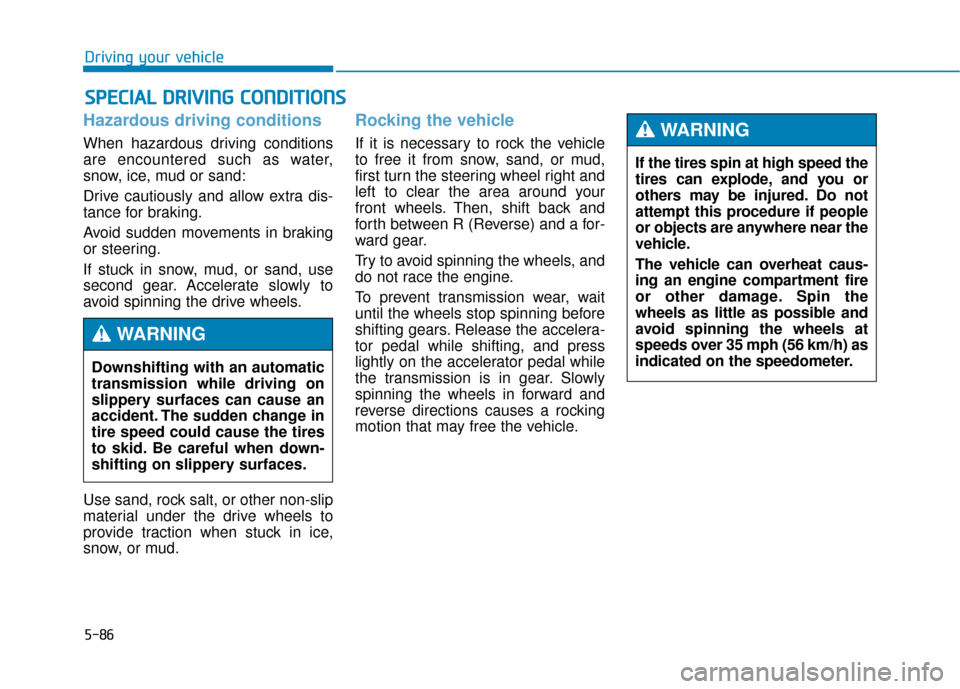
When hazardous driving conditions
are encountered such as water,
snow, ice, mud or sand:
Drive cautiously and allow extra dis-
tance for braking.
Avoid sudden movements in braking
or steering.
If stuck in snow, mud, or sand, use
second gear. Accelerate slowly to
avoid spinning the drive wheels.
Use sand, rock salt, or other non-slip
material under the drive wheels to
provide traction when stuck in ice,
snow, or mud.
Rocking the vehicle
If it is necessary to rock the vehicle
to free it from snow, sand, or mud,
first turn the steering wheel right and
left to clear the area around your
front wheels. Then, shift back and
forth between R (Reverse) and a for-
ward gear.
Try to avoid spinning the wheels, and
do not race the engine.
To prevent transmission wear, wait
until the wheels stop spinning before
shifting gears. Release the accelera-
tor pedal while shifting, and press
lightly on the accelerator pedal while
the transmission is in gear. Slowly
spinning the wheels in forward and
reverse directions causes a rocking
motion that may free the vehicle.
S SP
P E
EC
CI
IA
A L
L
D
D R
RI
IV
V I
IN
N G
G
C
C O
O N
ND
DI
IT
T I
IO
O N
NS
S
Downshifting with an automatic
transmission while driving on
slippery surfaces can cause an
accident. The sudden change in
tire speed could cause the tires
to skid. Be careful when down-
shifting on slippery surfaces.
WARNING
If the tires spin at high speed the
tires can explode, and you or
others may be injured. Do not
attempt this procedure if people
or objects are anywhere near the
vehicle.
The vehicle can overheat caus-
ing an engine compartment fire
or other damage. Spin the
wheels as little as possible and
avoid spinning the wheels at
speeds over 35 mph (56 km/h) as
indicated on the speedometer.
WARNING
Page 353 of 503
5-92
Driving your vehicle
Change to "winter weight" oil ifnecessary
In some climates it is recommended
that a lower viscosity "winter weight"
oil be used during cold weather. See
section 8 for recommendations. If
you aren't sure what weight oil you
should use, consult an authorized
HYUNDAI dealer.
Check spark plugs and ignitionsystem
Inspect your spark plugs as
described in section 7 and replace
them if necessary. Also check all
ignition wiring and components to be
sure they are not cracked, worn or
damaged in any way.
To keep locks from freezing
To keep the locks from freezing,
squirt an approved de-icer fluid or
glycerine into the key opening. If a
lock is covered with ice, squirt it with
an approved de-icing fluid to remove
the ice. If the lock is frozen internally,
you may be able to thaw it out by
using a heated key. Handle the heat-
ed key with care to avoid injury.
Use approved window washeranti-freeze in system
To keep the water in the window
washer system from freezing, add an
approved window washer anti-freeze
solution in accordance with instruc-
tions on the container. Window wash-
er anti-freeze is available from an
authorized HYUNDAI dealer and
most auto parts outlets. Do not use
engine coolant or other types of anti-
freeze as these may damage the
paint finish.
Don't let your parking brakefreeze
Under some conditions your parking
brake can freeze in the engaged
position. This is most likely to hap-
pen when there is an accumulation
of snow or ice around or near the
rear brakes or if the brakes are wet.
If there is a risk of the parking brake
may freezing, apply it only temporar-
ily while you put the shift lever in P
(automatic transaxle) or in first or
reverse gear (manual transaxle) and
block the rear wheels so the vehicle
cannot roll. Then release the parking
brake.
Don't let ice and snow accumu-late underneath
Under some conditions, snow and
ice can build up under the fenders
and interfere with the steering. When
driving in severe winter conditions
where this may happen, you should
periodically check underneath the
car to be sure the movement of the
front wheels and the steering com-
ponents is not obstructed.