tire Hyundai Genesis 2016 User Guide
[x] Cancel search | Manufacturer: HYUNDAI, Model Year: 2016, Model line: Genesis, Model: Hyundai Genesis 2016Pages: 503, PDF Size: 12.94 MB
Page 152 of 503
3-58
Convenient features of your vehicle
✽
✽NOTICE
• If you press the door unlock but-
ton (2), the Smart Trunk function
will be deactivated temporarily.
But, if you do not open any door
for 30 seconds, the smart trunk
function will be activated again.
• If you press the trunk open button (3) for more than 1 second, the
trunk opens.
• If you press the door lock button (1) or trunk open button (3) when
the Smart Trunk function is not in
the Detect and Alert stage, the
smart trunk function will not be
deactivated.
• In case you have deactivated the Smart Trunk function by pressing
the smart key button and opened a
door, the smart trunk function can
be activated again by closing and
locking all doors.
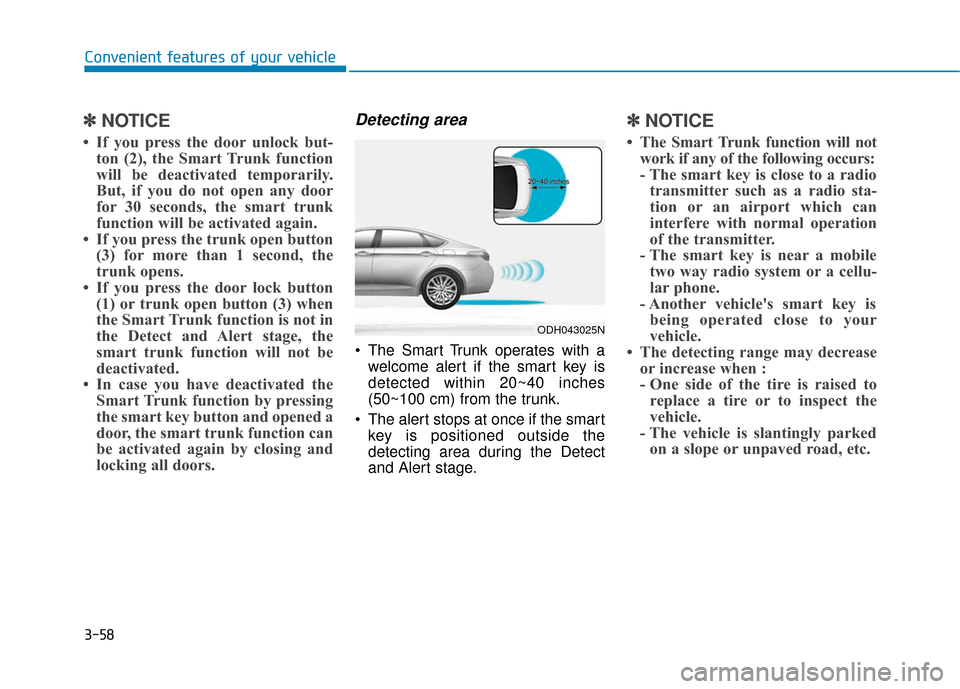
Detecting area
The Smart Trunk operates with a
welcome alert if the smart key is
detected within 20~40 inches
(50~100 cm) from the trunk.
The alert stops at once if the smart key is positioned outside the
detecting area during the Detect
and Alert stage.
✽ ✽ NOTICE
• The Smart Trunk function will not
work if any of the following occurs:
- The smart key is close to a radiotransmitter such as a radio sta-
tion or an airport which can
interfere with normal operation
of the transmitter.
- The smart key is near a mobile two way radio system or a cellu-
lar phone.
- Another vehicle's smart key is being operated close to your
vehicle.
• The detecting range may decrease or increase when :
- One side of the tire is raised toreplace a tire or to inspect the
vehicle.
- The vehicle is slantingly parked on a slope or unpaved road, etc.
ODH043025N
Page 162 of 503
3-68
Convenient features of your vehicle
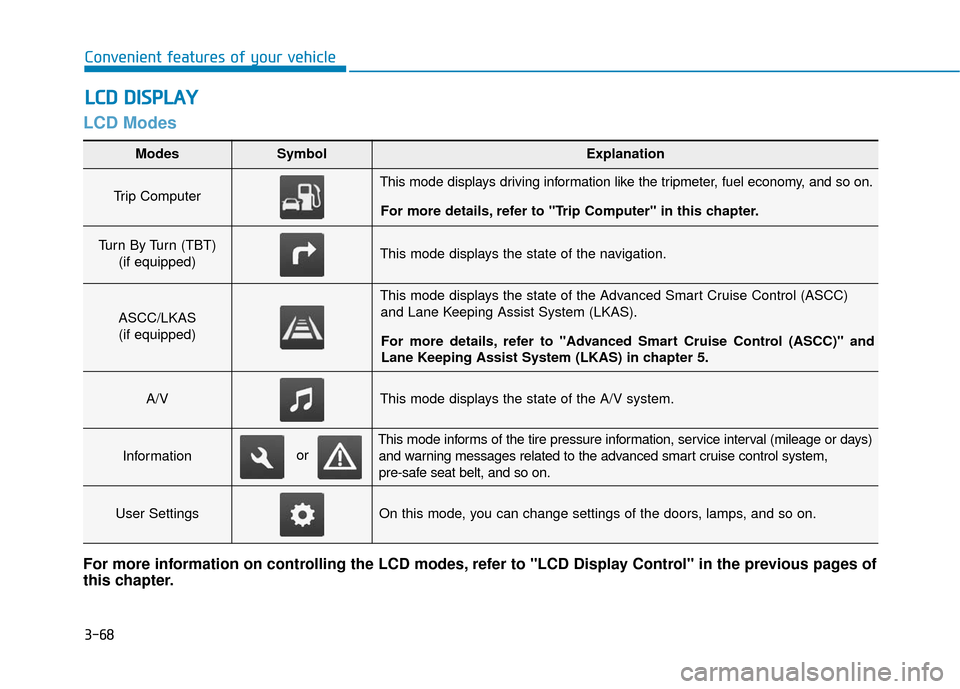
LCD Modes
L
LC
C D
D
D
D I
IS
S P
P L
LA
A Y
Y
Modes SymbolExplanation
Trip Computer This mode displays driving information like the tripmeter, fuel economy, and so on.
For more details, refer to "Trip Computer" in this chapter.
Turn By Turn (TBT) (if equipped)This mode displays the state of the navigation.
ASCC/LKAS(if equipped)
This mode displays the state of the Advanced Smart Cruise Control (ASCC) and Lane Keeping Assist System (LKAS).
For more details, refer to "Advanced Smart Cruise Control (ASCC)" and
Lane Keeping Assist System (LKAS) in chapter 5.
A/VThis mode displays the state of the A/V system.
Information
This mode informs of the tire pressure information, service interval (mileage or days) and warning messages related to the advanced smart cruise control system,
pre-safe seat belt, and so on.
User SettingsOn this mode, you can change settings of the doors, lamps, and so on.
For more information on controlling the LCD modes, refer to "LCD Display Control" in the previous pages of
this chapter.
or
Page 165 of 503
3-71
Convenient features of your vehicle
3
Information Mode
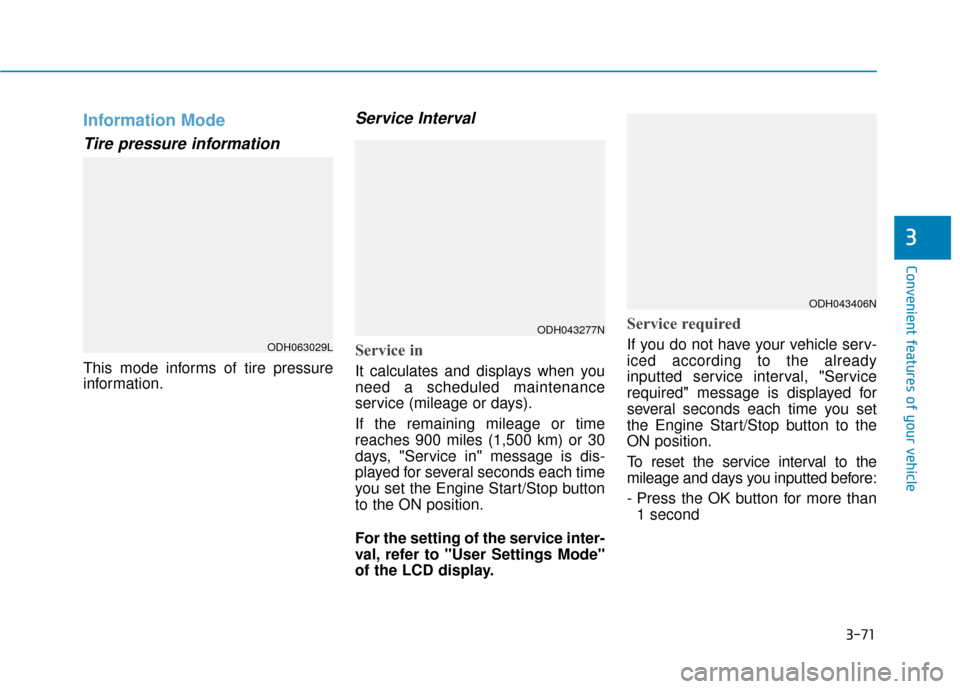
Tire pressure information
This mode informs of tire pressure
information.
Service Interval
Service in
It calculates and displays when you
need a scheduled maintenance
service (mileage or days).
If the remaining mileage or time
reaches 900 miles (1,500 km) or 30
days, "Service in" message is dis-
played for several seconds each time
you set the Engine Start/Stop button
to the ON position.
For the setting of the service inter-
val, refer to "User Settings Mode"
of the LCD display.
Service required
If you do not have your vehicle serv-
iced according to the already
inputted service interval, "Service
required" message is displayed for
several seconds each time you set
the Engine Start/Stop button to the
ON position.
To reset the service interval to the
mileage and days you inputted before:
- Press the OK button for more than1 secondODH063029L
ODH043277N
ODH043406N
Page 173 of 503
3-79
Convenient features of your vehicle
3
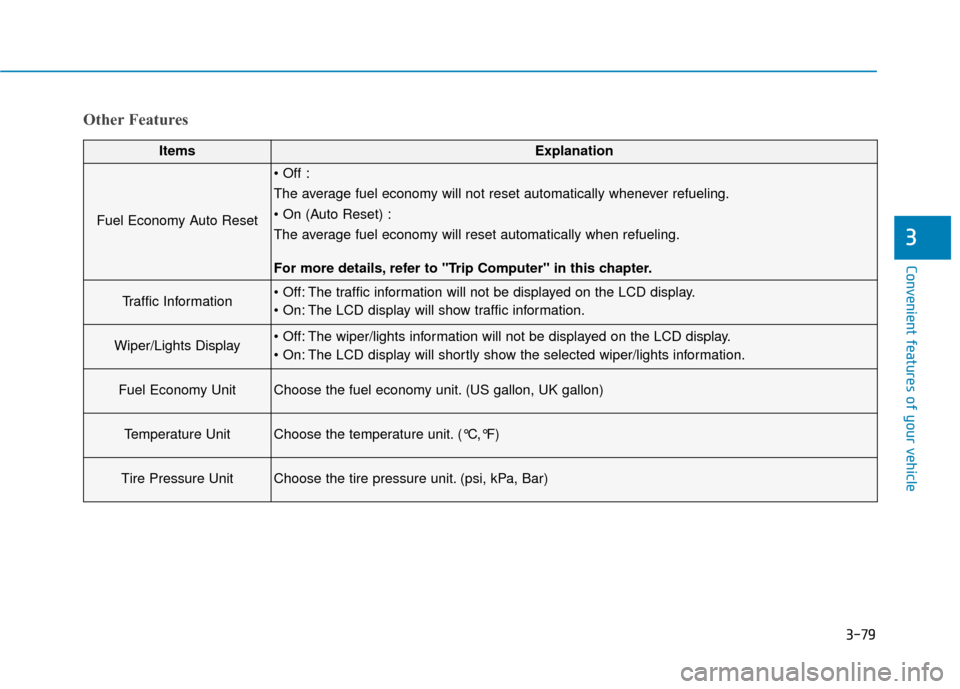
Other Features
ItemsExplanation
Fuel Economy Auto Reset
The average fuel economy will not reset automatically whenever refueling.
The average fuel economy will reset automatically when refueling.
For more details, refer to "Trip Computer" in this chapter.
Traffic Information The traffic information will not be displayed on the LCD display.
The LCD display will show traffic information.
Wiper/Lights Display The wiper/lights information will not be displayed on the LCD display.
The LCD display will shortly show the selected wiper/lights information.
Fuel Economy UnitChoose the fuel economy unit. (US gallon, UK gallon)
Temperature UnitChoose the temperature unit. (°C,°F)
Tire Pressure UnitChoose the tire pressure unit. (psi, kPa, Bar)
Page 179 of 503
3-85
Convenient features of your vehicle
3
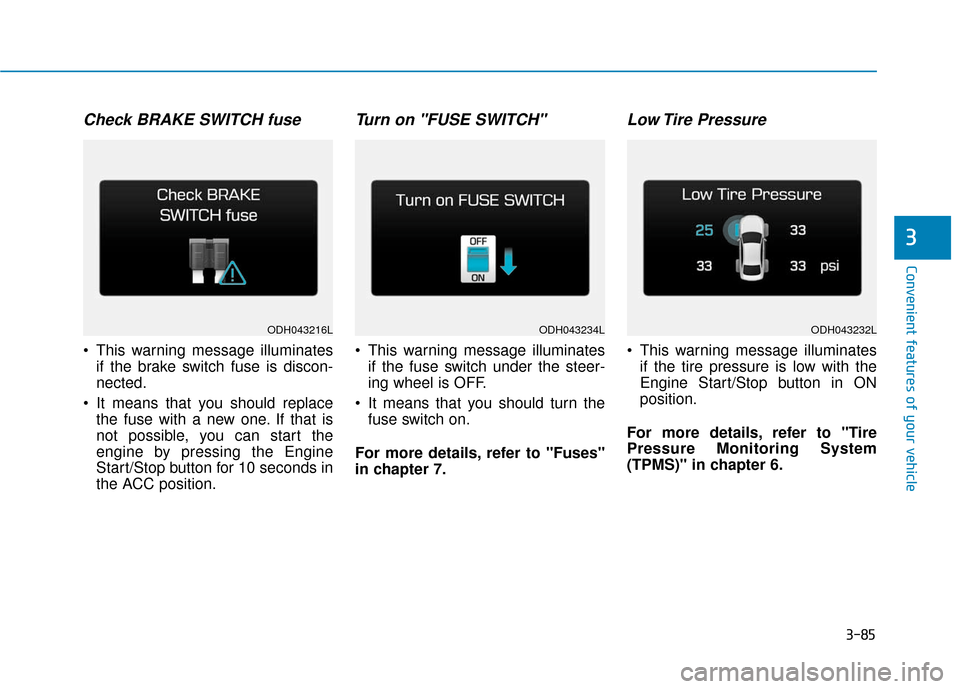
Check BRAKE SWITCH fuse
This warning message illuminatesif the brake switch fuse is discon-
nected.
It means that you should replace the fuse with a new one. If that is
not possible, you can start the
engine by pressing the Engine
Start/Stop button for 10 seconds in
the ACC position.
Turn on "FUSE SWITCH"
This warning message illuminatesif the fuse switch under the steer-
ing wheel is OFF.
It means that you should turn the fuse switch on.
For more details, refer to "Fuses"
in chapter 7.
Low Tire Pressure
This warning message illuminates if the tire pressure is low with the
Engine Start/Stop button in ON
position.
For more details, refer to "Tire
Pressure Monitoring System
(TPMS)" in chapter 6.
ODH043216LODH043234LODH043232L
Page 195 of 503
3-101
Convenient features of your vehicle
3
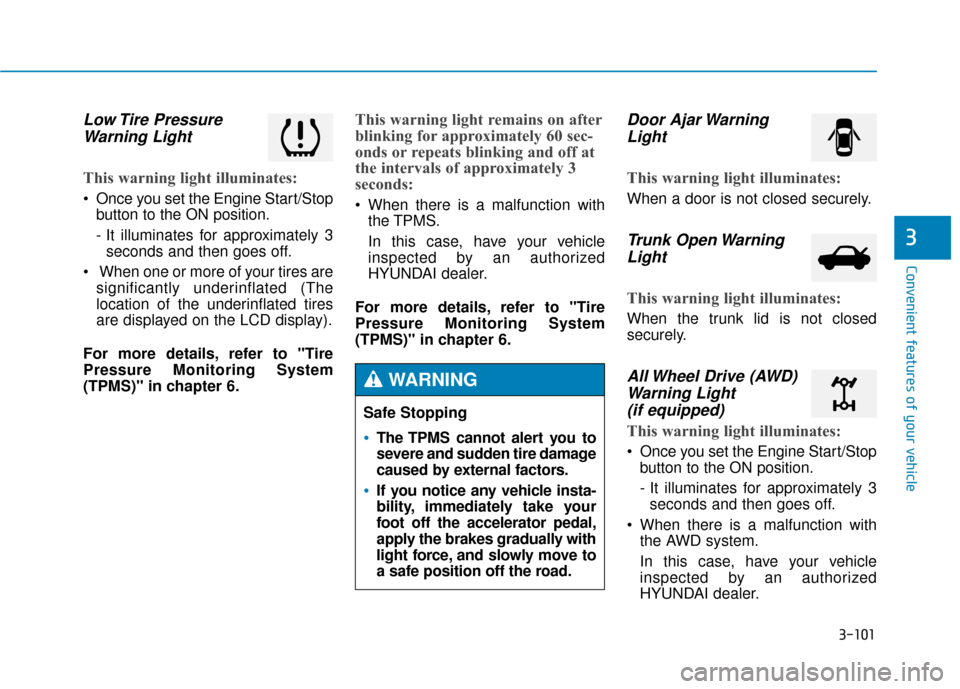
Low Tire PressureWarning Light
This warning light illuminates:
Once you set the Engine Start/Stop
button to the ON position.
- It illuminates for approximately 3seconds and then goes off.
When one or more of your tires are significantly underinflated (The
location of the underinflated tires
are displayed on the LCD display).
For more details, refer to "Tire
Pressure Monitoring System
(TPMS)" in chapter 6.
This warning light remains on after
blinking for approximately 60 sec-
onds or repeats blinking and off at
the intervals of approximately 3
seconds:
When there is a malfunction with the TPMS.
In this case, have your vehicle
inspected by an authorized
HYUNDAI dealer.
For more details, refer to "Tire
Pressure Monitoring System
(TPMS)" in chapter 6.
Door Ajar Warning Light
This warning light illuminates:
When a door is not closed securely.
Trunk Open WarningLight
This warning light illuminates:
When the trunk lid is not closed
securely.
All Wheel Drive (AWD)Warning Light (if equipped)
This warning light illuminates:
Once you set the Engine Start/Stop
button to the ON position.
- It illuminates for approximately 3seconds and then goes off.
When there is a malfunction with the AWD system.
In this case, have your vehicle
inspected by an authorized
HYUNDAI dealer.
Safe Stopping
The TPMS cannot alert you to
severe and sudden tire damage
caused by external factors.
If you notice any vehicle insta-
bility, immediately take your
foot off the accelerator pedal,
apply the brakes gradually with
light force, and slowly move to
a safe position off the road.
WARNING
Page 207 of 503
3-113
Convenient features of your vehicle
3
The high beam switches to low beam
in the below conditions.
- When the Smart High Beam is off.
- When the light switch is not in theAUTO position.
- When the headlamp is detected from the on-coming vehicle.
- When the tail lamp is detected from the front vehicle.
- When the surrounding is bright enough high beams are not need-
ed.
- When streetlights or other lights are detected.
- When vehicle speed is below 22 mph (35km/h). The system may not operate nor-
mally in the below conditions.
When the light from the on-
coming or front vehicle is not
detected because of lamp dam-
age, hidden from sight, etc.
When the lamp of the on-com-
ing or front vehicle is covered
with dust, snow or water.
When the light from the on-
coming or front vehicle is not
detected because of exhaust
fume, smoke, fog, snow, etc.
When the front window is cov-
ered with foreign matters such
as ice, dust, fog, or is damaged.
When there is a similar shape
lamp with the front vehicle’s
lamps.
When it is hard to see because
of fog, heavy rain or snow.
When the headlamp is not
repaired or replaced at an
authorized dealer.
(continued)
CAUTION(continued)
When headlamp aiming is not
properly adjusted.
When driving on a narrow
curved road or rough road.
When driving downhill or uphill.
When only part of the vehicle
in front is visible on a cross-
road or curved road.
When there is a traffic light,
reflecting sign, flashing sign
or mirror.
When the road conditions are
bad such as being wet or cov-
ered with snow.
When the front vehicle’s head-
lamps are off but the fog lamps
on.
When a vehicle suddenly
appears from a curve.
When the vehicle is tilted from
a flat tire or being towed.
When the LKAS (Lane keep-
ing Assist System) warning
light illuminates. (if equipped)
Page 263 of 503
5
Special driving conditions ...................................5-86
Hazardous driving conditions.......................................5-86
Rocking the vehicle ........................................................5-86
Smooth cornering ...........................................................5-87
Driving at night ................................................................5-87
Driving in the rain ...........................................................5-88
Driving in flooded areas ................................................5-88
Winter driving .......................................................5-89
Snow or icy conditions ..................................................5-89
Winter precaution ...........................................................5-91
Vehicle load limit ..................................................5-93
Tire loading information label......................................5-94
Trailer towing .......................................................5-98
Page 265 of 503
5-4
Driving your vehicle
Before entering the vehicle
• Be sure all windows, outside mir-ror(s), and outside lights are clean
and unobstructed.
Remove frost, snow, or ice.
Visually check the tires for uneven wear and damage.
Check under the vehicle for any sign of leaks.
Be sure there are no obstacles behind you if you intend to back up.
Before starting
Make sure the hood, the trunk, andthe doors are securely closed and
locked.
Adjust the position of the seat and steering wheel.
Adjust the inside and outside rearview mirrors.
Verify all the lights work.
Fasten your seatbelt. Check that all passengers have fastened their
seatbelts.
Check the gauges and indicators in the instrument panel and the mes-
sages on the instrument display
when the Engine Start/Stop button
is in the ON position.
Check that any items you are car- rying are stored properly or fas-
tened down securely.
CALIFORNIA PROPOSITION 65
WARNING
Engine exhaust and a wide vari-
ety of automobile components
including components found in
the interior furnishings in a
vehicle, contain or emit harmful
chemicals known to the State of
California to cause cancer and
birth defects and reproductive
harm. In addition, certain fluids
contained in vehicles and cer-
tain products of components
contain or emit chemicals
known to the State of California
to cause cancer and birth
defects or other reproductive
harm.WARNING
B B
E
EF
FO
O R
RE
E
D
D R
RI
IV
V I
IN
N G
G
Page 281 of 503
5-20
Driving your vehicle
For safe AWD operation
Before driving
Make sure all passengers arewearing seat belts.
Sit upright and adjust the steering wheel to a position comfortable for
you to drive.
Driving on snow-covered or icy
roads
Start off slowly by applying theaccelerator pedal gently.
Use of snow tires is recommended. For more information on Snow
Tires refer to "Winter Driving" in
this chapter.
Keep sufficient distance between your vehicle and the vehicle in front
of you.
Use engine braking during deceler- ation.
Avoid speeding, rapid acceleration, sudden brake applications, and
sharp turns to prevent skids.
Driving in sand or mud
Maintain slow and constant speed.
Keep sufficient distance betweenyour vehicle and the vehicle in front
of you.
Reduce vehicle speed and always check the road condition.
Avoid speeding, rapid acceleration, sudden brake applications, and
sharp turns to prevent getting
stuck.
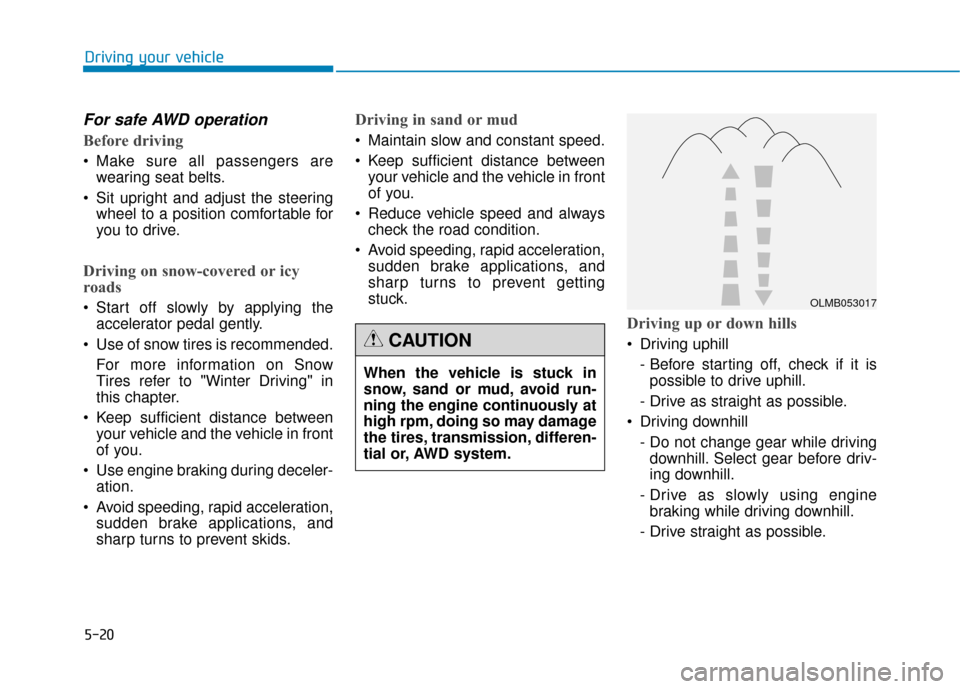
Driving up or down hills
Driving uphill
- Before starting off, check if it ispossible to drive uphill.
- Drive as straight as possible.
Driving downhill - Do not change gear while drivingdownhill. Select gear before driv-
ing downhill.
- Drive as slowly using engine braking while driving downhill.
- Drive straight as possible.
When the vehicle is stuck in
snow, sand or mud, avoid run-
ning the engine continuously at
high rpm, doing so may damage
the tires, transmission, differen-
tial or, AWD system.CAUTION
OLMB053017