stop start Hyundai Genesis 2016 Repair Manual
[x] Cancel search | Manufacturer: HYUNDAI, Model Year: 2016, Model line: Genesis, Model: Hyundai Genesis 2016Pages: 503, PDF Size: 12.94 MB
Page 218 of 503
3-124
Convenient features of your vehicle
AUTO (Automatic) control
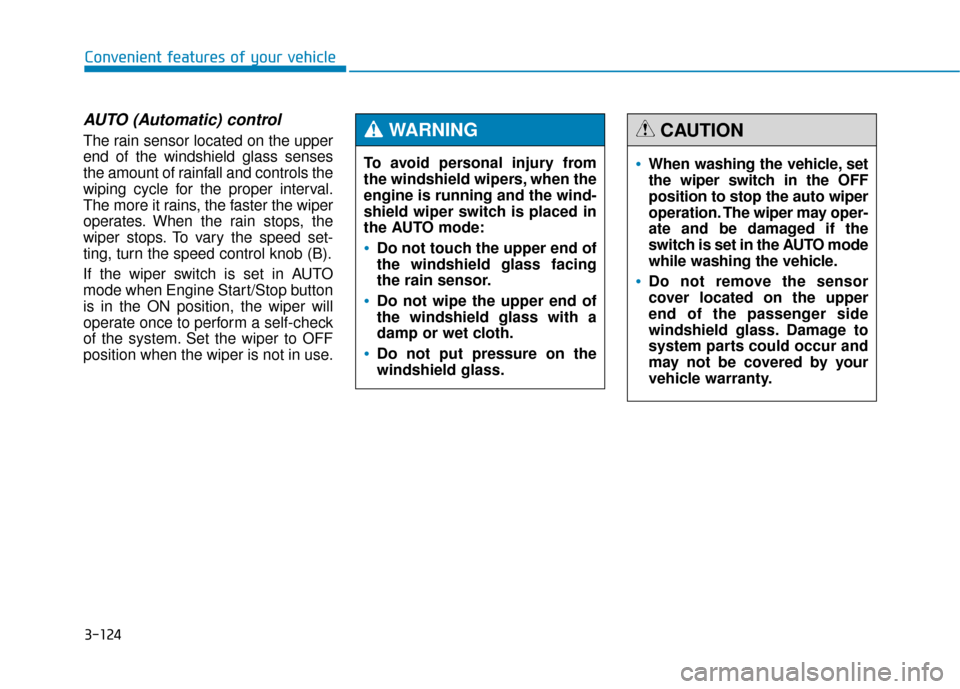
The rain sensor located on the upper
end of the windshield glass senses
the amount of rainfall and controls the
wiping cycle for the proper interval.
The more it rains, the faster the wiper
operates. When the rain stops, the
wiper stops. To vary the speed set-
ting, turn the speed control knob (B).
If the wiper switch is set in AUTO
mode when Engine Start/Stop button
is in the ON position, the wiper will
operate once to perform a self-check
of the system. Set the wiper to OFF
position when the wiper is not in use.To avoid personal injury from
the windshield wipers, when the
engine is running and the wind-
shield wiper switch is placed in
the AUTO mode:
Do not touch the upper end of
the windshield glass facing
the rain sensor.
Do not wipe the upper end of
the windshield glass with a
damp or wet cloth.
Do not put pressure on the
windshield glass.
WARNING
When washing the vehicle, set
the wiper switch in the OFF
position to stop the auto wiper
operation. The wiper may oper-
ate and be damaged if the
switch is set in the AUTO mode
while washing the vehicle.
Do not remove the sensor
cover located on the upper
end of the passenger side
windshield glass. Damage to
system parts could occur and
may not be covered by your
vehicle warranty.
CAUTION
Page 219 of 503
3-125
Convenient features of your vehicle
3
Windshield washers
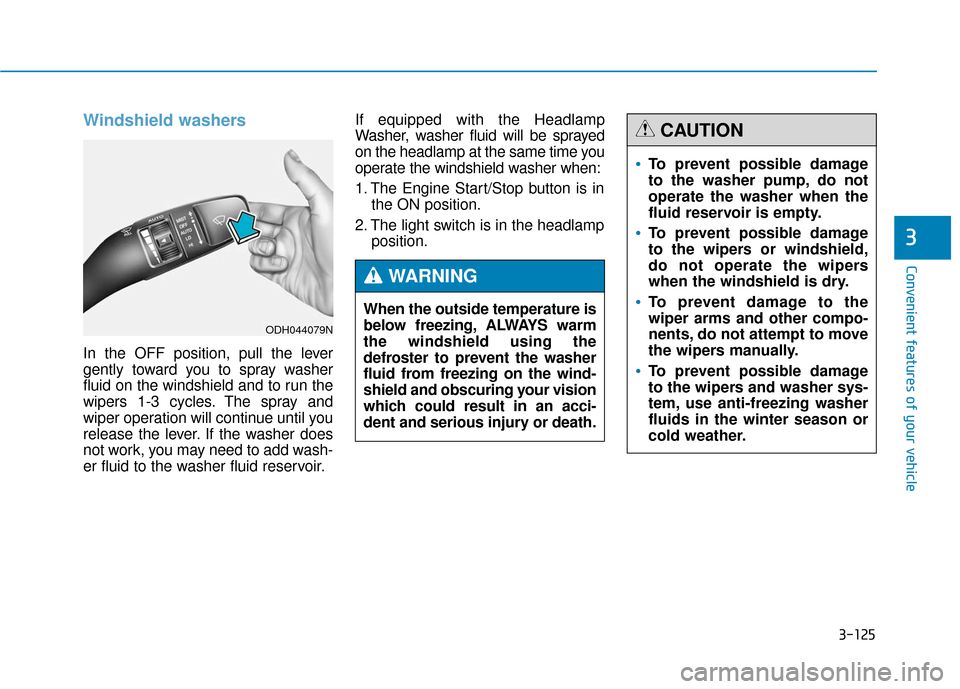
In the OFF position, pull the lever
gently toward you to spray washer
fluid on the windshield and to run the
wipers 1-3 cycles. The spray and
wiper operation will continue until you
release the lever. If the washer does
not work, you may need to add wash-
er fluid to the washer fluid reservoir.If equipped with the Headlamp
Washer, washer fluid will be sprayed
on the headlamp at the same time you
operate the windshield washer when:
1. The Engine Start/Stop button is in
the ON position.
2. The light switch is in the headlamp position.
When the outside temperature is
below freezing, ALWAYS warm
the windshield using the
defroster to prevent the washer
fluid from freezing on the wind-
shield and obscuring your vision
which could result in an acci-
dent and serious injury or death.
WARNING
To prevent possible damage
to the washer pump, do not
operate the washer when the
fluid reservoir is empty.
To prevent possible damage
to the wipers or windshield,
do not operate the wipers
when the windshield is dry.
To prevent damage to the
wiper arms and other compo-
nents, do not attempt to move
the wipers manually.
To prevent possible damage
to the wipers and washer sys-
tem, use anti-freezing washer
fluids in the winter season or
cold weather.
CAUTION
ODH044079N
Page 221 of 503
3-127
Convenient features of your vehicle
3
Parking Guide System
(if equipped)
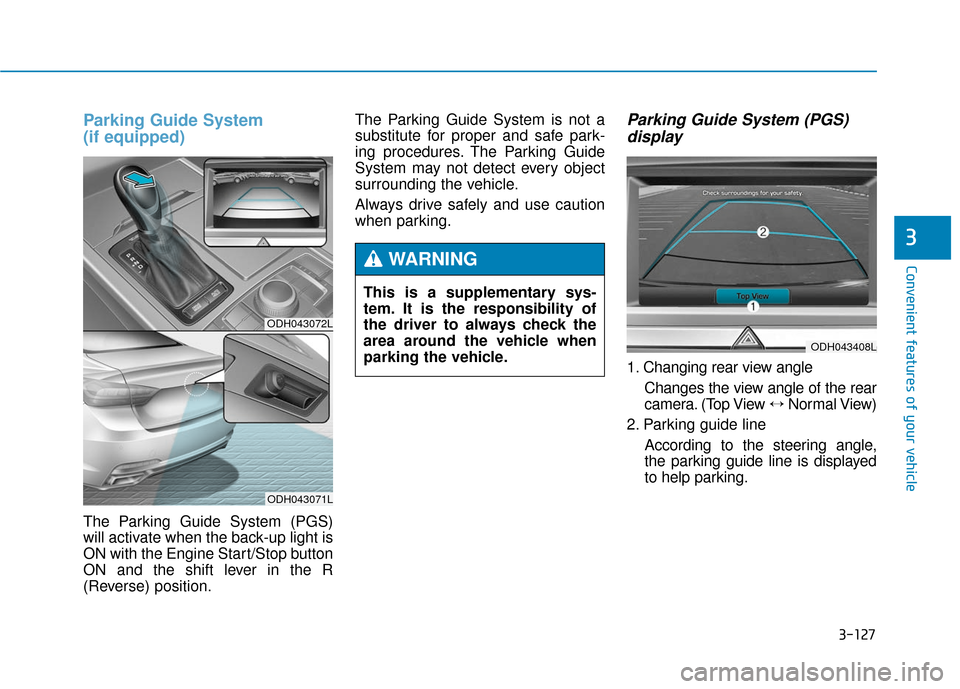
The Parking Guide System (PGS)
will activate when the back-up light is
ON with the Engine Start/Stop button
ON and the shift lever in the R
(Reverse) position.The Parking Guide System is not a
substitute for proper and safe park-
ing procedures. The Parking Guide
System may not detect every object
surrounding the vehicle.
Always drive safely and use caution
when parking.
Parking Guide System (PGS)
display
1. Changing rear view angle
Changes the view angle of the rear
camera. (Top View ↔ Normal View)
2. Parking guide line According to the steering angle,
the parking guide line is displayed
to help parking.
ODH043072L
ODH043071L
This is a supplementary sys-
tem. It is the responsibility of
the driver to always check the
area around the vehicle when
parking the vehicle.
WARNING
ODH043408L
Page 223 of 503
3-129
Convenient features of your vehicle
3
This system is a supplemental sys-
tem that senses objects within the
range and location of the sensors, it
cannot detect objects in other areas
where sensors are not installed.Operation of the Parking AssistSystemOperating condition
- When the Engine Start/Stop button
is in the ON position
- When the shift lever is in D or R position
- When the vehicle speed is not over 6 mph (10 km/h)
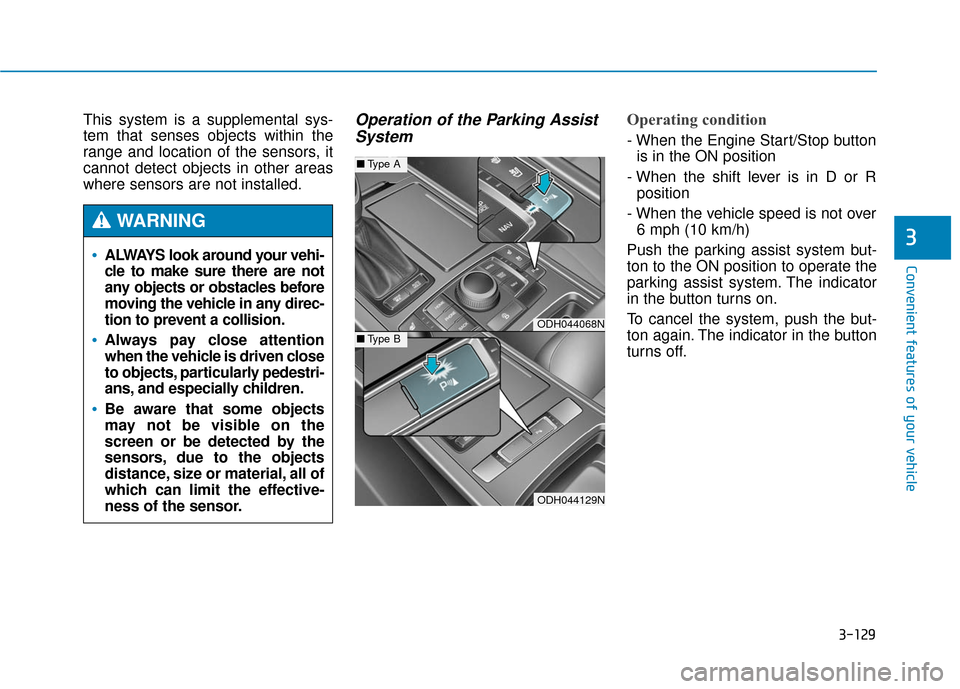
Push the parking assist system but-
ton to the ON position to operate the
parking assist system. The indicator
in the button turns on.
To cancel the system, push the but-
ton again. The indicator in the button
turns off.
ODH044068N
ODH044129N
■ Type A
■Type B
ALWAYS look around your vehi-
cle to make sure there are not
any objects or obstacles before
moving the vehicle in any direc-
tion to prevent a collision.
Always pay close attention
when the vehicle is driven close
to objects, particularly pedestri-
ans, and especially children.
Be aware that some objects
may not be visible on the
screen or be detected by the
sensors, due to the objects
distance, size or material, all of
which can limit the effective-
ness of the sensor.
WARNING
Page 226 of 503
3-132
Convenient features of your vehicle
D
DE
EF
FR
R O
O S
ST
T E
ER
R
If you want to defrost and defog
the front windshield, refer to
"Windshield Defrosting and
Defogging" in this chapter.
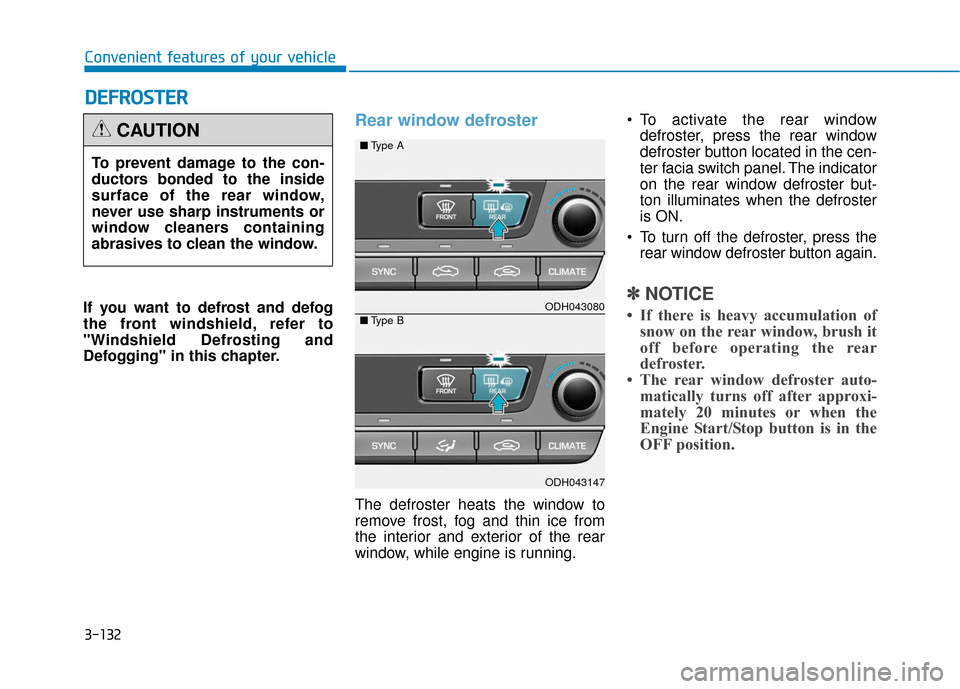
Rear window defroster
The defroster heats the window to
remove frost, fog and thin ice from
the interior and exterior of the rear
window, while engine is running. To activate the rear window
defroster, press the rear window
defroster button located in the cen-
ter facia switch panel. The indicator
on the rear window defroster but-
ton illuminates when the defroster
is ON.
To turn off the defroster, press the rear window defroster button again.
✽ ✽ NOTICE
• If there is heavy accumulation of
snow on the rear window, brush it
off before operating the rear
defroster.
• The rear window defroster auto- matically turns off after approxi-
mately 20 minutes or when the
Engine Start/Stop button is in the
OFF position.
To prevent damage to the con-
ductors bonded to the inside
surface of the rear window,
never use sharp instruments or
window cleaners containing
abrasives to clean the window.
CAUTION
ODH043080
ODH043147
■ Type A
■Type B
Page 237 of 503
3-143
Convenient features of your vehicle
3
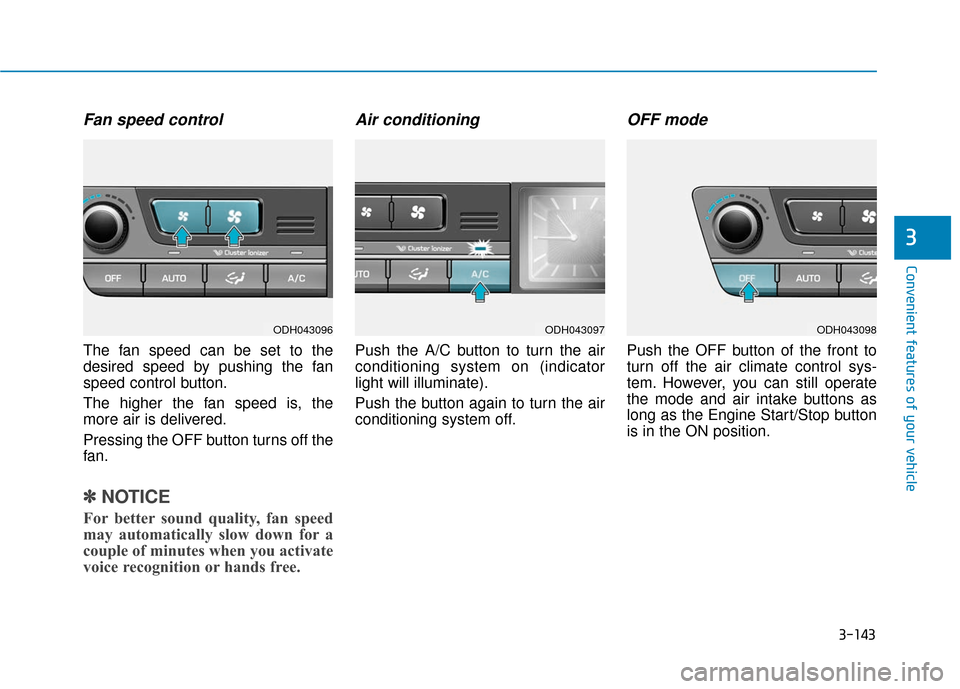
Fan speed control
The fan speed can be set to the
desired speed by pushing the fan
speed control button.
The higher the fan speed is, the
more air is delivered.
Pressing the OFF button turns off the
fan.
✽ ✽NOTICE
For better sound quality, fan speed
may automatically slow down for a
couple of minutes when you activate
voice recognition or hands free.
Air conditioning
Push the A/C button to turn the air
conditioning system on (indicator
light will illuminate).
Push the button again to turn the air
conditioning system off.
OFF mode
Push the OFF button of the front to
turn off the air climate control sys-
tem. However, you can still operate
the mode and air intake buttons as
long as the Engine Start/Stop button
is in the ON position.
ODH043096ODH043097ODH043098
Page 245 of 503

3-151
Convenient features of your vehicle
3
C
CL
LI
IM
M A
AT
TE
E
C
C O
O N
NT
TR
R O
O L
L
A
A D
DD
DI
IT
T I
IO
O N
NA
AL
L
F
F E
E A
A T
TU
U R
RE
ES
S
(
( I
IF
F
E
E Q
Q U
UI
IP
P P
PE
ED
D )
)
Cluster ionizer
When the Engine Start/Stop button
is in the ON position, the clean air
function turns on automatically.
Also, the clean air function turns off
automatically, when the Engine
Start/Stop button is in the OFF posi-
tion.
Smart ventilation
When driving and the heater and air
conditioning system is off, the smart
ventilation system maintains pleas-
ant indoor aerial environment by
controlling the temperature, humidity
and CO2 of interior.
“SMART VENTILATION ON” mes-
sage is displayed on the AVN climate
monitor for 5 seconds when the
smart ventilation system operates.
Smart ventilation system
ON/OFF
If you would like to cancel the smart
ventilation system, turn off the Smart
ventilation in the AVN climate monitor.
ODH043166L
ODH044167N
■
Type A
■ Type B
Page 249 of 503
3-155
Convenient features of your vehicle
3
I
IN
N T
TE
ER
R I
IO
O R
R
F
F E
E A
A T
TU
U R
RE
ES
S
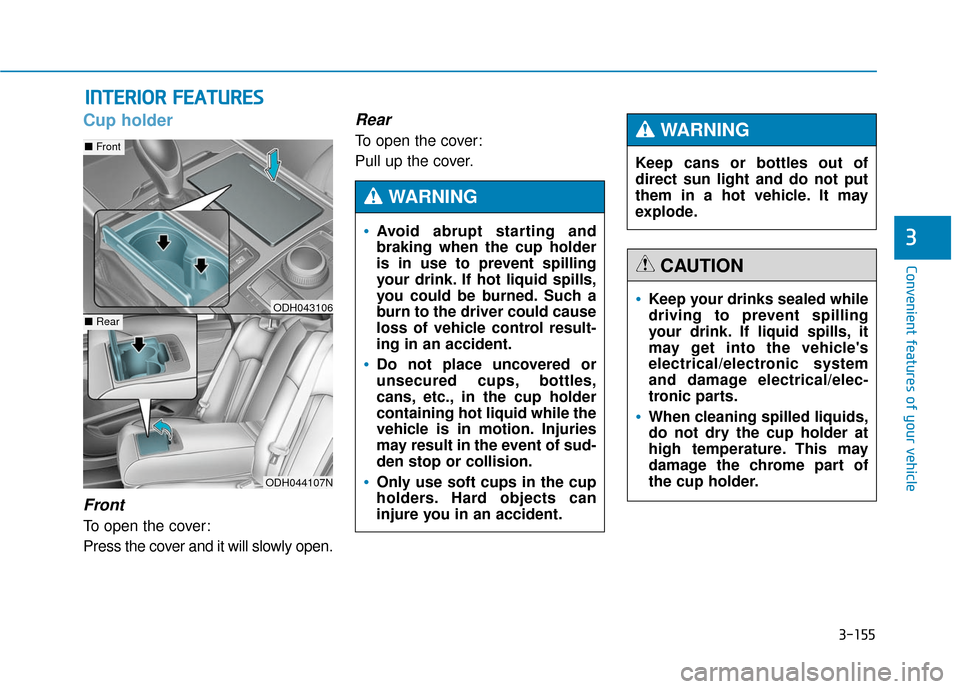
Cup holder
Front
To open the cover:
Press the cover and it will slowly open.
Rear
To open the cover:
Pull up the cover.
ODH044107N
■ Front
■RearODH043106Keep your drinks sealed while
driving to prevent spilling
your drink. If liquid spills, it
may get into the vehicle's
electrical/electronic system
and damage electrical/elec-
tronic parts.
When cleaning spilled liquids,
do not dry the cup holder at
high temperature. This may
damage the chrome part of
the cup holder.
CAUTION
Avoid abrupt starting and
braking when the cup holder
is in use to prevent spilling
your drink. If hot liquid spills,
you could be burned. Such a
burn to the driver could cause
loss of vehicle control result-
ing in an accident.
Do not place uncovered or
unsecured cups, bottles,
cans, etc., in the cup holder
containing hot liquid while the
vehicle is in motion. Injuries
may result in the event of sud-
den stop or collision.
Only use soft cups in the cup
holders. Hard objects can
injure you in an accident.
WARNING
Keep cans or bottles out of
direct sun light and do not put
them in a hot vehicle. It may
explode.
WARNING
Page 262 of 503
Driving your vehicle
5
Before driving.........................................................5-4
Before entering the vehicle ...........................................5-4
Before starting...................................................................5-4
Engine Start/Stop button ................................................5-6
Automatic transmission .......................................5-11
Automatic transmission operation .............................5-11
Parking ........................................................................\
.......5-17
Good driving practices ...................................................5-17
All Wheel Drive (AWD) ........................................5-19
Using All Wheel Drive (AWD) .......................................5-19
Emergency precautions .................................................5-21
Braking system ...................................................5-23
Power brakes ..................................................................5-23
Disc brakes wear indicator ..........................................5-24
Foot parking brake ........................................................5-24
Electric parking brake (EPB) ........................................5-26
AUTO HOLD .....................................................................5-3\
1
Anti-lock Brake System (ABS) ....................................5-35
Electronic Stability Control (ESC)................................5-38
Hill-Start Assist Control (HAC) ...................................5-41
Good braking practices..................................................5-41
Drive mode integrated control system .............5-42
Electronic Control Suspension (ECS) ................5-44
ECS malfunction indicator.............................................5-44
Autonomous Emergency Braking (AEB)............5-45
AEB operation ..................................................................5-46
To cancel the AEB ..........................................................5-47
Warning light and message ..........................................5-48
Cruise control .......................................................5-50
Cruise control operation................................................5-50
Advanced smart cruise control system ............5-54
To convert to cruise control mode .............................5-55
Smart cruise control speed ..........................................5-55
Cancelled automatically .................................................5-58
Smart cruise control vehicle-to-vehicle distance.....5-60
Sensor to detect distance to the vehicle ahead .....5-62
Limitations of the system .............................................5-64
Lane Keeping Assist System (LKAS) .................5-69
LKAS operation ................................................................5-70
LKAS malfunction............................................................5-75
LKAS function change ..................................................5-76
Blind Spot Detection System (BSD) ..................5-78
BSD (Blind Spot Detection) /
LCA (Lane Change Assist) .............................................5-79
RCTA (Rear Cross Traffic Alert) ..................................5-82
Page 265 of 503
5-4
Driving your vehicle
Before entering the vehicle
• Be sure all windows, outside mir-ror(s), and outside lights are clean
and unobstructed.
Remove frost, snow, or ice.
Visually check the tires for uneven wear and damage.
Check under the vehicle for any sign of leaks.
Be sure there are no obstacles behind you if you intend to back up.
Before starting
Make sure the hood, the trunk, andthe doors are securely closed and
locked.
Adjust the position of the seat and steering wheel.
Adjust the inside and outside rearview mirrors.
Verify all the lights work.
Fasten your seatbelt. Check that all passengers have fastened their
seatbelts.
Check the gauges and indicators in the instrument panel and the mes-
sages on the instrument display
when the Engine Start/Stop button
is in the ON position.
Check that any items you are car- rying are stored properly or fas-
tened down securely.
CALIFORNIA PROPOSITION 65
WARNING
Engine exhaust and a wide vari-
ety of automobile components
including components found in
the interior furnishings in a
vehicle, contain or emit harmful
chemicals known to the State of
California to cause cancer and
birth defects and reproductive
harm. In addition, certain fluids
contained in vehicles and cer-
tain products of components
contain or emit chemicals
known to the State of California
to cause cancer and birth
defects or other reproductive
harm.WARNING
B B
E
EF
FO
O R
RE
E
D
D R
RI
IV
V I
IN
N G
G