key Hyundai Genesis Coupe 2009 User Guide
[x] Cancel search | Manufacturer: HYUNDAI, Model Year: 2009, Model line: Genesis Coupe, Model: Hyundai Genesis Coupe 2009Pages: 332, PDF Size: 20.46 MB
Page 71 of 332
Features of your vehicle
10
4
THEFT-ALARM SYSTEM (IF EQUIPPED)
D030000APB
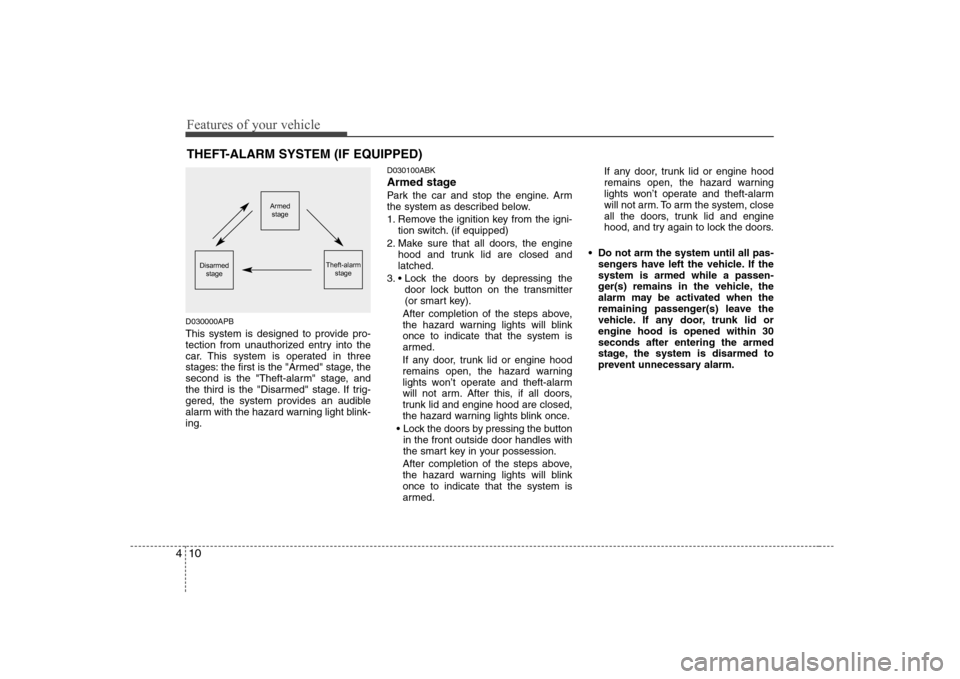
This system is designed to provide pro-
tection from unauthorized entry into the
car. This system is operated in three
stages: the first is the "Armed" stage, the
second is the "Theft-alarm" stage, and
the third is the "Disarmed" stage. If trig-
gered, the system provides an audible
alarm with the hazard warning light blink-ing. D030100ABK
Armed stage
Park the car and stop the engine. Arm
the system as described below.
1. Remove the ignition key from the igni-
tion switch. (if equipped)
2. Make sure that all doors, the engine hood and trunk lid are closed and latched.
3. door lock button on the transmitter
(or smart key).
After completion of the steps above,
the hazard warning lights will blinkonce to indicate that the system is
armed.
If any door, trunk lid or engine hood
remains open, the hazard warning
lights won’t operate and theft-alarm
will not arm. After this, if all doors,
trunk lid and engine hood are closed,
the hazard warning lights blink once.
in the front outside door handles with
the smart key in your possession.
After completion of the steps above,
the hazard warning lights will blinkonce to indicate that the system is
armed. If any door, trunk lid or engine hood
remains open, the hazard warning
lights won’t operate and theft-alarm
will not arm. To arm the system, close
all the doors, trunk lid and engine
hood, and try again to lock the doors.
Do not arm the system until all pas- sengers have left the vehicle. If thesystem is armed while a passen-
ger(s) remains in the vehicle, the
alarm may be activated when the
remaining passenger(s) leave the
vehicle. If any door, trunk lid orengine hood is opened within 30seconds after entering the armed
stage, the system is disarmed to
prevent unnecessary alarm.
Armedstage
Theft-alarm stageDisarmedstage
Page 72 of 332
411
Features of your vehicle
D030200ABH-EE
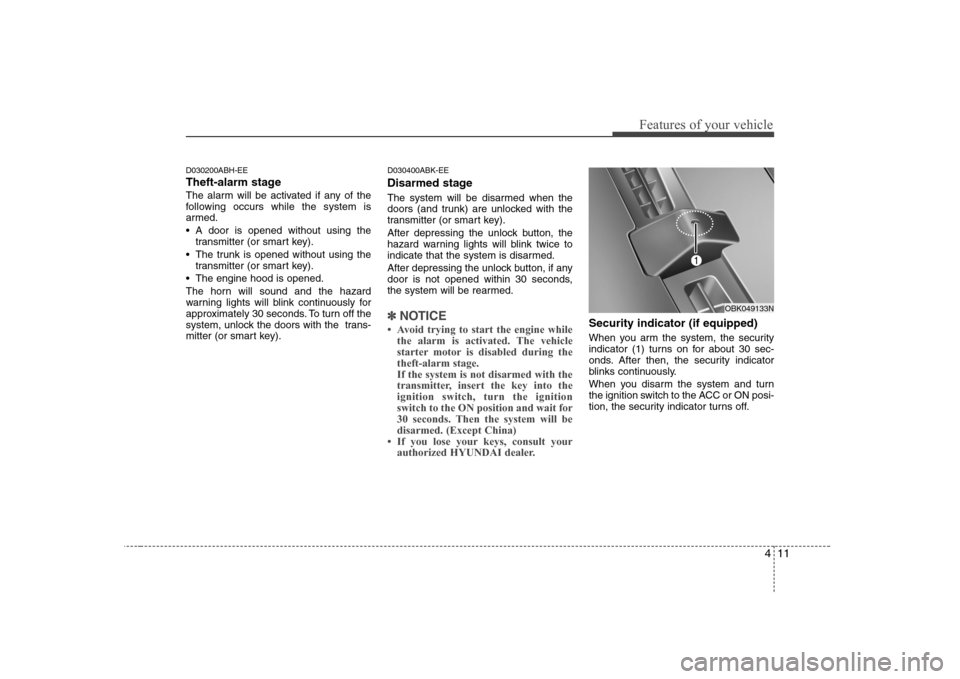
Theft-alarm stage
The alarm will be activated if any of the
following occurs while the system is
armed.
A door is opened without using thetransmitter (or smart key).
The trunk is opened without using the transmitter (or smart key).
The engine hood is opened.
The horn will sound and the hazard
warning lights will blink continuously for
approximately 30 seconds. To turn off the
system, unlock the doors with the trans-
mitter (or smart key). D030400ABK-EE
Disarmed stage
The system will be disarmed when the
doors (and trunk) are unlocked with the
transmitter (or smart key).
After depressing the unlock button, the
hazard warning lights will blink twice to
indicate that the system is disarmed.
After depressing the unlock button, if any
door is not opened within 30 seconds,
the system will be rearmed.
✽✽
NOTICE
Page 73 of 332
Features of your vehicle
12
4
D050100ABK
Operating door locks from out-
side the vehicle
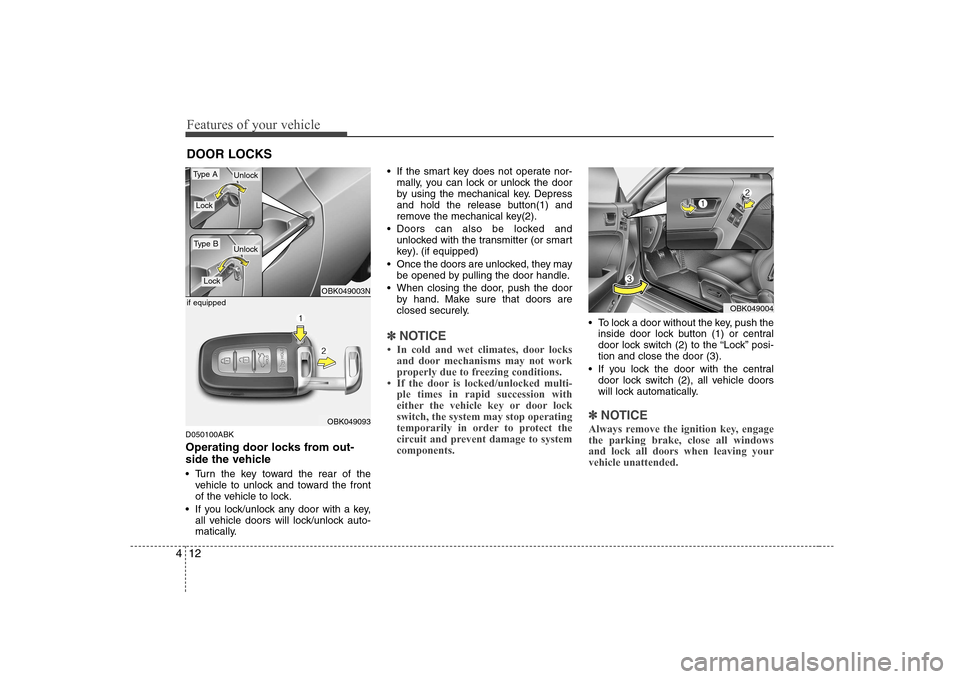
Turn the key toward the rear of the
vehicle to unlock and toward the front
of the vehicle to lock.
If you lock/unlock any door with a key, all vehicle doors will lock/unlock auto-
matically. If the smart key does not operate nor-
mally, you can lock or unlock the door
by using the mechanical key. Depress
and hold the release button(1) and
remove the mechanical key(2).
Doors can also be locked and unlocked with the transmitter (or smart
key). (if equipped)
Once the doors are unlocked, they may be opened by pulling the door handle.
When closing the door, push the door by hand. Make sure that doors are
closed securely.
✽✽ NOTICE
Page 74 of 332
413
Features of your vehicle
Operating door locks from inside
the vehicle D050201ABK-EE
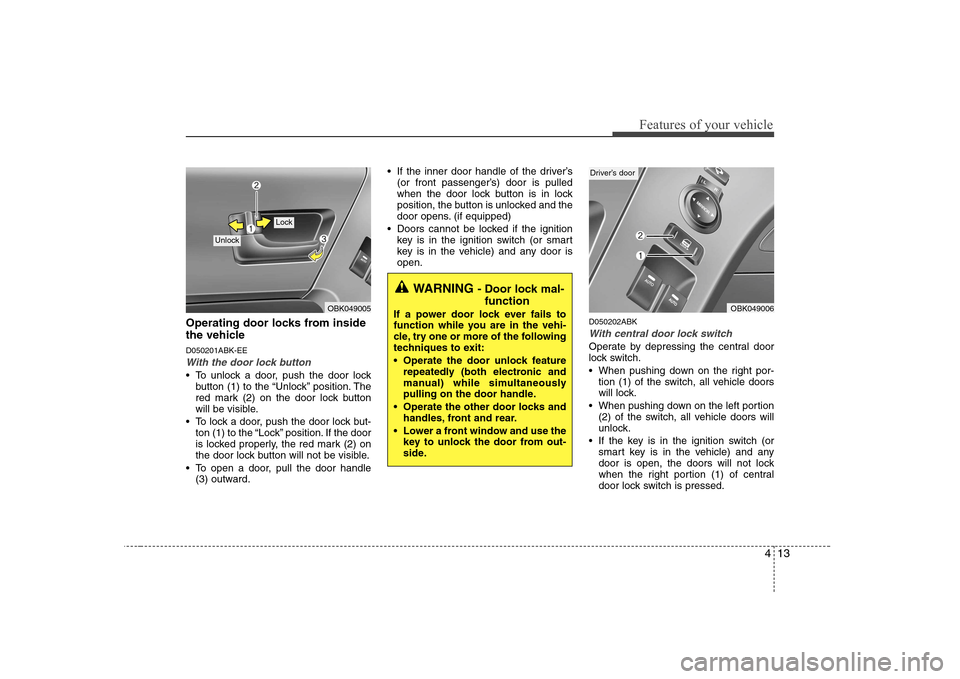
With the door lock button
To unlock a door, push the door lockbutton (1) to the “Unlock” position. The
red mark (2) on the door lock button
will be visible.
To lock a door, push the door lock but- ton (1) to the “Lock” position. If the door
is locked properly, the red mark (2) on
the door lock button will not be visible.
To open a door, pull the door handle (3) outward. If the inner door handle of the driver’s
(or front passenger’s) door is pulled
when the door lock button is in lock
position, the button is unlocked and the
door opens. (if equipped)
Doors cannot be locked if the ignition key is in the ignition switch (or smart
key is in the vehicle) and any door isopen.
D050202ABK
With central door lock switch
Operate by depressing the central door
lock switch.
When pushing down on the right por-tion (1) of the switch, all vehicle doors
will lock.
When pushing down on the left portion (2) of the switch, all vehicle doors will
unlock.
If the key is in the ignition switch (or smart key is in the vehicle) and any
door is open, the doors will not lock
when the right portion (1) of central
door lock switch is pressed.
OBK049005
Lock
Unlock
WARNING - Door lock mal-
function
If a power door lock ever fails to
function while you are in the vehi-
cle, try one or more of the following
techniques to exit:
Operate the door unlock feature repeatedly (both electronic and
manual) while simultaneously
pulling on the door handle.
Operate the other door locks and handles, front and rear.
Lower a front window and use the key to unlock the door from out-
side.
OBK049006
Driver’s door
Page 75 of 332
Features of your vehicle
14
4
D050300ABH
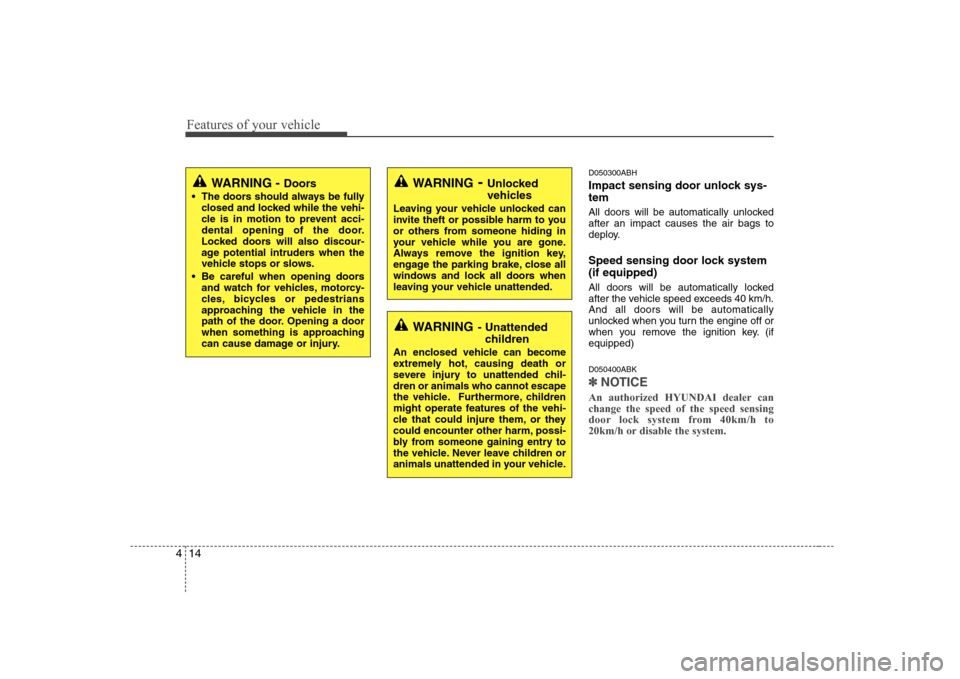
Impact sensing door unlock sys- tem
All doors will be automatically unlocked after an impact causes the air bags to
deploy.
Speed sensing door lock system (if equipped)
All doors will be automatically locked
after the vehicle speed exceeds 40 km/h.And all doors will be automatically
unlocked when you turn the engine off or
when you remove the ignition key. (ifequipped) D050400ABK
✽✽
NOTICE
An authorized HYUNDAI dealer can change the speed of the speed sensing
door lock system from 40km/h to
20km/h or disable the system.
WARNING - Unlocked
vehicles
Leaving your vehicle unlocked can
invite theft or possible harm to you
or others from someone hiding in
your vehicle while you are gone.
Always remove the ignition key,
engage the parking brake, close all
windows and lock all doors when
leaving your vehicle unattended.
WARNING - Unattended
children
An enclosed vehicle can become
extremely hot, causing death or
severe injury to unattended chil-dren or animals who cannot escape
the vehicle. Furthermore, children
might operate features of the vehi-
cle that could injure them, or they
could encounter other harm, possi-
bly from someone gaining entry to
the vehicle. Never leave children or
animals unattended in your vehicle.
WARNING - Doors
The doors should always be fully closed and locked while the vehi-
cle is in motion to prevent acci-
dental opening of the door.
Locked doors will also discour-
age potential intruders when the
vehicle stops or slows.
Be careful when opening doors and watch for vehicles, motorcy-
cles, bicycles or pedestrians
approaching the vehicle in the
path of the door. Opening a door
when something is approaching
can cause damage or injury.
Page 76 of 332
415
Features of your vehicle
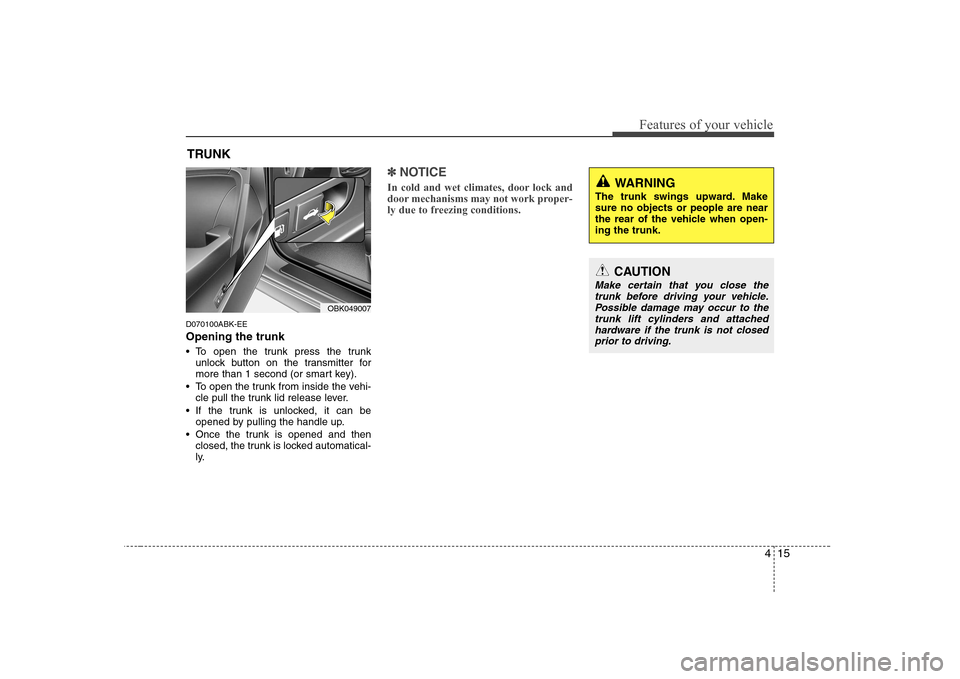
D070100ABK-EE Opening the trunk
To open the trunk press the trunkunlock button on the transmitter for
more than 1 second (or smart key).
To open the trunk from inside the vehi- cle pull the trunk lid release lever.
If the trunk is unlocked, it can be opened by pulling the handle up.
Once the trunk is opened and then closed, the trunk is locked automatical-
ly.
✽✽ NOTICE
In cold and wet climates, door lock and
door mechanisms may not work proper-
ly due to freezing conditions.
TRUNK
OBK049007
CAUTION
Make certain that you close the trunk before driving your vehicle. Possible damage may occur to thetrunk lift cylinders and attached
hardware if the trunk is not closedprior to driving.
WARNING
The trunk swings upward. Make sure no objects or people are near
the rear of the vehicle when open-ing the trunk.
Page 79 of 332
Features of your vehicle
18
4
D080100ABK
Power windows
The ignition switch must be in the ON
position for power windows to operate.
Each door has a power window switch
that controls the door's window. The
power windows can be operated for
approximately 30 seconds after the igni-
tion key is removed or turned to the ACC
or LOCK position. However, if the front
doors are opened, the power windows
cannot be operated within the 30 second
period after ignition key removal, or
turned to the ACC or LOCK position.
✽✽
NOTICE
While driving, if you notice buffeting and pulsation (wind shock) with eitherside window open, you should open the
opposite window slightly to reduce thecondition.
D080101AUN
Window opening and closing
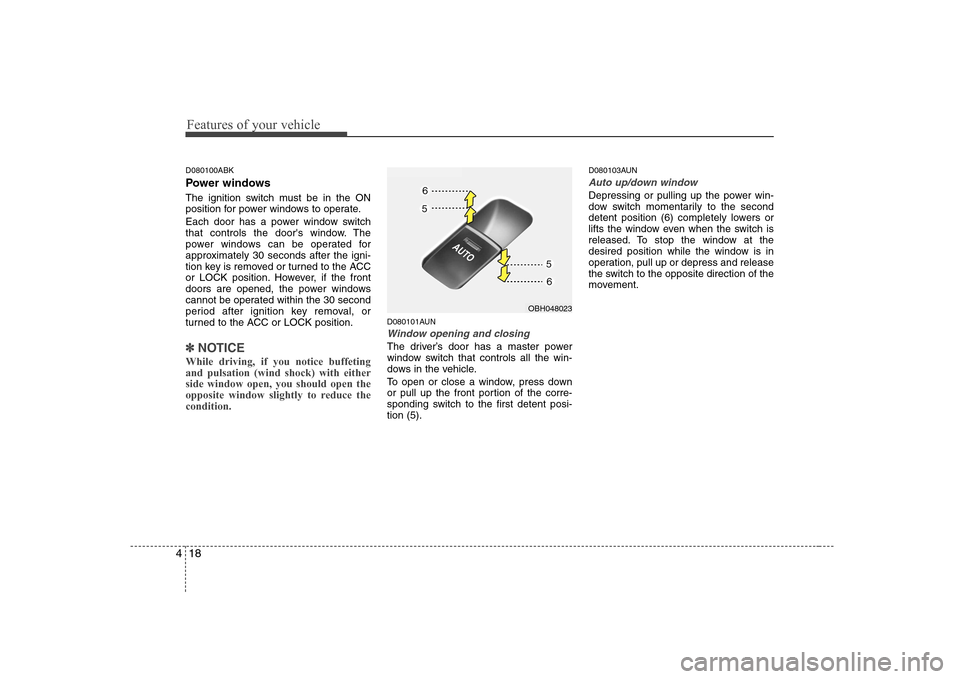
The driver’s door has a master power
window switch that controls all the win-
dows in the vehicle.
To open or close a window, press down
or pull up the front portion of the corre-
sponding switch to the first detent posi-tion (5). D080103AUN
Auto up/down window
Depressing or pulling up the power win-
dow switch momentarily to the second
detent position (6) completely lowers or
lifts the window even when the switch is
released. To stop the window at the
desired position while the window is in
operation, pull up or depress and release
the switch to the opposite direction of the
movement.
OBH048023
Page 81 of 332
Features of your vehicle
20
4
CAUTION
To prevent possible damage to
the power window system, do notopen or close two windows ormore at the same time. This will
also ensure the longevity of thefuse.
Never try to operate the main switch on the driver's door andthe individual door window
switch in opposing directions atthe same time. If this is done, thewindow will stop and cannot be
opened or closed.WARNING - Windows
NEVER leave the ignition key in the vehicle.
NEVER leave any child unattend- ed in the vehicle. Even very
young children may inadvertently
cause the vehicle to move, entan-
gle themselves in the windows,or otherwise injure themselves or
others.
Always double check to make sure all arms, hands, head and
other obstructions are safely out
of the way before closing a win-
dow.
Do not allow children to play with the power windows. Serious
injury can result from uninten-
tional window operation by the
child.
Do not extend a face or arms out- side through the window whiledriving.
Page 95 of 332
Features of your vehicle
34
4
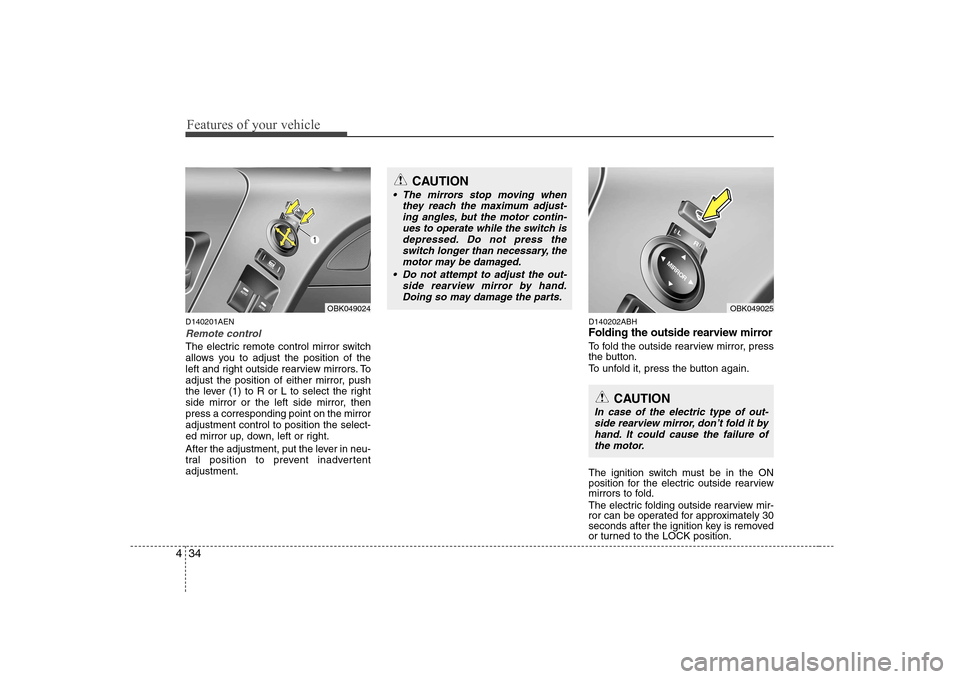
D140201AEN
Remote control
The electric remote control mirror switch
allows you to adjust the position of the
left and right outside rearview mirrors. To
adjust the position of either mirror, push
the lever (1) to R or L to select the right
side mirror or the left side mirror, thenpress a corresponding point on the mirroradjustment control to position the select-
ed mirror up, down, left or right.
After the adjustment, put the lever in neu-
tral position to prevent inadvertentadjustment. D140202ABH
Folding the outside rearview mirror
To fold the outside rearview mirror, press
the button.
To unfold it, press the button again.
The ignition switch must be in the ON
position for the electric outside rearview
mirrors to fold.
The electric folding outside rearview mir-
ror can be operated for approximately 30
seconds after the ignition key is removed
or turned to the LOCK position.
CAUTION
The mirrors stop moving when
they reach the maximum adjust-ing angles, but the motor contin-ues to operate while the switch is
depressed. Do not press the switch longer than necessary, themotor may be damaged.
Do not attempt to adjust the out- side rearview mirror by hand.
Doing so may damage the parts.
OBK049024OBK049025
CAUTION
In case of the electric type of out- side rearview mirror, don’t fold it byhand. It could cause the failure of the motor.
Page 110 of 332
449
Features of your vehicle
D150317ABH
Immobilizer indicator (if equipped)
Without smart key system This light illuminates when the immobiliz-
er key is inserted and turned to the ON
position to start the engine.
At this time, you can start the engine. The
light goes out after the engine is running.
If this light blinks when the ignition switch
is in the ON position before starting the
engine, have the system checked by an
authorized HYUNDAI dealer. With smart key system (if equipped)
If any of the following occurs in a vehicle
equipped with the smart key, the immobi-
lizer indicator illuminates, blinks or the
light goes off.
When the smart key is in the vehicle, if
the engine start/stop button is turned
to the ACC or ON position, the indica-tor will illuminate until the engine is
started. However, when the smart key
is not in the vehicle, if the engine
start/stop button is depressed, the indi-
cator will blink for a few minutes to indi-
cate that you will not be able to start
the engine.
When the ignition switch is turned to the ON position and the indicator turns
off after 2 seconds, the system may
have a problem. Have the vehicle
checked by an authorized HYUNDAI
dealer.
When the battery is weak, if the engine start/stop button is depressed, the indi-
cator will blink and you will not be able
to start the engine. However, you may
still be able to start the engine by
inserting the smart key in the smart
key holder. If smart key system related
parts have a problem, the indicator
blinks. D150318AUN
Low fuel level warning light
This warning light indicates the fuel tank
is nearly empty. When it comes on, you
should add fuel as soon as possible.
Driving with the fuel level warning light on
or with the fuel level below “E” can causethe engine to misfire and damage the
catalytic converter.
D150319AUN
Low washer fluid level
warning light
This warning light indicates the washer
fluid reservoir is near empty. Refill the
washer fluid as soon as possible.