battery Hyundai Genesis Coupe 2011 User Guide
[x] Cancel search | Manufacturer: HYUNDAI, Model Year: 2011, Model line: Genesis Coupe, Model: Hyundai Genesis Coupe 2011Pages: 343, PDF Size: 34.28 MB
Page 113 of 343
445
Features of your vehicle
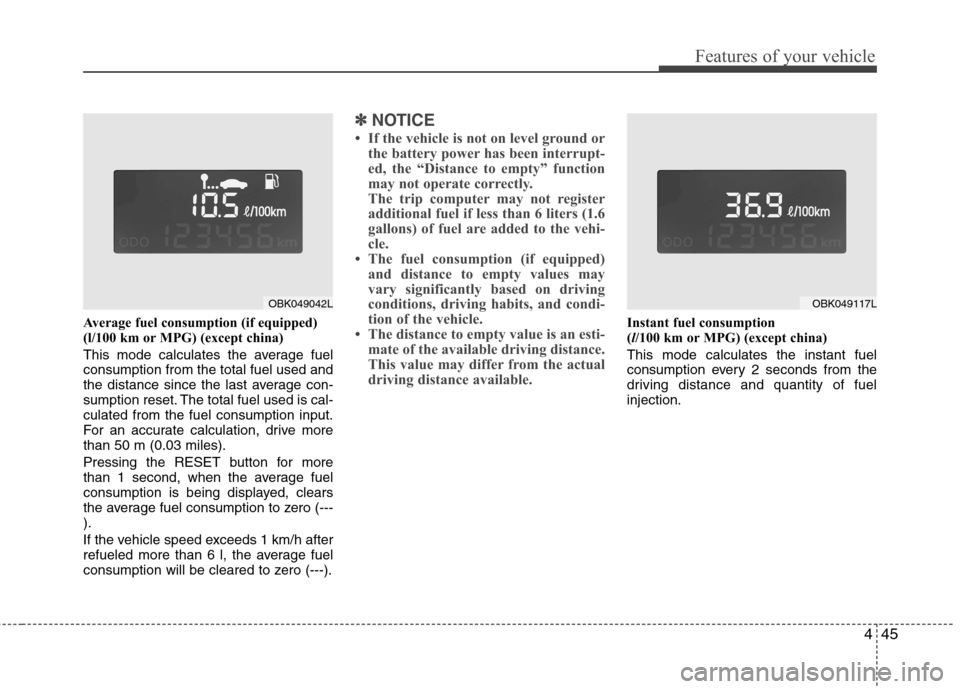
Average fuel consumption (if equipped)
(l/100 km or MPG) (except china)
This mode calculates the average fuel consumption from the total fuel used and
the distance since the last average con-
sumption reset. The total fuel used is cal-culated from the fuel consumption input.
For an accurate calculation, drive morethan 50 m (0.03 miles).
Pressing the RESET button for more
than 1 second, when the average fuel
consumption is being displayed, clears
the average fuel consumption to zero (---).
If the vehicle speed exceeds 1 km/h after
refueled more than 6 l, the average fuel
consumption will be cleared to zero (---).
✽✽NOTICE
If the vehicle is not on level ground or the battery power has been interrupt-
ed, the “Distance to empty” function
may not operate correctly.
The trip computer may not register
additional fuel if less than 6 liters (1.6
gallons) of fuel are added to the vehi-
cle.
The fuel consumption (if equipped)
and distance to empty values may
vary significantly based on driving
conditions, driving habits, and condi-
tion of the vehicle.
The distance to empty value is an esti- mate of the available driving distance.
This value may differ from the actual
driving distance available.
Instant fuel consumption (l/100 km or MPG) (except china)
This mode calculates the instant fuel
consumption every 2 seconds from the
driving distance and quantity of fuelinjection.
OBK049117LOBK049042L
Page 119 of 343
451
Features of your vehicle
With smart key system (if equipped)
If any of the following occurs in a vehicle
equipped with the smart key, the immobi-
lizer indicator illuminates, blinks or the
light goes off.
When the smart key is in the vehicle, ifthe engine start/stop button is turned
to the ACC or ON position, the indica-tor will illuminate until the engine is
started. However, when the smart key
is not in the vehicle, if the engine
start/stop button is depressed, the indi-
cator will blink for a few minutes to indi-
cate that you will not be able to start
the engine.
When the ignition switch is turned to the ON position and the indicator turns
off after 2 seconds, the system may
have a problem. Have the vehicle
checked by an authorized HYUNDAI
dealer.
When the battery is weak, if the engine start/stop button is depressed, the indi-
cator will blink and you will not be able
to start the engine. However, you may
still be able to start the engine by
inserting the smart key in the smart
key holder. If smart key system related
parts have a problem, the indicator
blinks. D150318AUN
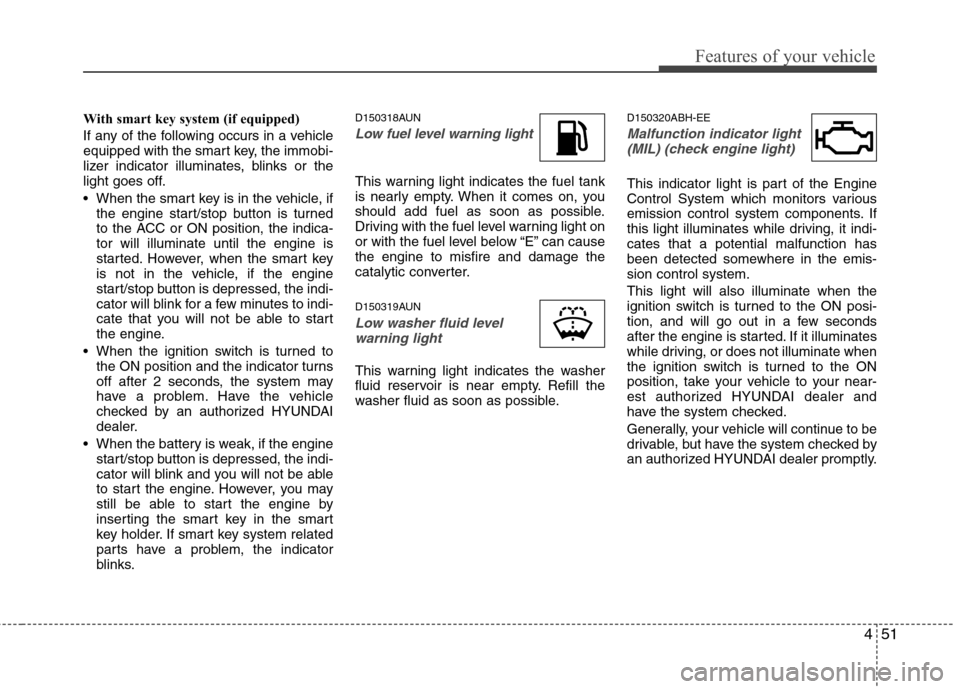
Low fuel level warning light
This warning light indicates the fuel tank
is nearly empty. When it comes on, you
should add fuel as soon as possible.
Driving with the fuel level warning light on
or with the fuel level below “E” can causethe engine to misfire and damage the
catalytic converter.
D150319AUN
Low washer fluid level
warning light
This warning light indicates the washer
fluid reservoir is near empty. Refill the
washer fluid as soon as possible. D150320ABH-EE
Malfunction indicator light
(MIL) (check engine light)
This indicator light is part of the Engine
Control System which monitors various
emission control system components. If
this light illuminates while driving, it indi-cates that a potential malfunction has
been detected somewhere in the emis-sion control system. This light will also illuminate when the
ignition switch is turned to the ON posi-
tion, and will go out in a few seconds
after the engine is started. If it illuminates
while driving, or does not illuminate when
the ignition switch is turned to the ON
position, take your vehicle to your near-
est authorized HYUNDAI dealer and
have the system checked.
Generally, your vehicle will continue to be
drivable, but have the system checked by
an authorized HYUNDAI dealer promptly.
Page 125 of 343
457
Features of your vehicle
D190100ABH
Battery saver function
The purpose of this feature is to pre-vent the battery from being dis-
charged. The system automatically
turns off the parking lights when the
driver removes the ignition key (or
turns off the engine) and opens the
driver-side door.
With this feature, the parking lights will be turned off automatically if the driver
parks on the side of road at night.
If necessary, to keep the lights on
when the ignition key is removed, (or
turns off the engine) perform the fol-
lowing:
1) Open the driver-side door.
2) Turn the parking lights OFF and ON again using the light switch on the
steering column. Headlight escort function (if equipped)
If you turn the ignition switch to the ACC or OFF position with the headlights ON,the headlights (and/or tail lights) remain
on for about 20 minutes. However, if the
driver’s door is opened and closed, the
headlights are turned off after 30 sec-
onds.
The headlights can be turned off by
pressing the lock button on the transmit-
ter (or smart key) twice or turning the
light switch to the OFF or Auto position.
However, if you turn the light switch to the
Auto position when it is dark outside, the
headlights will not be turned off.
Headlight welcome function (if equipped)
When the headlight is ON or AUTO posi-
tion and all doors (and trunk) are closed
and locked, if you press the door unlock
button on the transmitter (or the smart
key), the parking light will come on for
about 15 seconds. At this time, if you
press the door lock or unlock button on
the transmitter (or smart key), the park-
ing light will turn off immediately.
LIGHTING
CAUTION
If the driver gets out of the vehicle
through other doors (except dri-ver’s door), the battery saver func-
tion does not operate and the head-light escort function does not turnoff automatically. Therefore, it caus-es the battery to be discharged. In
this case, make sure to turn off the lamp before getting out of the vehi-cle.
Page 127 of 343
459
Features of your vehicle
D190403AUN
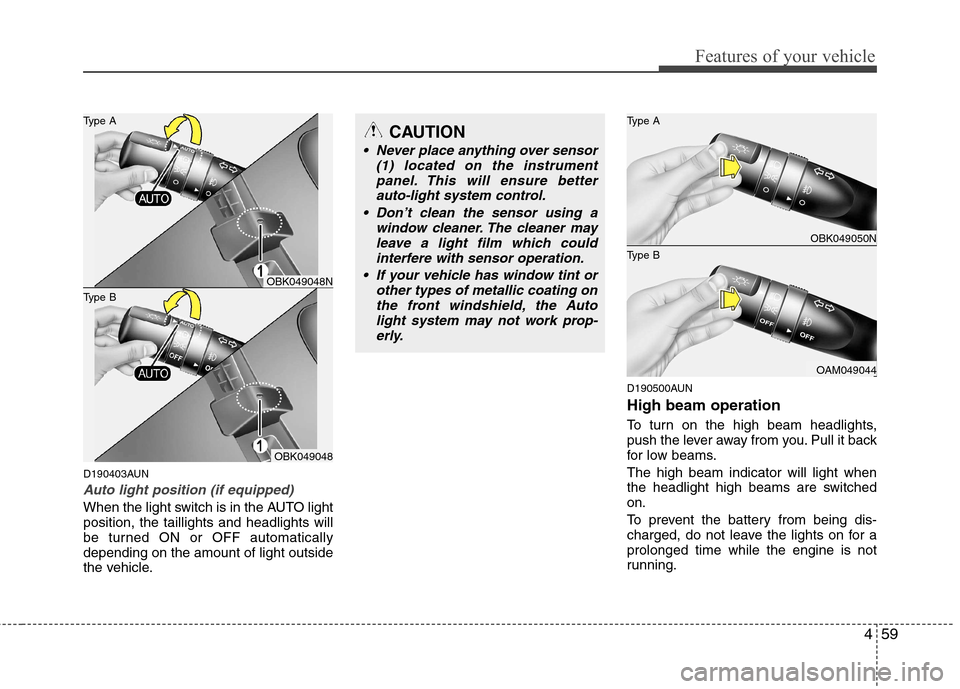
Auto light position (if equipped)
When the light switch is in the AUTO light position, the taillights and headlights will
be turned ON or OFF automaticallydepending on the amount of light outside
the vehicle.D190500AUN High beam operation
To turn on the high beam headlights,
push the lever away from you. Pull it back
for low beams. The high beam indicator will light when
the headlight high beams are switchedon.
To prevent the battery from being dis-
charged, do not leave the lights on for aprolonged time while the engine is not
running.
CAUTION
Never place anything over sensor
(1) located on the instrument
panel. This will ensure better auto-light system control.
Don’t clean the sensor using a window cleaner. The cleaner may
leave a light film which could interfere with sensor operation.
If your vehicle has window tint or other types of metallic coating onthe front windshield, the Auto
light system may not work prop-erly.
OBK049050N
OAM049044
Type B Type A
OBK049048
Type B Type A
OBK049048N
Page 133 of 343
465
Features of your vehicle
D210000AEND210100ABK Map lamp
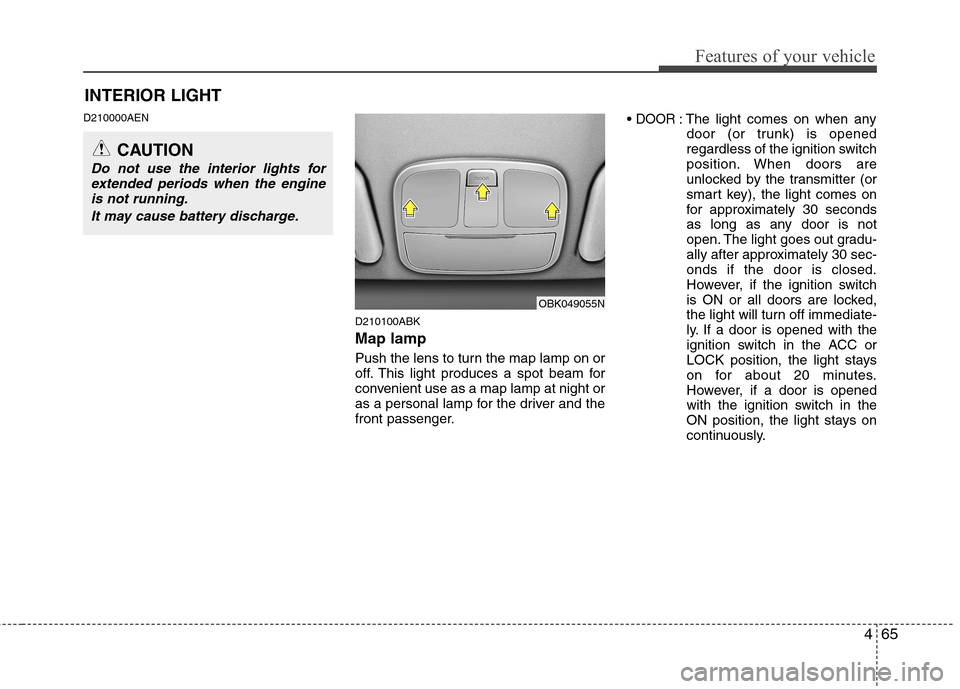
Push the lens to turn the map lamp on or
off. This light produces a spot beam for
convenient use as a map lamp at night or
as a personal lamp for the driver and the
front passenger.DOOR: The light comes on when any
door (or trunk) is opened
regardless of the ignition switch
position. When doors are
unlocked by the transmitter (or
smart key), the light comes on
for approximately 30 seconds
as long as any door is not
open. The light goes out gradu-
ally after approximately 30 sec-onds if the door is closed.
However, if the ignition switch
is ON or all doors are locked,
the light will turn off immediate-
ly. If a door is opened with the
ignition switch in the ACC or
LOCK position, the light stays
on for about 20 minutes.
However, if a door is opened
with the ignition switch in the
ON position, the light stays on
continuously.
INTERIOR LIGHT
CAUTION
Do not use the interior lights for
extended periods when the engineis not running.
It may cause battery discharge.
OBK049055N
Page 149 of 343
481
Features of your vehicle
Temperature conversion
If the battery has been discharged or dis-
connected, the temperature mode dis-
play will reset to Centigrade.
This is a normal condition. You can switch
the temperature mode between
Centigrade to Fahrenheit as follows;
1. Turn on the audio and press the[SETUP] button.
2. Select the [TEMP] mode by pressing the [ TURN FILE ] or [ SEEK ]
button, and pressing the [ENTER] but- ton.
3. Select the [CELSIUS] or [FAHREN- HEIT] mode by pressing the [ TURN
FILE ] or [ SEEK ] button, and
pressing the [ENTER] button. D240203AEN
Air intake control
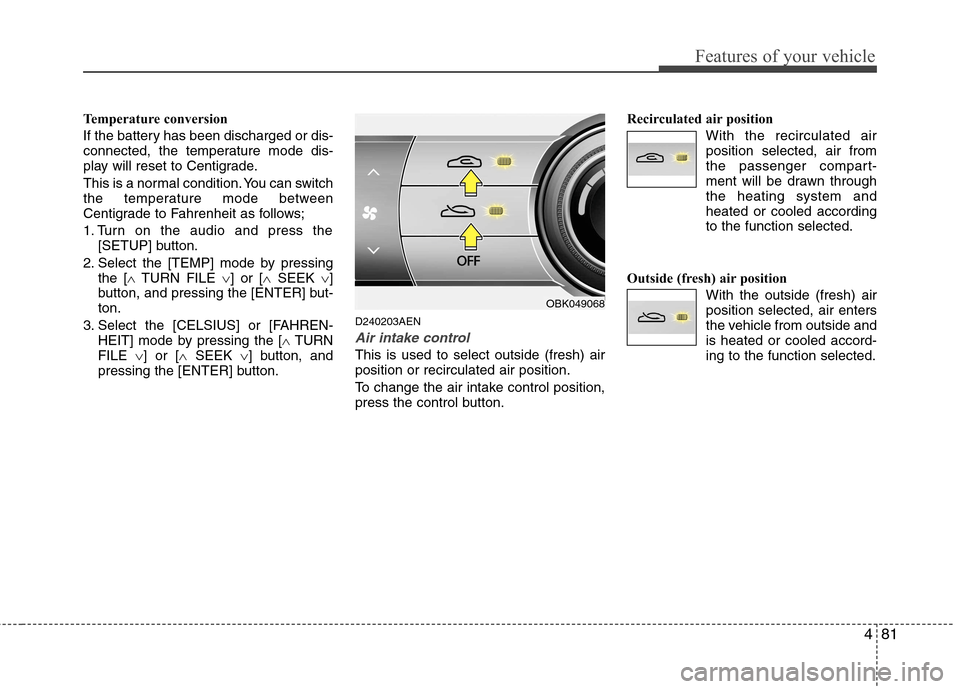
This is used to select outside (fresh) air position or recirculated air position.
To change the air intake control position,
press the control button. Recirculated air position
With the recirculated airposition selected, air from
the passenger compart-
ment will be drawn throughthe heating system andheated or cooled according
to the function selected.
Outside (fresh) air position With the outside (fresh) airposition selected, air enters
the vehicle from outside andis heated or cooled accord-ing to the function selected.
OBK049068
Page 157 of 343
489
Features of your vehicle
D250300AUN
Defogging logic
To reduce the possibility of fogging up
the inside of the windshield, the air intakeor air conditioning are controlled auto-
matically according to certain conditions
such as or position. To cancel or
return the defogging logic, do the follow-ing.D250301ABK
Manual climate control system
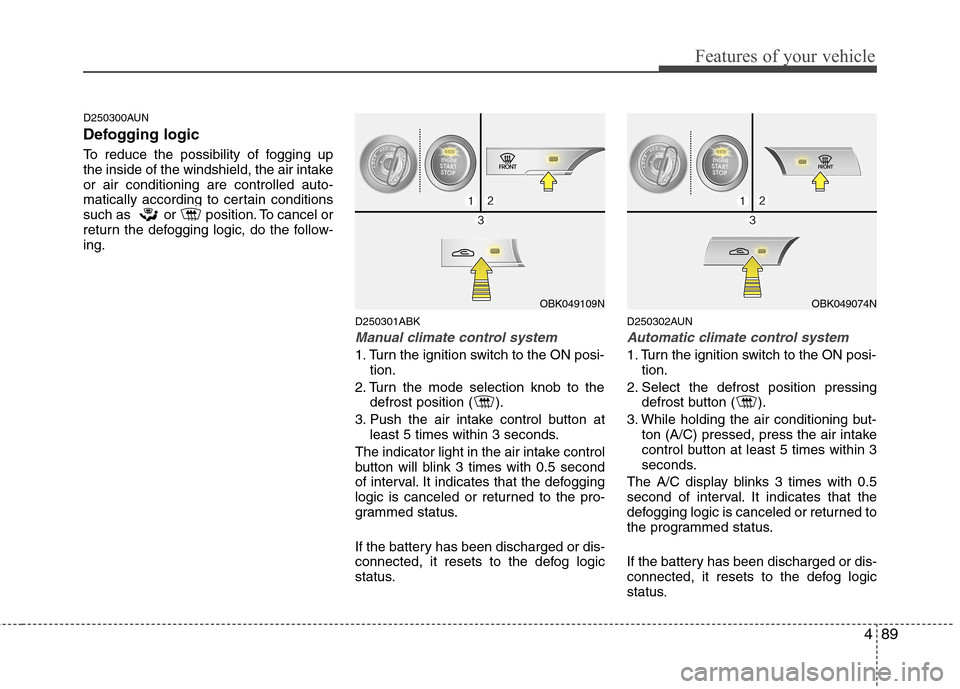
1. Turn the ignition switch to the ON posi-tion.
2. Turn the mode selection knob to the defrost position ( ).
3. Push the air intake control button at least 5 times within 3 seconds.
The indicator light in the air intake control
button will blink 3 times with 0.5 second
of interval. It indicates that the defogging
logic is canceled or returned to the pro-
grammed status.
If the battery has been discharged or dis-
connected, it resets to the defog logic
status. D250302AUN
Automatic climate control system
1. Turn the ignition switch to the ON posi-
tion.
2. Select the defrost position pressing defrost button ( ).
3. While holding the air conditioning but- ton (A/C) pressed, press the air intake
control button at least 5 times within 3
seconds.
The A/C display blinks 3 times with 0.5
second of interval. It indicates that the
defogging logic is canceled or returned to
the programmed status.
If the battery has been discharged or dis-
connected, it resets to the defog logic
status.
OBK049109NOBK049074N
Page 162 of 343
Features of your vehicle
94
4
D280600AEN
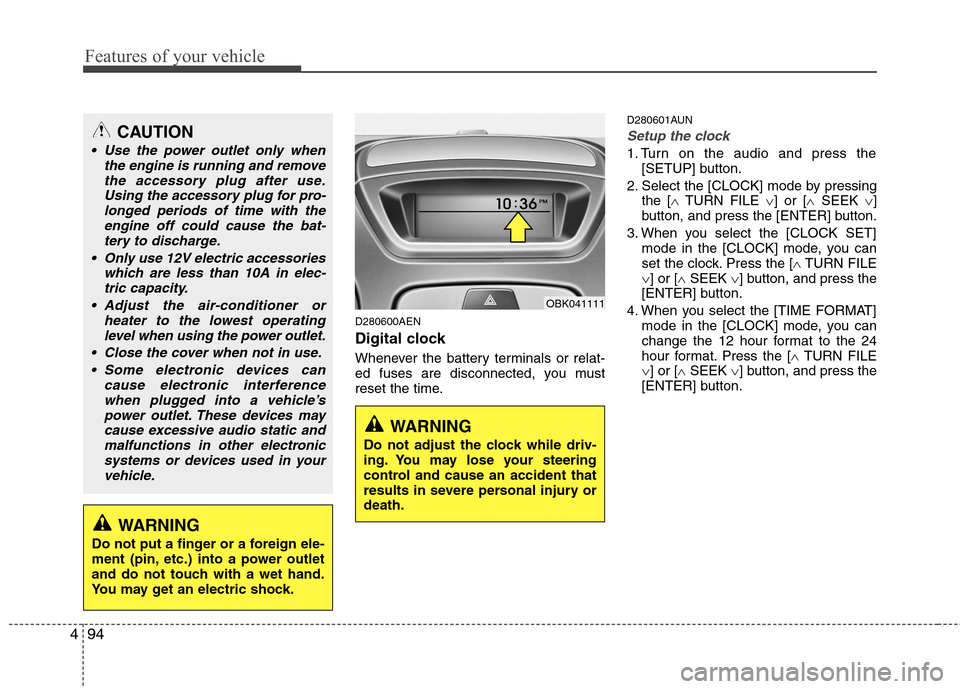
Digital clock
Whenever the battery terminals or relat-
ed fuses are disconnected, you must
reset the time. D280601AUN
Setup the clock
1. Turn on the audio and press the
[SETUP] button.
2. Select the [CLOCK] mode by pressing the [ TURN FILE ] or [ SEEK ]
button, and press the [ENTER] button.
3. When you select the [CLOCK SET] mode in the [CLOCK] mode, you can
set the clock. Press the [ TURN FILE
] or [ SEEK ] button, and press the
[ENTER] button.
4. When you select the [TIME FORMAT] mode in the [CLOCK] mode, you can
change the 12 hour format to the 24
hour format. Press the [ TURN FILE
] or [ SEEK ] button, and press the
[ENTER] button.
CAUTION
Use the power outlet only when
the engine is running and remove
the accessory plug after use.Using the accessory plug for pro-longed periods of time with the engine off could cause the bat-
tery to discharge.
Only use 12V electric accessories which are less than 10A in elec-tric capacity.
Adjust the air-conditioner or heater to the lowest operatinglevel when using the power outlet.
Close the cover when not in use. Some electronic devices can cause electronic interference
when plugged into a vehicle’spower outlet. These devices may cause excessive audio static andmalfunctions in other electronic
systems or devices used in yourvehicle.
WARNING
Do not adjust the clock while driv-
ing. You may lose your steering
control and cause an accident that
results in severe personal injury ordeath.
WARNING
Do not put a finger or a foreign ele-
ment (pin, etc.) into a power outlet
and do not touch with a wet hand.
You may get an electric shock.
OBK041111
Page 163 of 343
495
Features of your vehicle
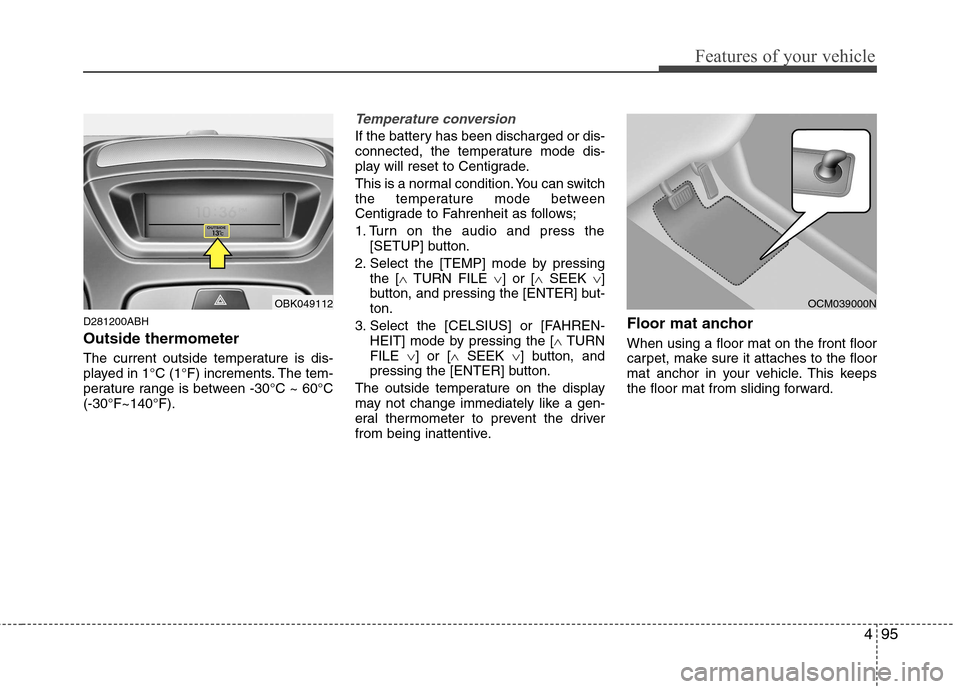
D281200ABH Outside thermometer
The current outside temperature is dis-
played in 1°C (1°F) increments. The tem-
perature range is between -30°C ~ 60°C(-30°F~140°F).
Temperature conversion
If the battery has been discharged or dis-
connected, the temperature mode dis-
play will reset to Centigrade.
This is a normal condition. You can switch
the temperature mode between
Centigrade to Fahrenheit as follows;
1. Turn on the audio and press the[SETUP] button.
2. Select the [TEMP] mode by pressing the [ TURN FILE ] or [ SEEK ]
button, and pressing the [ENTER] but- ton.
3. Select the [CELSIUS] or [FAHREN- HEIT] mode by pressing the [ TURN
FILE ] or [ SEEK ] button, and
pressing the [ENTER] button.
The outside temperature on the display
may not change immediately like a gen-
eral thermometer to prevent the driver
from being inattentive. Floor mat anchor When using a floor mat on the front floor
carpet, make sure it attaches to the floor
mat anchor in your vehicle. This keeps
the floor mat from sliding forward.
OBK049112OCM039000N
Page 181 of 343
4113
Features of your vehicle
✽✽NOTICE FOR USING THE
iPod DEVICE
Some iPod models might not support the communication protocol and the
files will not be played.
Supported iPod models:
- iPod Mini
- iPod 4th(Photo) ~ 6th(Classic) gen-
eration
- iPod Nano 1st~4th generation
- iPod Touch 1st~2nd generation
The order of search or playback of songs in the iPod can be different
from the order searched in the audio
system.
If the iPod disabled due to its own malfunction, reset the iPod. (Reset:
Refer to iPod manual)
An iPod may not operate normally on
low battery.
Some iPod devices, such as the
iPhone, can be connected through the
Bluetooth interface. The device must
have audio Bluetooth capability (such
as for stereo headphone Bluetooth).
The device can play, but it will not be
controlled by the audio system.CAUTION IN USING THE
iPod DEVICE
The HYUNDAI iPod Power Cable
is needed in order to operate iPod
with the audio buttons on theaudio system. The USB cable pro- vided by Apple may cause mal-function and should not be used
for HYUNDAI vehicles.
❋
❋ The HYUNDAI iPod Power
Cable may be purchasedthrough your HYUNDAI
Dealership.
When connecting iPod with the iPod Power Cable, insert the con-nector to the multimedia socket completely. If not inserted com-
pletely, communications betweeniPod and audio may be interrupt- ed.
When adjusting the sound effects of the iPod and the audio system,
the sound effects of both devices will overlap and might reduce ordistort the quality of the sound.
(Continued)
(Continued) Deactivate (turn off) the equalizer function of an iPod when adjust-ing the audio system’s volume,and turn off the equalizer of the
audio system when using theequalizer of an iPod.
When the iPod cable is connect- ed, the system can be switched to
AUX mode even without iPoddevice and may cause noise.Disconnect the iPod cable whenyou are not using the iPod device.
When not using iPod with car audio, detach the iPod cable fromiPod. Otherwise, iPod may remain in accessory mode, and may notwork properly.