steering Hyundai Genesis Coupe 2011 User Guide
[x] Cancel search | Manufacturer: HYUNDAI, Model Year: 2011, Model line: Genesis Coupe, Model: Hyundai Genesis Coupe 2011Pages: 343, PDF Size: 34.28 MB
Page 59 of 343
Safety features of your vehicle
42
3
The side impact air bags are designed to
deploy only during certain side-impact
collisions, depending on the crash sever-
ity, angle, speed and point of impact. Theside impact air bags are not designed to
deploy in all side impact situations.
WARNING
The side impact air bag is sup- plemental to the seat belt sys-
tems and is not a substitute for
them. Therefore your seat belts
must be worn at all times while
the vehicle is in motion. The air
bags deploy only in certain side
impact conditions severe enough
to cause significant injury to the
vehicle occupants.
For best protection from the side impact air bag system and to
avoid being injured by the
deploying side impact air bag,
both front seat occupants shouldsit in an upright position with the
seat belt properly fastened. Thedriver's hands should be placedon the steering wheel at the 9:00
and 3:00 positions. The passen-
ger’ arms and hands should beplaced on their laps.
Do not use any accessory seat covers.
(Continued)(Continued)
Use of seat covers could reduceor prevent the effectiveness of the system.
Do not install any accessories on the side or near the side impact
air bag.
Do not place any objects over the air bag or between the air bag
and yourself.
Do not place any objects (an umbrella, bag, etc.) between the
door and the seat. Such objects
may become dangerous projec-
tiles and cause injury if the sup-
plemental side impact air baginflates.
To prevent unexpected deploy- ment of the side impact air bag
that may result in personal injury,
avoid impact to the side impact
sensor when the ignition switchis on.
If the seat or seat cover is dam- aged, have the vehicle checked
and repaired by an authorized
HYUNDAI dealer because your
vehicle is equipped with side
impact air bags.
Page 66 of 343
349
Safety features of your vehicle
C041100ABK SRS Care
The SRS is virtually maintenance-free
and so there are no parts you can safely
service by yourself. If the SRS air bag
warnin light does not illuminate when
you turn the ignition ON, or if it continu-
ously remains on, have your vehicle
immediately inspected by an authorized
HYUNDAI dealer.
Any work on the SRS system, such as
removing, installing, repairing, or any
work on the steering wheel, the frontpassenger's panel, front seats and roof
rails must be performed by an authorized
HYUNDAI dealer. Improper handling of
the SRS system may result in serious
personal injury.
WARNING
Modification to SRS components or wiring, including the addition
of any kind of badges to the pad
covers or modifications to the
body structure, can adversely
affect SRS performance and lead
to possible injury.
For cleaning the air bag pad cov- ers, use only a soft, dry cloth or
one which has been moistened
with plain water. Solvents or
cleaners could adversely affect
the air bag covers and proper
deployment of the system.
No objects should be placed over
or near the air bag modules on the
steering wheel, instrument panel,
and the front passenger's panel
above the glove box, because any
such object could cause harm if the
vehicle is in a crash severe enough
to cause the air bags to inflate.
(Continued)
(Continued)
If the air bags inflate, they must be replaced by an authorized
HYUNDAI dealer.
Do not tamper with or disconnect SRS wiring, or other components
of the SRS system. Doing so
could result in injury, due to acci-
dental inflation of the air bags or
by rendering the SRS inopera-
tive.
If components of the air bag sys- tem must be discarded, or if the
vehicle must be scrapped, certain
safety precautions must be
observed. An authorized
HYUNDAI dealer knows these
precautions and can give you the
necessary information. Failure to
follow these precautions and pro-cedures could increase the risk
of personal injury.
If your car was flooded and has soaked carpeting or water on the
flooring, you shouldn't try to start
the engine; have the car towed to
an authorized HYUNDAI dealer.
Page 69 of 343
4
Keys / 4-3
Smart key / 4-5
Remote keyless entry / 4-8
Theft-alarm system / 4-11
Door locks / 4-14
Trunk / 4-18
Windows / 4-20
Hood / 4-24
Fuel filler lid / 4-25
Sunroof / 4-28
Steering wheel / 4-31
Mirrors / 4-33
Instrument cluster / 4-37
Rear parking assist system / 4-54
Hazard warning flasher / 4-56
Lighting / 4-57
Wipers and washers / 4-63
Interior light / 4-65
Defroster / 4-67
Manual climate control system / 4-68
Automatic climate control system / 4-77
Windshield defrosting and defogging / 4-87
Storage compartment / 4-90
Features of your vehicle
Page 99 of 343
431
Features of your vehicle
D110500ABK
Resetting the sunroof
Whenever the vehicle battery is discon-
nected or discharged, you must reset
your sunroof system as follows:
1. Turn the ignition switch to the ONposition.
2. Close the sunroof completely.
3. Release the sunroof control lever.
4. Release the control button.
5. Pull and hold the sunroof control lever downward until the sunroof is operat-
ed as follows;
TILT DOWN SLIDE OPEN
SLIDE CLOSE
Then, release the lever.
When this is complete, the sunroof sys- tem is reset. D130100ABH
Power steering
Power steering uses energy from the
engine to assist you in steering the vehi-
cle. If the engine is off or if the power
steering system becomes inoperative,
the vehicle may still be steered, but it will
require increased steering effort.
Should you notice any change in the
effort required to steer during normal
vehicle operation, have the power steer-
ing checked by an authorized HYUNDAI
dealer.✽✽
NOTICE
If the power steering drive belt breaks
or if the power steering pump malfunc-
tions, the steering effort will greatly
increase.
✽
✽ NOTICE
If the vehicle is parked for extended
periods outside in cold weather (below -
10°C/14°F), the power steering may
require increased effort when the engine
is first started. This is caused by
increased fluid viscosity due to the cold
weather and does not indicate a mal-
function.
When this happens, increase the engine
RPM by depressing accelerator until the
RPM reaches 1,500 rpm then release or
let the engine idle for two or three min-
utes to warm up the fluid.
CAUTION
If the sunroof is not reset when the vehicle battery is disconnected or
discharged, or corresponding fuseis blown, the sunroof may operateimproperly.
STEERING WHEEL
CAUTION
Never hold the steering wheelagainst a stop (extreme right or left turn) for more than 5 seconds with the engine running. Holding the
steering wheel for more than 5 sec-onds in either position may causedamage to the power steeringpump.
Page 100 of 343
Features of your vehicle
32
4
D130300AEN Tilt steering
Tilt steering allows you to adjust the
steering wheel before you drive. You can
also raise it to give your legs more room
when you exit and enter the vehicle.
The steering wheel should be positioned
so that it is comfortable for you to drive,
while permitting you to see the instru-
ment panel warning lights and gauges.
D130301ABK
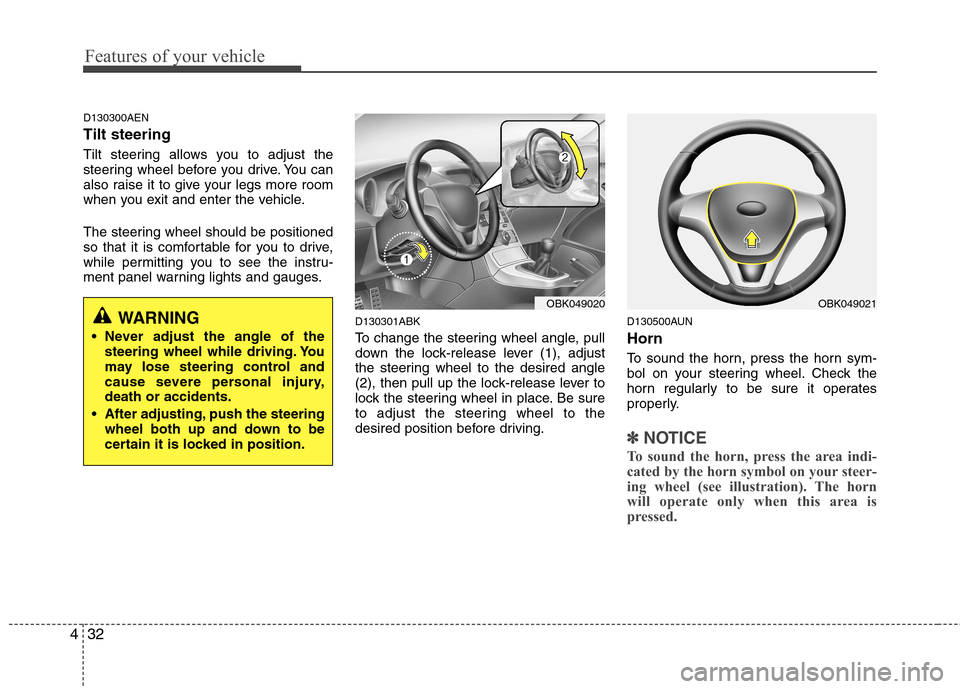
To change the steering wheel angle, pull
down the lock-release lever (1), adjust
the steering wheel to the desired angle
(2), then pull up the lock-release lever to
lock the steering wheel in place. Be sure
to adjust the steering wheel to the
desired position before driving.D130500AUN Horn
To sound the horn, press the horn sym-
bol on your steering wheel. Check the
horn regularly to be sure it operates
properly.
✽✽
NOTICE
To sound the horn, press the area indi-
cated by the horn symbol on your steer-
ing wheel (see illustration). The horn
will operate only when this area is
pressed.
WARNING
Never adjust the angle of the steering wheel while driving. You
may lose steering control and
cause severe personal injury,death or accidents.
After adjusting, push the steering wheel both up and down to be
certain it is locked in position.
OBK049020OBK049021
Page 121 of 343
453
Features of your vehicle
D150325ABH
Cruise indicator (if equipped)
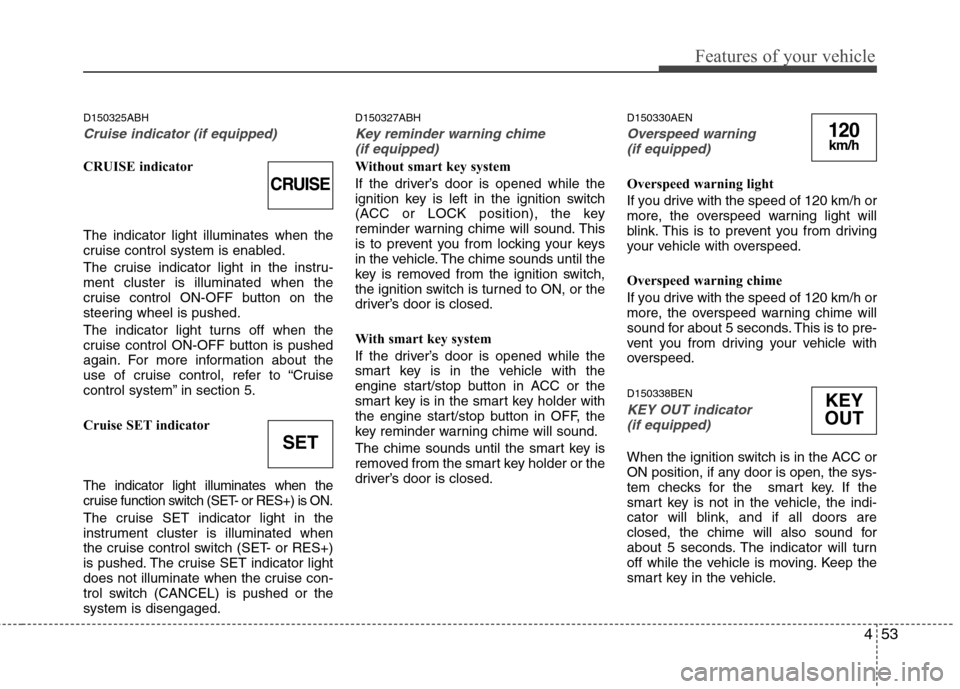
CRUISE indicator The indicator light illuminates when the
cruise control system is enabled.
The cruise indicator light in the instru- ment cluster is illuminated when the
cruise control ON-OFF button on the
steering wheel is pushed.
The indicator light turns off when the
cruise control ON-OFF button is pushed
again. For more information about the
use of cruise control, refer to “Cruise
control system” in section 5.
Cruise SET indicator
The indicator light illuminates when the
cruise function switch (SET- or RES+) is ON.
The cruise SET indicator light in the
instrument cluster is illuminated when
the cruise control switch (SET- or RES+)
is pushed. The cruise SET indicator light
does not illuminate when the cruise con-
trol switch (CANCEL) is pushed or thesystem is disengaged.D150327ABH
Key reminder warning chime
(if equipped)
Without smart key system
If the driver’s door is opened while the
ignition key is left in the ignition switch
(ACC or LOCK position), the key
reminder warning chime will sound. This
is to prevent you from locking your keys
in the vehicle. The chime sounds until the
key is removed from the ignition switch,
the ignition switch is turned to ON, or the
driver’s door is closed.
With smart key system
If the driver’s door is opened while the
smart key is in the vehicle with the
engine start/stop button in ACC or the
smart key is in the smart key holder with
the engine start/stop button in OFF, the
key reminder warning chime will sound.
The chime sounds until the smart key is
removed from the smart key holder or the
driver’s door is closed. D150330AEN
Overspeed warning
(if equipped)
Overspeed warning light
If you drive with the speed of 120 km/h or
more, the overspeed warning light will
blink. This is to prevent you from driving
your vehicle with overspeed.
Overspeed warning chime
If you drive with the speed of 120 km/h or
more, the overspeed warning chime will
sound for about 5 seconds. This is to pre-
vent you from driving your vehicle with
overspeed. D150338BEN
KEY OUT indicator (if equipped)
When the ignition switch is in the ACC or
ON position, if any door is open, the sys-
tem checks for the smart key. If the
smart key is not in the vehicle, the indi-
cator will blink, and if all doors are
closed, the chime will also sound for
about 5 seconds. The indicator will turn
off while the vehicle is moving. Keep the
smart key in the vehicle.
CRUISE
SET
120km/h
KEY
OUT
Page 125 of 343
457
Features of your vehicle
D190100ABH
Battery saver function
The purpose of this feature is to pre-vent the battery from being dis-
charged. The system automatically
turns off the parking lights when the
driver removes the ignition key (or
turns off the engine) and opens the
driver-side door.
With this feature, the parking lights will be turned off automatically if the driver
parks on the side of road at night.
If necessary, to keep the lights on
when the ignition key is removed, (or
turns off the engine) perform the fol-
lowing:
1) Open the driver-side door.
2) Turn the parking lights OFF and ON again using the light switch on the
steering column. Headlight escort function (if equipped)
If you turn the ignition switch to the ACC or OFF position with the headlights ON,the headlights (and/or tail lights) remain
on for about 20 minutes. However, if the
driver’s door is opened and closed, the
headlights are turned off after 30 sec-
onds.
The headlights can be turned off by
pressing the lock button on the transmit-
ter (or smart key) twice or turning the
light switch to the OFF or Auto position.
However, if you turn the light switch to the
Auto position when it is dark outside, the
headlights will not be turned off.
Headlight welcome function (if equipped)
When the headlight is ON or AUTO posi-
tion and all doors (and trunk) are closed
and locked, if you press the door unlock
button on the transmitter (or the smart
key), the parking light will come on for
about 15 seconds. At this time, if you
press the door lock or unlock button on
the transmitter (or smart key), the park-
ing light will turn off immediately.
LIGHTING
CAUTION
If the driver gets out of the vehicle
through other doors (except dri-ver’s door), the battery saver func-
tion does not operate and the head-light escort function does not turnoff automatically. Therefore, it caus-es the battery to be discharged. In
this case, make sure to turn off the lamp before getting out of the vehi-cle.
Page 162 of 343
Features of your vehicle
94
4
D280600AEN
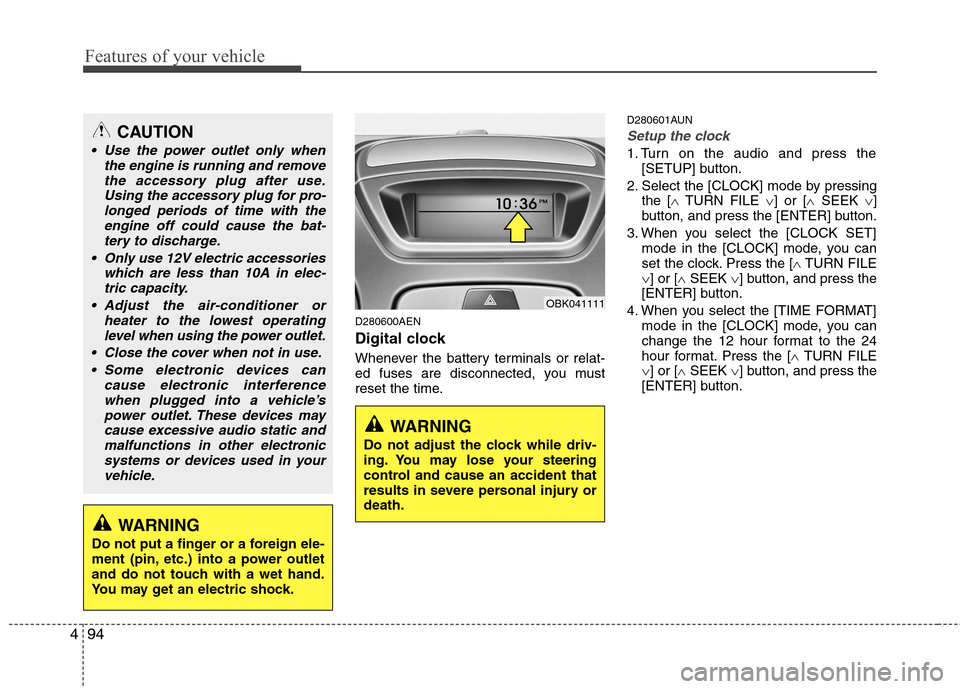
Digital clock
Whenever the battery terminals or relat-
ed fuses are disconnected, you must
reset the time. D280601AUN
Setup the clock
1. Turn on the audio and press the
[SETUP] button.
2. Select the [CLOCK] mode by pressing the [ TURN FILE ] or [ SEEK ]
button, and press the [ENTER] button.
3. When you select the [CLOCK SET] mode in the [CLOCK] mode, you can
set the clock. Press the [ TURN FILE
] or [ SEEK ] button, and press the
[ENTER] button.
4. When you select the [TIME FORMAT] mode in the [CLOCK] mode, you can
change the 12 hour format to the 24
hour format. Press the [ TURN FILE
] or [ SEEK ] button, and press the
[ENTER] button.
CAUTION
Use the power outlet only when
the engine is running and remove
the accessory plug after use.Using the accessory plug for pro-longed periods of time with the engine off could cause the bat-
tery to discharge.
Only use 12V electric accessories which are less than 10A in elec-tric capacity.
Adjust the air-conditioner or heater to the lowest operatinglevel when using the power outlet.
Close the cover when not in use. Some electronic devices can cause electronic interference
when plugged into a vehicle’spower outlet. These devices may cause excessive audio static andmalfunctions in other electronic
systems or devices used in yourvehicle.
WARNING
Do not adjust the clock while driv-
ing. You may lose your steering
control and cause an accident that
results in severe personal injury ordeath.
WARNING
Do not put a finger or a foreign ele-
ment (pin, etc.) into a power outlet
and do not touch with a wet hand.
You may get an electric shock.
OBK041111
Page 166 of 343
Features of your vehicle
98
4
D300200AEN
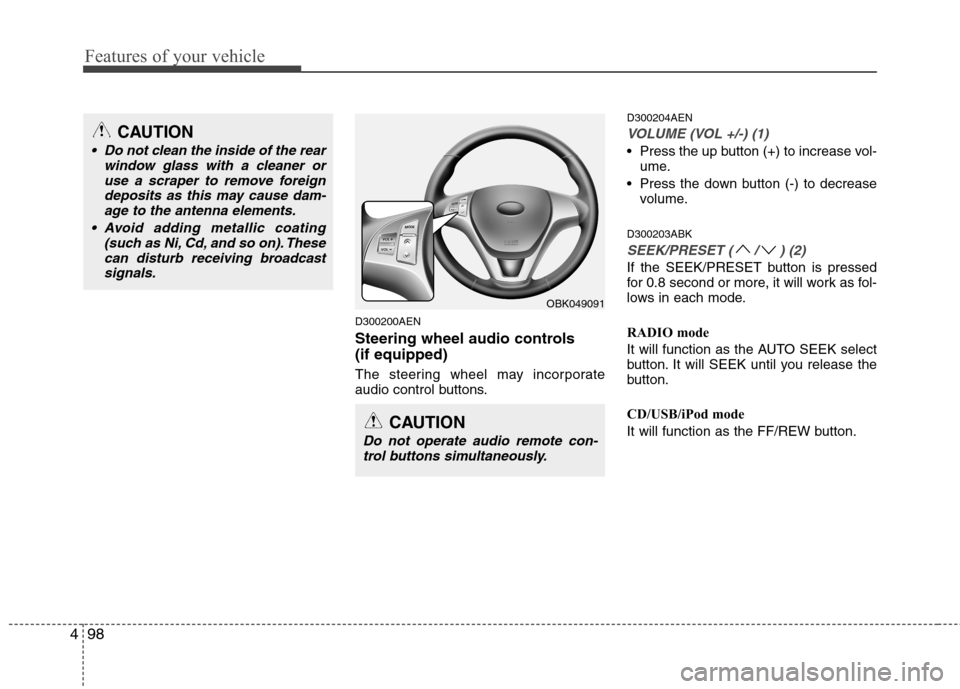
Steering wheel audio controls (if equipped)
The steering wheel may incorporate
audio control buttons. D300204AEN
VOLUME (VOL +/-) (1)
Press the up button (+) to increase vol-
ume.
Press the down button (-) to decrease volume.
D300203ABK
SEEK/PRESET ( / ) (2)
If the SEEK/PRESET button is pressed
for 0.8 second or more, it will work as fol-
lows in each mode.
RADIO mode
It will function as the AUTO SEEK select
button. It will SEEK until you release the
button.
CD/USB/iPod mode
It will function as the FF/REW button.
OBK049091
CAUTION
Do not operate audio remote con- trol buttons simultaneously.
CAUTION
• Do not clean the inside of the rear window glass with a cleaner or
use a scraper to remove foreigndeposits as this may cause dam-age to the antenna elements.
Avoid adding metallic coating (such as Ni, Cd, and so on). Thesecan disturb receiving broadcastsignals.
Page 197 of 343
Driving your vehicle
4
5
E030100AEN
Illuminated ignition switch
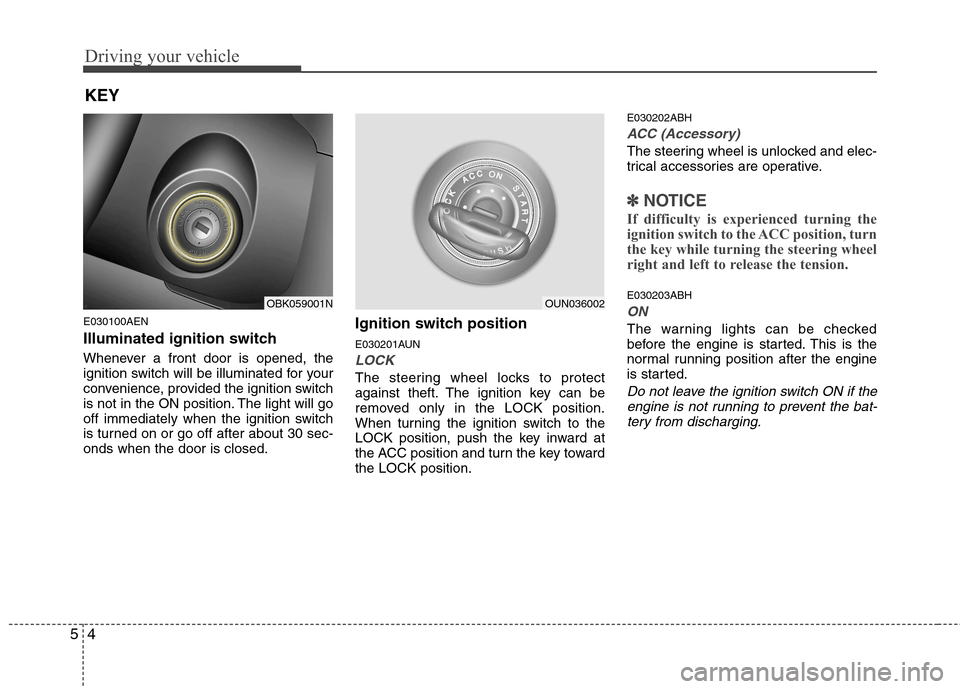
Whenever a front door is opened, the
ignition switch will be illuminated for your
convenience, provided the ignition switch
is not in the ON position. The light will go
off immediately when the ignition switch
is turned on or go off after about 30 sec-onds when the door is closed. Ignition switch position
E030201AUN
LOCK
The steering wheel locks to protect
against theft. The ignition key can be
removed only in the LOCK position.
When turning the ignition switch to the
LOCK position, push the key inward at
the ACC position and turn the key towardthe LOCK position.E030202ABH
ACC (Accessory)
The steering wheel is unlocked and elec-
trical accessories are operative.
✽✽
NOTICE
If difficulty is experienced turning the
ignition switch to the ACC position, turn
the key while turning the steering wheel
right and left to release the tension.
E030203ABH
ON
The warning lights can be checked
before the engine is started. This is the
normal running position after the engine
is started.
Do not leave the ignition switch ON if the engine is not running to prevent the bat-
tery from discharging.
KEY
OBK059001NOUN036002