wheel Hyundai Genesis Coupe 2011 User Guide
[x] Cancel search | Manufacturer: HYUNDAI, Model Year: 2011, Model line: Genesis Coupe, Model: Hyundai Genesis Coupe 2011Pages: 343, PDF Size: 34.28 MB
Page 69 of 343
4
Keys / 4-3
Smart key / 4-5
Remote keyless entry / 4-8
Theft-alarm system / 4-11
Door locks / 4-14
Trunk / 4-18
Windows / 4-20
Hood / 4-24
Fuel filler lid / 4-25
Sunroof / 4-28
Steering wheel / 4-31
Mirrors / 4-33
Instrument cluster / 4-37
Rear parking assist system / 4-54
Hazard warning flasher / 4-56
Lighting / 4-57
Wipers and washers / 4-63
Interior light / 4-65
Defroster / 4-67
Manual climate control system / 4-68
Automatic climate control system / 4-77
Windshield defrosting and defogging / 4-87
Storage compartment / 4-90
Features of your vehicle
Page 99 of 343
431
Features of your vehicle
D110500ABK
Resetting the sunroof
Whenever the vehicle battery is discon-
nected or discharged, you must reset
your sunroof system as follows:
1. Turn the ignition switch to the ONposition.
2. Close the sunroof completely.
3. Release the sunroof control lever.
4. Release the control button.
5. Pull and hold the sunroof control lever downward until the sunroof is operat-
ed as follows;
TILT DOWN SLIDE OPEN
SLIDE CLOSE
Then, release the lever.
When this is complete, the sunroof sys- tem is reset. D130100ABH
Power steering
Power steering uses energy from the
engine to assist you in steering the vehi-
cle. If the engine is off or if the power
steering system becomes inoperative,
the vehicle may still be steered, but it will
require increased steering effort.
Should you notice any change in the
effort required to steer during normal
vehicle operation, have the power steer-
ing checked by an authorized HYUNDAI
dealer.✽✽
NOTICE
If the power steering drive belt breaks
or if the power steering pump malfunc-
tions, the steering effort will greatly
increase.
✽
✽ NOTICE
If the vehicle is parked for extended
periods outside in cold weather (below -
10°C/14°F), the power steering may
require increased effort when the engine
is first started. This is caused by
increased fluid viscosity due to the cold
weather and does not indicate a mal-
function.
When this happens, increase the engine
RPM by depressing accelerator until the
RPM reaches 1,500 rpm then release or
let the engine idle for two or three min-
utes to warm up the fluid.
CAUTION
If the sunroof is not reset when the vehicle battery is disconnected or
discharged, or corresponding fuseis blown, the sunroof may operateimproperly.
STEERING WHEEL
CAUTION
Never hold the steering wheelagainst a stop (extreme right or left turn) for more than 5 seconds with the engine running. Holding the
steering wheel for more than 5 sec-onds in either position may causedamage to the power steeringpump.
Page 100 of 343
Features of your vehicle
32
4
D130300AEN Tilt steering
Tilt steering allows you to adjust the
steering wheel before you drive. You can
also raise it to give your legs more room
when you exit and enter the vehicle.
The steering wheel should be positioned
so that it is comfortable for you to drive,
while permitting you to see the instru-
ment panel warning lights and gauges.
D130301ABK
To change the steering wheel angle, pull
down the lock-release lever (1), adjust
the steering wheel to the desired angle
(2), then pull up the lock-release lever to
lock the steering wheel in place. Be sure
to adjust the steering wheel to the
desired position before driving.D130500AUN Horn
To sound the horn, press the horn sym-
bol on your steering wheel. Check the
horn regularly to be sure it operates
properly.
✽✽
NOTICE
To sound the horn, press the area indi-
cated by the horn symbol on your steer-
ing wheel (see illustration). The horn
will operate only when this area is
pressed.
WARNING
Never adjust the angle of the steering wheel while driving. You
may lose steering control and
cause severe personal injury,death or accidents.
After adjusting, push the steering wheel both up and down to be
certain it is locked in position.
OBK049020OBK049021
Page 117 of 343
449
Features of your vehicle
D150308AEN
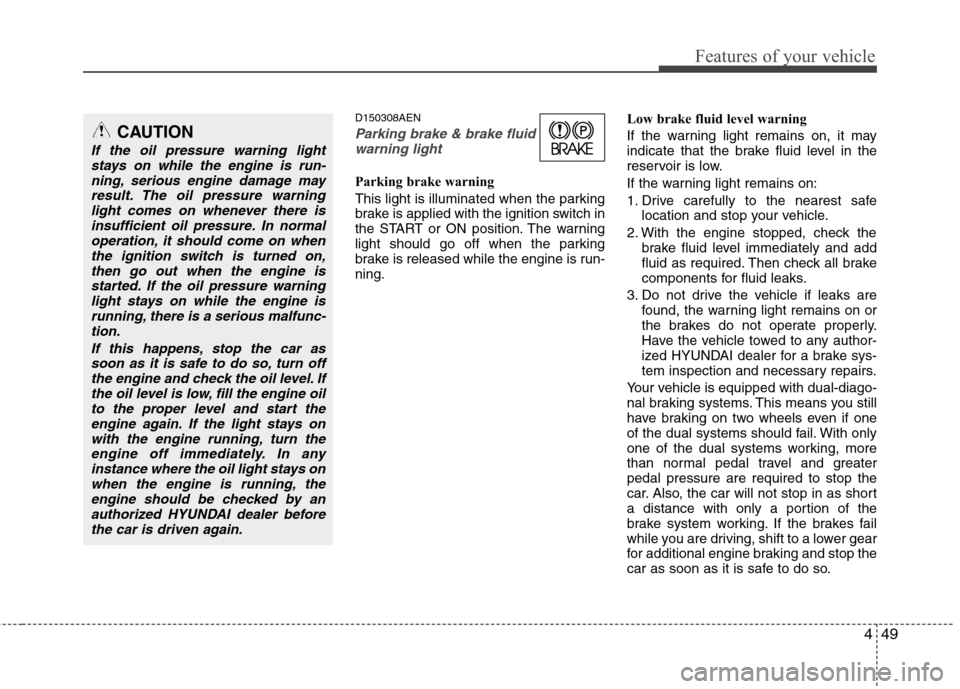
Parking brake & brake fluidwarning light
Parking brake warning
This light is illuminated when the parking
brake is applied with the ignition switch in
the START or ON position. The warning
light should go off when the parking
brake is released while the engine is run-ning. Low brake fluid level warning
If the warning light remains on, it may
indicate that the brake fluid level in the
reservoir is low.
If the warning light remains on:
1. Drive carefully to the nearest safe
location and stop your vehicle.
2. With the engine stopped, check the brake fluid level immediately and add
fluid as required. Then check all brake
components for fluid leaks.
3. Do not drive the vehicle if leaks are found, the warning light remains on or
the brakes do not operate properly.
Have the vehicle towed to any author-
ized HYUNDAI dealer for a brake sys-
tem inspection and necessary repairs.
Your vehicle is equipped with dual-diago-
nal braking systems. This means you still
have braking on two wheels even if one
of the dual systems should fail. With only
one of the dual systems working, more
than normal pedal travel and greaterpedal pressure are required to stop the
car. Also, the car will not stop in as short
a distance with only a portion of the
brake system working. If the brakes fail
while you are driving, shift to a lower gear
for additional engine braking and stop the
car as soon as it is safe to do so.
CAUTION
If the oil pressure warning light stays on while the engine is run-
ning, serious engine damage mayresult. The oil pressure warninglight comes on whenever there is insufficient oil pressure. In normal
operation, it should come on whenthe ignition switch is turned on,then go out when the engine is
started. If the oil pressure warninglight stays on while the engine isrunning, there is a serious malfunc-tion.
If this happens, stop the car assoon as it is safe to do so, turn off the engine and check the oil level. Ifthe oil level is low, fill the engine oilto the proper level and start the
engine again. If the light stays onwith the engine running, turn theengine off immediately. In any instance where the oil light stays on
when the engine is running, theengine should be checked by an authorized HYUNDAI dealer beforethe car is driven again.
Page 121 of 343
453
Features of your vehicle
D150325ABH
Cruise indicator (if equipped)
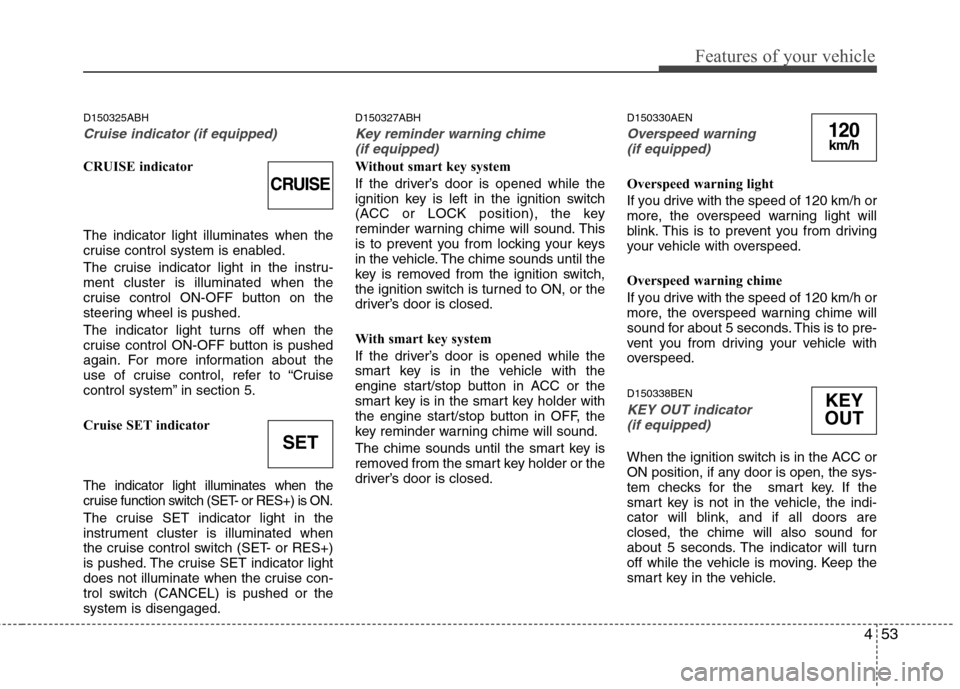
CRUISE indicator The indicator light illuminates when the
cruise control system is enabled.
The cruise indicator light in the instru- ment cluster is illuminated when the
cruise control ON-OFF button on the
steering wheel is pushed.
The indicator light turns off when the
cruise control ON-OFF button is pushed
again. For more information about the
use of cruise control, refer to “Cruise
control system” in section 5.
Cruise SET indicator
The indicator light illuminates when the
cruise function switch (SET- or RES+) is ON.
The cruise SET indicator light in the
instrument cluster is illuminated when
the cruise control switch (SET- or RES+)
is pushed. The cruise SET indicator light
does not illuminate when the cruise con-
trol switch (CANCEL) is pushed or thesystem is disengaged.D150327ABH
Key reminder warning chime
(if equipped)
Without smart key system
If the driver’s door is opened while the
ignition key is left in the ignition switch
(ACC or LOCK position), the key
reminder warning chime will sound. This
is to prevent you from locking your keys
in the vehicle. The chime sounds until the
key is removed from the ignition switch,
the ignition switch is turned to ON, or the
driver’s door is closed.
With smart key system
If the driver’s door is opened while the
smart key is in the vehicle with the
engine start/stop button in ACC or the
smart key is in the smart key holder with
the engine start/stop button in OFF, the
key reminder warning chime will sound.
The chime sounds until the smart key is
removed from the smart key holder or the
driver’s door is closed. D150330AEN
Overspeed warning
(if equipped)
Overspeed warning light
If you drive with the speed of 120 km/h or
more, the overspeed warning light will
blink. This is to prevent you from driving
your vehicle with overspeed.
Overspeed warning chime
If you drive with the speed of 120 km/h or
more, the overspeed warning chime will
sound for about 5 seconds. This is to pre-
vent you from driving your vehicle with
overspeed. D150338BEN
KEY OUT indicator (if equipped)
When the ignition switch is in the ACC or
ON position, if any door is open, the sys-
tem checks for the smart key. If the
smart key is not in the vehicle, the indi-
cator will blink, and if all doors are
closed, the chime will also sound for
about 5 seconds. The indicator will turn
off while the vehicle is moving. Keep the
smart key in the vehicle.
CRUISE
SET
120km/h
KEY
OUT
Page 139 of 343
471
Features of your vehicle
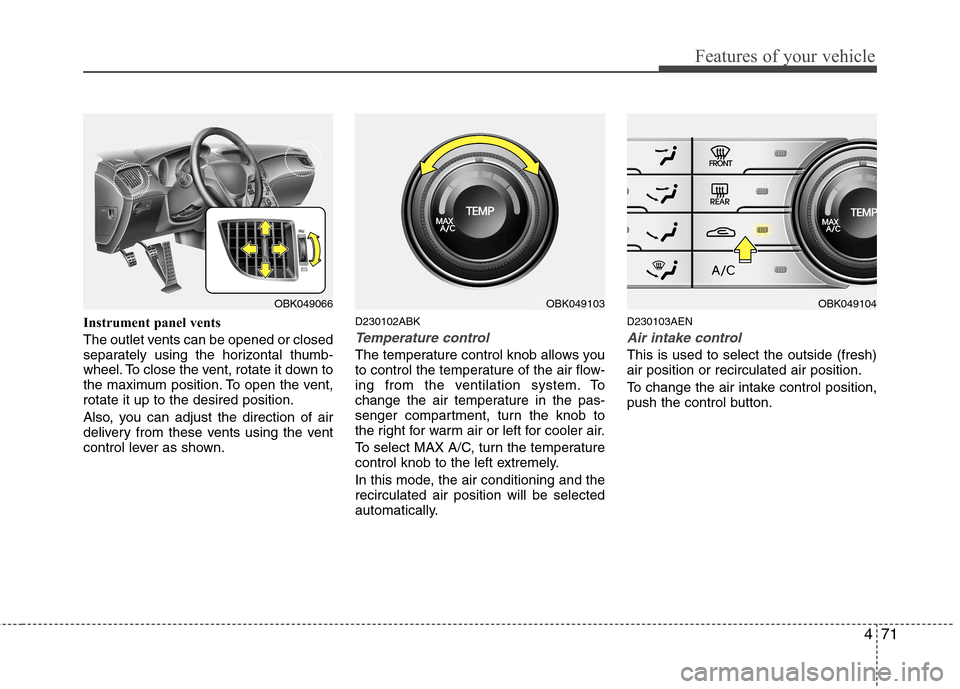
Instrument panel vents
The outlet vents can be opened or closed
separately using the horizontal thumb-
wheel. To close the vent, rotate it down to
the maximum position. To open the vent,rotate it up to the desired position.
Also, you can adjust the direction of air
delivery from these vents using the vent
control lever as shown.D230102ABK
Temperature control
The temperature control knob allows you
to control the temperature of the air flow-
ing from the ventilation system. To
change the air temperature in the pas-
senger compartment, turn the knob to
the right for warm air or left for cooler air.
To select MAX A/C, turn the temperature
control knob to the left extremely.
In this mode, the air conditioning and the recirculated air position will be selected
automatically.D230103AEN
Air intake control
This is used to select the outside (fresh) air position or recirculated air position.
To change the air intake control position,
push the control button.
OBK049103OBK049066OBK049104
Page 148 of 343
Features of your vehicle
80
4
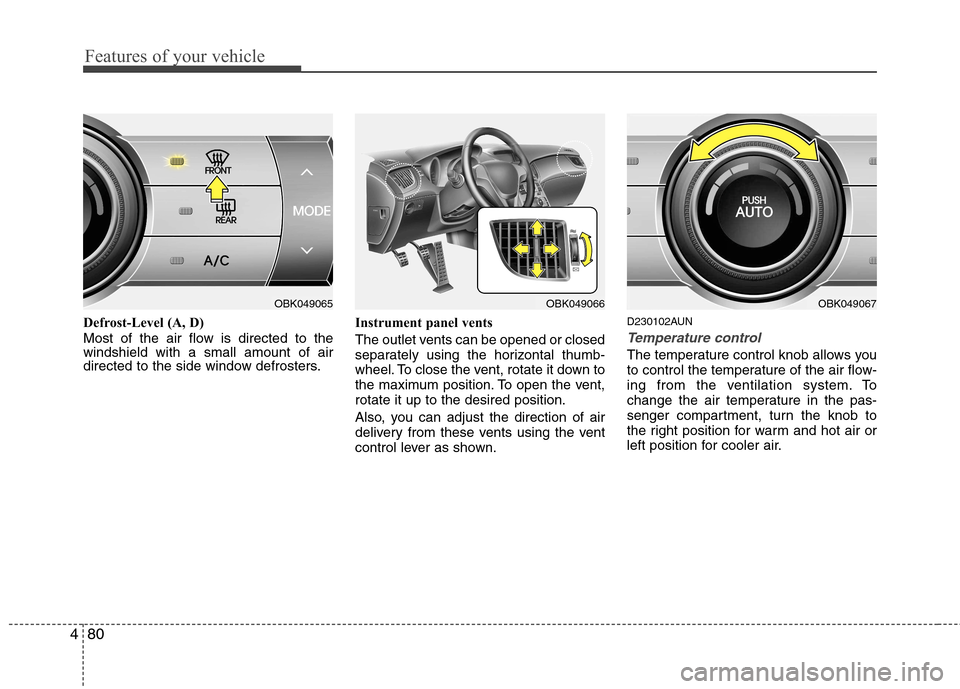
Defrost-Level (A, D)
Most of the air flow is directed to the windshield with a small amount of air
directed to the side window defrosters. Instrument panel vents
The outlet vents can be opened or closed
separately using the horizontal thumb-
wheel. To close the vent, rotate it down to
the maximum position. To open the vent,rotate it up to the desired position.
Also, you can adjust the direction of air
delivery from these vents using the vent
control lever as shown.D230102AUN
Temperature control
The temperature control knob allows you
to control the temperature of the air flow-
ing from the ventilation system. To
change the air temperature in the pas-
senger compartment, turn the knob to
the right position for warm and hot air or
left position for cooler air.
OBK049065OBK049066OBK049067
Page 166 of 343
Features of your vehicle
98
4
D300200AEN
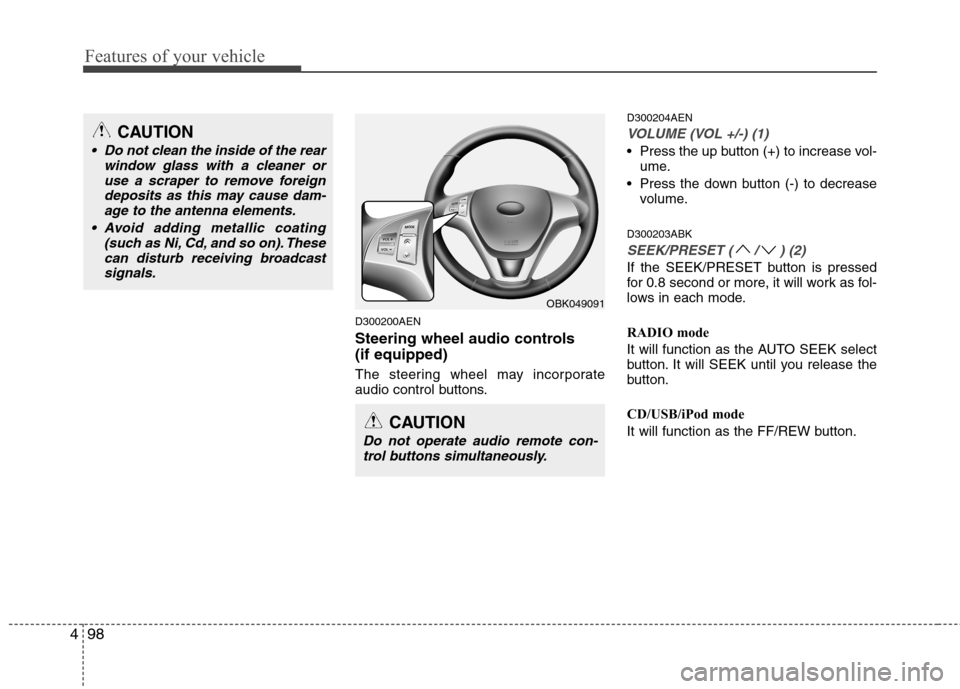
Steering wheel audio controls (if equipped)
The steering wheel may incorporate
audio control buttons. D300204AEN
VOLUME (VOL +/-) (1)
Press the up button (+) to increase vol-
ume.
Press the down button (-) to decrease volume.
D300203ABK
SEEK/PRESET ( / ) (2)
If the SEEK/PRESET button is pressed
for 0.8 second or more, it will work as fol-
lows in each mode.
RADIO mode
It will function as the AUTO SEEK select
button. It will SEEK until you release the
button.
CD/USB/iPod mode
It will function as the FF/REW button.
OBK049091
CAUTION
Do not operate audio remote con- trol buttons simultaneously.
CAUTION
• Do not clean the inside of the rear window glass with a cleaner or
use a scraper to remove foreigndeposits as this may cause dam-age to the antenna elements.
Avoid adding metallic coating (such as Ni, Cd, and so on). Thesecan disturb receiving broadcastsignals.
Page 197 of 343
Driving your vehicle
4
5
E030100AEN
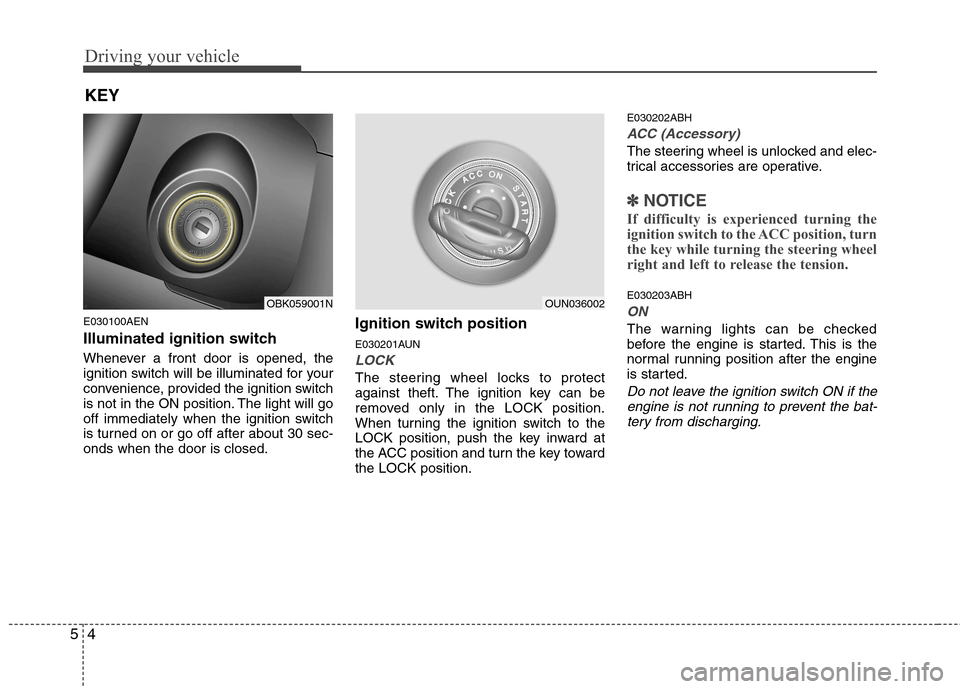
Illuminated ignition switch
Whenever a front door is opened, the
ignition switch will be illuminated for your
convenience, provided the ignition switch
is not in the ON position. The light will go
off immediately when the ignition switch
is turned on or go off after about 30 sec-onds when the door is closed. Ignition switch position
E030201AUN
LOCK
The steering wheel locks to protect
against theft. The ignition key can be
removed only in the LOCK position.
When turning the ignition switch to the
LOCK position, push the key inward at
the ACC position and turn the key towardthe LOCK position.E030202ABH
ACC (Accessory)
The steering wheel is unlocked and elec-
trical accessories are operative.
✽✽
NOTICE
If difficulty is experienced turning the
ignition switch to the ACC position, turn
the key while turning the steering wheel
right and left to release the tension.
E030203ABH
ON
The warning lights can be checked
before the engine is started. This is the
normal running position after the engine
is started.
Do not leave the ignition switch ON if the engine is not running to prevent the bat-
tery from discharging.
KEY
OBK059001NOUN036002
Page 198 of 343
55
Driving your vehicle
E030204ABK
START
Turn the ignition switch to the START
position to start the engine. The engine
will crank until you release the key; then
it returns to the ON position. The brake
warning lamp can be checked in thisposition.
WARNING - Ignition
switch
Never turn the ignition switch to LOCK or ACC while the vehicle is
moving. This would result in loss
of directional control and braking
function, which could cause anaccident.
The anti-theft steering column lock is not a substitute for the parking
brake. Before leaving the driver’s
seat, always make sure the shift
lever is engaged in 1st gear for the
manual transmission or P (Park)
for the automatic transmission, set
the parking brake fully and shut
the engine off. Unexpected and
sudden vehicle movement mayoccur if these precautions are nottaken.
(Continued)
(Continued)
Never reach for the ignition switch,or any other controls through the
steering wheel while the vehicle is
in motion. The presence of yourhand or arm in this area could
cause a loss of vehicle control, an
accident and serious bodily injuryor death.
Do not place any movable objects around the driver’s seat as they
may move while driving, interferewith the driver and lead to an acci-dent.