stop start Hyundai Genesis Coupe 2011 Owner's Manual
[x] Cancel search | Manufacturer: HYUNDAI, Model Year: 2011, Model line: Genesis Coupe, Model: Hyundai Genesis Coupe 2011Pages: 343, PDF Size: 34.28 MB
Page 15 of 343
23
Your vehicle at a glance
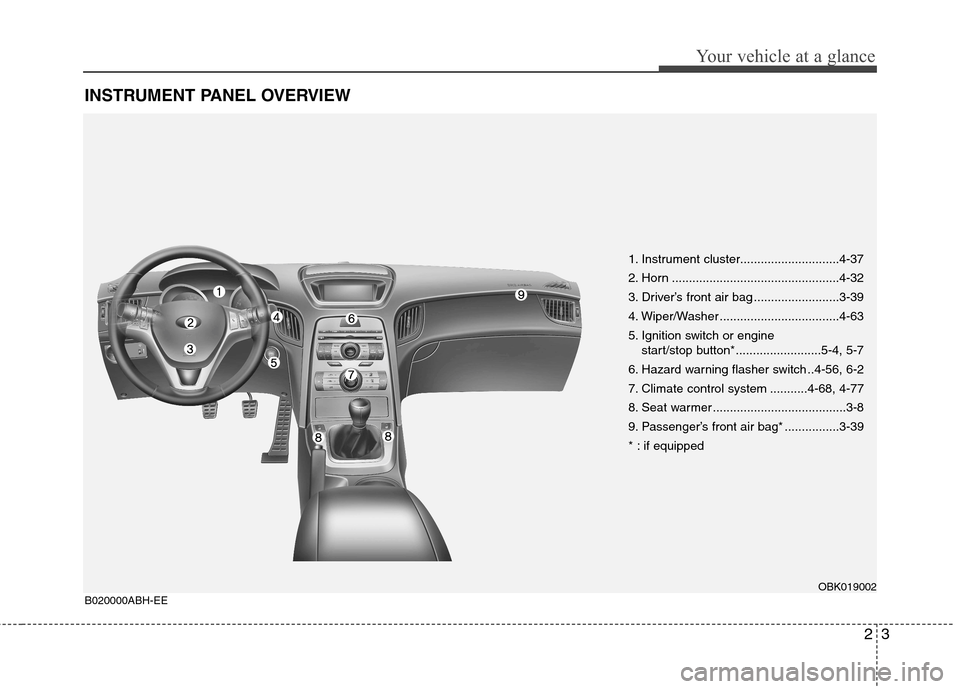
INSTRUMENT PANEL OVERVIEW
1. Instrument cluster.............................4-37
2. Horn .................................................4-32
3. Driver’s front air bag .........................3-39
4. Wiper/Washer ...................................4-63
5. Ignition switch or engine start/stop button*.........................5-4, 5-7
6. Hazard warning flasher switch ..4-56, 6-2
7. Climate control system ...........4-68, 4-77
8. Seat warmer .......................................3-8
9. Passenger’s front air bag* ................3-39
* : if equipped
OBK019002
B020000ABH-EE
Page 32 of 343
315
Safety features of your vehicle
C020101ABK-EE
Seat belt warning
Type A
As a reminder to the driver, the seat belt
warning light will blink for approximately
6 seconds each time you turn the ignition
switch ON regardless of belt fastening.
If the driver’s seat belt is unfastened after
the ignition switch is ON, the seat belt
warning light blinks again for approxi-
mately 6 seconds.
If the driver's seat belt is not fastened
when the ignition switch is turned ON or
if it is unfastened after the ignition switch
is ON, the seat belt warning chime will
sound for approximately 6 seconds. At
this time, if the seat belt is fastened, the
chime will stop at once.Type B
As a reminder to the driver, the seat belt
warning lights will illuminate for approxi-
mately 6 seconds each time you turn the
ignition switch ON regardless of belt fas-tening.
If the driver’s seat belt is not fastened
when the ignition switch is turned ON orif it is disconnected after the ignition
switch is turned ON, the seat belt warn-
ing light will illuminate until the belt is fas-tened.
If you continue not to fasten the seat belt
and you drive over 9km/h, the illuminated
warning light will start to blink until you
drive under 6km/h.
If you continue not to fasten the seat belt
and you drive over 20km/h the seat belt
warning chime will sound for approxi-mately 100 seconds and the correspon-
ding warning light will blink.
C020102ABH
Lap/shoulder belt
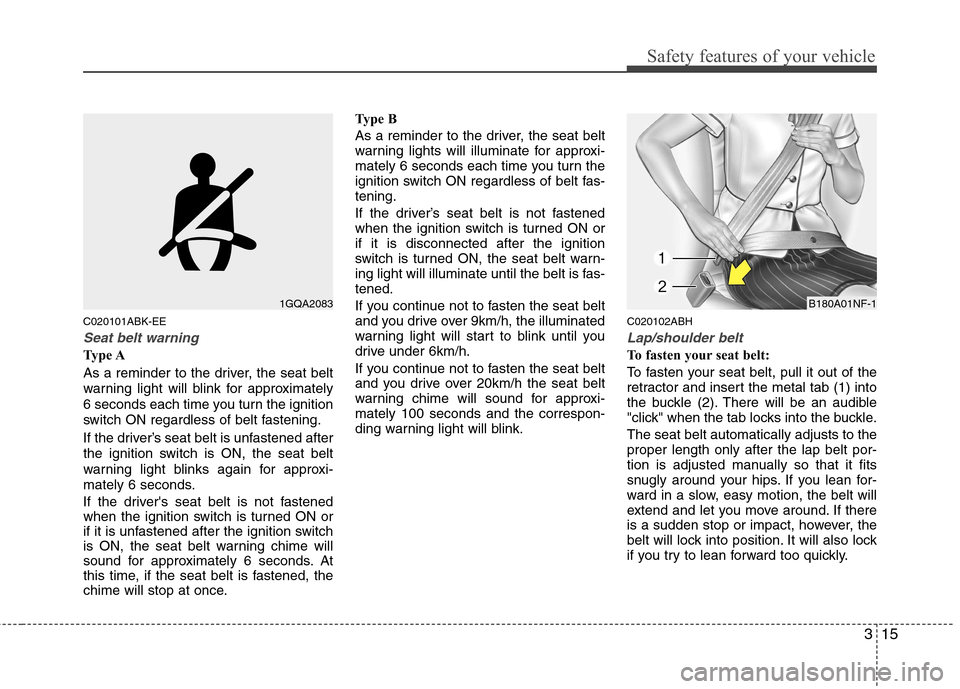
To fasten your seat belt:
To fasten your seat belt, pull it out of the
retractor and insert the metal tab (1) into
the buckle (2). There will be an audible
"click" when the tab locks into the buckle. The seat belt automatically adjusts to the proper length only after the lap belt por-
tion is adjusted manually so that it fits
snugly around your hips. If you lean for-
ward in a slow, easy motion, the belt will
extend and let you move around. If there
is a sudden stop or impact, however, the
belt will lock into position. It will also lock
if you try to lean forward too quickly.
1GQA2083B180A01NF-1
Page 72 of 343
Features of your vehicle
4
4
To deactivate the immobilizer sys-
tem:
Insert the ignition key into the key cylin-
der and turn it to the ON position.
To activate the immobilizer system:
Turn the ignition key to the OFF position.
The immobilizer system activates auto-
matically. Without a valid ignition key for
your vehicle, the engine will not start.
✽✽ NOTICE
When starting the engine, do not use the
key with other immobilizer keys around.
Otherwise the engine may not start or
may stop soon after it starts. Keep each
key separate in order to avoid a starting
malfunction. ✽
✽
NOTICE
If you need additional keys or lose your
keys, consult an authorized HYUNDAI
dealer.
CAUTION
The transponder in your ignition key is an important part of the
immobilizer system. It is designedto give years of trouble-free service,however you should avoid expo-sure to moisture, static electricity
and rough handling. Immobilizersystem malfunction could occur.
CAUTION
Do not put metal accessories nearthe ignition switch. Metal acces-
sories may interrupt the transpon-der signal and may prevent theengine from being started.
WARNING
In order to prevent theft of your
vehicle, do not leave spare keys
anywhere in your vehicle. Your
Immobilizer password is a cus-
tomer unique password and should
be kept confidential. Do not leave
this number anywhere in your vehi-
cle.
CAUTION
Do not change, alter or adjust the immobilizer system because it
could cause the immobilizer sys- tem to malfunction and should onlybe serviced by an authorized HYUNDAI dealer.
Malfunctions caused by improperalterations, adjustments or modifi-cations to the immobilizer system are not covered by your vehicle
manufacturer warranty.
Page 73 of 343
45
Features of your vehicle
D040000ABK
With a smart key, you can lock or unlock
a door and even start the engine without
inserting the key.
The functions of buttons on a smart key
are similar to the remote keyless entry.
(Refer to the “Remote keyless entry” inthis section.) D040100ABK
Smart key functions
With the smart key, you can lock and
unlock the vehicle doors, and the smart
key enables starting of the engine as
well. Detailed information follows:D040101ABK
Locking
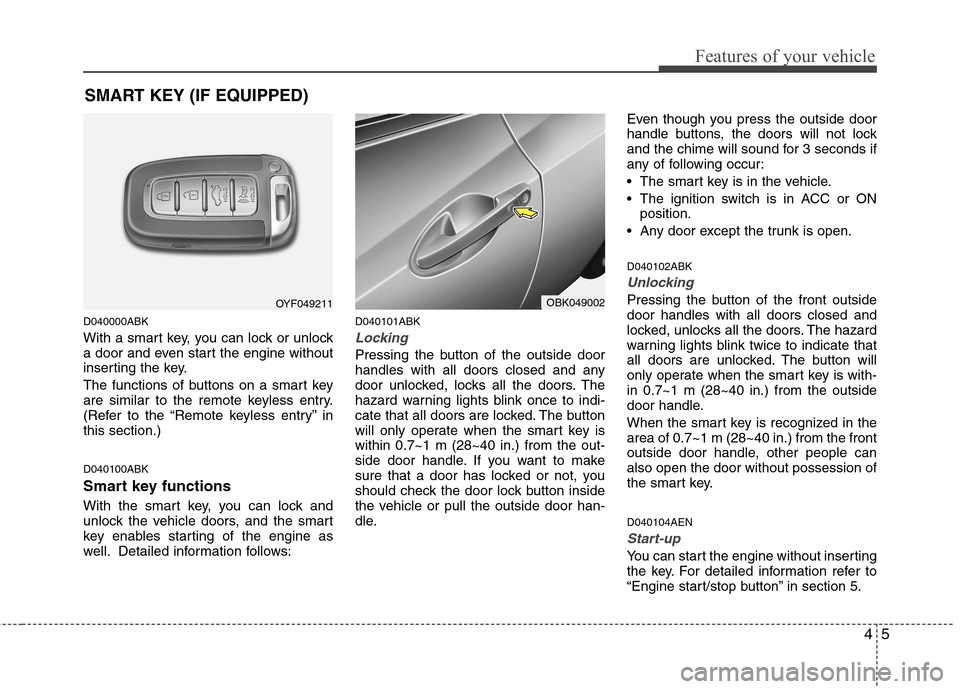
Pressing the button of the outside door
handles with all doors closed and any
door unlocked, locks all the doors. The
hazard warning lights blink once to indi-
cate that all doors are locked. The button
will only operate when the smart key iswithin 0.7~1 m (28~40 in.) from the out-
side door handle. If you want to make
sure that a door has locked or not, you
should check the door lock button inside
the vehicle or pull the outside door han-
dle.Even though you press the outside door
handle buttons, the doors will not lock
and the chime will sound for 3 seconds if
any of following occur:
The smart key is in the vehicle.
The ignition switch is in ACC or ON
position.
Any door except the trunk is open. D040102ABK
Unlocking
Pressing the button of the front outside door handles with all doors closed and
locked, unlocks all the doors. The hazard
warning lights blink twice to indicate that
all doors are unlocked. The button will
only operate when the smart key is with-in 0.7~1 m (28~40 in.) from the outside
door handle.
When the smart key is recognized in the area of 0.7~1 m (28~40 in.) from the front
outside door handle, other people canalso open the door without possession of
the smart key. D040104AEN
Start-up
You can start the engine without inserting
the key. For detailed information refer to
“Engine start/stop button” in section 5.
SMART KEY (IF EQUIPPED)
OYF049211OBK049002
Page 99 of 343
431
Features of your vehicle
D110500ABK
Resetting the sunroof
Whenever the vehicle battery is discon-
nected or discharged, you must reset
your sunroof system as follows:
1. Turn the ignition switch to the ONposition.
2. Close the sunroof completely.
3. Release the sunroof control lever.
4. Release the control button.
5. Pull and hold the sunroof control lever downward until the sunroof is operat-
ed as follows;
TILT DOWN SLIDE OPEN
SLIDE CLOSE
Then, release the lever.
When this is complete, the sunroof sys- tem is reset. D130100ABH
Power steering
Power steering uses energy from the
engine to assist you in steering the vehi-
cle. If the engine is off or if the power
steering system becomes inoperative,
the vehicle may still be steered, but it will
require increased steering effort.
Should you notice any change in the
effort required to steer during normal
vehicle operation, have the power steer-
ing checked by an authorized HYUNDAI
dealer.✽✽
NOTICE
If the power steering drive belt breaks
or if the power steering pump malfunc-
tions, the steering effort will greatly
increase.
✽
✽ NOTICE
If the vehicle is parked for extended
periods outside in cold weather (below -
10°C/14°F), the power steering may
require increased effort when the engine
is first started. This is caused by
increased fluid viscosity due to the cold
weather and does not indicate a mal-
function.
When this happens, increase the engine
RPM by depressing accelerator until the
RPM reaches 1,500 rpm then release or
let the engine idle for two or three min-
utes to warm up the fluid.
CAUTION
If the sunroof is not reset when the vehicle battery is disconnected or
discharged, or corresponding fuseis blown, the sunroof may operateimproperly.
STEERING WHEEL
CAUTION
Never hold the steering wheelagainst a stop (extreme right or left turn) for more than 5 seconds with the engine running. Holding the
steering wheel for more than 5 sec-onds in either position may causedamage to the power steeringpump.
Page 116 of 343
Features of your vehicle
48
4
Type B
As a reminder to the driver, the seat belt
warning lights will illuminate for approxi-
mately 6 seconds each time you turn the
ignition switch ON regardless of belt fas-tening.
If the driver’s seat belt is not fastened
when the ignition switch is turned ON orif it is disconnected after the ignition
switch is turned ON, the seat belt warn-
ing light will illuminate until the belt is fas-tened.
If you continue not to fasten the seat belt
and you drive over 9km/h, the illuminated
warning light will start to blink until you
drive under 6km/h.
If you continue not to fasten the seat belt
and you drive over 20km/h the seat belt
warning chime will sound for approxi-mately 100 seconds and the correspon-
ding warning light will blink. D150305AFD
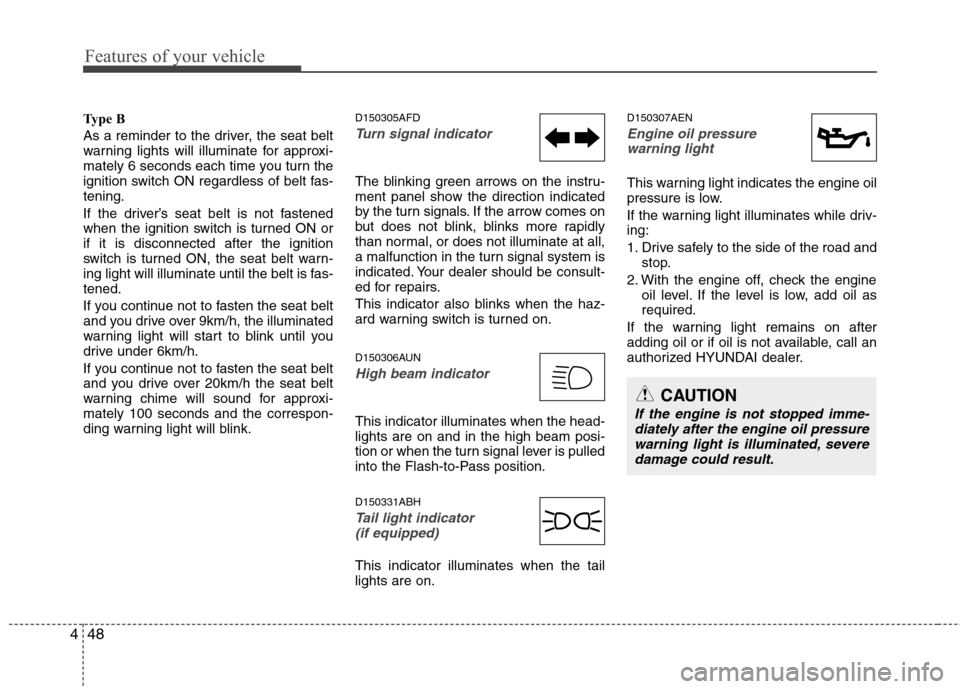
Turn signal indicator
The blinking green arrows on the instru-
ment panel show the direction indicated
by the turn signals. If the arrow comes on
but does not blink, blinks more rapidly
than normal, or does not illuminate at all,
a malfunction in the turn signal system is
indicated. Your dealer should be consult-
ed for repairs.
This indicator also blinks when the haz-
ard warning switch is turned on.
D150306AUN
High beam indicator
This indicator illuminates when the head- lights are on and in the high beam posi-
tion or when the turn signal lever is pulled
into the Flash-to-Pass position. D150331ABH
Tail light indicator
(if equipped)
This indicator illuminates when the tail lights are on. D150307AEN
Engine oil pressure
warning light
This warning light indicates the engine oil
pressure is low.
If the warning light illuminates while driv- ing:
1. Drive safely to the side of the road and stop.
2. With the engine off, check the engine oil level. If the level is low, add oil as required.
If the warning light remains on after
adding oil or if oil is not available, call an
authorized HYUNDAI dealer.
CAUTION
If the engine is not stopped imme- diately after the engine oil pressure
warning light is illuminated, severedamage could result.
Page 117 of 343
449
Features of your vehicle
D150308AEN
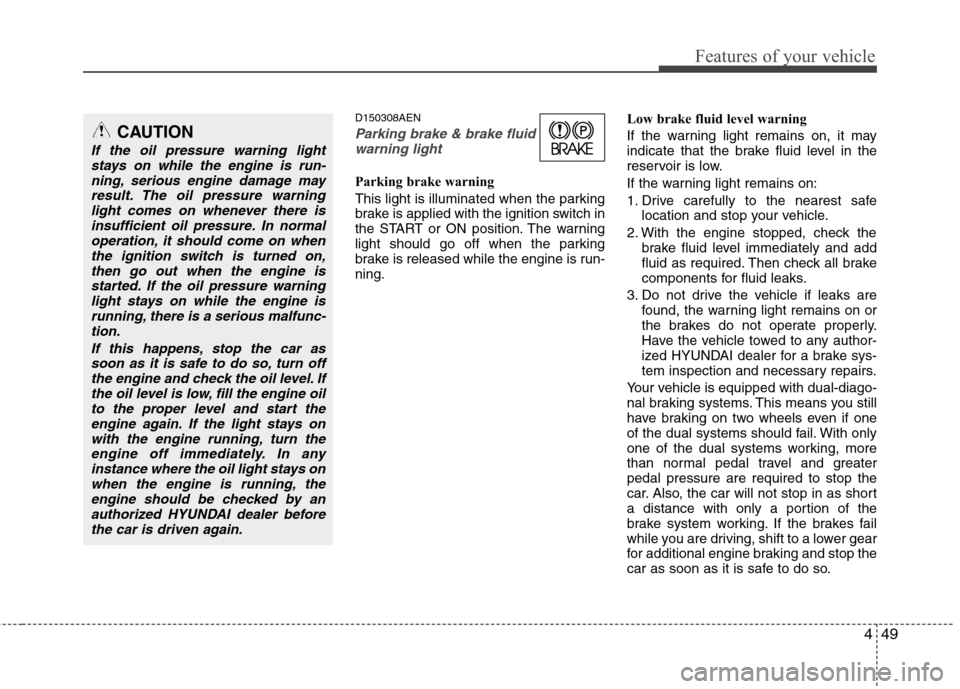
Parking brake & brake fluidwarning light
Parking brake warning
This light is illuminated when the parking
brake is applied with the ignition switch in
the START or ON position. The warning
light should go off when the parking
brake is released while the engine is run-ning. Low brake fluid level warning
If the warning light remains on, it may
indicate that the brake fluid level in the
reservoir is low.
If the warning light remains on:
1. Drive carefully to the nearest safe
location and stop your vehicle.
2. With the engine stopped, check the brake fluid level immediately and add
fluid as required. Then check all brake
components for fluid leaks.
3. Do not drive the vehicle if leaks are found, the warning light remains on or
the brakes do not operate properly.
Have the vehicle towed to any author-
ized HYUNDAI dealer for a brake sys-
tem inspection and necessary repairs.
Your vehicle is equipped with dual-diago-
nal braking systems. This means you still
have braking on two wheels even if one
of the dual systems should fail. With only
one of the dual systems working, more
than normal pedal travel and greaterpedal pressure are required to stop the
car. Also, the car will not stop in as short
a distance with only a portion of the
brake system working. If the brakes fail
while you are driving, shift to a lower gear
for additional engine braking and stop the
car as soon as it is safe to do so.
CAUTION
If the oil pressure warning light stays on while the engine is run-
ning, serious engine damage mayresult. The oil pressure warninglight comes on whenever there is insufficient oil pressure. In normal
operation, it should come on whenthe ignition switch is turned on,then go out when the engine is
started. If the oil pressure warninglight stays on while the engine isrunning, there is a serious malfunc-tion.
If this happens, stop the car assoon as it is safe to do so, turn off the engine and check the oil level. Ifthe oil level is low, fill the engine oilto the proper level and start the
engine again. If the light stays onwith the engine running, turn theengine off immediately. In any instance where the oil light stays on
when the engine is running, theengine should be checked by an authorized HYUNDAI dealer beforethe car is driven again.
Page 119 of 343
451
Features of your vehicle
With smart key system (if equipped)
If any of the following occurs in a vehicle
equipped with the smart key, the immobi-
lizer indicator illuminates, blinks or the
light goes off.
When the smart key is in the vehicle, ifthe engine start/stop button is turned
to the ACC or ON position, the indica-tor will illuminate until the engine is
started. However, when the smart key
is not in the vehicle, if the engine
start/stop button is depressed, the indi-
cator will blink for a few minutes to indi-
cate that you will not be able to start
the engine.
When the ignition switch is turned to the ON position and the indicator turns
off after 2 seconds, the system may
have a problem. Have the vehicle
checked by an authorized HYUNDAI
dealer.
When the battery is weak, if the engine start/stop button is depressed, the indi-
cator will blink and you will not be able
to start the engine. However, you may
still be able to start the engine by
inserting the smart key in the smart
key holder. If smart key system related
parts have a problem, the indicator
blinks. D150318AUN
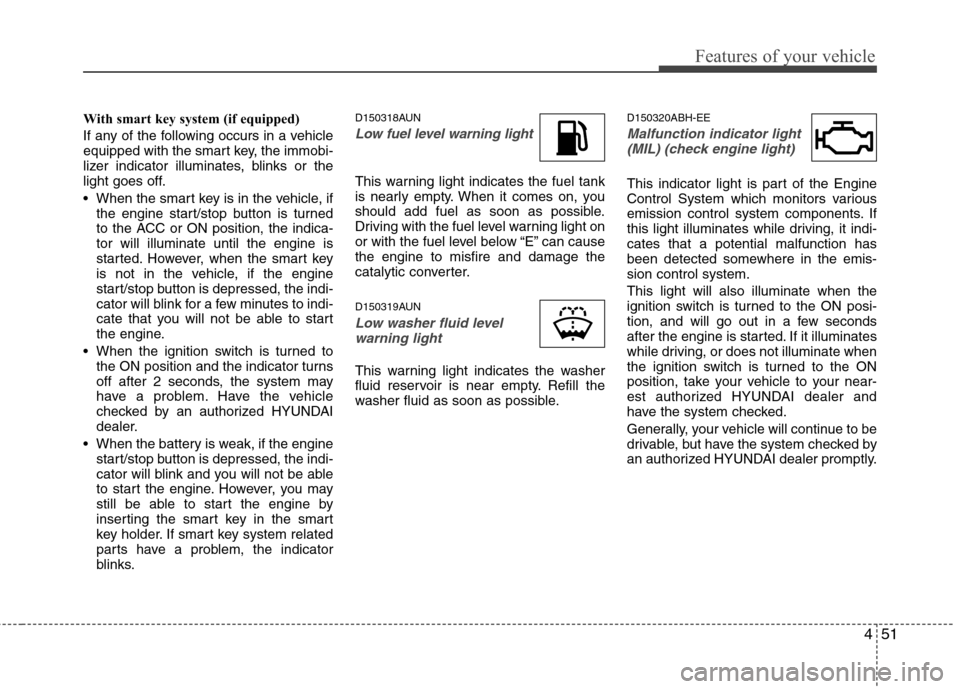
Low fuel level warning light
This warning light indicates the fuel tank
is nearly empty. When it comes on, you
should add fuel as soon as possible.
Driving with the fuel level warning light on
or with the fuel level below “E” can causethe engine to misfire and damage the
catalytic converter.
D150319AUN
Low washer fluid level
warning light
This warning light indicates the washer
fluid reservoir is near empty. Refill the
washer fluid as soon as possible. D150320ABH-EE
Malfunction indicator light
(MIL) (check engine light)
This indicator light is part of the Engine
Control System which monitors various
emission control system components. If
this light illuminates while driving, it indi-cates that a potential malfunction has
been detected somewhere in the emis-sion control system. This light will also illuminate when the
ignition switch is turned to the ON posi-
tion, and will go out in a few seconds
after the engine is started. If it illuminates
while driving, or does not illuminate when
the ignition switch is turned to the ON
position, take your vehicle to your near-
est authorized HYUNDAI dealer and
have the system checked.
Generally, your vehicle will continue to be
drivable, but have the system checked by
an authorized HYUNDAI dealer promptly.
Page 121 of 343
453
Features of your vehicle
D150325ABH
Cruise indicator (if equipped)
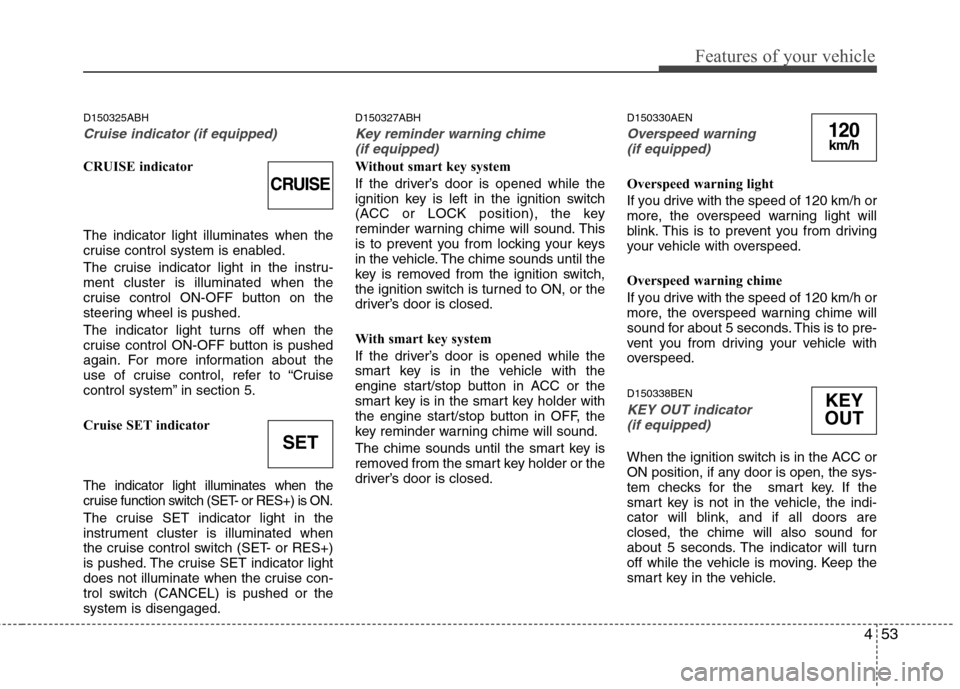
CRUISE indicator The indicator light illuminates when the
cruise control system is enabled.
The cruise indicator light in the instru- ment cluster is illuminated when the
cruise control ON-OFF button on the
steering wheel is pushed.
The indicator light turns off when the
cruise control ON-OFF button is pushed
again. For more information about the
use of cruise control, refer to “Cruise
control system” in section 5.
Cruise SET indicator
The indicator light illuminates when the
cruise function switch (SET- or RES+) is ON.
The cruise SET indicator light in the
instrument cluster is illuminated when
the cruise control switch (SET- or RES+)
is pushed. The cruise SET indicator light
does not illuminate when the cruise con-
trol switch (CANCEL) is pushed or thesystem is disengaged.D150327ABH
Key reminder warning chime
(if equipped)
Without smart key system
If the driver’s door is opened while the
ignition key is left in the ignition switch
(ACC or LOCK position), the key
reminder warning chime will sound. This
is to prevent you from locking your keys
in the vehicle. The chime sounds until the
key is removed from the ignition switch,
the ignition switch is turned to ON, or the
driver’s door is closed.
With smart key system
If the driver’s door is opened while the
smart key is in the vehicle with the
engine start/stop button in ACC or the
smart key is in the smart key holder with
the engine start/stop button in OFF, the
key reminder warning chime will sound.
The chime sounds until the smart key is
removed from the smart key holder or the
driver’s door is closed. D150330AEN
Overspeed warning
(if equipped)
Overspeed warning light
If you drive with the speed of 120 km/h or
more, the overspeed warning light will
blink. This is to prevent you from driving
your vehicle with overspeed.
Overspeed warning chime
If you drive with the speed of 120 km/h or
more, the overspeed warning chime will
sound for about 5 seconds. This is to pre-
vent you from driving your vehicle with
overspeed. D150338BEN
KEY OUT indicator (if equipped)
When the ignition switch is in the ACC or
ON position, if any door is open, the sys-
tem checks for the smart key. If the
smart key is not in the vehicle, the indi-
cator will blink, and if all doors are
closed, the chime will also sound for
about 5 seconds. The indicator will turn
off while the vehicle is moving. Keep the
smart key in the vehicle.
CRUISE
SET
120km/h
KEY
OUT
Page 176 of 343
Features of your vehicle
108
4
Using USB device
1. RANDOM Button
Press the button for less than 0.8 second
to start or stop the random playback of
the songs in the current folder.
Press the button for more than 0.8 sec-
ond to randomly play the entire songs in
the USB device. Press the button again
to cancel the mode.
2. REPEAT Button
Repeats current song when the button is
pressed for less than 0.8 second.
Repeats all songs in current folder when
the button is pressed for 0.8 second or
longer.
3. TRACK Button
Press the [TRACK ] button to play
from the beginning of the song current-
ly played. Press again to move and
play the previous track.
Press the [TRACK ] button to move to the next track. 4. SEEK Button
Press the [SEEK ] button to play the
song in reverse direction in fast speed.
Press the [SEEK ] button to play the song in forward direction in fast speed.
5. AUX Button
If USB or AUX is connected, it switches
to USB or AUX mode to play the song. If
there is no USB or AUX device connect-
ed, then it displays the message "No
Media" and returns to the previous mode.
6. AST (AUTO STORE) Button
Scans each song in the USB device for
10 seconds each. Press the button onceagain to cancel scanning.
7. Display
Displays the current time, mode, play
track number, play time, RDM, RPT and
AST status. 8. FOLDER Button
Press [FOLDER ] button to move
child folder of the current folder and
display the first song in the folder.
Press [ENTER] button to move to the
folder displayed. It will play the first
song in the folder.
Press [FOLDER ] button to move parent folder and display the first song
in the folder. Press [ENTER] button to
move to the folder displayed.
9. TUNE/FILE Button
Press [TUNE/FILE ] button to select the next song and press [ENTER] but-
ton to play.
Press [TUNE/FILE ] button to select the previous song and press [ENTER]
button to play.
10. INFO Button
Displays the information of the file cur-
rently played in the order of FILE NAME➟ TITLE ➟ARTIST ➟ALBUM ➟FOLD-
ER ➟TOTAL FILE ➟NORMAL DISPLAY
➟ FILE NAME... (Displays no information
if the file has no song information.)