radio HYUNDAI GENESIS COUPE 2014 User Guide
[x] Cancel search | Manufacturer: HYUNDAI, Model Year: 2014, Model line: GENESIS COUPE, Model: HYUNDAI GENESIS COUPE 2014Pages: 438, PDF Size: 40.35 MB
Page 217 of 438
4133
Features of your vehicle
Using a cellular phone or a two-
way radio
When a cellular phone is used inside
the vehicle, noise may be produced
from the audio equipment. This does
not mean that something is wrong
with the audio equipment. In such a
case, use the cellular phone at a
place as far as possible from the
audio equipment.
Care of discs
If the temperature inside the car is
too high, open the car windows for
ventilation before using your car
audio.
It is illegal to copy and use
MP3/WMA/WAVE files without per-
mission. Use CDs that are created
only by lawful means.
Do not apply volatile agents such as
benzene and thinner, normal clean-
ers and magnetic sprays made for
analogue disc onto CDs.
To prevent the disc surface from
getting damaged. Hold and carry
CDs by the edges or the edges of
the center hole only.
Clean the disc surface with a piece
of soft cloth before playback (wipe it
from the center to the outside
edge).
Do not damage the disc surface or
attach pieces of sticky tape or paper
onto it.
Make sure on undesirable matter
other than CDs are inserted into the
CD player (Do not insert more than
one CD at a time). Keep CDs in their cases after use to
protect them from scratches or dirt.
Depending on the type of CD-
R/CD-RW CDs, certain CDs may
not operate normally according to
manufacturing companies or mak-
ing and recording methods. In such
circumstances, if you still continue
to use those CDs, they may cause
the malfunction of your car audio
system.
✽ ✽
NOTICE - Playing an
Incompatible Copy
Protected Audio CD
Some copy protected CDs, which do
not comply with the international
audio CD standards (Red Book),
may not play on your car audio.
Please note that if you try to play
copy protected CDs and the CD
player does not perform correctly
the CDs maybe defective, not the CD
player.
WARNING
Do not use a cellular phone
while driving. Stop at a safe
location to use a cellular phone.
WARNING
When using a communication
system such a cellular phone or
a radio set inside the vehicle, a
separate external antenna must
be fitted. When a cellular phone
or a radio set is used with an
internal antenna alone, it may
interfere with the vehicle's elec-
trical system and adversely
affect safe operation of the vehi-
cle.
Page 222 of 438
Features of your vehicle
138 4
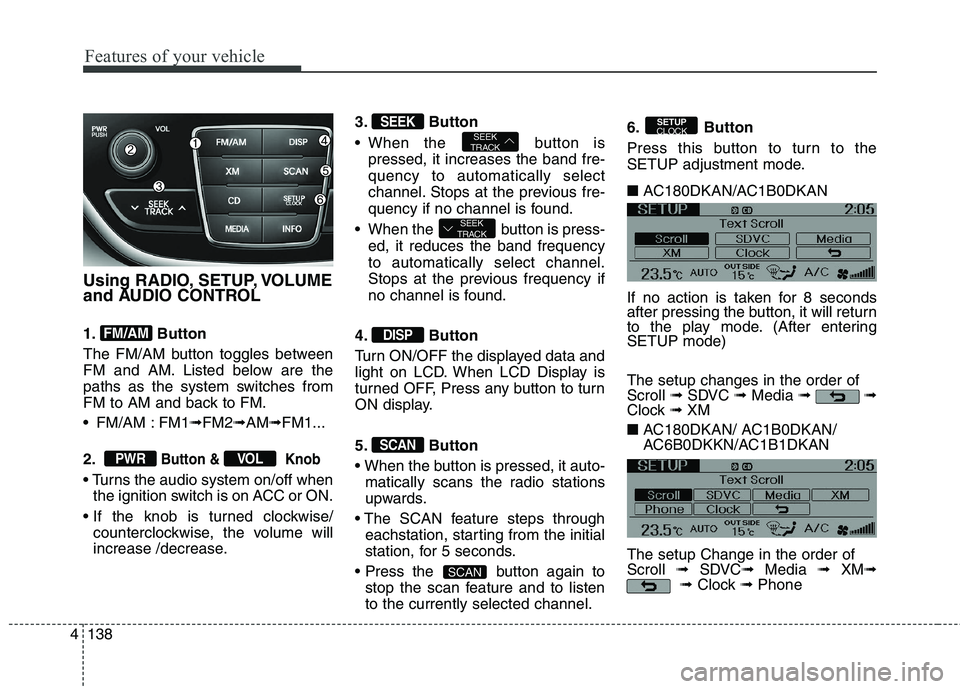
Using RADIO, SETUP, VOLUME
and AUDIO CONTROL
1. Button
The FM/AM button toggles between
FM and AM. Listed below are the
paths as the system switches from
FM to AM and back to FM.
FM/AM : FM1➟FM2➟AM➟FM1...
2.
Button & Knob
the ignition switch is on ACC or ON.
counterclockwise, the volume will
increase /decrease.3. Button
When the button is
pressed, it increases the band fre-
quency to automatically select
channel. Stops at the previous fre-
quency if no channel is found.
When the button is press-
ed, it reduces the band frequency
to automatically select channel.
Stops at the previous frequency if
no channel is found.
4. Button
Turn ON/OFF the displayed data and
light on LCD. When LCD Display is
turned OFF, Press any button to turn
ON display.
5. Button
matically scans the radio stations
upwards.
eachstation, starting from the initial
station, for 5 seconds.
button again to
stop the scan feature and to listen
to the currently selected channel.6. Button
Press this button to turn to the
SETUP adjustment mode.
■ AC180DKAN/AC1B0DKAN
If no action is taken for 8 seconds
after pressing the button, it will return
to the play mode. (After entering
SETUP mode)
The setup changes in the order of
Scroll ➟SDVC ➟Media ➟ ➟
Clock ➟ XM
■ AC180DKAN/ AC1B0DKAN/
AC6B0DKKN/AC1B1DKAN
The setup Change in the order of
Scroll ➟SDVC➟Media ➟ XM➟
➟Clock ➟Phone
SETUP
CLOCK
SCAN
SCAN
DISP
SEEK
TRACK
SEEK
TRACKSEEK
VOLPWR
FM/AM
Page 229 of 438
4145
Features of your vehicle
CAUTION IN USING
USB DEVICE
To use an external USB
device, make sure the device
is not connected when start-
ing up the vehicle. Connect
the device after starting up.
If you start the engine when
the USB device is connected,
it may damage the USB
device. (USB flashdrives are
very sensitive to electric
shock.)
If the engine is started up or
turned off while the external
USB device is connected, the
external USB device may not
work.
It may not play inauthentic
MP3 or WMA files.
1) It can only play MP3 files
with the compression rate
between 8Kbps~320Kbps.
2) It can only play WMA music
files with the compression
rate between 8Kbps ~
320Kbps.
(Continued)
(Continued)
Take precautions for static
electricity when connecting or
disconnecting the external
USB device.
An encrypted MP3 PLAYER is
not recognizable.
Depending on the condition of
the external USB device, the
connected external USB
device can be unrecognizable.
When the formatted byte/sec-
tor setting of External USB
device is not either 512BYTE
or 2048BYTE, then the device
will not be recognized.
Use only a USB device format-
ted to FAT 12/16/32.
USB devices without USB I/F
authentication may not be rec-
ognizable.
Make sure the USB connec-
tion terminal does not come in
contact with the human body
or other objects.
(Continued)(Continued)
If you repeatedly connect or
disconnect the USB device in
a short period of time, it may
break the device.
You may hear a strange noise
when connecting or discon-
necting a USB device.
If you disconnect the external
USB device during playback in
USB mode, the external USB
device can be damaged or may
malfunction. Therefore, discon-
nect the external USB device
when the audio is turned off or
in another mode. (e.g, Radio or
CD)
Depending on the type and
capacity of the external USB
device or the type of the files
stored in the device, there is a
difference in the time taken for
recognition of the device.
Do not use the USB device for
purposes other than playing
music files.
(Continued)
Page 237 of 438
4153
Features of your vehicle
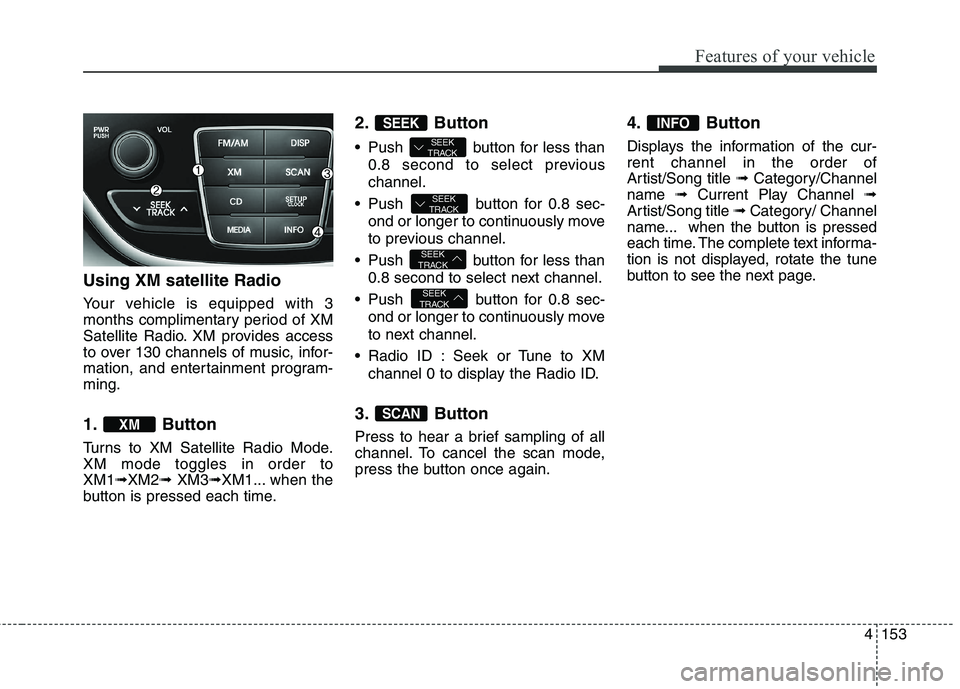
Using XM satellite Radio
Your vehicle is equipped with 3
months complimentary period of XM
Satellite Radio. XM provides access
to over 130 channels of music, infor-
mation, and entertainment program-
ming.
1. Button
Turns to XM Satellite Radio Mode.
XM mode toggles in order to
XM1➟XM2➟ XM3➟XM1... when the
button is pressed each time.
2. Button
Push button for less than
0.8 second to select previous
channel.
Push button for 0.8 sec-
ond or longer to continuously move
to previous channel.
Push button for less than
0.8 second to select next channel.
Push button for 0.8 sec-
ond or longer to continuously move
to next channel.
Radio ID : Seek or Tune to XM
channel 0 to display the Radio ID.
3. Button
Press to hear a brief sampling of all
channel. To cancel the scan mode,
press the button once again.
4. Button
Displays the information of the cur-
rent channel in the order of
Artist/Song title ➟ Category/Channel
name ➟ Current Play Channel ➟
Artist/Song title ➟ Category/ Channel
name... when the button is pressed
each time. The complete text informa-
tion is not displayed, rotate the tune
button to see the next page.
INFO
SCAN
SEEK
TRACK
SEEK
TRACK
SEEK
TRACK
SEEK
TRACK
SEEK
XM
Page 246 of 438
Features of your vehicle
162 4
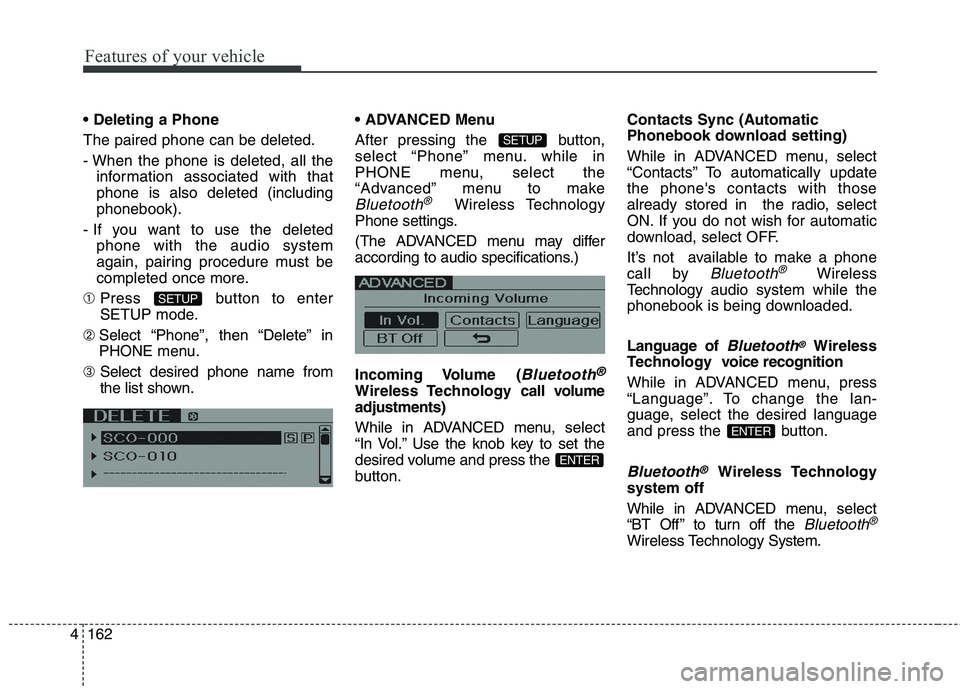
The paired phone can be deleted.
- When the phone is deleted, all the
information associated with that
phone is also deleted (including
phonebook).
- If you want to use the deleted
phone with the audio system
again, pairing procedure must be
completed once more.
➀Press button to enter
SETUP mode.
➁ Select “Phone”, then “Delete” in
PHONE menu.
➂ Select desired phone name from
the list shown. Menu
After pressing the button,
select “Phone” menu. while in
PHONE menu, select the
“Advanced” menu to make
Bluetooth®Wireless Technology
Phone settings.
(The ADVANCED menu may differ
according to audio specifications.)
Incoming Volume (
Bluetooth®
Wireless Technology call volume
adjustments)
While in ADVANCED menu, select
“In Vol.” Use the knob key to set the
desired volume and press the
button.Contacts Sync (Automatic
Phonebook download setting)
While in ADVANCED menu, select
“Contacts” To automatically update
the phone's contacts with those
already stored in the radio, select
ON. If you do not wish for automatic
download, select OFF.
It’s not available to make a phone
call by
Bluetooth®Wireless
Technologyaudio system while the
phonebook is being downloaded.
Language of
Bluetooth®Wireless
Technology voice recognition
While in ADVANCED menu, press
“Language”. To change the lan-
guage, select the desired language
and press the button.
Bluetooth®Wireless Technology
system off
While in ADVANCED menu, select
“BT Off ” to turn off the
Bluetooth®
Wireless TechnologySystem.
ENTER
ENTER
SETUP
SETUP
Page 249 of 438
4165
Features of your vehicle
■Bluetooth®Wireless
Technology Audio Speaker
Adaptation
Speaker adaptation will improve per-
formance of voice recognition sys-
tem to a particular user voice.
This will degrade the performance for
other users.
➀ Press button for 10sec.
➁ Say “Record profile”.
➂ Say “Yes”.
➃ Say the word displayed on Radio.
➀ Press button for 10sec.
➁ Say “Delete profile”.
➂ Say “Yes”.
Page 318 of 438
What to do in an emergency
10 6
Changing a tire with TPMS
If you have a flat tire, the Low Tire
Pressure and Position telltales will
come on. Have the flat tire repaired
by an authorized HYUNDAI dealer
as soon as possible or replace the
flat tire with the spare tire.
The spare tire (if equipped) does not
come with a tire pressure monitoring
sensor. When the low pressure tire or
the flat tire is replaced with the spare
tire, the Low Tire Pressure Telltale
will remain on. Also, the TPMS
Malfunction Indicator will illuminate
after blinking for one minute if the
vehicle is driven at speed above 15.5
mph (25 km/h) for approximately 20
minutes.Once the original tire equipped with
a tire pressure monitoring sensor is
reinflated to the recommended pres-
sure and reinstalled on the vehicle,
the Low Tire Pressure Telltale and
TPMS Malfunction Indicator will go
off within a few minutes.
If the indicators do not extinguish
after a few minutes, please visit an
authorized HYUNDAI dealer.
Each wheel is equipped with a tire
pressure sensor mounted inside the
tire behind the valve stem (except for
the spare tire). You must use TPMS
specific wheels. It is recommended
that you always have your tires serv-
iced by an authorized HYUNDAI
dealer as soon as possible.CAUTION
The TPMS malfunction indica-
tor may blink for approximate-
ly 1 minute and then remain
continuously illuminated if the
vehicle is moving around elec-
tric power supply cables or
radio transmitter such as at
police stations, government
and public offices, broadcast-
ing stations, military installa-
tions, airports, or transmitting
towers, etc. This can interfere
with normal operation of the
Tire Pressure Monitoring
System (TPMS).
The TPMS malfunction indica-
tor may blink for approximate-
ly 1 minute and then remain
continuously illuminated if the
snow chains are used or some
separate electronic devices
such as notebook computer,
mobile charger, remote starter
or navigation etc., are used in
the vehicle. This can interfere
with normal operation of the
Tire Pressure Monitoring
System (TPMS).
CAUTION
Never use a puncture-repairing
agent not approved by HYUNDAI
dealer to repair and/or inflate a
low pressure tire. Tire sealant not
approved by HYUNDAI dealer
may damage the tire pressure
sensor.
Page 429 of 438
Index
2I
ABS (Anti-lock brake system)·····························5-29
Active headrest················································3-9
Air bag warning labels······································3-63
Air bag warning light·······································3-40
Air bags·······················································3-36
Air bag warning labels··································3-63
Air bag warning light····································3-40
Collision sensors·········································3-55
Curtain air bag············································3-54
Driver's and passenger's front air bag·················3-48
Occupant classification system·························3-43
Side impact air bag·······································3-52
SRS components and functions························3-39
Air cleaner····················································7-32
Alarm system(see the Theft-alarm system)··············4-14
alcohol and methanol·········································1-4
Antenna (Glass)············································4-128
Anti-lock brake system (ABS)·····························5-29
Appearance care
Exterior care··············································7-76
Interior care···············································7-82
Appearance care·············································7-76
Ashtray······················································4-122
Audio control···············································4-138
Audio system···············································4-128
Audio control············································4-138Bluetooth Hands free···································4-155
Bluetooth
®Wireless Technology·····················4-155
Glass antenna············································4-128
IPOD······················································4-149
Steering wheel audio control··························4-129
USB device··············································4-145
XM satellite Radio······································4-150
Auto Cruise (see the cruise control system)·············5-37
Automatic climate control system·······················4-102
Air conditioning·········································4-111
Climate control air filter · · ·······················4-100, 112
Automatic tranmission······································5-17
Shift lock··················································5-22
Sports mode···············································5-20
Automatic tranmission fluid·······························7-31
Aux, USB and iPod port··································4-127
Base curb weight·············································5-57
Battery·························································7-39
Battery saver function·······································4-82
Before driving·················································5-3
Bluetooth Hands free······································4-155
Bluetooth
®Wireless Technology························4-155
Bottle holders, see cup holders···························4-122
A
B
Page 436 of 438
I9
Index
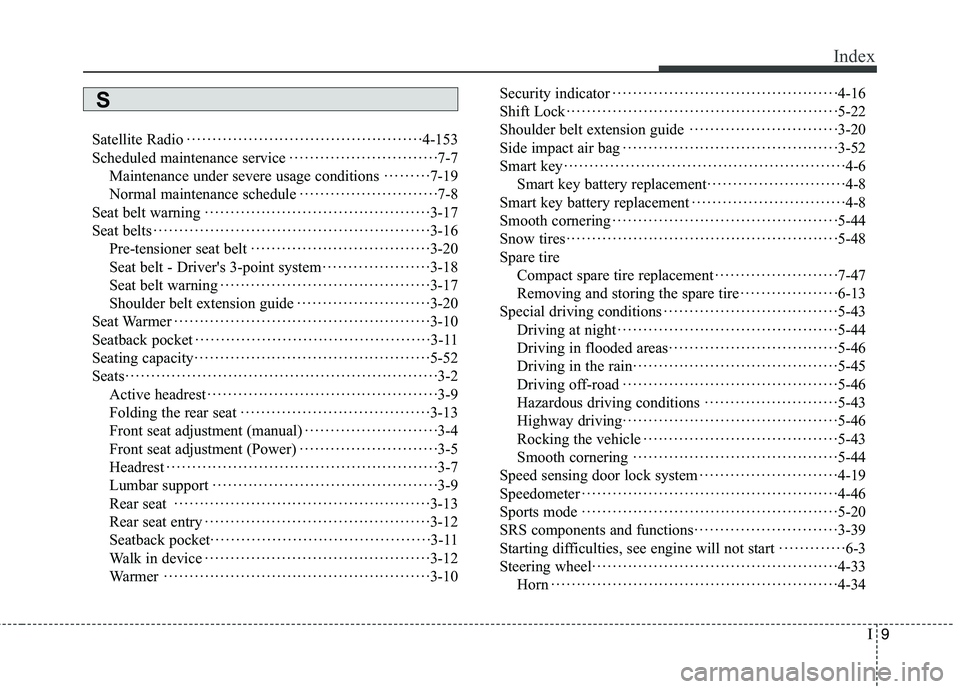
Satellite Radio··············································4-153
Scheduled maintenance service·····························7-7
Maintenance under severe usage conditions·········7-19
Normal maintenance schedule···························7-8
Seat belt warning············································3-17
Seat belts······················································3-16
Pre-tensioner seat belt···································3-20
Seat belt - Driver's 3-point system·····················3-18
Seat belt warning·········································3-17
Shoulder belt extension guide··························3-20
Seat Warmer··················································3-10
Seatback pocket··············································3-11
Seating capacity··············································5-52
Seats·····························································3-2
Active headrest·············································3-9
Folding the rear seat·····································3-13
Front seat adjustment (manual)··························3-4
Front seat adjustment (Power)···························3-5
Headrest·····················································3-7
Lumbar support············································3-9
Rear seat ··················································3-13
Rear seat entry············································3-12
Seatback pocket···········································3-11
Walk in device············································3-12
Warmer····················································3-10Security indicator············································4-16
Shift Lock·····················································5-22
Shoulder belt extension guide·····························3-20
Side impact air bag··········································3-52
Smart key·······················································4-6
Smart key battery replacement···························4-8
Smart key battery replacement······························4-8
Smooth cornering············································5-44
Snow tires·····················································5-48
Spare tire
Compact spare tire replacement························7-47
Removing and storing the spare tire···················6-13
Special driving conditions·································
·5-43
Driving at night···········································5-44
Driving in flooded areas·································5-46
Driving in the rain········································5-45
Driving off-road··········································5-46
Hazardous driving conditions··························5-43
Highway driving··········································5-46
Rocking the vehicle······································5-43
Smooth cornering········································5-44
Speed sensing door lock system···························4-19
Speedometer··················································4-46
Sports mode··················································5-20
SRS components and functions····························3-39
Starting difficulties, see engine will not start·············6-3
Steering wheel················································4-33
Horn ························································4-34
S
Page 438 of 438
I11
Index
Vanity mirror lamp··········································4-90
Vehicle break-in process·····································1-5
Vehicle capacity weight·····································5-52
Vehicle certification label····································8-6
Vehicle curb weight·········································5-57
Vehicle data collection and event data recorders·········1-7
Vehicle identification number (VIN)·······················8-6
Vehicle load limit············································5-52
Cargo capacity············································5-53
Certification label········································5-55
Seating capacity··········································5-52
Steps For Determining Correct Load Limit··········5-53
Tire and loading information label·····················5-52
Towing capacity··········································5-53
Vehicle capacity weight·································5-52
Vehicle weight···············································5-57
Base curb weight·········································5-57
Cargo weight··············································5-57
GAW (Gross axle weight)·······························5-57
GAWR (Gross axle weight rating)·····················5-57
GVW (Gross vehicle weight)···························5-57
GVWR (Gross vehicle weight rating)·················5-57
Vehicle curb weight······································5-57
VIN number····················································8-6
Volume/weight·················································8-3Walk in device···············································3-12
Warning and indicators·····································4-62
Washer fluid··················································7-30
Weight/volume·················································8-3
Welcome function···········································4-84
Wheel alignment and tire balance·························7-44
Wheel replacement··········································7-46
Windows······················································4-22
Auto up/down window··································4-23
Windshield defrosting and defogging···················4-115
Defogging logic········································
·4-118
Winter driving················································5-48
Snow tires·················································5-48
Tire chains·················································5-49
Wiper blades··················································7-35
Wipers and washers·········································4-87
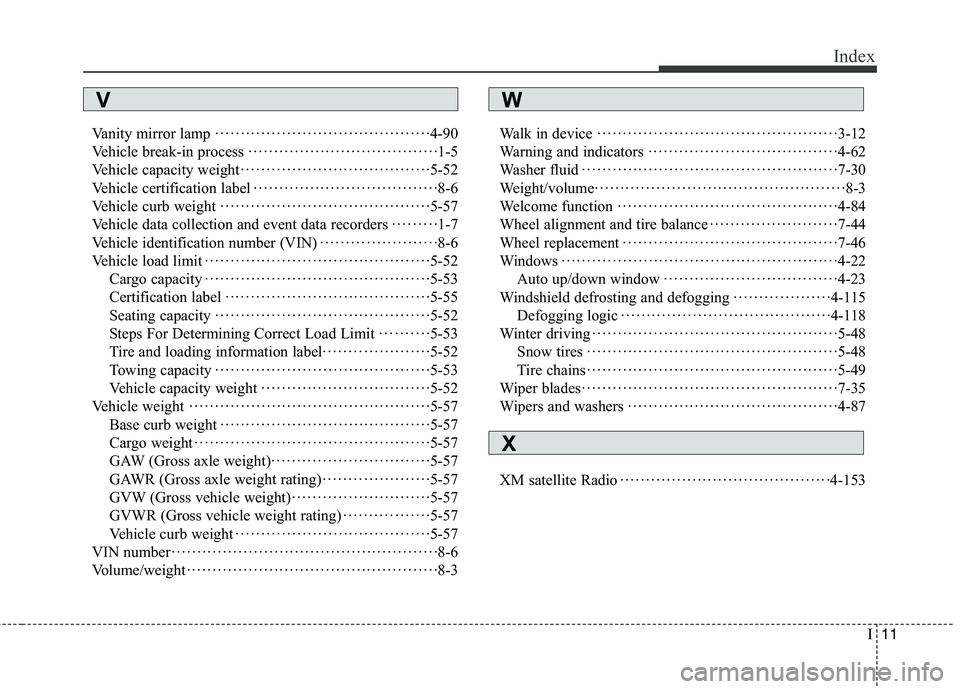
XM satellite Radio·········································4-153
VW
X