battery HYUNDAI GENESIS COUPE 2014 Owner's Manual
[x] Cancel search | Manufacturer: HYUNDAI, Model Year: 2014, Model line: GENESIS COUPE, Model: HYUNDAI GENESIS COUPE 2014Pages: 438, PDF Size: 40.35 MB
Page 191 of 438
4107
Features of your vehicle
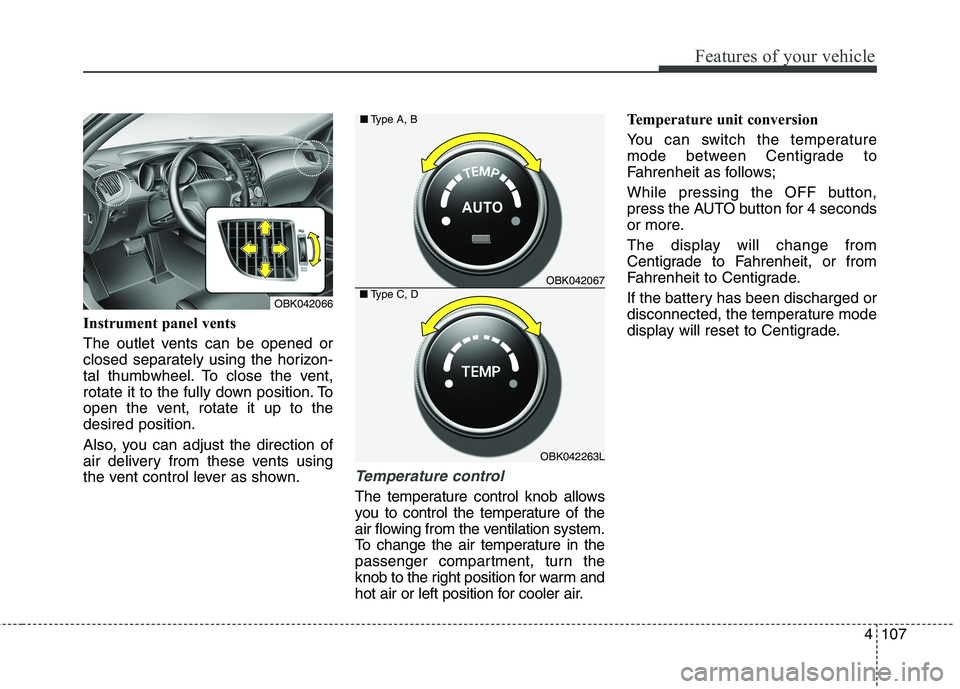
Instrument panel vents
The outlet vents can be opened or
closed separately using the horizon-
tal thumbwheel. To close the vent,
rotate it to the fully down position. To
open the vent, rotate it up to the
desired position.
Also, you can adjust the direction of
air delivery from these vents using
the vent control lever as shown.
Temperature control
The temperature control knob allows
you to control the temperature of the
air flowing from the ventilation system.
To change the air temperature in the
passenger compartment, turn the
knob to the right position for warm and
hot air or left position for cooler air.Temperature unit conversion
You can switch the temperature
mode between Centigrade to
Fahrenheit as follows;
While pressing the OFF button,
press the AUTO button for 4 seconds
or more.
The display will change from
Centigrade to Fahrenheit, or from
Fahrenheit to Centigrade.
If the battery has been discharged or
disconnected, the temperature mode
display will reset to Centigrade.
OBK042067
OBK042263L ■Type A, B
■Type C, DOBK042066
Page 202 of 438
Features of your vehicle
118 4
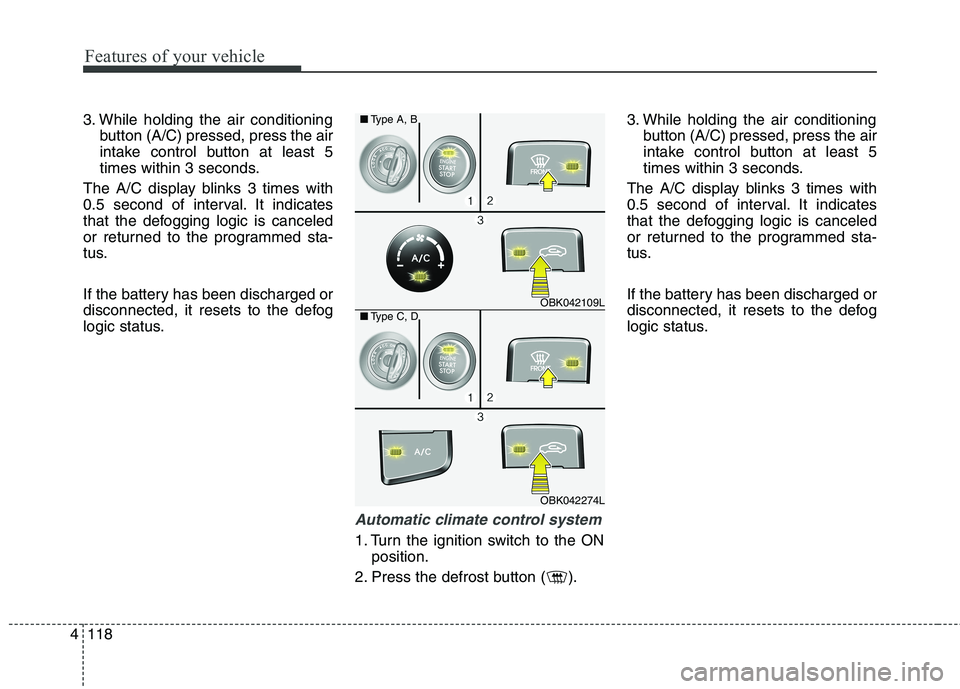
3. While holding the air conditioning
button (A/C) pressed, press the air
intake control button at least 5
times within 3 seconds.
The A/C display blinks 3 times with
0.5 second of interval. It indicates
that the defogging logic is canceled
or returned to the programmed sta-
tus.
If the battery has been discharged or
disconnected, it resets to the defog
logic status.
Automatic climate control system
1. Turn the ignition switch to the ON
position.
2. Press the defrost button ( ).3. While holding the air conditioning
button (A/C) pressed, press the air
intake control button at least 5
times within 3 seconds.
The A/C display blinks 3 times with
0.5 second of interval. It indicates
that the defogging logic is canceled
or returned to the programmed sta-
tus.
If the battery has been discharged or
disconnected, it resets to the defog
logic status.
OBK042109L
OBK042274L ■Type A, B
■Type C, D
Page 203 of 438
4119
Features of your vehicle
Auto defogging system
(Only for automatic climate con-
trol system, if equipped)
Auto defogging reduces the possibil-
ity of fogging up the inside of the
windshield by automatically sensing
the moisture of inside the windshield.
The auto defogging system operates
when the climate control system is
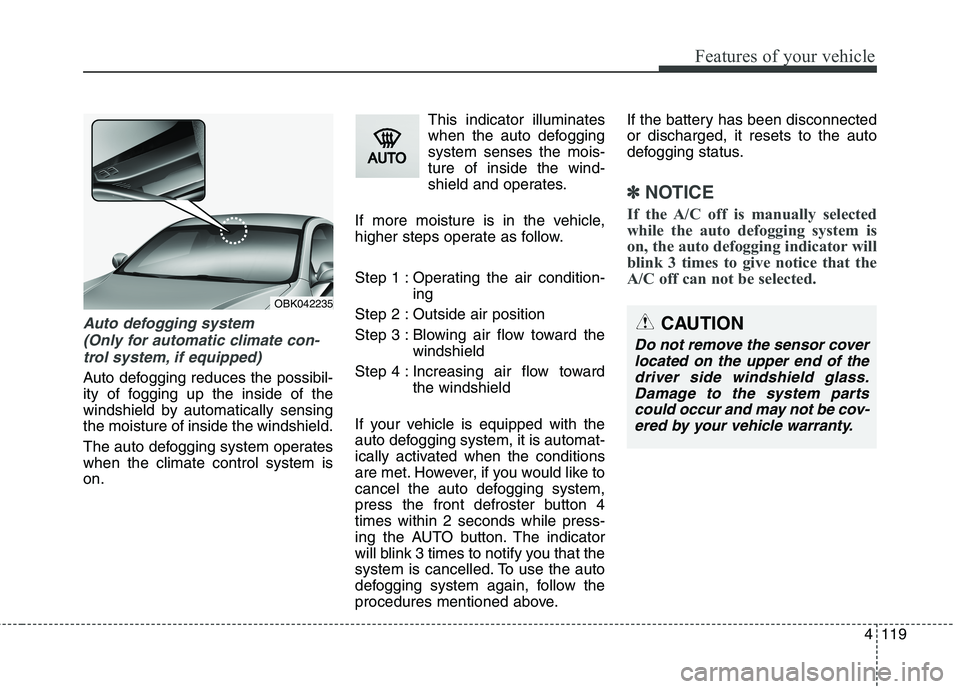
on.This indicator illuminates
when the auto defogging
system senses the mois-
ture of inside the wind-
shield and operates.
If more moisture is in the vehicle,
higher steps operate as follow.
Step 1 : Operating the air condition-
ing
Step 2 : Outside air position
Step 3 : Blowing air flow toward the
windshield
Step 4 : Increasing air flow toward
the windshield
If your vehicle is equipped with the
auto defogging system, it is automat-
ically activated when the conditions
are met. However, if you would like to
cancel the auto defogging system,
press the front defroster button 4
times within 2 seconds while press-
ing the AUTO button. The indicator
will blink 3 times to notify you that the
system is cancelled. To use the auto
defogging system again, follow the
procedures mentioned above.If the battery has been disconnected
or discharged, it resets to the auto
defogging status.
✽ ✽
NOTICE
If the A/C off is manually selected
while the auto defogging system is
on, the auto defogging indicator will
blink 3 times to give notice that the
A/C off can not be selected.
OBK042235
CAUTION
Do not remove the sensor cover
located on the upper end of the
driver side windshield glass.
Damage to the system parts
could occur and may not be cov-
ered by your vehicle warranty.
Page 208 of 438
Features of your vehicle
124 4
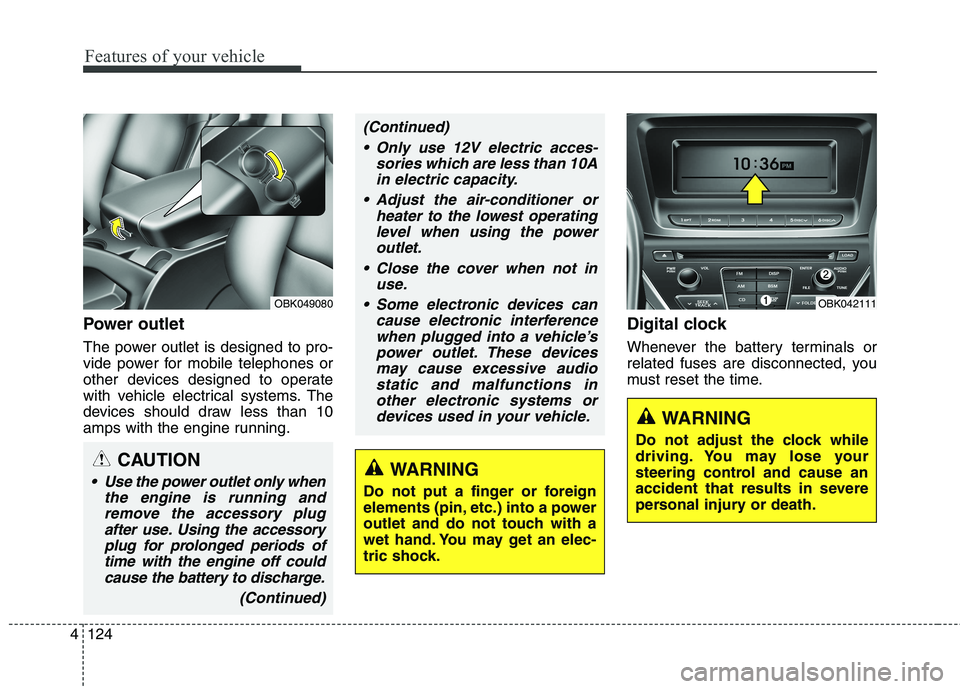
Power outlet
The power outlet is designed to pro-
vide power for mobile telephones or
other devices designed to operate
with vehicle electrical systems. The
devices should draw less than 10
amps with the engine running.
Digital clock
Whenever the battery terminals or
related fuses are disconnected, you
must reset the time.
WARNING
Do not adjust the clock while
driving. You may lose your
steering control and cause an
accident that results in severe
personal injury or death.
OBK042111OBK049080
CAUTION
Use the power outlet only when
the engine is running and
remove the accessory plug
after use. Using the accessory
plug for prolonged periods of
time with the engine off could
cause the battery to discharge.
(Continued)
(Continued)
Only use 12V electric acces-
sories which are less than 10A
in electric capacity.
Adjust the air-conditioner or
heater to the lowest operating
level when using the power
outlet.
Close the cover when not in
use.
Some electronic devices can
cause electronic interference
when plugged into a vehicle’s
power outlet. These devices
may cause excessive audio
static and malfunctions in
other electronic systems or
devices used in your vehicle.
WARNING
Do not put a finger or foreign
elements (pin, etc.) into a power
outlet and do not touch with a
wet hand. You may get an elec-
tric shock.
Page 218 of 438
Features of your vehicle
134 4
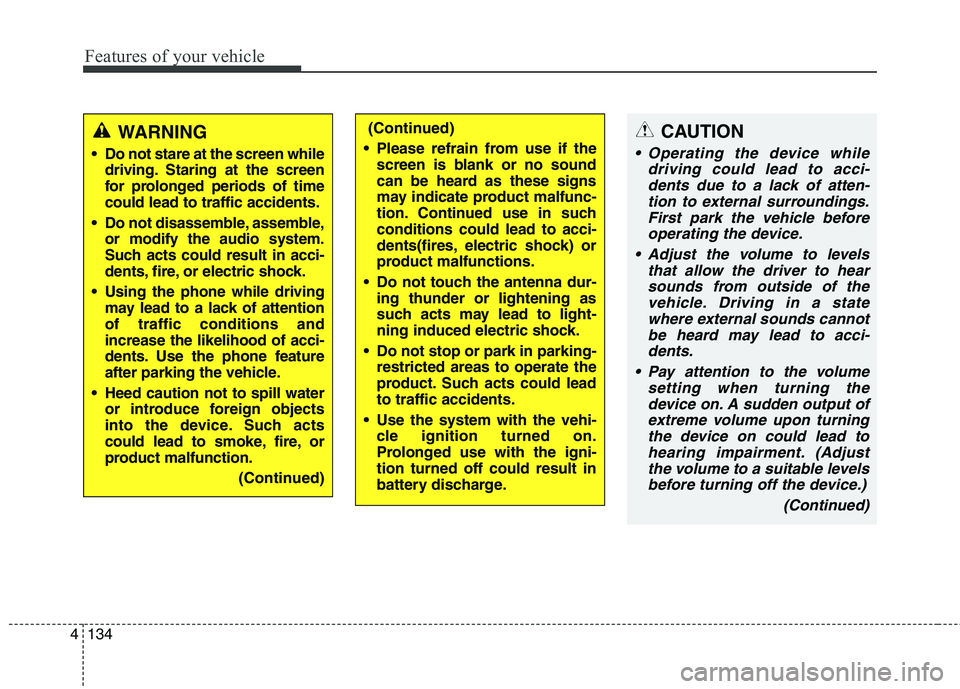
CAUTION
Operating the device while
driving could lead to acci-
dents due to a lack of atten-
tion to external surroundings.
First park the vehicle before
operating the device.
Adjust the volume to levels
that allow the driver to hear
sounds from outside of the
vehicle. Driving in a state
where external sounds cannot
be heard may lead to acci-
dents.
Pay attention to the volume
setting when turning the
device on. A sudden output of
extreme volume upon turning
the device on could lead to
hearing impairment. (Adjust
the volume to a suitable levels
before turning off the device.)
(Continued)
WARNING
Do not stare at the screen while
driving. Staring at the screen
for prolonged periods of time
could lead to traffic accidents.
Do not disassemble, assemble,
or modify the audio system.
Such acts could result in acci-
dents, fire, or electric shock.
Using the phone while driving
may lead to a lack of attention
of traffic conditions and
increase the likelihood of acci-
dents. Use the phone feature
after parking the vehicle.
Heed caution not to spill water
or introduce foreign objects
into the device. Such acts
could lead to smoke, fire, or
product malfunction.
(Continued)
(Continued)
Please refrain from use if the
screen is blank or no sound
can be heard as these signs
may indicate product malfunc-
tion. Continued use in such
conditions could lead to acci-
dents(fires, electric shock) or
product malfunctions.
Do not touch the antenna dur-
ing thunder or lightening as
such acts may lead to light-
ning induced electric shock.
Do not stop or park in parking-
restricted areas to operate the
product. Such acts could lead
to traffic accidents.
Use the system with the vehi-
cle ignition turned on.
Prolonged use with the igni-
tion turned off could result in
battery discharge.
Page 219 of 438
4135
Features of your vehicle
(Continued)
Turn on the car ignition before
using this device. Do not oper-
ate the audio system for long
periods of time with the igni-
tion turned off as such opera-
tions may lead to battery dis-
charge.
Do not subject the device to
severe shock or impact. Direct
pressure onto the front side of
the monitor may cause dam-
age to the LCD or touch
screen.
When cleaning the device,
make sure to turn off the
device and use a dry and
smooth cloth. Never use
tough materials, chemical
cloths, or solvents (alcohol,
benzene, thinners, etc.) as
such materials may damage
the device panel or cause
color/quality deterioration
(Continued)(Continued)
When cleaning the device,
make sure to turn off the
device and use a dry and
smooth cloth. Never use
tough materials, chemical
cloths, or solvents (alcohol,
benzene, thinners, etc.) as
such materials may damage
the device panel or cause
color/quality deterioration
Do not place beverages close
to the audio system. Spilling
beverages may lead to system
malfunction.
In case of product malfunc-
tion, please contact your place
of purchase or After Service
center.
Placing the audio system
within an electromagnetic
environment may result in
noise interference.
(Continued)(Continued)
If the air freshener gets on to
audio system or plastics, then
it could cause the crack due to
its chemical reaction. Please
be careful when you use air
fresheners near those prod-
ucts. Especially be careful
when you have attached air
freshener on the air vents. The
liquid can be flow down.
Page 233 of 438
4149
Features of your vehicle
✽ ✽
NOTICE FOR USING
THE iPod®DEVICE
• Some iPod models might not
support the communication
protocol and the files will not be
played.
Supported iPod models:
- iPod Mini
- iPod 4th(Photo) ~ 6th(Classic)
generation
- iPod Nano 1st~4th generation
- iPod Touch 1st~2nd generation
• The order of search or playback
of songs in the iPod can be dif-
ferent from the order searched
in the audio system.
• If the iPod disabled due to its
own malfunction, reset the iPod.
(Reset: Refer to iPod manual)
• An iPod may not operate nor-
mally on low battery.
(Continued)(Continued)
• Some iPod devices, such as the
iPhone, can be connected
through the Bluetooth®
Wireless Technology interface.
The device must have audio
Bluetooth
®Wireless Technology
capability (such as for stereo
headphone Bluetooth
®Wireless
Technology). The device can
play, but it will not be controlled
by the audio system.
CAUTION IN USING
THE iPod®DEVICE
The Hyundai iPod Power
Cable is needed in order to
operate iPod with the audio
buttons on the audio system.
The USB cable provided by
Apple may cause malfunction
and should not be used for
Hyundai vehicles.
❋ ❋
The Hyundai iPod Power
Cable may be purchased
through your Hyundai
Dealership.
When connecting iPod with
the iPod Power Cable, insert
the connector to the multime-
dia socket completely. If not
inserted completely, commu-
nications between iPod and
audio may be interrupted.
(Continued)
Page 240 of 438
Features of your vehicle
156 4
NOTE:
Bluetooth®Wirelss Technology
phone compatibility can be
checked by visiting www
.
hyundaiusa.comand under the
SERVICE & PARTS
BLUETOOTH COMPATIBILITY
menu.
The website provides types of
Pairing, Connection, HandsFree
Calling, HUC (Hang Up
Call),Transfer To Privacy, Caller
ID, Redial, Multiple Call Handling,
IBS (lndicator Battery Symbol),
Auto Phonebook Downloading,
Streaming, and more.
(continued)
Bluetooth
®Wireless Technology
connection may becomeinter-
mittently disconnected in
some mobile phones. Follow
the following steps to try
again.
1) Turn the Bluetooth
®Wireless
Technology
Function within
the mobile phone ON/OFF
and try to connect again.
2) Turn the mobile phone
power ON/OFF and try to
connect again.
3) Completely remove the
mobile phone battery,
reboot, and then try to con-
nect again.
4) Reboot the Audio and try to
connect again.
5) Delete all paired devices
from the mobile phone and
Audio and re-pair for use.
The hands-free call volume
and quality may differ depend-
ing on the mobile phone.
Page 255 of 438
55
Driving your vehicle
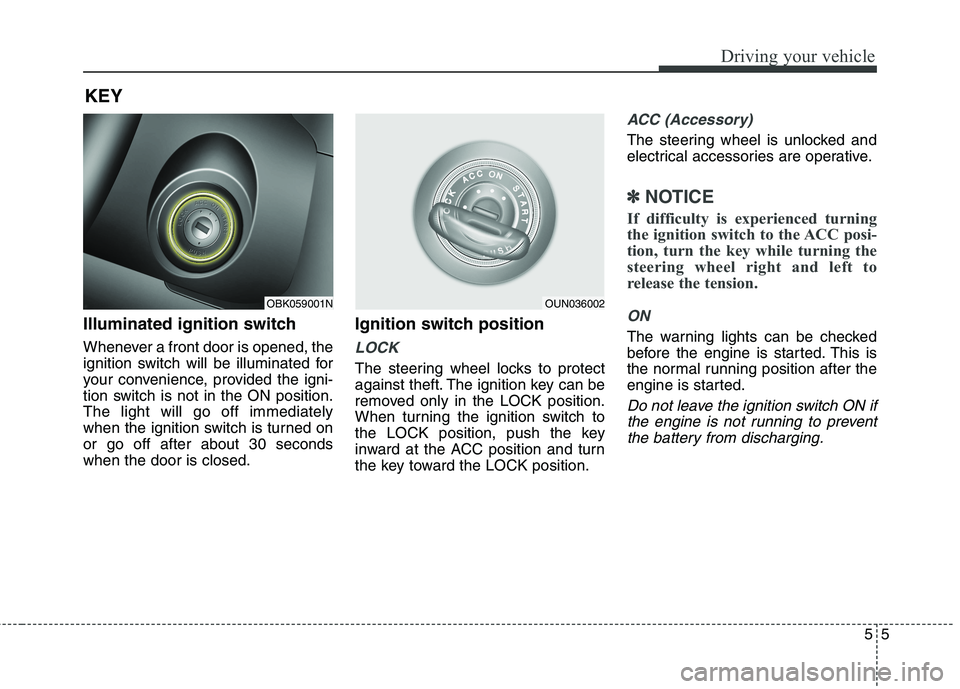
Illuminated ignition switch
Whenever a front door is opened, the
ignition switch will be illuminated for
your convenience, provided the igni-
tion switch is not in the ON position.
The light will go off immediately
when the ignition switch is turned on
or go off after about 30 seconds
when the door is closed.
Ignition switch position
LOCK
The steering wheel locks to protect
against theft. The ignition key can be
removed only in the LOCK position.
When turning the ignition switch to
the LOCK position, push the key
inward at the ACC position and turn
the key toward the LOCK position.
ACC (Accessory)
The steering wheel is unlocked and
electrical accessories are operative.
✽ ✽
NOTICE
If difficulty is experienced turning
the ignition switch to the ACC posi-
tion, turn the key while turning the
steering wheel right and left to
release the tension.
ON
The warning lights can be checked
before the engine is started. This is
the normal running position after the
engine is started.
Do not leave the ignition switch ON if
the engine is not running to prevent
the battery from discharging.
KEY
OBK059001NOUN036002
Page 259 of 438
59
Driving your vehicle
ACC(Accessory)
• with manual transmission
Press the engine start/stop button
when the button is in the OFF posi-
tion without depressing the clutch
pedal.
• with automatic transmission
Press the engine start/stop button
when the button is in the OFF posi-
tion without depressing the brake
pedal.
The steering wheel is unlocked and
electrical accessories are operative
(if equipped with steering lock).
If you leave the engine start/stop but-
ton in the ACC position for more than
1 hour, the engine is off automatical-
ly to prevent the battery from dis-
charging.
ON
• with manual transmission
Press the engine start/stop button
when the button is in the ACC posi-
tion without depressing the clutch
pedal.
• with automatic transmission
Press the engine start/stop button
when the button is in the ACC posi-
tion without depressing the brake
pedal.
The warning lights can be checked
before the engine is started. Do not
leave the button in the ON position if
the engine is not running to prevent
the battery from discharging.
START
• with manual transmission
To start the engine, depress the
clutch pedal and brake pedal, then
press the engine start/stop button
with the shift lever in the N(Neutral)
position.
• with automatic transmission
To start the engine, depress the brake
pedal and press the engine start/stop
button with the shift lever in the
P(Park) or the N (Neutral) position.
✽ ✽
NOTICE
• If you press the engine start/stop
button without depressing the
clutch pedal on manual transmis-
sion vehicles or without depressing
the brake pedal on automatic
transmission vehicles, the engine
will not start and the engine
start/stop button changes as fol-
lows:
OFF→ →
ACC → →
ON → →
OFF
• If you leave the engine start/stop
button in the ACC or the ON posi-
tion for a long time, the battery
may be discharged.