start stop button Hyundai Genesis Coupe 2015 User Guide
[x] Cancel search | Manufacturer: HYUNDAI, Model Year: 2015, Model line: Genesis Coupe, Model: Hyundai Genesis Coupe 2015Pages: 438, PDF Size: 40.35 MB
Page 222 of 438
Features of your vehicle
138 4
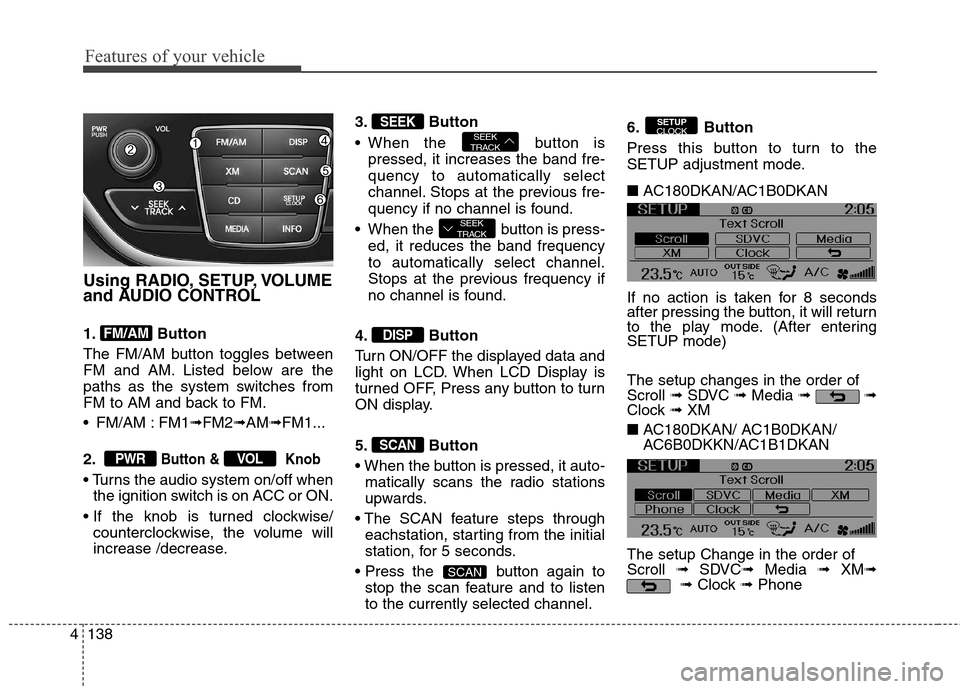
Using RADIO, SETUP, VOLUME
and AUDIO CONTROL
1. Button
The FM/AM button toggles between
FM and AM. Listed below are the
paths as the system switches from
FM to AM and back to FM.
FM/AM : FM1➟FM2➟AM➟FM1...
2.
Button & Knob
the ignition switch is on ACC or ON.
counterclockwise, the volume will
increase /decrease.3. Button
When the button is
pressed, it increases the band fre-
quency to automatically select
channel. Stops at the previous fre-
quency if no channel is found.
When the button is press-
ed, it reduces the band frequency
to automatically select channel.
Stops at the previous frequency if
no channel is found.
4. Button
Turn ON/OFF the displayed data and
light on LCD. When LCD Display is
turned OFF, Press any button to turn
ON display.
5. Button
matically scans the radio stations
upwards.
eachstation, starting from the initial
station, for 5 seconds.
button again to
stop the scan feature and to listen
to the currently selected channel.6. Button
Press this button to turn to the
SETUP adjustment mode.
■ AC180DKAN/AC1B0DKAN
If no action is taken for 8 seconds
after pressing the button, it will return
to the play mode. (After entering
SETUP mode)
The setup changes in the order of
Scroll ➟SDVC ➟Media ➟ ➟
Clock ➟ XM
■ AC180DKAN/ AC1B0DKAN/
AC6B0DKKN/AC1B1DKAN
The setup Change in the order of
Scroll ➟SDVC➟Media ➟ XM➟
➟Clock ➟Phone
SETUP
CLOCK
SCAN
SCAN
DISP
SEEK
TRACK
SEEK
TRACKSEEK
VOLPWR
FM/AM
Page 251 of 438
Driving your vehicle
Before driving . . . . . . . . . . . . . . . . . . . . . . . . . . . . . . 5-3
Key . . . . . . . . . . . . . . . . . . . . . . . . . . . . . . . . . . . . . . . 5-5
Engine start/stop button . . . . . . . . . . . . . . . . . . . . . 5-8
Manual transmission . . . . . . . . . . . . . . . . . . . . . . . . 5-13
Automatic transmission . . . . . . . . . . . . . . . . . . . . . . 5-17
• Automatic transmission operation. . . . . . . . . . . . . . 5-17
Brake system . . . . . . . . . . . . . . . . . . . . . . . . . . . . . . 5-25
. . . . . . . . . . . . . . . . . . . . . . . . . . . . 5-25
. . . . . . . . . . . . . . . . . . . . . . . . . . . . . 5-27
. . . . . . . . . . . . . . . . . 5-29
. . . . . . . . . . . . . . 5-31
Cruise control system . . . . . . . . . . . . . . . . . . . . . . . 5-37
Economical operation . . . . . . . . . . . . . . . . . . . . . . . 5-41
Special driving conditions . . . . . . . . . . . . . . . . . . . . 5-43
. . . . . . . . . . . . . . . . . 5-43
. . . . . . . . . . . . . . . . . . . . . . . . . 5-43
. . . . . . . . . . . . . . . . . . . . . . . . . . 5-44
. . . . . . . . . . . . . . . . . . . . . . . . . . . 5-44
. . . . . . . . . . . . . . . . . . . . . . . . . 5-45
. . . . . . . . . . . . . . . . . . . . . 5-46
. . . . . . . . . . . . . . . . . . . . . . . . . . . 5-46Winter driving . . . . . . . . . . . . . . . . . . . . . . . . . . . . . 5-48
Vehicle load limit . . . . . . . . . . . . . . . . . . . . . . . . . . . 5-52
. . . . . . . . . . . . . 5-52
. . . . . . . . . . . . . . . . . . . . . . . . . . 5-55
Vehicle weight . . . . . . . . . . . . . . . . . . . . . . . . . . . . . . 5-57
. . . . . . . . . . . . . . . . . . . . . . . . . . 5-57
. . . . . . . . . . . . . . . . . . . . . . . . . 5-57
. . . . . . . . . . . . . . . . . . . . . . . . . . . . . 5-57
. . . . . . . . . . . . . . . . . . . . 5-57
. . . . . . . . . . . . . . 5-57
. . . . . . . . . . . . . . . . . . 5-57
. . . . . . . . . . . 5-57
Trailer towing . . . . . . . . . . . . . . . . . . . . . . . . . . . . . . 5-58
5
Page 258 of 438
Driving your vehicle
8 5
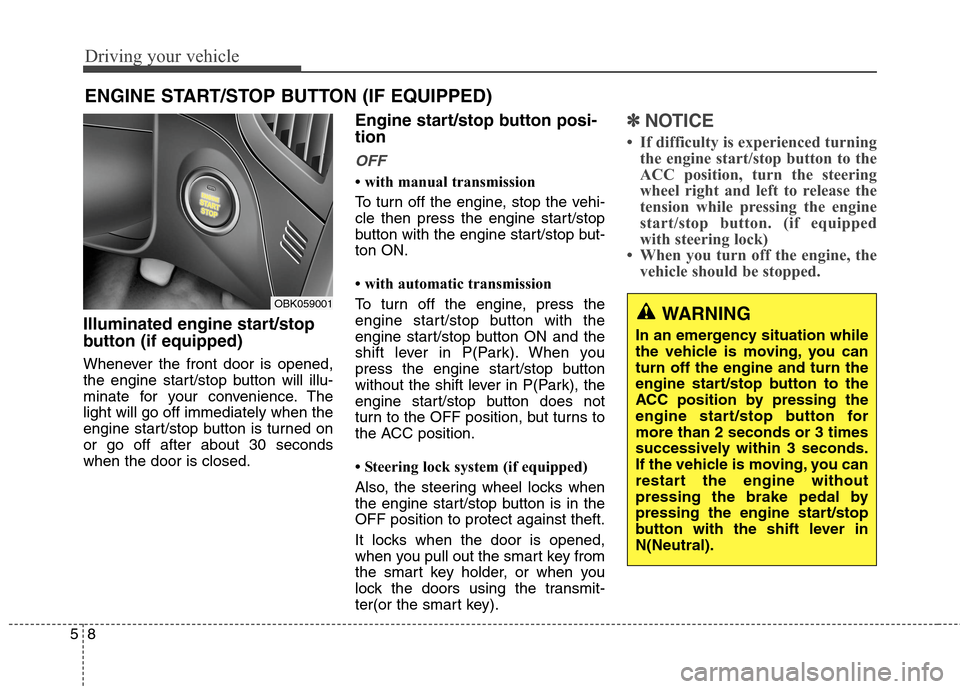
Illuminated engine start/stop
button (if equipped)
Whenever the front door is opened,
the engine start/stop button will illu-
minate for your convenience. The
light will go off immediately when the
engine start/stop button is turned on
or go off after about 30 seconds
when the door is closed.
Engine start/stop button posi-
tion
OFF
• with manual transmission
To turn off the engine, stop the vehi-
cle then press the engine start/stop
button with the engine start/stop but-
ton ON.
• with automatic transmission
To turn off the engine, press the
engine start/stop button with the
engine start/stop button ON and the
shift lever in P(Park). When you
press the engine start/stop button
without the shift lever in P(Park), the
engine start/stop button does not
turn to the OFF position, but turns to
the ACC position.
• Steering lock system (if equipped)
Also, the steering wheel locks when
the engine start/stop button is in the
OFF position to protect against theft.
It locks when the door is opened,
when you pull out the smart key from
the smart key holder, or when you
lock the doors using the transmit-
ter(or the smart key).
✽ ✽
NOTICE
• If difficulty is experienced turning
the engine start/stop button to the
ACC position, turn the steering
wheel right and left to release the
tension while pressing the engine
start/stop button. (if equipped
with steering lock)
• When you turn off the engine, the
vehicle should be stopped.
ENGINE START/STOP BUTTON (IF EQUIPPED)
OBK059001WARNING
In an emergency situation while
the vehicle is moving, you can
turn off the engine and turn the
engine start/stop button to the
ACC position by pressing the
engine start/stop button for
more than 2 seconds or 3 times
successively within 3 seconds.
If the vehicle is moving, you can
restart the engine without
pressing the brake pedal by
pressing the engine start/stop
button with the shift lever in
N(Neutral).
Page 259 of 438
59
Driving your vehicle
ACC(Accessory)
• with manual transmission
Press the engine start/stop button
when the button is in the OFF posi-
tion without depressing the clutch
pedal.
• with automatic transmission
Press the engine start/stop button
when the button is in the OFF posi-
tion without depressing the brake
pedal.
The steering wheel is unlocked and
electrical accessories are operative
(if equipped with steering lock).
If you leave the engine start/stop but-
ton in the ACC position for more than
1 hour, the engine is off automatical-
ly to prevent the battery from dis-
charging.
ON
• with manual transmission
Press the engine start/stop button
when the button is in the ACC posi-
tion without depressing the clutch
pedal.
• with automatic transmission
Press the engine start/stop button
when the button is in the ACC posi-
tion without depressing the brake
pedal.
The warning lights can be checked
before the engine is started. Do not
leave the button in the ON position if
the engine is not running to prevent
the battery from discharging.
START
• with manual transmission
To start the engine, depress the
clutch pedal and brake pedal, then
press the engine start/stop button
with the shift lever in the N(Neutral)
position.
• with automatic transmission
To start the engine, depress the brake
pedal and press the engine start/stop
button with the shift lever in the
P(Park) or the N (Neutral) position.
✽ ✽
NOTICE
• If you press the engine start/stop
button without depressing the
clutch pedal on manual transmis-
sion vehicles or without depressing
the brake pedal on automatic
transmission vehicles, the engine
will not start and the engine
start/stop button changes as fol-
lows:
OFF→ →
ACC → →
ON → →
OFF
• If you leave the engine start/stop
button in the ACC or the ON posi-
tion for a long time, the battery
may be discharged.
Page 260 of 438
Driving your vehicle
10 5
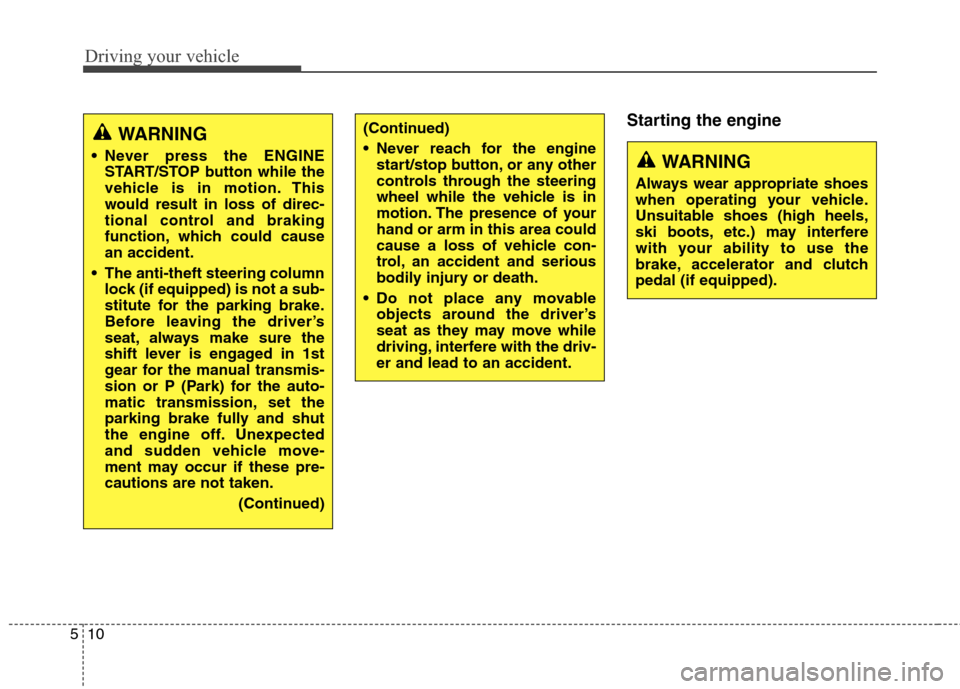
Starting the engineWARNING
Never press the ENGINE
START/STOP button while the
vehicle is in motion. This
would result in loss of direc-
tional control and braking
function, which could cause
an accident.
The anti-theft steering column
lock (if equipped) is not a sub-
stitute for the parking brake.
Before leaving the driver’s
seat, always make sure the
shift lever is engaged in 1st
gear for the manual transmis-
sion or P (Park) for the auto-
matic transmission
,set the
parking brake fully and shut
the engine off. Unexpected
and sudden vehicle move-
ment may occur if these pre-
cautions are not taken.
(Continued)
(Continued)
Never reach for the engine
start/stop button, or any other
controls through the steering
wheel while the vehicle is in
motion. The presence of your
hand or arm in this area could
cause a loss of vehicle con-
trol, an accident and serious
bodily injury or death.
Do not place any movable
objects around the driver’s
seat as they may move while
driving, interfere with the driv-
er and lead to an accident.
WARNING
Always wear appropriate shoes
when operating your vehicle.
Unsuitable shoes (high heels,
ski boots, etc.) may interfere
with your ability to use the
brake, accelerator and clutch
pedal (if equipped).
Page 261 of 438
511
Driving your vehicle
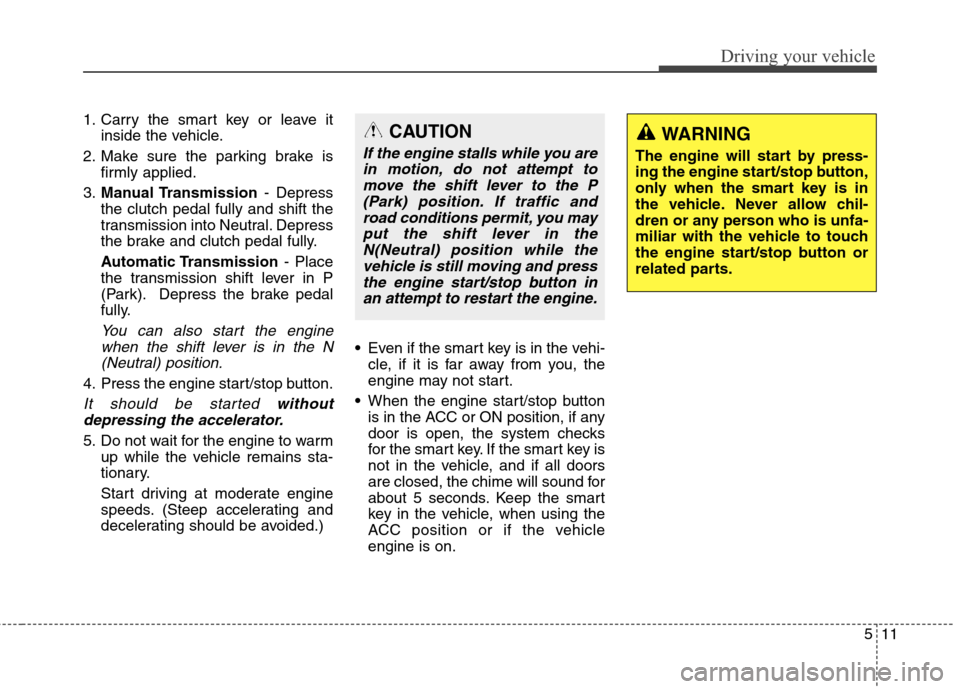
1. Carry the smart key or leave it
inside the vehicle.
2. Make sure the parking brake is
firmly applied.
3.Manual Transmission- Depress
the clutch pedal fully and shift the
transmission into Neutral. Depress
the brake and clutch pedal fully.
Automatic Transmission- Place
the transmission shift lever in P
(Park). Depress the brake pedal
fully.
You can also start the engine
when the shift lever is in the N
(Neutral) position.
4. Press the engine start/stop button.
It should be started without
depressing the accelerator.
5. Do not wait for the engine to warm
up while the vehicle remains sta-
tionary.
Start driving at moderate engine
speeds. (Steep accelerating and
decelerating should be avoided.)Even if the smart key is in the vehi-
cle, if it is far away from you, the
engine may not start.
When the engine start/stop button
is in the ACC or ON position, if any
door is open, the system checks
for the smart key. If the smart key is
not in the vehicle, and if all doors
are closed, the chime will sound for
about 5 seconds. Keep the smart
key in the vehicle, when using the
ACC position or if the vehicle
engine is on.
WARNING
The engine will start by press-
ing the engine start/stop button,
only when the smart key is in
the vehicle. Never allow chil-
dren or any person who is unfa-
miliar with the vehicle to touch
the engine start/stop button or
related parts.
CAUTION
If the engine stalls while you are
in motion, do not attempt to
move the shift lever to the P
(Park) position. If traffic and
road conditions permit, you may
put the shift lever in the
N(Neutral) position while the
vehicle is still moving and press
the engine start/stop button in
an attempt to restart the engine.
Page 262 of 438
Driving your vehicle
12 5
✽
✽
NOTICE
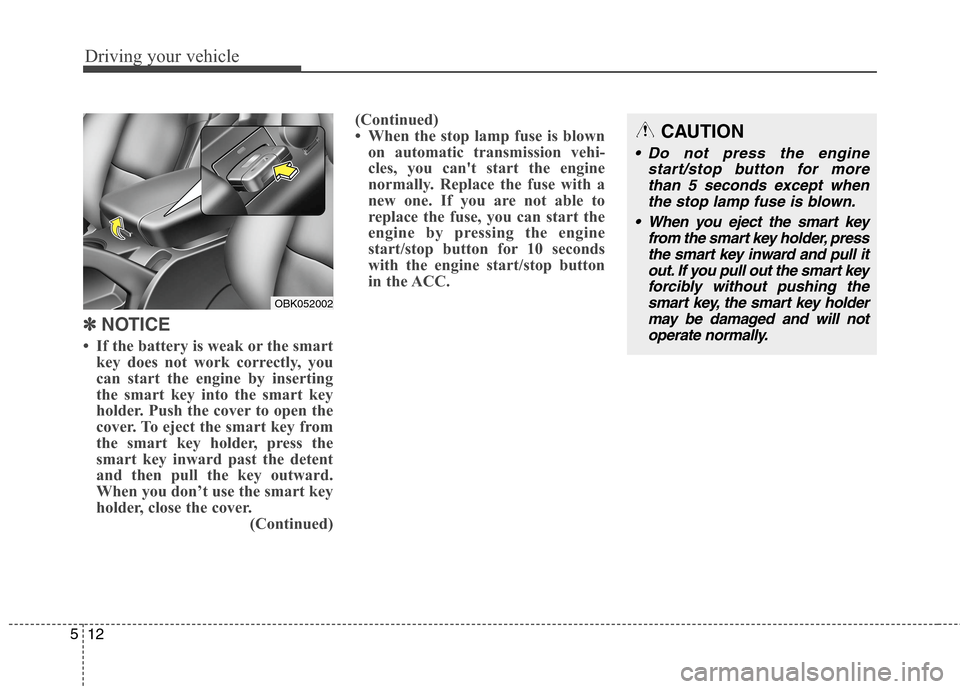
• If the battery is weak or the smart
key does not work correctly, you
can start the engine by inserting
the smart key into the smart key
holder. Push the cover to open the
cover. To eject the smart key from
the smart key holder, press the
smart key inward past the detent
and then pull the key outward.
When you don’t use the smart key
holder, close the cover.
(Continued)(Continued)
• When the stop lamp fuse is blown
on automatic transmission vehi-
cles, you can't start the engine
normally. Replace the fuse with a
new one. If you are not able to
replace the fuse, you can start the
engine by pressing the engine
start/stop button for 10 seconds
with the engine start/stop button
in the ACC.
CAUTION
Do not press the engine
start/stop button for more
than 5 seconds except when
the stop lamp fuse is blown.
When you eject the smart key
from the smart key holder, press
the smart key inward and pull it
out. If you pull out the smart key
forcibly without pushing the
smart key, the smart key holder
may be damaged and will not
operate normally.
OBK052002
Page 282 of 438
Driving your vehicle
32 5
ESC operation
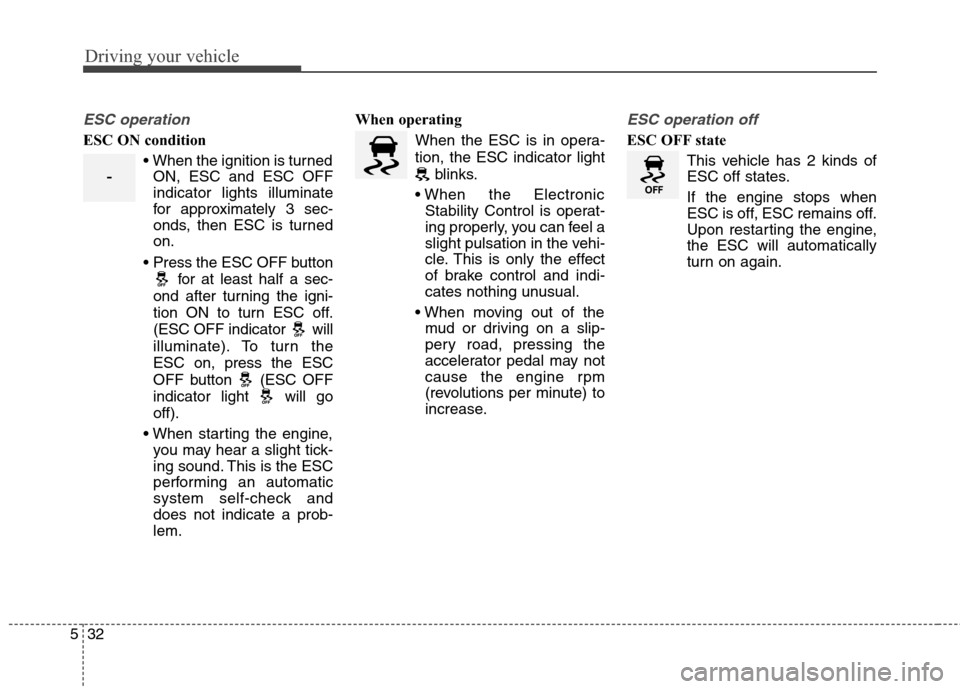
ESC ON condition
ON, ESC and ESC OFF
indicator lights illuminate
for approximately 3 sec-
onds, then ESC is turned
on.
for at least half a sec-
ond after turning the igni-
tion ON to turn ESC off.
(ESC OFF indicator will
illuminate). To turn the
ESC on, press the ESC
OFF button (ESC OFF
indicator light will go
off).
you may hear a slight tick-
ing sound. This is the ESC
performing an automatic
system self-check and
does not indicate a prob-
lem.When operating
When the ESC is in opera-
tion, the ESC indicator light
blinks.
Stability Control is operat-
ing properly, you can feel a
slight pulsation in the vehi-
cle. This is only the effect
of brake control and indi-
cates nothing unusual.
mud or driving on a slip-
pery road, pressing the
accelerator pedal may not
cause the engine rpm
(revolutions per minute) to
increase.
ESC operation off
ESC OFF state
This vehicle has 2 kinds of
ESC off states.
If the engine stops when
ESC is off, ESC remains off.
Upon restarting the engine,
the ESC will automatically
turn on again.
-
Page 285 of 438
535
Driving your vehicle
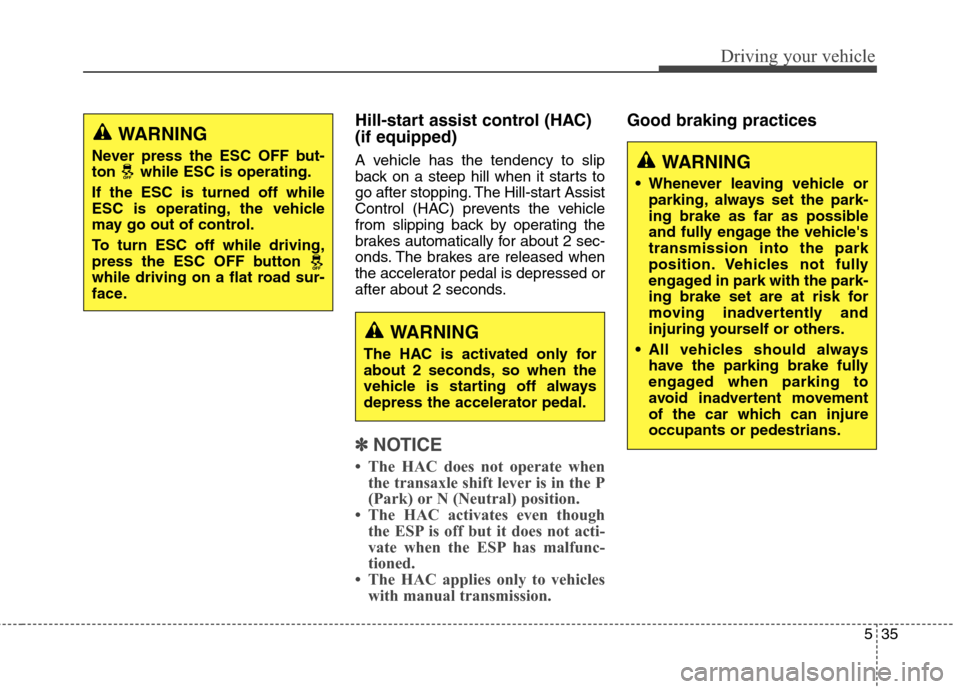
Hill-start assist control (HAC)
(if equipped)
A vehicle has the tendency to slip
back on a steep hill when it starts to
go after stopping. The Hill-start Assist
Control (HAC) prevents the vehicle
from slipping back by operating the
brakes automatically for about 2 sec-
onds. The brakes are released when
the accelerator pedal is depressed or
after about 2 seconds.
✽ ✽
NOTICE
• The HAC does not operate when
the transaxle shift lever is in the P
(Park) or N (Neutral) position.
• The HAC activates even though
the ESP is off but it does not acti-
vate when the ESP has malfunc-
tioned.
• The HAC applies only to vehicles
with manual transmission.
Good braking practicesWARNING
Never press the ESC OFF but-
ton while ESC is operating.
If the ESC is turned off while
ESC is operating, the vehicle
may go out of control.
To turn ESC off while driving,
press the ESC OFF button
while driving on a flat road sur-
face.WARNING
Whenever leaving vehicle or
parking, always set the park-
ing brake as far as possible
and fully engage the vehicle's
transmission into the park
position. Vehicles not fully
engaged in park with the park-
ing brake set are at risk for
moving inadvertently and
injuring yourself or others.
All vehicles should always
have the parking brake fully
engaged when parking to
avoid inadvertent movement
of the car which can injure
occupants or pedestrians.
WARNING
The HAC is activated only for
about 2 seconds, so when the
vehicle is starting off always
depress the accelerator pedal.
Page 395 of 438
763
Maintenance
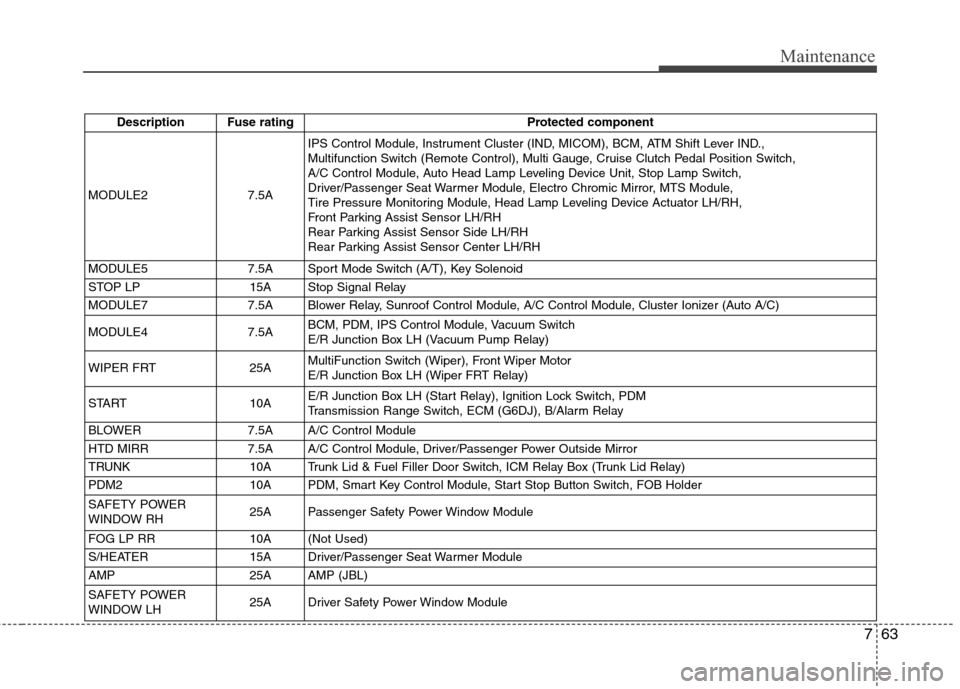
Description Fuse rating Protected component
MODULE2 7.5AIPS Control Module, Instrument Cluster (IND, MICOM), BCM, ATM Shift Lever IND.,
Multifunction Switch (Remote Control), Multi Gauge, Cruise Clutch Pedal Position Switch,
A/C Control Module, Auto Head Lamp Leveling Device Unit, Stop Lamp Switch,
Driver/Passenger Seat Warmer Module, Electro Chromic Mirror, MTS Module,
Tire Pressure Monitoring Module, Head Lamp Leveling Device Actuator LH/RH,
Front Parking Assist Sensor LH/RH
Rear Parking Assist Sensor Side LH/RH
Rear Parking Assist Sensor Center LH/RH
MODULE5 7.5A Sport Mode Switch (A/T), Key Solenoid
STOP LP 15A Stop Signal Relay
MODULE7 7.5A Blower Relay, Sunroof Control Module, A/C Control Module, Cluster Ionizer (Auto A/C)
MODULE4 7.5ABCM, PDM, IPS Control Module, Vacuum Switch
E/R Junction Box LH (Vacuum Pump Relay)
WIPER FRT 25AMultiFunction Switch (Wiper), Front Wiper Motor
E/R Junction Box LH (Wiper FRT Relay)
START 10AE/R Junction Box LH (Start Relay), Ignition Lock Switch, PDM
Transmission Range Switch, ECM (G6DJ), B/Alarm Relay
BLOWER 7.5A A/C Control Module
HTD MIRR 7.5A A/C Control Module, Driver/Passenger Power Outside Mirror
TRUNK 10A Trunk Lid & Fuel Filler Door Switch, ICM Relay Box (Trunk Lid Relay)
PDM2 10A PDM, Smart Key Control Module, Start Stop Button Switch, FOB Holder
SAFETY POWER
WINDOW RH25A Passenger Safety Power Window Module
FOG LP RR 10A (Not Used)
S/HEATER 15A Driver/Passenger Seat Warmer Module
AMP 25A AMP (JBL)
SAFETY POWER
WINDOW LH25A Driver Safety Power Window Module