battery Hyundai Genesis Coupe 2016 s User Guide
[x] Cancel search | Manufacturer: HYUNDAI, Model Year: 2016, Model line: Genesis Coupe, Model: Hyundai Genesis Coupe 2016Pages: 475, PDF Size: 15.71 MB
Page 115 of 475
Features of your vehicle
32
4
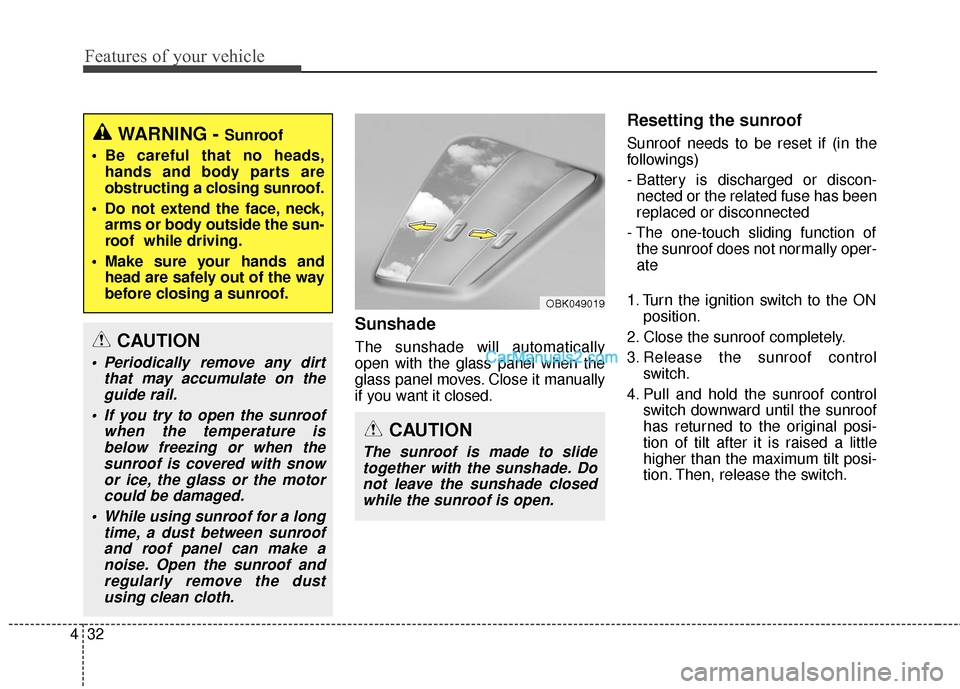
Sunshade
The sunshade will automatically
open with the glass panel when the
glass panel moves. Close it manually
if you want it closed.
Resetting the sunroof
Sunroof needs to be reset if (in the
followings)
- Battery is discharged or discon-
nected or the related fuse has been
replaced or disconnected
- The one-touch sliding function of the sunroof does not normally oper-
ate
1. Turn the ignition switch to the ON position.
2. Close the sunroof completely.
3. Release the sunroof control switch.
4. Pull and hold the sunroof control switch downward until the sunroof
has returned to the original posi-
tion of tilt after it is raised a little
higher than the maximum tilt posi-
tion. Then, release the switch.
CAUTION
The sunroof is made to slidetogether with the sunshade. Donot leave the sunshade closedwhile the sunroof is open.
OBK049019
WARNING - Sunroof
Be careful that no heads, hands and body parts are
obstructing a closing sunroof.
Do not extend the face, neck, arms or body outside the sun-
roof while driving.
Make sure your hands and head are safely out of the way
before closing a sunroof.
CAUTION
Periodically remove any dirt that may accumulate on theguide rail.
If you try to open the sunroof when the temperature isbelow freezing or when thesunroof is covered with snowor ice, the glass or the motorcould be damaged.
While using sunroof for a long time, a dust between sunroofand roof panel can make anoise. Open the sunroof andregularly remove the dustusing clean cloth.
Page 116 of 475
433
Features of your vehicle
5. Pull and hold the sunroof controlswitch downward until the sunroof
is operated as follows;
TILT DOWN → SLIDE OPEN →
SLIDE CLOSE
Then, release the switch.
When this is complete, the sunroof
system is reset.
❈ For more detailed information,
contact an authorized HYUNDAI
dealer.Power steering
Power steering uses energy from the
engine to assist you in steering the
vehicle. If the engine is off or if the
power steering system becomes
inoperative, the vehicle may still be
steered, but it will require increased
steering effort.
Should you notice any change in the
effort required to steer during normal
vehicle operation, have the power
steering checked by an authorized
HYUNDAI dealer.
✽ ✽
NOTICE
If the power steering drive belt
breaks or if the power steering
pump malfunctions, the steering
effort will greatly increase.
✽ ✽NOTICE
If the vehicle is parked for extended
periods outside in cold weather
(below -14°F/10°C), the power steer-
ing may require increased effort
when the engine is first started. This
is caused by increased fluid viscosity
due to the cold weather and does not
indicate a malfunction.
When this happens, increase the
engine RPM by depressing accelera-
tor until the RPM reaches 1,500 rpm
then release or let the engine idle for
two or three minutes to warm up the
fluid.
CAUTION
Never hold the steering wheel
against a stop (extreme right orleft turn) for more than 5 sec-onds with the engine running.Holding the steering wheel formore than 5 seconds in eitherposition may cause damage tothe power steering pump.CAUTION
If the sunroof is not reset whenthe vehicle battery is discon-nected or discharged, or relatedfuse is blown, the sunroof mayoperate improperly.
STEERING WHEEL
Page 133 of 475
Features of your vehicle
50
4
Trip computer (if equipped)
The trip computer is a microcomput-
er-controlled driver information sys-
tem that displays information related
to driving, including odometer, trip-
meter, average speed, average fuel
consumption (if equipped), instant
fuel consumption (if equipped) and
distance to empty on the display
when the ignition switch is in the ON
position. All stored driving informa-
tion (except odometer) is reset if the
battery is disconnected.
The odometer is always displayed
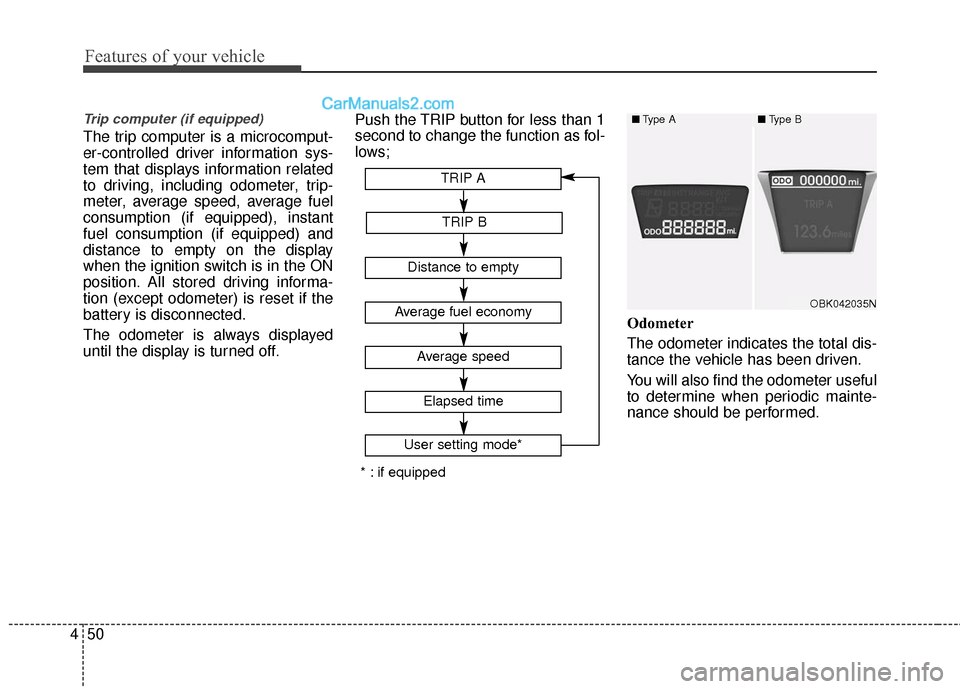
until the display is turned off. Push the TRIP button for less than 1
second to change the function as fol-
lows;
Odometer
The odometer indicates the total dis-
tance the vehicle has been driven.
You will also find the odometer useful
to determine when periodic mainte-
nance should be performed.
Average fuel economy
Average speed
TRIP A
TRIP B
Distance to empty
Elapsed time
User setting mode*
* : if equipped
OBK042035N
■Type A■Type B
Page 135 of 475
Features of your vehicle
52
4
✽
✽
NOTICE
• If the vehicle is not on level ground
or the battery power has been
interrupted, the “Distance to
empty” function may not operate
correctly.
The trip computer may not register
additional fuel if less than 1.6 gal-
lons (6 liters) of fuel are added to
the vehicle.
• The fuel consumption and dis- tance to empty values may vary
significantly based on driving con-
ditions, driving habits, and condi-
tion of the vehicle.
• The distance to empty value is an estimate of the available driving
distance. This value may differ
from the actual driving distance
available.
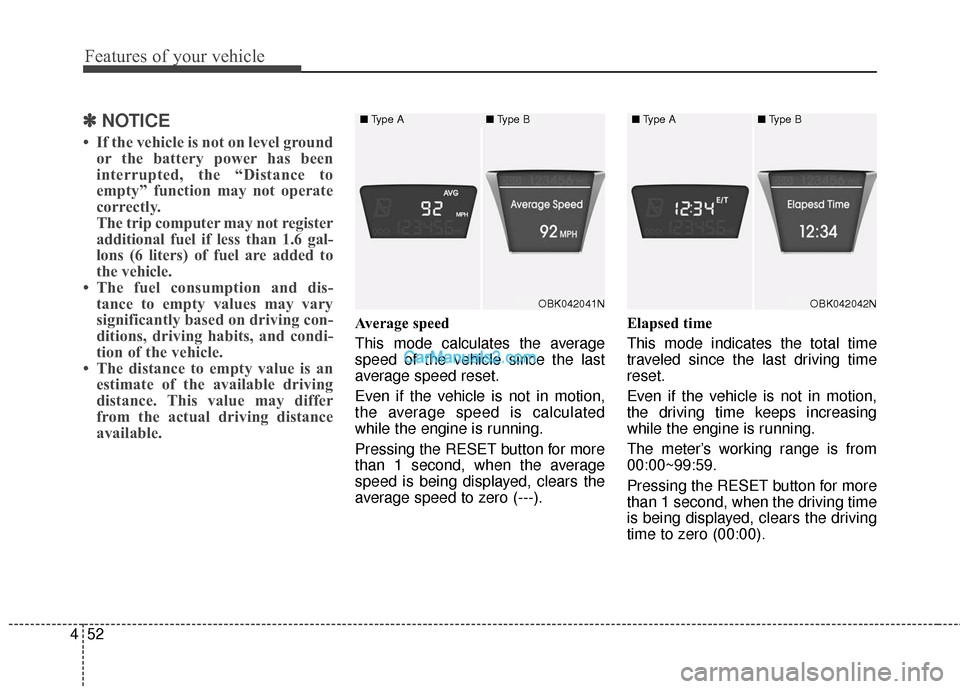
Average speed
This mode calculates the average
speed of the vehicle since the last
average speed reset.
Even if the vehicle is not in motion,
the average speed is calculated
while the engine is running.
Pressing the RESET button for more
than 1 second, when the average
speed is being displayed, clears the
average speed to zero (---). Elapsed time
This mode indicates the total time
traveled since the last driving time
reset.
Even if the vehicle is not in motion,
the driving time keeps increasing
while the engine is running.
The meter’s working range is from
00:00~99:59.
Pressing the RESET button for more
than 1 second, when the driving time
is being displayed, clears the driving
time to zero (00:00).
OBK042041N
■
Type A■Type B
OBK042042N
■Type A■Type B
Page 139 of 475
Features of your vehicle
56
4
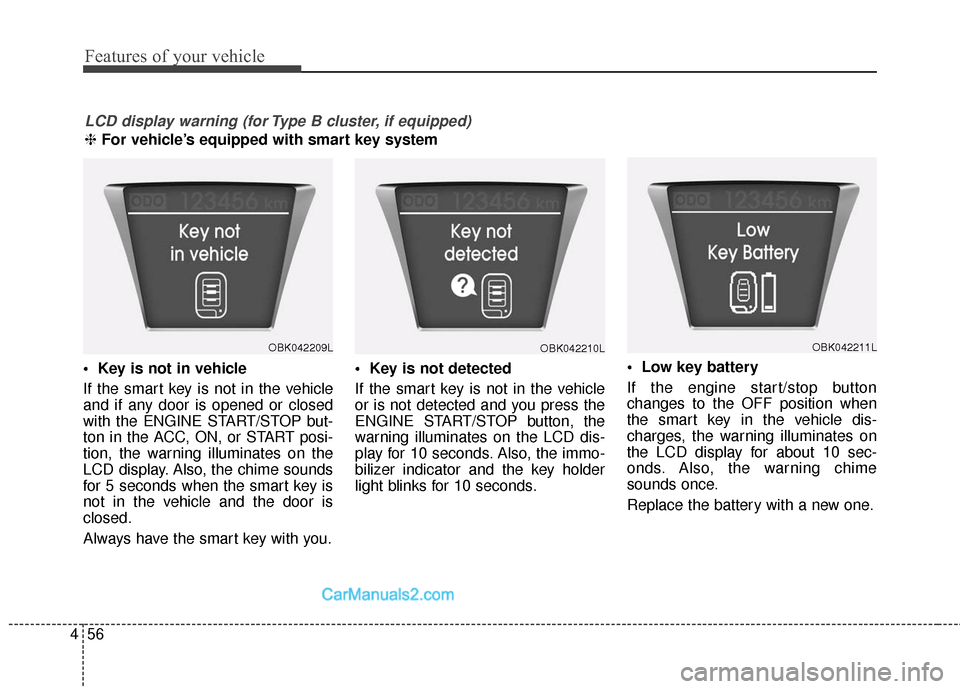
If the smart key is not in the vehicle
and if any door is opened or closed
with the ENGINE START/STOP but-
ton in the ACC, ON, or START posi-
tion, the warning illuminates on the
LCD display. Also, the chime sounds
for 5 seconds when the smart key is
not in the vehicle and the door is
closed.
Always have the smart key with you.
If the smart key is not in the vehicle
or is not detected and you press the
ENGINE START/STOP button, the
warning illuminates on the LCD dis-
play for 10 seconds. Also, the immo-
bilizer indicator and the key holder
light blinks for 10 seconds.
If the engine start/stop button
changes to the OFF position when
the smart key in the vehicle dis-
charges, the warning illuminates on
the LCD display for about 10 sec-
onds. Also, the warning chime
sounds once.
Replace the battery with a new one.
LCD display warning (for Type B cluster, if equipped)
❈
For vehicle’s equipped with smart key system
OBK042209LOBK042210LOBK042211L
Page 150 of 475
467
Features of your vehicle
When the smart key is in the vehi-cle, if the engine start/stop button
is turned to the ON position, the
indicator will illuminate until the
engine is started. However, when
the smart key is not in the vehicle,
if the engine start/stop button is
depressed, the indicator will blink
for a few minutes to indicate that
you will not be able to start the
engine.
When the ignition switch is turned to the ON position and the indica-
tor turns off after 2 seconds, the
system may have a problem. Have
the vehicle checked by an author-
ized HYUNDAI dealer.
When the battery is weak, if the engine start/stop button is
depressed, the indicator will blink
and you will not be able to start the
engine. However, you may still be
able to start the engine by inserting
the smart key in the smart key
holder. If smart key system related
parts have a problem, the indicator
blinks.Low fuel level warning
light
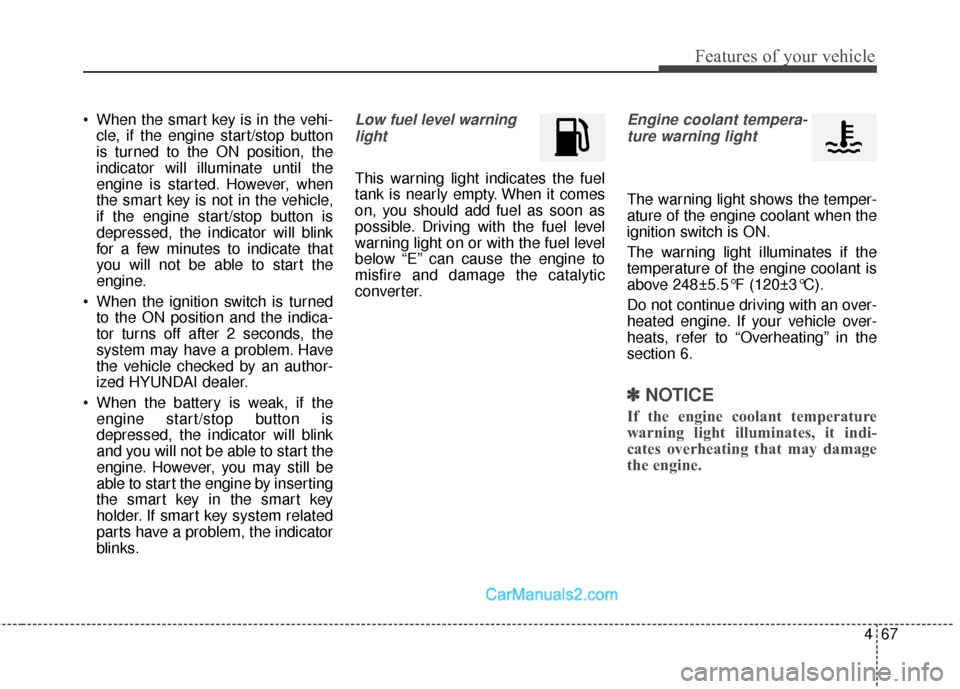
This warning light indicates the fuel
tank is nearly empty. When it comes
on, you should add fuel as soon as
possible. Driving with the fuel level
warning light on or with the fuel level
below “E” can cause the engine to
misfire and damage the catalytic
converter.
Engine coolant tempera-ture warning light
The warning light shows the temper-
ature of the engine coolant when the
ignition switch is ON.
The warning light illuminates if the
temperature of the engine coolant is
above 248±5.5°F (120±3°C).
Do not continue driving with an over-
heated engine. If your vehicle over-
heats, refer to “Overheating” in the
section 6.
✽ ✽ NOTICE
If the engine coolant temperature
warning light illuminates, it indi-
cates overheating that may damage
the engine.
Page 165 of 475
Features of your vehicle
82
4
Battery saver function
The purpose of this feature is to
prevent the battery from being dis-
charged. The system automatically
turns off the exterior lights when
the driver removes the ignition key
(smart key : turns off the engine)
and opens the driver-side door. (in
that order)
With this feature, the parking lights will be turned off automatically if
the driver parks on the side of road
at night.
If necessary, to keep the lights on
when the ignition key is removed
(smart key : turns off the engine),
perform the following:
1) Open the driver-side door.
2) Turn the parking lights OFF and ON again using the light switch
on the steering column.
Headlight escort function
(if equipped)
If you turn the ignition switch to the
ACC or OFF position with the head-
lights ON, the headlights (and/or tail
lights) remain on for about 5 minutes.
However, if the driver’s door is
opened and closed, the headlights
are turned off after 15 seconds.
The headlights can be turned off by
pressing the lock button on the trans-
mitter (or smart key) twice or turning
the light switch to the OFF or Auto
position.
However, if you turn the light switch to
the Auto position when it is dark outside,
the headlights will not be turned off.
Headlamp welcome function
(if equipped)
When the headlight switch is in the
ON or AUTO position and all doors
(and trunk) are closed and locked, if
you press the door unlock button on
the transmitter (or the smart key), the
parking light will come on for about
15 seconds. At this time, if you press
the door lock button on the transmit-
ter (or smart key) the parking light
will turn off immediately.
LIGHTING
CAUTION
If the driver gets out of the vehi-cle through other doors (exceptdriver’s door), the battery saverfunction does not operate andthe headlight escort functiondoes not turn off automatically.Therefore, it causes the batteryto be discharged. In this case,make sure to turn off the lampbefore getting out of the vehicle.
Page 168 of 475
485
Features of your vehicle
High beam operation
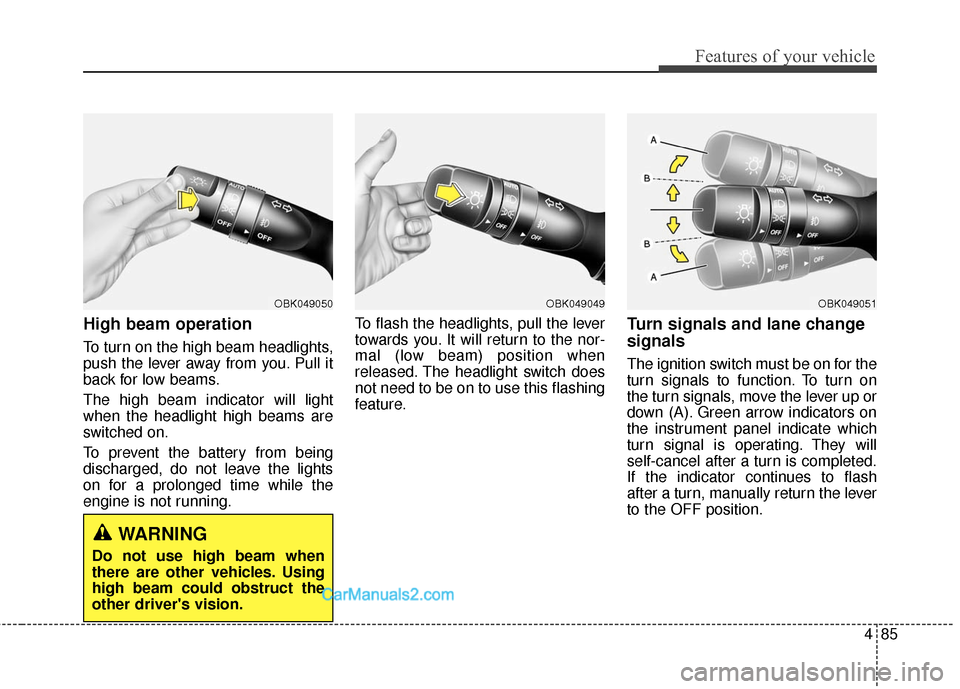
To turn on the high beam headlights,
push the lever away from you. Pull it
back for low beams.
The high beam indicator will light
when the headlight high beams are
switched on.
To prevent the battery from being
discharged, do not leave the lights
on for a prolonged time while the
engine is not running.To flash the headlights, pull the lever
towards you. It will return to the nor-
mal (low beam) position when
released. The headlight switch does
not need to be on to use this flashing
feature.
Turn signals and lane change
signals
The ignition switch must be on for the
turn signals to function. To turn on
the turn signals, move the lever up or
down (A). Green arrow indicators on
the instrument panel indicate which
turn signal is operating. They will
self-cancel after a turn is completed.
If the indicator continues to flash
after a turn, manually return the lever
to the OFF position.
OBK049051OBK049049OBK049050
WARNING
Do not use high beam when
there are other vehicles. Using
high beam could obstruct the
other driver's vision.
Page 172 of 475
489
Features of your vehicle
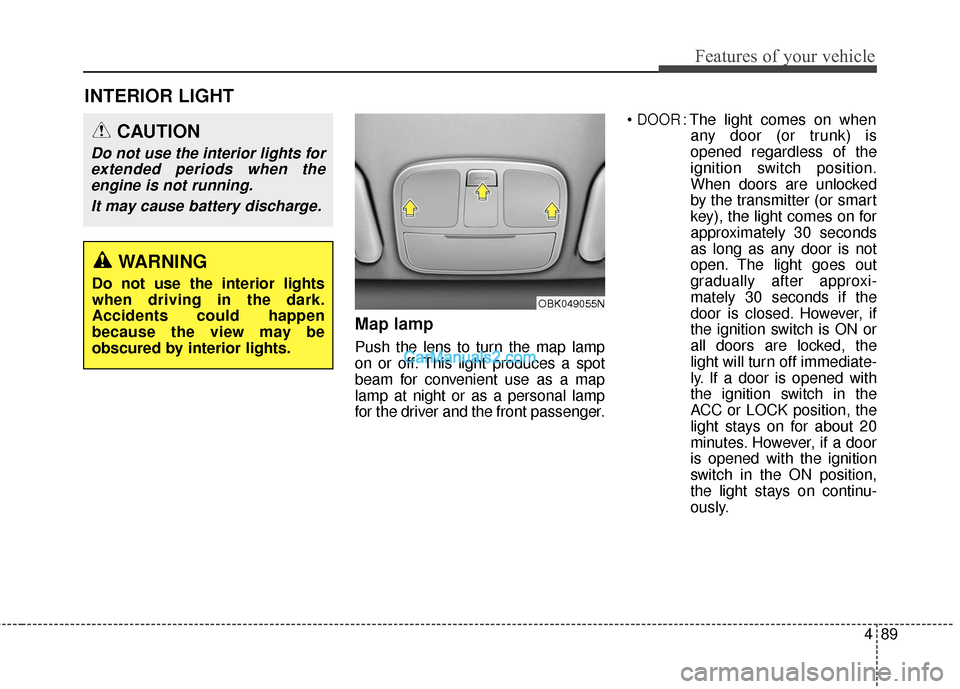
Map lamp
Push the lens to turn the map lamp
on or off. This light produces a spot
beam for convenient use as a map
lamp at night or as a personal lamp
for the driver and the front passenger.
DOOR: The light comes on when
any door (or trunk) is
opened regardless of the
ignition switch position.
When doors are unlocked
by the transmitter (or smart
key), the light comes on for
approximately 30 seconds
as long as any door is not
open. The light goes out
gradually after approxi-
mately 30 seconds if the
door is closed. However, if
the ignition switch is ON or
all doors are locked, the
light will turn off immediate-
ly. If a door is opened with
the ignition switch in the
ACC or LOCK position, the
light stays on for about 20
minutes. However, if a door
is opened with the ignition
switch in the ON position,
the light stays on continu-
ously.
INTERIOR LIGHT
CAUTION
Do not use the interior lights forextended periods when theengine is not running.
It may cause battery discharge.
OBK049055N
WARNING
Do not use the interior lights
when driving in the dark.
Accidents could happen
because the view may be
obscured by interior lights.
Page 179 of 475
Features of your vehicle
96
4
Temperature unit conversion
You can switch the temperature mode
between Centigrade to Fahrenheit as
follows:
While pressing the OFF button, press
the MAX A/C button for 4 seconds or
more.
The display will change from
Centigrade to Fahrenheit, or from
Fahrenheit to Centigrade.
If the battery has been discharged or
disconnected, the temperature mode
display will reset to Centigrade.
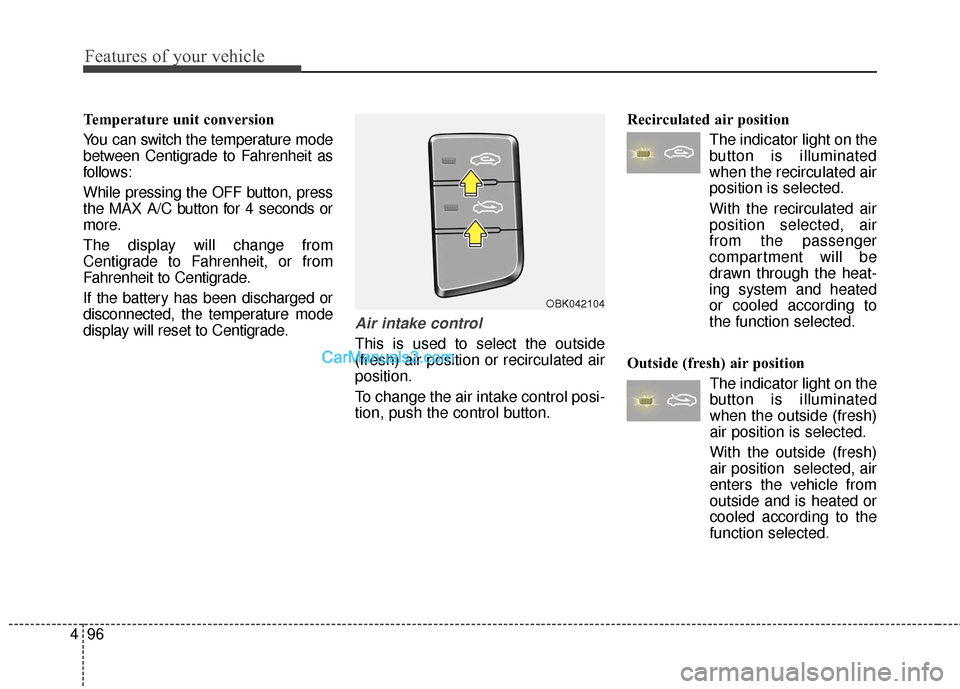
Air intake control
This is used to select the outside
(fresh) air position or recirculated air
position.
To change the air intake control posi-
tion, push the control button. Recirculated air position
The indicator light on the
button is illuminated
when the recirculated air
position is selected.
With the recirculated air position selected, air
from the passenger
compartment will be
drawn through the heat-
ing system and heated
or cooled according to
the function selected.
Outside (fresh) air position The indicator light on the
button is illuminated
when the outside (fresh)
air position is selected.
With the outside (fresh)
air position selected, air
enters the vehicle from
outside and is heated or
cooled according to the
function selected.
OBK042104