high HYUNDAI GENESIS G70 2018 Service Manual
[x] Cancel search | Manufacturer: HYUNDAI, Model Year: 2018, Model line: GENESIS G70, Model: HYUNDAI GENESIS G70 2018Pages: 516, PDF Size: 12.84 MB
Page 229 of 516
3-144
Convenient features of your vehicle
• For maximum defrosting, set the
temperature control to the extreme
right/hot position and the fan speed
control to the highest speed.
• If warm air to the floor is desired
while defrosting or defogging, set the
mode to the floor-defrost position.
• Before driving, clear all snow and
ice from the windshield, rear win-
dow, side view mirrors, and all side
windows.
• Clear all snow and ice from the
hood and air inlet in the cowl grill to
improve heater and defroster effi-
ciency and to reduce the probability
of fogging up the inside of the wind-
shield.
If the engine temperature is still
cold after starting, then a brief
engine warm up period may be
required for the vented air flow to
become warm or hot.
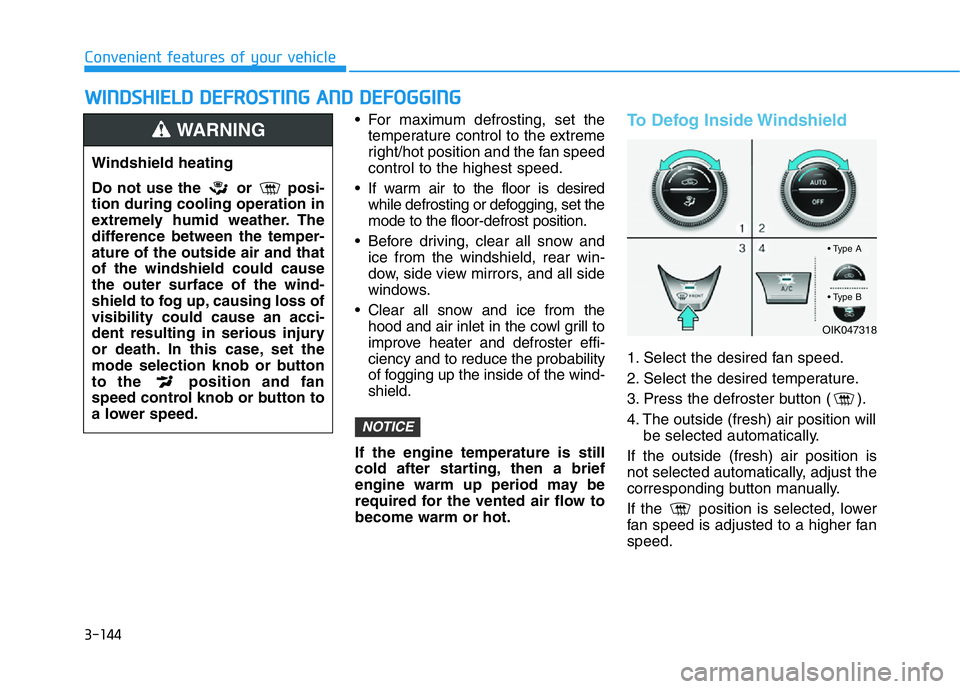
To Defog Inside Windshield
1. Select the desired fan speed.
2. Select the desired temperature.
3. Press the defroster button ( ).
4. The outside (fresh) air position will
be selected automatically.
If the outside (fresh) air position is
not selected automatically, adjust the
corresponding button manually.
If the position is selected, lower
fan speed is adjusted to a higher fan
speed.
NOTICE
WWINDSHIELD DEFROSTING AND DEFOGGING
Windshield heating
Do not use the or posi-
tion during cooling operation in
extremely humid weather. The
difference between the temper-
ature of the outside air and that
of the windshield could cause
the outer surface of the wind-
shield to fog up, causing loss of
visibility could cause an acci-
dent resulting in serious injury
or death. In this case, set the
mode selection knob or button
to the position and fan
speed control knob or button to
a lower speed.
WARNING
OIK047318
• Type A
• Type B
Page 230 of 516
3-145
Convenient features of your vehicle
3
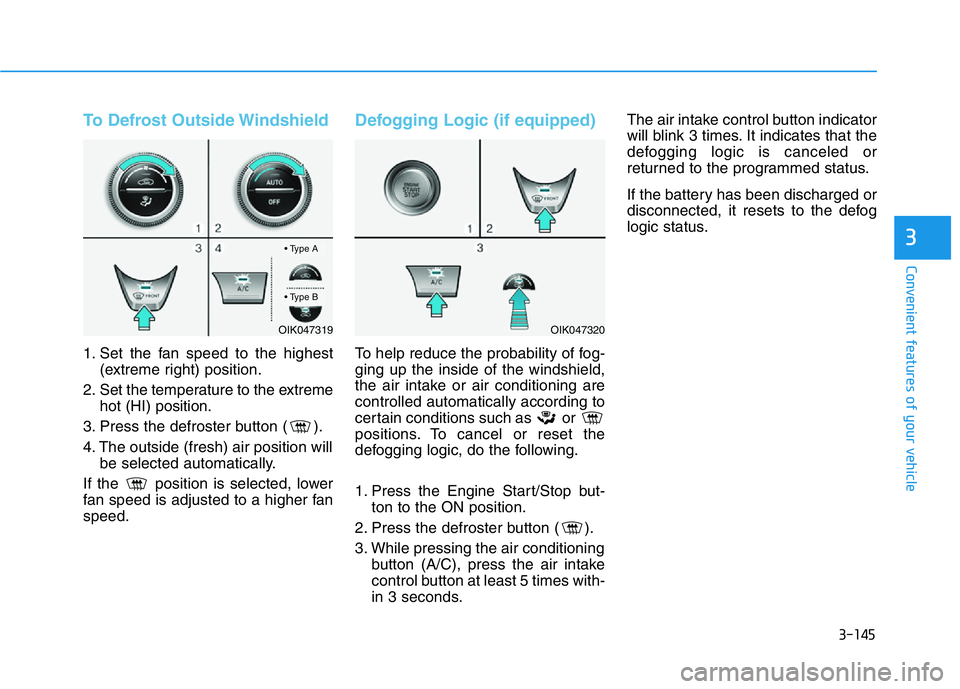
To Defrost Outside Windshield
1. Set the fan speed to the highest
(extreme right) position.
2. Set the temperature to the extreme
hot (HI) position.
3. Press the defroster button ( ).
4. The outside (fresh) air position will
be selected automatically.
If the position is selected, lower
fan speed is adjusted to a higher fan
speed.
Defogging Logic (if equipped)
To help reduce the probability of fog-
ging up the inside of the windshield,
the air intake or air conditioning are
controlled automatically according to
certain conditions such as or
positions. To cancel or reset the
defogging logic, do the following.
1. Press the Engine Start/Stop but-
ton to the ON position.
2. Press the defroster button ( ).
3. While pressing the air conditioning
button (A/C), press the air intake
control button at least 5 times with-
in 3 seconds.The air intake control button indicator
will blink 3 times. It indicates that the
defogging logic is canceled or
returned to the programmed status.
If the battery has been discharged or
disconnected, it resets to the defog
logic status.
OIK047319OIK047320
• Type A
• Type B
Page 231 of 516
3-146
Convenient features of your vehicle
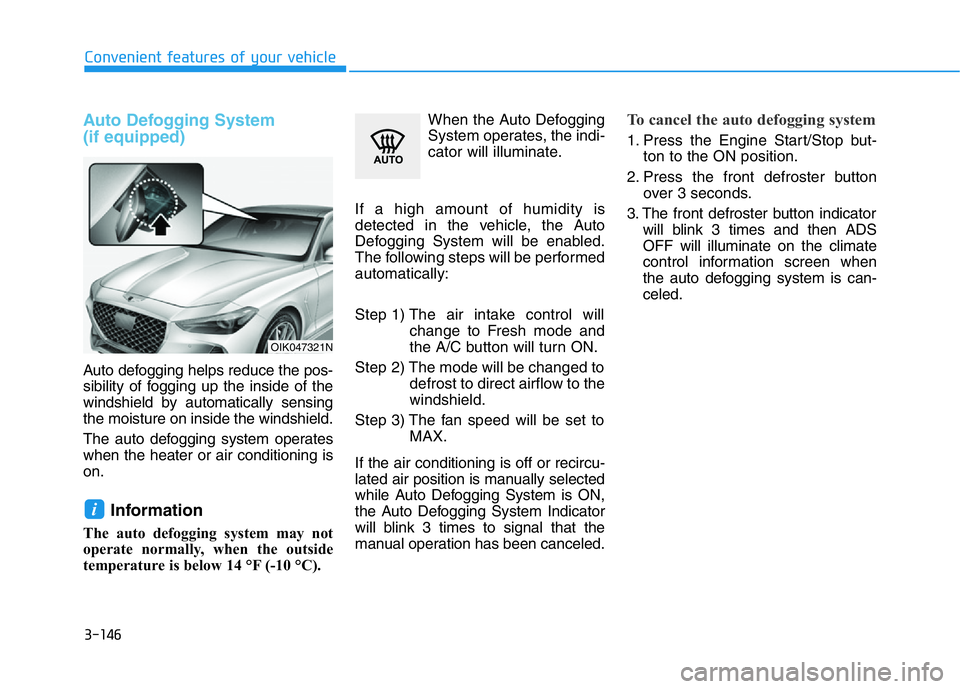
Auto Defogging System
(if equipped)
Auto defogging helps reduce the pos-
sibility of fogging up the inside of the
windshield by automatically sensing
the moisture on inside the windshield.
The auto defogging system operates
when the heater or air conditioning is
on.
Information
The auto defogging system may not
operate normally, when the outside
temperature is below 14 °F (-10 °C).When the Auto Defogging
System operates, the indi-
cator will illuminate.
If a high amount of humidity is
detected in the vehicle, the Auto
Defogging System will be enabled.
The following steps will be performed
automatically:
Step 1) The air intake control will
change to Fresh mode and
the A/C button will turn ON.
Step 2) The mode will be changed to
defrost to direct airflow to the
windshield.
Step 3) The fan speed will be set to
MAX.
If the air conditioning is off or recircu-
lated air position is manually selected
while Auto Defogging System is ON,
the Auto Defogging System Indicator
will blink 3 times to signal that the
manual operation has been canceled.
To cancel the auto defogging system
1. Press the Engine Start/Stop but-
ton to the ON position.
2. Press the front defroster button
over 3 seconds.
3. The front defroster button indicator
will blink 3 times and then ADS
OFF will illuminate on the climate
control information screen when
the auto defogging system is can-
celed.
i
OIK047321N
Page 243 of 516
3-158
Convenient features of your vehicle
• The wireless cellular phone
charging system may not sup-
port certain cellular phones,
which are not verified for the Qi
specification ( ).
• When placing your cellular
phone on the charging mat,
position the phone in the middle
of the mat for optimal charging
performance. If your cell phone
is off to the side, the charging
rate may be less and in some
cases the cell phone may experi-
ence higher heat conduction.
• In some cases, the wireless
charging may stop temporarily
when the Smart Key is used,
either when starting the vehicle or
locking/unlocking the doors, etc.
• When charging certain cellular
phones, the charging indicator
may not change to green when
the cell phone is fully charged.
• The wireless charging process
may temporarily stop, when the
temperature abnormally
increases inside the wireless
cellular phone charging system.Stop the charging cellular phone
and wait until the temperature
falls to a certain level.
• The wireless charging process
may temporarily stop when
there is any metallic item, such
as a coin, between the wireless
cellular phone charging system
and the cellular phone.
• When charging some cell
phones with the case still
applied, the wireless charging
speed may decrease and the
wireless charging may stop.
• If the cellular phone has a thick
cover, the wireless charging may
not be possible.
• If the cell phone is not complete-
ly contacting the charging pad,
wireless charging may not oper-
ate properly.
• Some magnetic items like credit
cards, phone cards or rail tickets
may be damaged if left with the
cellular phone during the charg-
ing process.• When any cellular phone with-
out a wireless charging function
or a metallic object is placed on
the charging pad, a small noise
may sound. This small sound is
due to the vehicle discerning
compatibility of the object
placed on the charging pad. It
does not affect your vehicle or
the cellular phone in any way.
Information
If the Engine Start/Stop button is
OFF, the charging also stops.
Information
This device complies with part 15 of
the FCC Rules.
Operation is subject to the following
two conditions:
1. This device may not cause harmful
interference, and
2. This device must accept any inter-
ference received, including interfer-
ence that may cause undesired
operation.
i
i
NOTICE
Page 250 of 516
Driving your vehicle
5
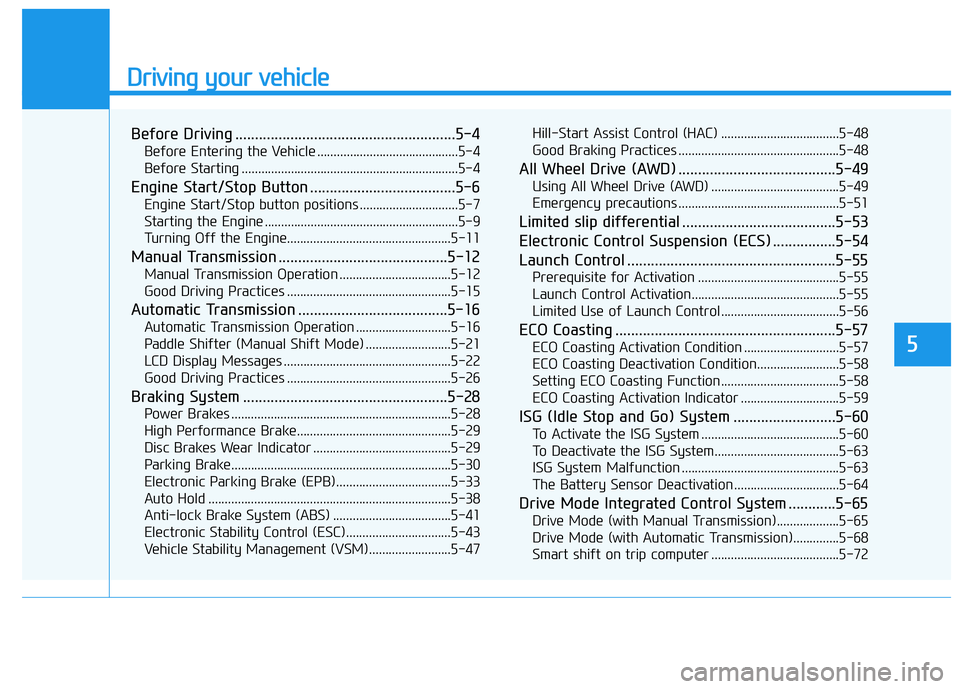
Before Driving ........................................................5-4
Before Entering the Vehicle ...........................................5-4
Before Starting ..................................................................5-4
Engine Start/Stop Button .....................................5-6
Engine Start/Stop button positions ..............................5-7
Starting the Engine ...........................................................5-9
Turning Off the Engine..................................................5-11
Manual Transmission ...........................................5-12
Manual Transmission Operation ..................................5-12
Good Driving Practices ..................................................5-15
Automatic Transmission ......................................5-16
Automatic Transmission Operation .............................5-16
Paddle Shifter (Manual Shift Mode) ..........................5-21
LCD Display Messages ...................................................5-22
Good Driving Practices ..................................................5-26
Braking System ....................................................5-28
Power Brakes ...................................................................5-28
High Performance Brake...............................................5-29
Disc Brakes Wear Indicator ..........................................5-29
Parking Brake...................................................................5-30
Electronic Parking Brake (EPB)...................................5-33
Auto Hold ..........................................................................5-38
Anti-lock Brake System (ABS) ....................................5-41
Electronic Stability Control (ESC)................................5-43
Vehicle Stability Management (VSM).........................5-47Hill-Start Assist Control (HAC) ....................................5-48
Good Braking Practices .................................................5-48
All Wheel Drive (AWD) ........................................5-49
Using All Wheel Drive (AWD) .......................................5-49
Emergency precautions .................................................5-51
Limited slip differential .......................................5-53
Electronic Control Suspension (ECS) ................5-54
Launch Control .....................................................5-55
Prerequisite for Activation ...........................................5-55
Launch Control Activation.............................................5-55
Limited Use of Launch Control ....................................5-56
ECO Coasting ........................................................5-57
ECO Coasting Activation Condition .............................5-57
ECO Coasting Deactivation Condition.........................5-58
Setting ECO Coasting Function....................................5-58
ECO Coasting Activation Indicator ..............................5-59
ISG (Idle Stop and Go) System ..........................5-60
To Activate the ISG System ..........................................5-60
To Deactivate the ISG System......................................5-63
ISG System Malfunction ................................................5-63
The Battery Sensor Deactivation ................................5-64
Drive Mode Integrated Control System ............5-65
Drive Mode (with Manual Transmission)...................5-65
Drive Mode (with Automatic Transmission)..............5-68
Smart shift on trip computer .......................................5-72
Page 251 of 516
5
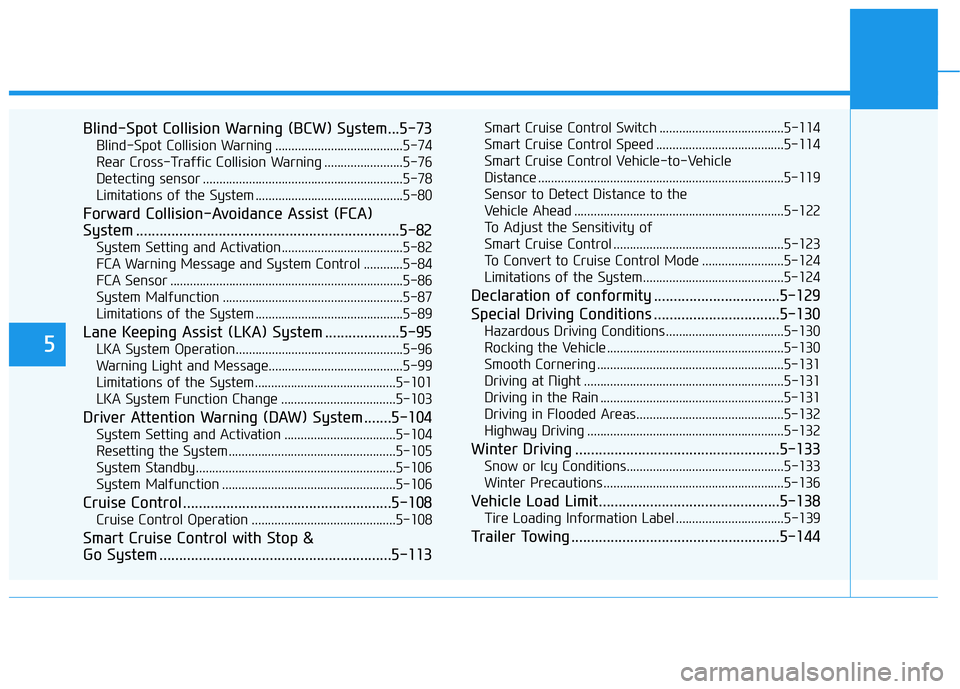
Blind-Spot Collision Warning (BCW) System...5-73
Blind-Spot Collision Warning .......................................5-74
Rear Cross-Traffic Collision Warning ........................5-76
Detecting sensor .............................................................5-78
Limitations of the System .............................................5-80
Forward Collision-Avoidance Assist (FCA)
System ...................................................................5-82
System Setting and Activation.....................................5-82
FCA Warning Message and System Control ............5-84
FCA Sensor .......................................................................5-86
System Malfunction .......................................................5-87
Limitations of the System .............................................5-89
Lane Keeping Assist (LKA) System ...................5-95
LKA System Operation...................................................5-96
Warning Light and Message.........................................5-99
Limitations of the System...........................................5-101
LKA System Function Change ...................................5-103
Driver Attention Warning (DAW) System .......5-104
System Setting and Activation ..................................5-104
Resetting the System ...................................................5-105
System Standby.............................................................5-106
System Malfunction .....................................................5-106
Cruise Control .....................................................5-108
Cruise Control Operation ............................................5-108
Smart Cruise Control with Stop &
Go System ...........................................................5-113
Smart Cruise Control Switch ......................................5-114
Smart Cruise Control Speed .......................................5-114
Smart Cruise Control Vehicle-to-Vehicle
Distance ...........................................................................5-119
Sensor to Detect Distance to the
Vehicle Ahead ................................................................5-122
To Adjust the Sensitivity of
Smart Cruise Control ....................................................5-123
To Convert to Cruise Control Mode .........................5-124
Limitations of the System...........................................5-124
Declaration of conformity ................................5-129
Special Driving Conditions ................................5-130
Hazardous Driving Conditions....................................5-130
Rocking the Vehicle ......................................................5-130
Smooth Cornering .........................................................5-131
Driving at Night .............................................................5-131
Driving in the Rain ........................................................5-131
Driving in Flooded Areas.............................................5-132
Highway Driving ............................................................5-132
Winter Driving ....................................................5-133
Snow or Icy Conditions................................................5-133
Winter Precautions .......................................................5-136
Vehicle Load Limit..............................................5-138
Tire Loading Information Label .................................5-139
Trailer Towing .....................................................5-144
Page 252 of 516
5-3
Driving your vehicle
5
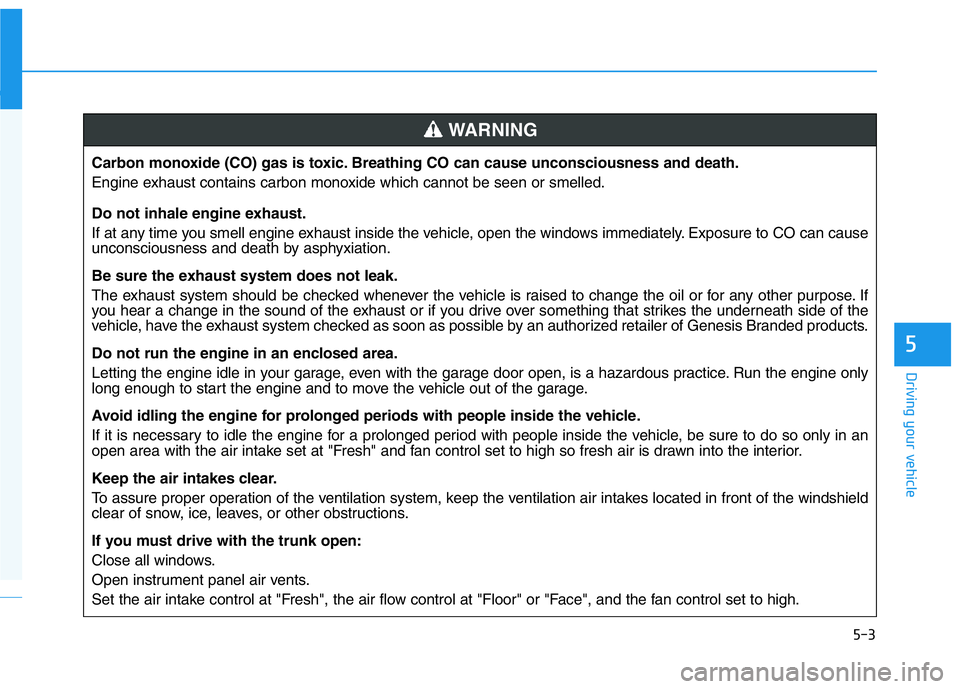
Carbon monoxide (CO) gas is toxic. Breathing CO can cause unconsciousness and death.
Engine exhaust contains carbon monoxide which cannot be seen or smelled.
Do not inhale engine exhaust.
If at any time you smell engine exhaust inside the vehicle, open the windows immediately. Exposure to CO can cause
unconsciousness and death by asphyxiation.
Be sure the exhaust system does not leak.
The exhaust system should be checked whenever the vehicle is raised to change the oil or for any other purpose. If
you hear a change in the sound of the exhaust or if you drive over something that strikes the underneath side of the
vehicle, have the exhaust system checked as soon as possible by an authorized retailer of Genesis Branded products.
Do not run the engine in an enclosed area.
Letting the engine idle in your garage, even with the garage door open, is a hazardous practice. Run the engine only
long enough to start the engine and to move the vehicle out of the garage.
Avoid idling the engine for prolonged periods with people inside the vehicle.
If it is necessary to idle the engine for a prolonged period with people inside the vehicle, be sure to do so only in an
open area with the air intake set at "Fresh" and fan control set to high so fresh air is drawn into the interior.
Keep the air intakes clear.
To assure proper operation of the ventilation system, keep the ventilation air intakes located in front of the windshield
clear of snow, ice, leaves, or other obstructions.
If you must drive with the trunk open:
Close all windows.
Open instrument panel air vents.
Set the air intake control at "Fresh", the air flow control at "Floor" or "Face", and the fan control set to high.
WARNING
Page 254 of 516
5-5
Driving your vehicle
5
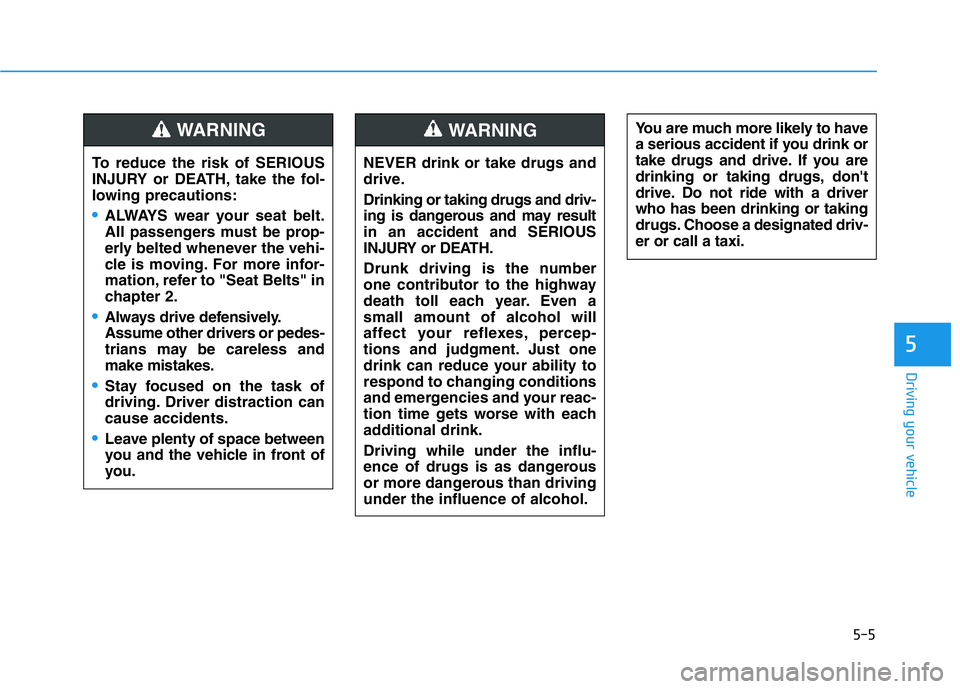
NEVER drink or take drugs and
drive.
Drinking or taking drugs and driv-
ing is dangerous and may result
in an accident and SERIOUS
INJURY or DEATH.
Drunk driving is the number
one contributor to the highway
death toll each year. Even a
small amount of alcohol will
affect your reflexes, percep-
tions and judgment. Just one
drink can reduce your ability to
respond to changing conditions
and emergencies and your reac-
tion time gets worse with each
additional drink.
Driving while under the influ-
ence of drugs is as dangerous
or more dangerous than driving
under the influence of alcohol.
WARNING You are much more likely to have
a serious accident if you drink or
take drugs and drive. If you are
drinking or taking drugs, don't
drive. Do not ride with a driver
who has been drinking or taking
drugs. Choose a designated driv-
er or call a taxi.
To reduce the risk of SERIOUS
INJURY or DEATH, take the fol-
lowing precautions:
•ALWAYS wear your seat belt.
All passengers must be prop-
erly belted whenever the vehi-
cle is moving. For more infor-
mation, refer to "Seat Belts" in
chapter 2.
•Always drive defensively.
Assume other drivers or pedes-
trians may be careless and
make mistakes.
•Stay focused on the task of
driving. Driver distraction can
cause accidents.
•Leave plenty of space between
you and the vehicle in front of
you.
WARNING
Page 258 of 516
5-9
Driving your vehicle
5
Starting the Engine
Information
• The engine will start by pressing the
Engine Start/Stop button, only when
the smart key is in the vehicle.
• Even if the smart key is in the vehi-
cle, if it is far away from the driver,
the engine may not start.
• When the Engine Start/Stop button
is in the ACC or ON position, if any
door is open, the system checks for
the smart key. If the smart key is not
in the vehicle, the " " indicator
will blink and the warning "Key not
in vehicle" will come on and if all
doors are closed, the chime will also
sound for about 5 seconds. Keep the
smart key in the vehicle when using
the ACC position or if the vehicle
engine is ON.Vehicle with manual transmission:
1. Always carry the smart key with
you.
2. Make sure the parking brake is
applied.
3. Make sure the vehicle is shifted to
N (Neutral).
4. Depress the clutch and brake ped-
als.
5. Press the Engine Start/Stop but-
ton.
Information
Depress the brake pedal and clutch
pedal until the engine starts.
i
i
•Always wear appropriate shoes
when operating your vehicle.
Unsuitable shoes, such as
high heels, ski boots, sandals,
flip-flops, etc., may interfere
with your ability to use the
brake and accelerator pedals.
•Do not start the vehicle with the
accelerator pedal depressed.
The vehicle can move and lead
to an accident.
•Wait until the engine rpm is
normal. The vehicle may sud-
denly move if the brake pedal
is released when the rpm is
high.
WARNING
Page 261 of 516
5-12
Manual Transmission
Operation
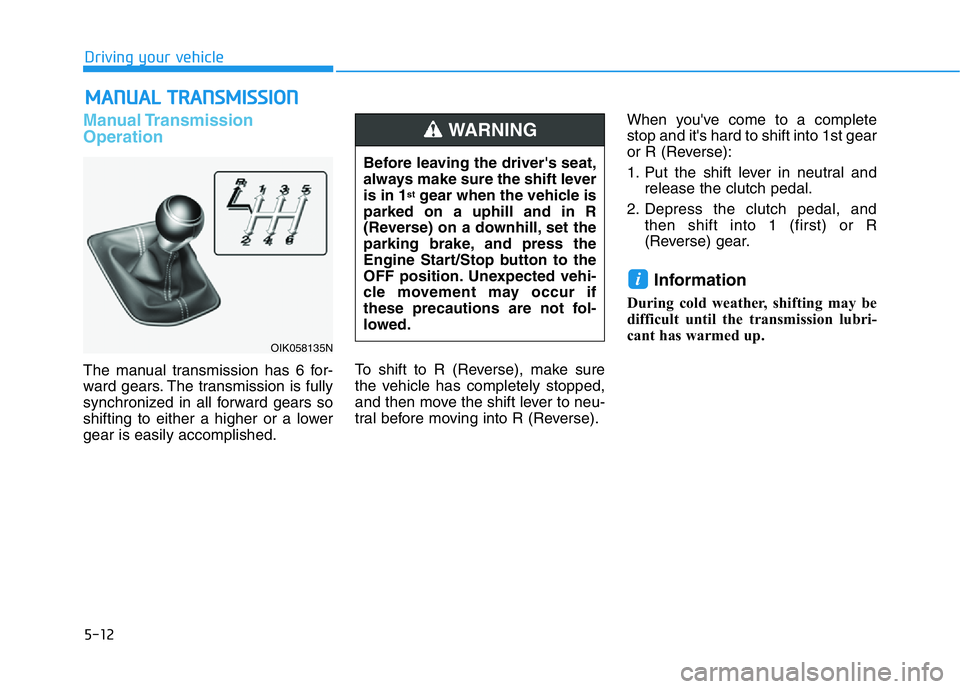
The manual transmission has 6 for-
ward gears. The transmission is fully
synchronized in all forward gears so
shifting to either a higher or a lower
gear is easily accomplished.To shift to R (Reverse), make sure
the vehicle has completely stopped,
and then move the shift lever to neu-
tral before moving into R (Reverse).When you've come to a complete
stop and it's hard to shift into 1st gear
or R (Reverse):
1. Put the shift lever in neutral and
release the clutch pedal.
2. Depress the clutch pedal, and
then shift into 1 (first) or R
(Reverse) gear.
Information
During cold weather, shifting may be
difficult until the transmission lubri-
cant has warmed up.
i
MANUAL TRANSMISSION
Driving your vehicle
OIK058135N
Before leaving the driver's seat,
always make sure the shift lever
is in 1
stgear when the vehicle is
parked on a uphill and in R
(Reverse) on a downhill, set the
parking brake, and press the
Engine Start/Stop button to the
OFF position. Unexpected vehi-
cle movement may occur if
these precautions are not fol-
lowed.
WARNING