light HYUNDAI GENESIS G80 2012 Workshop Manual
[x] Cancel search | Manufacturer: HYUNDAI, Model Year: 2012, Model line: GENESIS G80, Model: HYUNDAI GENESIS G80 2012Pages: 332, PDF Size: 20.46 MB
Page 141 of 332
Features of your vehicle
80
4
✽✽
NOTICE
Prolonged operation of the heater in the
recirculated air position (without airconditioning selected) may cause fog-ging of the windshield and side windows
and the air within the passenger com-partment may become stale.
In addition, prolonged use of the air con-
ditioning with the recirculated air posi-
tion selected will result in excessively dry
air in the passenger compartment.
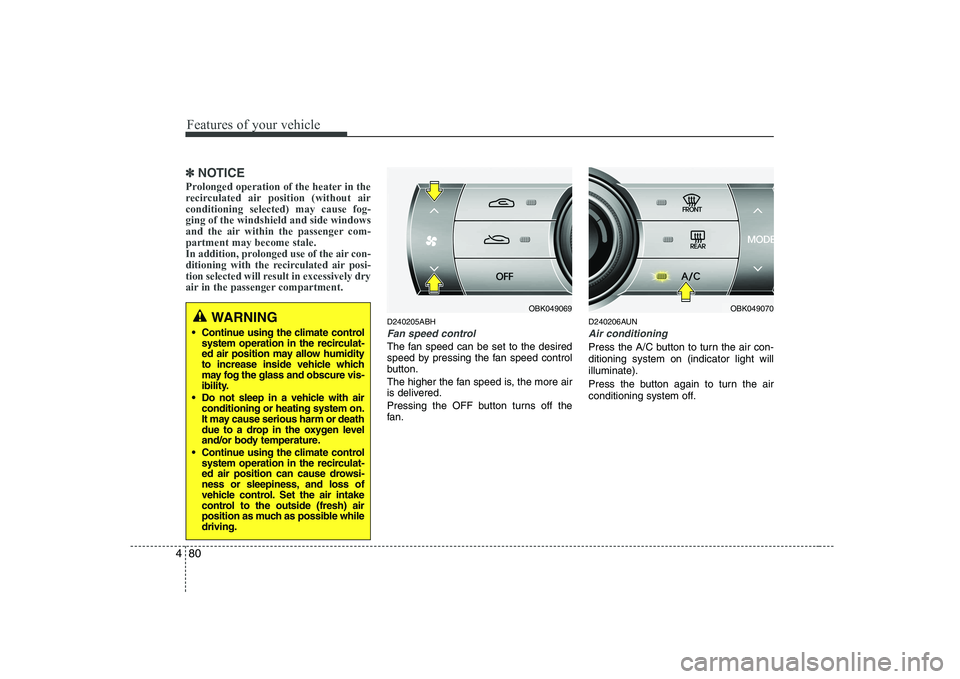
D240205ABH
Fan speed control
The fan speed can be set to the desired
speed by pressing the fan speed control
button.
The higher the fan speed is, the more air
is delivered.
Pressing the OFF button turns off the
fan. D240206AUN
Air conditioning
Press the A/C button to turn the air con- ditioning system on (indicator light willilluminate).
Press the button again to turn the air
conditioning system off.
WARNING
Continue using the climate control system operation in the recirculat-
ed air position may allow humidity
to increase inside vehicle which
may fog the glass and obscure vis-
ibility.
Do not sleep in a vehicle with air conditioning or heating system on.
It may cause serious harm or death
due to a drop in the oxygen level
and/or body temperature.
Continue using the climate control system operation in the recirculat-
ed air position can cause drowsi-
ness or sleepiness, and loss of
vehicle control. Set the air intake
control to the outside (fresh) air
position as much as possible whiledriving.OBK049069OBK049070
Page 148 of 332
487
Features of your vehicle
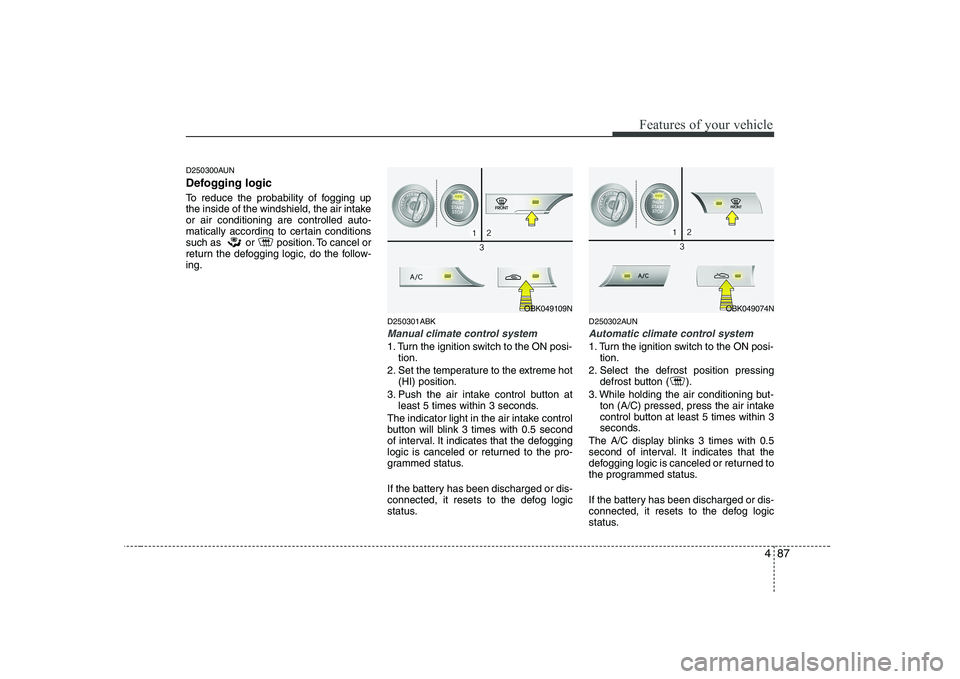
D250300AUN
Defogging logic
To reduce the probability of fogging up
the inside of the windshield, the air intakeor air conditioning are controlled auto-
matically according to certain conditions
such as or position. To cancel or
return the defogging logic, do the follow-ing.D250301ABK
Manual climate control system
1. Turn the ignition switch to the ON posi-tion.
2. Set the temperature to the extreme hot (HI) position.
3. Push the air intake control button at least 5 times within 3 seconds.
The indicator light in the air intake control
button will blink 3 times with 0.5 second
of interval. It indicates that the defogging
logic is canceled or returned to the pro-
grammed status.
If the battery has been discharged or dis-
connected, it resets to the defog logic
status. D250302AUN
Automatic climate control system
1. Turn the ignition switch to the ON posi-
tion.
2. Select the defrost position pressing defrost button ( ).
3. While holding the air conditioning but- ton (A/C) pressed, press the air intake
control button at least 5 times within 3
seconds.
The A/C display blinks 3 times with 0.5
second of interval. It indicates that the
defogging logic is canceled or returned to
the programmed status.
If the battery has been discharged or dis-
connected, it resets to the defog logic
status.
OBK049109NOBK049074N
Page 149 of 332
Features of your vehicle
88
4
D270000AUN
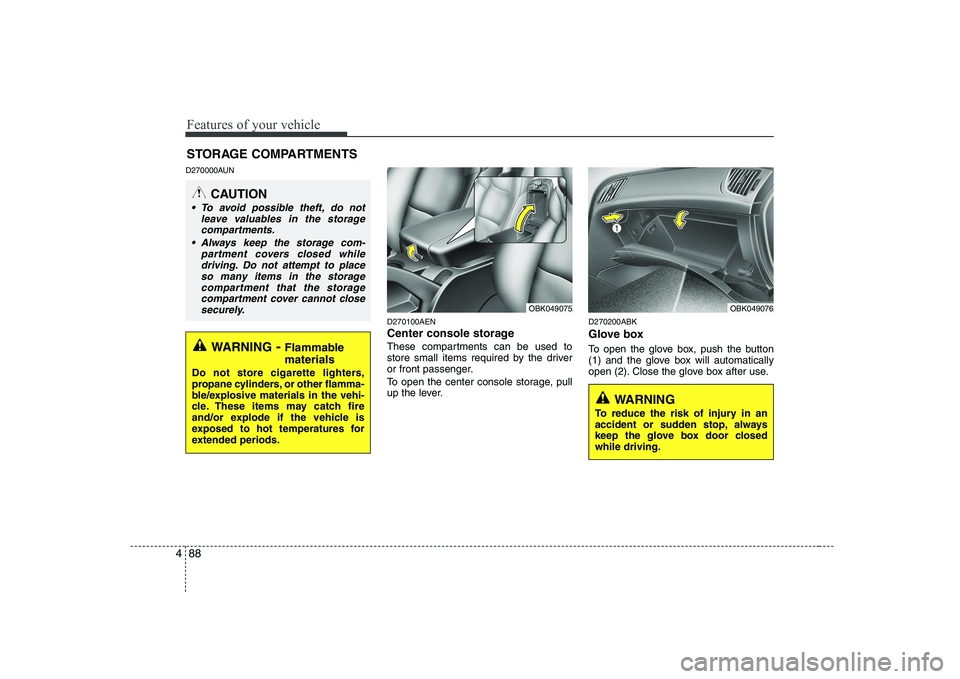
D270100AEN
Center console storage
These compartments can be used to
store small items required by the driver
or front passenger.
To open the center console storage, pull
up the lever.D270200ABK
Glove box
To open the glove box, push the button
(1) and the glove box will automatically
open (2). Close the glove box after use.
STORAGE COMPARTMENTS
WARNING
- Flammable
materials
Do not store cigarette lighters,
propane cylinders, or other flamma-
ble/explosive materials in the vehi-
cle. These items may catch fire
and/or explode if the vehicle is
exposed to hot temperatures for
extended periods.
CAUTION
To avoid possible theft, do not leave valuables in the storage
compartments.
Always keep the storage com- partment covers closed whiledriving. Do not attempt to placeso many items in the storage
compartment that the storagecompartment cover cannot closesecurely.
OBK049076OBK049075
WARNING
To reduce the risk of injury in an
accident or sudden stop, always
keep the glove box door closedwhile driving.
Page 151 of 332
Features of your vehicle
90
4
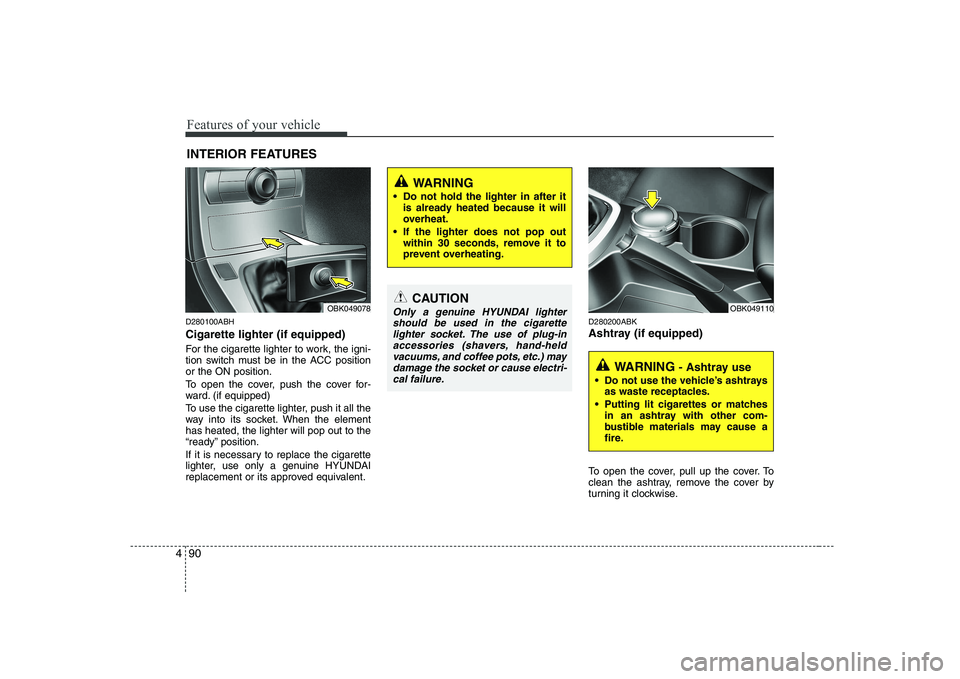
D280100ABH Cigarette lighter (if equipped)
For the cigarette lighter to work, the igni-
tion switch must be in the ACC positionor the ON position.
To open the cover, push the cover for-
ward. (if equipped)
To use the cigarette lighter, push it all the
way into its socket. When the elementhas heated, the lighter will pop out to the
“ready” position.
If it is necessary to replace the cigarette
lighter, use only a genuine HYUNDAI
replacement or its approved equivalent. D280200ABK
Ashtray (if equipped)
To open the cover, pull up the cover. To
clean the ashtray, remove the cover by
turning it clockwise.
INTERIOR FEATURES
CAUTION
Only a genuine HYUNDAI lighter
should be used in the cigarettelighter socket. The use of plug-in accessories (shavers, hand-held
vacuums, and coffee pots, etc.) may damage the socket or cause electri-cal failure.
WARNING
Do not hold the lighter in after it is already heated because it will
overheat.
If the lighter does not pop out within 30 seconds, remove it to
prevent overheating.
OBK049078
WARNING - Ashtray use
Do not use the vehicle’s ashtrays as waste receptacles.
Putting lit cigarettes or matches in an ashtray with other com-
bustible materials may cause a
fire.
OBK049110
Page 152 of 332
491
Features of your vehicle
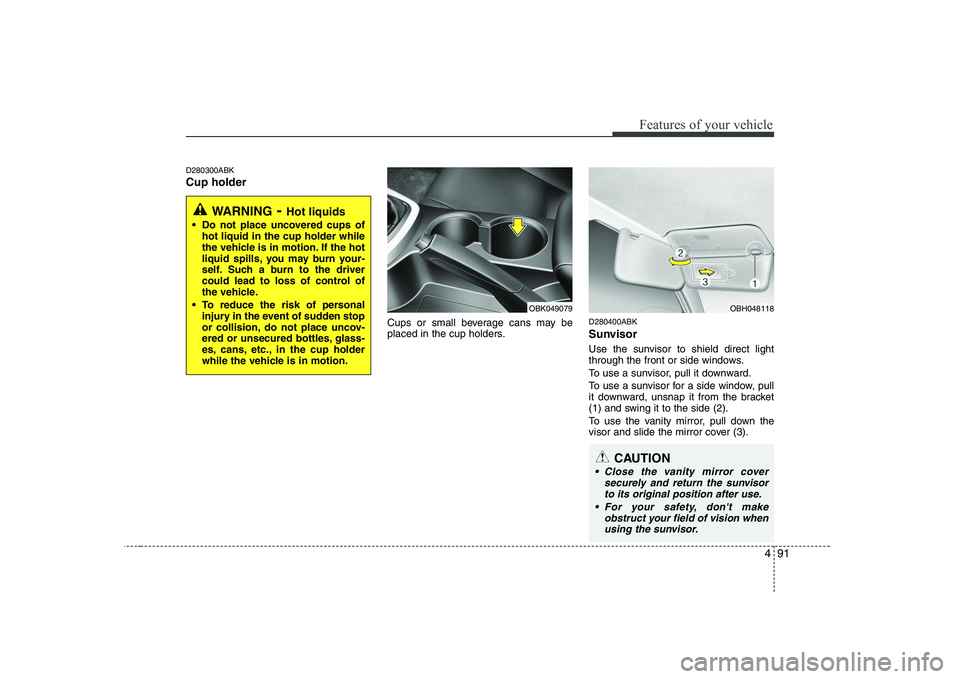
D280300ABK Cup holderCups or small beverage cans may be
placed in the cup holders.D280400ABK
Sunvisor
Use the sunvisor to shield direct light
through the front or side windows.
To use a sunvisor, pull it downward.
To use a sunvisor for a side window, pull
it downward, unsnap it from the bracket
(1) and swing it to the side (2).
To use the vanity mirror, pull down the
visor and slide the mirror cover (3).
WARNING
- Hot liquids
Do not place uncovered cups of hot liquid in the cup holder while
the vehicle is in motion. If the hot
liquid spills, you may burn your-
self. Such a burn to the driver
could lead to loss of control of
the vehicle.
To reduce the risk of personal injury in the event of sudden stop
or collision, do not place uncov-
ered or unsecured bottles, glass-
es, cans, etc., in the cup holder
while the vehicle is in motion.
OBK049079OBH048118
CAUTION
Close the vanity mirror cover
securely and return the sunvisorto its original position after use.
For your safety, don't make obstruct your field of vision whenusing the sunvisor.
Page 162 of 332
4101
Features of your vehicle
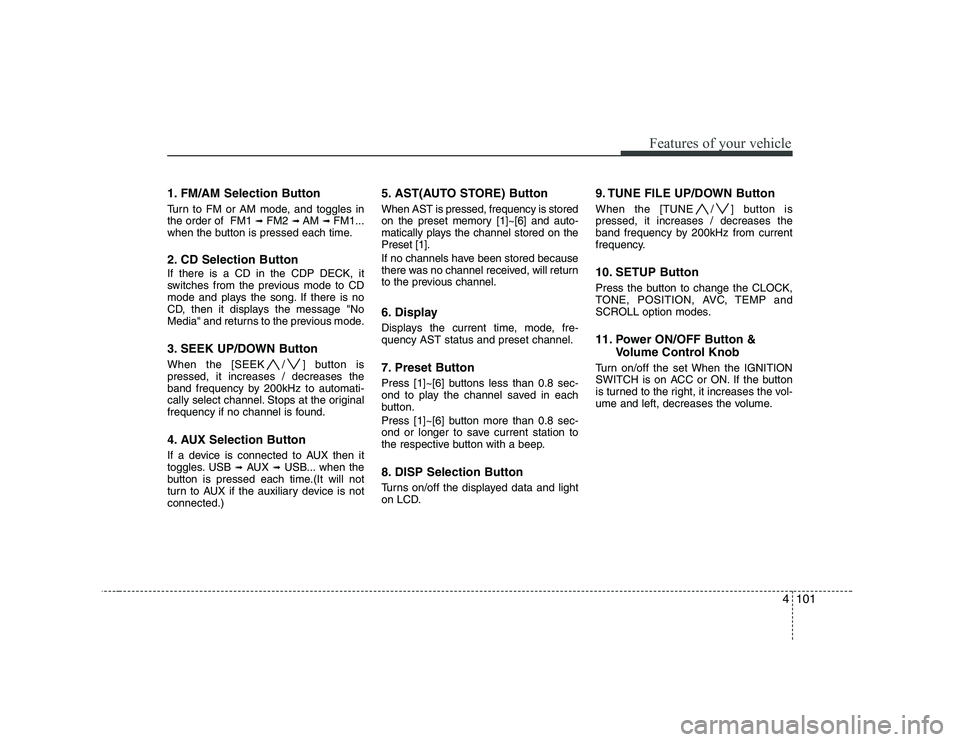
1. FM/AM Selection Button
Turn to FM or AM mode, and toggles in the order of FM1 ➟FM2 ➟ AM ➟ FM1...
when the button is pressed each time.
2. CD Selection Button If there is a CD in the CDP DECK, it
switches from the previous mode to CD
mode and plays the song. If there is no
CD, then it displays the message "No
Media" and returns to the previous mode.
3. SEEK UP/DOWN Button
When the [SEEK / ] button is pressed, it increases / decreases the
band frequency by 200kHz to automati-
cally select channel. Stops at the original
frequency if no channel is found.
4. AUX Selection Button
If a device is connected to AUX then it
toggles. USB ➟AUX ➟USB... when the
button is pressed each time.(It will not
turn to AUX if the auxiliary device is notconnected.) 5. AST(AUTO STORE) Button When AST is pressed, frequency is stored
on the preset memory [1]~[6] and auto-
matically plays the channel stored on thePreset [1].
If no channels have been stored because
there was no channel received, will return
to the previous channel.
6. Display
Displays the current time, mode, fre- quency AST status and preset channel.
7. Preset Button
Press [1]~[6] buttons less than 0.8 sec-
ond to play the channel saved in each
button.
Press [1]~[6] button more than 0.8 sec-
ond or longer to save current station to
the respective button with a beep.
8. DISP Selection Button
Turns on/off the displayed data and light
on LCD.
9. TUNE FILE UP/DOWN Button
When the [TUNE / ] button is pressed, it increases / decreases the
band frequency by 200kHz from current
frequency.
10. SETUP Button
Press the button to change the CLOCK,
TONE, POSITION, AVC, TEMP and
SCROLL option modes.
11. Power ON/OFF Button &
Volume Control Knob
Turn on/off the set When the IGNITION
SWITCH is on ACC or ON. If the button
is turned to the right, it increases the vol-
ume and left, decreases the volume.
Page 164 of 332
4103
Features of your vehicle
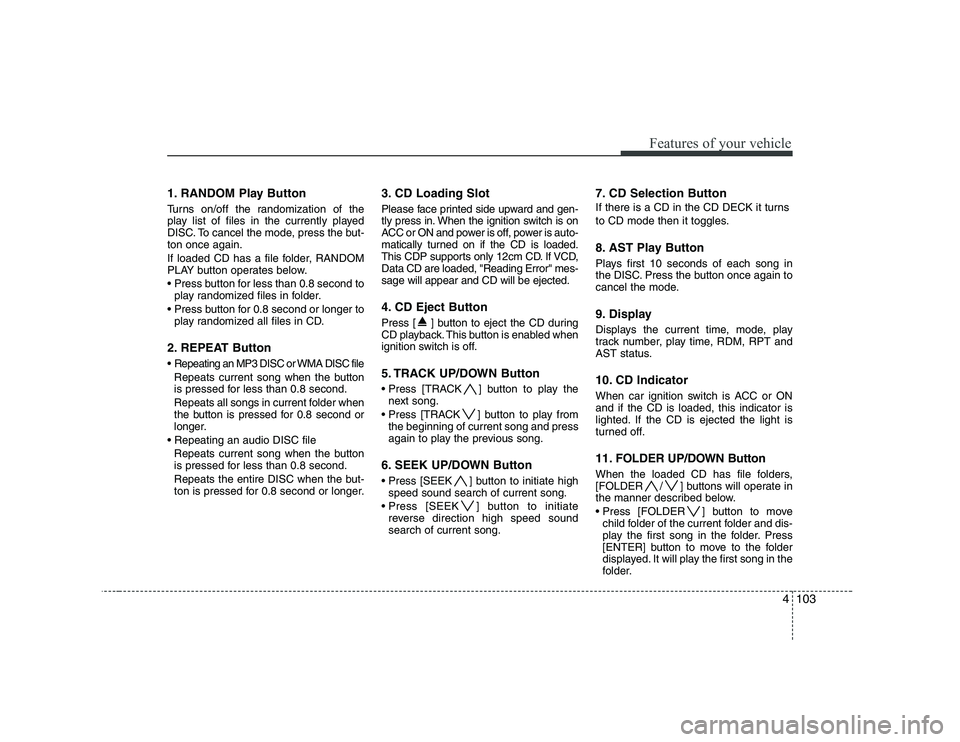
1. RANDOM Play Button
Turns on/off the randomization of the
play list of files in the currently played
DISC. To cancel the mode, press the but-ton once again.
If loaded CD has a file folder, RANDOM
PLAY button operates below.
play randomized files in folder.
play randomized all files in CD.
2. REPEAT Button
Repeating an MP3 DISC or WMA DISC file Repeats current song when the button
is pressed for less than 0.8 second.
Repeats all songs in current folder when
the button is pressed for 0.8 second or
longer.
Repeats current song when the button
is pressed for less than 0.8 second.
Repeats the entire DISC when the but-
ton is pressed for 0.8 second or longer. 3. CD Loading Slot
Please face printed side upward and gen-
tly press in. When the ignition switch is on
ACC or ON and power is off, power is auto-
matically turned on if the CD is loaded.
This CDP supports only 12cm CD. If VCD,Data CD are loaded, "Reading Error" mes-sage will appear and CD will be ejected.
4. CD Eject Button
Press [ ] button to eject the CD during
CD playback. This button is enabled when
ignition switch is off.
5. TRACK UP/DOWN Button
] button to play the
next song.
] button to play from the beginning of current song and press
again to play the previous song.
6. SEEK UP/DOWN Button
] button to initiate high speed sound search of current song.
] button to initiate reverse direction high speed sound search of current song. 7. CD Selection Button
If there is a CD in the CD DECK it turns
to CD mode then it toggles.
8. AST Play Button
Plays first 10 seconds of each song in
the DISC. Press the button once again to
cancel the mode.
9. Display
Displays the current time, mode, play
track number, play time, RDM, RPT and
AST status.
10. CD Indicator
When car ignition switch is ACC or ON and if the CD is loaded, this indicator is
lighted. If the CD is ejected the light is
turned off.
11. FOLDER UP/DOWN Button
When the loaded CD has file folders,
[FOLDER / ] buttons will operate in
the manner described below.
] button to move
child folder of the current folder and dis-
play the first song in the folder. Press
[ENTER] button to move to the folder
displayed. It will play the first song in the
folder.
Page 174 of 332
4113
Features of your vehicle
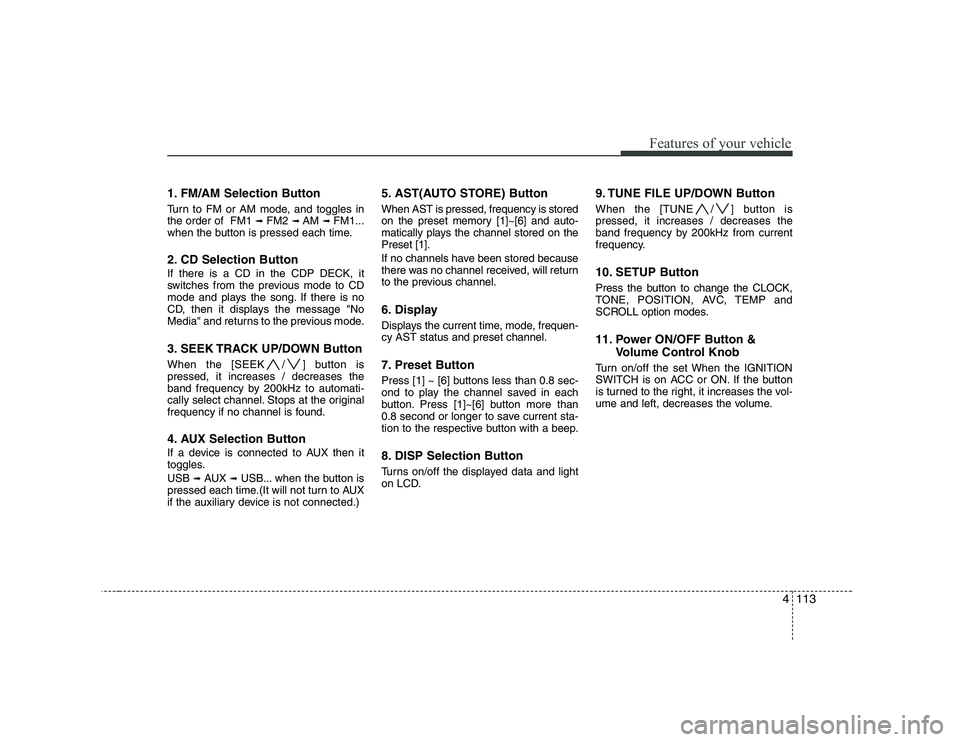
1. FM/AM Selection Button
Turn to FM or AM mode, and toggles in the order of FM1 ➟FM2 ➟ AM ➟ FM1...
when the button is pressed each time.
2. CD Selection Button If there is a CD in the CDP DECK, it
switches from the previous mode to CD
mode and plays the song. If there is no
CD, then it displays the message "No
Media" and returns to the previous mode.
3. SEEK TRACK UP/DOWN Button
When the [SEEK / ] button is pressed, it increases / decreases the
band frequency by 200kHz to automati-
cally select channel. Stops at the original
frequency if no channel is found.
4. AUX Selection Button
If a device is connected to AUX then it
toggles. USB ➟AUX ➟USB... when the button is
pressed each time.(It will not turn to AUX
if the auxiliary device is not connected.) 5. AST(AUTO STORE) Button When AST is pressed, frequency is stored
on the preset memory [1]~[6] and auto-
matically plays the channel stored on thePreset [1].
If no channels have been stored because
there was no channel received, will return
to the previous channel.
6. Display
Displays the current time, mode, frequen- cy AST status and preset channel.
7. Preset Button
Press [1] ~ [6] buttons less than 0.8 sec-
ond to play the channel saved in each
button. Press [1]~[6] button more than
0.8 second or longer to save current sta-
tion to the respective button with a beep.
8. DISP Selection Button
Turns on/off the displayed data and light
on LCD.
9. TUNE FILE UP/DOWN Button
When the [TUNE / ] button is pressed, it increases / decreases the
band frequency by 200kHz from current
frequency.
10. SETUP Button
Press the button to change the CLOCK,
TONE, POSITION, AVC, TEMP and
SCROLL option modes.
11. Power ON/OFF Button &
Volume Control Knob
Turn on/off the set When the IGNITION
SWITCH is on ACC or ON. If the button
is turned to the right, it increases the vol-
ume and left, decreases the volume.
Page 187 of 332
53
Driving your vehicle
E020100AUN
Before entering vehicle
• Be sure that all windows, outside mir-ror(s), and outside lights are clean.
Check the condition of the tires.
Check under the vehicle for any sign of leaks.
Be sure there are no obstacles behind you if you intend to back up.
E020200AUN
Necessary inspections
Fluid levels, such as engine oil, engine
coolant, brake fluid, and washer fluid
should be checked on a regular basis,
with the exact interval depending on the
fluid. Further details are provided in sec-
tion 7, “Maintenance”. E020300AUN
Before starting
Close and lock all doors.
Position the seat so that all controls are
easily reached.
Adjust the inside and outside rearview mirrors.
Be sure that all lights work.
Check all gauges.
Check the operation of warning lights when the ignition switch is turned to the ON position.
Release the parking brake and make sure the brake warning light goes out.
For safe operation, be sure you are famil-
iar with your vehicle and its equipment.
BEFORE DRIVING
WARNING
All passengers must be properly
belted whenever the vehicle is mov-
ing. Refer to “Seat belts” in section
3 for more information on their
proper use.
WARNING
Always check the surrounding
areas near your vehicle for people,
especially children, before putting a
car into D (Drive) or R (Reverse).
WARNING
When you intend to park or stop the
vehicle with the engine on, be care-ful not to depress the accelerator
pedal for a long period of time. It
may overheat the engine or exhaust
system and cause fire.
WARNING - Driving under
the influence of alcohol or drugs
Drinking and driving is dangerous.
Drunk driving is the number one
contributor to the highway death
toll each year. Even a small amount
of alcohol will affect your reflexes,
perceptions and judgment. Drivingwhile under the influence of drugs
is as dangerous or more dangerousthan driving drunk.
You are much more likely to have a
serious accident if you drink or
take drugs and drive.
If you are drinking or taking drugs,
don’t drive. Do not ride with a driv-er who has been drinking or taking
drugs. Choose a designated driveror call a cab.
Page 188 of 332
Driving your vehicle
4
5
E030100AEN
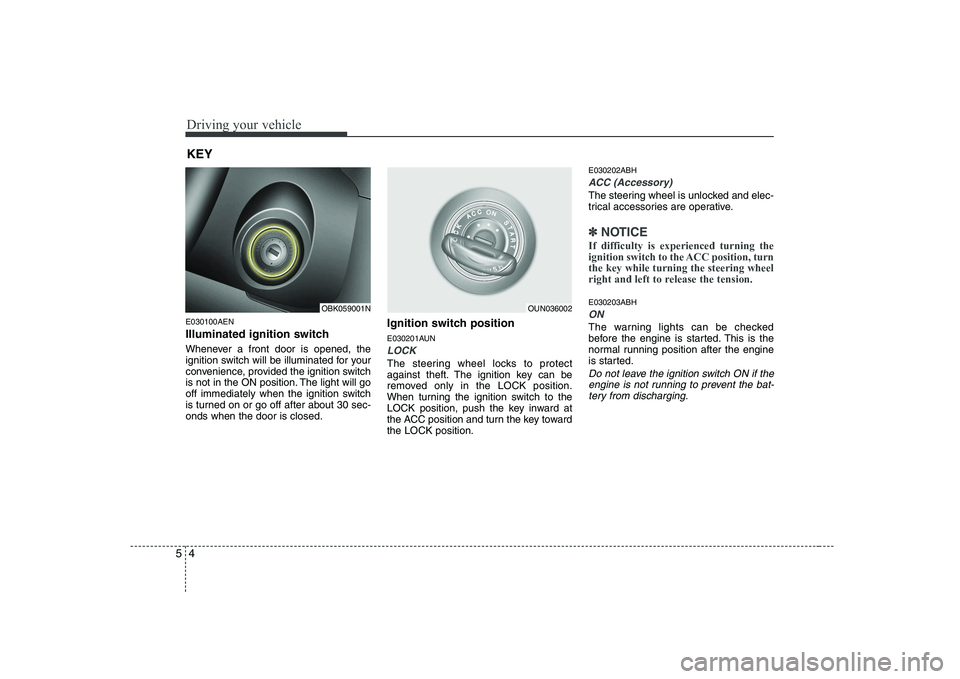
Illuminated ignition switch
Whenever a front door is opened, the
ignition switch will be illuminated for your
convenience, provided the ignition switch
is not in the ON position. The light will go
off immediately when the ignition switch
is turned on or go off after about 30 sec-onds when the door is closed. Ignition switch position
E030201AUN
LOCK
The steering wheel locks to protect
against theft. The ignition key can be
removed only in the LOCK position.
When turning the ignition switch to the
LOCK position, push the key inward at
the ACC position and turn the key towardthe LOCK position.E030202ABH
ACC (Accessory)
The steering wheel is unlocked and elec-
trical accessories are operative.
✽✽
NOTICE
If difficulty is experienced turning the
ignition switch to the ACC position, turnthe key while turning the steering wheel
right and left to release the tension.
E030203ABH
ON
The warning lights can be checked
before the engine is started. This is the
normal running position after the engine
is started.
Do not leave the ignition switch ON if the engine is not running to prevent the bat-tery from discharging.
KEY
OBK059001NOUN036002