change time HYUNDAI GENESIS G80 2013 Owners Manual
[x] Cancel search | Manufacturer: HYUNDAI, Model Year: 2013, Model line: GENESIS G80, Model: HYUNDAI GENESIS G80 2013Pages: 432, PDF Size: 29.24 MB
Page 1 of 432
O OW
WN
NE
ER
R'
'S
S M
MA
AN
NU
UA
AL
L
Operation
Maintenance
Specifications
All information in this Owner's Manual is current at the time of publication.
However, Hyundai reserves the right to make changes at any time so that
our policy of continual product improvement may be carried out.
This manual applies to all models of this vehicle and includes descriptions
and explanations of optional as well as standard equipment. As a result,
you may find material in this manual that does not apply to your specific
vehicle.
Page 27 of 432
Safety features of your vehicle
8 3
C010107ABH
Seat warmer (if equipped)
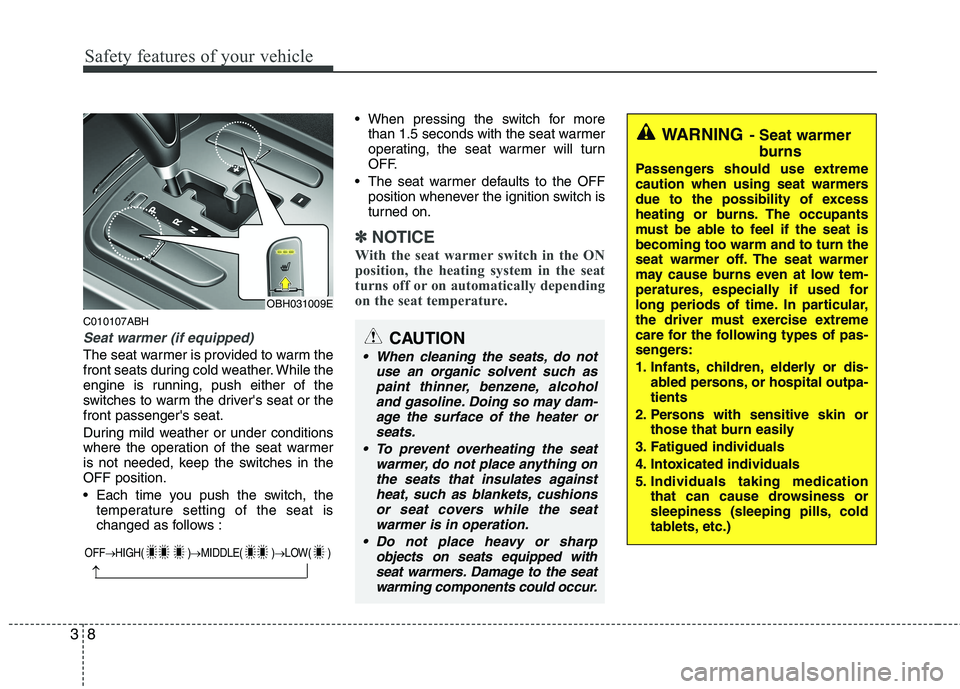
The seat warmer is provided to warm the
front seats during cold weather. While the
engine is running, push either of the
switches to warm the driver's seat or the
front passenger's seat.
During mild weather or under conditions
where the operation of the seat warmer
is not needed, keep the switches in the
OFF position.
Each time you push the switch, the
temperature setting of the seat is
changed as follows : When pressing the switch for more
than 1.5 seconds with the seat warmer
operating, the seat warmer will turn
OFF.
The seat warmer defaults to the OFF
position whenever the ignition switch is
turned on.
✽ ✽
NOTICE
With the seat warmer switch in the ON
position, the heating system in the seat
turns off or on automatically depending
on the seat temperature.
CAUTION
When cleaning the seats, do not
use an organic solvent such as
paint thinner, benzene, alcohol
and gasoline. Doing so may dam-
age the surface of the heater or
seats.
To prevent overheating the seat
warmer, do not place anything on
the seats that insulates against
heat, such as blankets, cushions
or seat covers while the seat
warmer is in operation.
Do not place heavy or sharp
objects on seats equipped with
seat warmers. Damage to the seat
warming components could occur.
WARNING- Seat warmer
burns
Passengers should use extreme
caution when using seat warmers
due to the possibility of excess
heating or burns. The occupants
must be able to feel if the seat is
becoming too warm and to turn the
seat warmer off. The seat warmer
may cause burns even at low tem-
peratures, especially if used for
long periods of time. In particular,
the driver must exercise extreme
care for the following types of pas-
sengers:
1. Infants, children, elderly or dis-
abled persons, or hospital outpa-
tients
2. Persons with sensitive skin or
those that burn easily
3. Fatigued individuals
4. Intoxicated individuals
5. Individuals taking medication
that can cause drowsiness or
sleepiness (sleeping pills, cold
tablets, etc.)
OBH031009E
OFF→HIGH( )→MIDDLE( )→LOW( )
→
Page 28 of 432
39
Safety features of your vehicle
C010109ABH-EU
Climate control seat (if equipped)
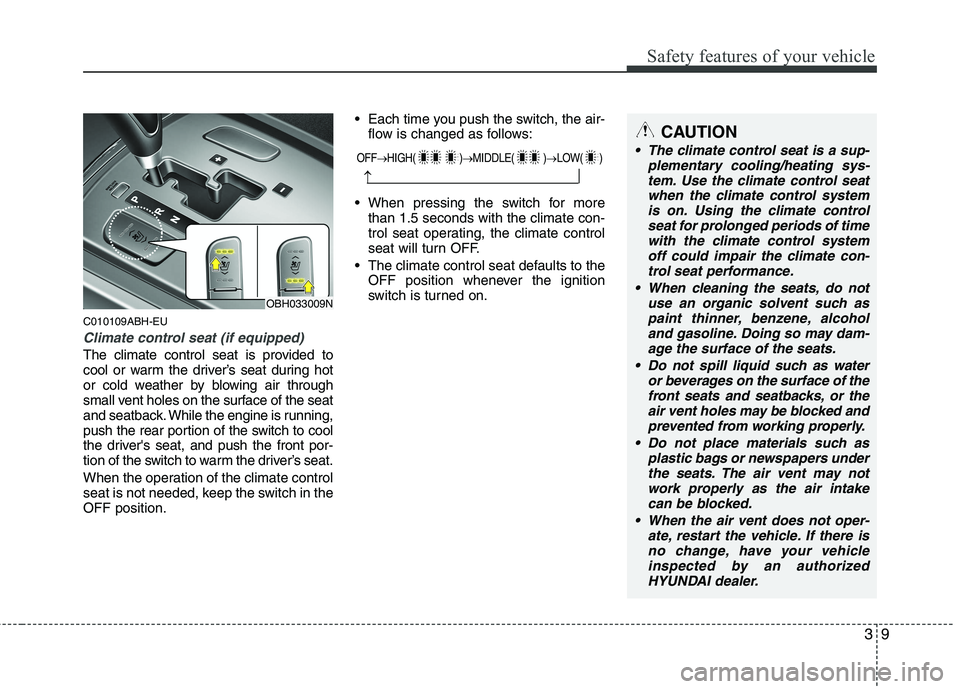
The climate control seat is provided to
cool or warm the driver’s seat during hot
or cold weather by blowing air through
small vent holes on the surface of the seat
and seatback. While the engine is running,
push the rear portion of the switch to cool
the driver's seat, and push the front por-
tion of the switch to warm the driver’s seat.
When the operation of the climate control
seat is not needed, keep the switch in the
OFF position. Each time you push the switch, the air-
flow is changed as follows:
When pressing the switch for more
than 1.5 seconds with the climate con-
trol seat operating, the climate control
seat will turn OFF.
The climate control seat defaults to the
OFF position whenever the ignition
switch is turned on.
CAUTION
The climate control seat is a sup-
plementary cooling/heating sys-
tem. Use the climate control seat
when the climate control system
is on. Using the climate control
seat for prolonged periods of time
with the climate control system
off could impair the climate con-
trol seat performance.
When cleaning the seats, do not
use an organic solvent such as
paint thinner, benzene, alcohol
and gasoline. Doing so may dam-
age the surface of the seats.
Do not spill liquid such as water
or beverages on the surface of the
front seats and seatbacks, or the
air vent holes may be blocked and
prevented from working properly.
Do not place materials such as
plastic bags or newspapers under
the seats. The air vent may not
work properly as the air intake
can be blocked.
When the air vent does not oper-
ate, restart the vehicle. If there is
no change, have your vehicle
inspected by an authorized
HYUNDAI dealer.
OBH033009N
OFF→HIGH( )→MIDDLE( )→LOW( )
→
Page 33 of 432
Safety features of your vehicle
14 3
Seat warmer (if equipped)
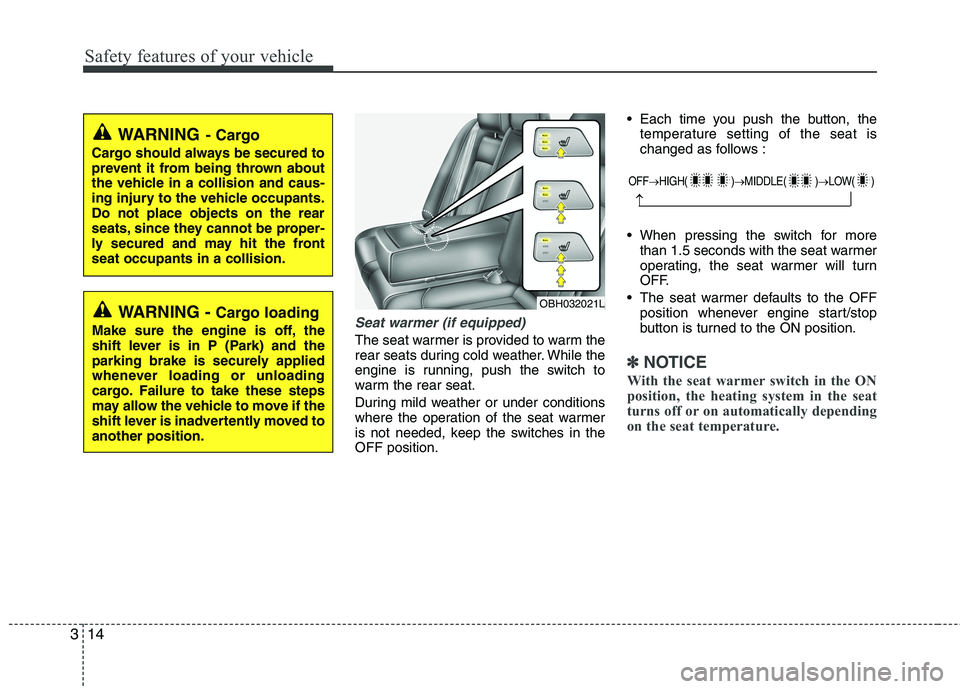
The seat warmer is provided to warm the
rear seats during cold weather. While the
engine is running, push the switch to
warm the rear seat.
During mild weather or under conditions
where the operation of the seat warmer
is not needed, keep the switches in the
OFF position. Each time you push the button, the
temperature setting of the seat is
changed as follows :
When pressing the switch for more
than 1.5 seconds with the seat warmer
operating, the seat warmer will turn
OFF.
The seat warmer defaults to the OFF
position whenever engine start/stop
button is turned to the ON position.
✽ ✽
NOTICE
With the seat warmer switch in the ON
position, the heating system in the seat
turns off or on automatically depending
on the seat temperature.
WARNING- Cargo
Cargo should always be secured to
prevent it from being thrown about
the vehicle in a collision and caus-
ing injury to the vehicle occupants.
Do not place objects on the rear
seats, since they cannot be proper-
ly secured and may hit the front
seat occupants in a collision.
WARNING - Cargo loading
Make sure the engine is off, the
shift lever is in P (Park) and the
parking brake is securely applied
whenever loading or unloading
cargo. Failure to take these steps
may allow the vehicle to move if the
shift lever is inadvertently moved to
another position.
OFF→HIGH( )→MIDDLE( )→LOW( )
→
OBH032021L
Page 87 of 432
Features of your vehicle
8 4
Even though you press the outside door
handle buttons, the doors will not lock
and the chime will sound for 3 seconds if
any of following occur:
The smart key is in the vehicle.
The ignition switch is in ACC or ON
position.
Any door, except the trunk, is open.
D040102BBH-EU
Unlocking
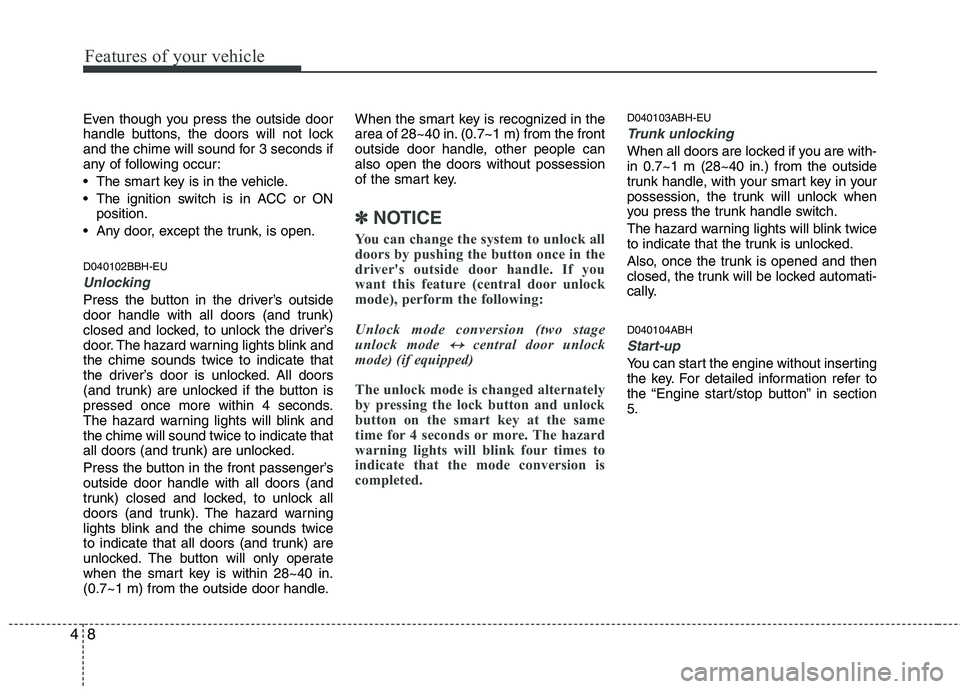
Press the button in the driver’s outside
door handle with all doors (and trunk)
closed and locked, to unlock the driver’s
door. The hazard warning lights blink and
the chime sounds twice to indicate that
the driver’s door is unlocked. All doors
(and trunk) are unlocked if the button is
pressed once more within 4 seconds.
The hazard warning lights will blink and
the chime will sound twice to indicate that
all doors (and trunk) are unlocked.
Press the button in the front passenger’s
outside door handle with all doors (and
trunk) closed and locked, to unlock all
doors (and trunk). The hazard warning
lights blink and the chime sounds twice
to indicate that all doors (and trunk) are
unlocked. The button will only operate
when the smart key is within 28~40 in.
(0.7~1 m) from the outside door handle.When the smart key is recognized in the
area of 28~40 in. (0.7~1 m) from the front
outside door handle, other people can
also open the doors without possession
of the smart key.
✽ ✽
NOTICE
You can change the system to unlock all
doors by pushing the button once in the
driver's outside door handle. If you
want this feature (central door unlock
mode), perform the following:
Unlock mode conversion (two stage
unlock mode
↔ ↔central door unlock
mode) (if equipped)
The unlock mode is changed alternately
by pressing the lock button and unlock
button on the smart key at the same
time for 4 seconds or more. The hazard
warning lights will blink four times to
indicate that the mode conversion is
completed.
D040103ABH-EU
Trunk unlocking
When all doors are locked if you are with-
in 0.7~1 m (28~40 in.) from the outside
trunk handle, with your smart key in your
possession, the trunk will unlock when
you press the trunk handle switch.
The hazard warning lights will blink twice
to indicate that the trunk is unlocked.
Also, once the trunk is opened and then
closed, the trunk will be locked automati-
cally.
D040104ABH
Start-up
You can start the engine without inserting
the key. For detailed information refer to
the “Engine start/stop button” in section
5.
Page 90 of 432
411
Features of your vehicle
Remote keyless entry system
operations
D020101ABH-EU
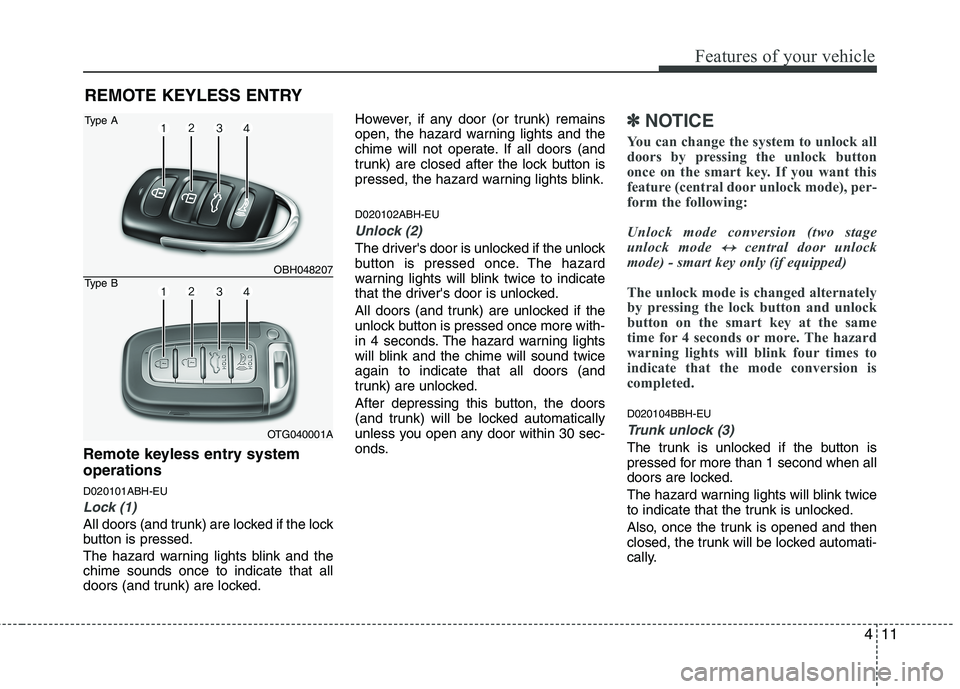
Lock (1)
All doors (and trunk) are locked if the lock
button is pressed.
The hazard warning lights blink and the
chime sounds once to indicate that all
doors (and trunk) are locked.However, if any door (or trunk) remains
open, the hazard warning lights and the
chime will not operate. If all doors (and
trunk) are closed after the lock button is
pressed, the hazard warning lights blink.
D020102ABH-EU
Unlock (2)
The driver's door is unlocked if the unlock
button is pressed once. The hazard
warning lights will blink twice to indicate
that the driver's door is unlocked.
All doors (and trunk) are unlocked if the
unlock button is pressed once more with-
in 4 seconds. The hazard warning lights
will blink and the chime will sound twice
again to indicate that all doors (and
trunk) are unlocked.
After depressing this button, the doors
(and trunk) will be locked automatically
unless you open any door within 30 sec-
onds.
✽ ✽
NOTICE
You can change the system to unlock all
doors by pressing the unlock button
once on the smart key. If you want this
feature (central door unlock mode), per-
form the following:
Unlock mode conversion (two stage
unlock mode
↔ ↔central door unlock
mode) - smart key only (if equipped)
The unlock mode is changed alternately
by pressing the lock button and unlock
button on the smart key at the same
time for 4 seconds or more. The hazard
warning lights will blink four times to
indicate that the mode conversion is
completed.
D020104BBH-EU
Trunk unlock (3)
The trunk is unlocked if the button is
pressed for more than 1 second when all
doors are locked.
The hazard warning lights will blink twice
to indicate that the trunk is unlocked.
Also, once the trunk is opened and then
closed, the trunk will be locked automati-
cally.
REMOTE KEYLESS ENTRY
OBH048207
OTG040001A
Type A
Type B
Page 95 of 432
Features of your vehicle
16 4
D050100ABH-EU
Operating door locks from out-
side the vehicle
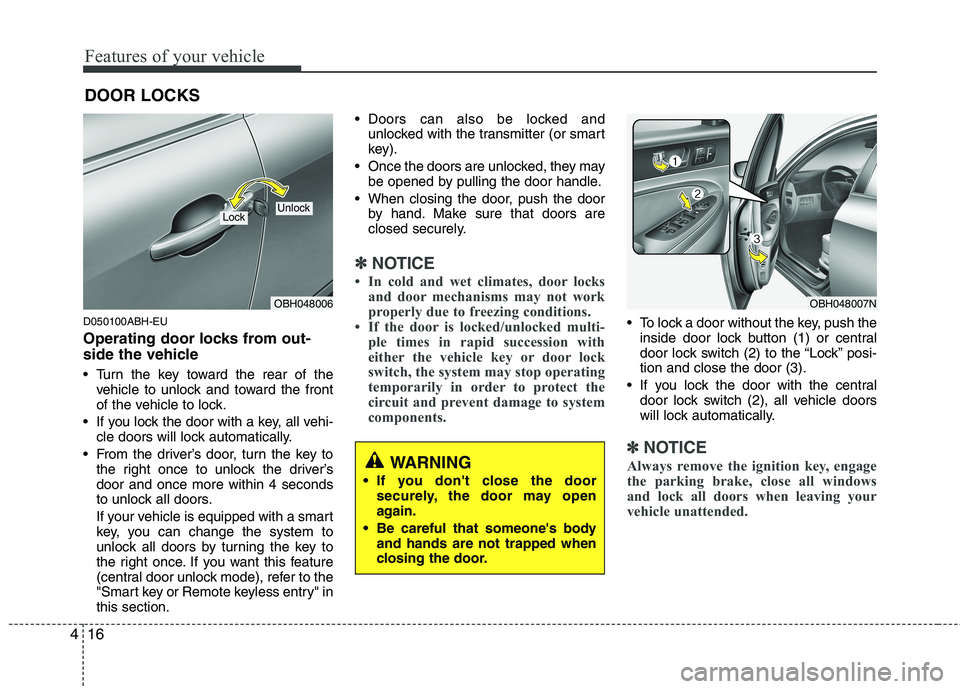
Turn the key toward the rear of the
vehicle to unlock and toward the front
of the vehicle to lock.
If you lock the door with a key, all vehi-
cle doors will lock automatically.
From the driver’s door, turn the key to
the right once to unlock the driver’s
door and once more within 4 seconds
to unlock all doors.
If your vehicle is equipped with a smart
key, you can change the system to
unlock all doors by turning the key to
the right once. If you want this feature
(central door unlock mode), refer to the
"Smart key or Remote keyless entry" in
this section. Doors can also be locked and
unlocked with the transmitter (or smart
key).
Once the doors are unlocked, they may
be opened by pulling the door handle.
When closing the door, push the door
by hand. Make sure that doors are
closed securely.
✽ ✽
NOTICE
• In cold and wet climates, door locks
and door mechanisms may not work
properly due to freezing conditions.
• If the door is locked/unlocked multi-
ple times in rapid succession with
either the vehicle key or door lock
switch, the system may stop operating
temporarily in order to protect the
circuit and prevent damage to system
components.
To lock a door without the key, push the
inside door lock button (1) or central
door lock switch (2
) to the “Lock” posi-
tion and close the door (3).
If you lock the door with the central
door lock switch (2), all vehicle doors
will lock automatically.
✽ ✽
NOTICE
Always remove the ignition key, engage
the parking brake, close all windows
and lock all doors when leaving your
vehicle unattended.
DOOR LOCKS
OBH048006
LockUnlock
OBH048007N
WARNING
If you don't close the door
securely, the door may open
again.
Be careful that someone's body
and hands are not trapped when
closing the door.
Page 122 of 432
443
Features of your vehicle
Programming
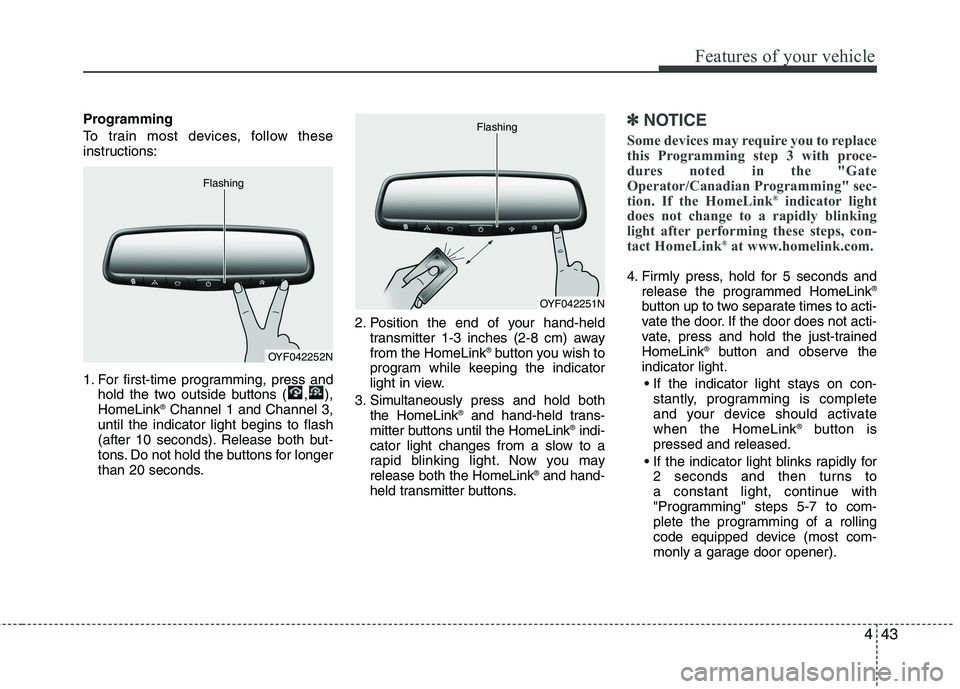
To train most devices, follow these
instructions:
1. For first-time programming, press and
hold the two outside buttons ( , ),
HomeLink
®Channel 1 and Channel 3,
until the indicator light begins to flash
(after 10 seconds). Release both but-
tons. Do not hold the buttons for longer
than 20 seconds.2. Position the end of your hand-held
transmitter 1-3 inches (2-8 cm) away
from the HomeLink
®button you wish to
program while keeping the indicator
light in view.
3. Simultaneously press and hold both
the HomeLink
®and hand-held trans-
mitter buttons until the HomeLink®indi-
cator light changes from a slow to a
rapid blinking light. Now you may
release both the HomeLink
®and hand-
held transmitter buttons.
✽ ✽
NOTICE
Some devices may require you to replace
this Programming step 3 with proce-
dures noted in the "Gate
Operator/Canadian Programming" sec-
tion. If the HomeLink
®indicator light
does not change to a rapidly blinking
light after performing these steps, con-
tact HomeLink
®at www.homelink.com.
4. Firmly press, hold for 5 seconds and
release the programmed HomeLink®
button up to two separate times to acti-
vate the door. If the door does not acti-
vate, press and hold the just-trained
HomeLink
®button and observe the
indicator light.
stantly, programming is complete
and your device should activate
when the HomeLink
®button is
pressed and released.
2 seconds and then turns to
a constant light, continue with
"Programming" steps 5-7 to com-
plete the programming of a rolling
code equipped device (most com-
monly a garage door opener).
OYF042252N Flashing
OYF042251N Flashing
Page 133 of 432
Features of your vehicle
54 4
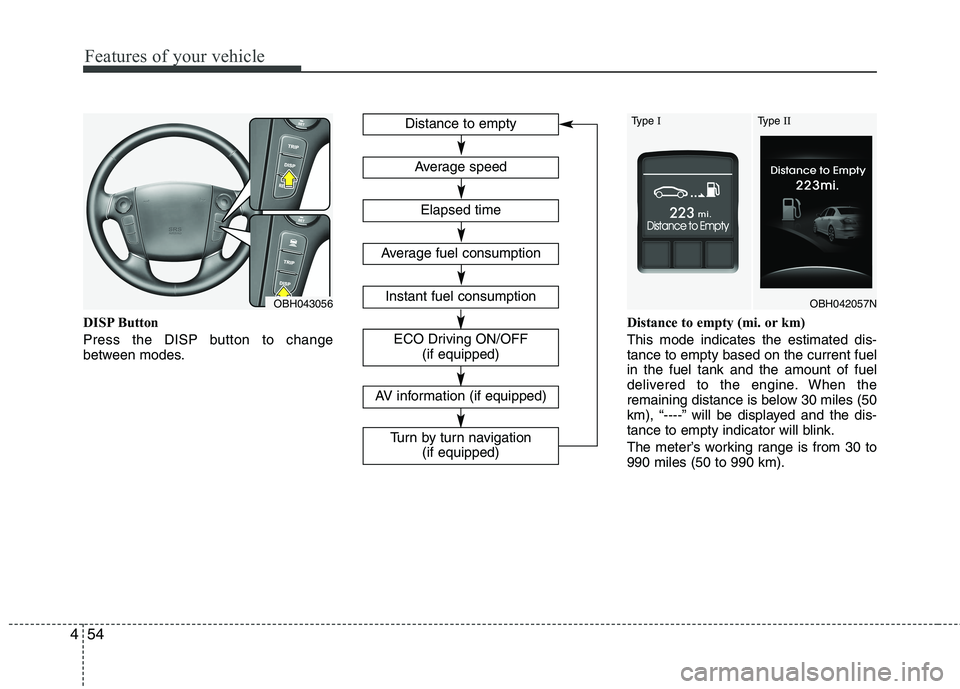
DISP Button
Press the DISP button to change
between modes.Distance to empty (mi. or km)
This mode indicates the estimated dis-
tance to empty based on the current fuel
in the fuel tank and the amount of fuel
delivered to the engine. When the
remaining distance is below 30 miles (50
km), “----” will be displayed and the dis-
tance to empty indicator will blink.
The meter’s working range is from 30 to
990 miles (50 to 990 km).
OBH043056OBH042057N
Type IType IIDistance to empty
Elapsed time
Average speed
Instant fuel consumption
ECO Driving ON/OFF
(if equipped)
Average fuel consumption
AV information (if equipped)
Turn by turn navigation
(if equipped)
Page 137 of 432
Features of your vehicle
58 4
D150300AEN
Warnings and indicators
All warning lights are checked by turning
the ignition switch ON (do not start the
engine). Any light that does not illuminate
should be checked by an authorized
HYUNDAI dealer.
After starting the engine, check to make
sure that all warning lights are off. If any
are still on, this indicates a situation that
needs attention. When releasing the
parking brake, the brake system warning
light should go off. The fuel warning light
will stay on if the fuel level is low.
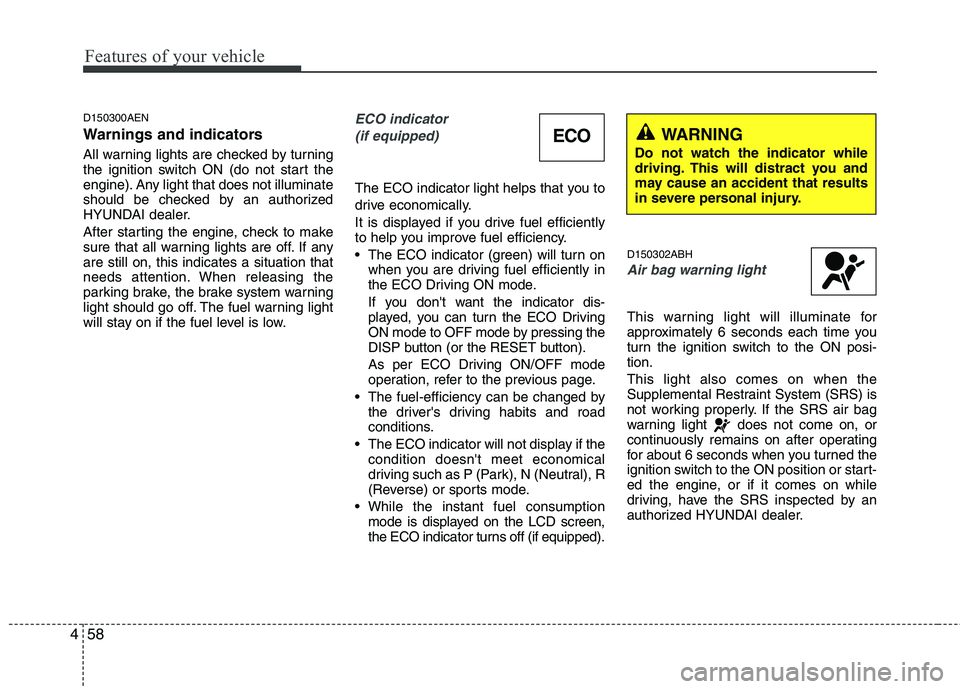
ECO indicator
(if equipped)
The ECO indicator light helps that you to
drive economically.
It is displayed if you drive fuel efficiently
to help you improve fuel efficiency.
The ECO indicator (green) will turn on
when you are driving fuel efficiently in
the ECO Driving ON mode.
If you don't want the indicator dis-
played, you can turn the ECO Driving
ON mode to OFF mode by pressing the
DISP button (or the RESET button).
As per ECO Driving ON/OFF mode
operation, refer to the previous page.
The fuel-efficiency can be changed by
the driver's driving habits and road
conditions.
The ECO indicator will not display if the
condition doesn't meet economical
driving such as P (Park), N (Neutral), R
(Reverse) or sports mode.
While the instant fuel consumption
mode is displayed on the LCD screen,
the ECO indicator turns off (if equipped).
D150302ABH
Air bag warning light
This warning light will illuminate for
approximately 6 seconds each time you
turn the ignition switch to the ON posi-
tion.
This light also comes on when the
Supplemental Restraint System (SRS) is
not working properly. If the SRS air bag
warning light does not come on, or
continuously remains on after operating
for about 6 seconds when you turned the
ignition switch to the ON position or start-
ed the engine, or if it comes on while
driving, have the SRS inspected by an
authorized HYUNDAI dealer.
ECOWARNING
Do not watch the indicator while
driving. This will distract you and
may cause an accident that results
in severe personal injury.