steering HYUNDAI GENESIS G80 2014 User Guide
[x] Cancel search | Manufacturer: HYUNDAI, Model Year: 2014, Model line: GENESIS G80, Model: HYUNDAI GENESIS G80 2014Pages: 432, PDF Size: 29.24 MB
Page 70 of 432
351
Safety features of your vehicle
Your vehicle is equipped with a side
impact air bag in each front and outboard
rear seat. The purpose of the air bag is to
provide the vehicle's driver and/or the
front and outboard rear passenger with
additional protection than that offered by
the seat belt alone.
The side impact air bags are designed to
deploy only during certain side-impact
collisions, depending on the crash sever-
ity, angle, speed and point of impact. The
side impact air bags are not designed to
deploy in all side impact situations.(Continued)
Do not install any accessories on
the side or near the side impact
air bag.
Do not place any objects over the
air bag or between the air bag
and yourself.
Do not place any objects (an
umbrella, bag, etc.) between the
door and the seat. Such objects
may become dangerous projec-
tiles and cause injury if the sup-
plemental side impact air bag
inflates.
To prevent unexpected deploy-
ment of the side impact air bag
that may result in personal injury,
avoid impact to the side impact
sensor when the ignition switch
is on.
If the seat or seat cover is dam-
aged, have the vehicle checked
and repaired by an authorized
HYUNDAI dealer because your
vehicle is equipped with side
impact air bags and an occupant
classification system.WARNING
The side impact air bag is sup-
plemental to the seat belt sys-
tems and is not a substitute for
them. Therefore your seat belts
must be worn at all times while
the vehicle is in motion. The air
bags deploy only in certain side
impact conditions severe enough
to cause significant injury to the
vehicle occupants.
For best protection from the side
impact air bag system and to
avoid being injured by the
deploying side impact air bag, all
seat occupants should sit in an
upright position with the seat belt
properly fastened. The driver's
hands should be placed on the
steering wheel at the 9:00 and
3:00 positions. The passengers'
arms and hands should be
placed on their laps.
Do not use any accessory seat
covers.
Use of seat covers could reduce
or prevent the effectiveness of
the system.
(Continued)
WARNING
Do not allow the passengers to lean
their heads or bodies onto doors,
put their arms on the doors, stretch
their arms out of the window, or
place objects between the doors
and passengers when they are
seated on seats equipped with side
and/or curtain air bags.
Page 77 of 432
Safety features of your vehicle
58 3
C041100BBH
SRS Care
The SRS is virtually maintenance-free
and there are no parts you can safely
service by yourself. If the SRS air bag
warning light " " does not illuminate,
when you turn the ignition on, or continu-
ously remains on, have your vehicle
immediately inspected by an authorized
HYUNDAI dealer.
Any work on the SRS system, such as
removing, installing, repairing, or any
work on the steering wheel, the front
passenger's panel, front seats and roof
rails must be performed by an authorized
HYUNDAI dealer. Improper handling of
the SRS system may result in serious
personal injury.
WARNING
Modification to SRS components
or wiring, including the addition
of any kind of badges to the pad
covers or modifications to the
body structure, can adversely
affect SRS performance and lead
to possible injury.
For cleaning the air bag pad cov-
ers, use only a soft, dry cloth or
one which has been moistened
with plain water. Solvents or
cleaners could adversely affect
the air bag covers and proper
deployment of the system.
No objects should be placed over
or near the air bag modules on the
steering wheel, instrument panel,
and the front passenger's panel
above the glove box, because any
such object could cause harm if the
vehicle is in a crash severe enough
to cause the air bags to inflate.
(Continued)
(Continued)
If the air bags inflate, they must
be replaced by an authorized
HYUNDAI dealer.
Do not tamper with or disconnect
SRS wiring, or other components
of the SRS system. Doing so
could result in injury, due to acci-
dental inflation of the air bags or
by rendering the SRS inopera-
tive.
If components of the air bag sys-
tem must be discarded, or if the
vehicle must be scrapped, certain
safety precautions must be
observed. An authorized
HYUNDAI dealer knows these
precautions and can give you the
necessary information. Failure to
follow these precautions and pro-
cedures could increase the risk
of personal injury.
If your car was flooded and has
soaked carpeting or water on the
flooring, you shouldn't try to start
the engine; have the car towed to
an authorized HYUNDAI dealer.
Page 80 of 432
4
Keys / 4-3
Smart key / 4-7
Remote keyless entry / 4-11
Theft-alarm system / 4-14
Door locks / 4-16
Trunk / 4-20
Windows / 4-23
Hood / 4-27
Fuel filler lid / 4-28
Sunroof / 4-31
Driver position memory system / 4-34
Steering wheel / 4-37
Mirrors / 4-39
Instrument cluster / 4-48
Parking assist system / 4-72
Rear view camera / 4-76
Hazard warning flasher / 4-76
Lighting / 4-77
Wipers and washers / 4-82
Interior light / 4-85
Defroster / 4-88
Automatic climate control system / 4-89
Features of your vehicle
Page 113 of 432
Features of your vehicle
34 4
DRIVER POSITION MEMORY SYSTEM (IF EQUIPPED)
D120000AEN
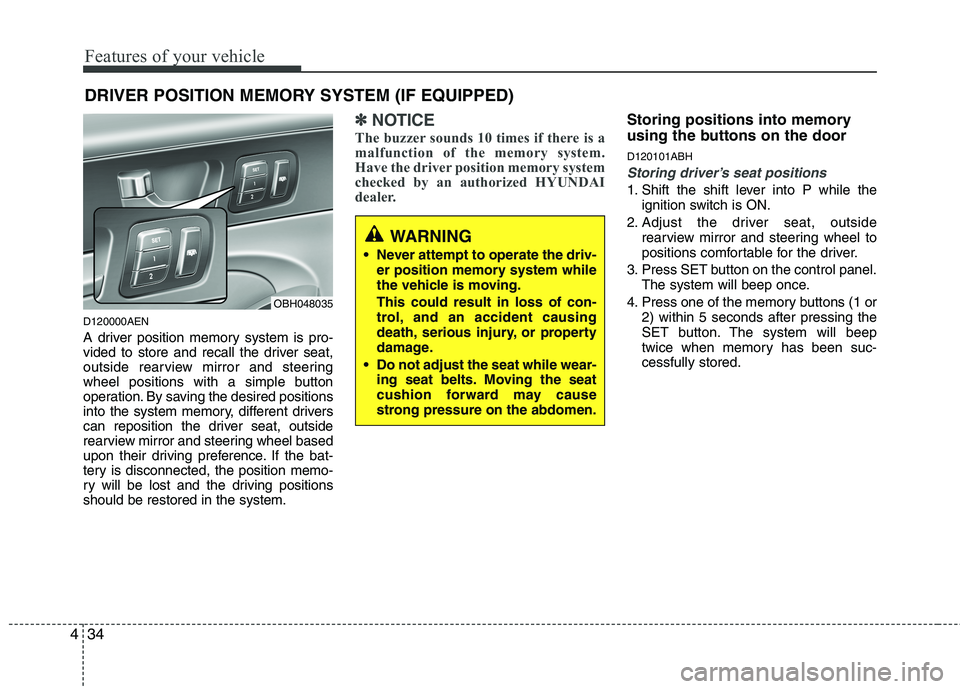
A driver position memory system is pro-
vided to store and recall the driver seat,
outside rearview mirror and steering
wheel positions with a simple button
operation. By saving the desired positions
into the system memory, different drivers
can reposition the driver seat, outside
rearview mirror and steering wheel based
upon their driving preference. If the bat-
tery is disconnected, the position memo-
ry will be lost and the driving positions
should be restored in the system.
✽ ✽
NOTICE
The buzzer sounds 10 times if there is a
malfunction of the memory system.
Have the driver position memory system
checked by an authorized HYUNDAI
dealer.
Storing positions into memory
using the buttons on the door
D120101ABH
Storing driver’s seat positions
1. Shift the shift lever into P while the
ignition switch is ON.
2. Adjust the driver seat, outside
rearview mirror and steering wheel to
positions comfortable for the driver.
3. Press SET button on the control panel.
The system will beep once.
4. Press one of the memory buttons (1 or
2) within 5 seconds after pressing the
SET button. The system will beep
twice when memory has been suc-
cessfully stored.
WARNING
Never attempt to operate the driv-
er position memory system while
the vehicle is moving.
This could result in loss of con-
trol, and an accident causing
death, serious injury, or property
damage.
Do not adjust the seat while wear-
ing seat belts. Moving the seat
cushion forward may cause
strong pressure on the abdomen.
OBH048035
Page 114 of 432
435
Features of your vehicle
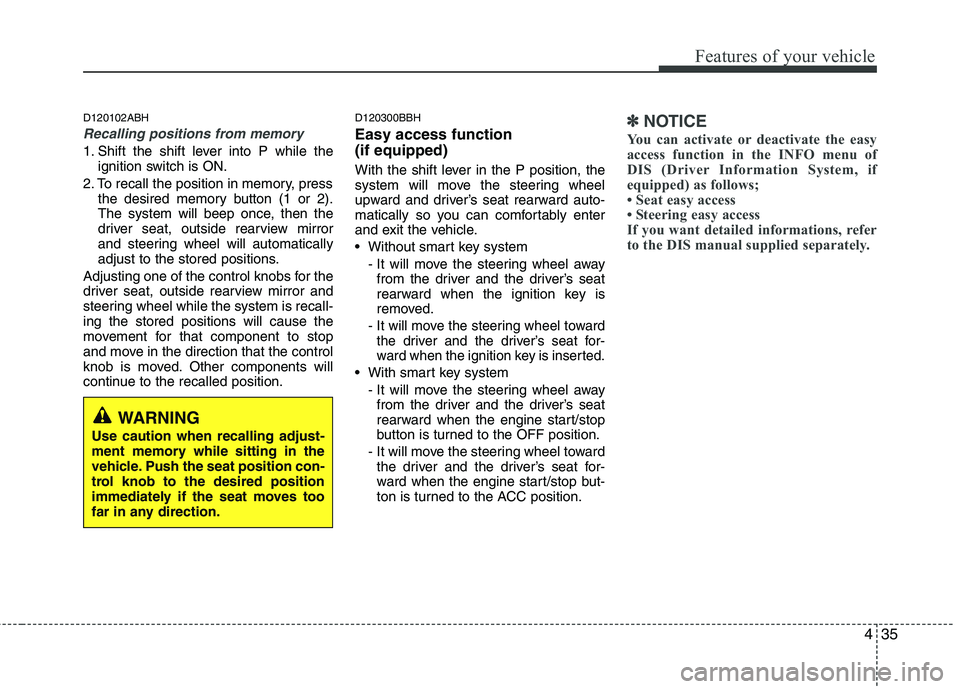
D120102ABH
Recalling positions from memory
1. Shift the shift lever into P while the
ignition switch is ON.
2. To recall the position in memory, press
the desired memory button (1 or 2).
The system will beep once, then the
driver seat, outside rearview mirror
and steering wheel will automatically
adjust to the stored positions.
Adjusting one of the control knobs for the
driver seat, outside rearview mirror and
steering wheel while the system is recall-
ing the stored positions will cause the
movement for that component to stop
and move in the direction that the control
knob is moved. Other components will
continue to the recalled position.
D120300BBH
Easy access function
(if equipped)
With the shift lever in the P position, the
system will move the steering wheel
upward and driver’s seat rearward auto-
matically so you can comfortably enter
and exit the vehicle.
Without smart key system
- It will move the steering wheel away
from the driver and the driver’s seat
rearward when the ignition key is
removed.
-
It will move the steering wheel toward
the driver and the driver’s seat for-
ward when the ignition key is inserted.
With smart key system
- It will move the steering wheel away
from the driver and the driver’s seat
rearward when the engine start/stop
button is turned to the OFF position.
- It will move the steering wheel toward
the driver and the driver’s seat for-
ward when the engine start/stop but-
ton is turned to the ACC position.
✽ ✽
NOTICE
You can activate or deactivate the easy
access function in the INFO menu of
DIS (Driver Information System, if
equipped) as follows;
• Seat easy access
• Steering easy access
If you want detailed informations, refer
to the DIS manual supplied separately.
WARNING
Use caution when recalling adjust-
ment memory while sitting in the
vehicle. Push the seat position con-
trol knob to the desired position
immediately if the seat moves too
far in any direction.
Page 116 of 432
437
Features of your vehicle
D130100ABH
Electronic Hydraulic Power
Steering (EHPS)
EHPS uses an electromotor to assist you
in steering the vehicle. It senses the vehi-
cle speed and road condition.
If the engine is off or if the power steer-
ing system becomes inoperative, the
vehicle may still be steered, but it will
require increased steering effort.
Should you notice any change in the
effort required to steer during normal
vehicle operation, have the power steer-
ing checked by an authorized HYUNDAI
dealer.
✽ ✽
NOTICE
If the power steering drive belt breaks
or if the power steering pump malfunc-
tions, the steering effort will greatly
increase.
✽ ✽
NOTICE
If the vehicle is parked for extended
periods outside in cold weather (below
14°F/-10°C), the power steering may
require increased effort when the engine
is first started. This is caused by
increased fluid viscosity due to the cold
weather and does not indicate a mal-
function.
When this happens, increase the engine
RPM by depressing accelerator until the
RPM reaches 1,500 rpm then release or
let the engine idle for two or three min-
utes to warm up the fluid.
D130300AEN
Tilt steering/Telescope steering
(if equipped)
Tilt steering allows you to adjust the
steering wheel before you drive. You can
also raise the steering wheel to give your
legs more room when you exit and enter
the vehicle.
The steering wheel should be positioned
so that it is comfortable for you to drive,
while permitting you to see the instru-
ment panel warning lights and gauges.
STEERING WHEEL
CAUTION
Never hold the steering wheel
against a stop (extreme right or left
turn) for more than 5 seconds with
the engine running. Holding the
steering wheel for more than 5 sec-
onds in either position may cause
damage to the power steering
pump.
WARNING
Never adjust the angle of the
steering wheel while driving. You
may lose steering control and
cause severe personal injury,
death or accidents.
After adjusting, push the steering
wheel both up and down to be
certain it is locked in position.
Page 117 of 432
Features of your vehicle
38 4
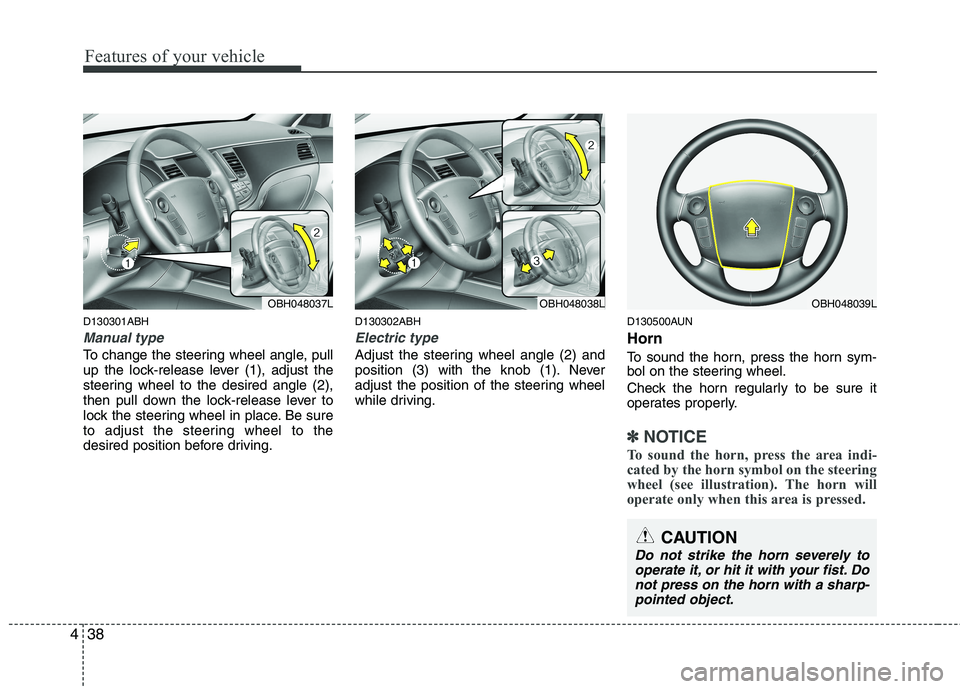
D130301ABH
Manual type
To change the steering wheel angle, pull
up the lock-release lever (1), adjust the
steering wheel to the desired angle (2),
then pull down the lock-release lever to
lock the steering wheel in place. Be sure
to adjust the steering wheel to the
desired position before driving.
D130302ABH
Electric type
Adjust the steering wheel angle (2) and
position (3) with the knob (1). Never
adjust the position of the steering wheel
while driving.
D130500AUN
Horn
To sound the horn, press the horn sym-
bol on the steering wheel.
Check the horn regularly to be sure it
operates properly.
✽ ✽
NOTICE
To sound the horn, press the area indi-
cated by the horn symbol on the steering
wheel (see illustration). The horn will
operate only when this area is pressed.
OBH048037LOBH048038LOBH048039L
CAUTION
Do not strike the horn severely to
operate it, or hit it with your fist. Do
not press on the horn with a sharp-
pointed object.
Page 141 of 432
Features of your vehicle
62 4
To check bulb operation, check whether
the parking brake and brake fluid warning
light illuminates when the ignition switch
is in the ON position.D150331ABH
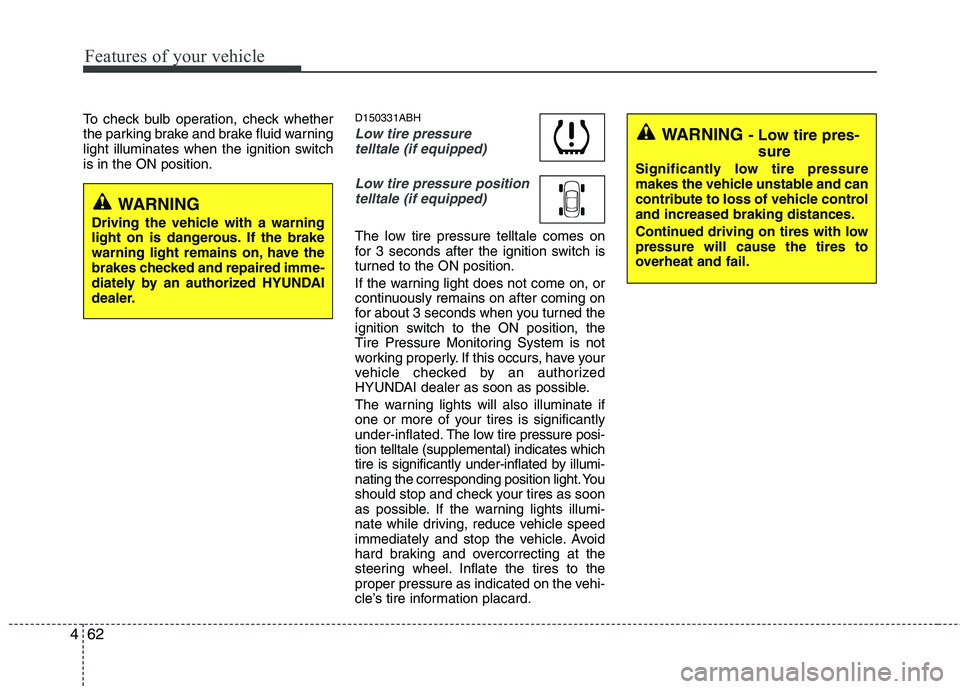
Low tire pressure
telltale (if equipped)
Low tire pressure position
telltale (if equipped)
The low tire pressure telltale comes on
for 3 seconds after the ignition switch is
turned to the ON position.
If the warning light does not come on, or
continuously remains on after coming on
for about 3 seconds when you turned the
ignition switch to the ON position, the
Tire Pressure Monitoring System is not
working properly. If this occurs, have your
vehicle checked by an authorized
HYUNDAI dealer as soon as possible.
The warning lights will also illuminate if
one or more of your tires is significantly
under-inflated.The low tire pressure posi-
tion telltale (supplemental) indicates which
tire is significantly under-inflated by illumi-
nating the corresponding position light. You
should stop and check your tires as soon
as possible. If the warning lights illumi-
nate while driving, reduce vehicle speed
immediately and stop the vehicle. Avoid
hard braking and overcorrecting at the
steering wheel. Inflate the tires to the
proper pressure as indicated on the vehi-
cle’s tire information placard.
WARNING - Low tire pres-
sure
Significantly low tire pressure
makes the vehicle unstable and can
contribute to loss of vehicle control
and increased braking distances.
Continued driving on tires with low
pressure will cause the tires to
overheat and fail.
WARNING
Driving the vehicle with a warning
light on is dangerous. If the brake
warning light remains on, have the
brakes checked and repaired imme-
diately by an authorized HYUNDAI
dealer.
Page 145 of 432
Features of your vehicle
66 4
D150323AUN-EU
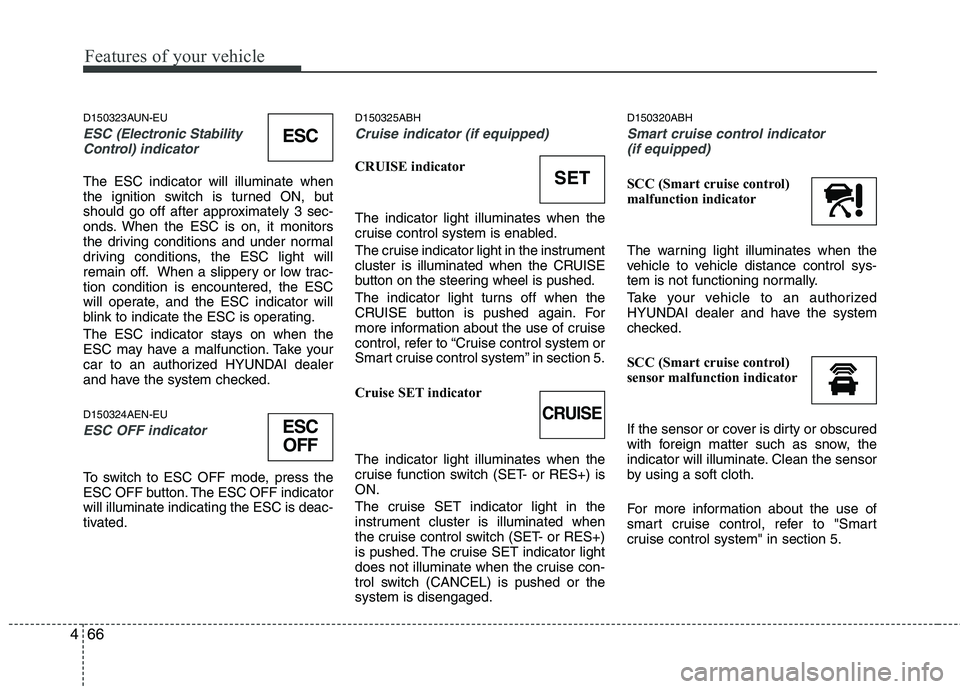
ESC (Electronic Stability
Control)indicator
The ESC indicator will illuminate when
the ignition switch is turned ON, but
should go off after approximately 3 sec-
onds. When the ESC is on, it monitors
the driving conditions and under normal
driving conditions, the ESC light will
remain off. When a slippery or low trac-
tion condition is encountered, the ESC
will operate, and the ESC indicator will
blink to indicate the ESC is operating.
The ESC indicator stays on when the
ESC may have a malfunction. Take your
car to an authorized HYUNDAI dealer
and have the system checked.
D150324AEN-EU
ESC OFF indicator
To switch to ESC OFF mode, press the
ESC OFF button. The ESC OFF indicator
will illuminate indicating the ESC is deac-
tivated.
D150325ABH
Cruise indicator (if equipped)
CRUISE indicator
The indicator light illuminates when the
cruise control system is enabled.
The cruise indicator light in the instrument
cluster is illuminated when the CRUISE
button on the steering wheel is pushed.
The indicator light turns off when the
CRUISE button is pushed again. For
more information about the use of cruise
control, refer to “Cruise control system or
Smart cruise control system” in section 5.
Cruise SET indicator
The indicator light illuminates when the
cruise function switch (SET- or RES+) is
ON.
The cruise SET indicator light in the
instrument cluster is illuminated when
the cruise control switch (SET- or RES+)
is pushed. The cruise SET indicator light
does not illuminate when the cruise con-
trol switch (CANCEL) is pushed or the
system is disengaged.
D150320ABH
Smart cruise control indicator
(if equipped)
SCC (Smart cruise control)
malfunction indicator
The warning light illuminates when the
vehicle to vehicle distance control sys-
tem is not functioning normally.
Take your vehicle to an authorized
HYUNDAI dealer and have the system
checked.
SCC (Smart cruise control)
sensor malfunction indicator
If the sensor or cover is dirty or obscured
with foreign matter such as snow, the
indicator will illuminate. Clean the sensor
by using a soft cloth.
For more information about the use of
smart cruise control, refer to "Smart
cruise control system" in section 5.SET
CRUISE
ESC
ESC
OFF
Page 156 of 432
477
Features of your vehicle
D190100ABH
Battery saver function
The purpose of this feature is to pre-
vent the battery from being dis-
charged. The system automatically
turns off the parking lights when the
driver removes the ignition key (smart
key : turns off the engine) and opens
the driver-side door (in that order).
With this feature, the parking lights will
be turned off automatically if the driver
parks on the side of the road at night.
If necessary, to keep the lights on
when the ignition key is removed
(smart key : turns off the engine), per-
form the following:
1) Open the driver-side door.
2) Turn the parking lights OFF and ON
again using the light switch on the
steering column.
Headlight welcome function
(if equipped)
When the headlight switch is set to ON or
AUTO position and all doors (and trunk)
are closed and locked, if you press the
door unlock button on the transmitter (or
the smart key), the headlights will come
on for about 15 seconds. If the headlight
switch is in the AUTO position, the func-
tion can only operate at night. At this time,
if you press the door lock button, the
headlights will turn off immediately.
D190200ABH
Headlight escort function
(if equipped)
If you turn the ignition switch to the ACC or
OFF position with the headlights ON, the
headlights (and/or tail lights) remain on for
about 5 minutes. However, if the driver’s
door is opened and closed, the headlights
are turned off after 15 seconds.
The headlights can be turned off by press-
ing the lock button on the transmitter (or
smart key) twice or turning the light switch
to the OFF or Auto position.
However, if you turn the light switch to the
Auto position when it is dark outside, the
headlights will not be turned off.
LIGHTING
CAUTION
If the driver gets out of the vehicle
through other doors, the battery
saver function does not operate.
Therefore, it causes the battery to
be discharged. In this case, make
sure to turn off the lamp before get-
ting out of the vehicle.