key HYUNDAI GENESIS G80 2015 Owner's Guide
[x] Cancel search | Manufacturer: HYUNDAI, Model Year: 2015, Model line: GENESIS G80, Model: HYUNDAI GENESIS G80 2015Pages: 432, PDF Size: 29.24 MB
Page 148 of 432
469
Features of your vehicle
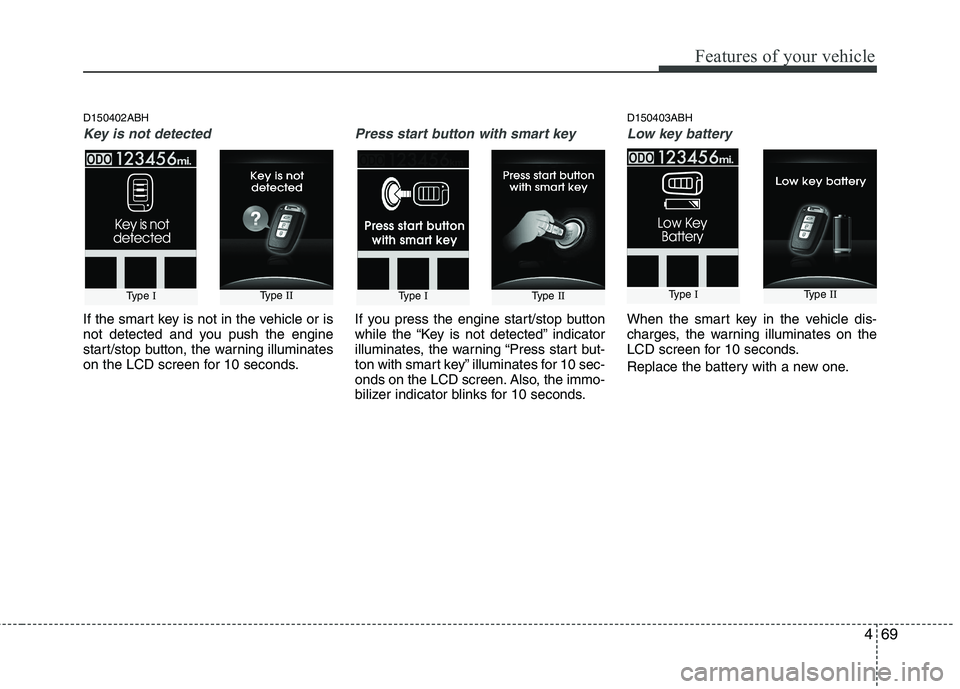
D150402ABH
Key is not detected
If the smart key is not in the vehicle or is
not detected and you push the engine
start/stop button, the warning illuminates
on the LCD screen for 10 seconds.
Press start button with smart key
If you press the engine start/stop button
while the “Key is not detected” indicator
illuminates, the warning “Press start but-
ton with smart key” illuminates for 10 sec-
onds on the LCD screen. Also, the immo-
bilizer indicator blinks for 10 seconds.
D150403ABH
Low key battery
When the smart key in the vehicle dis-
charges, the warning illuminates on the
LCD screen for 10 seconds.
Replace the battery with a new one.
Type IType IIType IType IIType IType II
Page 155 of 432
Features of your vehicle
76 4
REAR VIEW CAMERA (IF EQUIPPED)
D330000ABH
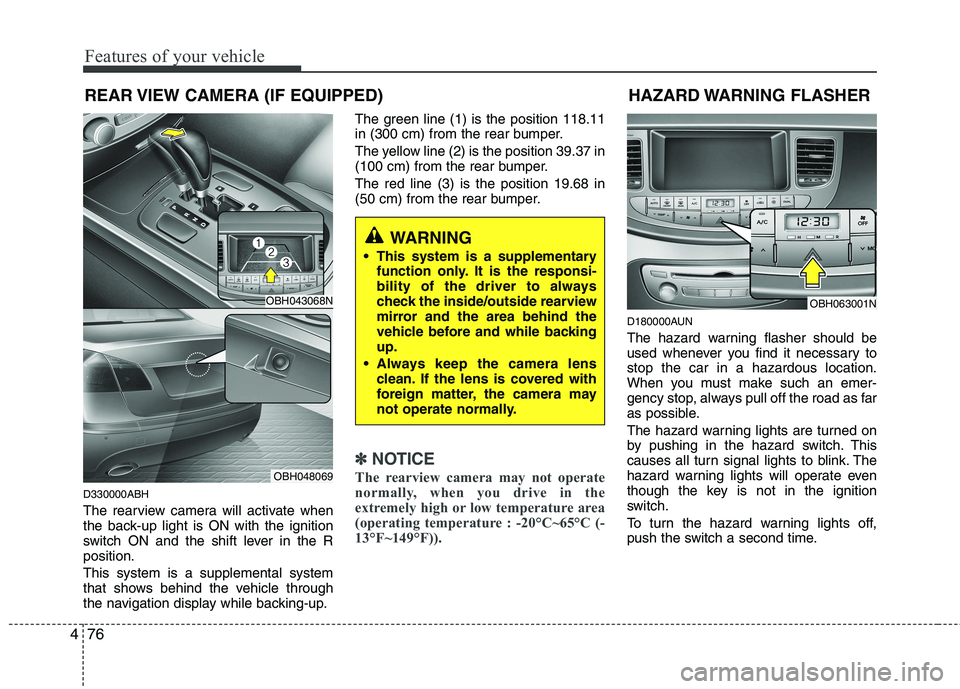
The rearview camera will activate when
the back-up light is ON with the ignition
switch ON and the shift lever in the R
position.
This system is a supplemental system
that shows behind the vehicle through
the navigation display while backing-up.The green line (1) is the position 118.11
in (300 cm) from the rear bumper.
The yellow line (2) is the position 39.37 in
(100 cm) from the rear bumper.
The red line (3) is the position 19.68 in
(50 cm) from the rear bumper.
✽ ✽
NOTICE
The rearview camera may not operate
normally, when you drive in the
extremely high or low temperature area
(operating temperature : -20°C~65°C (-
13°F~149°F)).
D180000AUN
The hazard warning flasher should be
used whenever you find it necessary to
stop the car in a hazardous location.
When you must make such an emer-
gency stop, always pull off the road as far
as possible.
The hazard warning lights are turned on
by pushing in the hazard switch. This
causes all turn signal lights to blink. The
hazard warning lights will operate even
though the key is not in the ignition
switch.
To turn the hazard warning lights off,
push the switch a second time.
HAZARD WARNING FLASHER
OBH063001N
WARNING
This system is a supplementary
function only. It is the responsi-
bility of the driver to always
check the inside/outside rearview
mirror and the area behind the
vehicle before and while backing
up.
Always keep the camera lens
clean. If the lens is covered with
foreign matter, the camera may
not operate normally.
OBH043068N
OBH048069
Page 156 of 432
477
Features of your vehicle
D190100ABH
Battery saver function
The purpose of this feature is to pre-
vent the battery from being dis-
charged. The system automatically
turns off the parking lights when the
driver removes the ignition key (smart
key : turns off the engine) and opens
the driver-side door (in that order).
With this feature, the parking lights will
be turned off automatically if the driver
parks on the side of the road at night.
If necessary, to keep the lights on
when the ignition key is removed
(smart key : turns off the engine), per-
form the following:
1) Open the driver-side door.
2) Turn the parking lights OFF and ON
again using the light switch on the
steering column.
Headlight welcome function
(if equipped)
When the headlight switch is set to ON or
AUTO position and all doors (and trunk)
are closed and locked, if you press the
door unlock button on the transmitter (or
the smart key), the headlights will come
on for about 15 seconds. If the headlight
switch is in the AUTO position, the func-
tion can only operate at night. At this time,
if you press the door lock button, the
headlights will turn off immediately.
D190200ABH
Headlight escort function
(if equipped)
If you turn the ignition switch to the ACC or
OFF position with the headlights ON, the
headlights (and/or tail lights) remain on for
about 5 minutes. However, if the driver’s
door is opened and closed, the headlights
are turned off after 15 seconds.
The headlights can be turned off by press-
ing the lock button on the transmitter (or
smart key) twice or turning the light switch
to the OFF or Auto position.
However, if you turn the light switch to the
Auto position when it is dark outside, the
headlights will not be turned off.
LIGHTING
CAUTION
If the driver gets out of the vehicle
through other doors, the battery
saver function does not operate.
Therefore, it causes the battery to
be discharged. In this case, make
sure to turn off the lamp before get-
ting out of the vehicle.
Page 162 of 432
483
Features of your vehicle
✽ ✽
NOTICE
If there is heavy accumulation of snow
or ice on the windshield, defrost the
windshield for about 10 minutes, or
until the snow and/or ice is removed
before using the windshield wipers to
ensure proper operation.
✽ ✽
NOTICE
• When you operate the wipers, if your
vehicle has a problem in any part of
the wiper operation system, the wiper
may operate in the LO mode regard-
less of the wiper switch position. In
this case, have your vehicle checked
by an authorized HYUNDAI dealer as
soon as possible.
• When the ignition key is removed, the
wiper blade sometimes may move
slightly for reducing the deterioration
of the windshield wipers.
D200101AEN
Auto control (if equipped)
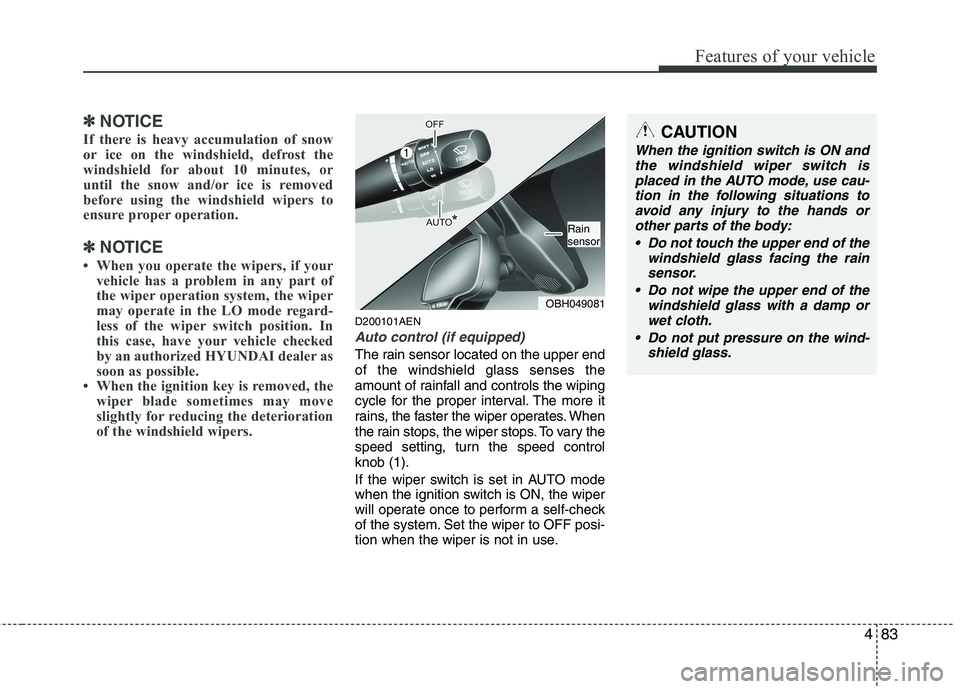
The rain sensor located on the upper end
of the windshield glass senses the
amount of rainfall and controls the wiping
cycle for the proper interval. The more it
rains, the faster the wiper operates. When
the rain stops, the wiper stops. To vary the
speed setting, turn the speed control
knob (1).
If the wiper switch is set in AUTO mode
when the ignition switch is ON, the wiper
will operate once to perform a self-check
of the system. Set the wiper to OFF posi-
tion when the wiper is not in use.
CAUTION
When the ignition switch is ON and
the windshield wiper switch is
placed in the AUTO mode, use cau-
tion in the following situations to
avoid any injury to the hands or
other parts of the body:
Do not touch the upper end of the
windshield glass facing the rain
sensor.
Do not wipe the upper end of the
windshield glass with a damp or
wet cloth.
Do not put pressure on the wind-
shield glass.
OBH049081
Rain
sensor
Page 164 of 432
485
Features of your vehicle
D210000AEN
D210100ABH-EU
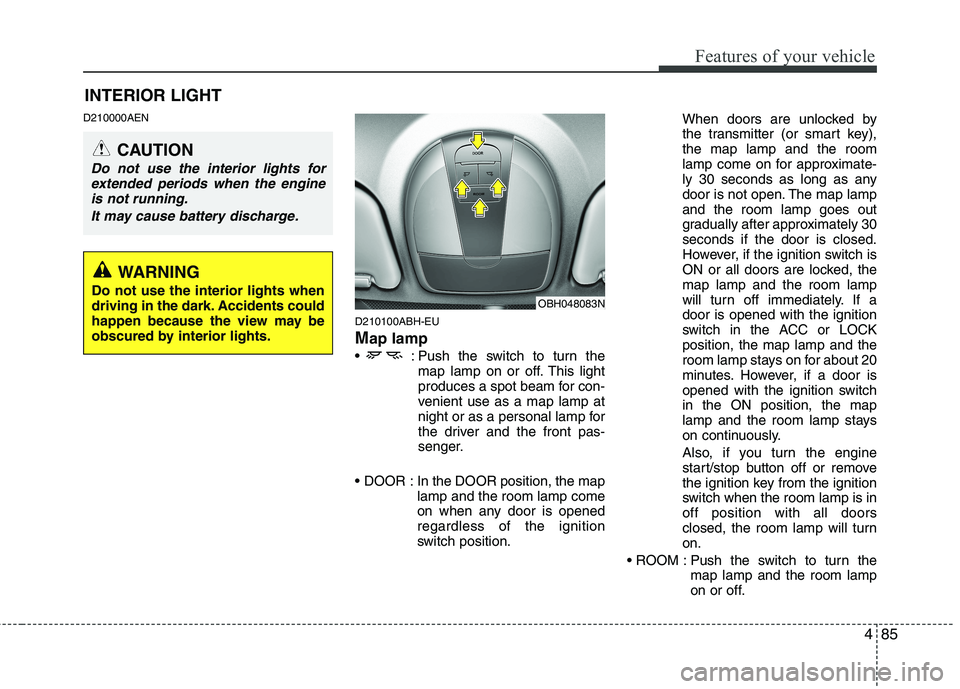
Map lamp
: Push the switch to turn the
map lamp on or off. This light
produces a spot beam for con-
venient use as a map lamp at
night or as a personal lamp for
the driver and the front pas-
senger.
In the DOOR position, the map
lamp and the room lamp come
on when any door is opened
regardless of the ignition
switch position.When doors are unlocked by
the transmitter (or smart key),
the map lamp and the room
lamp come on for approximate-
ly 30 seconds as long as any
door is not open. The map lamp
and the room lamp goes out
gradually after approximately 30
seconds if the door is closed.
However, if the ignition switch is
ON or all doors are locked, the
map lamp and the room lamp
will turn off immediately. If a
door is opened with the ignition
switch in the ACC or LOCK
position, the map lamp and the
room lamp stays on for about 20
minutes. However, if a door is
opened with the ignition switch
in the ON position, the map
lamp and the room lamp stays
on continuously.
Also, if you turn the engine
start/stop button off or remove
the ignition key from the ignition
switch when the room lamp is in
off position with all doors
closed, the room lamp will turn
on.
Push the switch to turn the
map lamp and the room lamp
on or off.
OBH048083N
INTERIOR LIGHT
CAUTION
Do not use the interior lights for
extended periods when the engine
is not running.
It may cause battery discharge.
WARNING
Do not use the interior lights when
driving in the dark. Accidents could
happen because the view may be
obscured by interior lights.
Page 166 of 432
487
Features of your vehicle
D210500ABH
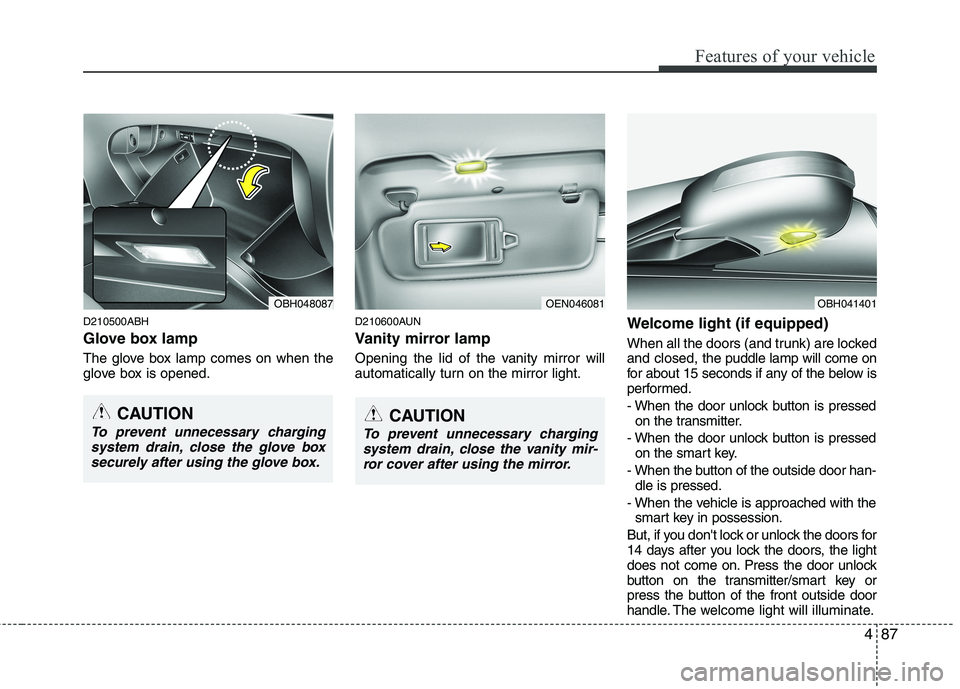
Glove box lamp
The glove box lamp comes on when the
glove box is opened.
D210600AUN
Vanity mirror lamp
Opening the lid of the vanity mirror will
automatically turn on the mirror light.
Welcome light (if equipped)
When all the doors (and trunk) are locked
and closed, the puddle lamp will come on
for about 15 seconds if any of the below is
performed.
- When the door unlock button is pressed
on the transmitter.
- When the door unlock button is pressed
on the smart key.
- When the button of the outside door han-
dle is pressed.
- When the vehicle is approached with the
smart key in possession.
But, if you don't lock or unlock the doors for
14 days after you lock the doors, the light
does not come on. Press the door unlock
button on the transmitter/smart key or
press the button of the front outside door
handle. The welcome light will illuminate.
OEN046081OBH048087
CAUTION
To prevent unnecessary charging
system drain, close the glove box
securely after using the glove box.CAUTION
To prevent unnecessary charging
system drain, close the vanity mir-
ror cover after using the mirror.
OBH041401
Page 183 of 432
Features of your vehicle
104 4
D270000AUN
These compartments can be used to
store small items required by the driver
or passengers.
D270100ABH
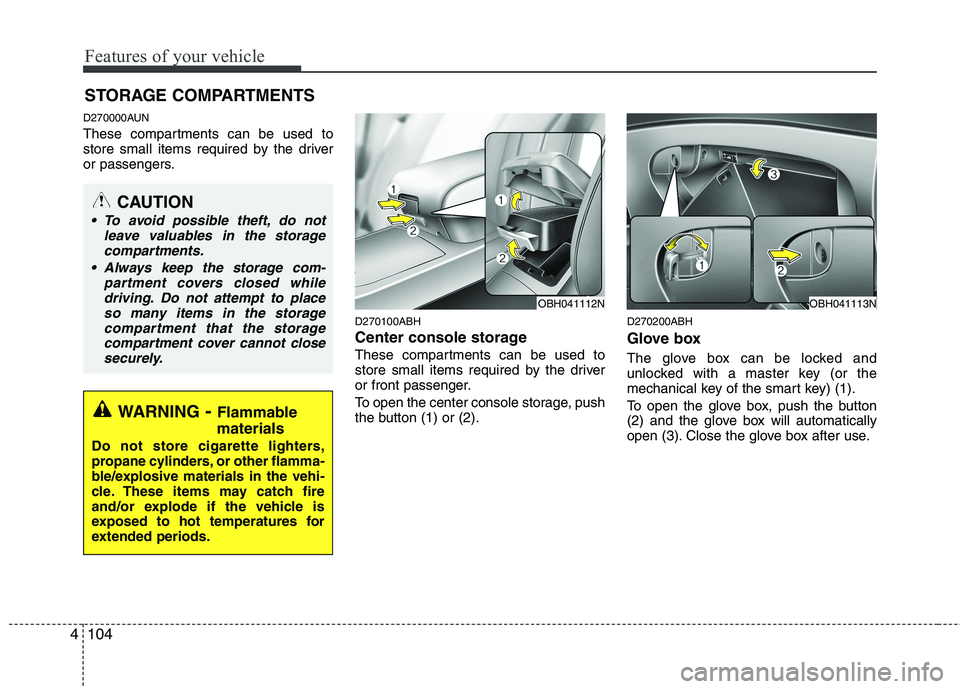
Center console storage
These compartments can be used to
store small items required by the driver
or front passenger.
To open the center console storage, push
the button (1) or (2).
D270200ABH
Glove box
The glove box can be locked and
unlocked with a master key (or the
mechanical key of the smart key) (1).
To open the glove box, push the button
(2) and the glove box will automatically
open (3). Close the glove box after use.
STORAGE COMPARTMENTS
WARNING- Flammable
materials
Do not store cigarette lighters,
propane cylinders, or other flamma-
ble/explosive materials in the vehi-
cle. These items may catch fire
and/or explode if the vehicle is
exposed to hot temperatures for
extended periods.
CAUTION
To avoid possible theft, do not
leave valuables in the storage
compartments.
Always keep the storage com-
partment covers closed while
driving. Do not attempt to place
so many items in the storage
compartment that the storage
compartment cover cannot close
securely.
OBH041113NOBH041112N
Page 194 of 432
4115
Features of your vehicle
✽
✽NOTICE
• If you install an aftermarket HID
headlamp, your vehicle's audio and
electronic device may malfunction.
• Prevent chemicals such as perfume, cosmetic oil, sun cream, hand cleaner,
and air freshener from contacting the
interior parts because they may cause
damage or discoloration.
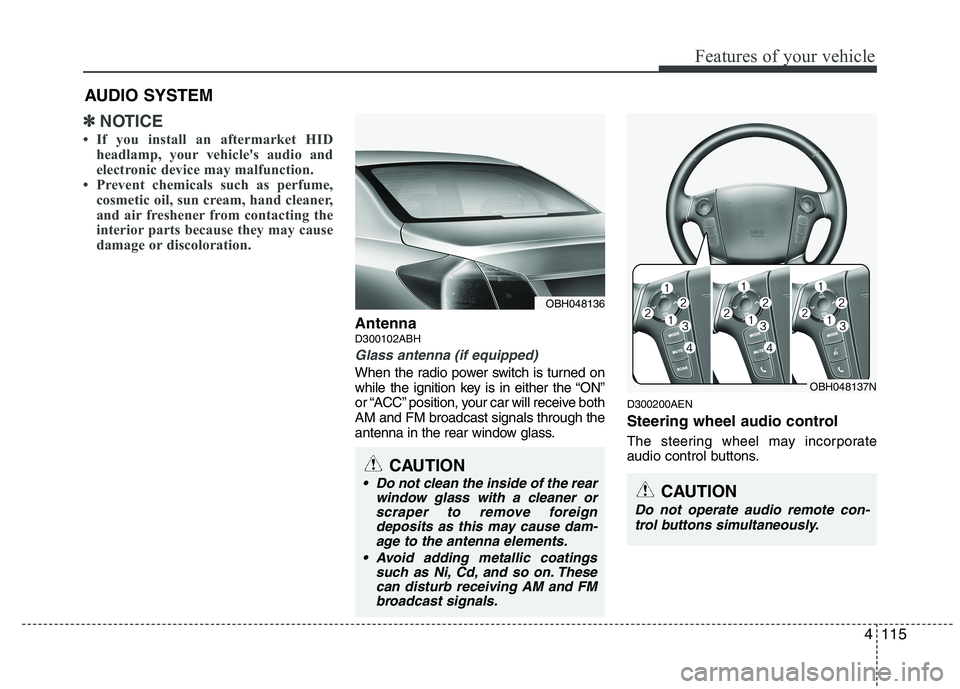
AntennaD300102ABH
Glass antenna (if equipped)
When the radio power switch is turned on
while the ignition key is in either the “ON”
or “ACC” position, your car will receive both
AM and FM broadcast signals through the
antenna in the rear window glass.
D300200AEN
Steering wheel audio control
The steering wheel may incorporate
audio control buttons.
AUDIO SYSTEM
OBH048136
CAUTION
• Do not clean the inside of the rear
window glass with a cleaner orscraper to remove foreigndeposits as this may cause dam-age to the antenna elements.
Avoid adding metallic coatings such as Ni, Cd, and so on. Thesecan disturb receiving AM and FMbroadcast signals.
OBH048137N
CAUTION
Do not operate audio remote con-
trol buttons simultaneously.
Page 204 of 432
4125
Features of your vehicle
(Continued)
If you disconnect the external USB
device during playback in USB
mode, the external USB device can
be damaged or may malfunction.
Therefore, disconnect the external
USB device when the audio is
turned off or in another mode. (e.g,
Radio, XM or CD)
Depending on the type and capac-
ity of the external USB device or
the type of the files stored in the
device, there is a difference in the
time taken for recognition of the
device.
Do not use the USB device for pur-
poses other than playing music files.
Playing videos through the USB is
not supported.
Use of USB accessories such as
rechargers or heaters using USB
I/F may lower performance or
cause trouble.
If you use devices such as a USB
hub purchased separately, the
vehicle’s audio system may not
recognize the USB device. In that
case, connect the USB device
directly to the multimedia termi-
nal of the vehicle.
(Continued)(Continued)
The data in the USB memory may
be lost while using this audio.
Always back up important data on
a personal storage device.
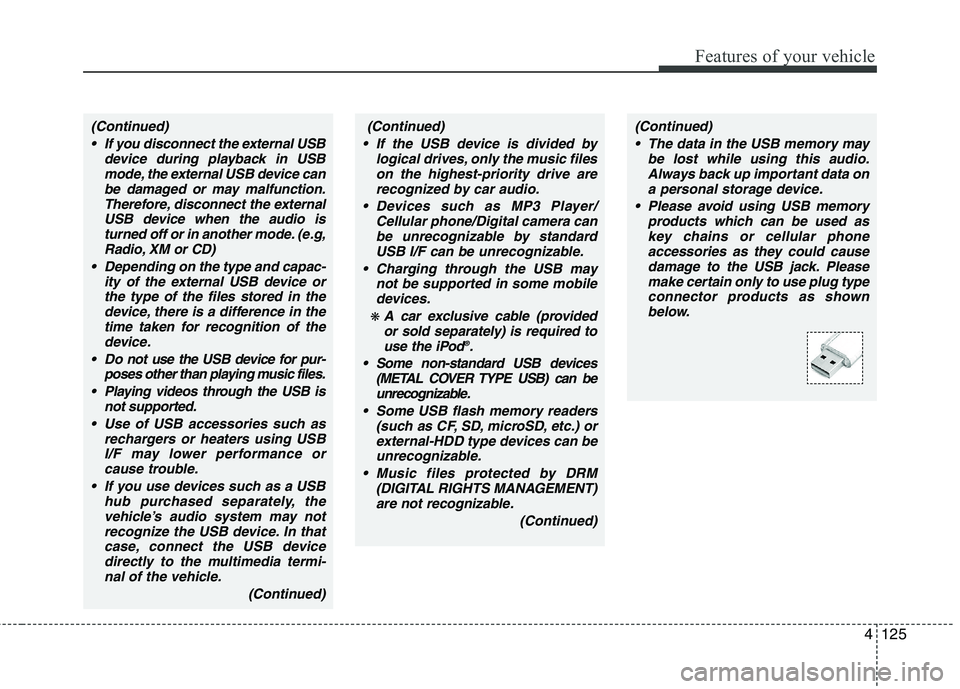
Please avoid using USB memory
products which can be used as
key chains or cellular phone
accessories as they could cause
damage to the USB jack. Please
make certain only to use plug type
connector products as shown
below.(Continued)
If the USB device is divided by
logical drives, only the music files
on the highest-priority drive are
recognized by car audio.
Devices such as MP3 Player/
Cellular phone/Digital camera can
be unrecognizable by standard
USB I/F can be unrecognizable.
Charging through the USB may
not be supported in some mobile
devices.
❋ A car exclusive cable (provided
or sold separately) is required to
use the iPod
®.
Some non-standard USB devices
(METAL COVER TYPE USB) can be
unrecognizable.
Some USB flash memory readers
(such as CF, SD, microSD, etc.) or
external-HDD type devices can be
unrecognizable.
Music files protected by DRM
(DIGITAL RIGHTS MANAGEMENT)
are not recognizable.
(Continued)
Page 218 of 432
4139
Features of your vehicle
(Continued)
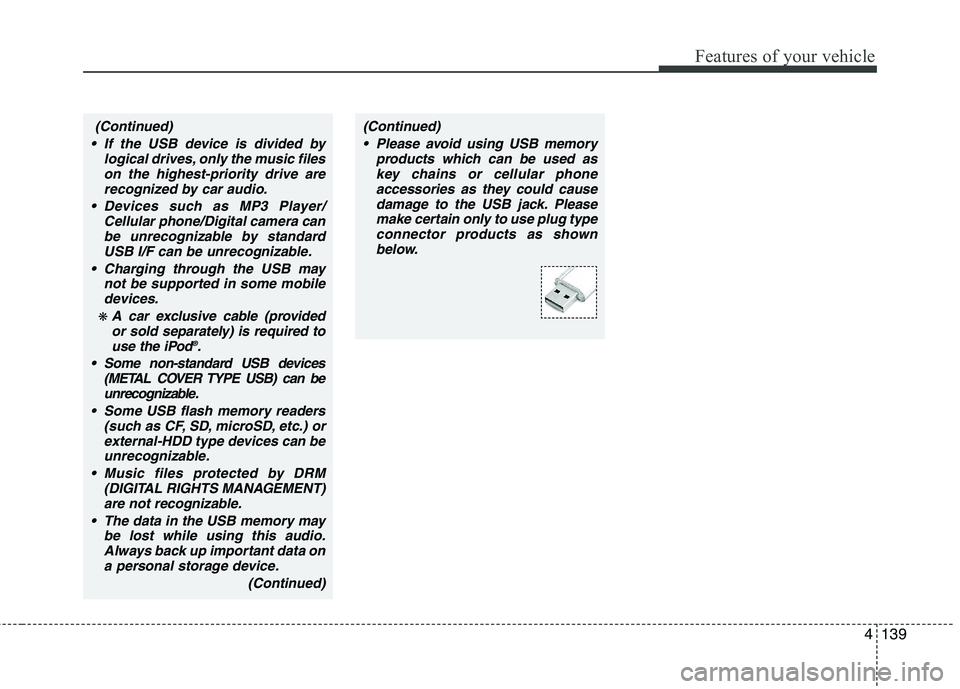
Please avoid using USB memory
products which can be used as
key chains or cellular phone
accessories as they could cause
damage to the USB jack. Please
make certain only to use plug type
connector products as shown
below.(Continued)
If the USB device is divided by
logical drives, only the music files
on the highest-priority drive are
recognized by car audio.
Devices such as MP3 Player/
Cellular phone/Digital camera can
be unrecognizable by standard
USB I/F can be unrecognizable.
Charging through the USB may
not be supported in some mobile
devices.
❋ A car exclusive cable (provided
or sold separately) is required to
use the iPod
®.
Some non-standard USB devices
(METAL COVER TYPE USB) can be
unrecognizable.
Some USB flash memory readers
(such as CF, SD, microSD, etc.) or
external-HDD type devices can be
unrecognizable.
Music files protected by DRM
(DIGITAL RIGHTS MANAGEMENT)
are not recognizable.
The data in the USB memory may
be lost while using this audio.
Always back up important data on
a personal storage device.
(Continued)