battery HYUNDAI GENESIS G80 2021 User Guide
[x] Cancel search | Manufacturer: HYUNDAI, Model Year: 2021, Model line: GENESIS G80, Model: HYUNDAI GENESIS G80 2021Pages: 516, PDF Size: 81.01 MB
Page 163 of 516
3-75
Convenient features of your vehicle
3
Warning Messages (if equipped)
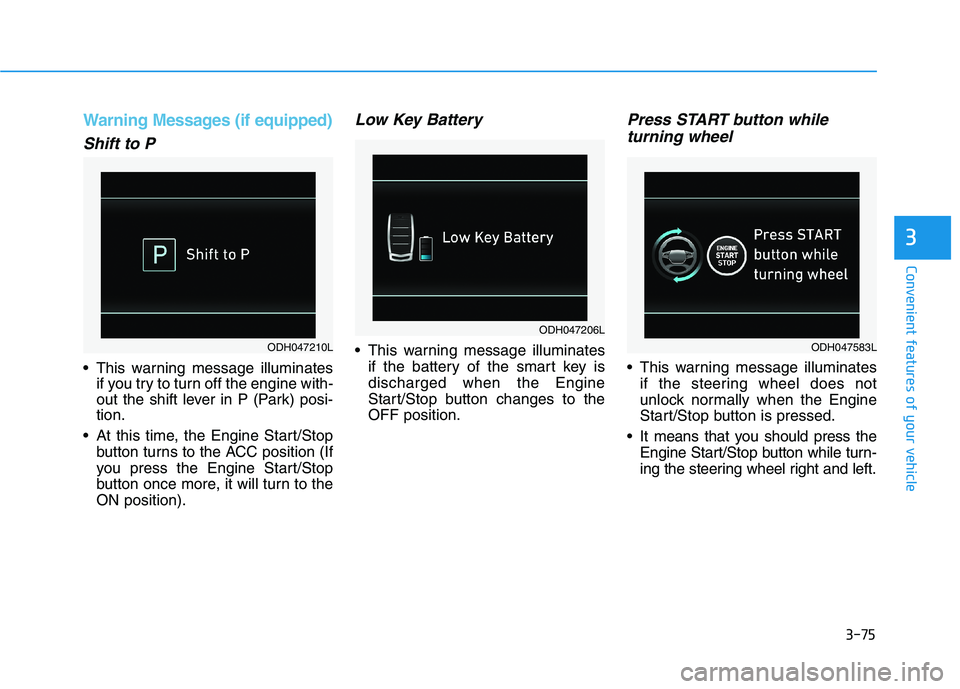
Shift to P
This warning message illuminates
if you try to turn off the engine with-
out the shift lever in P (Park) posi-
tion.
At this time, the Engine Start/Stop
button turns to the ACC position (If
you press the Engine Start/Stop
button once more, it will turn to the
ON position).
Low Key Battery
This warning message illuminates
if the battery of the smart key is
discharged when the Engine
Start/Stop button changes to the
OFF position.
Press START button while
turning wheel
This warning message illuminates
if the steering wheel does not
unlock normally when the Engine
Start/Stop button is pressed.
It means that you should press the
Engine Start/Stop button while turn-
ing the steering wheel right and left.
ODH047206L
ODH047210LODH047583L
Page 175 of 516
3-87
Convenient features of your vehicle
3
The trip computer is a microcomput-
er-controlled driver information sys-
tem that displays information related
to driving.
✽ ✽
NOTICE
Some driving information stored in
the trip computer (for example
Average Vehicle Speed) resets if the
battery is disconnected.
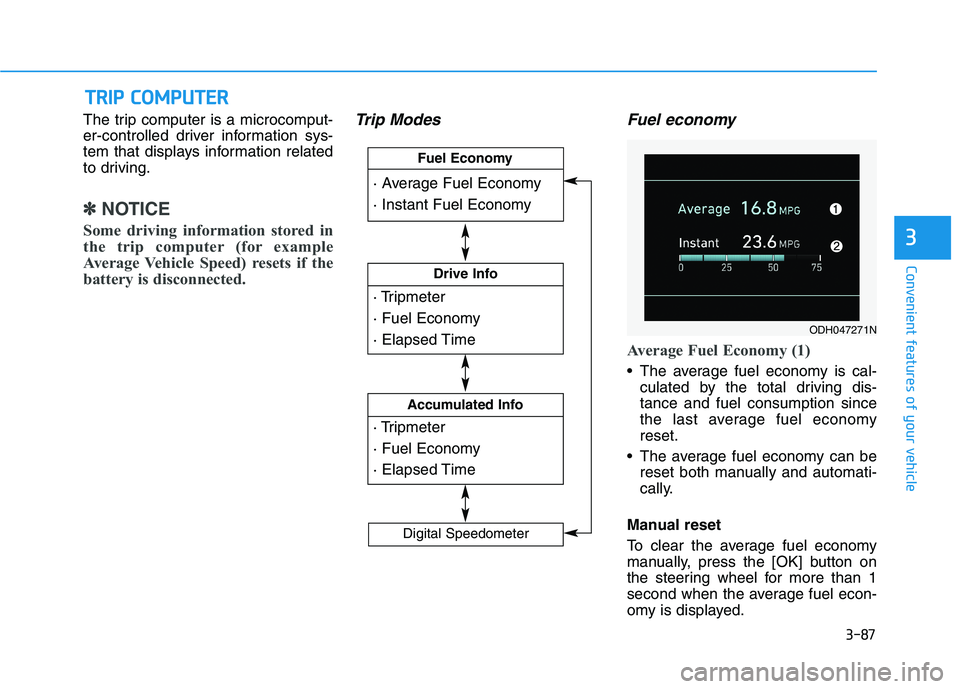
Trip Modes Fuel economy
Average Fuel Economy (1)
The average fuel economy is cal-
culated by the total driving dis-
tance and fuel consumption since
the last average fuel economy
reset.
The average fuel economy can be
reset both manually and automati-
cally.
Manual reset
To clear the average fuel economy
manually, press the [OK] button on
the steering wheel for more than 1
second when the average fuel econ-
omy is displayed.
T TR
RI
IP
P
C
CO
OM
MP
PU
UT
TE
ER
R
· Tripmeter
· Fuel Economy
· Elapsed Time
Drive Info
· Tripmeter
· Fuel Economy
· Elapsed Time
Accumulated Info
· Average Fuel Economy
· Instant Fuel Economy
Fuel Economy
Digital Speedometer
ODH047271N
Page 182 of 516
3-94
Convenient features of your vehicle
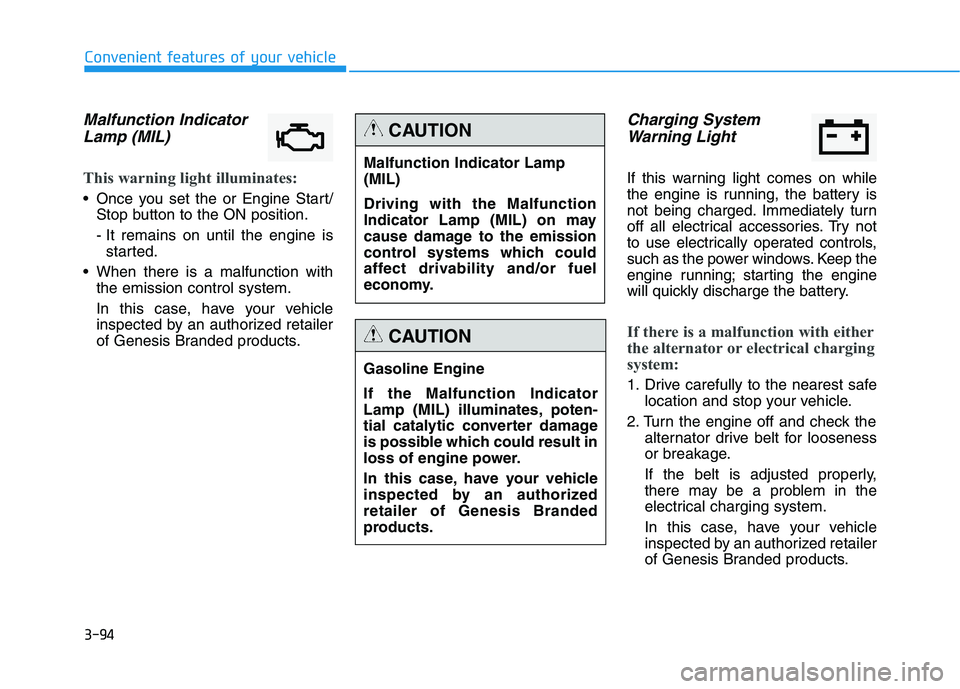
Malfunction Indicator
Lamp (MIL)
This warning light illuminates:
Once you set the or Engine Start/
Stop button to the ON position.
- It remains on until the engine is
started.
When there is a malfunction with
the emission control system.
In this case, have your vehicle
inspected by an authorized retailer
of Genesis Branded products.
Charging System
Warning Light
If this warning light comes on while
the engine is running, the battery is
not being charged. Immediately turn
off all electrical accessories. Try not
to use electrically operated controls,
such as the power windows. Keep the
engine running; starting the engine
will quickly discharge the battery.
If there is a malfunction with either
the alternator or electrical charging
system:
1. Drive carefully to the nearest safe
location and stop your vehicle.
2. Turn the engine off and check the
alternator drive belt for looseness
or breakage.
If the belt is adjusted properly,
there may be a problem in the
electrical charging system.
In this case, have your vehicle
inspected by an authorized retailer
of Genesis Branded products.
Malfunction Indicator Lamp
(MIL)
Driving with the Malfunction
Indicator Lamp (MIL) on may
cause damage to the emission
control systems which could
affect drivability and/or fuel
economy.
CAUTION
Gasoline Engine
If the Malfunction Indicator
Lamp (MIL) illuminates, poten-
tial catalytic converter damage
is possible which could result in
loss of engine power.
In this case, have your vehicle
inspected by an authorized
retailer of Genesis Branded
products.
CAUTION
Page 187 of 516
3-99
Convenient features of your vehicle
3
This indicator light illuminates for
2 seconds and goes off:
When the vehicle can not detect
the smart key which is in the vehi-
cle while the Engine Start/Stop
button is ON.
In this case, have your vehicle
inspected by an authorized retailer
of Genesis Branded products.
This indicator light blinks:
When the battery of the smart key
is weak.
- At this time, you can not start the
engine. However, you can start the
engine if you press the Engine
Start/Stop button with the smart
key.(For more details, refer to
"Starting the Engine" in chapter
5).
When there is a malfunction with
the immobilizer system.
In this case, have your vehicle
inspected by an authorized retailer
of Genesis Branded products.
Turn Signal Indicator
Light
This indicator light blinks:
When you turn the turn signal light
on.
If any of the following occurs, there
may a malfunction with the turn sig-
nal system. In this case, have your
vehicle inspected by an authorized
retailer of Genesis Branded prod-
ucts.
- The indicator light does not blink
but illuminates.
- The indicator light blinks more
rapidly.
- The indicator light does not illumi-
nate at all.
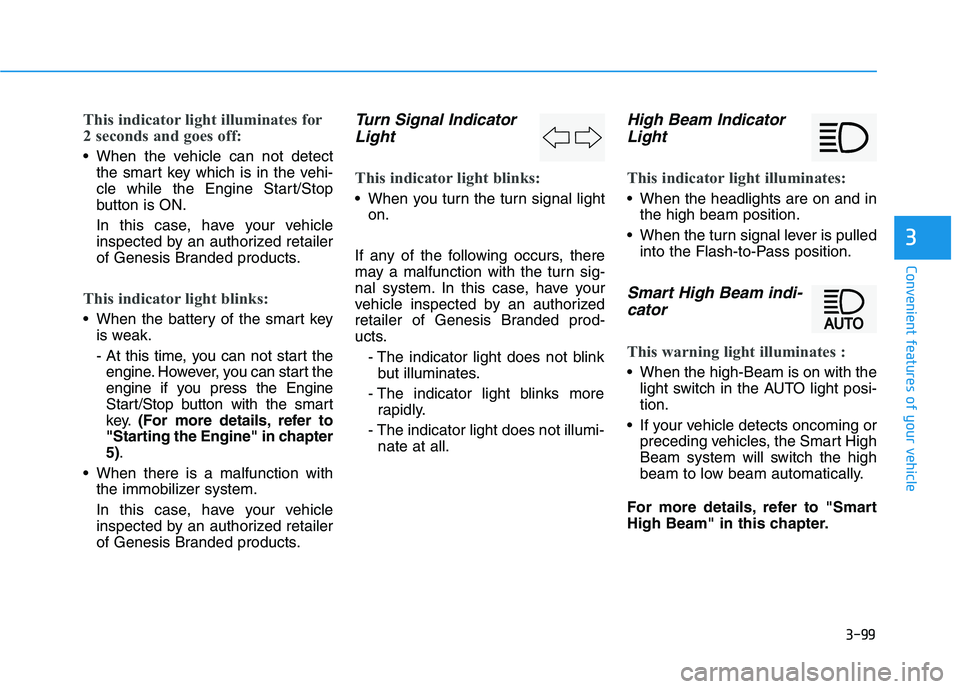
High Beam Indicator
Light
This indicator light illuminates:
When the headlights are on and in
the high beam position.
When the turn signal lever is pulled
into the Flash-to-Pass position.
Smart High Beam indi-
cator
This warning light illuminates :
When the high-Beam is on with the
light switch in the AUTO light posi-
tion.
If your vehicle detects oncoming or
preceding vehicles, the Smart High
Beam system will switch the high
beam to low beam automatically.
For more details, refer to "Smart
High Beam" in this chapter.
Page 200 of 516
3-112
Convenient features of your vehicle
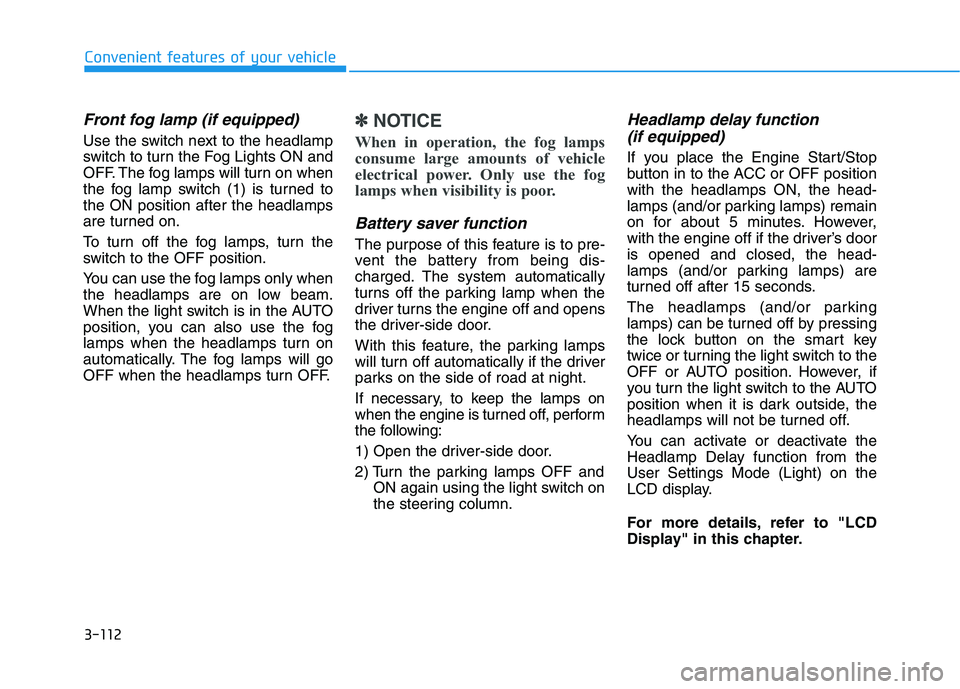
Front fog lamp (if equipped)
Use the switch next to the headlamp
switch to turn the Fog Lights ON and
OFF. The fog lamps will turn on when
the fog lamp switch (1) is turned to
the ON position after the headlamps
are turned on.
To turn off the fog lamps, turn the
switch to the OFF position.
You can use the fog lamps only when
the headlamps are on low beam.
When the light switch is in the AUTO
position, you can also use the fog
lamps when the headlamps turn on
automatically. The fog lamps will go
OFF when the headlamps turn OFF.
✽ ✽
NOTICE
When in operation, the fog lamps
consume large amounts of vehicle
electrical power. Only use the fog
lamps when visibility is poor.
Battery saver function
The purpose of this feature is to pre-
vent the battery from being dis-
charged. The system automatically
turns off the parking lamp when the
driver turns the engine off and opens
the driver-side door.
With this feature, the parking lamps
will turn off automatically if the driver
parks on the side of road at night.
If necessary, to keep the lamps on
when the engine is turned off, perform
the following:
1) Open the driver-side door.
2) Turn the parking lamps OFF and
ON again using the light switch on
the steering column.
Headlamp delay function
(if equipped)
If you place the Engine Start/Stop
button in to the ACC or OFF position
with the headlamps ON, the head-
lamps (and/or parking lamps) remain
on for about 5 minutes. However,
with the engine off if the driver’s door
is opened and closed, the head-
lamps (and/or parking lamps) are
turned off after 15 seconds.
The headlamps (and/or parking
lamps) can be turned off by pressing
the lock button on the smart key
twice or turning the light switch to the
OFF or AUTO position. However, if
you turn the light switch to the AUTO
position when it is dark outside, the
headlamps will not be turned off.
You can activate or deactivate the
Headlamp Delay function from the
User Settings Mode (Light) on the
LCD display.
For more details, refer to "LCD
Display" in this chapter.
Page 201 of 516

3-113
Convenient features of your vehicle
3
✽ ✽
NOTICE
If the driver gets out of the vehicle
through other doors (except driver's
door), the battery saver function
does not operate and the headlamp
delay function does not turn off
automatically. Therefore, It causes
the battery to be discharged. In this
case, make sure to turn off the lamp
before getting out of the vehicle.
AFLS (Adaptive Front Lighting
System) a.k.a. DBL (Dynamic
Bending Light)
Adaptive front lighting system uses
the steering angle and vehicle
speed, to keep your field of vision
wide by swiveling and leveling the
headlamp.
Change the switch to the AUTO posi-
tion when the engine is running. The
adaptive front lighting system will
operate when the headlamp is ON.
To turn off the AFLS, change the
switch to other positions. After turn-
ing the AFLS off, headlamp swiveling
no longer occurs, but leveling oper-
ates continuously.If the AFLS malfunction indicator
comes on, the AFLS is not working
properly. Drive to the nearest safe
location and restart the engine. If the
indicator continuously remains on,
we recommend that the system be
checked by an authorized retailer of
Genesis Branded products.
ODH047567
Page 226 of 516
3-138
Convenient features of your vehicle
Adjusting temperature and mode
of the driver & passenger side
individually (Type B)
Press the "SYNC" button again to
adjust the temperature and mode
of the driver & passenger side indi-
vidually. The illumination of button
turns off.
Operate the driver side tempera-
ture control knob to adjust the driv-
er side temperature.
Operate the driver side mode
selection button to adjust the direc-
tion of the driver side air flow.
Operate the passenger side tem-
perature control knob to adjust the
passenger side temperature.
Operate the passenger side mode
selection button to adjust the direc-
tion of the passenger side air flow.
Temperature conversion
If the battery has been discharged or
disconnected, the temperature mode
display will reset to Fahrenheit.
This is a normal condition. You can
switch the temperature mode
between Centigrade to Fahrenheit as
follows;
- Automatic climate control system
While pressing the OFF button,
depress the AUTO button for 3 sec-
onds or more. The display will
change from Centigrade to
Fahrenheit, or from Fahrenheit to
Centigrade.
- "User Setting mode" in the cluster :
You can change the temperature
unit in the "Other features –
Temperature unit".
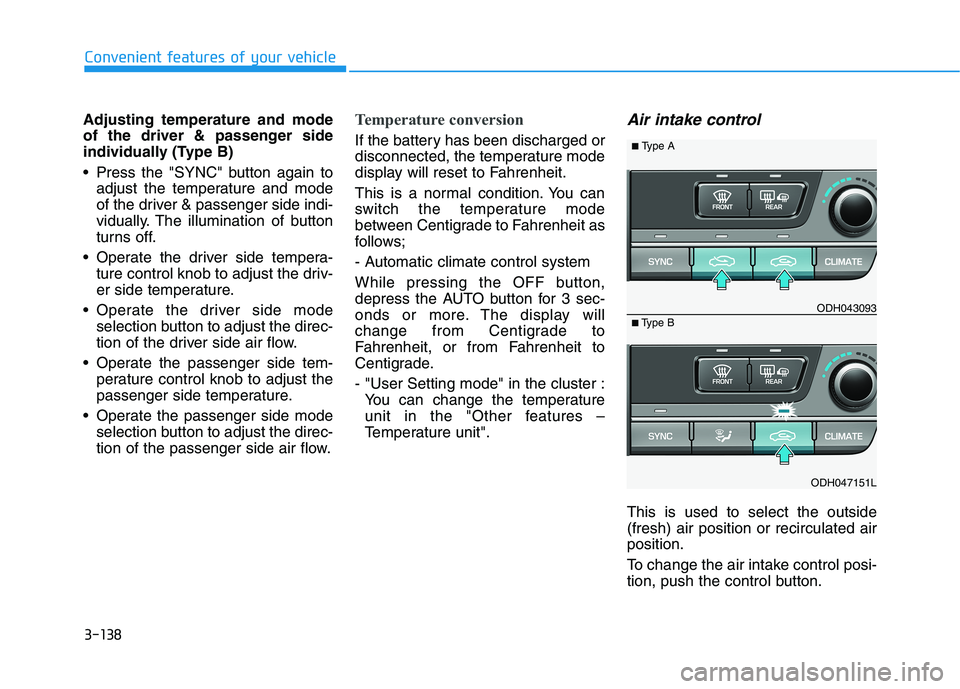
Air intake control
This is used to select the outside
(fresh) air position or recirculated air
position.
To change the air intake control posi-
tion, push the control button.
ODH047151L
■Type BODH043093
■Type A
Page 236 of 516
3-148
Convenient features of your vehicle
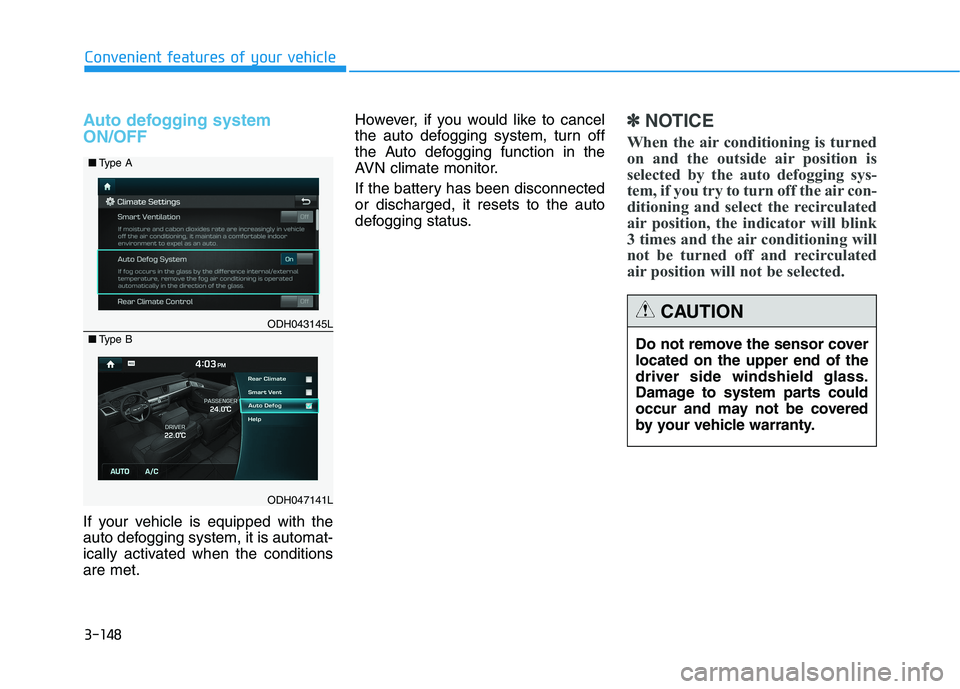
Auto defogging system
ON/OFF
If your vehicle is equipped with the
auto defogging system, it is automat-
ically activated when the conditions
are met.However, if you would like to cancel
the auto defogging system, turn off
the Auto defogging function in the
AVN climate monitor.
If the battery has been disconnected
or discharged, it resets to the auto
defogging status.
✽ ✽
NOTICE
When the air conditioning is turned
on and the outside air position is
selected by the auto defogging sys-
tem, if you try to turn off the air con-
ditioning and select the recirculated
air position, the indicator will blink
3 times and the air conditioning will
not be turned off and recirculated
air position will not be selected.
ODH043145L
ODH047141L ■Type A
■Type B
Do not remove the sensor cover
located on the upper end of the
driver side windshield glass.
Damage to system parts could
occur and may not be covered
by your vehicle warranty.
CAUTION
Page 245 of 516
3-157
Convenient features of your vehicle
3
Avoid electrical shocks. Do not
place your fingers or foreign
objects (pin, etc.) into a power
outlet or touch the power outlet
with a wet hand.
WARNING
To prevent damage to the Power
Outlets :
Use the power outlet only when
the engine is running and
remove the accessory plug
after use. Using the accessory
plug for prolonged periods of
time with the engine off could
cause the battery to discharge.
Only use 12V electric acces-
sories which are less than 180
W(Watt) in electric capacity.
Adjust the air-conditioner or
heater to the lowest operating
level when using the power
outlet.
Close the cover when not in
use.
(Continued)
(Continued)
Some electronic devices can
cause electronic interference
when plugged into a vehicle’s
power outlet. These devices
may cause excessive audio
static and malfunctions in
other electronic systems or
devices used in your vehicle.
Push the plug in as far as it
will go. If good contact is not
made, the plug may overheat
and the fuse may open.
Plug in battery equipped elec-
trical/electronic devices with
reverse current protection. The
current from the battery may
flow into the vehicle's electri-
cal/electronic system and
cause system malfunction.
CAUTION
Page 262 of 516
5-7
Driving your vehicle
5
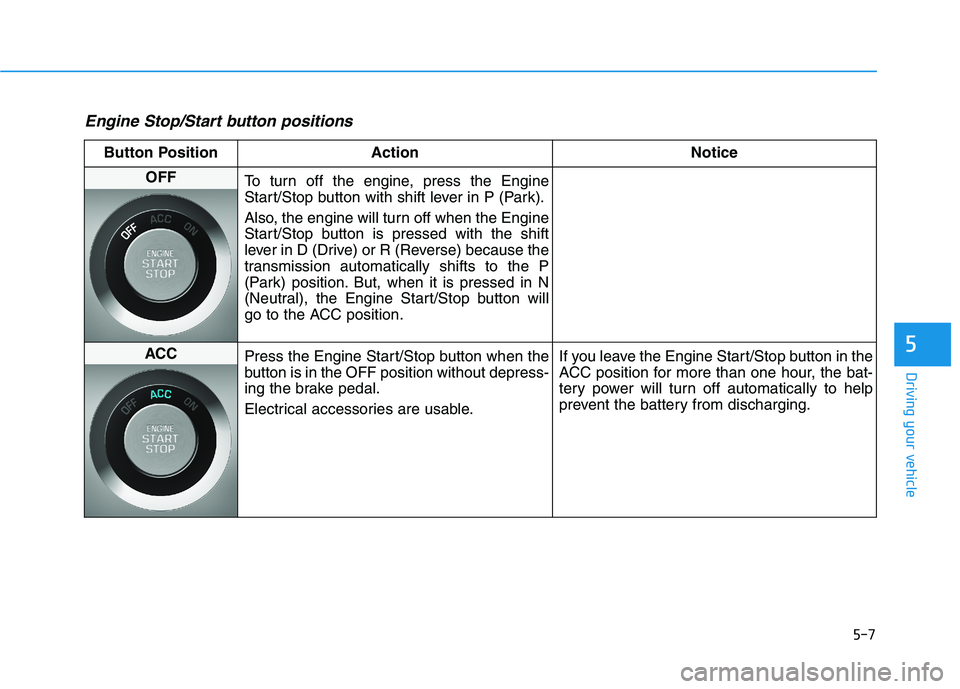
Engine Stop/Start button positions
Button Position Action Notice
OFF
To turn off the engine, press the Engine
Start/Stop button with shift lever in P (Park).
Also, the engine will turn off when the Engine
Start/Stop button is pressed with the shift
lever in D (Drive) or R (Reverse) because the
transmission automatically shifts to the P
(Park) position. But, when it is pressed in N
(Neutral), the Engine Start/Stop button will
go to the ACC position.
ACC
Press the Engine Start/Stop button when the
button is in the OFF position without depress-
ing the brake pedal.
Electrical accessories are usable.If you leave the Engine Start/Stop button in the
ACC position for more than one hour, the bat-
tery power will turn off automatically to help
prevent the battery from discharging.