transmission HYUNDAI GENESIS G90 2016 User Guide
[x] Cancel search | Manufacturer: HYUNDAI, Model Year: 2016, Model line: GENESIS G90, Model: HYUNDAI GENESIS G90 2016Pages: 538, PDF Size: 13.02 MB
Page 268 of 538
5-16
Driving your vehicle
LCD Display Messages
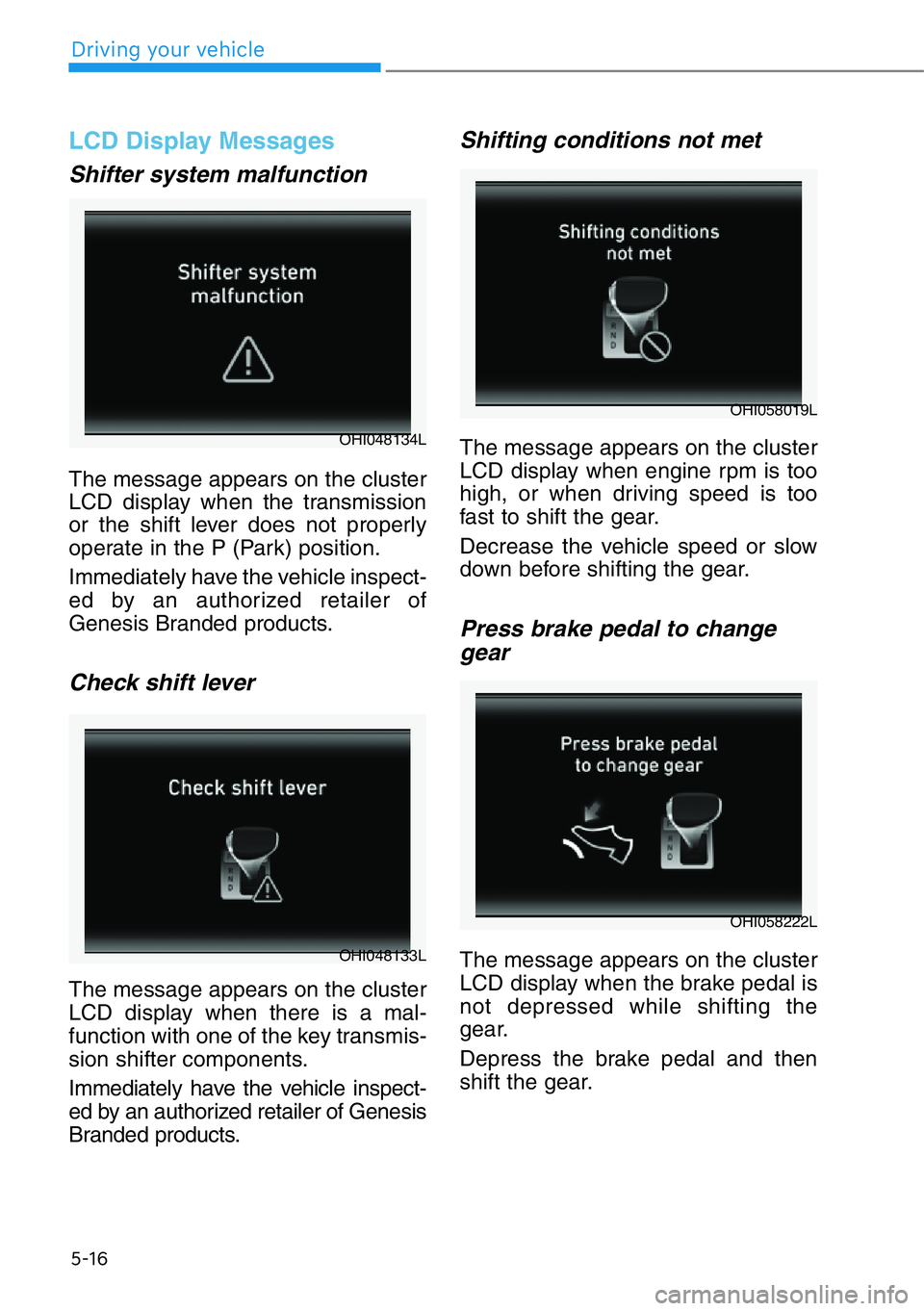
Shifter system malfunction
The message appears on the cluster
LCD display when the transmission
or the shift lever does not properly
operate in the P (Park) position.
Immediately have the vehicle inspect-
ed by an authorized retailer of
Genesis Branded products.
Check shift lever
The message appears on the cluster
LCD display when there is a mal-
function with one of the key transmis-
sion shifter components.
Immediately have the vehicle inspect-
ed by an authorized retailer of Genesis
Branded products.
Shifting conditions not met
The message appears on the cluster
LCD display when engine rpm is too
high, or when driving speed is too
fast to shift the gear.
Decrease the vehicle speed or slow
down before shifting the gear.
Press brake pedal to change
gear
The message appears on the cluster
LCD display when the brake pedal is
not depressed while shifting the
gear.
Depress the brake pedal and then
shift the gear.
OHI048134L
OHI058019L
OHI058222L
OHI048133L
Page 272 of 538
Information - Kickdown
Mechanism
Use the kickdown mechanism for
maximum acceleration. Depress the
accelerator pedal beyond the pressure
point. The automatic transmission will
shift to a lower gear depending on the
engine speed. i
5-20
Driving your vehicle
To reduce the risk of SERIOUS
INJURY or DEATH:
• ALWAYS wear your seat belt.
In a collision, an unbelted
occupant is significantly more
likely to be seriously injured
or killed than a properly belt-
ed occupant.
• Avoid high speeds when cor-
nering or turning.
• Do not make quick steering
wheel movements, such as
sharp lane changes or fast,
sharp turns.
• The risk of rollover is greatly
increased if you lose control
of your vehicle at highway
speeds.
• Loss of control often occurs if
two or more wheels drop off
the roadway and the driver
over steers to reenter the
roadway.
• In the event your vehicle
leaves the roadway, do not
steer sharply. Instead, slow
down before pulling back into
the travel lanes.
• Genesis Branded Vehicle rec-
ommends you follow all post-
ed speed limits.
WARNING
Page 293 of 538
Driving in sand or mud
• Maintain slow and constant speed.
• Keep sufficient distance between
your vehicle and the vehicle in front
of you.
• Reduce vehicle speed and always
check the road condition.
• Avoid speeding, rapid acceleration,
sudden brake applications, and
sharp turns to prevent getting
stuck.
When the vehicle is stuck in snow,
sand or mud, avoid running the
engine continuously at high rpm,
doing so may damage the tires,
transmission, differential or AWD
system.
Information
• When using Snow Tires, mount
them on all four wheels.
• When using AutoSock
®(fabric snow
chain), install them on the rear tires.
For more information on Snow Tires
and Tire Chains, refer to "Winter
Driving" in this chapter.
Driving up or down hills
• Driving uphill
- Before starting off, check if it is
possible to drive uphill.
- Drive as straight as possible.
• Driving downhill
- Do not change gear while driving
downhill. Select gear before driv-
ing downhill.
- Drive slowly and select Manual
Shift Mode to provide engine
braking while driving downhill.
- Drive straight as possible.
i
NOTICE
5-41
05
Exercise extreme caution driv-
ing up or down steep hills. The
vehicle may flip depending on
the grade, terrain and water/
mud conditions.
WARNING
Page 298 of 538
5-46
Driving your vehicle
ECO mode
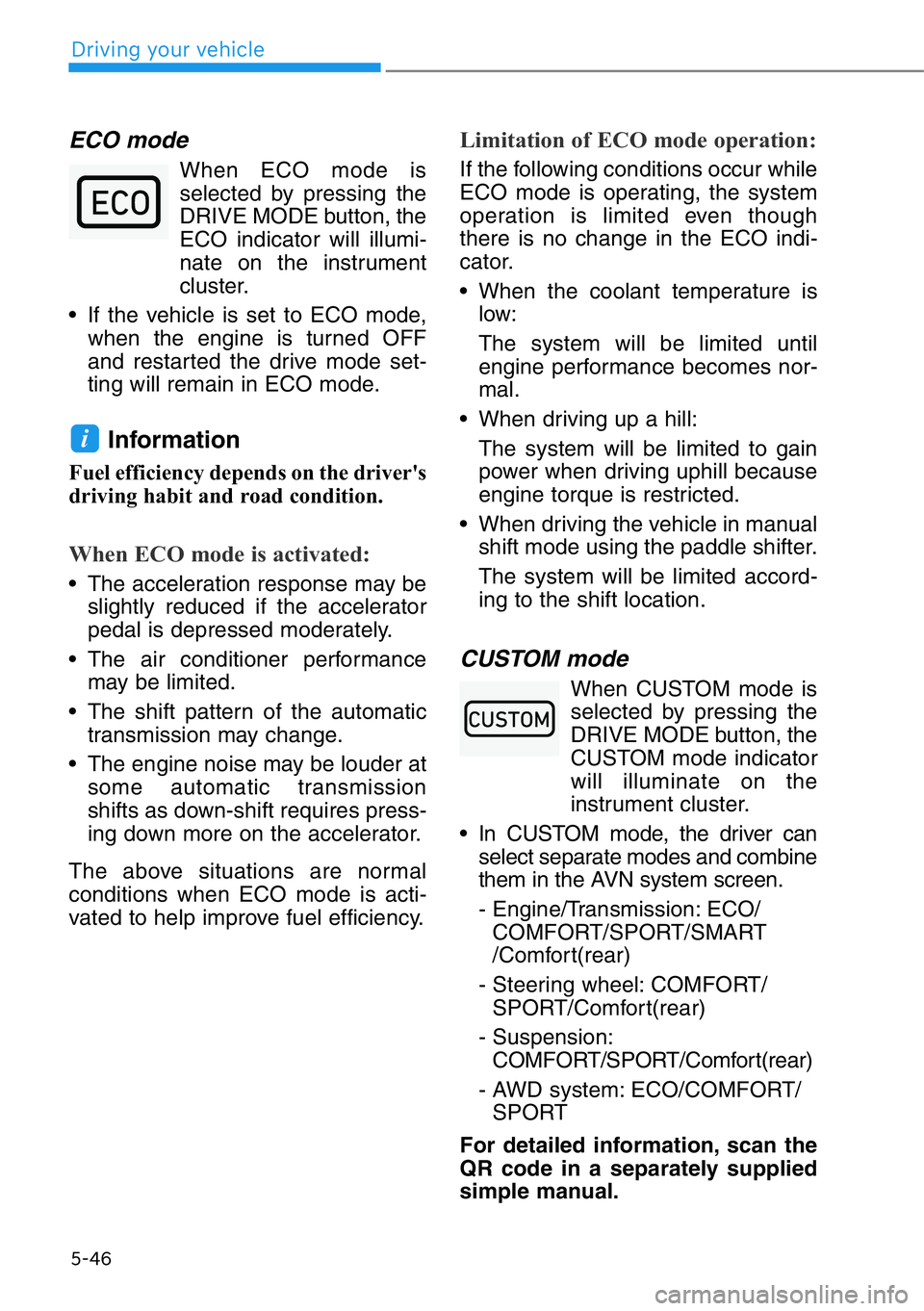
When ECO mode is
selected by pressing the
DRIVE MODE button, the
ECO indicator will illumi-
nate on the instrument
cluster.
• If the vehicle is set to ECO mode,
when the engine is turned OFF
and restarted the drive mode set-
ting will remain in ECO mode.
Information
Fuel efficiency depends on the driver's
driving habit and road condition.
When ECO mode is activated:
• The acceleration response may be
slightly reduced if the accelerator
pedal is depressed moderately.
• The air conditioner performance
may be limited.
• The shift pattern of the automatic
transmission may change.
• The engine noise may be louder at
some automatic transmission
shifts as down-shift requires press-
ing down more on the accelerator.
The above situations are normal
conditions when ECO mode is acti-
vated to help improve fuel efficiency.
Limitation of ECO mode operation:
If the following conditions occur while
ECO mode is operating, the system
operation is limited even though
there is no change in the ECO indi-
cator.
• When the coolant temperature is
low:
The system will be limited until
engine performance becomes nor-
mal.
• When driving up a hill:
The system will be limited to gain
power when driving uphill because
engine torque is restricted.
• When driving the vehicle in manual
shift mode using the paddle shifter.
The system will be limited accord-
ing to the shift location.
CUSTOM mode
When CUSTOM mode is
selected by pressing the
DRIVE MODE button, the
CUSTOM mode indicator
will illuminate on the
instrument cluster.
• In CUSTOM mode, the driver can
select separate modes and combine
them in the AVN system screen.
- Engine/Transmission: ECO/
COMFORT/SPORT/SMART
/Comfort(rear)
- Steering wheel: COMFORT/
SPORT/Comfort(rear)
- Suspension:
COMFORT/SPORT/Comfort(rear)
- AWD system: ECO/COMFORT/
SPORT
For detailed information, scan the
QR code in a separately supplied
simple manual.
i
Page 300 of 538
5-48
Driving your vehicle
• Limitation of SMART mode
The SMART mode may be limited
in following situations. (The OFF
indicator illuminates in those situa-
tions.)
- The driver manually moves the
shift lever :
It deactivates SMART mode. The
vehicle drives, as the driver man-
ually moves the shift lever.
- The cruise control is activated :
The cruise control system may
deactivate the SMART mode
when the vehicle is controlled by
the set speed of the smart cruise
control system. (SMART mode is
not deactivated just by activating
the cruise control system.)
- The transmission oil temperature
is either extremely low or
extremely high :
The SMART mode can be active
in most of the normal driving situ-
ations. However, an extremely
high/ low transmission oil temper-
ature may temporarily deactivate
the SMART mode, because the
transmission condition is out of
normal operation condition.
When Comfort(rear) is selected for
CUSTOM mode
The Comfort (rear) mode is a mode
that adjusts to minimize the discom-
fort of the rear passengers by provid-
ing a smooth and stable ride through
the adjustment of the suspension,
engine/transmission, and steering.
• To use Comfort(rear) mode, select
[Settings →Vehicle →Drive mode
→CUSTOM →POWER
TRAIN/STEERING/SUSPENSION
MODE →COMFORT] menu on
the navigation screen.
Page 301 of 538
When certain conditions are met, the
engine is automatically decoupled
from the transmission while the shift
lever is remained in D (Drive). In this
Coasting mode, the engine stays at
idling speed to reduce fuel consump-
tion and increase coasting distance.
Coasting Setting
The Coasting function must be
turned ON from the Settings menu in
the AVN system screen. Select:
- Setup →Vehicle Settings →Drive
Mode →Coasting
For detailed information, scan the
QR code in a separately supplied
simple manual.
When Coasting is turned ON and the
conditions are met, the function
operates with a "Coasting" message
illuminated at the top center of the
instrument cluster.
• If the accelerator pedal is
pressed quickly for accelerating
with the Coasting function in
operation, acceleration may
occur after the engagement of
the clutch inside the transmis-
sion. In turn, the driver may con-
tinue to feel acceleration even
after the system is turned off.
• Driving with the Coasting func-
tion off may be required in some
cases since the engine brake is
not applied while the Coasting
function is in operation.
• Operating the AVN system
screen to activate or deactivate
the Coasting function while driv-
ing may be dangerous as the dri-
ver's attention is dispersed.
Coasting Operating
Conditions
The Coasting function will operate
when the accelerator pedal is
depressed and released under the
following conditions.
• The driving mode is ECO mode.
• SMART is selected for Engine/
Transmission in CUSTOM mode
from the AVN system screen and
driver acceleration is SMART ECO
• ECO is selected for Engine/
Transmission in CUSTOM mode
from the AVN system screen
• The shift lever is in D (Drive)
• The Smart Cruise Control button is
OFF
• The accelerator or brake pedal is
not depressed
• The vehicle's speed is within
35–100 mph (55–160 km/h) range
• The road gradient is within -5~+5%
range
• In SMART mode, if the distance
between the vehicle ahead and the
relative speed is within a certain
range
Information
• If the front radar for smart cruise
control system cannot operate nor-
mally, the inter-vehicle distance and
relative speed condition are auto-
matically ignored.
• The Coasting function works after
the engine is turned on, the trans-
mission is warmed up, and the
engine sensor self-diagnosis is com-
pleted after starting.
• Depending on the driving situation,
Coasting operation may be tem-
porarily delayed even if the above
conditions are met.
i
NOTICE
COASTING (IF EQUIPPED)
5-49
05
Page 302 of 538
Coasting Release Conditions
The Coasting function will be auto-
matically released when the follow-
ing conditions are met.
• The driving mode is COMFORT or
SPORT mode.
• SMART is selected for Engine/
Transmission in CUSTOM mode
from the AVN system screen and
driver acceleration is SMART
COMFORT or SMART SPORT
• The Smart Cruise Control button is
ON (the cruise indicator is ON)
• The vehicle's speed exceeds
35–100 mph (55–160 km/h) range
• The road gradient is under -5% or
over +5%
• If the distance between the vehicle
ahead is too close or the relative
speed changes momentarily in
SMART mode.
• If lane change is predicated in
SMART mode (e.g. the turn signal
is turned ON or a LKA warning
appears due to steering wheel
control, etc.)
Information
It is recommended to turn off the
Coasting function if you are driving
under frequently stop-and-go condi-
tion. Change the Drive Mode to COM-
FORT or SPORT mode or deselect
Coasting from the AVN system screen.
i
5-50
Driving your vehicle
Page 402 of 538
5-150
Driving your vehicle
Hazardous Driving Conditions
When hazardous driving elements
are encountered such as water,
snow, ice, mud and sand, take the
below suggestions:
• Drive cautiously and keep a longer
braking distance.
• Avoid abrupt braking or steering.
• When your vehicle is stuck in snow,
mud, or sand, use second gear.
Accelerate slowly to avoid unnec-
essary wheel spin.
• Put sand, rock salt, tire chains or
other non-slip materials under the
wheels to provide additional trac-
tion while the vehicle becomes
stuck in ice, snow, or mud.
Rocking the Vehicle
If it is necessary to rock the vehicle
to free it from snow, sand, or mud,
first turn the steering wheel right and
left to clear the area around your
front wheels. Then, shift back and
forth between R (Reverse) and a for-
ward gear.
Try to avoid spinning the wheels, and
do not race the engine.
To prevent transmission wear, wait
until the wheels stop spinning before
shifting gears. Release the accelera-
tor pedal while shifting, and press
lightly on the accelerator pedal while
the transmission is in gear. Slowly
spinning the wheels in forward and
reverse directions causes a rocking
motion that may free the vehicle.
SPECIAL DRIVING CONDITIONS
Downshifting with an automatic
transmission while driving on
slippery surfaces can cause an
accident. The sudden change in
tire speed could cause the tires
to skid. Be careful when down-
shifting on slippery surfaces.
WARNING
If the vehicle is stuck and
excessive wheel spin occurs,
the temperature in the tires can
increase very quickly. If the tires
become damaged, a tire blow
out or tire explosion can occur.
This condition is dangerous -
you and others may be injured.
Do not attempt this procedure if
people or objects are anywhere
near the vehicle.
If you attempt to free the vehi-
cle, the vehicle can overheat
quickly, possibly causing an
engine compartment fire or
other damage. Try to avoid spin-
ning the wheels as much as
possible to prevent overheating
of either the tires or the engine.
DO NOT allow the vehicle to
spin the wheels above 35 mph
(56 km/h).
WARNING
Page 403 of 538
5-151
05
Information
The ESC system must be turned OFF
before rocking the vehicle.
If you are still stuck after rocking
the vehicle a few times, have the
vehicle pulled out by a tow vehicle
to avoid engine overheating, pos-
sible damage to the transmission,
and tire damage. See "Towing" in
chapter 6.
Smooth Cornering
Avoid braking or gear changing in
corners, especially when roads are
wet. Ideally, corners should always
be taken under gentle acceleration.
Driving at Night
Night driving presents more hazards
than driving in the daylight. Here are
some important tips to remember:
• Slow down and keep more dis-
tance between you and other vehi-
cles, as it may be more difficult to
see at night, especially in areas
where there may not be any street
lights.
• Adjust your mirrors to reduce the
glare from other driver's head-
lamps.
• Keep your headlamps clean and
properly aimed. Dirty or improperly
aimed headlamps will make it
much more difficult to see at night.
• Avoid staring directly at the head-
lamps of oncoming vehicles. You
could be temporarily blinded, and it
will take several seconds for your
eyes to readjust to the darkness.
Driving in the Rain
Rain and wet roads can make driving
dangerous. Here are a few things to
consider when driving in the rain or
on slick pavement:
• Slow down and allow extra follow-
ing distance. A heavy rainfall
makes it harder to see and increas-
es the distance needed to stop
your vehicle.
• Turn OFF your Cruise Control.
• Replace your windshield wiper
blades when they show signs of
streaking or missing areas on the
windshield.
• Be sure your tires have enough
tread. If your tires do not have
enough tread, making a quick stop
on wet pavement can cause a skid
and possibly lead to an accident.
See "Tire Replacement" in chap-
ter 7.
• Turn on your headlamps to make it
easier for others to see you.
• Driving too fast through large pud-
dles can affect your brakes. If you
must go through puddles, try to
drive through them slowly.
• If you believe your brakes may be
wet, apply them lightly while driv-
ing until normal braking operation
returns.
Hydroplaning
If the road is wet enough and you are
going fast enough, your vehicle may
have little or no contact with the road
surface and actually ride on the
water. The best advice is SLOW
DOWN when the road is wet.
The risk of hydroplaning increases
as the depth of tire tread decreas-
es, refer to "Tire Replacement" in
chapter 7.
NOTICE
i
Page 420 of 538
6-6
What to do in an emergency
9. Connect the second jumper cable
to the black, negative (-) battery/
chassis ground of the assisting
vehicle (3).
10. Connect the other end of the sec-
ond jumper cable to the black,
negative (-) chassis ground of
your vehicle (4).
Do not allow the jumper cables to
contact anything except the cor-
rect battery or jumper terminals
or the correct ground. Do not
lean over the battery when mak-
ing connections.
11. Start the engine of the assisting
vehicle and let it run at approxi-
mately 2,000 rpm for a few min-
utes. Then start your vehicle.
12. Keep your vehicle operating for at
least 30 minutes at idle or driving
to assure your battery receives
enough charge to be able to start
on its own after the vehicle is
shut off. A complete dead battery
may require as long as 60 min-
utes runtime to fully recharge it. If
vehicle is run for less, the battery
may not restart. If you continue to
have problem, have your author-
ized retailer of Genesis Branded
products test the battery.
If your vehicle will not start after a
few attempts, it probably requires
servicing. In this event please seek
qualified assistance. If the cause of
your battery discharging is not
apparent, have your vehicle checked
by an authorized retailer of Genesis
Branded products.Disconnect the jumper cables in the
exact reverse order you connected
them:
1. Disconnect the jumper cable from
the black, negative (-) chassis
ground of your vehicle (4).
2. Disconnect the other end of the
jumper cable from the black, neg-
ative (-) battery/chassis ground of
the assisting vehicle (3).
3. Disconnect the second jumper
cable from the red, positive (+)
battery/jumper terminal of the
assisting vehicle (2).
4. Disconnect the other end of the
jumper cable from the red, positive
(+) jumper terminal of your vehicle
(1).
Push-Starting
Vehicles equipped with automatic
transmission cannot be push-start-
ed.
Follow the directions in this chapter
for jump-starting.