timing HYUNDAI GENESIS G90 2016 Owners Manual
[x] Cancel search | Manufacturer: HYUNDAI, Model Year: 2016, Model line: GENESIS G90, Model: HYUNDAI GENESIS G90 2016Pages: 538, PDF Size: 13.02 MB
Page 304 of 538
• The warning light illu-
minates on the instru-
ment cluster, when you
cancel the FCA system.
The driver can monitor the FCA
ON/OFF status in the instrument
cluster. Also, the warning light illu-
minates when the ESC (Electronic
Stability Control) is turned off. If the
warning light remains ON when the
FCA is activated, have the system
checked by an authorized retailer
of Genesis Branded products.
• Selecting Warning Timing
The diver can select the initial
warning activation time from the
Settings menu in the AVN system
screen. Select:
- Setup →Vehicle Settings →
Driver Assistance →Warning
Timing →Normal / Late
For detailed information, scan
the QR code in a separately sup-
plied simple manual.The options for the initial Forward
Collision Warning includes the fol-
lowing:
- Normal:
When this option is selected, the
initial Forward Collision Warning is
activated sensitively. If you feel the
warning activates too early, set the
Forward Collision Warning to
'Late'.
Even though, 'Normal' is selected if
the front vehicle suddenly stops
the initial warning activation time
may not seem fast.
- Late:
When this option is selected, the
initial Forward Collision Warning is
activated later than normal. This
setting reduces the amount of dis-
tance between the vehicle, pedes-
trian or cyclist (if equipped) ahead
before the initial warning occurs.
Select 'Late' when traffic is light
and when driving speed is slow.
When you accelerate suddenly to
the vehicle ahead, the warning
may seem to activate earlier even if
'Late' is selected.
Information
If you change the warning timing, the
warning time of other systems may
change.
i
5-52
Driving your vehicle
Page 322 of 538
5-70
Driving your vehicle
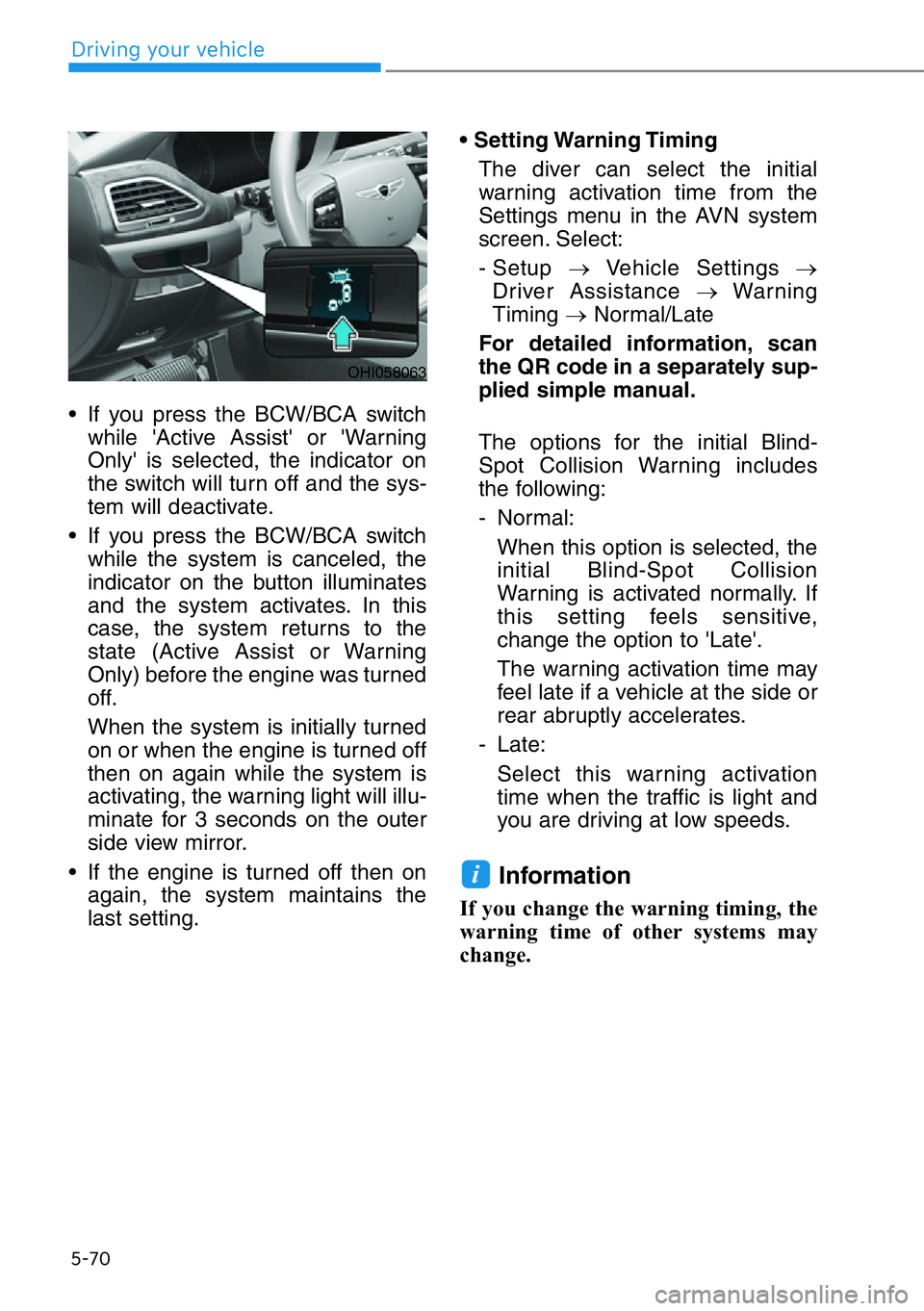
• If you press the BCW/BCA switch
while 'Active Assist' or 'Warning
Only' is selected, the indicator on
the switch will turn off and the sys-
tem will deactivate.
• If you press the BCW/BCA switch
while the system is canceled, the
indicator on the button illuminates
and the system activates. In this
case, the system returns to the
state (Active Assist or Warning
Only) before the engine was turned
off.
When the system is initially turned
on or when the engine is turned off
then on again while the system is
activating, the warning light will illu-
minate for 3 seconds on the outer
side view mirror.
• If the engine is turned off then on
again, the system maintains the
last setting.• Setting Warning Timing
The diver can select the initial
warning activation time from the
Settings menu in the AVN system
screen. Select:
- Setup →Vehicle Settings →
Driver Assistance →Warning
Timing →Normal/Late
For detailed information, scan
the QR code in a separately sup-
plied simple manual.
The options for the initial Blind-
Spot Collision Warning includes
the following:
- Normal:
When this option is selected, the
initial Blind-Spot Collision
Warning is activated normally. If
this setting feels sensitive,
change the option to 'Late'.
The warning activation time may
feel late if a vehicle at the side or
rear abruptly accelerates.
- Late:
Select this warning activation
time when the traffic is light and
you are driving at low speeds.
Information
If you change the warning timing, the
warning time of other systems may
change.
i
OHI058063
Page 335 of 538
5-83
05
System Setting and Operation
System setting
•Setting Rear Cross-Traffic
Safety function
The Rear Cross-Traffic Collision
Warning and Rear Cross-Traffic
Collision Avoidance-Assist can be
activated from the Settings menu
in the AVN system screen by fol-
lowing the procedure below.
1. Set the Engine Start/Stop button
to the ON or START position.
2. Select 'Setup →Vehicle Settings
→Driver Assistance →Parking
Safety →Rear Cross-Traffic
Safety' in the AVN system
screen.For detailed informa-
tion, scan the QR code in a
separately supplied simple
manual.
- RCCA and RCCW turn on and
are ready to be operated when
the 'Rear Cross-Traffic Safety' is
selected.
• When the engine is turned off then
on again, the systems will be ready
to be operated.
• When the system is initially turned
on and engine is turned off then on
again, the warning light will illumi-
nate for 3 seconds on the side view
mirror.•Setting Warning Timing
The diver can select the initial
warning activation time from the
Settings menu in the AVN system
screen. Select:
- Setup →Vehicle Settings →
Driver Assistance →Warning
Timing →Normal/Late
For detailed information, scan
the QR code in a separately sup-
plied simple manual.
The options for the initial Rear
Cross-Traffic Collision Warning
includes the following:
- Normal:
When this option is selected, the
initial Rear Cross-Traffic Collision
Warning is activated normally. If
this setting feels sensitive,
change the option to 'Late'.
The warning activation time may
feel late if the a vehicle at the side
or rear abruptly accelerates.
- Late:
Select this warning activation
time when the traffic is light and
you are driving at low speeds.
Information
If you change the warning timing, the
warning time of other systems may
change.
i
Page 397 of 538
The Driver Attention Warning system
displays the condition of the driver's
fatigue level and inattentive driving
practices.
System Setting and Operation
System setting
• Selecting Forward Safety func-
tion
The Driver Attention Warning can
be activated from the Settings
menu in the AVN system screen by
following the procedure below.
1. Set the Engine Start/Stop button
to the ON or START position.
2. Select 'Setup →Vehicle Settings
→Driver Assistance →
Attention Warning'. in the AVN
system screen.For detailed
information, scan the QR code
in a separately supplied sim-
ple manual.
• Selecting Warning Timing
The diver can select the initial
warning activation time from the
Settings menu in the AVN system
screen. Select:
- Setup →Vehicle Settings →
Driver Assistance →Warning
Timing → Normal / Later
For detailed information, scan
the QR code in a separately sup-
plied simple manual.The options for the initial Driver
Attention Warning includes the fol-
lowing:
- Normal:
The Driver Attention Warning sys-
tem helps alert the driver of his/her
fatigue level or inattentive driving
practices faster than Later mode.
- Later:
The Driver Attention Warning sys-
tem helps alert the driver of his/her
fatigue level or inattentive driving
practices later than Normal mode.
The set-up of the Driver Attention
Warning system will be maintained
as selected when the engine is
restarted.
Information
If you change the warning timing, the
warning timing of other systems may
change.
i
DRIVER ATTENTION WARNING (DAW) SYSTEM
5-145
05