infotainment HYUNDAI GENESIS G90 2017 Owners Manual

HYUNDAI GENESIS G90 2017 Owners Manual GENESIS G90 2017 HYUNDAI HYUNDAI https://www.carmanualsonline.info/img/35/56123/w960_56123-0.png HYUNDAI GENESIS G90 2017 Owners Manual

Page 13 of 538

HYUNDAI GENESIS G90 2017  Owners Manual Your Vehicle at a Glance
Safety System of Your Vehicle
Convenient Features of Your Vehicle
Infotainment System
Driving Your Vehicle
What to Do in an Emergency
Maintenance
Specifications, Consumer Info

Page 247 of 538

HYUNDAI GENESIS G90 2017  Owners Manual 4
4. Infotainment System
Infotainment System ....................4-2
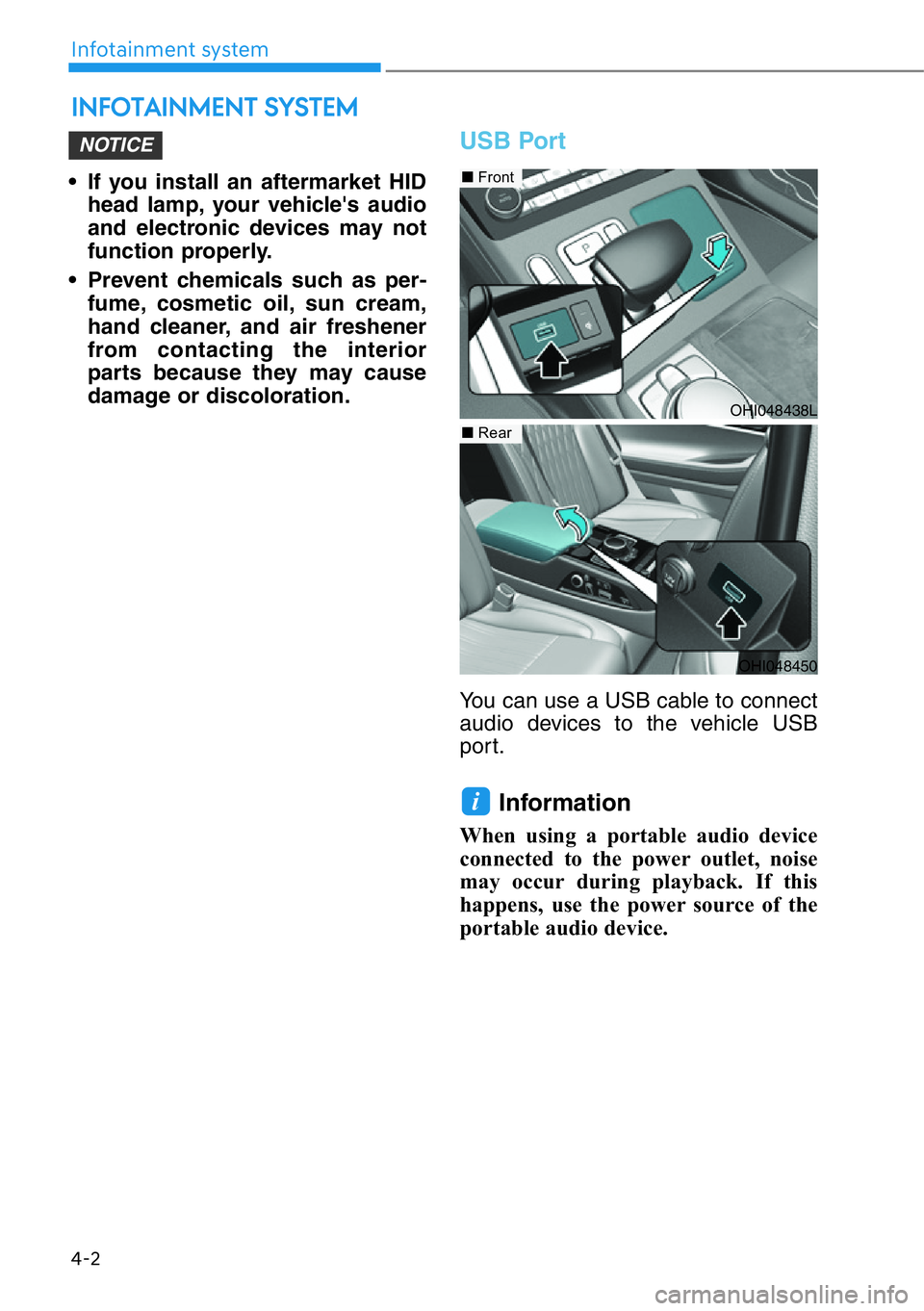
USB Port ............................................4-2
Antenna ............................................4-3
Steering Wheel Aud

Page 248 of 538

HYUNDAI GENESIS G90 2017  Owners Manual • If you install an aftermarket HID
head lamp, your vehicle's audio
and electronic devices may not
function properly.
• Prevent chemicals such as per-
fume, cosmetic oil, sun cream,
hand clean

Page 250 of 538

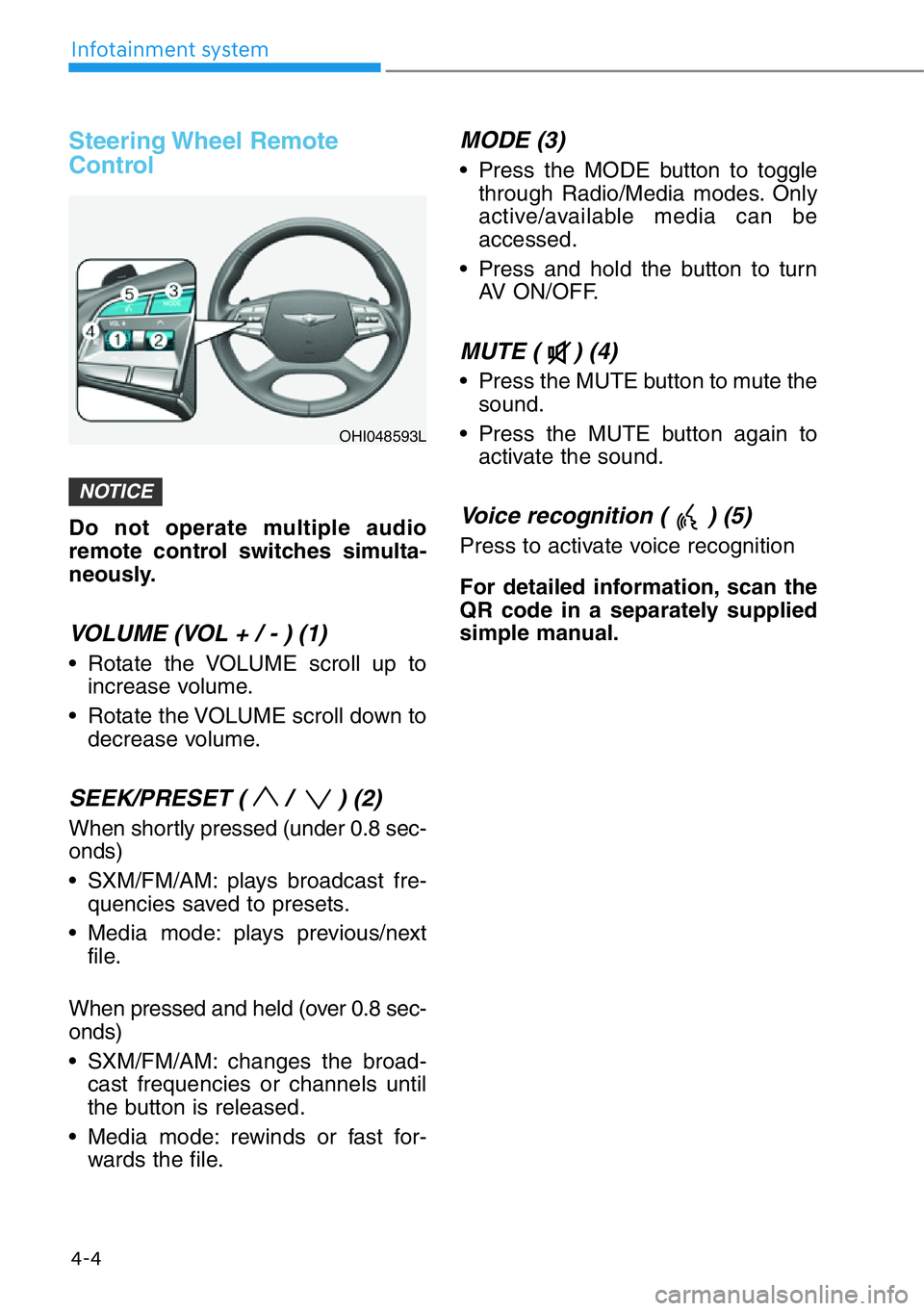
HYUNDAI GENESIS G90 2017  Owners Manual Steering Wheel  Remote
Control
Do not operate multiple audio
remote control switches simulta-
neously.
VOLUME (VOL + / - ) (1)
• Rotate the VOLUME scroll up to
increase volume.
• Rotate the VOLUME

Page 252 of 538

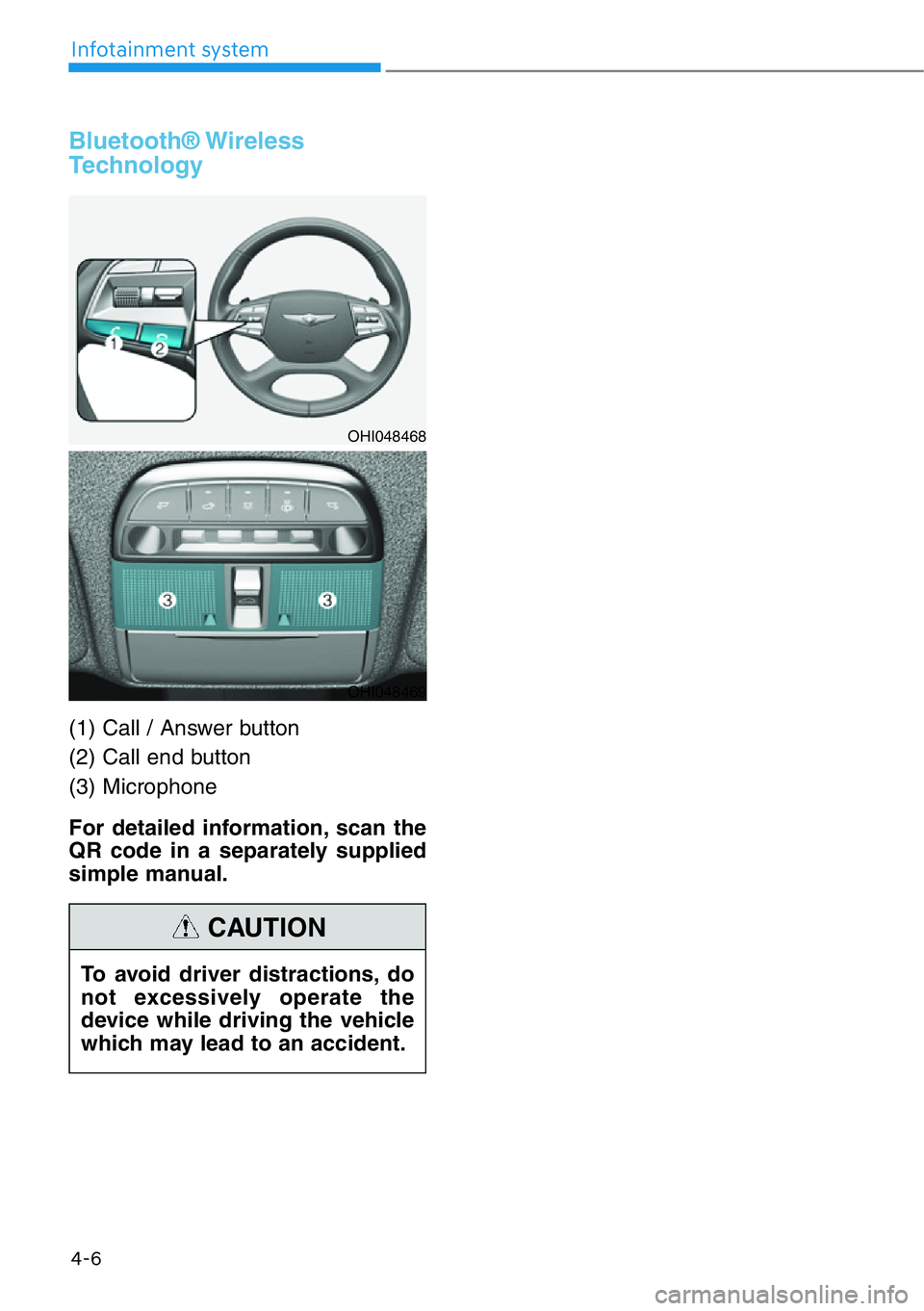
HYUNDAI GENESIS G90 2017  Owners Manual Bluetooth® Wireless
Technology  
(1) Call / Answer button
(2) Call end button
(3) Microphone
For detailed information, scan the
QR code in a separately supplied
simple manual.
4-6
Infotainment system