park assist HYUNDAI GENESIS G90 2020 User Guide
[x] Cancel search | Manufacturer: HYUNDAI, Model Year: 2020, Model line: GENESIS G90, Model: HYUNDAI GENESIS G90 2020Pages: 538, PDF Size: 13.02 MB
Page 328 of 538
5-76
Driving your vehicle
Warning message
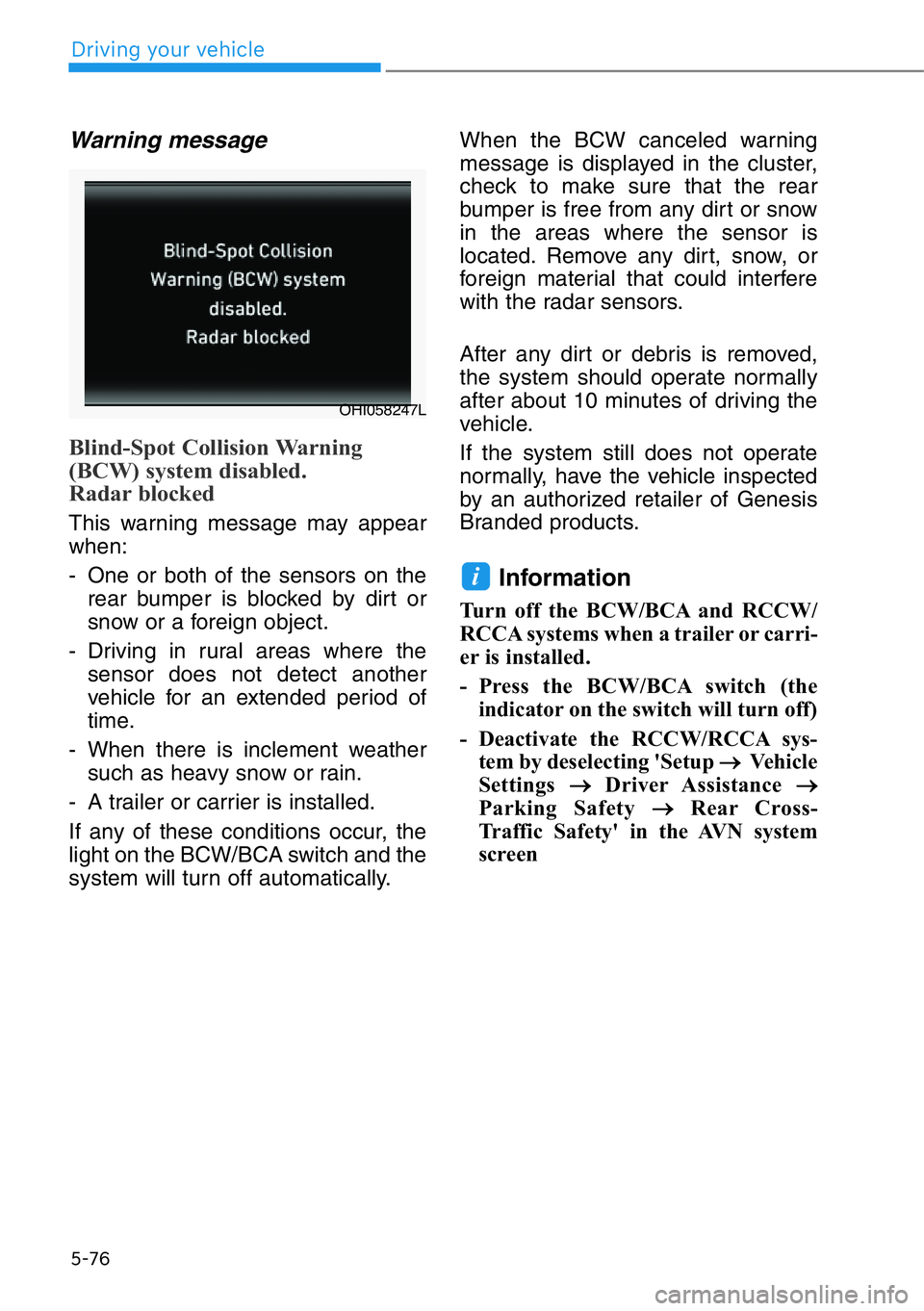
Blind-Spot Collision Warning
(BCW) system disabled.
Radar blocked
This warning message may appear
when:
- One or both of the sensors on the
rear bumper is blocked by dirt or
snow or a foreign object.
- Driving in rural areas where the
sensor does not detect another
vehicle for an extended period of
time.
- When there is inclement weather
such as heavy snow or rain.
- A trailer or carrier is installed.
If any of these conditions occur, the
light on the BCW/BCA switch and the
system will turn off automatically.When the BCW canceled warning
message is displayed in the cluster,
check to make sure that the rear
bumper is free from any dirt or snow
in the areas where the sensor is
located. Remove any dirt, snow, or
foreign material that could interfere
with the radar sensors.
After any dirt or debris is removed,
the system should operate normally
after about 10 minutes of driving the
vehicle.
If the system still does not operate
normally, have the vehicle inspected
by an authorized retailer of Genesis
Branded products.
Information
Turn off the BCW/BCA and RCCW/
RCCA systems when a trailer or carri-
er is installed.
- Press the BCW/BCA switch (the
indicator on the switch will turn off)
- Deactivate the RCCW/RCCA sys-
tem by deselecting 'Setup
→Ve h i c l e
Settings
→Driver Assistance →
Parking Safety →Rear Cross-
Traffic Safety' in the AVN system
screen
i
OHI058247L
Page 335 of 538
5-83
05
System Setting and Operation
System setting
•Setting Rear Cross-Traffic
Safety function
The Rear Cross-Traffic Collision
Warning and Rear Cross-Traffic
Collision Avoidance-Assist can be
activated from the Settings menu
in the AVN system screen by fol-
lowing the procedure below.
1. Set the Engine Start/Stop button
to the ON or START position.
2. Select 'Setup →Vehicle Settings
→Driver Assistance →Parking
Safety →Rear Cross-Traffic
Safety' in the AVN system
screen.For detailed informa-
tion, scan the QR code in a
separately supplied simple
manual.
- RCCA and RCCW turn on and
are ready to be operated when
the 'Rear Cross-Traffic Safety' is
selected.
• When the engine is turned off then
on again, the systems will be ready
to be operated.
• When the system is initially turned
on and engine is turned off then on
again, the warning light will illumi-
nate for 3 seconds on the side view
mirror.•Setting Warning Timing
The diver can select the initial
warning activation time from the
Settings menu in the AVN system
screen. Select:
- Setup →Vehicle Settings →
Driver Assistance →Warning
Timing →Normal/Late
For detailed information, scan
the QR code in a separately sup-
plied simple manual.
The options for the initial Rear
Cross-Traffic Collision Warning
includes the following:
- Normal:
When this option is selected, the
initial Rear Cross-Traffic Collision
Warning is activated normally. If
this setting feels sensitive,
change the option to 'Late'.
The warning activation time may
feel late if the a vehicle at the side
or rear abruptly accelerates.
- Late:
Select this warning activation
time when the traffic is light and
you are driving at low speeds.
Information
If you change the warning timing, the
warning time of other systems may
change.
i
Page 336 of 538
5-84
Driving your vehicle
• Setting Warning Volume
The diver can select the warning
volume from the Settings menu in
the AVN system screen. Select:
- Setup →Vehicle Settings →
Driver Assistance →Warning
Volume → High/Medium/Low/Off
For detailed information, scan
the QR code in a separately sup-
plied simple manual.
Information
If you change the warning volume, the
warning volume of other systems may
change.
Operating conditions
To operate:
1. Select 'Setup →Vehicle Settings →
Driver Assistance →Parking
Safety →Rear Cross-Traffic Safety'
in the AVN system screen.For
detailed information, scan the
QR code in a separately supplied
simple manual.The system will
turn on and standby to operate.
2. The system will operate when
vehicle speed is below 7 mph (10
km/h) and with the shift lever in R
(Reverse).
* The system will not operate when
the vehicle speed exceeds 7 mph
(10 km/h). The system will operate
again when the speed is below 5
mph (8 km/h).
The system's detecting range is within
approximately 82 ft. (25 m).
An approaching vehicle will be
detected if vehicle speed is between
5-23 mph (8-36 km/h).
Note that the detecting range and
operating speed may vary under cer-
tain conditions. As always, use cau-
tion and pay close attention to your
surroundings when backing up your
vehicle.
i
Page 341 of 538
5-89
05
When the BCW canceled warning
message is displayed in the cluster,
check to make sure that the rear
bumper is free from any dirt or snow
in the areas where the sensor is
located. Remove any dirt, snow, or
foreign material that could interfere
with the radar sensors.
After any dirt or debris is removed,
the system should operate normally
after about 10 minutes of driving the
vehicle.
If the system still does not operate
normally, have the vehicle inspected
by an authorized retailer of Genesis
Branded products.
Information
Turn off the BCW/BCA and
RCCW/RCCA systems when a trailer
or carrier is installed.
- Press the BCW/BCA switch (the
indicator on the switch will turn off)
- Deactivate the RCCW/RCCA sys-
tem by deselecting 'Setup
→Ve h i c l e
Settings
→Driver Assistance →
Parking Safety →Rear Cross-
Traffic Safety' in the AVN system
screen
System Malfunction
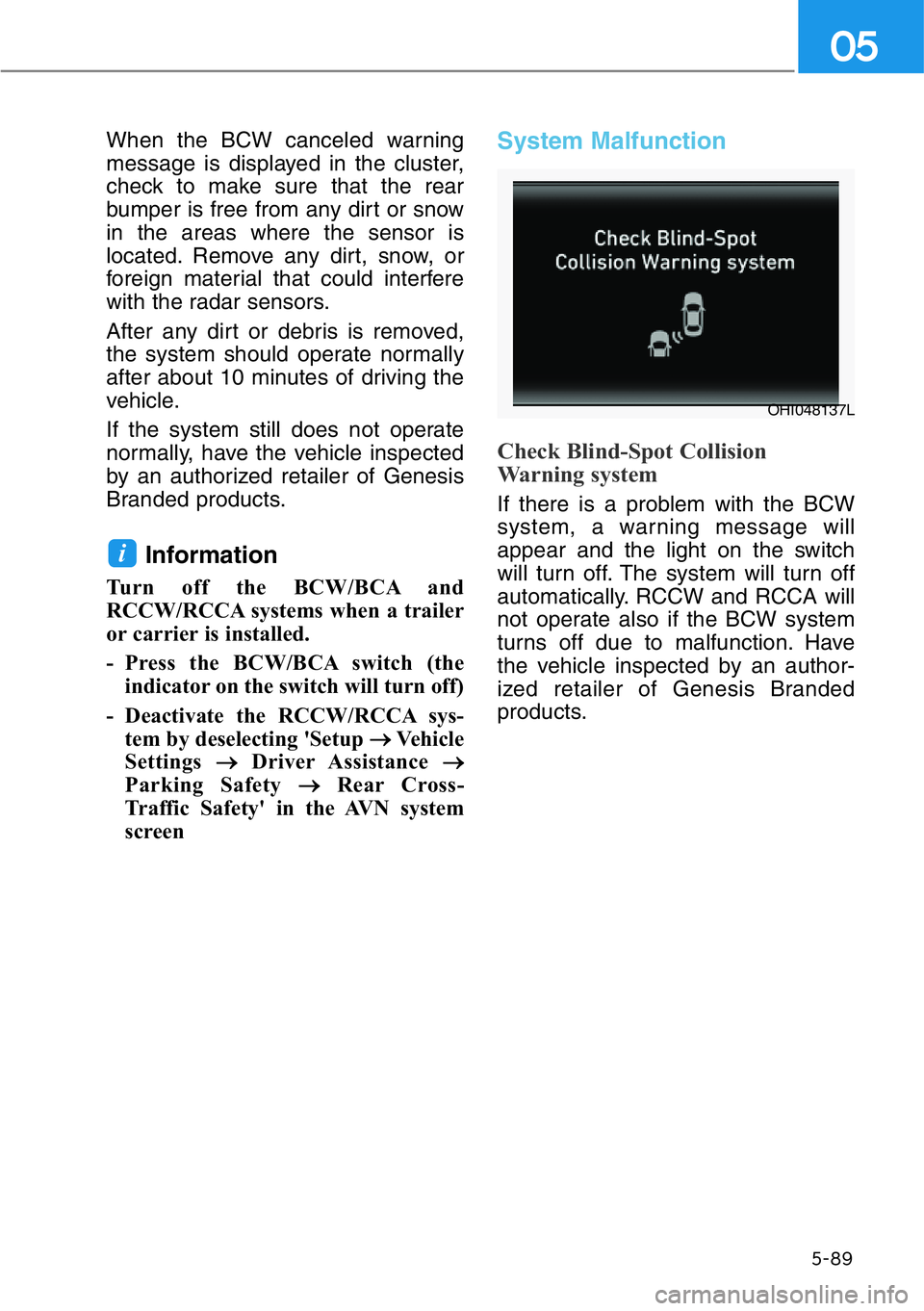
Check Blind-Spot Collision
Warning system
If there is a problem with the BCW
system, a warning message will
appear and the light on the switch
will turn off. The system will turn off
automatically. RCCW and RCCA will
not operate also if the BCW system
turns off due to malfunction. Have
the vehicle inspected by an author-
ized retailer of Genesis Branded
products.
i
OHI048137L
Page 347 of 538
Parking Collision-Avoidance Assist-
Reverse is a supplemental system
that can warn the driver or apply
braking force to reduce the possibili-
ty of collision with pedestrians when
the vehicle is reversing.System Setting and Operation
System setting
Parking Collision-Avoidance Assist-
Reverse can be activated from the
Settings menu in the AVN system
screen by following the procedure
below.
1. Set the Engine Start/Stop button
to the ON or START position.
2. Select 'Setup →Vehicle →Driver
Assistance →Parking Safety →
Active Assist / Warning Only / Off'
in the AVN system screen.
For detailed information, scan
the QR code in a separately sup-
plied simple manual.
- The system is ready for operation
when 'Active Assist' is selected.
In the event of an imminent colli-
sion with a pedestrian or an
object, the system warns the driv-
er or applies braking force to help
avoid the collision.
- The system is ready for operation
when 'Warning Only' is selected.
In the event of an imminent colli-
sion with a pedestrian, the sys-
tem warns the driver but does not
assist in braking.
- The system deactivates when
'Off' is selected.
PARKING COLLISION-AVOIDANCE ASSIST-REVERSE (PCA)
5-95
05
• ALWAYS look around your
vehicle to make sure there are
no objects or pedestrian
before moving the vehicle in
any direction to prevent a col-
lision.
• Do not solely rely on Parking
Collision-Avoidance Assist-
Reverse system. The system
might not assist the driver
leading to pedestrian injury or
vehicle damage.
• Be aware that some objects
may not be visible on the
screen or be detected by the
rear ultrasonic sensors, due
to the objects' distance, size
or material, all of which can
limit the effectiveness of the
sensors.
WARNING
Page 348 of 538
Operating conditions
Parking Collision-Avoidance Assist-
Reverse system enters the ready
status, when 'Active Assist' or
'Warning Only' is selected in the AVN
system screen and the following con-
ditions are satisfied:
• The trunk is closed
• The shift lever is in R (Reverse)
• Vehicle speed is below 6 mph (10
km/h)
• System components such as the
rear view camera and the rear
ultrasonic sensors are in normal
conditions
The driver needs to select 'Active
Assist' on the AVN system screen for
collision-avoidance assist.
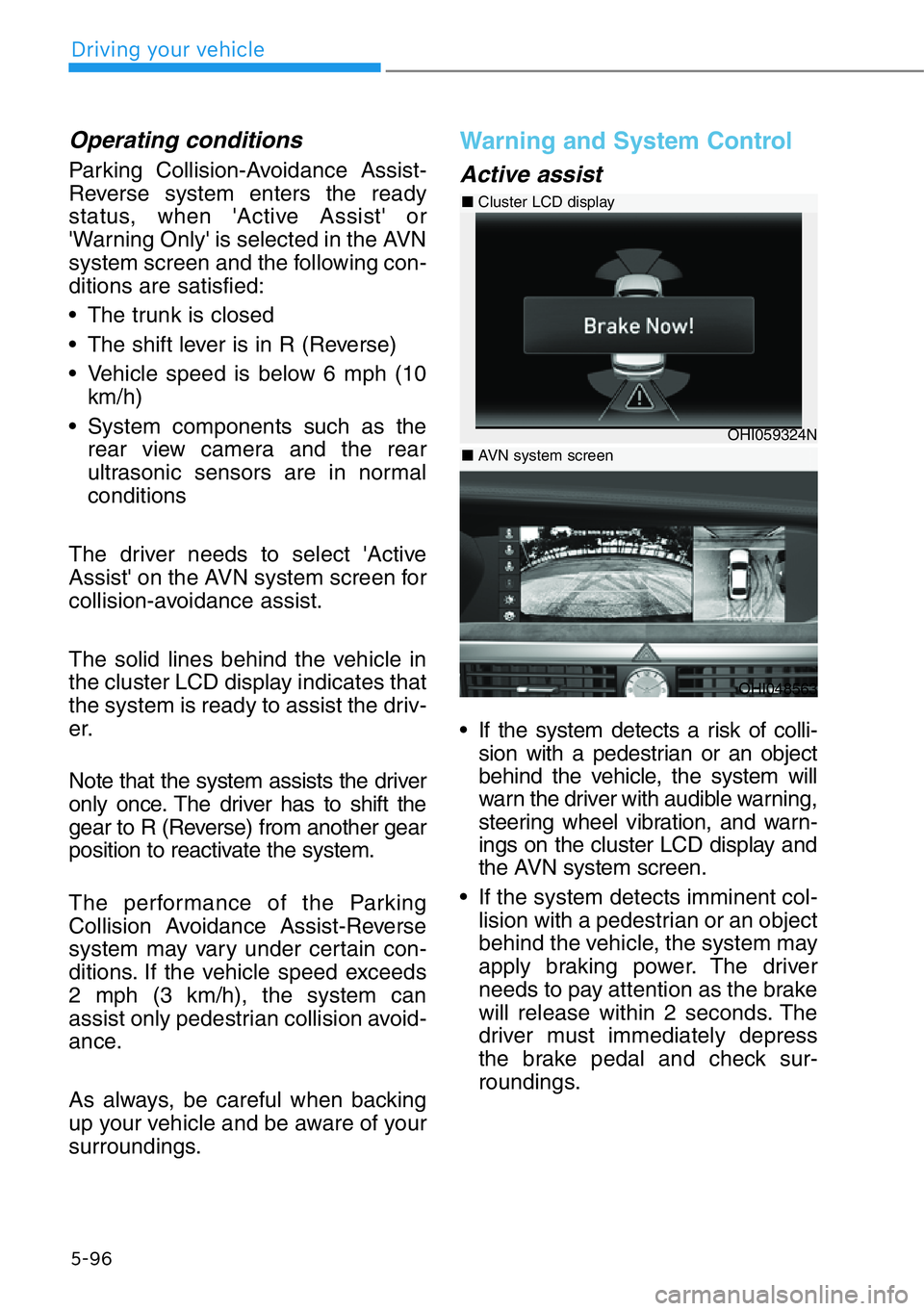
The solid lines behind the vehicle in
the cluster LCD display indicates that
the system is ready to assist the driv-
er.
Note that the system assists the driver
only once. The driver has to shift the
gear to R (Reverse) from another gear
position to reactivate the system.
The performance of the Parking
Collision Avoidance Assist-Reverse
system may vary under certain con-
ditions. If the vehicle speed exceeds
2 mph (3 km/h), the system can
assist only pedestrian collision avoid-
ance.
As always, be careful when backing
up your vehicle and be aware of your
surroundings.
Warning and System Control
Active assist
• If the system detects a risk of colli-
sion with a pedestrian or an object
behind the vehicle, the system will
warn the driver with audible warning,
steering wheel vibration, and warn-
ings on the cluster LCD display and
the AVN system screen.
• If the system detects imminent col-
lision with a pedestrian or an object
behind the vehicle, the system may
apply braking power. The driver
needs to pay attention as the brake
will release within 2 seconds. The
driver must immediately depress
the brake pedal and check sur-
roundings.
5-96
Driving your vehicle
OHI048563
OHI059324N
■Cluster LCD display
■ AVN system screen
Page 349 of 538
The brake assist will turn off when:
- The driver shifts the gear to P
(Park) or D (Drive)
- The driver depresses the brake
pedal with sufficient power
- The braking has been assisted for
approximately 2 seconds
The warning will turn off when:
- The driver shifts the gear to P
(Park), N (Neutral), or D (Drive)
The brake control may not operate
properly depending on the status of
the ESC (Electronic Stability Control).
There will only be a warning when:
- The ESC (Electronic Stability
Control) warning light is on
- The ESC (Electronic Stability
Control) is engaged in a different
functionWarning only
• If the system detects a risk of colli-
sion with a pedestrian or an object,
the system will warn the driver with
audible warning, steering wheel
vibration, and warnings on the
cluster LCD display and the AVN
system screen.
• If ‘Warning Only’ is selected, brak-
ing will not be assisted.
The warning will turn off when:
- The driver shifts the gear to P
(Park), N (Neutral), or D (Drive)
5-97
05
• Parking Collision-Avoidance
Assist-Reverse system may
not operate properly or may
operate unnecessarily in
some circumstances.
• Always pay extreme caution
while driving. The driver is
responsible for controlling the
brake appropriately.
WARNING
Page 350 of 538
Information
The system can detect a pedestrian or
an object when:
- A pedestrian is standing behind the
vehicle.
- A large obstacle, such as a vehicle, is
parked in the rear center of the
vehicle.
Detecting Sensor
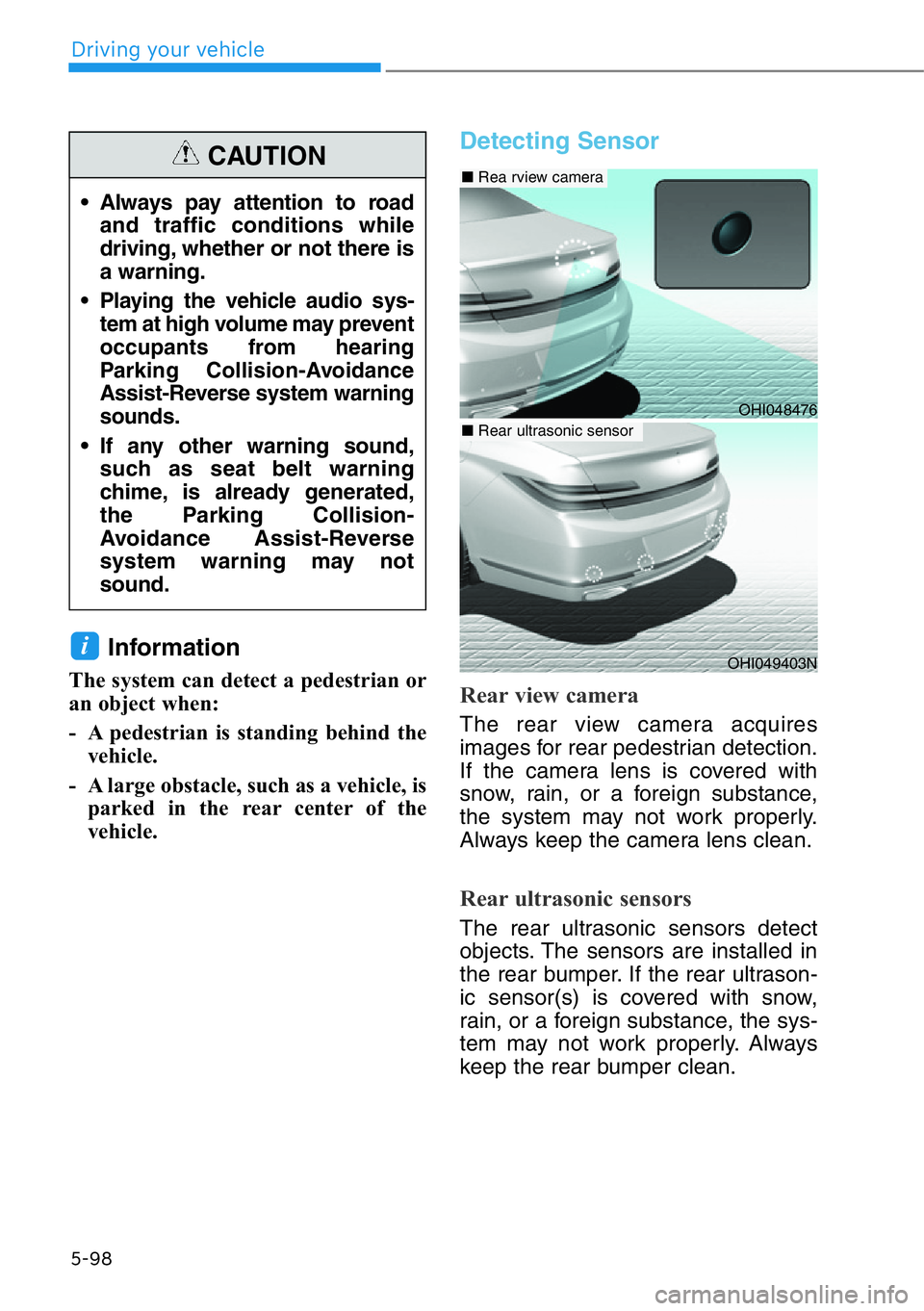
Rear view camera
The rear view camera acquires
images for rear pedestrian detection.
If the camera lens is covered with
snow, rain, or a foreign substance,
the system may not work properly.
Always keep the camera lens clean.
Rear ultrasonic sensors
The rear ultrasonic sensors detect
objects. The sensors are installed in
the rear bumper. If the rear ultrason-
ic sensor(s) is covered with snow,
rain, or a foreign substance, the sys-
tem may not work properly. Always
keep the rear bumper clean.
i
5-98
Driving your vehicle
• Always pay attention to road
and traffic conditions while
driving, whether or not there is
a warning.
• Playing the vehicle audio sys-
tem at high volume may prevent
occupants from hearing
Parking Collision-Avoidance
Assist-Reverse system warning
sounds.
• If any other warning sound,
such as seat belt warning
chime, is already generated,
the Parking Collision-
Avoidance Assist-Reverse
system warning may not
sound.
CAUTION
OHI049403N
OHI048476
■Rea rview camera
■ Rear ultrasonic sensor
Page 352 of 538
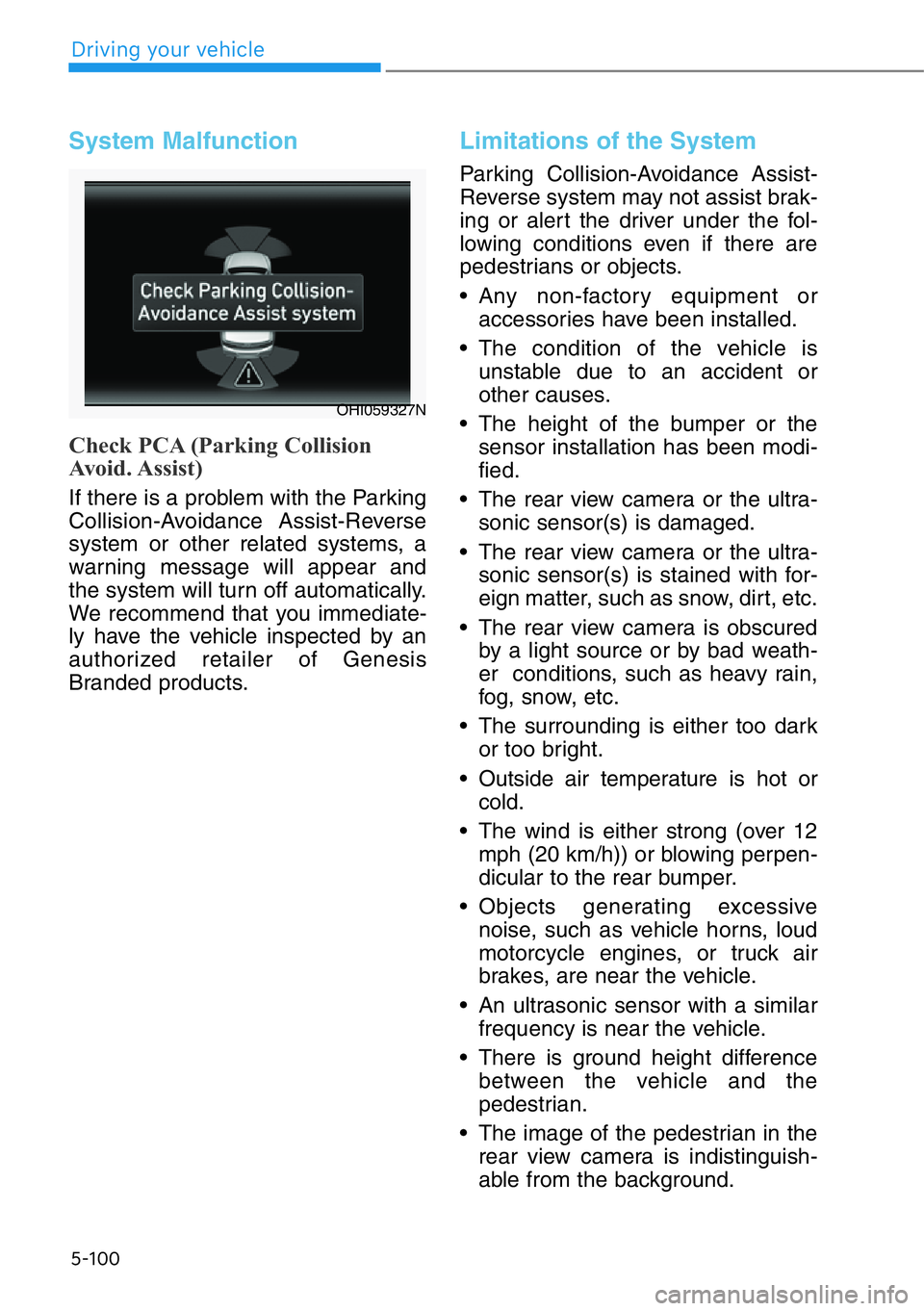
System Malfunction
Check PCA (Parking Collision
Avoid. Assist)
If there is a problem with the Parking
Collision-Avoidance Assist-Reverse
system or other related systems, a
warning message will appear and
the system will turn off automatically.
We recommend that you immediate-
ly have the vehicle inspected by an
authorized retailer of Genesis
Branded products.
Limitations of the System
Parking Collision-Avoidance Assist-
Reverse system may not assist brak-
ing or alert the driver under the fol-
lowing conditions even if there are
pedestrians or objects.
• Any non-factory equipment or
accessories have been installed.
• The condition of the vehicle is
unstable due to an accident or
other causes.
• The height of the bumper or the
sensor installation has been modi-
fied.
• The rear view camera or the ultra-
sonic sensor(s) is damaged.
• The rear view camera or the ultra-
sonic sensor(s) is stained with for-
eign matter, such as snow, dirt, etc.
• The rear view camera is obscured
by a light source or by bad weath-
er conditions, such as heavy rain,
fog, snow, etc.
• The surrounding is either too dark
or too bright.
• Outside air temperature is hot or
cold.
• The wind is either strong (over 12
mph (20 km/h)) or blowing perpen-
dicular to the rear bumper.
• Objects generating excessive
noise, such as vehicle horns, loud
motorcycle engines, or truck air
brakes, are near the vehicle.
• An ultrasonic sensor with a similar
frequency is near the vehicle.
• There is ground height difference
between the vehicle and the
pedestrian.
• The image of the pedestrian in the
rear view camera is indistinguish-
able from the background.
5-100
Driving your vehicle
OHI059327N
Page 353 of 538
• The pedestrian is near the rear
edge of the vehicle.
• The pedestrian is not standing
upright.
• The pedestrian is either too short
or too tall for the system to recog-
nize.
• The pedestrian is wearing clothes
that are hard for the system to rec-
ognize.
• The pedestrian is wearing a cloth
that does not reflect ultrasound
well.
• The size, thickness, height, or
shape of the object does not reflect
ultrasound well (e.g., pole, bush,
curbs, carts, edge of a wall, etc.).
• The pedestrian or the object is
moving.
• The pedestrian or the object is very
close to the rear of the vehicle.
• A wall is behind the pedestrian or
the object.
• The object is not at the rear center
of the vehicle.
• The plane of the obstacle is not
parallel to the rear bumper.
• The road is slippery or inclined.
• The driver backs up the vehicle
immediately after shifting to R
(Reverse).
• The driver accelerates or turns the
vehicle.
Parking Collision-Avoidance Assist-
Reverse system may alert the driv-
er or apply brake power unneces-
sarily under the following conditions
even if there are "no" pedestrians
or objects.
• Any non-factory equipment or
accessories have been installed.• The condition of the vehicle is
unstable due to an accident or
other causes.
• The height of the bumper or the
sensor installation has been modi-
fied.
• The bumper height has changed
due to heavy loads, tire pressure
change, etc.
• The rear view camera or the ultra-
sonic sensor(s) is stained with for-
eign matter, such as snow, dirt, etc.
• The pattern on the road is mistak-
en for a pedestrian.
• There is a shadow or a light reflect-
ing on the ground.
• Pedestrians or objects are around
the path of the vehicle.
• Objects generating excessive
noise, such as vehicle horns, loud
motorcycle engines, or truck air
brakes, are near the vehicle.
• The vehicle is backing towards a
narrow passage or parking space.
• The vehicle is backing towards an
uneven road surface, such as
unpaved road, gravel, bump, gradi-
ent, etc.
• A trailer is attached to the vehicle.
5-101
05