infotainment HYUNDAI GENESIS GV70 2022 Manual PDF
[x] Cancel search | Manufacturer: HYUNDAI, Model Year: 2022, Model line: GENESIS GV70, Model: HYUNDAI GENESIS GV70 2022Pages: 647, PDF Size: 49.91 MB
Page 542 of 647
08
8-9
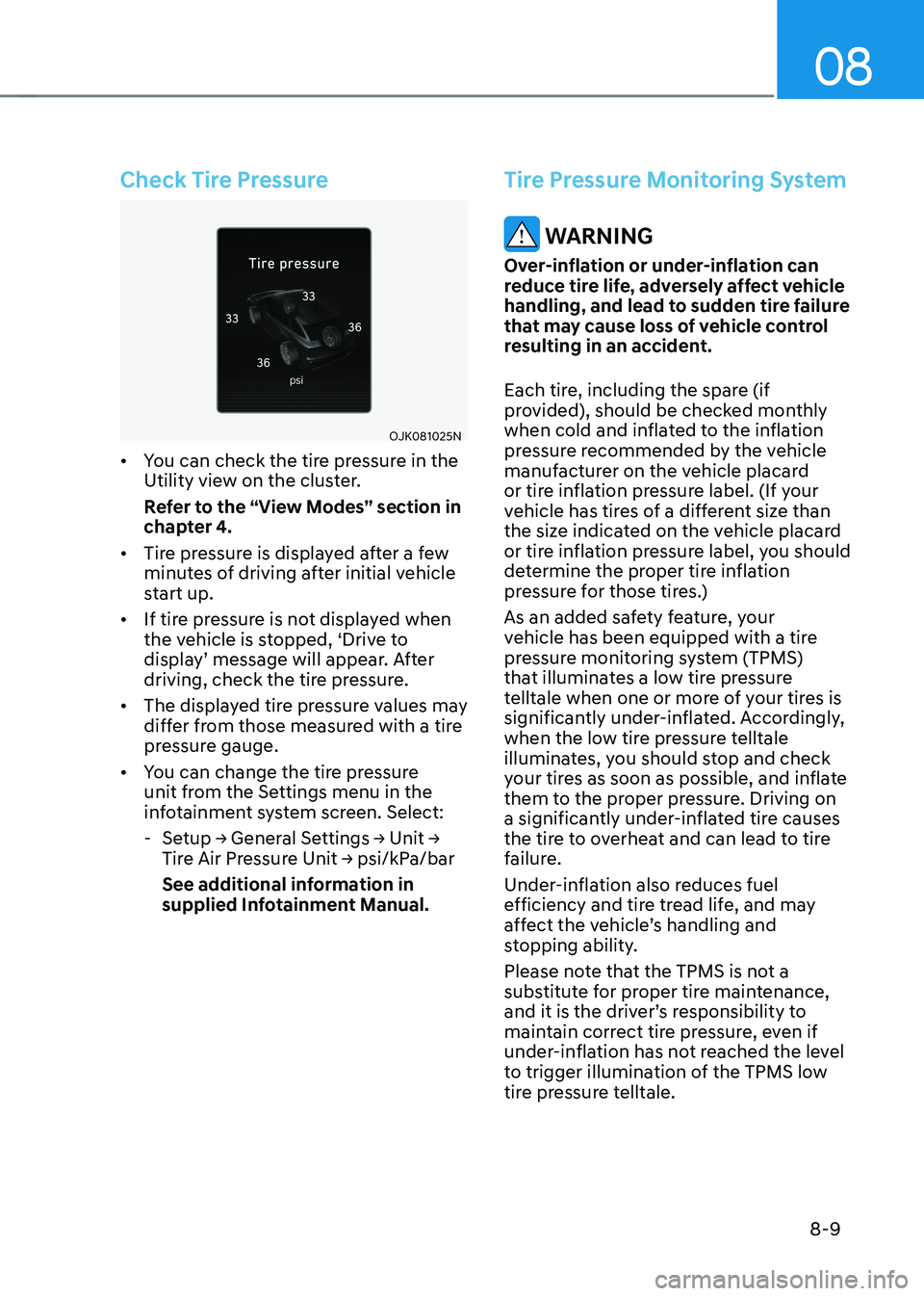
Check Tire Pressure
OJK081025NOJK081025N
• You can check the tire pressure in the Utility view on the cluster.
Refer to the “View Modes” section in chapter 4.
• Tire pressure is displayed after a few minutes of driving after initial vehicle start up.
• If tire pressure is not displayed when the vehicle is stopped, ‘Drive to display’ message will appear. After driving, check the tire pressure.
• The displayed tire pressure values may differ from those measured with a tire pressure gauge.
• You can change the tire pressure unit from the Settings menu in the infotainment system screen. Select:
-Setup → General Settings → Unit → Tire Air Pressure Unit → psi/kPa/bar
See additional information in supplied Infotainment Manual.
Tire Pressure Monitoring System
WARNING
Over-inflation or under-inflation can reduce tire life, adversely affect vehicle handling, and lead to sudden tire failure that may cause loss of vehicle control resulting in an accident.
Each tire, including the spare (if provided), should be checked monthly when cold and inflated to the inflation pressure recommended by the vehicle manufacturer on the vehicle placard or tire inflation pressure label. (If your vehicle has tires of a different size than the size indicated on the vehicle placard or tire inflation pressure label, you should determine the proper tire inflation pressure for those tires.)
As an added safety feature, your vehicle has been equipped with a tire pressure monitoring system (TPMS) that illuminates a low tire pressure telltale when one or more of your tires is significantly under-inflated. Accordingly, when the low tire pressure telltale illuminates, you should stop and check your tires as soon as possible, and inflate them to the proper pressure. Driving on a significantly under-inflated tire causes the tire to overheat and can lead to tire failure.
Under-inflation also reduces fuel efficiency and tire tread life, and may affect the vehicle’s handling and stopping ability.
Please note that the TPMS is not a substitute for proper tire maintenance, and it is the driver’s responsibility to maintain correct tire pressure, even if under-inflation has not reached the level to trigger illumination of the TPMS low tire pressure telltale.
Page 564 of 647
09
9-7
Follow Normal Maintenance Schedule if the vehicle is usually operated where none of
the following conditions apply. If any of the following conditions apply, you must follow
the Maintenance Under Severe Usage Conditions.
• Repeated driving short distance of less than 5 miles (8 km) in normal temperature or
less than 10 miles (16 km) in freezing temperature
• Extensive engine idling or low speed driving for long distances
• Driving on rough, dusty, muddy, unpaved, graveled or salt-spread roads
• Driving in areas using salt or other corrosive materials or in very cold weather
• Driving in heavy dust conditions
• Driving in heavy traffic area
• Driving on uphill, downhill, or mountain road repeatedly
• Towing a trailer or using a camper, or driving with loads on the roof
• Driving as a patrol car, taxi, other commercial use of vehicle towing
• Frequently driving under high speed or rapid acceleration/deceleration
• Frequently driving in stop-and-go condition
• Engine oil usage which is not recommended (Mineral type, Semi-synthetic, Lower
grade spec, etc.)
If your vehicle is operated under the above conditions, you should inspect, replace or
refill more frequently than the following Normal Maintenance Schedule. After the periods
or distance shown in the chart, continue to follow the prescribed maintenance intervals.
NOTICE
After 10 years or 100,000 miles, we recommend to use severe maintenance schedule.
Information
• As it is normal for engine oil to be consumed during driving, the engine oil level should be
checked on regular basis.
• The engine oil change interval for normal operating conditions is based on the use of the
recommended engine specification. If the recommended engine oil specification is not used, then
replace the engine oil according to the maintenance schedule under severe operating conditions.
• The vehicle may be equipped with the Engine Oil Change Reminder that predicts engine oil life
based on the driver’s driving history and alerts the driver to change engine oil.
-If the deterioration of the engine oil increases depending on the driver’s driving severity,
the remaining oil life alert appears on the instrument cluster before the normal engine oil
replacement interval. Have the engine oil and filter changed by an authorized retailer of
Genesis Branded product.
-Engine Oil Change Reminder works when the recommended engine oil is used. So, if
recommended engine oil is not used, replace the engine oil according to the maintenance
schedule under severe usage condition.
Also, check the amount of engine oil regularly as this system assumes that the engine oil is
being filled normally.
-Always reset the remaining engine oil life whenever the engine oil is changed. Otherwise, the
Engine Oil Change Reminder will not be correct.
To reset the Engine Oil Change Reminder, select ‘RESET’ from the infotainment system
screen. Then, select ‘Yes’ when the message “Changed engine oil? Press [Yes] to reset the oil
life.” appears on the screen.
-If there is no alert until the maximum maintenance interval, have the vehicle checked by an
authorized retailer of Genesis Branded product.
SCHEDULED MAINTENANCE SERVICES
Page 586 of 647
09
9-29
• The negative battery cable must
be removed first and installed last
when the battery is disconnected.
Disconnect the battery charger in the
following order:
1. Turn off the battery charger main
switch.
2. Unhook the negative clamp from
the negative battery terminal.
3. Unhook the positive clamp from
the positive battery terminal.
• Always use a Genuine Genesis Part
approved battery when you replace
the battery.
NOTICE
AGM battery
• Absorbent Glass Matt (AGM)
batteries are maintenance-free and
we recommend that the AGM battery
be serviced by an authorized retailer
of Genesis Branded products. For
charging your AGM battery, use only
fully automatic battery chargers that
are specially developed for AGM
batteries.
• When replacing the AGM battery,
we recommend that you use parts
for replacement from an authorized
retailer of Genesis Branded products.
• Do not open or remove the cap on
top of the battery. This may cause
leaks of internal electrolyte that
could result in severe injury.
By jump starting
After a jump start from a good battery,
drive the vehicle for 20-30 minutes
before it is shutoff. The vehicle may
not restart if you shut it off before the
battery had a chance to adequately
recharge. See “Jump Starting” in chapter
8 for more information on jump starting
procedures.
Information
An inappropriately disposed
battery can be harmful to the
environment and human health.
Dispose of the battery according
to your local law(s) or regulation.
Reset Items
The following items may need to be reset
after the battery has been discharged or
the battery has been disconnected.
• Driving info/Since refueling/
Accumulated info (items in Utility
view) (see chapter 4)
• Integrated memory system (see
chapter 5)
• Power window (see chapter 5)
• Sunroof (see chapter 5)
• Power liftgate (see chapter 5)
• Climate control system (see chapter 5)
• Clock (see Infotainment system
manual)
• Infotainment system (see
Infotainment system manual)
Page 640 of 647

Index
I-8
Important Safety Precautions ........................................................................\
.........3-2
Air Bag Hazards ........................................................................\
........................3-2
Always Wear Your Seat Belt ........................................................................\
.....3-2
Control Your Speed ........................................................................\
...................3-2
Driver Distraction........................................................................\
......................3-2
Keep Your Vehicle in Safe Condition ...............................................................3-2
Restrain All Children........................................................................\
.................3-2
In Case of an Emergency While Driving ...............................................................8-2
If the Engine Stalls at a Crossroad or Crossing.................................................8-2
If the Engine Stalls While Driving ...................................................................8-2
If You Have a Flat Tire While Driving ..............................................................8-3
Infotainment System ........................................................................\
..................5-138
Antenna ........................................................................\
.................................5-138
Bluetooth® Wireless Technology .................................................................5-140
Infotainment System ........................................................................\
.............5-139
Lexicon Premium Sound System ..................................................................5-140
Steering Wheel Remote Controls .................................................................5-138
USB Port ........................................................................\
...............................5-138
Voice Recognition ........................................................................\
.................5-139
Instrument cluster ........................................................................\
..........................4-4
Gauges and Meters ........................................................................\
....................4-5
Instrument Cluster Control ........................................................................\
........4-5
LCD Display Messages ........................................................................\
...........4-22
Transmission Shift Indicator ........................................................................\
...4-10
Warning and Indicator Lights ........................................................................\
..4-11
Instrument Panel Overview (I) ........................................................................\
......2-5
Instrument Panel Overview (II) ........................................................................\
.....2-6
Integrated Memory System........................................................................\
..........5-43
Recalling Memory Positions ........................................................................\
...5-44
Resetting the System ........................................................................\
...............5-44
Seat Easy Access ........................................................................\
.....................5-45
Storing Memory Positions........................................................................\
.......5-43
Intelligent Speed Limit Assist (ISLA) .................................................................7-62
Intelligent Speed Limit Assist Malfunction and Limitations ..........................7-65
Intelligent Speed Limit Assist Operation ........................................................7-63
Intelligent Speed Limit Assist Settings ...........................................................7-62
Page 647 of 647

I
I-15
Vehicle Load Limit ........................................................................\
......................6-71
The Loading Information Label ......................................................................6-72
Vehicle Settings (infotainment system) ...............................................................4-38
Setting Your Vehicle ........................................................................\
................4-38
Vehicle Weight and Luggage Volume ..................................................................2-11
W
Washer Fluid ........................................................................\
................................9-22
Checking the Washer Fluid Level ...................................................................9-22
Windows ........................................................................\
......................................5-63
Power Windows ........................................................................\
......................5-64
Windshield Defrosting and Defogging ..............................................................5-118
Defogging Logic ........................................................................\
...................5-119
Rear Window Defroster........................................................................\
.........5-120
To Defog Inside Windshield ........................................................................\
..5-118
To Defrost Outside Windshield .....................................................................5-119
Winter Driving ........................................................................\
.............................6-59
Snow or Icy Conditions ........................................................................\
...........6-59
Winter Precautions ........................................................................\
..................6-62
Wiper Blades ........................................................................\
................................9-25
Blade Inspection ........................................................................\
......................9-25
Blade Replacement........................................................................\
..................9-25
Wipers and Washers ........................................................................\
.....................5-99
Front Windshield Washers ........................................................................\
....5-100
Front Windshield Wipers ........................................................................\
.........5-99
Rear Window Wiper and Washer ..................................................................5-102