ac system Hyundai Getz 2002 Workshop Manual
[x] Cancel search | Manufacturer: HYUNDAI, Model Year: 2002, Model line: Getz, Model: Hyundai Getz 2002Pages: 428, PDF Size: 6.13 MB
Page 93 of 428
1- 80 FEATURES OF YOUR HYUNDAI
B670B01A-AAT BI-LEVEL HEATING Your Hyundai is equipped with bi-level heating controls. This makes it pos-sible to have cooler air from the dash- board vents and warmer air from the floor outlets at the same time. To usethis feature:
o Set the air intake control to the fresh
air ( ) position.
o Set the air flow control at the bi-level ( ) position.
o Set the temperature control between "Cool" and "Warm".
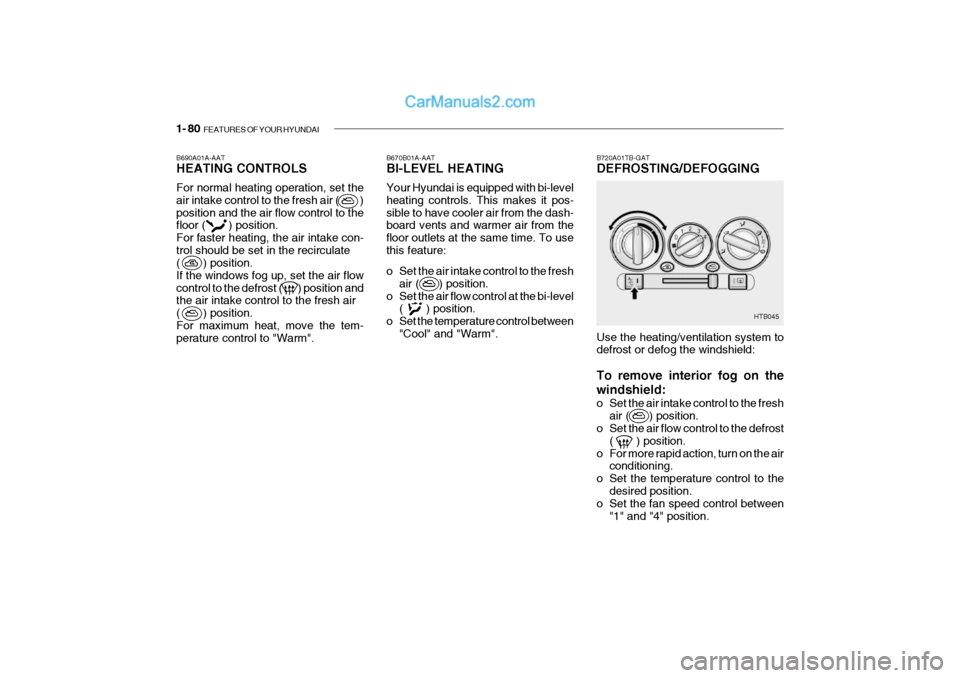
B690A01A-AAT HEATING CONTROLS For normal heating operation, set the air intake control to the fresh air ( )position and the air flow control to the floor ( ) position. For faster heating, the air intake con-trol should be set in the recirculate ( ) position. If the windows fog up, set the air flowcontrol to the defrost ( ) position and the air intake control to the fresh air ( ) position.For maximum heat, move the tem- perature control to "Warm". B720A01TB-GAT DEFROSTING/DEFOGGING
HTB045
Use the heating/ventilation system to defrost or defog the windshield: To remove interior fog on the windshield:
o Set the air intake control to the fresh air ( ) position.
o Set the air flow control to the defrost
( ) position.
o For more rapid action, turn on the air conditioning.
o Set the temperature control to the
desired position.
o Set the fan speed control between
"1" and "4" position.
Page 94 of 428
FEATURES OF YOUR HYUNDAI 1- 81
B740A01A-AAT AIR CONDITIONING SWITCH (If Installed)
B730A01FC-GAT Operation Tips
o To keep dust or unpleasant fumes
from entering the car through the ventilation system, temporarily set the air intake control at "Recircula- tion". Be sure to return the control to"Fresh" when the irritation has passed to keep fresh air in the ve- hicle. This will help keep the driveralert and comfortable.
o Air for the heating/cooling system is
drawn in through the grilles justahead of the windshield. Care should be taken that these are not blocked by leaves, snow, ice or other ob-structions.
o To prevent interior fog on the wind-
shield, set the air intake control tothe fresh air ( ) position and fan speed to the desired position.
To remove the frost or exterior fog on the windshield:
o Set the air intake control to the fresh
( ) position.
o Set the air flow control to the defrost ( ) position
o Set the temperature control to warm.
o Set the fan speed control to position
"3" or "4".
NOTE: When the A/C is operated continu- ously on the floor-defrost level ( ) or defrost level ( ), it may cause fog to form on the exterior wind-shield. If this occurs, set the air flow control to the face level posi- tion ( ) and fan speed control tothe low position. The air conditioning is turned on by pushing the A/C button on the heating/ air conditioning control panel.
HTB037
Page 96 of 428

FEATURES OF YOUR HYUNDAI 1- 83
!
B760A01Y
The air filter is located in front of the evaporator unit behind the glove box. It operates to decrease pollutants fromentering the car and to filter the air. To replace the air filter, refer to the page 6-23
B760A01TB-GAT
AIR FILTER (In Front of evapora- tor unit) (If Installed)
B740D01A-AAT Operation Tips
o If the interior of the car is hot when
you first get in, open the windows for a few minutes to expel the hot air.
o When you are using the air condi-
tioning system, keep all windowsclosed to keep hot air out.
o When moving slowly, as in heavy
traffic, shift to a lower gear. Thisincreases engine speed, which in turn increases the speed of the air conditioning compressor.
o On steep grades, turn the air condi- tioning off to avoid the possibility ofthe engine over-heating.
o During winter months or in periods when the air conditioning is not usedregularly, run the air conditioningonce every month for a few min- utes. This will help circulate the lubricants and keep your system inpeak operating condition. Inside of a vehicle
Evaporator core
Filter
BlowerOutside air
Inside air CAUTION:
o Replace the filter every 20,000 km (12,000 miles) or once a year. If the car is being driven in severe con- ditions such as dusty, roughroads, more frequent air filter in- spections and changes are re- quired.
o When the air flow rate is sud- denly decreased, it must bechecked at an authorized dealer.
Page 97 of 428

1- 84 FEATURES OF YOUR HYUNDAI
Ionosphere
B750A02L
AM reception
Mountains
Buildings Unobstructed
area
FM radio station
B750A03L
Ionosphere
FM reception
B750A01L Obstructed area
Iron bridges
FM broadcasts are transmitted at high frequency and do not bend to followthe earth's surface. Because of this, FM broadcasts generally begin to fade at short distances from the station.Also, FM signals are easily affected by buildings, mountains, or other obstruc- tions. These can result in certain lis-tening conditions which might lead you to believe a problem exists with your radio. The following conditions arenormal and do not indicate radio trouble:
AM broadcasts can be received atgreater distances than FM broadcasts. This is because AM radio waves are transmitted at low frequency. Theselong, low frequency radio waves can follow the curvature of the earth rather than travelling straight out into theatmosphere. In addition, they curve around obstructions so that they can provide better signal coverage.
B750A02A-AAT STEREO SOUND SYSTEM How Car Audio Works
AM and FM radio signals are broad- cast from transmitter towers located around your city. They are intercepted by the radio antenna on your car. Thissignal is then received by the radio and sent to your car speakers. When a strong radio signal has reachedyour vehicle, the precise engineering of your audio system ensures high quality reproduction. However, in somecases the signal coming to your ve- hicle is not strong and clear. This can be due to factors such as the distancefrom the radio station, closeness of other strong radio stations or the pres- ence of buildings, bridges or otherlarge obstructions in the area.
Page 98 of 428
FEATURES OF YOUR HYUNDAI 1- 85
B750A04L
B750A05L
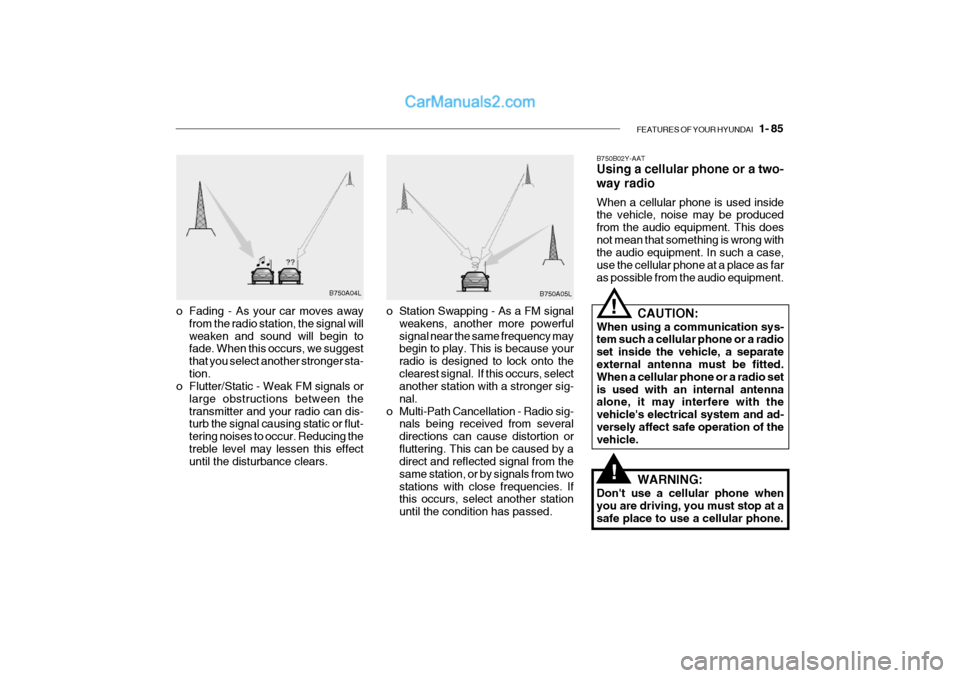
o Station Swapping - As a FM signal weakens, another more powerful signal near the same frequency may begin to play. This is because your radio is designed to lock onto theclearest signal. If this occurs, select another station with a stronger sig- nal.
o Multi-Path Cancellation - Radio sig- nals being received from severaldirections can cause distortion orfluttering. This can be caused by a direct and reflected signal from the same station, or by signals from twostations with close frequencies. If this occurs, select another station until the condition has passed.
o Fading - As your car moves away
from the radio station, the signal willweaken and sound will begin to fade. When this occurs, we suggest that you select another stronger sta-tion.
o Flutter/Static - Weak FM signals or
large obstructions between thetransmitter and your radio can dis- turb the signal causing static or flut- tering noises to occur. Reducing thetreble level may lessen this effect until the disturbance clears. B750B02Y-AAT Using a cellular phone or a two- way radio When a cellular phone is used inside the vehicle, noise may be produced from the audio equipment. This doesnot mean that something is wrong with the audio equipment. In such a case, use the cellular phone at a place as faras possible from the audio equipment.
!
!
CAUTION:
When using a communication sys- tem such a cellular phone or a radio set inside the vehicle, a separate external antenna must be fitted. When a cellular phone or a radio setis used with an internal antenna alone, it may interfere with the vehicle's electrical system and ad-versely affect safe operation of the vehicle.
WARNING:
Don't use a cellular phone when you are driving, you must stop at a safe place to use a cellular phone.
Page 100 of 428
FEATURES OF YOUR HYUNDAI 1- 87
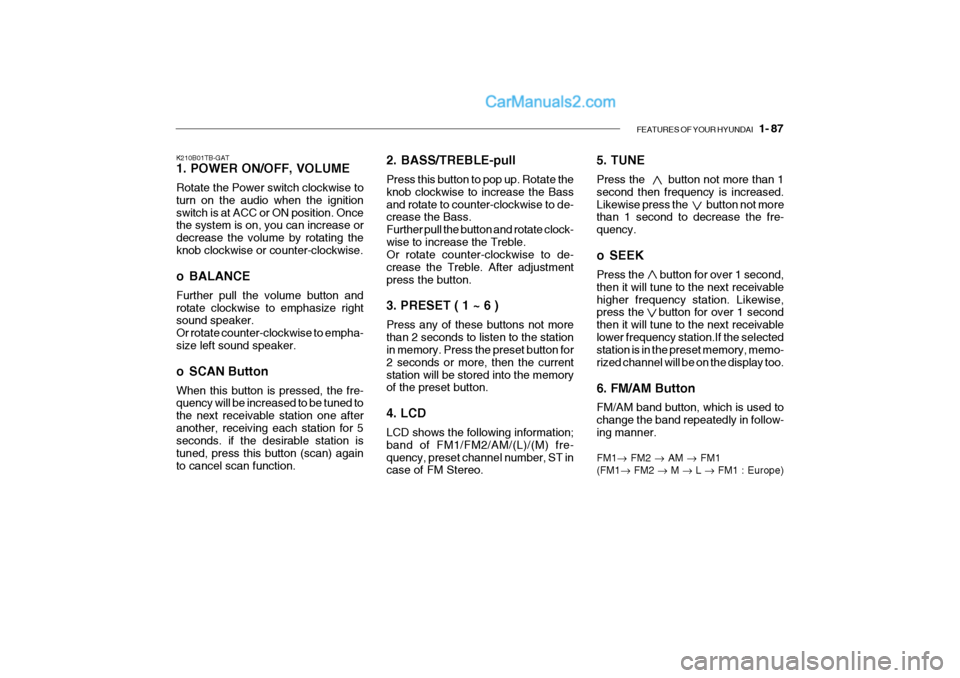
5. TUNE Press the button not more than 1 second then frequency is increased.Likewise press the button not more than 1 second to decrease the fre- quency.
o SEEK Press the button for over 1 second, then it will tune to the next receivablehigher frequency station. Likewise, press the button for over 1 second then it will tune to the next receivablelower frequency station.If the selected station is in the preset memory, memo- rized channel will be on the display too. 6. FM/AM Button FM/AM band button, which is used to change the band repeatedly in follow- ing manner. FM1 FM2 AM FM1
(FM1 FM2 M L FM1 : Europe)
K210B01TB-GAT 1. POWER ON/OFF, VOLUME Rotate the Power switch clockwise to turn on the audio when the ignitionswitch is at ACC or ON position. Once the system is on, you can increase or decrease the volume by rotating theknob clockwise or counter-clockwise.
o BALANCE Further pull the volume button and rotate clockwise to emphasize right sound speaker. Or rotate counter-clockwise to empha-size left sound speaker.
o SCAN Button When this button is pressed, the fre- quency will be increased to be tuned to the next receivable station one afteranother, receiving each station for 5 seconds. if the desirable station is tuned, press this button (scan) againto cancel scan function.
2. BASS/TREBLE-pull Press this button to pop up. Rotate the knob clockwise to increase the Bassand rotate to counter-clockwise to de- crease the Bass. Further pull the button and rotate clock-wise to increase the Treble. Or rotate counter-clockwise to de- crease the Treble. After adjustmentpress the button. 3. PRESET ( 1 ~ 6 ) Press any of these buttons not more than 2 seconds to listen to the station in memory. Press the preset button for 2 seconds or more, then the currentstation will be stored into the memory of the preset button. 4. LCD LCD shows the following information; band of FM1/FM2/AM/(L)/(M) fre-quency, preset channel number, ST in case of FM Stereo.
Page 105 of 428
1- 92 FEATURES OF YOUR HYUNDAI
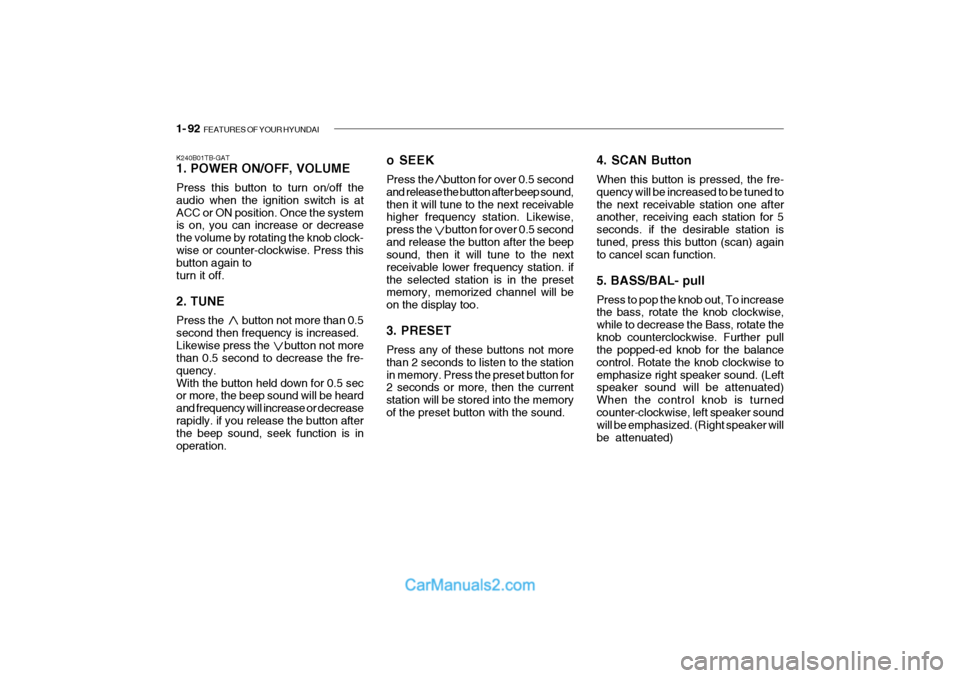
K240B01TB-GAT 1. POWER ON/OFF, VOLUME Press this button to turn on/off the audio when the ignition switch is atACC or ON position. Once the system is on, you can increase or decrease the volume by rotating the knob clock-wise or counter-clockwise. Press this button again to turn it off. 2. TUNE Press the button not more than 0.5 second then frequency is increased.Likewise press the button not more than 0.5 second to decrease the fre- quency.With the button held down for 0.5 sec or more, the beep sound will be heard and frequency will increase or decreaserapidly. if you release the button after the beep sound, seek function is in operation. o SEEK Press the button for over 0.5 second and release the button after beep sound,then it will tune to the next receivable higher frequency station. Likewise, press the button for over 0.5 secondand release the button after the beep sound, then it will tune to the next receivable lower frequency station. ifthe selected station is in the preset memory, memorized channel will be on the display too. 3. PRESET Press any of these buttons not more than 2 seconds to listen to the stationin memory. Press the preset button for 2 seconds or more, then the current station will be stored into the memoryof the preset button with the sound.
4. SCAN Button When this button is pressed, the fre- quency will be increased to be tuned tothe next receivable station one after another, receiving each station for 5 seconds. if the desirable station istuned, press this button (scan) again to cancel scan function. 5. BASS/BAL- pull Press to pop the knob out, To increase the bass, rotate the knob clockwise, while to decrease the Bass, rotate theknob counterclockwise. Further pull the popped-ed knob for the balance control. Rotate the knob clockwise toemphasize right speaker sound. (Left speaker sound will be attenuated) When the control knob is turnedcounter-clockwise, left speaker sound will be emphasized. (Right speaker will be attenuated)
Page 115 of 428

1- 102 FEATURES OF YOUR HYUNDAI
H290F01O-GAT
1. CD Select Button
o Insert the CD with the label facing
upward.
o Insert the CD to start CD playback, during radio operation or cassette tape playing.
o When a disc is in the CD deck, if you press the play button the CD playerwill begin playing even if the radio orcassette player is being used.
o The CD player can be used when
the ignition switch is in either the"ON" or "ACC" position.
2. FF/REW ( / ) If you want to fast forward or reverse through the compact disc track, push and hold in the FF ( ) or REW ( ) button.When you release the button, the com- pact disc player will resume playing. 3. TRACK UP/DOWN
o The desired track on the disc cur-
rently being played can be selected using the track number.
o Press button once to skip forwa-
rd to the beginning of the next track.Press button once to skip back to the beginning of the track.
4. REPEAT
o To repeat the music you are listen- ing to, press the RPT button. To cancel, press again.
o If you do not release RPT operation when the track ends, it will automati-cally be replayed.This process will be continued until you push the button again.
5. EQUALIZER Button Press the EQ button to select the CLASSIC, JAZZ, ROCK and DEFEATMODE for the desired tone quality. Each press of the button changes the display as follows; 6. CD EJECT Button When the button is pressed with the CD loaded, the CD is ejected.
7. SCAN Button (If installed)
o Press the SCAN button to playback
the first 10 seconds of each track.
o Press the SCAN button again within 10 sec. for the desired track.
NOTE:
o To assure proper operation of the unit, keep the vehicle interior temperature within a normalrange by using the vehicle's air conditioning or heating system.
o When replacing the fuse, replace
it with a fuse having the correctcapacity.
o The preset station frequencies
are all erased when the car bat-tery is disconnected. Therefore, all data will have to be set againif this should occur.
o Do not add any oil to the rotating
parts. Keep magnets, screwdriv-ers and other metallic objects away from the tape mechanism and head.
CLASSIC JAZZ ROCK DEFEAT
Page 116 of 428
FEATURES OF YOUR HYUNDAI 1- 103
o This equipment is designed to
be used only in a 12 volt DC battery system with negativeground.
o This unit is made of precision
parts. Do not attempt to disas-semble or adjust any parts.
o When driving your vehicle, be
sure to keep the volume of theunit set low enough to allow you to hear sounds coming from the outside.
o Do not expose this equipment (including the speakers and tape)to water or excessive moisture.
Page 122 of 428

2. DRIVING YOUR HYUNDAI
2
Before starting the engine .............................................................. 2-3
Key position .................................................................................... 2-4Starting............................................................................................ 2-5
Operating the manual transaxle ..................................................... 2-7
Automatic transaxle ........................................................................ 2-9
Good braking practices ................................................................. 2-12
Anti-Lock brake system (ABS) ...................................................... 2-13
Driving for economy ...................................................................... 2-14
Winter Driving ............................................................................... 2-15
Trailer or vehicle towing ................................................................ 2-18