ECO mode Hyundai Getz 2003 Owner's Guide
[x] Cancel search | Manufacturer: HYUNDAI, Model Year: 2003, Model line: Getz, Model: Hyundai Getz 2003Pages: 444, PDF Size: 13.82 MB
Page 266 of 444
1- 6 FEATURES OF YOUR HYUNDAI
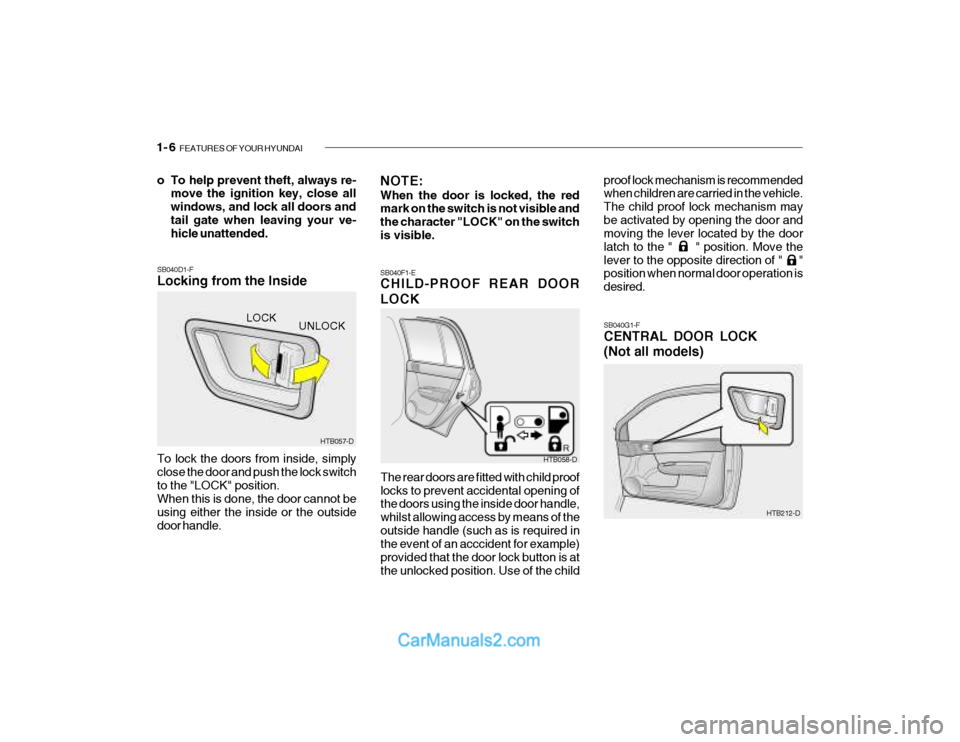
SB040G1-F CENTRAL DOOR LOCK (Not all models)
SB040D1-F Locking from the Inside To lock the doors from inside, simply close the door and push the lock switchto the "LOCK" position. When this is done, the door cannot be using either the inside or the outsidedoor handle. SB040F1-E CHILD-PROOF REAR DOOR LOCK
The rear doors are fitted with child proof locks to prevent accidental opening of the doors using the inside door handle, whilst allowing access by means of theoutside handle (such as is required in the event of an acccident for example) provided that the door lock button is atthe unlocked position. Use of the child
o To help prevent theft, always re-
move the ignition key, close allwindows, and lock all doors andtail gate when leaving your ve- hicle unattended.
NOTE: When the door is locked, the red mark on the switch is not visible and the character "LOCK" on the switchis visible. proof lock mechanism is recommended when children are carried in the vehicle. The child proof lock mechanism maybe activated by opening the door and moving the lever located by the door latch to the " " position. Move thelever to the opposite direction of " " position when normal door operation is desired.
HTB057-D
UNLOCK
LOCK
HTB058-D
HTB212-D
Page 267 of 444
FEATURES OF YOUR HYUNDAI 1- 7
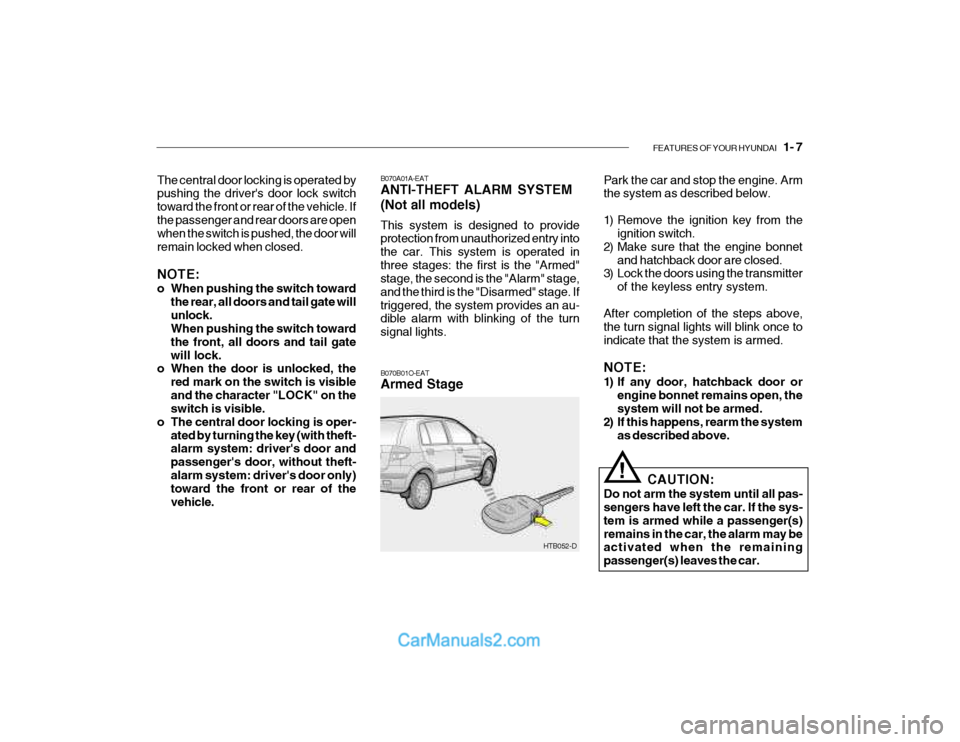
B070A01A-EAT ANTI-THEFT ALARM SYSTEM (Not all models) This system is designed to provide protection from unauthorized entry into the car. This system is operated inthree stages: the first is the "Armed" stage, the second is the "Alarm" stage, and the third is the "Disarmed" stage. Iftriggered, the system provides an au- dible alarm with blinking of the turn signal lights.
The central door locking is operated by pushing the driver's door lock switch toward the front or rear of the vehicle. Ifthe passenger and rear doors are open when the switch is pushed, the door will remain locked when closed. NOTE:
o When pushing the switch toward
the rear, all doors and tail gate will unlock. When pushing the switch toward the front, all doors and tail gatewill lock.
o When the door is unlocked, the
red mark on the switch is visibleand the character "LOCK" on the switch is visible.
o The central door locking is oper- ated by turning the key (with theft-alarm system: driver's door and passenger's door, without theft-alarm system: driver's door only) toward the front or rear of the vehicle. Park the car and stop the engine. Arm the system as described below.
1) Remove the ignition key from the
ignition switch.
2) Make sure that the engine bonnet and hatchback door are closed.
3) Lock the doors using the transmitter
of the keyless entry system.
After completion of the steps above, the turn signal lights will blink once toindicate that the system is armed. NOTE:
1) If any door, hatchback door or engine bonnet remains open, the system will not be armed.
2) If this happens, rearm the system
as described above.
CAUTION:
Do not arm the system until all pas-sengers have left the car. If the sys- tem is armed while a passenger(s)remains in the car, the alarm may be activated when the remaining passenger(s) leaves the car.
!
HTB052-D
B070B01O-EAT Armed Stage
Page 270 of 444
1- 10 FEATURES OF YOUR HYUNDAI
!
HTB257-D
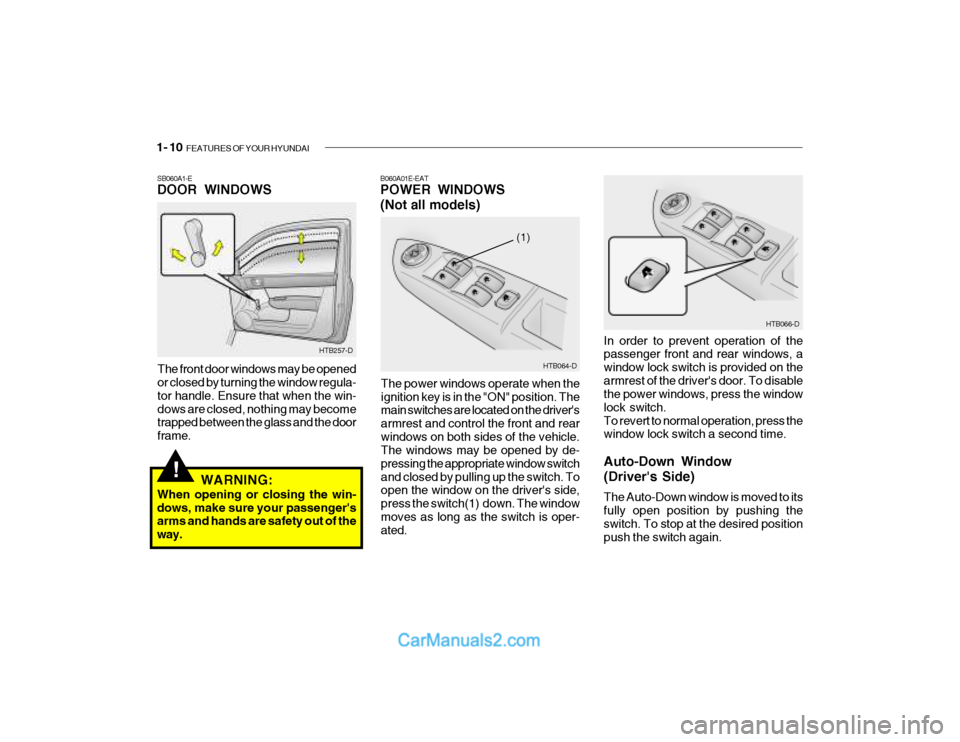
SB060A1-E DOOR WINDOWS
The front door windows may be opened or closed by turning the window regula- tor handle. Ensure that when the win-dows are closed, nothing may become trapped between the glass and the door frame. HTB064-D
(1)
HTB066-D
In order to prevent operation of the passenger front and rear windows, a window lock switch is provided on thearmrest of the driver's door. To disable the power windows, press the window lock switch.To revert to normal operation, press the window lock switch a second time. Auto-Down Window (Driver's Side) The Auto-Down window is moved to its fully open position by pushing the switch. To stop at the desired positionpush the switch again.
B060A01E-EAT POWER WINDOWS (Not all models)
The power windows operate when the ignition key is in the "ON" position. The main switches are located on the driver's armrest and control the front and rearwindows on both sides of the vehicle. The windows may be opened by de- pressing the appropriate window switchand closed by pulling up the switch. To open the window on the driver's side, press the switch(1) down. The windowmoves as long as the switch is oper- ated.
WARNING:
When opening or closing the win- dows, make sure your passenger's arms and hands are safety out of the way.
Page 297 of 444

FEATURES OF YOUR HYUNDAI 1- 37
SB210C1-F
SRS (Airbag) SERVICE REMINDER INDICATOR
The SRS service reminder indicator (SRI) comes on and flashes for about 6 seconds after the ignition key is turnedto the "ON" position or after the engine is started, after which it will go out. This light also comes on when the SRS is not working properly. If the SRI does not come on, or continu-ously remains on after flashing for about 6 seconds when you turned the ignition key to the "ON" position or started theengine, or if it comes on while driving, have the SRS inspected by an autho- rized Hyundai Dealer. B260P02Y-EAT
ABS SERVICE REMINDER INDICATOR(SRI) (Not all models)
When the key is turned to the "ON" position, the Anti-Lock Brake System SRI will come on and then go off in a fewseconds. If the ABS SRI remains on, comes on while driving, or does not come on when the key is turned to the"ON" position, this indicates that there may be a problem with the ABS. If this occurs, have your vehiclechecked by your Hyundai dealer as soon as possible. The normal braking system will still be operational, butwithout the assistance of the anti-lock brake system. SB210E1-E
OVERDRIVE OFF INDI CATORLIGHT(Not all models)
When the overdrive (4th gear) switch is turned off and the operation of overdrive (4th gear) is cancelled, the overdrivewarning light (O/D OFF) will be illumi- nated. When the switch is at the on position, the gearbox will operate in thenormal fully automatic mode and the warning light will be extinguished. SB210G1-E TURN SIGNAL INDICATOR LIGHT
Operation of a turn signal is indicated by the warning light located in the in- strument cluster. If the light fails toilluminate or does not flash, a malfunc- tion within the turn signal system is indicated.
! CAUTION:
If the both ABS SRI and Parking Brake/Brake fluid level warning lightsremain "ON" or come on while driv- ing, there may be a problem with E.B.D (Electronic brake force distri-bution). If this occurs, avoid sudden stops and have your vehicle checked byyour Hyundai dealer as soon as pos- sible.
Page 300 of 444

1- 40 FEATURES OF YOUR HYUNDAI
B260S01B-GAT
DIESEL PRE-HEAT INDICATORLIGHT-AMBER(Diesel Engine)
The indicator light illuminates amber when the ignition switch is placed at the "ON" position. The engine can be started after the pre-heat indicator lightgoes off. The illuminating time varies with the water temperature, air tem- perature and battery condition. NOTE: If the engine were not started 10 seconds after the preheating is com-pleted, turn the ignition key once more to the "LOCK" position, and then to the "ON" position, in orderto preheat again.
B260T01TB-GAT
ELECTRIC POWER STEERING SYSTEM(EPS) WARNING LIGHT (Not all models)
This indicator light comes on about 4 seconds after the ignition key is turned to the "ON" position or after the engine is started, it will go out.This light also comes on when the EPS has some troubles. If it comes on while driving, have your vehicle inspected byan authorized Hyundai Dealer. B260E01HP-GAT
SEAT BELT WARNING LIGHT
The seat belt warning light blinks for about 6 seconds when the ignition key is turned from the "OFF" position to "ON" or "START".
CAUTION:
When you move the electric power steering back-end and forth-end continuously in stop position, steer- ing wheel plays heavily to operateanti-overload system. It is normal condition. It returns to be nomal getting time.!
B260U01TB-EAT IMMOBILIZER
INDICATOR LIGHT(Not all models)
This indicator light comes on for some seconds after the ignition key is turned to the "ON" position. At this time, youcan start the engine. The light goes out after the engine is running. In case this light goes out before you start the en-gine, you must turn to the "LOCK" position and restart the engine. In case this light blinks for five seconds whenthe ignition key is turned to "ON" posi- tion, this indicates that the immobilizer system is out of order. At this time,consult to the Hyundai dealer.
nearest authorized Hyundai dealer and have the system checked.
Page 303 of 444
FEATURES OF YOUR HYUNDAI 1- 43
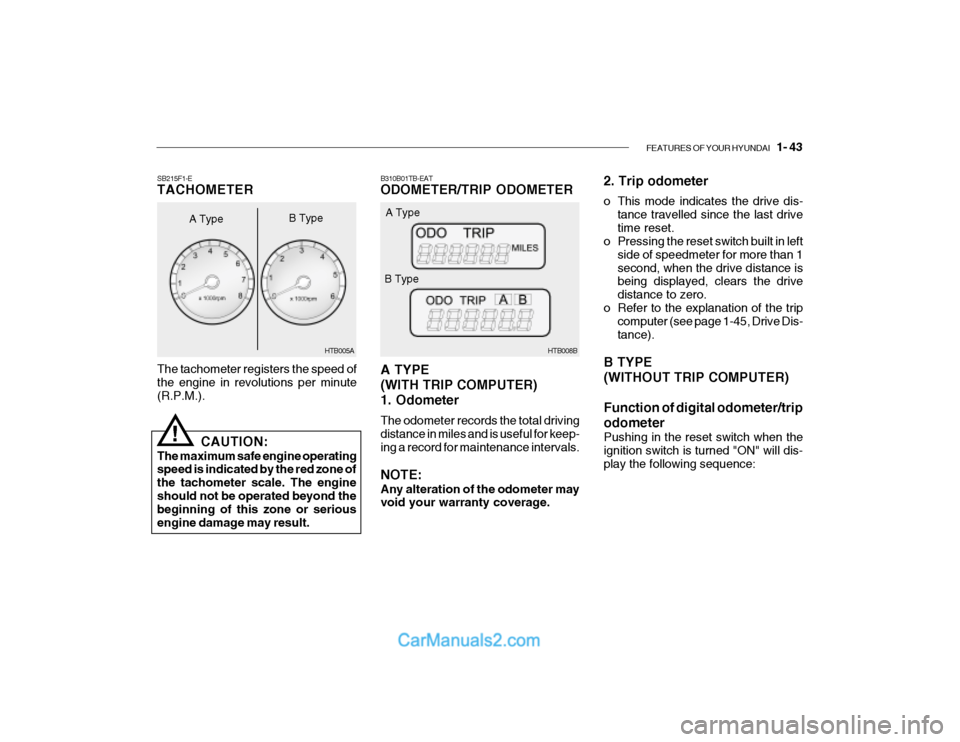
B310B01TB-EAT ODOMETER/TRIP ODOMETER A TYPE (WITH TRIP COMPUTER)1. Odometer The odometer records the total driving distance in miles and is useful for keep- ing a record for maintenance intervals. NOTE: Any alteration of the odometer may void your warranty coverage. HTB008B
A Type
B Type 2. Trip odometer
o This mode indicates the drive dis-
tance travelled since the last drive time reset.
o Pressing the reset switch built in left
side of speedmeter for more than 1second, when the drive distance is being displayed, clears the drive distance to zero.
o Refer to the explanation of the trip computer (see page 1-45, Drive Dis-tance).
B TYPE (WITHOUT TRIP COMPUTER) Function of digital odometer/trip odometer
Pushing in the reset switch when the ignition switch is turned "ON" will dis-play the following sequence:
The tachometer registers the speed of the engine in revolutions per minute (R.P.M.).
SB215F1-E TACHOMETER
A Type
!
CAUTION:
The maximum safe engine operating speed is indicated by the red zone of the tachometer scale. The engineshould not be operated beyond the beginning of this zone or serious engine damage may result. HTB005A
B Type
Page 304 of 444
1- 44 FEATURES OF YOUR HYUNDAI
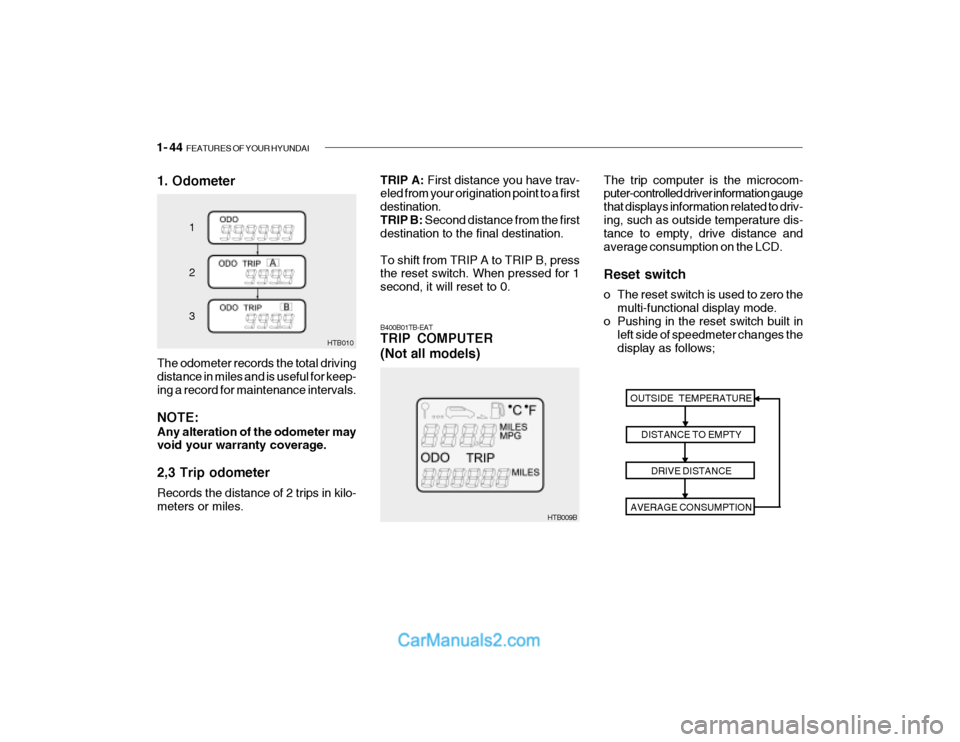
1. Odometer
HTB010
1 2 3
The odometer records the total driving distance in miles and is useful for keep- ing a record for maintenance intervals. NOTE: Any alteration of the odometer may void your warranty coverage. 2,3 Trip odometer Records the distance of 2 trips in kilo- meters or miles.
HTB009B The trip computer is the microcom- puter-controlled driver information gauge that displays information related to driv-ing, such as outside temperature dis- tance to empty, drive distance and average consumption on the LCD. Reset switch
o The reset switch is used to zero the
multi-functional display mode.
o Pushing in the reset switch built in
left side of speedmeter changes the display as follows;
B400B01TB-EAT TRIP COMPUTER (Not all models)
OUTSIDE TEMPERATUREDISTANCE TO EMPTYDRIVE DISTANCE
AVERAGE CONSUMPTION
TRIP A: First distance you have trav-
eled from your origination point to a first destination.TRIP B: Second distance from the first
destination to the final destination. To shift from TRIP A to TRIP B, press the reset switch. When pressed for 1 second, it will reset to 0.
Page 305 of 444
FEATURES OF YOUR HYUNDAI 1- 45
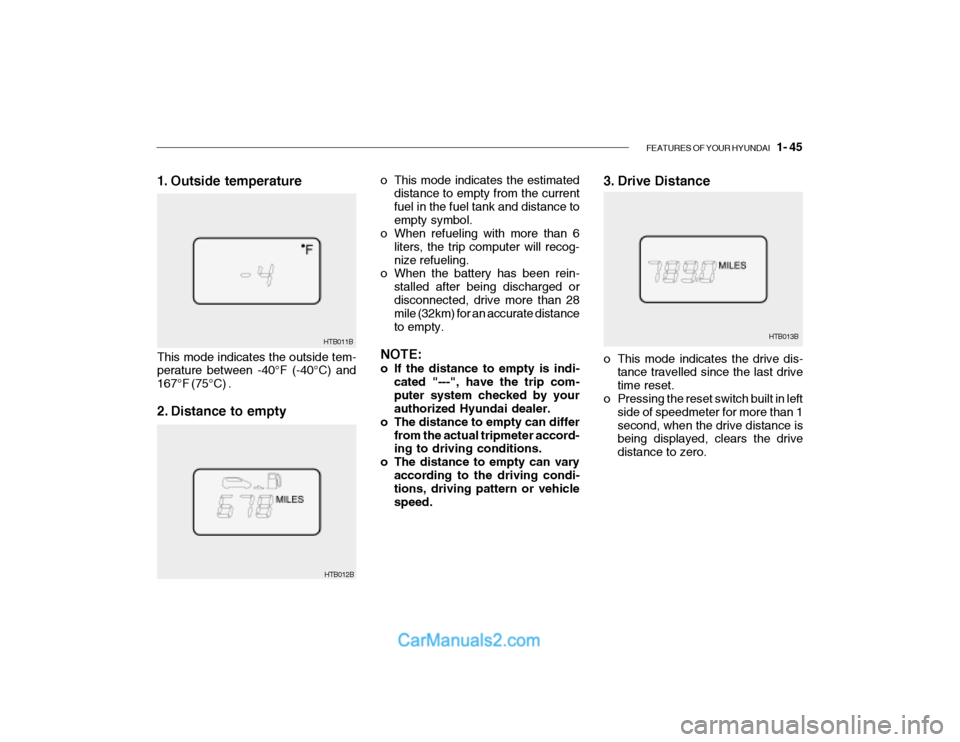
3. Drive Distance
HTB013B
o This mode indicates the estimated
distance to empty from the current fuel in the fuel tank and distance toempty symbol.
o When refueling with more than 6
liters, the trip computer will recog-nize refueling.
o When the battery has been rein-
stalled after being discharged ordisconnected, drive more than 28 mile (32km) for an accurate distance to empty.
NOTE:
o If the distance to empty is indi- cated "---", have the trip com- puter system checked by your authorized Hyundai dealer.
o The distance to empty can differ
from the actual tripmeter accord-ing to driving conditions.
o The distance to empty can vary
according to the driving condi-tions, driving pattern or vehicle speed. o This mode indicates the drive dis-
tance travelled since the last drivetime reset.
o Pressing the reset switch built in left
side of speedmeter for more than 1second, when the drive distance is being displayed, clears the drive distance to zero.
HTB012B
1. Outside temperature This mode indicates the outside tem- perature between -40°F (-40°C) and 167°F (75°C) .
2. Distance to empty
HTB011B
Page 306 of 444
1- 46 FEATURES OF YOUR HYUNDAI
HTB014B
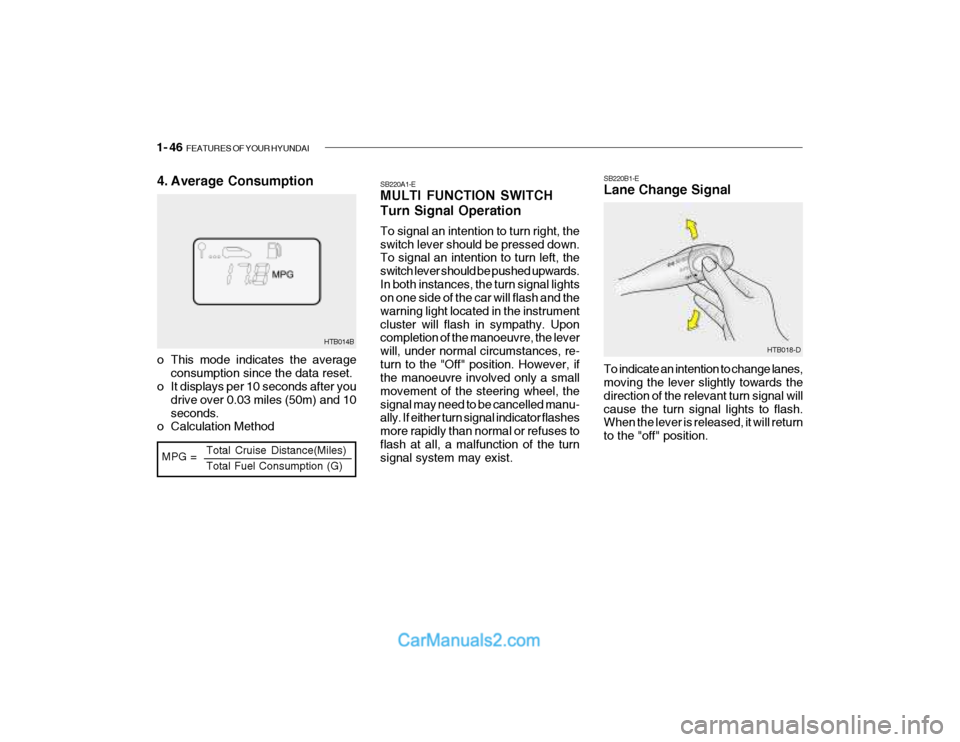
MPG = Total Cruise Distance(Miles) Total Fuel Consumption (G)
4. Average Consumption
o This mode indicates the average
consumption since the data reset.
o It displays per 10 seconds after you
drive over 0.03 miles (50m) and 10 seconds.
o Calculation Method SB220A1-E MULTI FUNCTION SWITCH Turn Signal Operation To signal an intention to turn right, the switch lever should be pressed down. To signal an intention to turn left, the switch lever should be pushed upwards.In both instances, the turn signal lights on one side of the car will flash and the warning light located in the instrumentcluster will flash in sympathy. Upon completion of the manoeuvre, the lever will, under normal circumstances, re-turn to the "Off" position. However, if the manoeuvre involved only a small movement of the steering wheel, thesignal may need to be cancelled manu- ally. If either turn signal indicator flashes more rapidly than normal or refuses toflash at all, a malfunction of the turn signal system may exist. SB220B1-E Lane Change Signal To indicate an intention to change lanes, moving the lever slightly towards the direction of the relevant turn signal willcause the turn signal lights to flash. When the lever is released, it will return to the "off" position.
HTB018-D
Page 307 of 444
FEATURES OF YOUR HYUNDAI 1- 47
HTB017-DHTB015-D
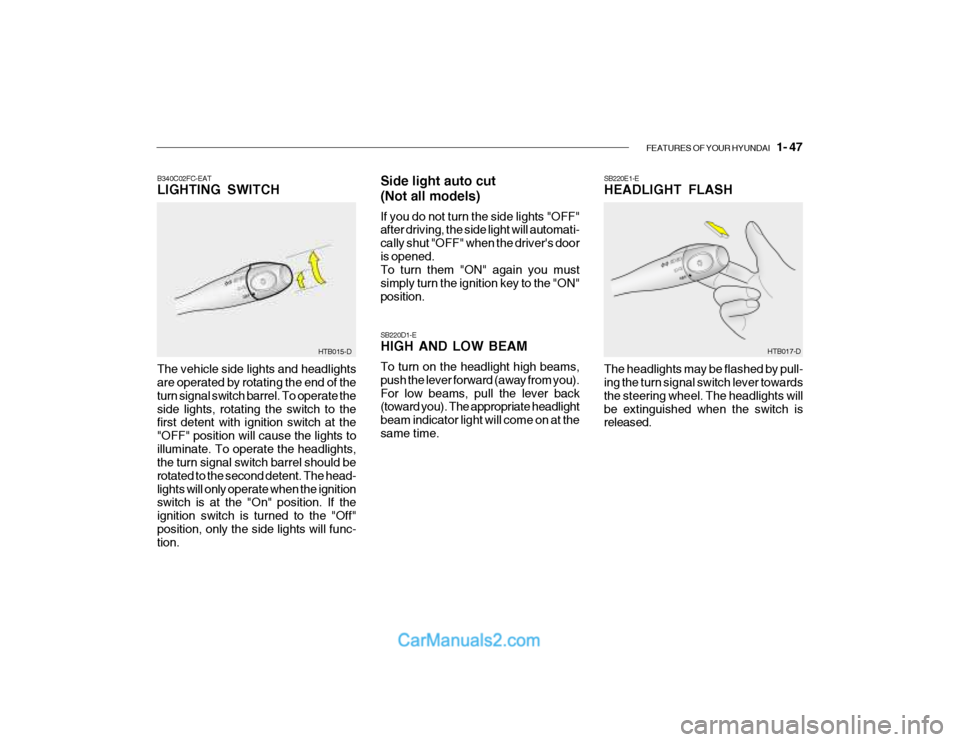
B340C02FC-EAT LIGHTING SWITCH
The vehicle side lights and headlights are operated by rotating the end of the turn signal switch barrel. To operate theside lights, rotating the switch to the first detent with ignition switch at the "OFF" position will cause the lights toilluminate. To operate the headlights, the turn signal switch barrel should be rotated to the second detent. The head-lights will only operate when the ignition switch is at the "On" position. If the ignition switch is turned to the "Off"position, only the side lights will func- tion. Side light auto cut (Not all models) If you do not turn the side lights "OFF" after driving, the side light will automati- cally shut "OFF" when the driver's dooris opened. To turn them "ON" again you must simply turn the ignition key to the "ON"position. SB220D1-E HIGH AND LOW BEAM To turn on the headlight high beams, push the lever forward (away from you). For low beams, pull the lever back (toward you). The appropriate headlight beam indicator light will come on at thesame time.
SB220E1-E HEADLIGHT FLASH The headlights may be flashed by pull- ing the turn signal switch lever towards the steering wheel. The headlights willbe extinguished when the switch is released.