Gear Hyundai Grand i10 2015 Owner's Manual
[x] Cancel search | Manufacturer: HYUNDAI, Model Year: 2015, Model line: Grand i10, Model: Hyundai Grand i10 2015Pages: 343, PDF Size: 29.47 MB
Page 108 of 343
Features of your vehicle
52
4
Your vehicle is equipped with dual-diago-
nal braking systems. This means you still
have braking on two wheels even if one of
the dual systems should fail. With only one
of the dual systems working, more than
normal pedal travel and greater pedal
pressure are required to stop the vehicle.
Also, the vehicle will not stop in as short a
distance with only a portion of the brake
system working. If the brakes fail while you
are driving, shift to a lower gear for addi-
tional engine braking and stop the vehicle
as soon as it is safe to do so.
To check bulb operation, check whether
the parking brake and brake fluid warning
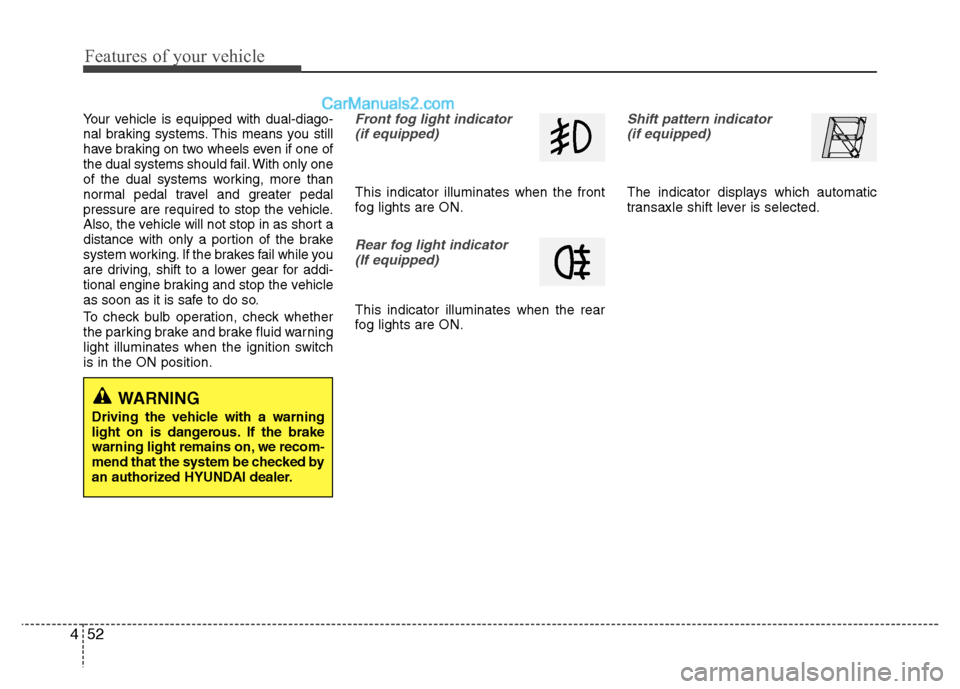
light illuminates when the ignition switchis in the ON position.Front fog light indicator
(if equipped)
This indicator illuminates when the front
fog lights are ON.
Rear fog light indicator (If equipped)
This indicator illuminates when the rear
fog lights are ON.
Shift pattern indicator (if equipped)
The indicator displays which automatic
transaxle shift lever is selected.
WARNING
Driving the vehicle with a warning
light on is dangerous. If the brake
warning light remains on, we recom-
mend that the system be checked by
an authorized HYUNDAI dealer.
Page 109 of 343
453
Features of your vehicle
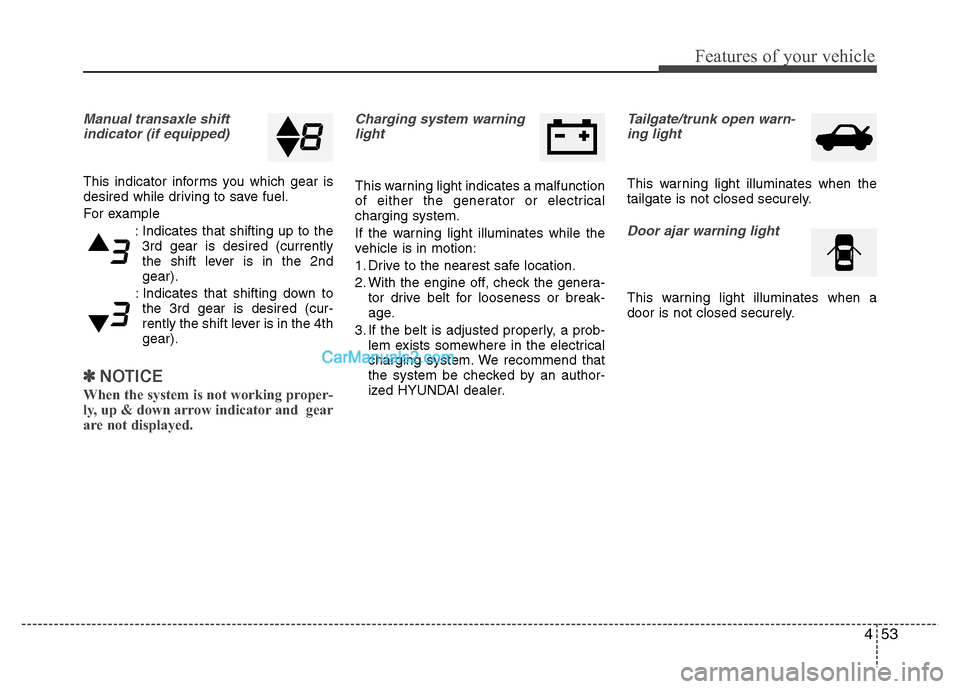
Manual transaxle shiftindicator (if equipped)
This indicator informs you which gear is
desired while driving to save fuel.
For example
: Indicates that shifting up to the3rd gear is desired (currently
the shift lever is in the 2ndgear).
: Indicates that shifting down to the 3rd gear is desired (cur-
rently the shift lever is in the 4thgear).
✽✽ NOTICE
When the system is not working proper-
ly, up & down arrow indicator and gear
are not displayed.
Charging system warning light
This warning light indicates a malfunction
of either the generator or electricalcharging system.
If the warning light illuminates while the
vehicle is in motion:
1. Drive to the nearest safe location.
2. With the engine off, check the genera- tor drive belt for looseness or break-
age.
3. If the belt is adjusted properly, a prob- lem exists somewhere in the electrical
charging system. We recommend that
the system be checked by an author-
ized HYUNDAI dealer.
Tailgate/trunk open warn-
ing light
This warning light illuminates when the
tailgate is not closed securely.
Door ajar warning light
This warning light illuminates when a
door is not closed securely.
Page 192 of 343
Driving your vehicle
4
5
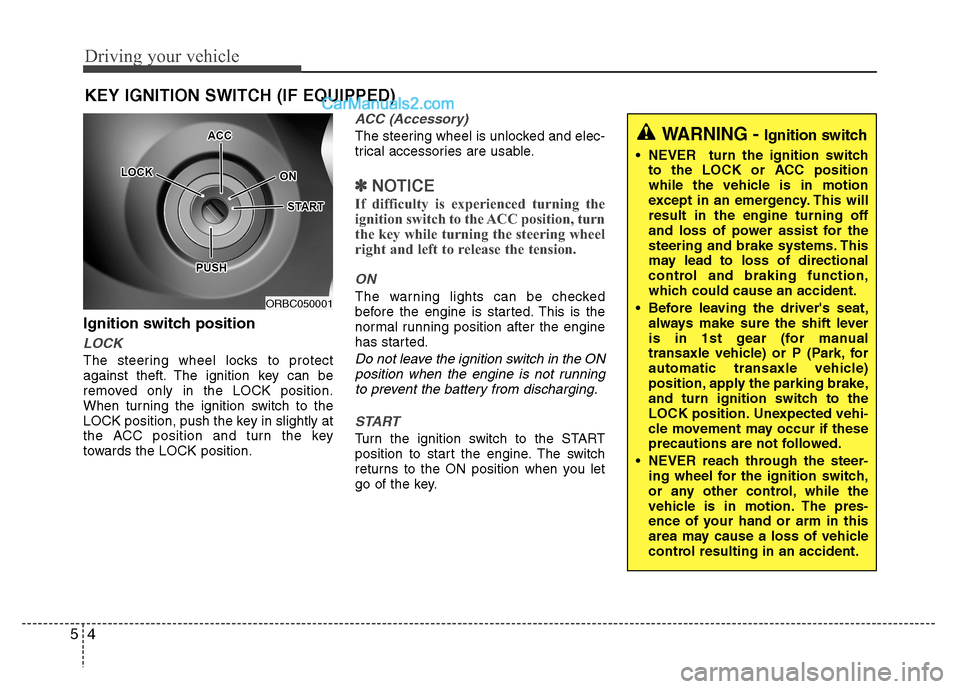
Ignition switch position
LOCK
The steering wheel locks to protect
against theft. The ignition key can be
removed only in the LOCK position.
When turning the ignition switch to the
LOCK position, push the key in slightly at
the ACC position and turn the key
towards the LOCK position.
ACC (Accessory)
The steering wheel is unlocked and elec-
trical accessories are usable.
✽✽
NOTICE
If difficulty is experienced turning the
ignition switch to the ACC position, turn
the key while turning the steering wheel
right and left to release the tension.
ON
The warning lights can be checked
before the engine is started. This is the
normal running position after the engine
has started.
Do not leave the ignition switch in the ON position when the engine is not runningto prevent the battery from discharging.
START
Turn the ignition switch to the START
position to start the engine. The switch
returns to the ON position when you let
go of the key.
KEY IGNITION SWITCH (IF EQUIPPED)
ORBC050001
WARNING -
Ignition switch
NEVER turn the ignition switch
to the LOCK or ACC position
while the vehicle is in motion
except in an emergency. This willresult in the engine turning off
and loss of power assist for the
steering and brake systems. This
may lead to loss of directional
control and braking function,
which could cause an accident.
Before leaving the driver's seat, always make sure the shift lever
is in 1st gear (for manual
transaxle vehicle) or P (Park, for
automatic transaxle vehicle)
position, apply the parking brake,
and turn ignition switch to the
LOCK position. Unexpected vehi-
cle movement may occur if these
precautions are not followed.
NEVER reach through the steer- ing wheel for the ignition switch,
or any other control, while the
vehicle is in motion. The pres-
ence of your hand or arm in this
area may cause a loss of vehicle
control resulting in an accident.
Page 199 of 343
511
Driving your vehicle
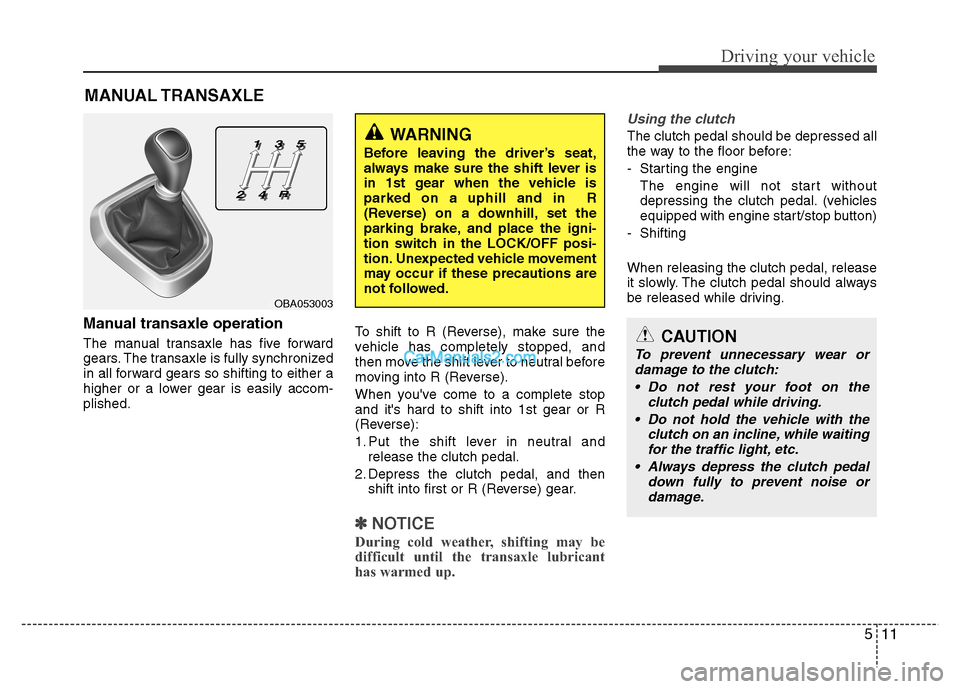
Manual transaxle operation
The manual transaxle has five forward
gears. The transaxle is fully synchronized
in all forward gears so shifting to either a
higher or a lower gear is easily accom-plished.To shift to R (Reverse), make sure the
vehicle has completely stopped, and
then move the shift lever to neutral before
moving into R (Reverse).
When you've come to a complete stop and it's hard to shift into 1st gear or R
(Reverse):
1. Put the shift lever in neutral and
release the clutch pedal.
2. Depress the clutch pedal, and then shift into first or R (Reverse) gear.
✽✽
NOTICE
During cold weather, shifting may be
difficult until the transaxle lubricant
has warmed up.
Using the clutch
The clutch pedal should be depressed all
the way to the floor before:
- Starting the engine The engine will not start without
depressing the clutch pedal. (vehicles
equipped with engine start/stop button)
- Shifting When releasing the clutch pedal, release
it slowly. The clutch pedal should always
be released while driving.
MANUAL TRANSAXLE
OBA053003
CAUTION
To prevent unnecessary wear or
damage to the clutch:
Do not rest your foot on the clutch pedal while driving.
Do not hold the vehicle with the clutch on an incline, while waitingfor the traffic light, etc.
Always depress the clutch pedal down fully to prevent noise ordamage.
WARNING
Before leaving the driver’s seat,
always make sure the shift lever is
in 1st gear when the vehicle isparked on a uphill and in R
(Reverse) on a downhill, set the
parking brake, and place the igni-
tion switch in the LOCK/OFF posi-
tion. Unexpected vehicle movement
may occur if these precautions are
not followed.
Page 200 of 343
Driving your vehicle
12
5
Downshifting
Downshift when you must slow down in
heavy traffic or drive up a steep hill to
prevent engine load.
Also, downshifting reduces the chance of
stalling and can accelerate when you
need to increase your speed again.
When the vehicle is going downhill,
downshifting helps maintain safe speed
by providing brake power from the engine
and enables less wear on the brakes. Good driving practices
Never take the vehicle out of gear and
coast down a hill. This is extremely
dangerous.
Don't "ride" the brakes. This can cause the brakes and related parts to over-heat and malfunction.
When you are driving down a long hill,
slow down and shift to a lower gear.
Engine braking will help slow down the
vehicle.
Slow down before shifting to a lower gear. This will help avoid over-revving
the engine, which can cause damage.
Slow down when you encounter cross winds. This gives you much better con-
trol of your vehicle.
Be sure the vehicle is completely stopped before you shift into R
(Reverse) to prevent damage to the
transaxle.
Exercise extreme caution when driving on a slippery surface. Be especially
careful when braking, accelerating or
shifting gears. On a slippery surface,
an abrupt change in vehicle speed can
cause the drive wheels to lose traction
and may cause loss of vehicle controlresulting in an accidentCAUTION
To prevent damage to the engine:
When downshifting from 5th gear to 4th gear, be careful not to inad-
vertently push the shift leversideways engaging the 2nd gear. A drastic downshift may cause
the engine speed to increase to the point the tachometer will enter the red-zone.
Do not downshift more than one gear at a time or downshift the
gear when the engine is runningat high speed (5,000 RPM or high-er).
Page 204 of 343
Driving your vehicle
16
5
N (Neutral)
The wheels and transaxle are not engaged.
Use N (Neutral) if you need to restart a
stalled engine, or if it is necessary to stop
with the engine ON. Shift into P (Park) if
you need to leave your vehicle for anyreason.
Always depress the brake pedal when
you are shifting from N (Neutral) to
another gear.
D (Drive)
This is the normal driving position. The
transaxle will automatically shift through
a 4-gear sequence, providing the best
fuel economy and power.
For extra power when passing another
vehicle or driving uphill, depress the
accelerator fully. The transaxle will auto-
matically downshift to the next lower gear
(or gears, as appropriate).
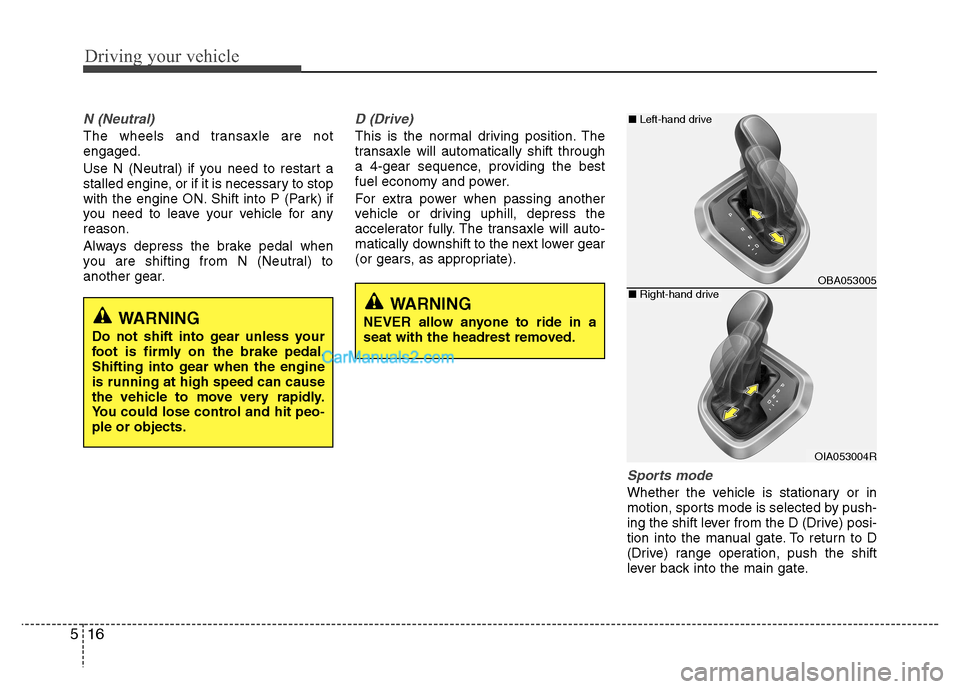
Sports mode
Whether the vehicle is stationary or in
motion, sports mode is selected by push-
ing the shift lever from the D (Drive) posi-
tion into the manual gate. To return to D
(Drive) range operation, push the shift
lever back into the main gate.
WARNING
Do not shift into gear unless your
foot is firmly on the brake pedal.
Shifting into gear when the engineis running at high speed can cause
the vehicle to move very rapidly.
You could lose control and hit peo-ple or objects.WARNING
NEVER allow anyone to ride in a
seat with the headrest removed.
OBA053005
OIA053004R
■ Left-hand drive
■Right-hand drive
Page 205 of 343
517
Driving your vehicle
In Sports Mode, moving the shift lever
backwards and forwards will allow you to
select the desired range of gears for the
current driving conditions.
+ (Up) : Push the lever forward once toshift up one gear.
- (Down) : Pull the lever backwards once to shift down one gear.✽✽
NOTICE
Only the four forward gears can be selected. To reverse or park the vehi-
cle, move the shift lever to the R
(Reverse) or P (Park) position as
required.
Downshifts are made automatically when the vehicle slows down. When
the vehicle stops, 1st gear is automati-
cally selected.
When the engine rpm approaches the red zone the transaxle will upshift
automatically.
If the driver presses the lever to + (Up)
or - (Down) position, the transaxle
may not make the requested gear
change if the next gear is outside of
the allowable engine rpm range. The
driver must execute upshifts in accor-
dance with road conditions, taking
care to keep the engine rpms below
the red zone.
When driving on a slippery road, push the shift lever forward into the +
(Up) position. This causes the
transaxle to shift into the 2nd gear
which is better for smooth driving on
a slippery road. Push the shift lever to
the - (Down) side to shift back to the
1st gear.Shift -lock system
For your safety, the automatic transaxle
has a shift-lock system which prevents
shifting the transaxle from P (Park) into R
(Reverse) unless the brake pedal isdepressed.
To shift the transaxle from P (Park) into R
(Reverse):
1. Depress and hold the brake pedal.
2. Press the shift button.
3. Move the shift lever.
Page 206 of 343
Driving your vehicle
18
5
Parking
Always come to a complete stop and
continue to depress the brake pedal.
Move the shift lever into the P (Park)
position, apply the parking brake, and
place the ignition switch in the
LOCK/OFF position. Take the Key with
you when exiting the vehicle. Good driving practices
Never move the shift lever from P
(Park) or N (Neutral) to any other posi-
tion with the accelerator pedaldepressed.
Never move the shift lever into P (Park) when the vehicle is in motion.
Be sure the vehicle is completely stopped before you attempt to shift into
R (Reverse) or D (Drive).
Do not move the shift lever to N (Neutral) when driving. Doing so mayresult in an accident because of a loss
of engine braking and the transaxlecould be damaged.
Do not drive with your foot resting on the brake pedal. Even light, but consis-tent pedal pressure can result in the
brakes overheating, brake wear and
possibly even brake failure.
When driving in sports mode, slow down before shifting to a lower gear.
Otherwise, the lower gear may not be
engaged if the engine rpms are out-
side of the allowable range.
Always apply the parking brake when leaving the vehicle. Do not depend on
placing the transmission in P (Park) to
keep the vehicle from moving. Exercise extreme caution when driving
on a slippery surface. Be especially
careful when braking, accelerating or
shifting gears. On a slippery surface,
an abrupt change in vehicle speed can
cause the drive wheels to lose traction
and may cause loss of vehicle controlresulting in an accident
Optimum vehicle performance and economy is obtained by smoothly
depressing and releasing the accelera-
tor.
WARNING
When you stay in the vehicle with
the engine running, be careful not
to depress the accelerator pedal for
a long period of time. The engine or
exhaust system may overheat and
start a fire.
The exhaust gas and the exhaust
system are very hot. Keep away
from the exhaust system compo-nents.
Do not stop or park over flammable
materials, such as dry grass, paper
or leaves. They may ignite and
cause a fire.
Page 208 of 343
Driving your vehicle
20
5
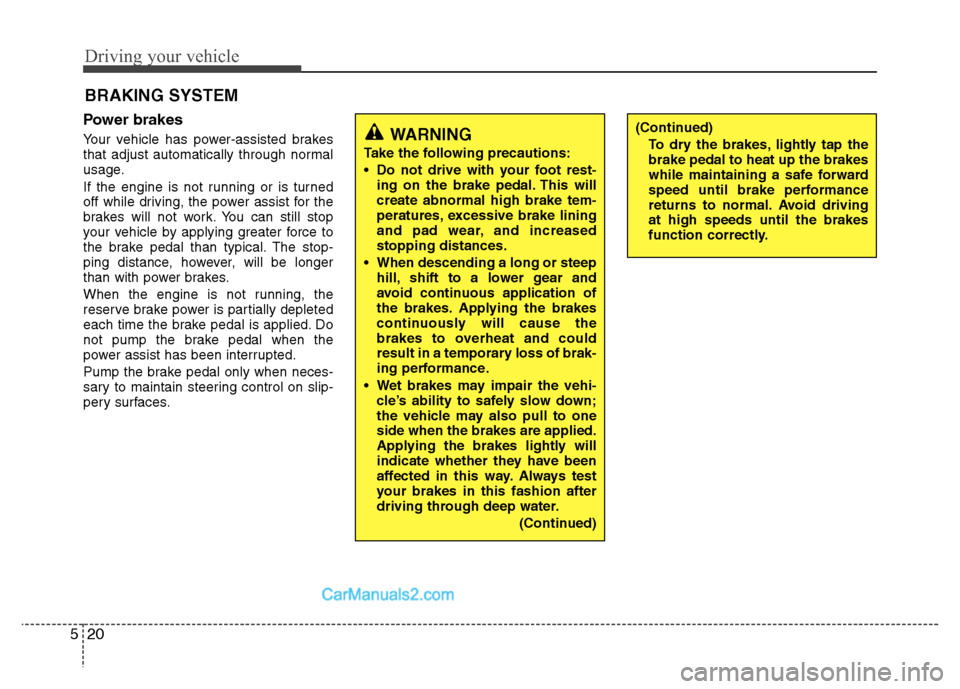
Power brakes
Your vehicle has power-assisted brakes
that adjust automatically through normal
usage.
If the engine is not running or is turned
off while driving, the power assist for the
brakes will not work. You can still stop
your vehicle by applying greater force to
the brake pedal than typical. The stop-
ping distance, however, will be longer
than with power brakes.
When the engine is not running, the
reserve brake power is partially depleted
each time the brake pedal is applied. Do
not pump the brake pedal when the
power assist has been interrupted.
Pump the brake pedal only when neces-
sary to maintain steering control on slip-
pery surfaces. BRAKING SYSTEM (Continued)
To dry the brakes, lightly tap the brake pedal to heat up the brakes
while maintaining a safe forward
speed until brake performance
returns to normal. Avoid drivingat high speeds until the brakes
function correctly.WARNING
Take the following precautions:
Do not drive with your foot rest- ing on the brake pedal. This will create abnormal high brake tem-
peratures, excessive brake lining
and pad wear, and increasedstopping distances.
When descending a long or steep hill, shift to a lower gear and
avoid continuous application of
the brakes. Applying the brakes
continuously will cause the
brakes to overheat and could
result in a temporary loss of brak-
ing performance.
Wet brakes may impair the vehi- cle’s ability to safely slow down;
the vehicle may also pull to oneside when the brakes are applied.
Applying the brakes lightly will
indicate whether they have been
affected in this way. Always test
your brakes in this fashion after
driving through deep water.
(Continued)
Page 210 of 343
Driving your vehicle
22
5
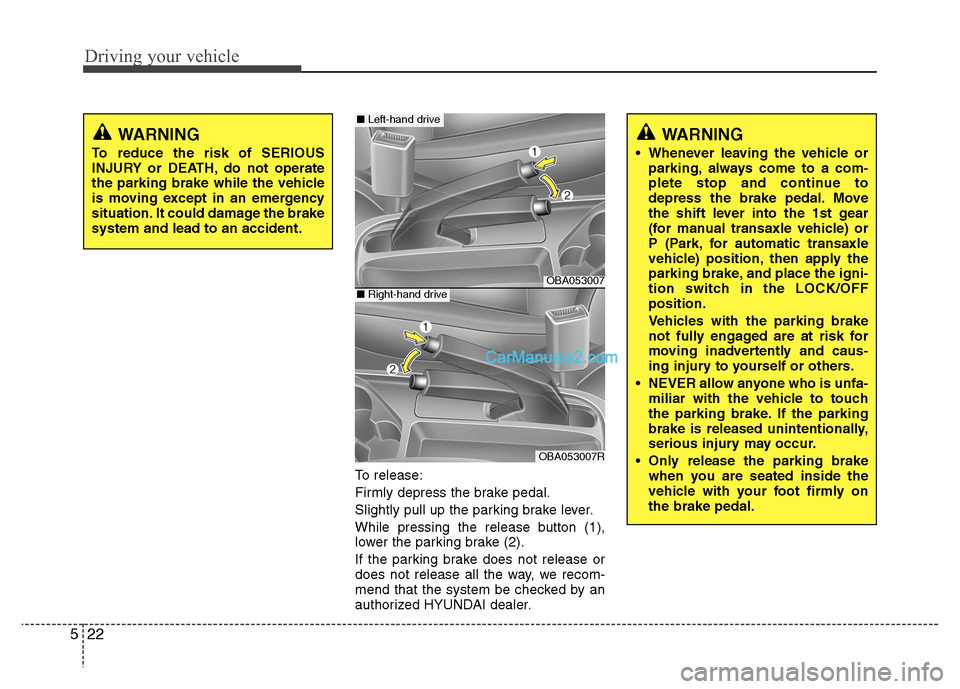
To release:
Firmly depress the brake pedal.
Slightly pull up the parking brake lever.
While pressing the release button (1),
lower the parking brake (2).
If the parking brake does not release or
does not release all the way, we recom-
mend that the system be checked by an
authorized HYUNDAI dealer.
WARNING
Whenever leaving the vehicle or parking, always come to a com-
plete stop and continue to
depress the brake pedal. Move
the shift lever into the 1st gear
(for manual transaxle vehicle) or
P (Park, for automatic transaxle
vehicle) position, then apply the
parking brake, and place the igni-
tion switch in the LOCK/OFFposition.
Vehicles with the parking brake
not fully engaged are at risk for
moving inadvertently and caus-
ing injury to yourself or others.
NEVER allow anyone who is unfa- miliar with the vehicle to touch
the parking brake. If the parking
brake is released unintentionally,
serious injury may occur.
Only release the parking brake when you are seated inside the
vehicle with your foot firmly onthe brake pedal.
OBA053007
OBA053007R
WARNING
To reduce the risk of SERIOUS
INJURY or DEATH, do not operate
the parking brake while the vehicle
is moving except in an emergency
situation. It could damage the brakesystem and lead to an accident.
■ Left-hand drive
■Right-hand drive