key Hyundai Grand Santa Fe 2013 Owner's Manual
[x] Cancel search | Manufacturer: HYUNDAI, Model Year: 2013, Model line: Grand Santa Fe, Model: Hyundai Grand Santa Fe 2013Pages: 718, PDF Size: 13.5 MB
Page 444 of 718
![Hyundai Grand Santa Fe 2013 Owners Manual 4347
Features of your vehicle
System Setting
Memory Information
Press the key Select
[System] Select [Memory Information]
This feature displays information
related to system memory.
1) Using : Displa](/img/35/14776/w960_14776-443.png "Hyundai Grand Santa Fe 2013 Owners Manual 4347
Features of your vehicle
System Setting
Memory Information
Press the key Select
[System] Select [Memory Information]
This feature displays information
related to system memory.
1) Using : Displa")
4347
Features of your vehicle
System Setting
Memory Information
Press the key Select
[System] Select [Memory Information]
This feature displays information
related to system memory.
1) Using : Displays capacity currently
in use
2) Capacity : Displays total capacity
Language
Press the key Select
[System] Select [Language]
This feature is used to change the
system and voice recognition lan-
guage.
If the language is changed, the sys-
tem will restart and apply the select-
ed language.
REAR VIEW CAMERA
(if equipped)
• The system has been equipped
with a rear view camera for user
safety by allowing a wider rear
range of vision.
• The rear view camera will automat-
ically operate when the ignition key
is turned ON and the transmission
lever is set to R.
• The rear view camera will automat-
ically stop operating when set to a
different lever.
SETUP
SETUP
CAUTION
The rear view camera has been
equipped with an optical lens to
provide a wider range of vision
and may appear different from
the actual distance. For safety,
directly check the rear and
left/right sides.
Page 446 of 718
Driving your vehicle
Before driving . . . . . . . . . . . . . . . . . . . . . . . . . . . . . . 5-4
• Before entering vehicle . . . . . . . . . . . . . . . . . . . . . . . . . 5-4
• Necessary inspections . . . . . . . . . . . . . . . . . . . . . . . . . 5-4
• Before starting . . . . . . . . . . . . . . . . . . . . . . . . . . . . . . . 5-4
Key positions . . . . . . . . . . . . . . . . . . . . . . . . . . . . . . . 5-6
• Illuminated ignition switch . . . . . . . . . . . . . . . . . . . . . . 5-6
• Ignition switch position . . . . . . . . . . . . . . . . . . . . . . . . . 5-6
• Starting the engine . . . . . . . . . . . . . . . . . . . . . . . . . . . . 5-8
Engine start/stop button . . . . . . . . . . . . . . . . . . . . 5-10
• Illuminated engine start/stop button . . . . . . . . . . . . . 5-10
• Engine start/stop button position. . . . . . . . . . . . . . . . 5-10
• Starting the engine . . . . . . . . . . . . . . . . . . . . . . . . . . . 5-13
Automatic transaxle . . . . . . . . . . . . . . . . . . . . . . . . 5-17
• Automatic transaxle operation . . . . . . . . . . . . . . . . . . 5-17
• Good driving practices . . . . . . . . . . . . . . . . . . . . . . . . 5-23
Four wheel drive (4WD) . . . . . . . . . . . . . . . . . . . . 5-25
• Tight corner brake effect . . . . . . . . . . . . . . . . . . . . . . 5-25
• Four Wheel Drive (4WD) transfer mode selection . 5-26
• For safe four-wheel drive operation . . . . . . . . . . . . 5-27
• Reducing the risk of a rollover . . . . . . . . . . . . . . . . . 5-30
Brake system . . . . . . . . . . . . . . . . . . . . . . . . . . . . . . 5-33
• Power brakes . . . . . . . . . . . . . . . . . . . . . . . . . . . . . . . 5-33
• Parking brake . . . . . . . . . . . . . . . . . . . . . . . . . . . . . . 5-35
• Electric parking brake (EPB) . . . . . . . . . . . . . . . . . . 5-37
• Emergency braking . . . . . . . . . . . . . . . . . . . . . . . . . . . 5-42• Auto hold . . . . . . . . . . . . . . . . . . . . . . . . . . . . . . . . . . . 5-43
• Anti-lock brake system (ABS) . . . . . . . . . . . . . . . . . . 5-46
• Electronic stability control (ESC) . . . . . . . . . . . . . . . 5-49
• Vehicle stability management (VSM) . . . . . . . . . . . . 5-52
• Trailer stability assist (TSA) . . . . . . . . . . . . . . . . . . . 5-54
• Hill-start assist control (HAC) . . . . . . . . . . . . . . . . . . 5-54
• Emergency Stop Signal (ESS) . . . . . . . . . . . . . . . . . . 5-55
• Downhill brake control (DBC) . . . . . . . . . . . . . . . . . . 5-55
• Good braking practices. . . . . . . . . . . . . . . . . . . . . . . . 5-57
Cruise control system. . . . . . . . . . . . . . . . . . . . . . . 5-59
Speed limit control system. . . . . . . . . . . . . . . . . . . 5-64
Lane departure warning system (LDWS) . . . . . . 5-68
Active ECO system. . . . . . . . . . . . . . . . . . . . . . . . . 5-72
Economical operation . . . . . . . . . . . . . . . . . . . . . . 5-73
Special driving conditions . . . . . . . . . . . . . . . . . . 5-75
• Hazardous driving conditions . . . . . . . . . . . . . . . . . 5-75
• Reducing the risk of a rollover . . . . . . . . . . . . . . . . . 5-75
• Rocking the vehicle . . . . . . . . . . . . . . . . . . . . . . . . . . 5-76
• Smooth cornering . . . . . . . . . . . . . . . . . . . . . . . . . . . . 5-77
• Driving at night . . . . . . . . . . . . . . . . . . . . . . . . . . . . . 5-78
• Driving in the rain . . . . . . . . . . . . . . . . . . . . . . . . . . . 5-78
• Driving in flooded areas . . . . . . . . . . . . . . . . . . . . . . 5-79
• Driving off-road . . . . . . . . . . . . . . . . . . . . . . . . . . . . . . 5-79
• Highway driving . . . . . . . . . . . . . . . . . . . . . . . . . . . . . 5-79
5
Page 451 of 718
Driving your vehicle
6 5
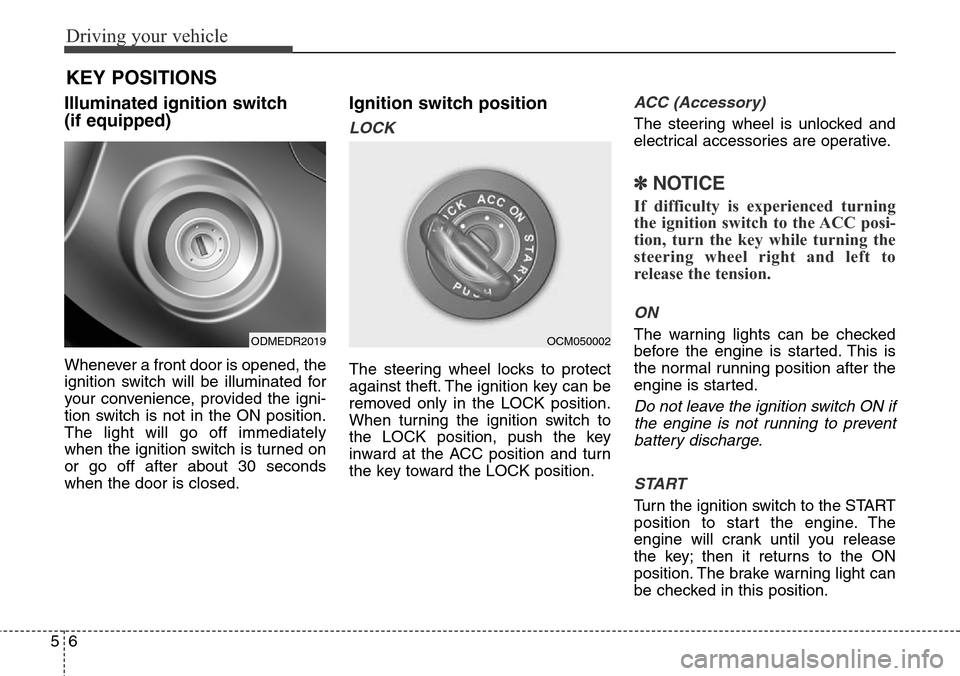
Illuminated ignition switch
(if equipped)
Whenever a front door is opened, the
ignition switch will be illuminated for
your convenience, provided the igni-
tion switch is not in the ON position.
The light will go off immediately
when the ignition switch is turned on
or go off after about 30 seconds
when the door is closed.
Ignition switch position
LOCK
The steering wheel locks to protect
against theft. The ignition key can be
removed only in the LOCK position.
When turning the ignition switch to
the LOCK position, push the key
inward at the ACC position and turn
the key toward the LOCK position.
ACC (Accessory)
The steering wheel is unlocked and
electrical accessories are operative.
✽NOTICE
If difficulty is experienced turning
the ignition switch to the ACC posi-
tion, turn the key while turning the
steering wheel right and left to
release the tension.
ON
The warning lights can be checked
before the engine is started. This is
the normal running position after the
engine is started.
Do not leave the ignition switch ON if
the engine is not running to prevent
battery discharge.
START
Turn the ignition switch to the START
position to start the engine. The
engine will crank until you release
the key; then it returns to the ON
position. The brake warning light can
be checked in this position.
KEY POSITIONS
ODMEDR2019OCM050002
Page 452 of 718
57
Driving your vehicle
WARNING - Ignition key
• Never turn the ignition switch
to LOCK or ACC while the
vehicle is moving. This would
result in loss of directional
control and braking function,
which could cause an acci-
dent.
• The anti-theft steering column
lock is not a substitute for the
parking brake. Before leaving
the driver’s seat, always make
sure the shift lever is engaged
in P (Park) for the automatic
transaxle, set the parking
brake fully and shut the
engine off. Unexpected and
sudden vehicle movement
may occur if these precau-
tions are not taken.
(Continued)(Continued)
• Never reach for the ignition
switch, or any other controls
through the steering wheel
while the vehicle is in motion.
The presence of your hand or
arm in this area could cause a
loss of vehicle control, an
accident and serious bodily
injury or death.
• Do not place any movable
objects around the driver’s
seat as they may move while
driving, interfere with the driv-
er and lead to an accident.
Page 453 of 718
Driving your vehicle
8 5
Starting the engine
✽ NOTICE - Kick down
mechanism
(if equipped)
If your vehicle is equipped with a
kick down mechanism in the accel-
erator pedal, it prevents you from
driving at full throttle unintention-
ally by making the driver require
increased effort to depress the accel-
erator pedal. However, if you
depress the pedal more than approx-
imately 80%, the vehicle can be at
full throttle and the accelerator
pedal will be easier to depress. This
is not a malfunction but a normal
condition.
Starting the gasoline engine
1.Make sure the parking brake is
applied.
2.Automatic Transaxle -Place the
transaxle shift lever in P (Park).
Depress the brake pedal fully.
You can also start the engine when
the shift lever is in the N (Neutral)
position.
3.Turn the ignition switch to START
and hold it there until the engine
starts (a maximum of 10 seconds),
then release the key.
It should be started without
depressing the accelerator pedal.
4.Do not wait for the engine to warm
up while the vehicle remains sta-
tionary.
Start driving at moderate engine
speeds. (Steep accelerating and
decelerating should be avoided.)
CAUTION
If the engine stalls while you are
in motion, do not attempt to
move the shift lever to the P
(Park) position. If traffic and
road conditions permit, you may
put the shift lever in the N
(Neutral) position while the
vehicle is still moving and turn
the ignition switch to the START
position in an attempt to restart
the engine.
CAUTION
Do not engage the starter for
more than 10 seconds. If the
engine stalls or fails to start,
wait 5 to 10 seconds before re-
engaging the starter. Improper
use of the starter may damage
it.
WARNING
Always wear appropriate shoes
when operating your vehicle.
Unsuitable shoes (high heels,
ski boots,etc.) may interfere
with your ability to use the
brake, accelerator pedal.
Page 454 of 718
59
Driving your vehicle
Starting the diesel engine
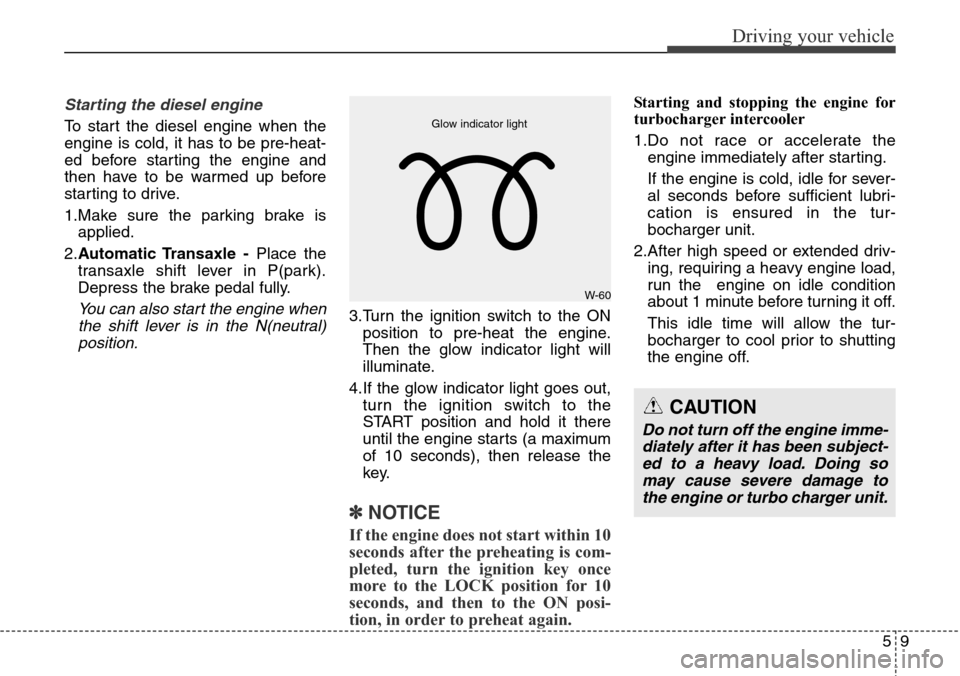
To start the diesel engine when the
engine is cold, it has to be pre-heat-
ed before starting the engine and
then have to be warmed up before
starting to drive.
1.Make sure the parking brake is
applied.
2.Automatic Transaxle -Place the
transaxle shift lever in P(park).
Depress the brake pedal fully.
You can also start the engine when
the shift lever is in the N(neutral)
position.3.Turn the ignition switch to the ON
position to pre-heat the engine.
Then the glow indicator light will
illuminate.
4.If the glow indicator light goes out,
turn the ignition switch to the
START position and hold it there
until the engine starts (a maximum
of 10 seconds), then release the
key.
✽ NOTICE
If the engine does not start within 10
seconds after the preheating is com-
pleted, turn the ignition key once
more to the LOCK position for 10
seconds, and then to the ON posi-
tion, in order to preheat again.
Starting and stopping the engine for
turbocharger intercooler
1.Do not race or accelerate the
engine immediately after starting.
If the engine is cold, idle for sever-
al seconds before sufficient lubri-
cation is ensured in the tur-
bocharger unit.
2.After high speed or extended driv-
ing, requiring a heavy engine load,
run the engine on idle condition
about 1 minute before turning it off.
This idle time will allow the tur-
bocharger to cool prior to shutting
the engine off.
CAUTION
Do not turn off the engine imme-
diately after it has been subject-
ed to a heavy load. Doing so
may cause severe damage to
the engine or turbo charger unit.
W-60 Glow indicator light
Page 459 of 718
Driving your vehicle
14 5
Starting the gasoline engine
1.Carry the smart key or leave it
inside the vehicle.
2.Make sure the parking brake is
firmly applied.
3.Automatic Transaxle -Place the
transaxle shift lever in P (Park).
Depress the brake pedal fully.
You can also start the engine when
the shift lever is in the N (Neutral)
position.
4.Press the engine start/stop button.
It should be started without depress-
ing the accelerator pedal.
5.Do not wait for the engine to warm
up while the vehicle remains sta-
tionary.
Start driving at moderate engine
speeds. (Steep accelerating and
decelerating should be avoided.)
Starting the diesel engine
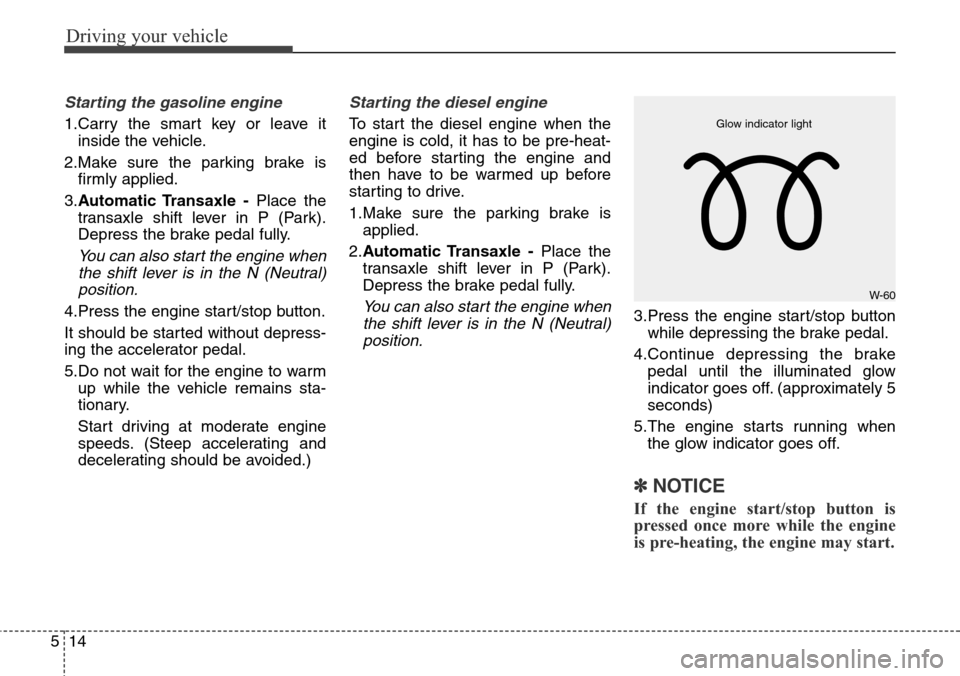
To start the diesel engine when the
engine is cold, it has to be pre-heat-
ed before starting the engine and
then have to be warmed up before
starting to drive.
1.Make sure the parking brake is
applied.
2.Automatic Transaxle -Place the
transaxle shift lever in P (Park).
Depress the brake pedal fully.
You can also start the engine when
the shift lever is in the N (Neutral)
position.3.Press the engine start/stop button
while depressing the brake pedal.
4.Continue depressing the brake
pedal until the illuminated glow
indicator goes off. (approximately 5
seconds)
5.The engine starts running when
the glow indicator goes off.
✽ NOTICE
If the engine start/stop button is
pressed once more while the engine
is pre-heating, the engine may start.
W-60 Glow indicator light
Page 460 of 718
515
Driving your vehicle
Starting and stopping the engine for
turbocharger intercooler
1.Do not race or accelerate the
engine immediately after starting.
If the engine is cold, idle for sever-
al seconds before sufficient lubri-
cation is ensured in the tur-
bocharger unit.
2.After high speed or extended driv-
ing, requiring a heavy engine load,
idle the engine about 1 minute
before turning it off.
This idle time will allow the tur-
bocharger to cool prior to shutting
the engine off.• Even if the smart key is in the vehi-
cle, if it is far away from you, the
engine may not start.
• When the engine start/stop button
is in the ACC position or above, if
any door is opened, the system
checks for the smart key. If the
smart key is not in the vehicle, the
“ ” indicator and a message
“Key not in vehicle” will appear on
the instrument cluster and LCD
display. And if all doors are closed,
the chime will sound for 5 seconds.
The indicator or warning will turn
off while the vehicle is moving.
Always have the smart key with
you.
WARNING
The engine will start, only when
the smart key is in the vehicle.
Never allow children or any per-
son who is unfamiliar with the
vehicle touch the engine
start/stop button or related
parts.
CAUTION
Do not turn the engine off imme-
diately after it has been subject-
ed to a heavy load. Doing so
may cause severe damage to
the engine or turbocharger unit.
CAUTION
If the engine stalls while the
vehicle is in motion, do not
attempt to move the shift lever
to the P (Park) position. If the
traffic and road conditions per-
mit, you may put the shift lever
in the N (Neutral) position while
the vehicle is still moving and
press the engine start/stop but-
ton in an attempt to restart the
engine.
Page 461 of 718
Driving your vehicle
16 5
✽ NOTICE
• If the battery is weak or the smart
key does not work correctly, you
can start the engine by pressing
the engine start/stop button with
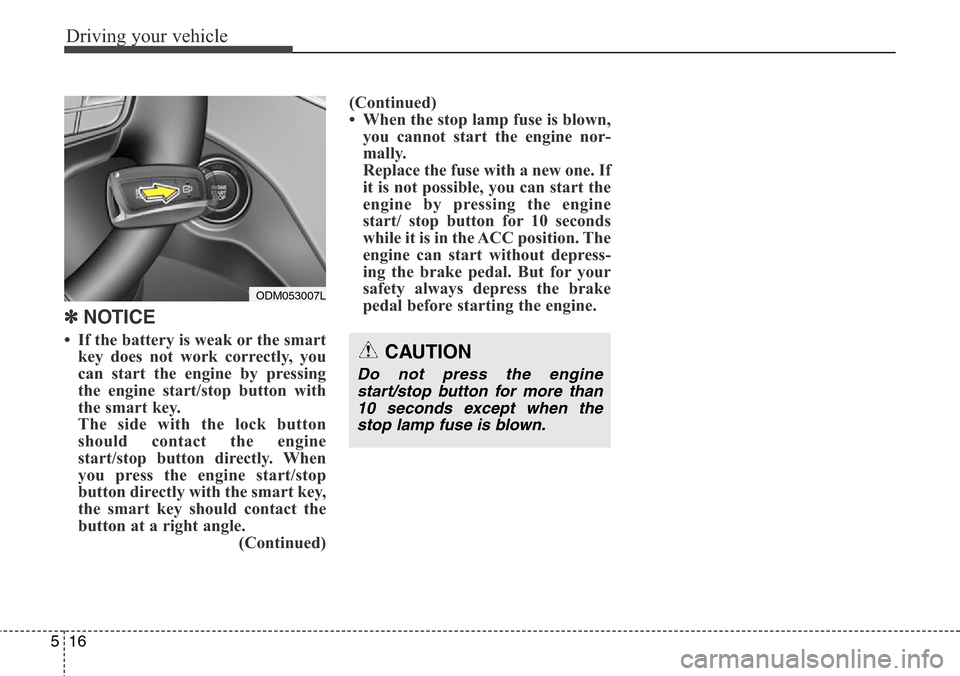
the smart key.
The side with the lock button
should contact the engine
start/stop button directly. When
you press the engine start/stop
button directly with the smart key,
the smart key should contact the
button at a right angle.
(Continued)(Continued)
• When the stop lamp fuse is blown,
you cannot start the engine nor-
mally.
Replace the fuse with a new one. If
it is not possible, you can start the
engine by pressing the engine
start/ stop button for 10 seconds
while it is in the ACC position. The
engine can start without depress-
ing the brake pedal. But for your
safety always depress the brake
pedal before starting the engine.CAUTION
Do not press the engine
start/stop button for more than
10 seconds except when the
stop lamp fuse is blown.
ODM053007L
Page 467 of 718
Driving your vehicle
22 5
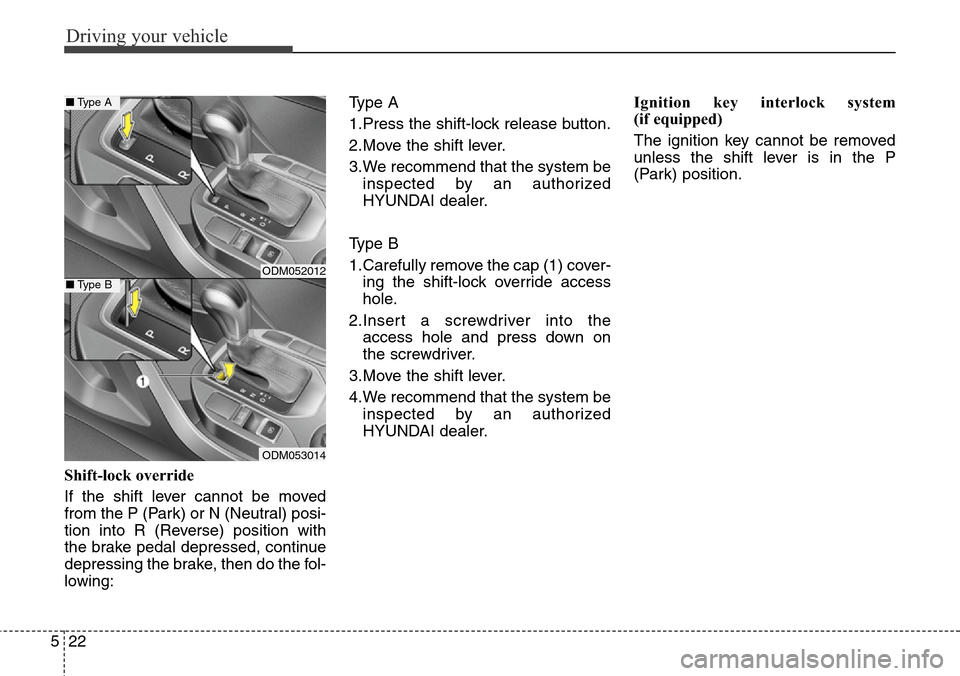
Shift-lock override
If the shift lever cannot be moved
from the P (Park) or N (Neutral) posi-
tion into R (Reverse) position with
the brake pedal depressed, continue
depressing the brake, then do the fol-
lowing:Type A
1.Press the shift-lock release button.
2.Move the shift lever.
3.We recommend that the system be
inspected by an authorized
HYUNDAI dealer.
Type B
1.Carefully remove the cap (1) cover-
ing the shift-lock override access
hole.
2.Insert a screwdriver into the
access hole and press down on
the screwdriver.
3.Move the shift lever.
4.We recommend that the system be
inspected by an authorized
HYUNDAI dealer.Ignition key interlock system
(if equipped)
The ignition key cannot be removed
unless the shift lever is in the P
(Park) position.
ODM052012
ODM053014
■Type A
■Type B