audio Hyundai Grand Santa Fe 2013 Owner's Guide
[x] Cancel search | Manufacturer: HYUNDAI, Model Year: 2013, Model line: Grand Santa Fe, Model: Hyundai Grand Santa Fe 2013Pages: 718, PDF Size: 13.5 MB
Page 312 of 718
![Hyundai Grand Santa Fe 2013 Owners Guide 4215
Features of your vehicle
• Changing connection sequence
(Priority)
This is used to change the order (pri-
ority) of automatic connection for the
paired mobile phones.
Select [Phone List] Select](/img/35/14776/w960_14776-311.png "Hyundai Grand Santa Fe 2013 Owners Guide 4215
Features of your vehicle
• Changing connection sequence
(Priority)
This is used to change the order (pri-
ority) of automatic connection for the
paired mobile phones.
Select [Phone List] Select")
4215
Features of your vehicle
• Changing connection sequence
(Priority)
This is used to change the order (pri-
ority) of automatic connection for the
paired mobile phones.
Select [Phone List] Select [Priority]
through TUNE knob Select No. 1
Priority mobile phone
➀ Select [Priority].
➁ From the paired phones, select
the phone desired for No.1 priority.
➂ The changed priority sequence is
displayed.
❈ Once the connection sequence
(priority) is changed, the new no. 1
priority mobile phone will be con-
nected.
- when the no. 1 priority cannot be
connected: Automatically attempts
to connect the most recently con-
nected phone.
- Cases when the most recently
connected phone cannot be con-
nected: Attempts to connect in the
order in which paired phones are
listed.- The connected phone will auto-
matically be changed to No. 1 pri-
ority.
• Delete
Select [Phone List] Select mobile
phone through TUNE knob
Select [Delete]
➀ Select the desired mobile phone.
➁ Delete the selected mobile phone.
➂ Deletion completion is displayed.
❈ When attempting to delete a cur-
rently connected phone, the phone
is first disconnected.Phone book Download
This feature is used to download
phone book and call histories into
the audio system.
Select [Phone book Download]
Select through TUNE knob
CAUTION
• The download feature may not
be supported in some mobile
phones.
• If a different operation is per-
formed while phone book is
being downloaded, download-
ing will be discontinued.
Phone book already down-
loaded will be saved.
• When downloading new phone
book, delete all previously
saved phone book before start-
ing download.
CAUTION
• When you delete a mobile
phone, the mobile phone
phone book will also be erased.
• For stable Bluetooth
®Wireless
Technology communication,
delete the mobile phone from
the audio and also delete the
audio from your mobile phone.
Page 313 of 718
![Hyundai Grand Santa Fe 2013 Owners Guide Features of your vehicle
216 4
Auto Download
When connecting a mobile phone, it
is possible to automatically download
new phone book and Call Histories.
Select [Auto Download] Set /
through TUNE knob](/img/35/14776/w960_14776-312.png "Hyundai Grand Santa Fe 2013 Owners Guide Features of your vehicle
216 4
Auto Download
When connecting a mobile phone, it
is possible to automatically download
new phone book and Call Histories.
Select [Auto Download] Set /
through TUNE knob")
Features of your vehicle
216 4
Auto Download
When connecting a mobile phone, it
is possible to automatically download
new phone book and Call Histories.
Select [Auto Download] Set /
through TUNE knob
Audio Streaming
Songs (files) saved in your
Bluetooth®Wireless Technology
enabled mobile phone can be played
through the audio system.
Select [Audio Streaming] Set /
through TUNE knobOutgoing Volume
This is used to set the volume of your
voice as heard by the other party
while on a
Bluetooth®Wireless
Technology enabled handsfree call.
Select [Outgoing Volume] Set vol-
ume through TUNE knob
❈ While on a call, the volume can be
changed by using the
key.
Bluetooth®Wireless Technology
System Off
This feature is used when you do not
wish to use the
Bluetooth®Wireless
Technology system.
Select [Bluetooth System Off] Set
through TUNE knob
❈ If a phone is already connected,
disconnect the currently connect-
ed phone and turn the
Bluetooth®
Wireless Technology system off.
SEEK
TRACK
Off
On
Off
On
CAUTION
The Bluetooth®Wireless
Technology audio streaming
feature may not be supported in
some mobile phones.
Page 314 of 718
4217
Features of your vehicle
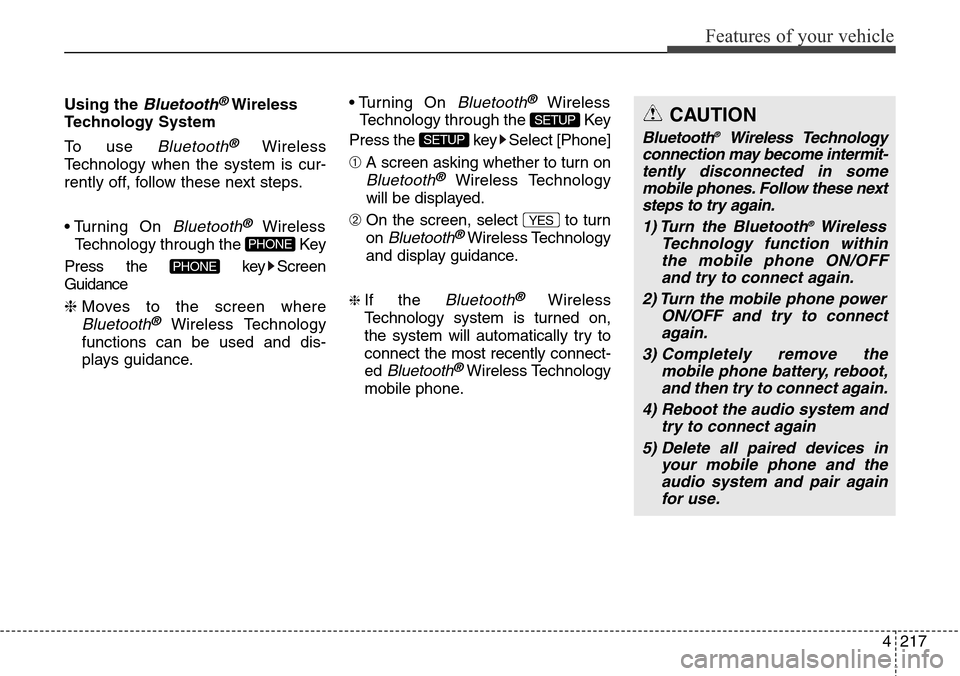
Using the Bluetooth®Wireless
Technology System
To use
Bluetooth®Wireless
Technology when the system is cur-
rently off, follow these next steps.
• Turning On
Bluetooth®Wireless
Technology through the Key
Press the key Screen
Guidance
❈ Moves to the screen where
Bluetooth®Wireless Technology
functions can be used and dis-
plays guidance.• Turning On
Bluetooth®Wireless
Technology through the Key
Press the key Select [Phone]
➀ A screen asking whether to turn on
Bluetooth®Wireless Technology
will be displayed.
➁ On the screen, select to turn
on
Bluetooth®Wireless Technology
and display guidance.
❈ If the Bluetooth®Wireless
Technology system is turned on,
the system will automatically try to
connect the most recently connect-
ed
Bluetooth®Wireless Technology
mobile phone.
YES
SETUP
SETUP
PHONE
PHONE
CAUTION
Bluetooth®Wireless Technology
connection may become intermit-
tently disconnected in some
mobile phones. Follow these next
steps to try again.
1) Turn the Bluetooth
®Wireless
Technology function within
the mobile phone ON/OFF
and try to connect again.
2) Turn the mobile phone power
ON/OFF and try to connect
again.
3) Completely remove the
mobile phone battery, reboot,
and then try to connect again.
4) Reboot the audio system and
try to connect again
5) Delete all paired devices in
your mobile phone and the
audio system and pair again
for use.
Page 315 of 718
![Hyundai Grand Santa Fe 2013 Owners Guide Features of your vehicle
218 4
System Settings
Press the key Select [System]Memory Information
(if equipped)
Displays currently used memory and
total system memory.
Select [Memory Information] OK
Th](/img/35/14776/w960_14776-314.png "Hyundai Grand Santa Fe 2013 Owners Guide Features of your vehicle
218 4
System Settings
Press the key Select [System]Memory Information
(if equipped)
Displays currently used memory and
total system memory.
Select [Memory Information] OK
Th")
Features of your vehicle
218 4
System Settings
Press the key Select [System]Memory Information
(if equipped)
Displays currently used memory and
total system memory.
Select [Memory Information] OK
The currently used memory is dis-
played on the left side while the total
system memory is displayed on the
right side.VRS Mode
This feature is used to change voice
command feedback between Normal
and Expert modes.
Select [VRS Mode] Set through
TUNE knob
• Normal : This mode is for beginner
users and provides detailed
instructions during voice command
operation.
• Expert : This mode is for expert
users and omits some information
during voice command operation.
(When using Expert mode, guid-
ance instructions can be heard
through the [Help] or [Menu] com-
mands.
❈ May differ depending on the
selected audio.
SETUP
Page 318 of 718
![Hyundai Grand Santa Fe 2013 Owners Guide 4221
Features of your vehicle
Sound Settings
This menu allows you to set the
‘Bass, Middle, Treble’ and the Sound
Fader and Balance.
Select [Sound Settings] Select
menu through TUNE knob Turn
TUN](/img/35/14776/w960_14776-317.png "Hyundai Grand Santa Fe 2013 Owners Guide 4221
Features of your vehicle
Sound Settings
This menu allows you to set the
‘Bass, Middle, Treble’ and the Sound
Fader and Balance.
Select [Sound Settings] Select
menu through TUNE knob Turn
TUN")
4221
Features of your vehicle
Sound Settings
This menu allows you to set the
‘Bass, Middle, Treble’ and the Sound
Fader and Balance.
Select [Sound Settings] Select
menu through TUNE knob Turn
TUNE knob left/right to set
• Bass, Middle, Treble : Selects the
sound tone.
• Fader, Balance : Moves the sound
fader and balance.
• Default : Restores default settings.
❈ Return : While adjusting values,
re-pressing the TUNE knob will
restore the parent menu.Virtual Sound
The PoewrBass, PowerTreble, and
Surround can be set.
Select [Virtual Sound] Set menu
through TUNE knob Set
/ through TUNE knob
• PowerBass : This is a sound system
feature that provides live bass.
• PowerTreble : This is a sound system
feature that provides live tremble.
• Surround : This is a sound system
feature that provides surround
sound.
❈ May differ depending on the select-
ed audio.Speed Dependent Volume Control
This feature is used to automatically
control the volume level according to
the speed of the vehicle.
Select [Speed Dependent Vol.] Set
in 4 levels [Off/Low/Mid/High] of
TUNE knob
Off
On
Page 322 of 718
![Hyundai Grand Santa Fe 2013 Owners Guide 4225
Features of your vehicle
• Disconnecting a connected phone
Select [Phone List] Select mobile
phone through TUNE knob
Select [Disconnect Phone]
➀ Select the currently connected
mobile phone.](/img/35/14776/w960_14776-321.png "Hyundai Grand Santa Fe 2013 Owners Guide 4225
Features of your vehicle
• Disconnecting a connected phone
Select [Phone List] Select mobile
phone through TUNE knob
Select [Disconnect Phone]
➀ Select the currently connected
mobile phone.")
4225
Features of your vehicle
• Disconnecting a connected phone
Select [Phone List] Select mobile
phone through TUNE knob
Select [Disconnect Phone]
➀ Select the currently connected
mobile phone.
➁ Disconnect the selected mobile
phone.
➂ Disconnection completion is dis-
played.• Changing connection sequence
(Priority)
This is used to change the order (pri-
ority) of automatic connection for the
paired mobile phones.
Select [Phone List] Select [Priority]
through TUNE knob Select No. 1
Priority mobile phone
➀ Select [Priority].
➁ From the paired phones, select
the phone desired for No.1 priority.
➂ The changed priority sequence is
displayed.
❈ Once the connection sequence
(priority) is changed, the new no. 1
priority mobile phone will be con-
nected.
- when the no. 1 priority cannot be
connected: Automatically attempts
to connect the most recently con-
nected phone.
- Cases when the most recently
connected phone cannot be con-
nected: Attempts to connect in the
order in which paired phones are
listed.- The connected phone will auto-
matically be changed to No. 1 pri-
ority.
• Delete
Select [Phone List] Select mobile
phone through TUNE knob
Select [Delete]
➀ Select the desired mobile phone.
➁ Delete the selected mobile phone.
➂ Deletion completion is displayed.
❈ When attempting to delete a cur-
rently connected phone, the phone
is first disconnected.
CAUTION
• When you delete a mobile
phone, the mobile phone con-
tacts will also be erased.
• For stable Bluetooth
®Wireless
Technology communication,
delete the mobile phone from
the audio and also delete the
audio from your mobile phone.
Page 323 of 718
Features of your vehicle
226 4
CAUTION
The Bluetooth®Wireless
Technology audio streaming
feature may not be supported in
some mobile phones.
Contacts Download
This feature is used to download
contacts and call histories into the
audio system.
Select [Contacts Download] Select
through TUNE knobAuto Download
When connecting a mobile phone, it
is possible to automatically download
new Contacts and Call Histories.
Select [Auto Download] Set /
through TUNE knob
Audio Streaming
Songs (files) saved in your
Bluetooth®Wireless Technology
enabled mobile phone can be played
through the audio system.
Select [Audio Streaming] Set /
through TUNE knobOutgoing Volume
This is used to set the volume of your
voice as heard by the other party
while on a
Bluetooth®Wireless
Technology enabled handsfree call.
Select [Outgoing Volume] Set vol-
ume through TUNE knob
❈ While on a call, the volume can be
changed by using the
key.
SEEK
TRACK
Off
On
Off
On
CAUTION
• The download feature may not
be supported in some mobile
phones.
• If a different operation is per-
formed while Contacts are
being downloaded, download-
ing will be discontinued.
Contacts already downloaded
will be saved.
• When downloading new
Contacts, delete all previously
saved Contacts before start-
ing download.
Page 324 of 718
![Hyundai Grand Santa Fe 2013 Owners Guide 4227
Features of your vehicle
Bluetooth®Wireless
Technology System Off
This feature is used when you do not
wish to use the
Bluetooth®Wireless
Technology system.
Select [Bluetooth System Off] Set
t](/img/35/14776/w960_14776-323.png "Hyundai Grand Santa Fe 2013 Owners Guide 4227
Features of your vehicle
Bluetooth®Wireless
Technology System Off
This feature is used when you do not
wish to use the
Bluetooth®Wireless
Technology system.
Select [Bluetooth System Off] Set
t")
4227
Features of your vehicle
Bluetooth®Wireless
Technology System Off
This feature is used when you do not
wish to use the
Bluetooth®Wireless
Technology system.
Select [Bluetooth System Off] Set
through TUNE knob
❈ If a phone is already connected,
disconnect the currently connect-
ed phone and turn the
Bluetooth®
Wireless Technology system off.
Using the Bluetooth®Wireless
Technology System
To use Bluetooth®Wireless
Technology when the system is cur-
rently off, follow these next steps.
• Turning On
Bluetooth®Wireless
Technology through the Key
Press the key Screen
Guidance
❈ Moves to the screen where
Bluetooth®Wireless Technology
functions can be used and dis-
plays guidance.• Turning On
Bluetooth®Wireless
Technology through the Key
Press the key Select [Phone]
➀ A screen asking whether to turn on
Bluetooth®Wireless Technology will
be displayed.
➁ On the screen, select to turn
on
Bluetooth®Wireless Technology
and display guidance.
❈ If the
Bluetooth®Wireless
Technology system is turned on, the
system will automatically try to con-
nect the most recently connected
Bluetooth®Wireless Technology
mobile phone.
YES
SETUP
SETUP
PHONE
PHONE
CAUTION
Bluetooth®Wireless Technology
connection may become inter-
mittently disconnected in some
mobile phones. Follow these
next steps to try again.
1) Turn the Bluetooth
®Wireless
Technology function within the
mobile phone ON/OFF and try
to connect again.
2) Turn the mobile phone power
ON/OFF and try to connect
again.
3) Completely remove the mobile
phone battery, reboot, and then
try to connect again.
4) Reboot the audio system and
try to connect again
5) Delete all paired devices in
your mobile phone and the
audio system and pair again
for use.
Page 328 of 718
4231
Features of your vehicle
RADIO
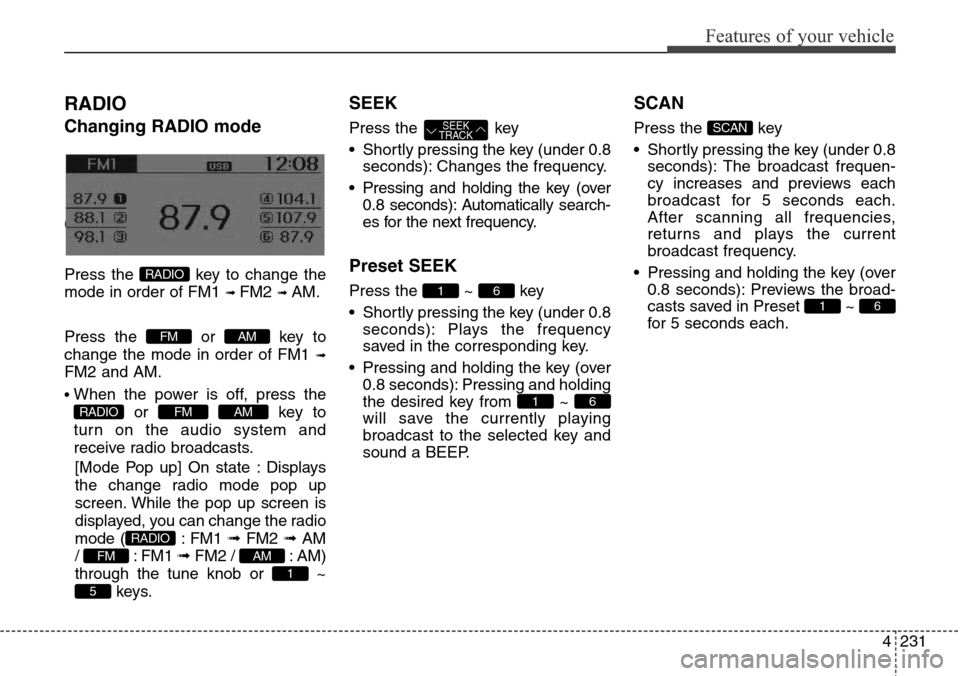
Changing RADIO mode
Changing RADIO mode
Press the key to change the
mode in order of FM1
➟ FM2 ➟ AM.
Press the or key to
change the mode in order of FM1
➟
FM2 and AM.
• When the power is off, press the
or key to
turn on the audio system and
receive radio broadcasts.
[Mode Pop up] On state : Displays
the change radio mode pop up
screen. While the pop up screen is
displayed, you can change the radio
mode ( : FM1 ➟ FM2 ➟ AM
/ : FM1 ➟FM2 / : AM)
through the tune knob or ~
keys.
SEEK
Press the key
• Shortly pressing the key (under 0.8
seconds): Changes the frequency.
• Pressing and holding the key (over
0.8 seconds): Automatically search-
es for the next frequency.
Preset SEEK
Press the ~ key
• Shortly pressing the key (under 0.8
seconds): Plays the frequency
saved in the corresponding key.
• Pressing and holding the key (over
0.8 seconds): Pressing and holding
the desired key from ~
will save the currently playing
broadcast to the selected key and
sound a BEEP.
SCAN
Press the key
• Shortly pressing the key (under 0.8
seconds): The broadcast frequen-
cy increases and previews each
broadcast for 5 seconds each.
After scanning all frequencies,
returns and plays the current
broadcast frequency.
• Pressing and holding the key (over
0.8 seconds): Previews the broad-
casts saved in Preset ~
for 5 seconds each.
61
SCAN
61
61
SEEK
TRACK
5
1
AMFM
RADIO
AMFMRADIO
AMFM
RADIO
Page 330 of 718
4233
Features of your vehicle
BASIC METHOD OF USE :
Audio CD / MP3 CD / USB /
iPod
®/ My Music
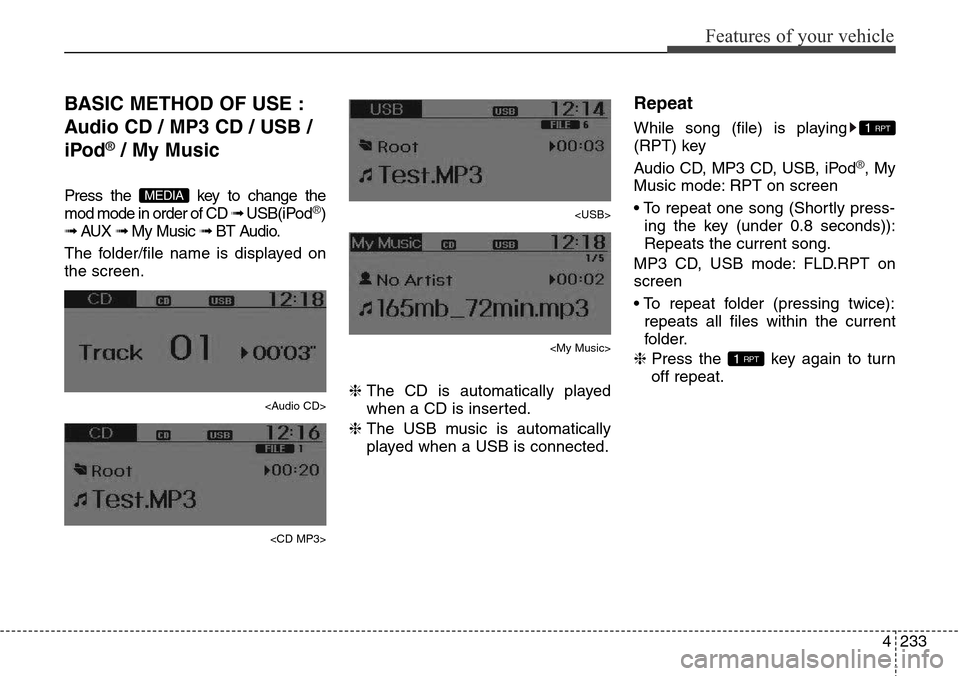
Press the key to change the
mod mode in order of CD ➟ USB(iPod®)
➟ AUX ➟ My Music ➟ BT Audio.
The folder/file name is displayed on
the screen.